

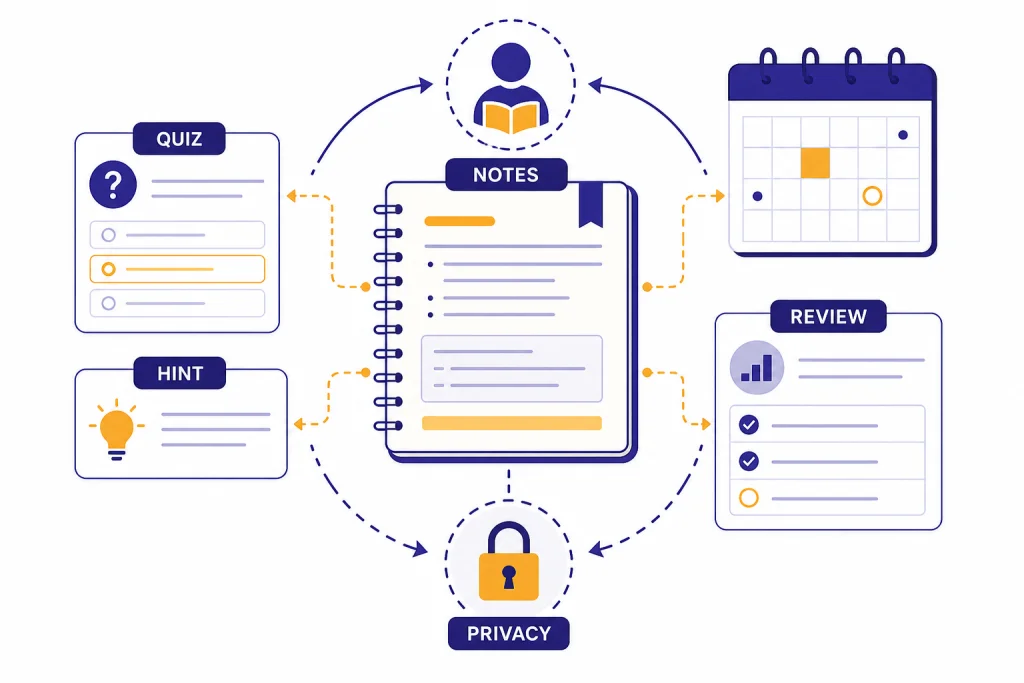
ChatGPT can help students study smarter when it acts like a tutor, coach, editor, and practice partner instead of a shortcut machine. The best student uses are active: ask it to quiz you, explain a concept at your level, find gaps in your reasoning, turn notes into review questions, or help you plan a paper before you write it. The risky uses are passive: copying answers, submitting AI-written essays, or trusting unsupported citations. This guide explains how to use ChatGPT for students in a way that improves learning, protects your work, and keeps you aligned with school rules.
What ChatGPT can and cannot do for students
ChatGPT is most useful when you give it a learning job. It can explain hard ideas, create practice questions, compare concepts, review your draft, summarize class notes, and help you plan a realistic study session. OpenAI describes student uses of ChatGPT in education as personalized tutoring, study guides, resume review, and mock interviews.[1]
That does not mean ChatGPT should replace your reading, class attendance, teacher, textbook, or original work. It can make confident mistakes. It can invent citations. It can over-simplify a topic that needs nuance. Treat it as a study partner that needs checking, not as an authority.
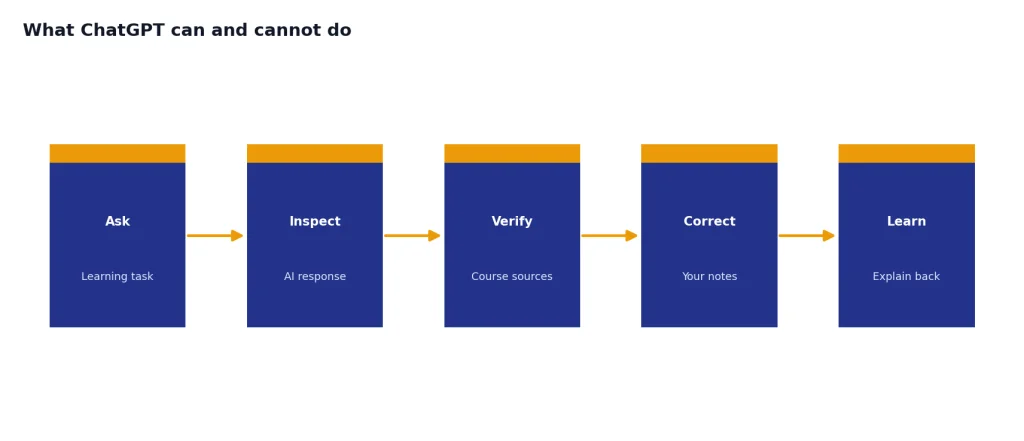
A good rule is simple. Use ChatGPT for process, feedback, and practice. Do not use it to hide the source of your work. If your instructor allows AI help, keep a record of how you used it. If your instructor bans AI for a task, do not use it for that task.
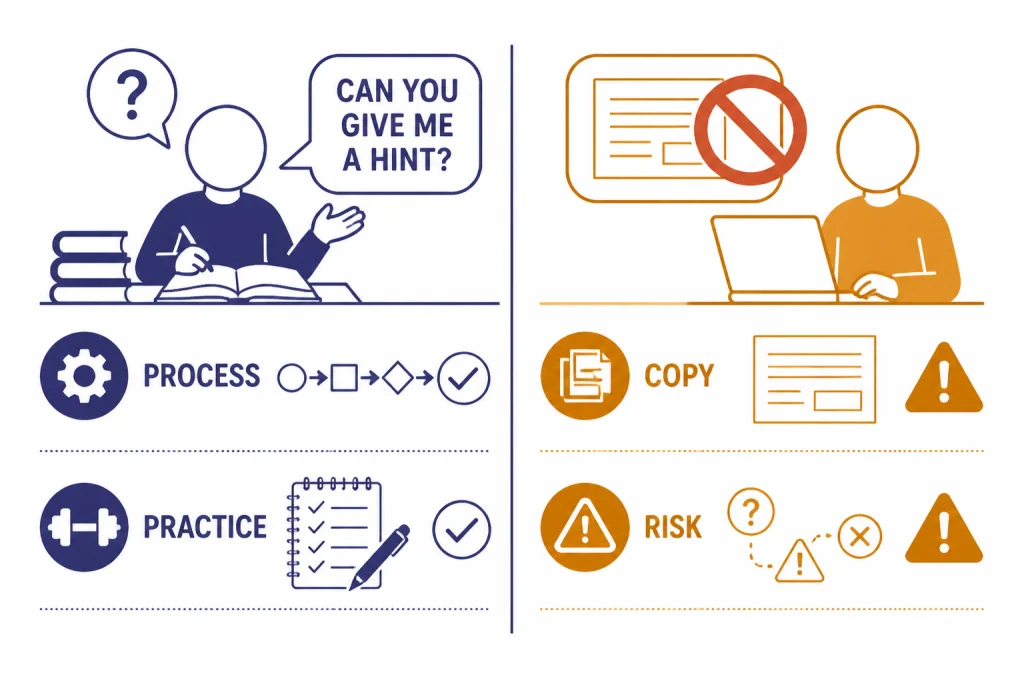
Start with Study mode when you want to learn
OpenAI introduced ChatGPT Study mode on July 29, 2025 as a learning experience designed to guide students through problems step by step instead of simply giving an answer.[2] OpenAI’s Study Mode FAQ says it is available to users in all ChatGPT plans globally and works with any model available in ChatGPT on iOS, Android, and web.[3]
Use Study mode for homework review, exam prep, and concept repair. It asks interactive questions, adjusts to your goals and skill level, checks understanding with open-ended prompts, and can work with uploaded images or PDFs from your course.[3] That makes it better than a normal chat when you want to learn the method, not just see the final answer.
Start with context. Tell ChatGPT your course level, topic, deadline, and what you already understand. Add class notes, a rubric, a syllabus section, or a photo of the problem if your school rules allow it. Then ask it to guide you without revealing the final answer too soon.
Use Study mode. I am in introductory chemistry. I understand balancing simple equations, but I get lost when redox reactions are involved. Ask me questions one step at a time and do not give the final answer until I explain my reasoning.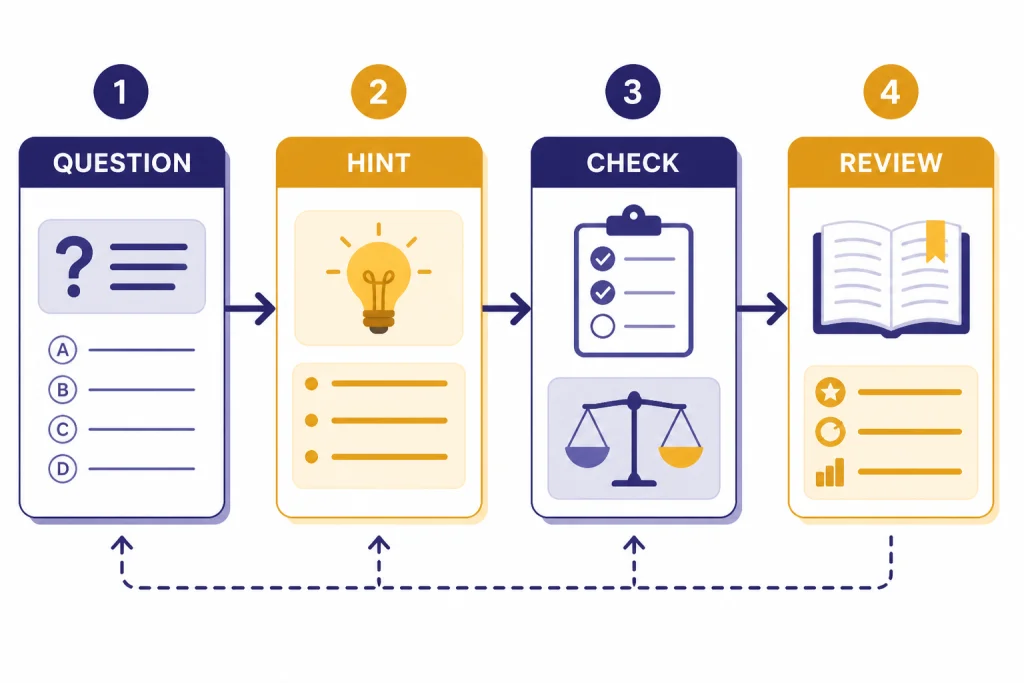
Best ChatGPT workflows for students
The best workflow depends on the assignment. A math problem needs guided reasoning. A history essay needs source discipline. A language class needs feedback and repetition. A data assignment may need help checking formulas or explaining output. For spreadsheet-heavy classes, see our ChatGPT Excel prompts for power users. For programming or data analysis, our Code Interpreter tutorial is a better fit.
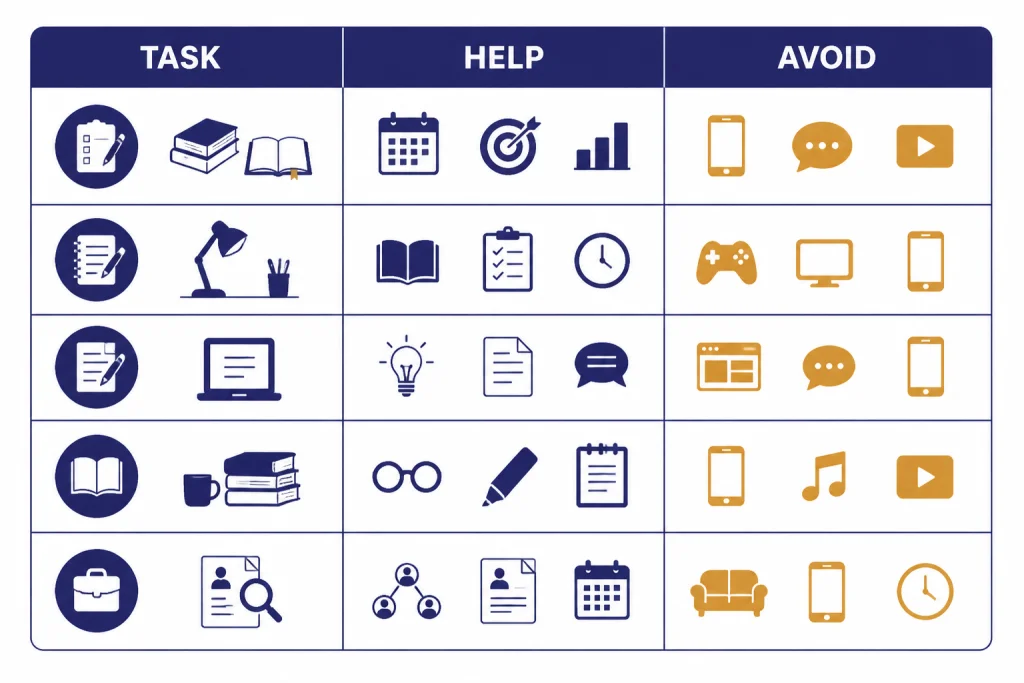
| Student task | Use ChatGPT for | Avoid using ChatGPT for | Best prompt move |
|---|---|---|---|
| Exam prep | Practice questions, recall drills, weak-area review | Memorizing AI summaries without checking notes | Ask for a quiz, then ask why each missed answer is wrong. |
| Homework problem | Hints, worked examples, method checks | Copying a final answer into your submission | Ask for Socratic help and show your attempted step. |
| Essay planning | Thesis testing, outline feedback, counterarguments | Submitting AI-written paragraphs as your own | Ask it to challenge your thesis and find missing evidence. |
| Reading assignment | Concept maps, discussion questions, glossary support | Skipping the assigned text entirely | Paste your own notes and ask what you misunderstood. |
| Career prep | Resume feedback, mock interviews, cover letter structure | Inventing achievements or credentials | Ask for feedback against a job description. |
For research-heavy assignments, use ChatGPT to plan search terms and organize questions, then verify claims in library databases and assigned readings. Our academic research workflow goes deeper on source evaluation. For writing classes, use ChatGPT for writing as a companion to your instructor’s rubric, not as a replacement for your own draft.
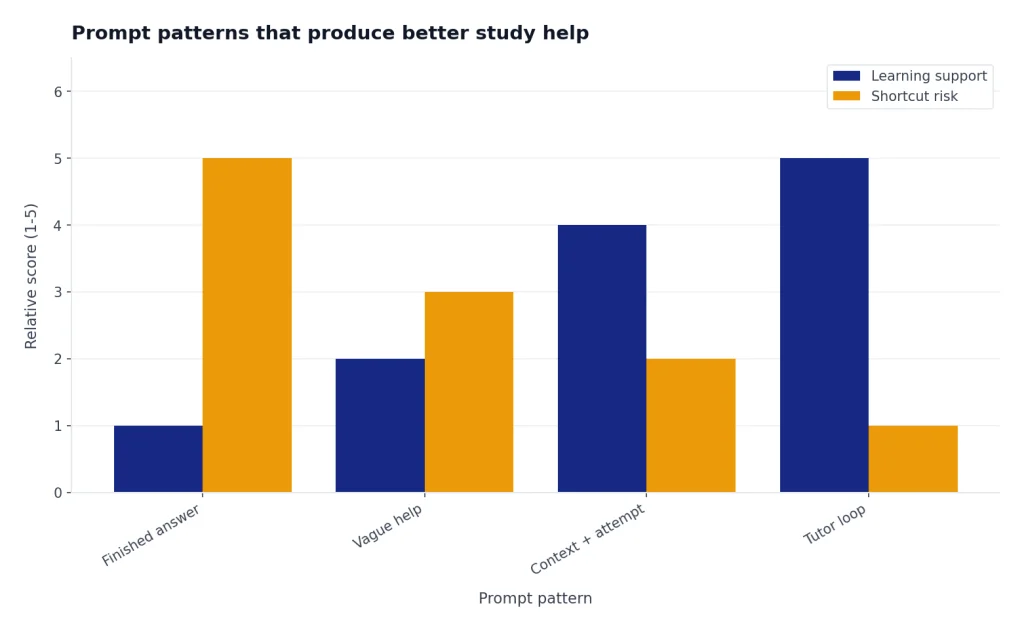
Prompt patterns that produce better study help
Weak prompts ask for finished work. Strong prompts ask for coaching. The difference is not style. It changes what you learn. A good student prompt includes your level, the task, what you have tried, and the kind of help you want.
Use the tutor prompt
Act as a patient tutor. I am studying [topic] for [course level]. I think the main idea is [your current understanding]. Ask me questions that reveal gaps. Give hints before answers. After I answer, explain what I got right and what I should fix.Use the draft feedback prompt
Review my draft against this rubric. Do not rewrite it for me. Identify the strongest claim, the weakest paragraph, missing evidence, and confusing transitions. Suggest revisions I can make in my own words.Use the exam repair prompt
I missed this practice question. Here is my answer and the correct answer. Explain the misconception behind my mistake. Then give me a similar question that tests the same skill.Save your best prompts in a personal library. A reusable prompt library keeps you from starting over each week. If you want a broader system, use our ChatGPT prompt generator to build templates for each class.
Academic integrity, privacy, and age rules
AI policy varies by school, instructor, assignment, and discipline. UNESCO published guidance for generative AI in education and research on September 7, 2023, with a focus on human-centered use, governance, and safeguards.[7] The U.S. Department of Education’s May 2023 AI report also emphasized that education systems need governance when AI tools are used for teaching and learning.[8]
For students, the practical takeaway is direct. Read the assignment policy before using ChatGPT. If the policy is unclear, ask. If AI help is allowed, disclose it in the form your instructor wants. If the assignment asks for your independent reasoning, use ChatGPT after you have made your own attempt.
| Use case | Usually lower risk | Usually higher risk |
|---|---|---|
| Studying | Quizzes, flashcards, hints, explanations | Asking for answers to graded homework |
| Writing | Outline critique, thesis testing, grammar feedback | Submitting AI-generated prose without permission |
| Research | Search terms, question framing, source comparison plan | Trusting invented citations or unsupported claims |
| Math and science | Checking steps and identifying misconceptions | Copying a solution without understanding it |
| Personal data | Using generic examples and removing names | Uploading private records, IDs, grades, or sensitive files |
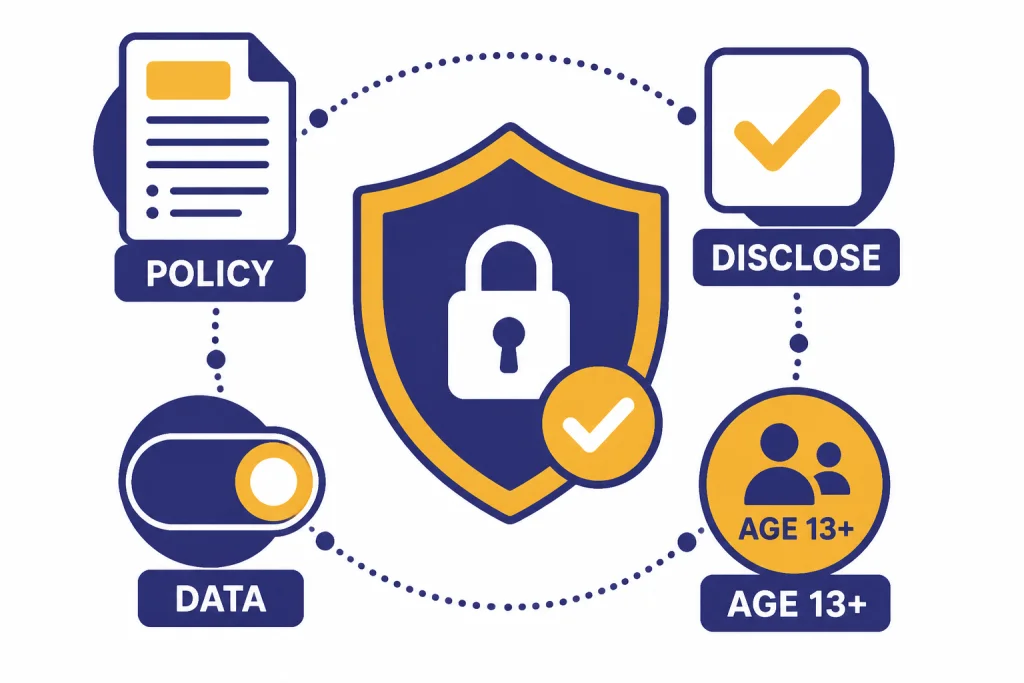
OpenAI says ChatGPT is not meant for children under 13, and that users ages 13 to 18 should have parent or guardian consent before using ChatGPT.[5] If you are using ChatGPT for school and you are under 18, follow your school’s device, account, and consent rules as well.
Privacy matters too. OpenAI’s Data Controls FAQ says signed-in users can turn off “Improve the model for everyone” under Settings and Data Controls, and that conversations will still appear in chat history but will not be used to train ChatGPT.[6] For campus deployments, OpenAI says ChatGPT Edu includes no data or conversations used to train OpenAI models, along with administrative controls such as SAML SSO, domain verification, and custom data retention windows.[1]
When to use other ChatGPT workflows
Student work often overlaps with other skills. Use a specialized workflow when the assignment is more than general studying. If you are preparing a presentation or class video, our ChatGPT for YouTubers guide can help with scripts and titles. If you are studying another language, the ChatGPT translation prompts article is more useful than generic translation requests.
If your work includes long documents, use Canvas-style drafting and revision rather than a single chat. Our Canvas tutorial for building documents explains that workflow. If you want ChatGPT to remember your study preferences over time, review our memory power-user tips before you depend on personalization.
Do not pay for a plan until you know what problem you are trying to solve. OpenAI lists ChatGPT Plus at $20 per month.[4] The free plan may be enough for light studying, while a paid plan may make sense if you often use uploads, advanced tools, or longer study sessions. Check the plan page in your own account before subscribing, because available models and limits can change.[9]
A practical weekly routine
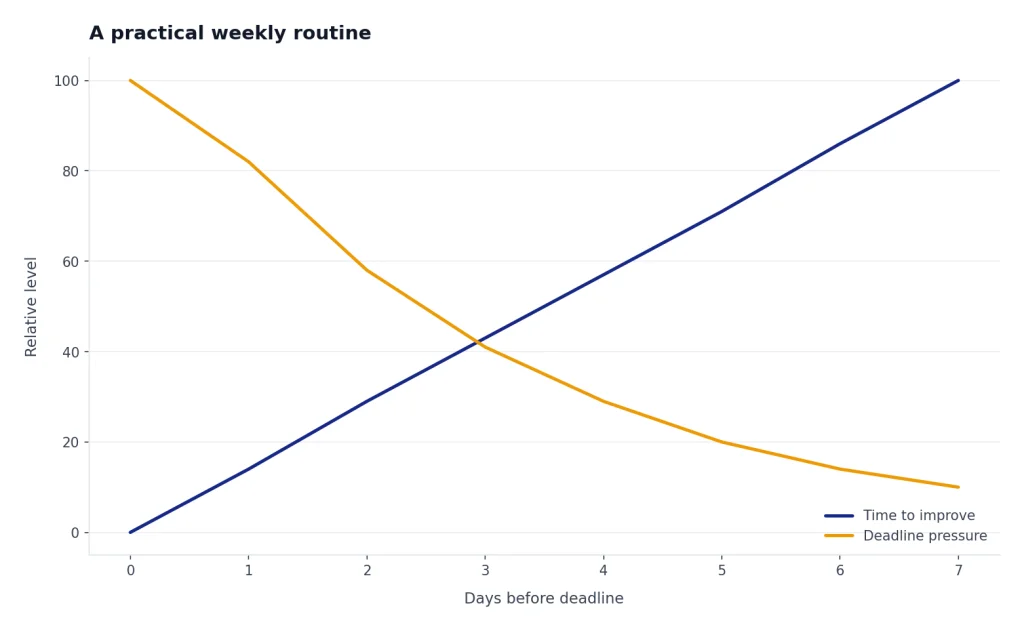
Use ChatGPT at predictable points in your week. Do not wait until the night before an exam or the hour before an essay deadline. The goal is to create feedback loops while you still have time to improve.
- Before class: Ask ChatGPT to preview the topic from your syllabus and list terms you should recognize.
- After class: Paste your own notes and ask what is unclear, incomplete, or likely to be tested.
- Before homework: Ask for a worked example on a similar problem, not your exact graded problem.
- During writing: Ask for thesis pressure-testing and outline feedback before drafting.
- Before the test: Ask for mixed practice questions and explain your reasoning out loud or in writing.
- After feedback: Paste the rubric comments and ask for a revision plan in your own words.
The best use of ChatGPT for students is not speed alone. It is deliberate practice. If a prompt saves time but leaves you unable to explain the work, it did not help you learn. If a prompt helps you find a weak spot and fix it, it is doing the right job.
Frequently asked questions
Is ChatGPT allowed for schoolwork?
It depends on your school, instructor, and assignment. Some teachers allow AI for brainstorming or feedback but not for final answers. Read the assignment rules first, and ask for clarification if the policy is unclear.
What is the best way to use ChatGPT for studying?
Use it as a tutor. Ask for questions, hints, explanations, and feedback on your reasoning. Study mode is especially useful because it is designed to guide you step by step instead of jumping straight to the answer.[3]
Can ChatGPT write my essay?
It can generate essay-like text, but submitting that text as your own may violate academic integrity rules. A safer use is to ask ChatGPT to critique your thesis, outline, paragraph structure, or clarity. Keep the thinking and final wording under your control.
Does ChatGPT make mistakes in school subjects?
Yes. It can give wrong explanations, miss context, or invent sources. Check important claims against your textbook, lecture notes, library sources, or instructor guidance before you rely on them.
Should students pay for ChatGPT Plus?
Many students should start free and upgrade only if they hit real limits in their workflow. OpenAI lists ChatGPT Plus at $20 per month.[4] If you mainly need quizzes, explanations, and draft feedback, test the free plan first.
Can I upload class notes or PDFs?
You can use uploads when your plan and school rules allow it. Do not upload private information, copyrighted course packs if prohibited, exams, or files your instructor told you not to share. Remove names, student IDs, grades, and sensitive details whenever possible.