

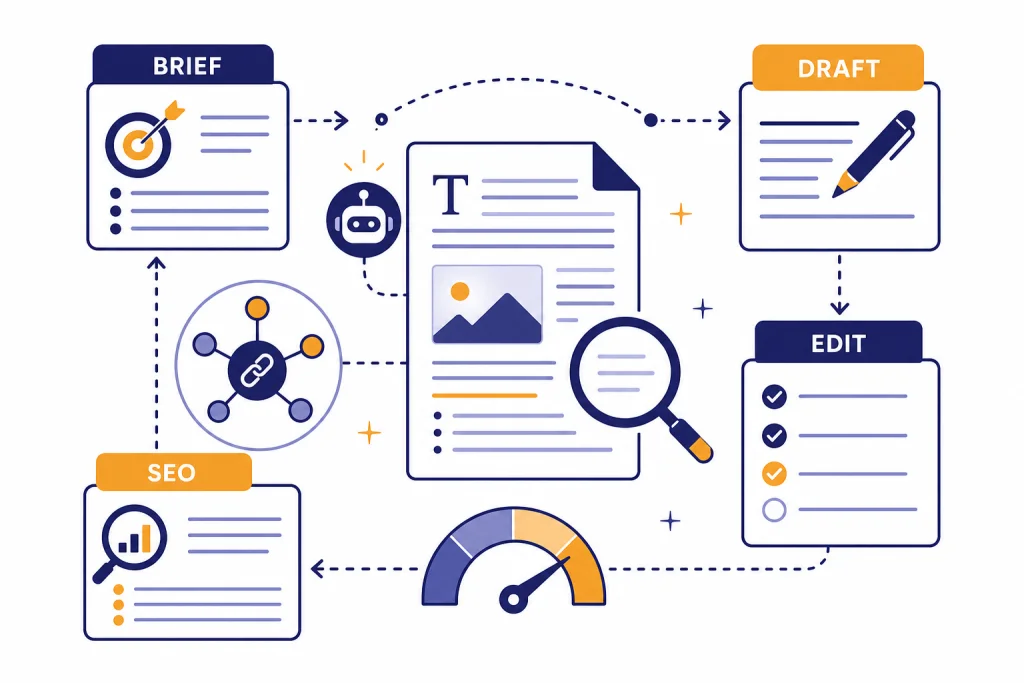
ChatGPT for blog writing works best as an editorial assistant, not as a one-click publisher. Use it to clarify search intent, build outlines, turn notes into drafts, rewrite weak sections, generate title options, and prepare on-page SEO elements. Keep humans responsible for the angle, evidence, examples, judgment, and final edit. That division matters because Google allows AI-assisted content, but it also warns against scaled, low-value pages made mainly to manipulate rankings.[4] This workflow gives bloggers a practical way to use ChatGPT for speed while still publishing useful, original posts readers can trust.
Where ChatGPT fits in blog writing
ChatGPT can help with the repetitive parts of blogging: brainstorming angles, drafting sections, summarizing source notes, rewriting dense paragraphs, and creating variations of titles or meta descriptions. OpenAI describes ChatGPT as a conversational assistant that can answer questions, explain concepts, draft, rewrite, summarize, and provide creative suggestions.[1] That makes it useful throughout a blog workflow, but it does not replace editorial responsibility.
The best use case is assisted writing from real inputs. Give ChatGPT your audience, search query, outline, product experience, interview notes, and source excerpts. Ask it to organize and transform that material. Do not ask it to invent expertise you do not have. If you need a broader writing system, pair this guide with our ChatGPT for Writing article. If your main goal is ranking research, use it alongside chatgpt for SEO.
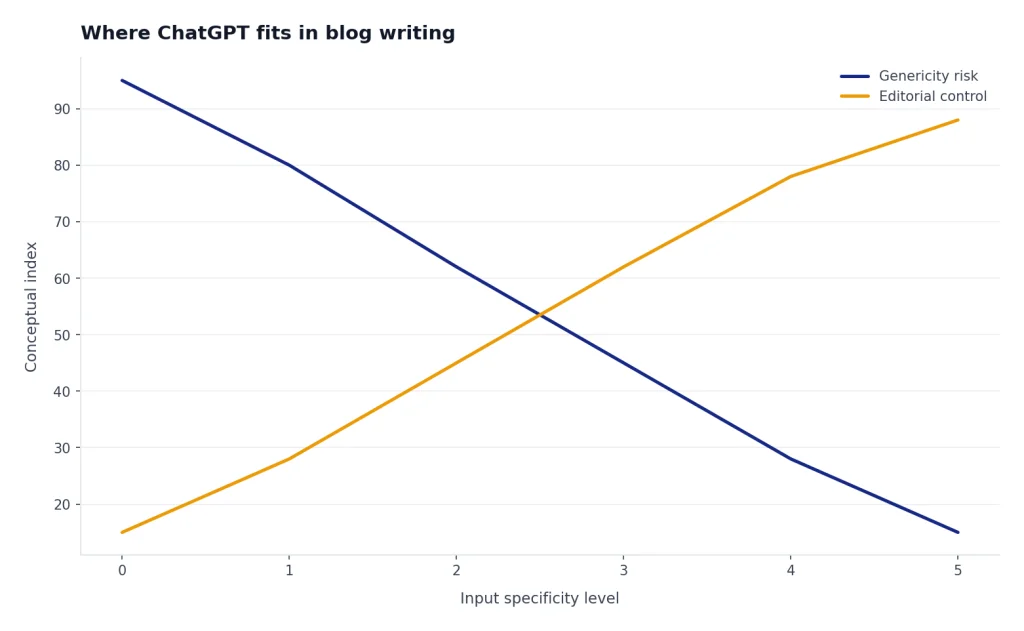
A useful mental model is simple: ChatGPT handles structure and language. The writer handles truth and judgment. That means you should approve the angle before drafting, verify every factual claim before publishing, and add the examples only you can provide.
| Blog task | Good ChatGPT use | Human responsibility |
|---|---|---|
| Topic selection | Cluster ideas by audience problem and search intent. | Choose topics that match business goals and reader needs. |
| Outline | Convert research notes into a logical section order. | Reject generic sections and add missing angles. |
| Drafting | Turn approved notes into a readable first draft. | Add experience, evidence, product context, and examples. |
| SEO | Suggest title tags, headings, internal links, and FAQ ideas. | Prevent keyword stuffing and keep the page natural. |
| Editing | Find repetition, vague claims, and weak transitions. | Make final calls on accuracy, voice, and publication quality. |
Build a source-first SEO brief
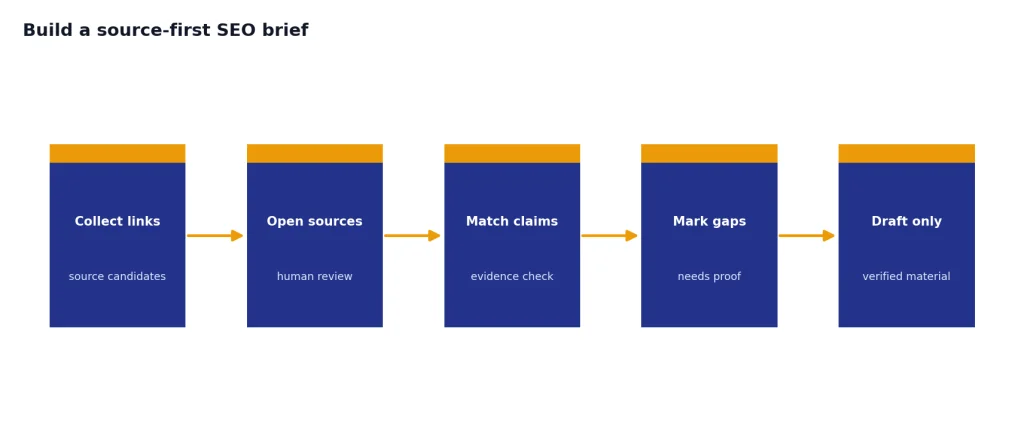
Start every AI-assisted post with a brief, not a blank prompt. The brief should define the target keyword, reader problem, search intent, angle, internal links, sources, claims to prove, and sections to avoid. This protects the draft from sounding like every other article in the results.
Google says generative AI can be useful for researching a topic and adding structure to original content, but it also says AI-generated pages made at scale without added value may violate its spam policy.[4] That is the line to respect. Use ChatGPT to structure your thinking. Do not use it to mass-produce interchangeable pages.
For a blog writing brief, ask ChatGPT to separate what it knows from what it needs you to supply. You can paste source notes, customer questions, call transcripts, product screenshots, survey results, or personal experience bullets. If the post depends on current information, ask ChatGPT to search the web and return source links before drafting. OpenAI says ChatGPT search can provide timely answers with links to relevant web sources.[3] You still need to open those sources yourself and verify the claims.
A strong brief also includes internal link targets. For example, a marketing blog post might link to chatgpt for marketing, a campaign repurposing article might point to chatgpt for social media content creation, and a research-heavy article might reference chatgpt for research. Do this before drafting so links feel natural instead of pasted in later.
Create an SEO blog brief for this keyword: [keyword].
Audience: [who they are].
Reader problem: [what they need].
Business goal: [why we are publishing].
Source notes: [paste notes].
Internal links to consider: [paste slugs or titles].
Return: search intent, angle, outline, claims that need proof, sections to avoid, and questions the draft must answer.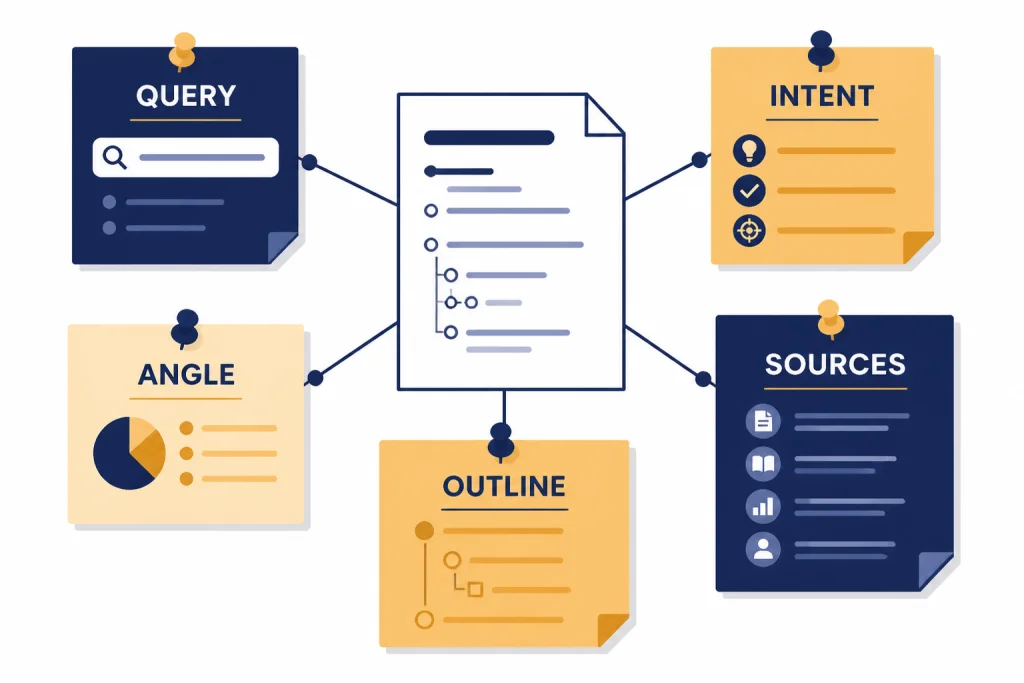
Draft the post in controlled passes
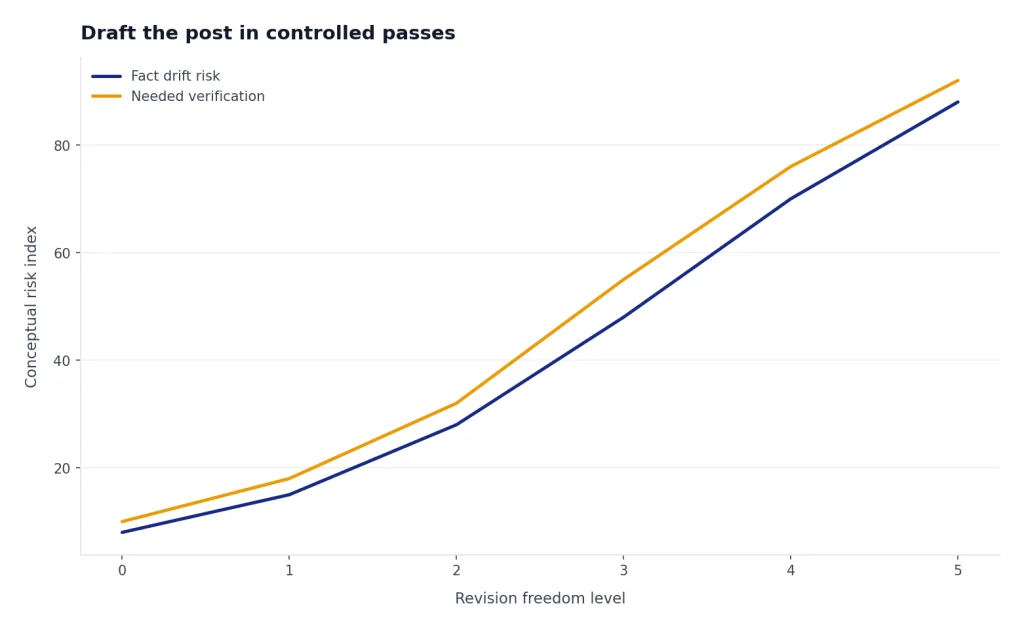
Do not ask for the whole article in one prompt unless the post is short and low risk. A controlled pass produces better work. First, ask for the outline. Then ask for one section at a time. Then ask for transitions. Then ask for a revision against your style guide. This keeps you close enough to catch drift before it spreads through the whole draft.
The first pass should be deliberately plain. Tell ChatGPT not to optimize yet. Ask it to follow the approved outline, use your notes, and flag any claim that needs a source. This gives you a clean draft without premature keyword stuffing. If the post is part of a broader content operation, the same method can support newsletters and nurture sequences; see our guide to ChatGPT for Email Writing.
The second pass should improve substance. Ask ChatGPT to identify vague claims, unsupported advice, repeated ideas, and sections where a real example would help. Then fill those gaps yourself. This is where you add screenshots, product experience, expert quotes, original data, or field observations.
The third pass should improve style. Give ChatGPT your voice rules. For example: short sentences, no hype, no rhetorical headings, no filler introductions, active voice, American English. Ask it to revise only for clarity and flow, not for new facts. This prevents the model from introducing unverified details while polishing the prose.
| Pass | Prompt goal | What to reject |
|---|---|---|
| Brief pass | Turn research into intent, angle, and outline. | Sections that could fit any site. |
| Draft pass | Write from the approved outline and notes. | Invented examples, statistics, or citations. |
| Substance pass | Find thin areas and missing proof. | Advice that sounds right but says little. |
| Style pass | Match brand voice and improve readability. | Over-polished language that loses precision. |
| SEO pass | Prepare titles, headings, links, and FAQ ideas. | Awkward keyword repetition. |
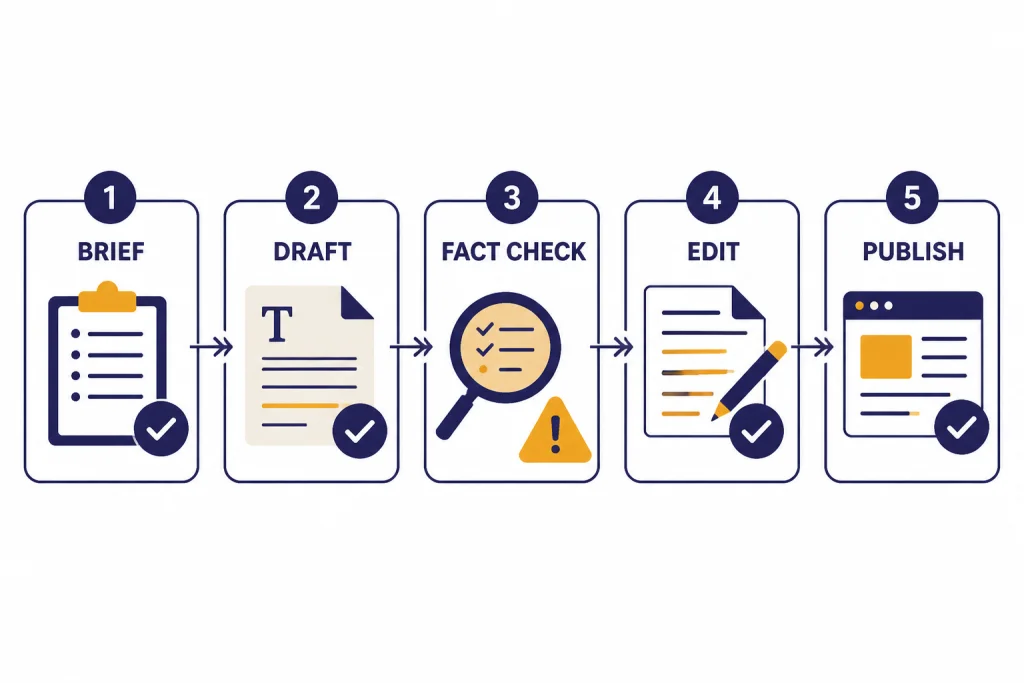
Edit for originality, accuracy, and usefulness
AI drafts often look finished before they are useful. They can be fluent, organized, and still shallow. Your edit should test whether the post helps a reader make a better decision, complete a task, or understand a topic faster than they could from a generic summary.
Google’s helpful content guidance says SEO can be useful when applied to people-first content rather than search-engine-first content.[5] Apply that standard during editing. If a paragraph exists only to mention a keyword, cut it. If a heading promises an answer but gives broad advice, rewrite it. If the article repeats common knowledge, add a sharper example or remove the section.
Use ChatGPT as a skeptical editor. Ask it to mark claims that need evidence, identify sections that do not match the reader’s intent, and compare the draft against your brief. Then do the verification yourself. ChatGPT can help you find the work. It should not be the final authority on facts.
Originality usually comes from constraints. Add the exact audience. Add your product category. Add your failures and tradeoffs. Add examples from your workflow. A post about ChatGPT for blog writing becomes more useful when it shows real prompts, editing checkpoints, and mistakes to avoid. A post about design workflows should link naturally to ChatGPT for Designers, while a content operations post may need a prompt library such as our ChatGPT prompt generator.
- Check the promise. Does the introduction answer the title directly?
- Check the evidence. Can a reader verify the important claims?
- Check the angle. Does the post add judgment, not just summary?
- Check the voice. Does it sound like your publication?
- Check the next step. Does the reader know what to do after reading?
Optimize the page without over-optimizing
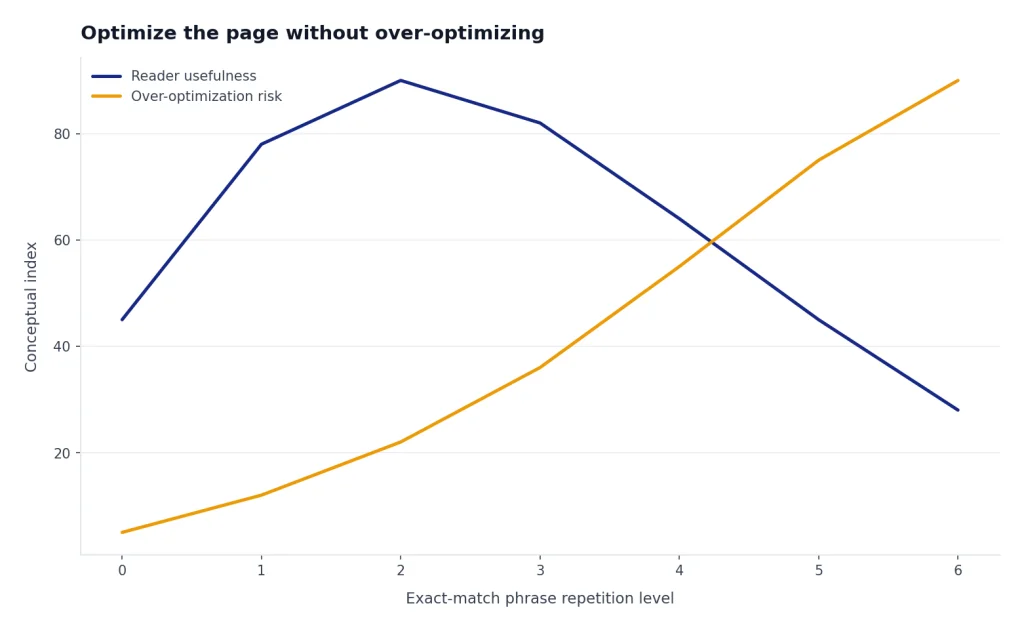
Once the draft is useful, run an SEO pass. Ask ChatGPT for title tag options, a meta description, heading improvements, internal link suggestions, image alt text ideas, and FAQ candidates. Keep the output human. The goal is to make the article easier to understand and discover, not to make every paragraph sound like a search query.
Google’s spam policies define scaled content abuse as generating many pages mainly to manipulate rankings and not help users; the policy includes using generative AI tools to create many pages without adding value.[6] A safe SEO workflow avoids that pattern. Publish fewer posts with better evidence, clearer structure, and more firsthand value.
ChatGPT is especially useful for on-page cleanup. Paste your draft and ask it to find heading gaps, unclear subtopics, missing definitions, and places where an internal link would help. For a post that turns into a video script, link to ChatGPT for YouTubers. For a post that supports landing pages or campaigns, link to broader chatgpt for marketing resources only when the reader would benefit.
Use the target keyword in natural places: the title, lead, one or more headings when relevant, and body copy where it helps clarity. Do not force exact-match phrases into every section. Synonyms, examples, and precise answers usually serve readers better than repetition.
Review this draft for on-page SEO without changing facts.
Target keyword: [keyword].
Suggest: title tag options, meta description, clearer H2s, internal link placements, FAQ questions, and image alt text ideas.
Rules: no keyword stuffing, no new claims, no invented sources, and preserve the publication voice.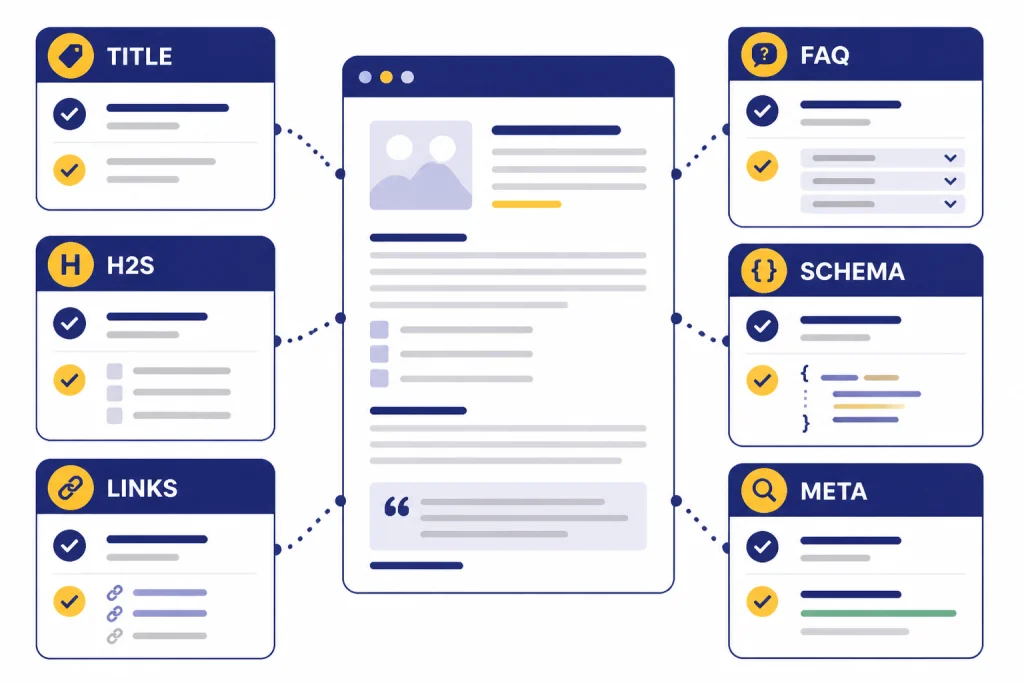
Use Projects, Canvas, and privacy controls safely
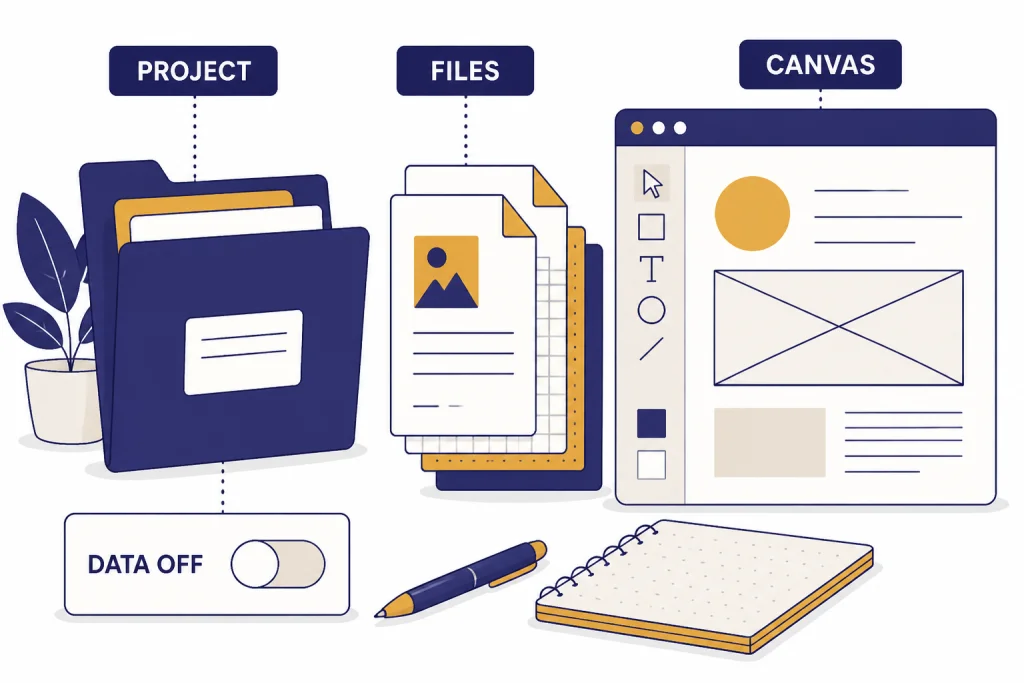
For ongoing blog work, keep each site or content pillar in a dedicated ChatGPT Project. OpenAI says Projects let users group chats, upload reference files, and add custom instructions so ChatGPT can stay on topic.[2] For a blog, that means one project can hold your style guide, audience notes, glossary, approved internal links, and recurring editorial rules.
Canvas is useful when you want to revise longer drafts in a workspace instead of copying text back and forth. OpenAI describes Canvas as an interactive workspace for co-writing, editing, or debugging alongside ChatGPT, with support for markup, inline suggestions, file upload, and code editing.[1] For bloggers, the practical use is section-level revision. Ask for a stronger intro, a tighter conclusion, or a clearer comparison table without losing sight of the full draft. For a deeper walkthrough, see our ChatGPT tutorial for Canvas.
Privacy settings matter. OpenAI’s Data Controls let users decide whether conversations help improve models, and turning off “Improve the model for everyone” means conversations still appear in chat history but are not used to train ChatGPT.[7] OpenAI also says Temporary Chats are deleted from its systems after 30 days and are not used to train its models.[7] Do not paste confidential client data, unpublished financials, private customer records, or embargoed material unless your organization has approved that use.
Be careful with shared links. OpenAI says anyone with access to a shared link can view the linked conversation, and it encourages users not to share sensitive content.[8] Treat shared drafts like public documents unless access is clearly restricted by your workspace policy.
Prompt pack for blog writers
The best prompts are specific, constrained, and tied to your editorial process. Avoid prompts that ask ChatGPT to “write a complete SEO article” from a keyword alone. That invites generic output. Use prompts that ask for a defined task and a defined format.
Topic validation prompt
Act as an editorial strategist. Evaluate this blog topic for [audience].
Topic: [topic]
Business goal: [goal]
Return: likely search intent, reader pain points, unique angle options, evidence needed, and reasons not to write it.
Outline improvement prompt
Improve this outline for usefulness and SEO.
Target keyword: [keyword]
Draft outline: [paste outline]
Rules: remove generic sections, add missing reader questions, suggest internal link placements, and flag claims that need sources.
First-draft prompt
Write a first draft from this approved outline and these notes.
Do not add facts beyond the notes.
If a claim needs proof, write [SOURCE NEEDED].
Voice rules: [paste rules]
Audience: [audience]
Outline and notes: [paste]
Editor prompt
Act as a strict editor. Review this draft for thin advice, unsupported claims, repetition, weak examples, and off-intent sections.
Return a prioritized edit list. Do not rewrite yet.
Draft: [paste draft]
Repurposing prompt
Repurpose this finished blog post into supporting assets.
Create: social post ideas, email teaser, video outline, and newsletter summary.
Rules: preserve facts, do not add new claims, and adapt the hook to each channel.
Post: [paste final article]
Use these prompts as a starting library, then adapt them to your niche. Bloggers who publish recipe content may need a different evidence checklist than a SaaS writer. Travel, legal, medical, and financial topics need stricter review. If you write across formats, compare this workflow with chatgpt for travel planning, ChatGPT for Lawyers, or other use-case guides before reusing the same prompt structure everywhere.
Frequently asked questions
Can ChatGPT write a full blog post for me?
Yes, ChatGPT can draft a full blog post, but the better workflow is to give it a brief, notes, sources, and editorial rules first. A full draft from only a keyword is usually too generic. Treat the output as a first draft that needs fact-checking, examples, and voice editing.
Is ChatGPT-written content bad for SEO?
AI-assisted content is not automatically bad for SEO. Google’s guidance focuses on whether the content is helpful, original, and people-first, not simply how it was produced.[5] The risk comes from publishing thin, scaled, low-value pages that exist mainly to rank.
What should I give ChatGPT before asking for a blog draft?
Give it the target keyword, audience, search intent, outline, source notes, internal links, examples, and voice rules. If the topic is current or factual, include verified source material. The more real input you provide, the less generic the draft will be.
Should I disclose that I used ChatGPT?
Disclosure depends on the content, your policy, and reader expectations. Google says AI or automation disclosures are useful where someone might reasonably wonder how the content was created.[5] For sensitive, advice-heavy, or research-heavy topics, a clear editorial note can improve trust.
How do I make a ChatGPT draft sound less generic?
Add constraints. Specify the audience, use case, product category, examples, mistakes, and editorial voice. Then ask ChatGPT to identify vague sections rather than simply “make it better.” Your own experience is the main difference between a useful post and a polished summary.
Can I use ChatGPT for keyword research?
Use it for brainstorming, clustering, intent mapping, and question discovery. Do not treat its keyword volume or ranking difficulty guesses as authoritative unless they come from a tool or source you can verify. For SEO-specific workflows, use this article with our chatgpt for SEO breakdown.