

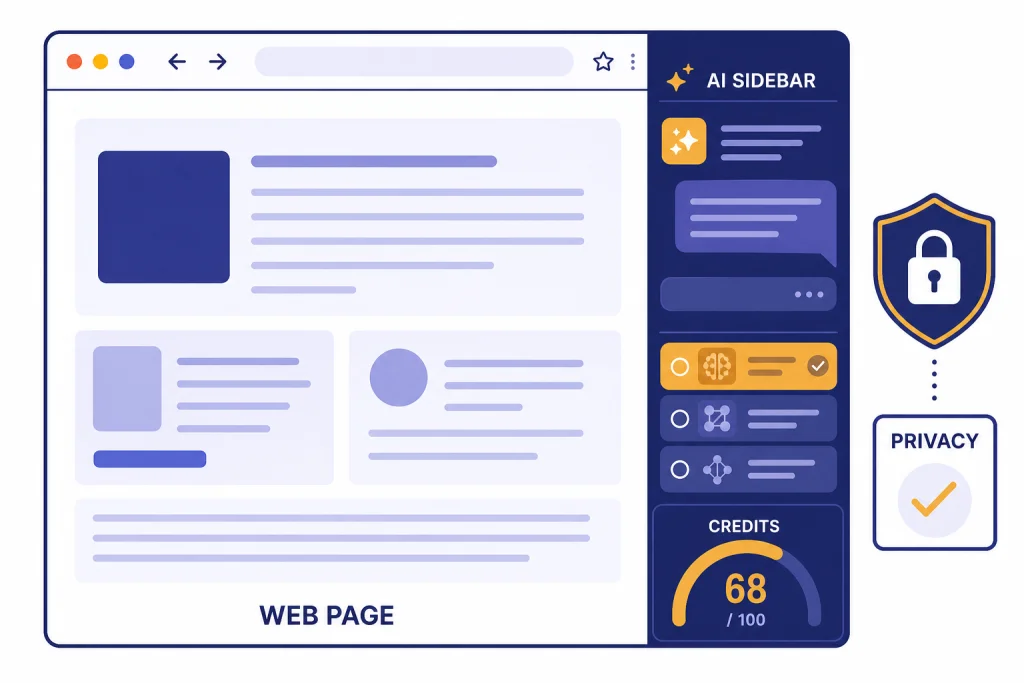
This ChatGPT Sidebar review covers Sider, the browser extension still commonly described as a ChatGPT sidebar for Chrome and other platforms. The short version: Sider is useful if you want AI available beside webpages, PDFs, search results, email drafts, and selected text without switching tabs. It is less compelling if you already rely on the official ChatGPT app or if your work involves sensitive customer, legal, medical, HR, or financial data. Sider’s official side-panel page claimed 10M+ active users and a 4.9/5 user rating when reviewed.[1] Its Chrome Web Store listing also described broad model support and an average 4.92 rating.[2]
Verdict
Sider is one of the better AI sidebar extensions because it solves a real workflow problem: context switching. A browser sidebar lets you read, ask, summarize, rewrite, translate, and compare model outputs without opening a separate ChatGPT tab. That matters most for research, writing, shopping comparisons, email drafting, and quick explanations of dense pages.
It is not a replacement for careful source checking, and it is not automatically safer than using ChatGPT directly. Browser assistants sit close to your browsing data. That makes permission review more important than feature count. If you install Sider, treat it as a convenience layer, not as a secure workspace for confidential information.
Our practical verdict: use the free tier first, test it on low-risk pages, and upgrade only if its credit system matches your daily workload. If your main need is prompt organization inside ChatGPT, read our Superpower ChatGPT extension review. If you want a broader market scan, start with our ChatGPT Chrome extension picks.
| Review area | Assessment | Why it matters |
|---|---|---|
| Everyday convenience | Strong | The sidebar format removes much of the copy-paste friction from browsing, reading, and writing. |
| Feature depth | Strong | Sider combines chat, page context, document chat, translation, OCR, writing help, and model comparison. |
| Pricing clarity | Mixed | The official pricing page exists, but the retrieved page did not expose stable plan amounts in text. Credit behavior matters more than the headline plan name.[4] |
| Privacy posture | Needs caution | Sider’s privacy policy says it collects account and usage information, which is normal for cloud AI tools but important for sensitive work.[5] |
| Best fit | Power browsers | It works best for people who constantly summarize, compare, translate, or rewrite web content. |
What ChatGPT Sidebar is
“ChatGPT Sidebar” can mean more than one product. In this review, it refers to Sider, the extension whose Chrome Web Store listing has used the “Sider: ChatGPT Sidebar” positioning. There is also a separate ChatGPT Sidebar product by cloudHQ that advertises webpage summarization, translation, grammar checking, code clarification, custom prompts, and OpenAI API support.[8] The name overlap is confusing, so check the developer and extension ID before installing anything.
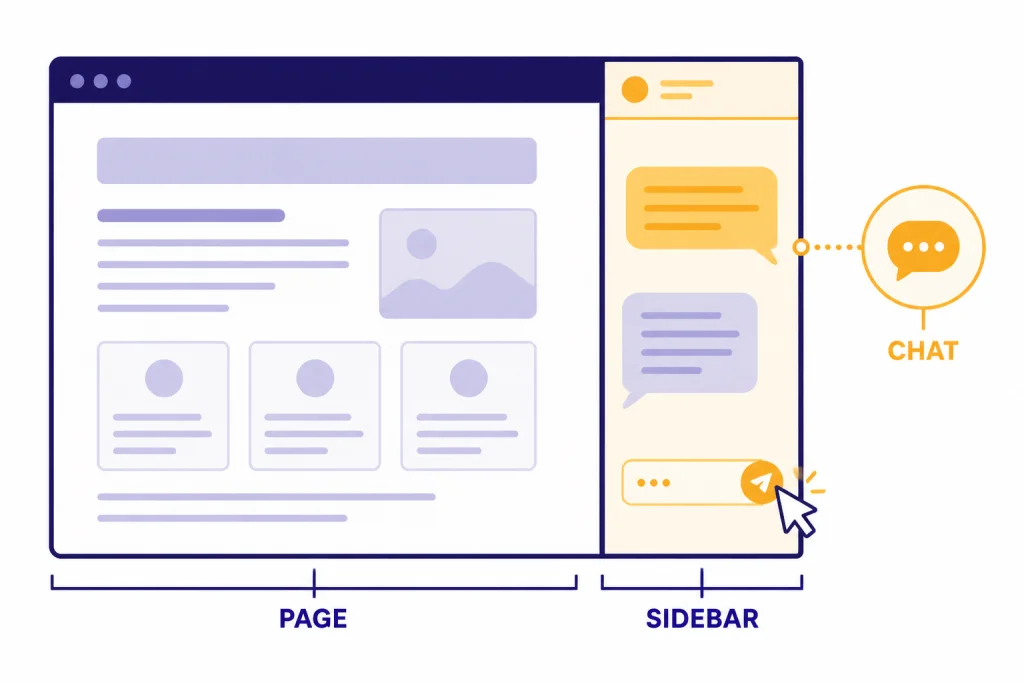
Sider’s core idea is simple. It puts an AI assistant into the browser side panel. The assistant can stay open while you browse, so you can ask about the current page, summarize an article, translate selected text, improve an email, or compare responses from multiple models. Sider’s side-panel page describes use cases including article summaries, text translation, document chat, and research without leaving the current page.[1]
The Chrome Web Store listing frames Sider as a companion to a ChatGPT account rather than a direct replacement. It says users can pull ChatGPT into any tab, work with multiple AI providers, use contextual assistance, access web information, and manage prompts.[2] That positioning is accurate. Sider is most useful as a browser workflow layer.
Core features that matter
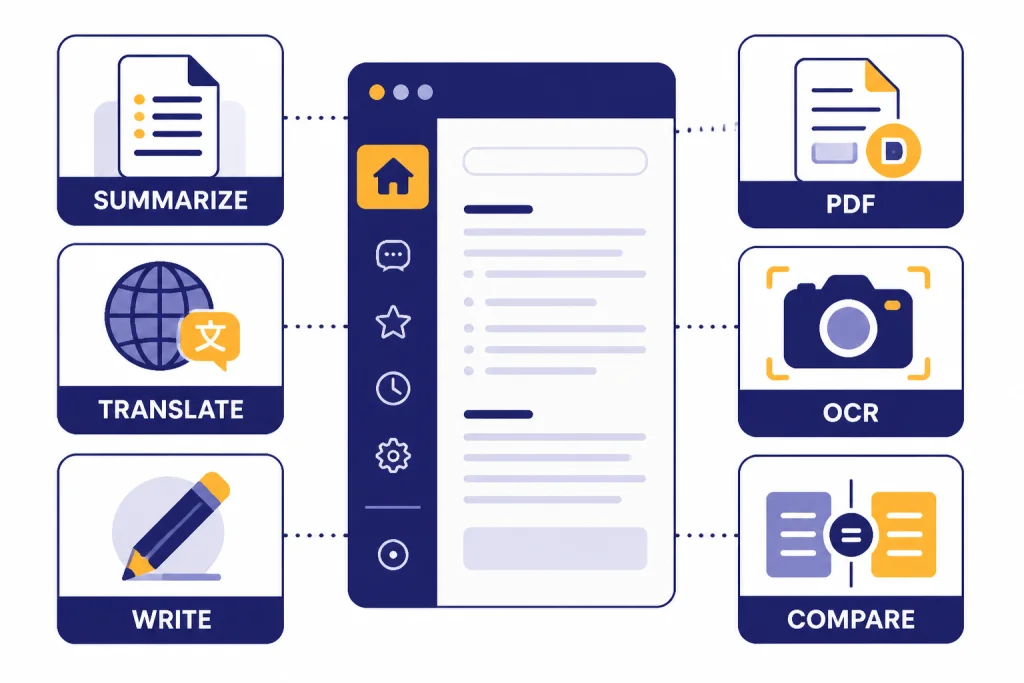
The feature list is broad, but only a few functions drive most of the value. The first is page-aware chat. When you are reading a report, help article, product page, or long post, the sidebar can answer questions without forcing you to paste large chunks of text manually.
The second is summarization. Sider’s official page emphasizes summarizing articles, PDFs, YouTube videos, and documents inside the side panel.[1] This is the main reason to install a sidebar tool instead of opening ChatGPT in a new tab. The content is already in front of you.
The third is rewriting and translation. Sider’s Chrome Web Store listing describes help with searching the web, emailing, improving writing, and translating text.[2] Those tasks fit the sidebar format well because they often happen inside another app: Gmail, a CMS, a docs tool, a support dashboard, or a social site.
The fourth is model switching. Sider’s Chrome Web Store listing named OpenAI, Google, Anthropic, xAI, DeepSeek, and other model families in its supported-model section when reviewed.[2] This is helpful when you want a fast second opinion. It is less helpful if you only trust one model or need exact parity with the official ChatGPT product.
The fifth is OCR and image analysis. Sider’s side-panel page says the tool can extract text from images or screenshots and explain, translate, or convert image content.[1] That is useful for receipts, screenshots, UI bugs, scanned pages, and inaccessible PDFs. If image understanding is your main requirement, compare this browser workflow with our OpenAI Vision API guide.
What it is like to use
In normal use, Sider feels fastest when the task is small. Highlight a paragraph, ask for a rewrite, summarize a section, translate a quote, or ask what a chart means. These are low-friction tasks where opening a full chatbot breaks concentration.
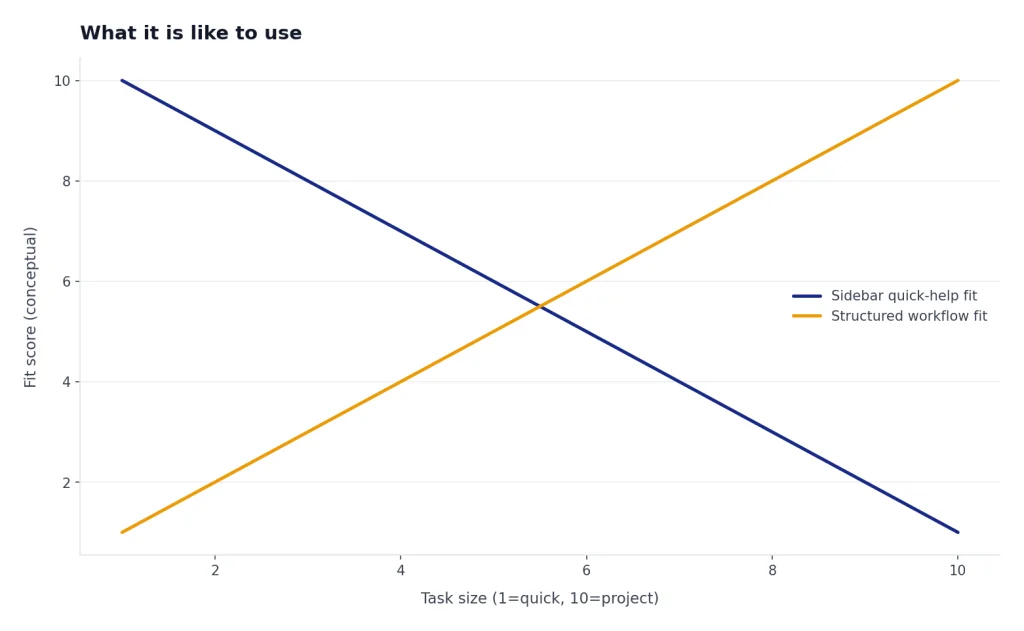
It feels less smooth when the task becomes project-sized. Long research projects still require source management, note structure, and careful verification. Sider can help collect and compress information, but it does not replace a research workflow. For academic work, compare it with the dedicated options in Best AI Research Tools for Academics and Best AI Summarizer Tools for Long Documents.
The best workflow is to use Sider for first-pass comprehension and small edits, then move important outputs into a controlled workspace. For example, ask Sider to summarize a vendor page, but verify pricing and terms yourself. Ask it to rewrite an email, but read the final text before sending. Ask it to explain code, but test the code in your environment.
For writing-heavy users, the sidebar is genuinely convenient. It can sit next to a draft while you ask for alternative outlines, shorter versions, tone changes, or grammar fixes. If writing is the main reason you are considering a sidebar, also compare it with our AI writing tools comparison and Best ChatGPT Prompt Generator Tools.
Pricing and credits
Sider has a pricing page, but the official pricing page retrieved for this review did not expose stable plan prices in its text output.[4] Because extension pricing changes often, do not rely on old screenshots, affiliate pages, or social posts for the final cost. Open the pricing page while signed in and check the exact monthly price, annual discount, renewal terms, and cancellation path before paying.
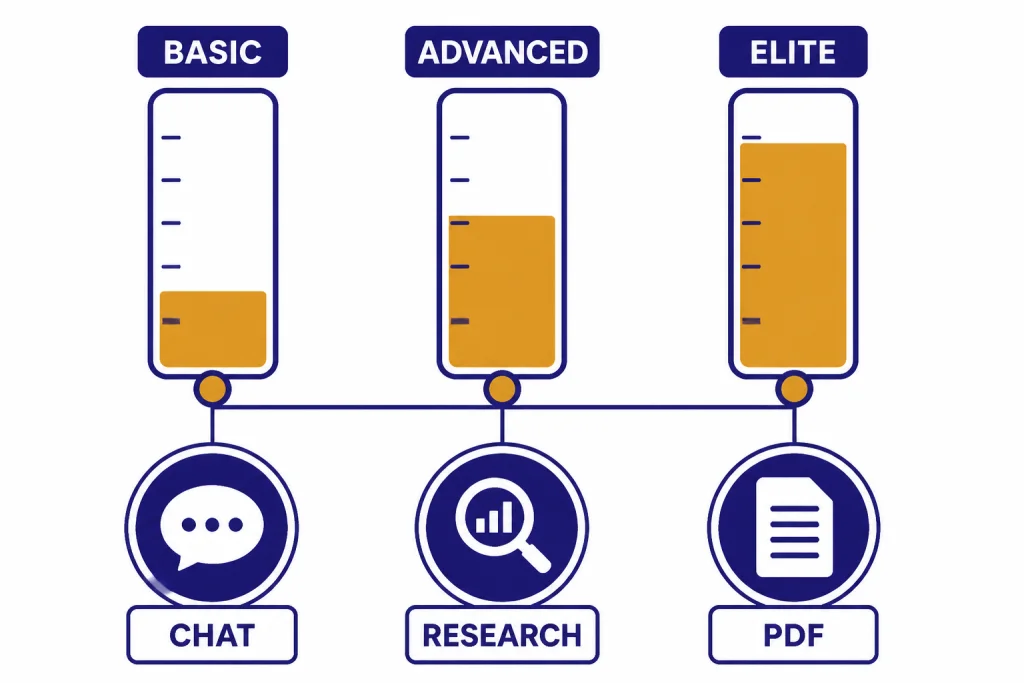
The more important issue is credits. Sider’s credit rules distinguish basic, advanced, and elite usage. The official credit page says Deep Research via Chat costs 20 Elite credits per topic, Deep Research Beta report generation costs 10 Elite credits per topic, and a Deep Research Beta interactive report visualization costs 6 Advanced credits.[3] It also lists per-use costs for chat, code assistant, write, translate, ask, OCR, Q&A assistant, email assistant, ChatPDF, webpage translation, audio-to-text, and other features.[3]
That structure is normal for multi-model tools, but it can surprise buyers. A plan name that sounds generous may still feel restrictive if your favorite model or agent consumes higher-tier credits quickly. Before upgrading, run a realistic day of work on the free plan. Count how often you use PDF chat, image analysis, deep research, and advanced models. Those behaviors matter more than the advertised feature list.
If your main concern is cost control, compare Sider with direct API usage and calculators. Our OpenAI Token Counter Tools, OpenAI API pricing breakdown, and Best OpenAI API Cost Calculator Tools explain the underlying cost model better than most extension pricing pages.
Privacy and security
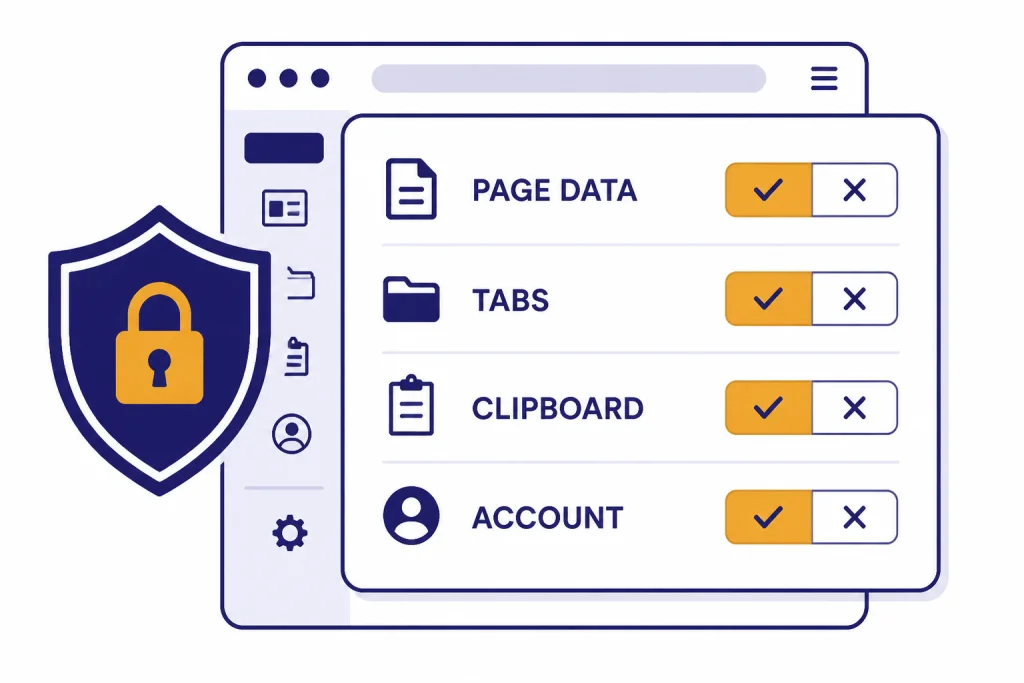
The privacy question is the main reason not to install Sider casually. Browser AI extensions need access to context to be useful. That context may include webpage text, selected text, documents, prompts, account information, usage activity, device information, browser type, IP address, and timestamps. Sider’s privacy policy says it may collect account information and usage information, including features accessed, content viewed or interacted with, device and browser details, IP address, and activity dates and times.[5]
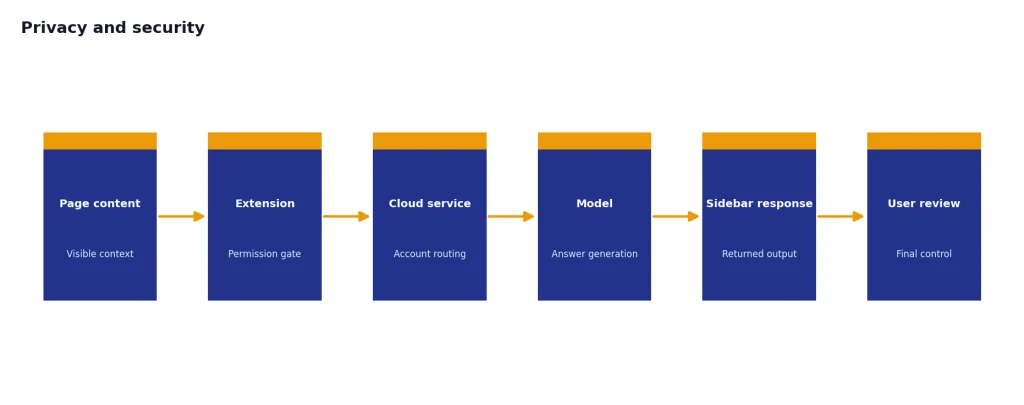
This does not mean Sider is malicious. It means the risk profile differs from typing into a standalone chat window. Google’s Chrome Web Store Help warns that extensions with access to data on all websites can read, request, or modify data on pages you visit, including sensitive sites such as banking or social platforms.[6] That warning applies broadly to browser extensions, not only to Sider.
Use a stricter rule for work data. Do not expose contracts, unpublished financials, private customer records, patient data, student records, internal source code, or credentials to a sidebar assistant unless your organization has approved the tool. If you teach or grade student work, pair any AI sidebar with clear institutional rules and see our AI detectors for teachers guide and Best Plagiarism Checkers for related policy issues.
OpenAI’s own browser approach shows the same broader tradeoff. OpenAI introduced ChatGPT Atlas on October 21, 2025, as a browser with ChatGPT built in.[7] OpenAI says Atlas does not use browsing content to train models by default, unless the user opts in through data controls, and notes that attached website content can be included when using the Ask ChatGPT sidebar if training is enabled for chats.[7] The lesson is not that one tool is automatically safe. The lesson is that browser context requires deliberate controls.
Alternatives worth considering
Sider is not the only way to put AI beside your browsing. The right alternative depends on whether you want an extension, a full browser, a desktop app, or the official ChatGPT experience.
| Option | Best for | Tradeoff |
|---|---|---|
| Sider | People who want multi-model chat, webpage summaries, translation, OCR, PDF help, and prompt tools in one browser sidebar. | Credit rules and permissions need review before serious use.[3] |
| ChatGPT Atlas | Users who want an official OpenAI browser with ChatGPT built into browsing. | It changes the whole browser environment, not just one extension.[7] |
| cloudHQ ChatGPT Sidebar | Users who want a simpler sidebar focused on summarizing, rewriting, grammar, translation, code clarification, and custom prompts. | It is a different product with a similar name, so check the developer before installing.[8] |
| MaxAI | Users who want another browser extension for reading and writing help across webpages. | Its official site emphasizes browser-based productivity, but you still need to review permissions and pricing yourself.[9] |
| Monica | Users who want a mature all-in-one AI assistant extension with search enhancement and a knowledge-base style memo feature. | The Chrome Web Store listing says it does not require a GPT account, which may be useful, but data handling should still be reviewed.[10] |
If you want ChatGPT outside the browser rather than inside it, compare Best ChatGPT Desktop Apps, ChatGPT Windows App, and Best ChatGPT Mobile Apps. If you want prompt libraries instead of a full sidebar, read our AIPRM for ChatGPT review. If real-time web access is your priority, our WebChatGPT review is a closer match.
Who should use it
Sider is worth trying if you spend much of your day in a browser and repeatedly ask AI to explain, summarize, compare, rewrite, translate, or extract text. It is especially useful for marketers, researchers, support teams, students, analysts, and solo operators who work across many tabs.
It is a poor fit if you want the cleanest possible privacy boundary, if your employer blocks unsanctioned extensions, or if you mainly use ChatGPT for long-form projects inside one workspace. It is also a poor fit if you dislike credits. Multi-model tools often need credits because different models and agent tasks have different costs.
The safest buying path is simple. Install only from the official store listing. Confirm the developer name. Review permissions. Test with non-sensitive pages. Try your actual tasks before paying. Then decide whether the sidebar saves enough time to justify another AI subscription.
For most readers, our recommendation is measured: Sider is a capable browser AI assistant, but not a must-have. Use it when the sidebar format directly improves your workflow. Skip it when the official ChatGPT app, Atlas, or a lightweight extension does the job with fewer moving parts.
Frequently asked questions
Is ChatGPT Sidebar the same as Sider?
In many extension listings and reviews, “ChatGPT Sidebar” refers to Sider. There is also a separate cloudHQ product called ChatGPT Sidebar, so the name can be confusing. Check the developer, store listing, and extension permissions before installing.
Is Sider better than using ChatGPT in a separate tab?
Sider is better for quick page-aware tasks because it stays beside the content you are reading. A separate ChatGPT tab is usually better for longer projects, sensitive prompts, and work where you want fewer browser permissions involved.
Does Sider replace ChatGPT Plus?
Not exactly. Sider is a browser workflow layer with its own model access, features, and credit system. ChatGPT Plus is the official ChatGPT subscription. The better choice depends on whether you value the sidebar format more than the official ChatGPT environment.
Is ChatGPT Sidebar safe for confidential work?
Do not assume it is safe for confidential work just because it is popular. Browser AI extensions may need access to page content or selected text to function. Use only organization-approved tools for contracts, customer data, health data, student records, source code, and private financial information.
What is the biggest downside of Sider?
The biggest downside is the combination of permissions and credits. The product is useful because it can see browser context, but that access requires trust. The credit system also means heavy users need to understand which features consume basic, advanced, or elite credits.
Who should skip Sider?
Skip Sider if you rarely work in a browser, already use an official ChatGPT app comfortably, or do not want another AI subscription. Also skip it if your company restricts browser extensions or requires formal security review before AI tools are installed.