

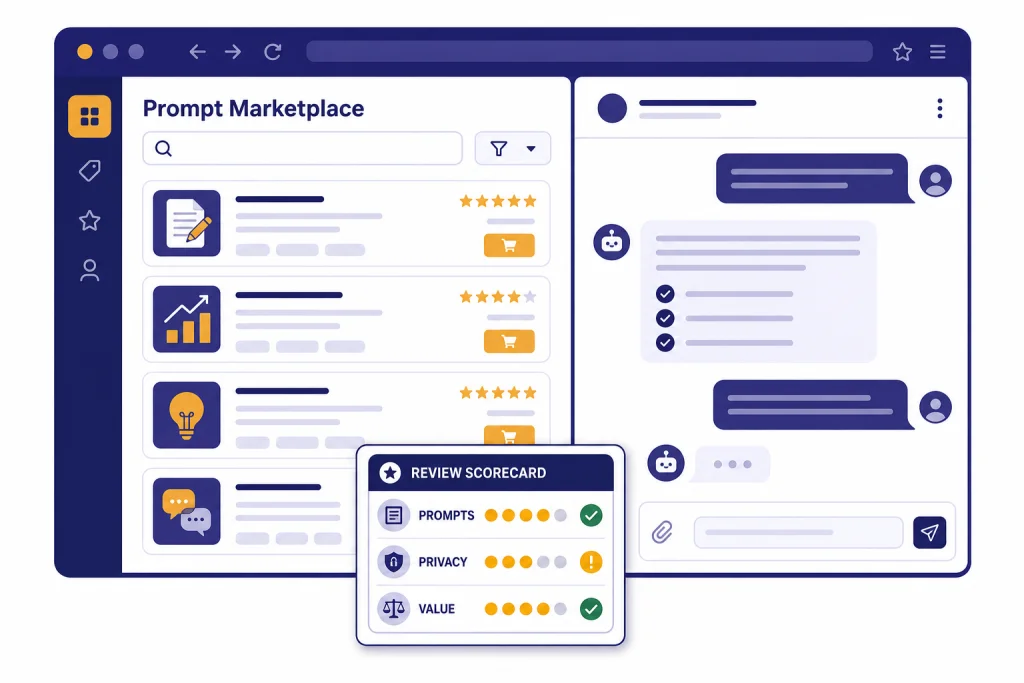
AIPRM is useful if you want a large prompt library inside ChatGPT or Claude and you do a lot of repeatable SEO, marketing, sales, or operations work. It is less compelling if you already know how to write prompts, prefer a clean ChatGPT interface, or mainly need project context rather than template discovery. AIPRM says it has more than 2 million users, 5,400 public prompts, and 345,000 private prompts.[1] Our verdict: try the free version before paying, use it for repeatable workflows, and compare it against Custom GPTs, ChatGPT Projects, and lighter browser extensions before committing to a subscription.
Verdict: who should use AIPRM
AIPRM is best for people who want prompts to be a browsable interface, not a folder of notes. It gives you a large public prompt catalog, private prompt storage, favorites, custom lists on paid plans, and workflow shortcuts that sit directly in the ChatGPT or Claude experience. The main appeal is speed. You can search for a prompt, select tone or style options, and run a structured task without rebuilding the prompt from scratch.
That makes AIPRM strongest for marketers, SEO teams, agencies, solo consultants, sales teams, and small businesses that repeat similar work every week. If you often ask ChatGPT to draft briefs, rewrite copy, generate outlines, summarize competitor pages, create customer-service replies, or structure a content plan, AIPRM can reduce setup time.
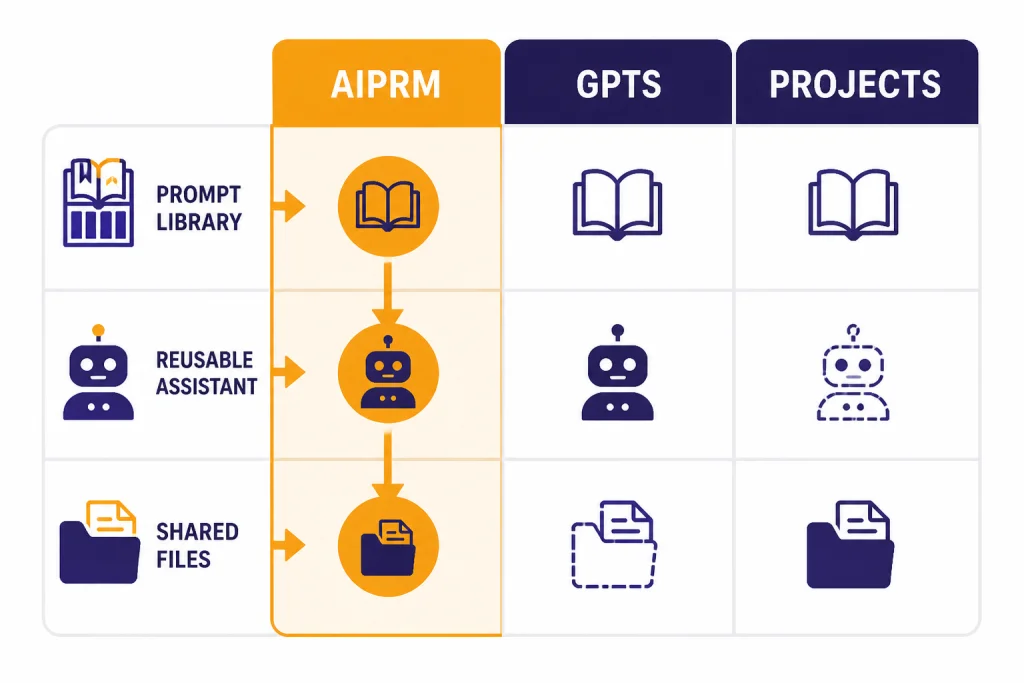
It is not the best default choice for every ChatGPT user. If you need a long-term knowledge base, a team workspace, or a reusable assistant that follows your files and instructions, OpenAI’s Custom GPTs and Projects may be a cleaner fit. OpenAI says GPTs can combine instructions, knowledge, capabilities, and actions, while Projects organize related chats, files, and instructions in one place.[9][10]
For readers comparing prompt tools broadly, start with our Best ChatGPT Prompt Generator Tools guide. If you mainly want browser add-ons rather than a prompt marketplace, our ChatGPT Chrome extension picks are the better next stop.
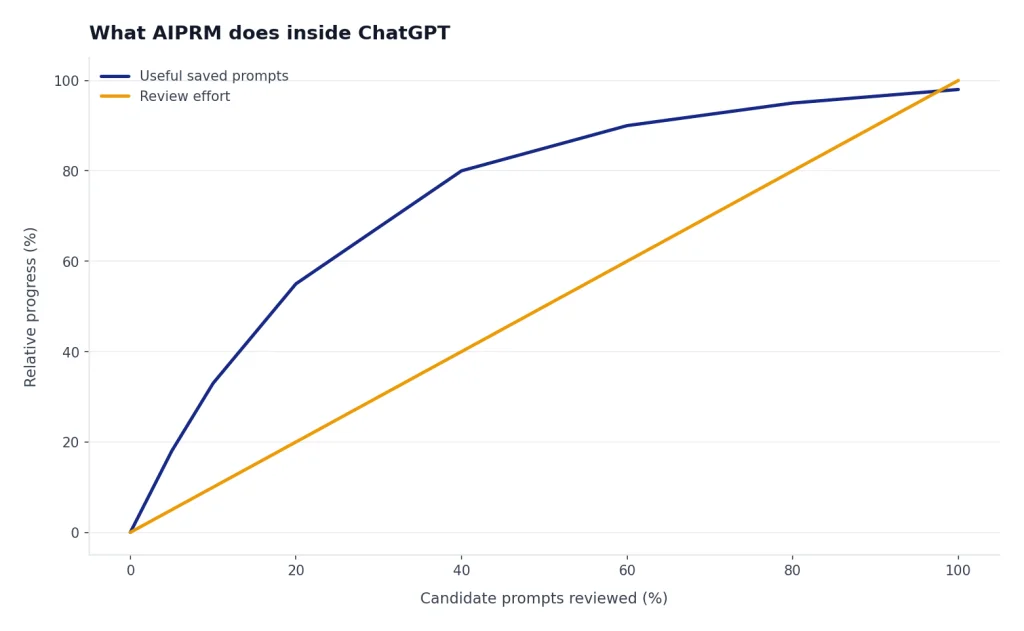
What AIPRM does inside ChatGPT
AIPRM is a browser extension and prompt management layer for AI chat tools. Its own site describes it as a prompt management tool and community-driven prompt library for marketing, sales, operations, productivity, customer support, and related tasks.[1] The Chrome Web Store listing says the extension requires an AIPRM account and includes community support, omnibox prompt creation, custom tones and writing styles, live crawling, prompt forking, Power Continue, and verified prompts.[4]
The core workflow is simple. You install the extension, connect the required account, open ChatGPT or Claude, and choose from public prompts or your own saved templates. AIPRM’s help center says users can use available community prompt templates or create their own prompt templates after installing the browser extension.[7]
The public library is the headline feature. AIPRM says it offers 5,400 public prompts.[1] That volume is helpful when you are exploring prompt patterns. It can also be noisy. A prompt marketplace rewards scanning, testing, and saving the few templates that actually match your work. Treat public prompts as starting points, not final instructions.
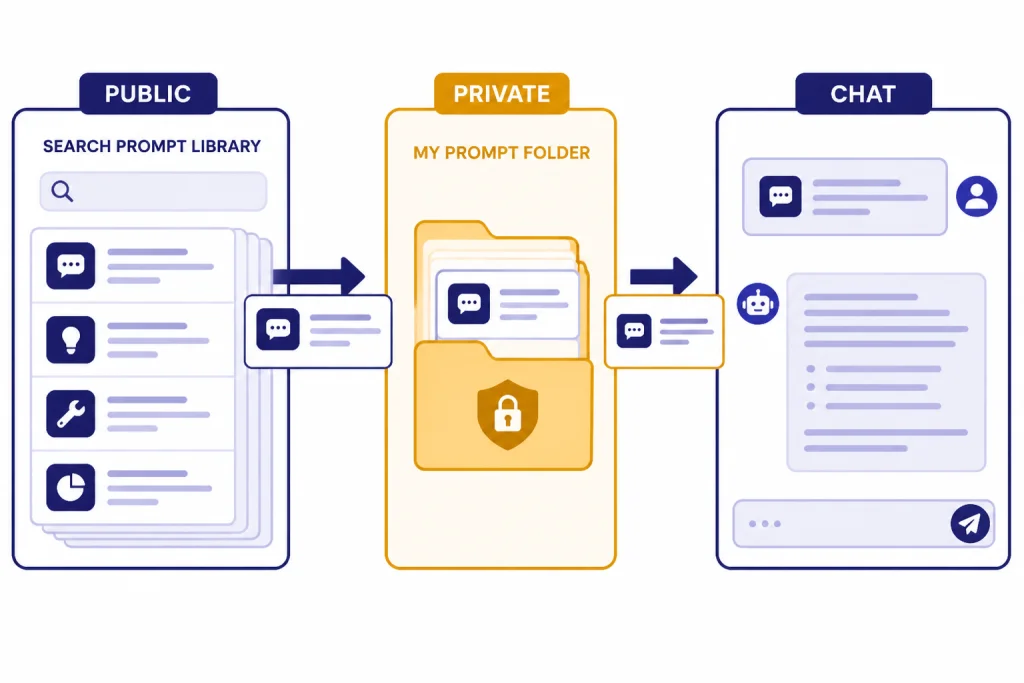
The private prompt feature matters more for professional use. AIPRM says your own prompts and lists are private by default, and that you must actively set a prompt to public before other users can access it.[7] That is the right default for a prompt library. Still, private does not mean you should paste confidential client data, credentials, health information, legal strategy, or unpublished financial details into any third-party extension without reviewing your organization’s policies.
For writers, AIPRM overlaps with broader AI writing suites. If your main goal is drafting and editing, compare it with the tools in our AI writing tools comparison. If your real need is summarizing long files rather than running prompt templates, use our AI summarizer tools guide instead.
AIPRM pricing and plan limits
AIPRM has a free plan and paid tiers named Plus, Pro, Elite, and Titan in its plan documentation.[2] The official app pricing page’s FAQ gives an example with Plus at $10 and Pro at $33, and says AIPRM sells only in U.S. dollars.[3] We found conflicting third-party price pages for other tiers, so this review does not quote unverified Elite or Titan prices. Check the live AIPRM pricing page before buying.
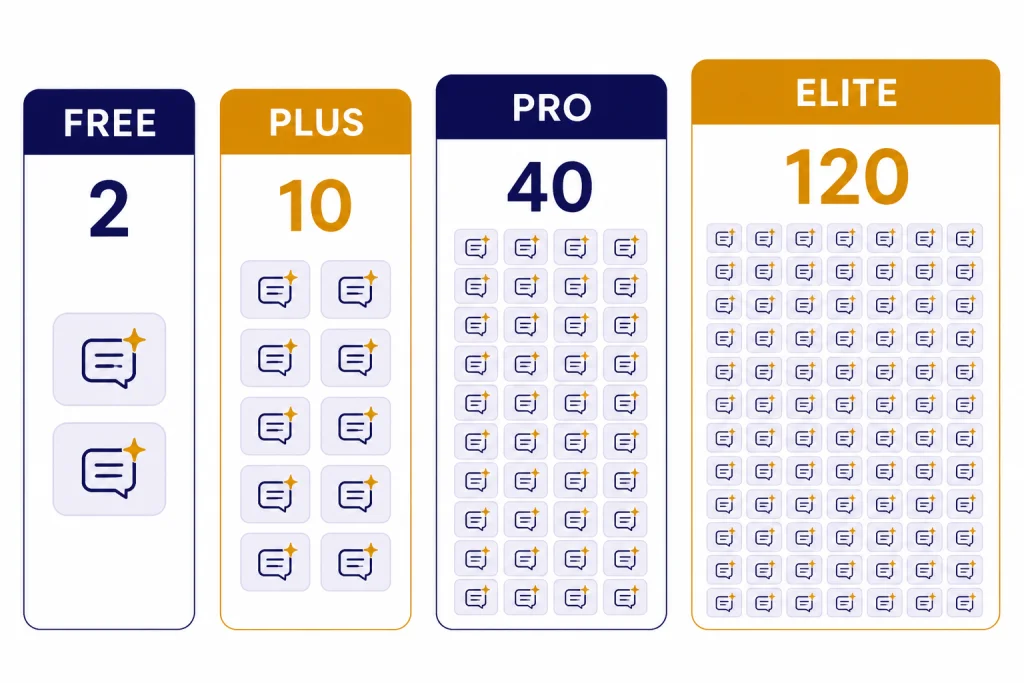
The practical question is not only price. It is quota. AIPRM’s plan table says the free plan allows 1 custom profile, 1 favorite prompt, and 2 private prompts. Plus increases private prompts to 10 and adds 1 custom list with up to 8 prompts. Pro increases private prompts to 40 and includes 3 custom lists with up to 16 prompts each. Elite increases private prompts to 120 and includes 12 custom lists with up to 48 prompts each.[2]
| Plan or option | Best for | Key limits or notes | Our take |
|---|---|---|---|
| Free | Testing the prompt library | 1 favorite prompt and 2 private prompts in AIPRM’s published plan table.[2] | Good for evaluation, too limited for a real prompt system. |
| Plus | Solo users with a small saved prompt set | AIPRM’s pricing FAQ gives Plus as $10 in an example, and the plan table lists 10 private prompts.[3][2] | Reasonable only if you use AIPRM several times a week. |
| Pro | Freelancers and operators with multiple workflows | AIPRM’s pricing FAQ gives Pro as $33 in an example, and the plan table lists 40 private prompts.[3][2] | The first tier that feels usable for organized prompt work. |
| Elite | Power users and small teams | Plan table lists 120 private prompts, 12 custom lists, live URL crawling, and team admin.[2] | Consider only if AIPRM is part of a daily workflow. |
| Custom GPTs | Reusable assistants with files, instructions, and tools | OpenAI says GPTs can use instructions, uploaded knowledge, capabilities, and actions.[9] | Better when you want a stable assistant, not a prompt catalog. |
One billing detail deserves attention. AIPRM’s pricing FAQ says it does not offer refunds and tells users to cancel subscriptions to avoid future charges.[3] That makes the free plan more important. Build a small test routine before subscribing. Pick 5 repeatable tasks, run them with AIPRM for a week, and compare the results against your own saved prompts.
If cost control is your priority, also read our OpenAI API cost calculator tools and OpenAI token counter tools guides. A prompt subscription is not the only cost in an AI workflow.
Where AIPRM works well
Fast prompt discovery
AIPRM turns prompt discovery into a searchable interface. That helps users who do not want to maintain a personal prompt database. The public prompt library gives beginners a quick way to see how other people structure prompts for SEO, marketing, coding, operations, sales, and writing tasks.
Repeatable marketing and SEO workflows
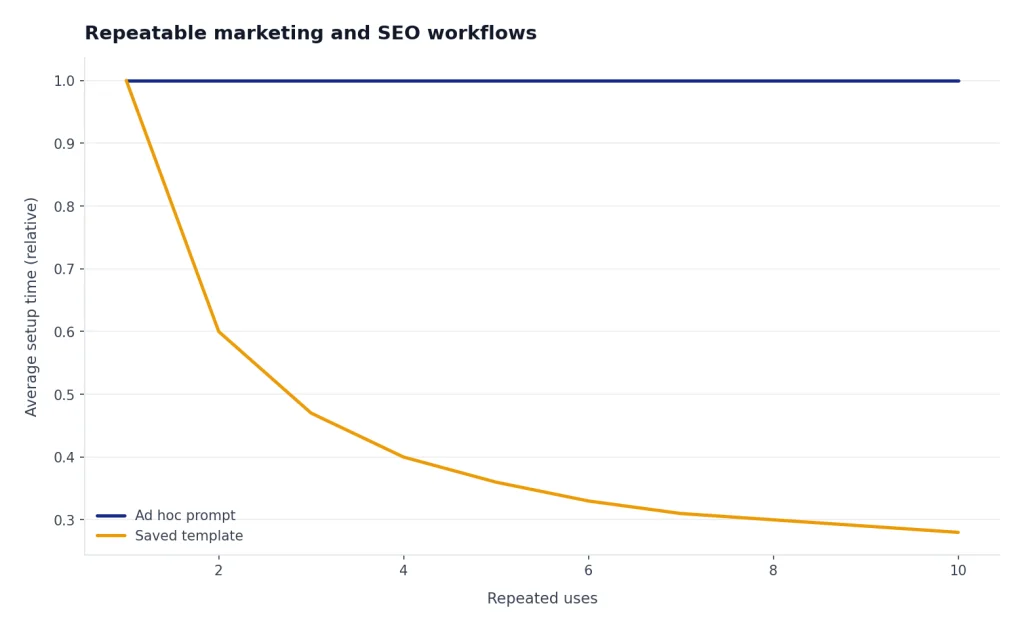
AIPRM’s strongest use case is repeat work. It is useful when you need to turn a keyword into article angles, convert a blog post into a social post, rewrite product descriptions, generate outreach email variants, or create structured briefs. You still need editorial judgment. The tool reduces blank-page time; it does not replace review, fact-checking, or strategy.
Private prompts and lists
Saved prompts are the reason to consider a paid tier. AIPRM’s plan table ties higher tiers to more private prompts and more list capacity.[2] That can work well for consultants who have separate prompt sets for discovery calls, content briefs, analytics summaries, customer support, and internal documentation.
Team-oriented features on higher tiers
AIPRM’s plan table lists team admin only on Elite and Titan, and business plans with seats for teams.[2] This matters if multiple employees need access to the same prompt conventions. It can help enforce a shared format for briefs, proposals, support responses, or brand voice drafts.
For teams evaluating other AI categories, our roundups of AI research tools for academics, AI resume builder tools, and plagiarism checkers can help separate prompt libraries from task-specific software.
Where AIPRM falls short
The interface can feel crowded
AIPRM adds a lot to the ChatGPT experience. That is the point, but it is also the trade-off. If you prefer the native ChatGPT interface, the added marketplace, lists, buttons, and prompt browsing can feel heavy. This is especially true if you use ChatGPT for research, coding, analysis, or open-ended thinking instead of template-driven production.
Public prompts vary in quality
A large community library contains both useful patterns and weak shortcuts. AIPRM distinguishes community prompts from verified prompts on its pricing page, saying verified prompts are tested and maintained by the AIPRM team.[3] That distinction matters. Do not assume a public prompt is safe, current, or strategically sound because it is popular.
Quota limits shape the product
The free plan is narrow for anyone building a serious prompt library. AIPRM’s own table lists 2 private prompts on Free, 10 on Plus, 40 on Pro, and 120 on Elite.[2] If you outgrow the free plan quickly, compare AIPRM with native Custom GPTs or a plain prompt document before assuming a subscription is required.
Browser extension privacy requires scrutiny
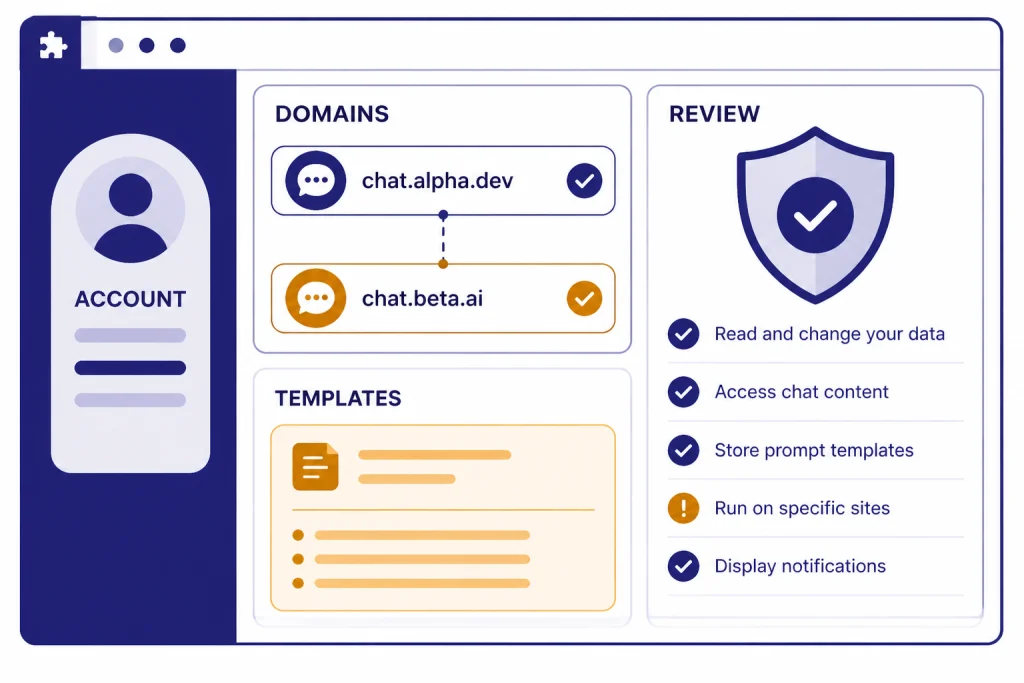
AIPRM’s browser extension terms say an AIPRM account is required, that users must link their OpenAI or Claude accounts during setup, and that the extension supports chatgpt.com, claude.ai, and chat.openai.com.[5] The same terms say AIPRM stores account information such as email, name, and avatar URL, stores prompt templates and counters, and does not store the prompts you enter.[5] Its privacy policy also says an account is required to use the AIPRM browser extension and app.aiprm.com.[6]
Those disclosures are not an automatic reason to avoid the tool. They are a reason to review it like any other workplace extension. Ask whether your organization allows browser extensions on AI chat pages. Decide what data can be entered. Keep sensitive client, legal, medical, financial, and credential information out of reusable prompt templates unless your security team approves the workflow.
Best AIPRM alternatives
The best AIPRM alternative depends on the job. Do not replace AIPRM with another prompt library just because it has a cleaner interface. First decide whether you need prompt discovery, saved prompts, web access, project memory, team knowledge, or browser workflow shortcuts.
| Alternative | Best use case | Why choose it over AIPRM | Main limitation |
|---|---|---|---|
| Custom GPTs | Reusable assistants with rules, files, and tools | OpenAI says GPTs can use instructions, knowledge files, capabilities, and actions.[9] | Better for stable assistants than browsing thousands of prompts. |
| ChatGPT Projects | Ongoing work with chats, files, and instructions | OpenAI says Projects keep related materials in one place and can support shared project workflows.[10] | Not a public prompt marketplace. |
| Superpower ChatGPT | ChatGPT power-user interface features | The Chrome Web Store listing emphasizes copying chats, shortcuts, model visibility, and other workflow tools.[11] | Less focused on a large public prompt marketplace. |
| WebChatGPT | Web results and prompt management in ChatGPT | Its listing highlights web access, one-click prompts, URL extraction, and AI search beside search results.[12] | Use care with overlapping extensions and permissions. |
| Plain prompt library | Small teams with strict data rules | A shared document, Notion page, or internal wiki is simple and auditable. | No marketplace, buttons, voting, or built-in ChatGPT overlay. |
If you want a direct browser-extension comparison, read our Superpower ChatGPT extension review and WebChatGPT review. If you want native ChatGPT apps instead of extensions, use our Best ChatGPT Desktop Apps and Best ChatGPT Mobile Apps guides.
Custom GPTs are the strongest native alternative for reusable expertise. They are better when you can define the assistant once, upload reference material, and reuse it across a narrow job. AIPRM is better when you want to browse many prompt templates and quickly try different approaches.
Projects are stronger for ongoing work. If you have a client, class, campaign, legal matter, research topic, or product launch that accumulates files and chats over time, a Project is often more practical than a prompt marketplace. OpenAI describes Projects and GPTs as different tools: GPTs scale reusable knowledge, while shared projects act as a live context hub for recurring shared work.[10]
Final recommendation
Use AIPRM if your work is repetitive, prompt-driven, and close to marketing or operations. It is a practical tool for people who want a large prompt catalog and do not want to maintain their own system from scratch. The free plan is worth testing. The paid plans make more sense only after you know which prompts you will reuse.
Skip AIPRM if you mostly need deep context, private knowledge, or a clean assistant with fixed instructions. In that case, build a Custom GPT, use a ChatGPT Project, or keep a small internal prompt library. AIPRM can speed up prompt selection, but it does not remove the need for review, source checking, privacy discipline, or thoughtful instructions.
Our recommendation is to run a short trial. Pick 5 tasks you perform every week. Test AIPRM prompts against your own prompts and a Custom GPT. Keep the tool only if it saves time without lowering quality. That is the standard that matters.
Frequently asked questions
Is AIPRM worth paying for?
AIPRM is worth paying for if you reuse prompt templates often and need more private prompts or lists than the free plan allows. AIPRM’s plan table lists 2 private prompts on Free, 10 on Plus, 40 on Pro, and 120 on Elite.[2] If you only use ChatGPT casually, the free plan or native ChatGPT features are likely enough.
Does AIPRM work only with ChatGPT?
No. AIPRM’s browser extension terms say it supports chatgpt.com and claude.ai in addition to chat.openai.com.[5] The product is still most commonly discussed as a ChatGPT extension, but AIPRM now positions itself more broadly as a prompt tool for multiple AI interfaces.
Are AIPRM prompts private?
AIPRM says your own prompts and lists are private by default. You must actively set a prompt to public before others can access it.[7] That said, users should still avoid putting sensitive client, legal, medical, financial, or credential information into prompt templates unless their organization has approved the tool.
What happens if I cancel AIPRM?
AIPRM’s help center says access to private prompts is adjusted after cancellation or downgrade. If you cancel, you can see only a few private prompts based on free plan limits.[8] Export or copy your important prompts before changing plans.
What is the best free alternative to AIPRM?
The best free alternative is a small personal prompt library in a notes app or document. It is not as convenient as an extension, but it is portable, searchable, and easier to audit. If you need a reusable assistant rather than a prompt list, try building a Custom GPT if your ChatGPT plan supports it.
Is AIPRM better than Custom GPTs?
AIPRM is better for browsing many prompt templates quickly. Custom GPTs are better for one reusable assistant with instructions, knowledge files, capabilities, and actions.[9] Many users will get the best result by using AIPRM for discovery and Custom GPTs for mature workflows.