

GPT-5 is worth using, but the answer depends on which GPT-5 you mean. The original GPT-5 launch made ChatGPT simpler and stronger at reasoning, coding, research, and multimodal work, but it also exposed a problem: users cared about tone, model choice, and continuity as much as benchmark gains. By this review date, the practical GPT-5 experience in ChatGPT is the newer GPT-5.3 Instant plus GPT-5.4 Thinking and Pro lineup, not the original August 2025 model. Our verdict is clear: GPT-5 is the best default ChatGPT generation for serious work, especially coding and research, but Plus is the sensible tier for most users and Pro only makes sense for heavy professional workflows.
Verdict: GPT-5 is strong, but the family matters more than the name
GPT-5 is the strongest all-purpose ChatGPT generation we have reviewed so far, but it is not a single static product. OpenAI launched GPT-5 on August 7, 2025, and later evolved the experience into GPT-5.3 Instant for fast everyday use and GPT-5.4 Thinking for deeper professional work.[1][4][6]
The short version: use GPT-5 for research, coding, analysis, tutoring, and work that benefits from careful reasoning. Do not pay for Pro only because the model name is newer. Pay for Pro only if you regularly hit Plus limits, need GPT-5.4 Pro access, or use ChatGPT as a daily professional work system.
What GPT-5 means in ChatGPT now
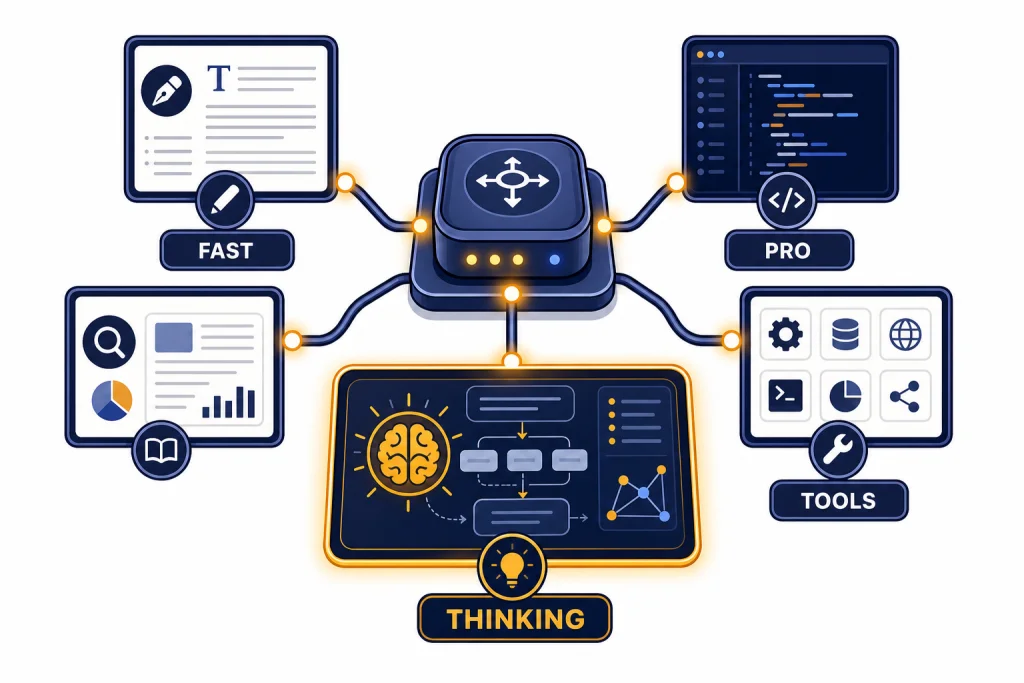
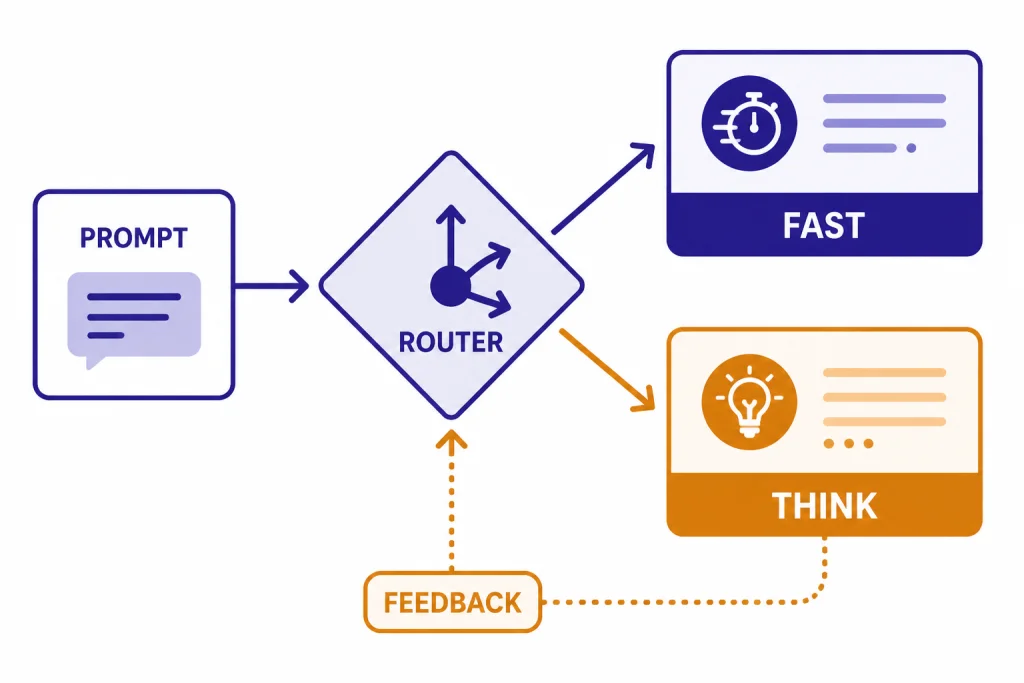
GPT-5 started as a unified ChatGPT system with a fast model, a deeper GPT-5 thinking model, and a real-time router that decides which path to use based on the prompt, complexity, tool needs, and user intent.[1][16] That design was a major product shift because users no longer had to choose between separate models such as GPT-4o, o3, and GPT-4.1 for most tasks.
The current GPT-5 experience is better understood as a family. GPT-5.3 Instant is the default fast model for everyday ChatGPT work, while GPT-5.4 Thinking is the deeper reasoning model for complex professional tasks.[4][7] GPT-5.4 Pro sits above that for maximum-compute tasks, but OpenAI limits it to higher-end plans and API access.[6][15]
This matters for a GPT-5 review because the name on the menu can hide very different behaviors. Instant feels conversational and quick. Thinking is slower but more deliberate. Pro is best reserved for high-stakes analysis, large research synthesis, and complex coding problems where a wrong answer costs more than the extra wait.
OpenAI also retired the original GPT-5 Instant and Thinking models from ChatGPT on February 13, 2026, while leaving API access unchanged.[10][11] That means a user opening ChatGPT at publication is not testing the same GPT-5 that launched in August 2025. They are testing the GPT-5 generation after several rounds of tuning.
| GPT-5-era model | Best use | Availability at publication | Key source-grounded detail |
|---|---|---|---|
| Original GPT-5 | Unified launch model for ChatGPT and API | Retired from ChatGPT on February 13, 2026; API access unchanged | Launched August 7, 2025.[1][13] |
| GPT-5.3 Instant | Fast everyday chat, writing, search-backed answers, translation | Default fast GPT-5-family experience in ChatGPT | Released March 3, 2026.[4][5] |
| GPT-5.4 Thinking | Professional reasoning, coding, research, long workflows | Available to paid ChatGPT users and in the API | Released March 5, 2026.[6][7] |
| GPT-5.4 Pro | Highest-capability tasks where latency and cost matter less | Available to Pro and Enterprise in ChatGPT, and in the API | OpenAI lists it as a higher-performance option for complex tasks.[6][15] |
| GPT-5.4 mini | Lower-cost reasoning, fallback usage, subagents, simpler coding tasks | Available in ChatGPT, Codex, and the API | OpenAI lists a 400K context window and $0.75 input / $4.50 output per 1M tokens.[8][9] |
Capability tests: where GPT-5 is strongest
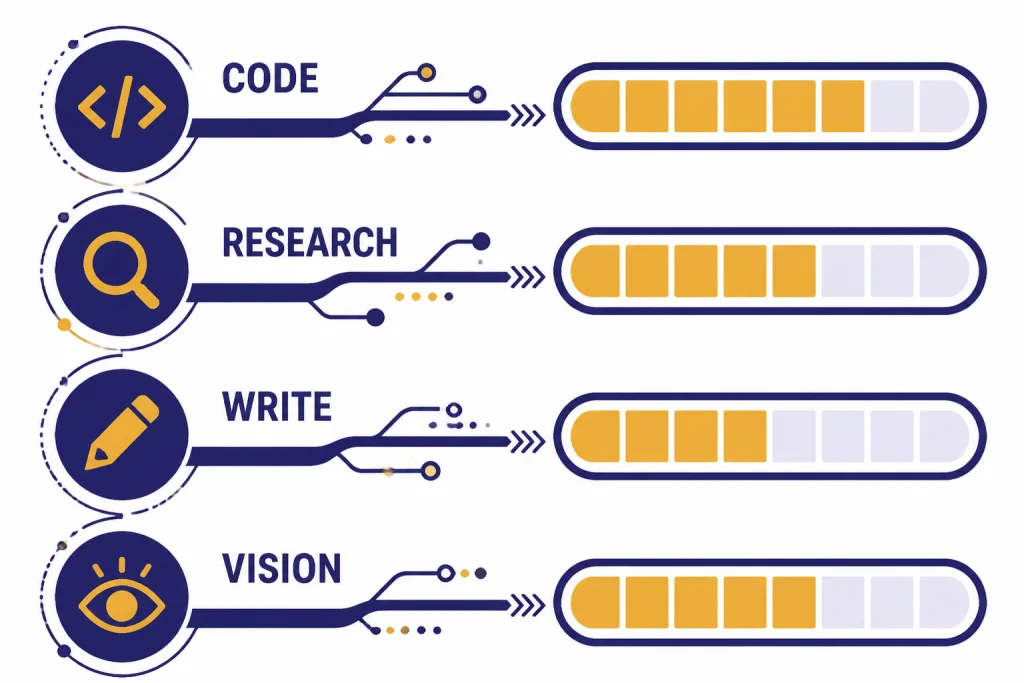
Our GPT-5 review focused on the work readers actually bring to ChatGPT: writing, coding, research, data analysis, planning, and visual reasoning. GPT-5 is not equally impressive in every category, but it is broadly stronger than the GPT-4o-era experience for tasks that need sustained reasoning rather than quick prose.
Coding and software work
Coding is the clearest win. OpenAI said the original GPT-5 scored 74.9% on SWE-bench Verified and 88% on Aider polyglot at launch.[2][12] GPT-5.4 later pushed the GPT-5 family further into professional software work, with OpenAI reporting 57.7% on SWE-Bench Pro for GPT-5.4 and 75.1% on Terminal-Bench 2.0.[6][8]
In practical use, GPT-5 is strongest when the prompt includes a clear target, an existing codebase excerpt, and a definition of done. It is less reliable when asked to “build an app” with vague requirements. The model can produce convincing code that still needs tests, dependency checks, and security review.
Developers should also compare GPT-5 with dedicated coding tools. Our OpenAI Playground review explains why the Playground remains better for API parameter testing, while our OpenAI o3 review is useful if you still compare GPT-5 reasoning with the older o-series style.
Research and synthesis
GPT-5 is much better at structuring research than earlier ChatGPT defaults. GPT-5.4 Thinking improves deep web research, especially for specific queries that require multiple retrieval steps and careful synthesis.[6][7] It is not a substitute for source checking, but it is a strong first-pass analyst.
The best research prompts ask GPT-5 to separate claims, evidence, uncertainty, and next steps. Ask for a source table. Ask it to identify where sources disagree. For heavier research products, compare it with our ChatGPT Deep Research review, because Deep Research changes the workflow rather than only the base model.
Writing and editing
GPT-5 is a better editor than a ghostwriter. OpenAI described GPT-5 as its strongest writing collaborator at launch and emphasized drafting, editing, reports, emails, and memos.[1][16] The model is good at reorganizing messy input, finding weak transitions, and changing tone without flattening the author’s intent.
The weakness is voice drift. GPT-5 can still smooth everything into competent corporate prose if you do not give constraints. Use samples of your own writing, specify banned phrases, and ask for revision notes before a rewrite. If you write in ChatGPT often, our ChatGPT Canvas review is the better companion article because Canvas changes the editing interface.
Vision and multimodal work
GPT-5 remains useful for screenshots, charts, documents, and visual reasoning. OpenAI positioned GPT-5 as state of the art across visual perception at launch, and GPT-5.4 continued that direction with strong computer-use and vision results such as 75.0% on OSWorld-Verified and 82.1% on MMMU Pro with tools.[1][6]
That does not mean you should treat every visual answer as verified. GPT-5 can miss small labels, infer too much from a screenshot, or overlook context outside the image. For image generation rather than image understanding, use our DALL-E 3 review instead, because generation quality depends on a different model and workflow.
GPT-5 model comparison
The main review question is not “Is GPT-5 better?” It is “Which GPT-5 path should I use?” The table below summarizes the practical differences.
| Use case | Best GPT-5 choice | Why it fits | When to avoid it |
|---|---|---|---|
| Fast Q&A, summaries, email drafts | GPT-5.3 Instant | OpenAI describes GPT-5.3 Instant as tuned for everyday conversations, richer web answers, fewer unnecessary caveats, and smoother flow.[4][5] | Avoid it for complex audits, proofs, or multi-file technical work. |
| Complex reasoning, research, planning | GPT-5.4 Thinking | OpenAI says GPT-5.4 Thinking improves professional tasks, coding, agentic workflows, and deep web research.[6][7] | Avoid it when speed matters more than depth. |
| Maximum-quality professional analysis | GPT-5.4 Pro | OpenAI released GPT-5.4 Pro for users who want maximum performance on complex tasks.[6][15] | Avoid it for routine chats, simple summaries, and low-stakes writing. |
| Cheaper API scale or subagents | GPT-5.4 mini | OpenAI says GPT-5.4 mini is available in the API, Codex, and ChatGPT, with a 400K context window and lower token prices than GPT-5.4.[8][9] | Avoid it when the task needs the highest reasoning reliability. |
| High-volume classification and extraction | GPT-5.4 nano | OpenAI says GPT-5.4 nano is API-only and costs $0.20 per 1M input tokens and $1.25 per 1M output tokens.[8][9] | Avoid it for nuanced writing, deep reasoning, or ambiguous analysis. |
For readers comparing the full model lineup, our GPT models comparison is the broad side-by-side reference. Our GPT-4o review is still useful because many complaints about GPT-5 came from people who preferred GPT-4o’s tone and continuity.
Pricing, limits, and context windows
For ChatGPT users, the economic question is simple. Free users can try the GPT-5 generation, Plus is the best value for regular individual use, and Pro is only worth it if GPT-5 is part of your job. OpenAI’s public Help Center materials and reporting around GPT-5 consistently placed Plus at $20 per month and Pro at $200 per month before OpenAI introduced later plan experiments.[7][12]
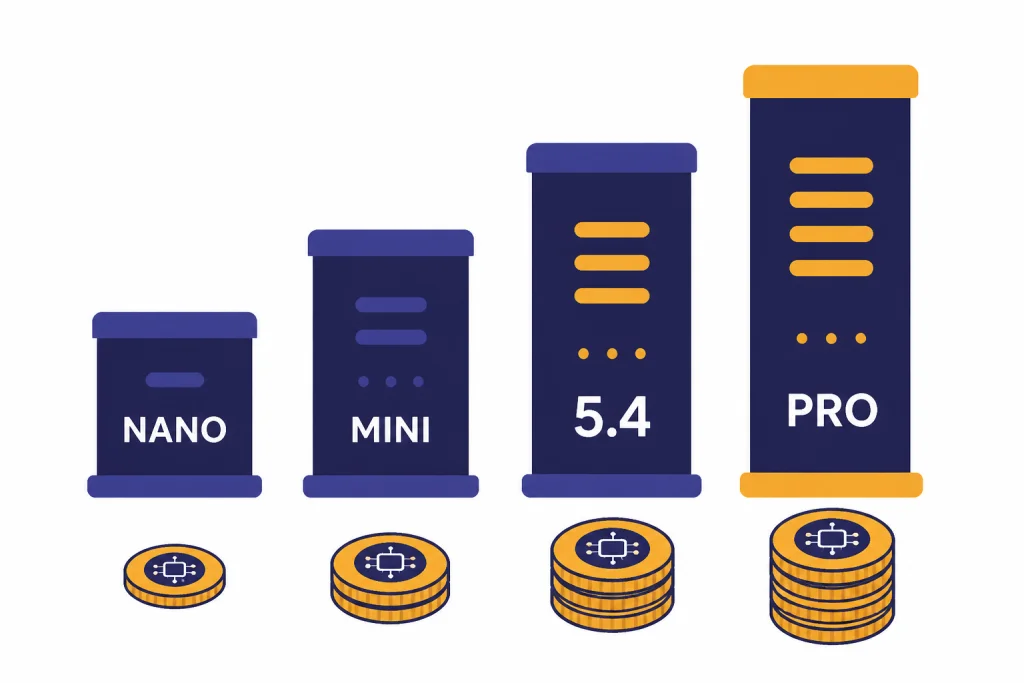
For API users, the numbers are more concrete. OpenAI lists GPT-5.4 at $2.50 per 1M input tokens, $0.25 per 1M cached input tokens, and $15.00 per 1M output tokens.[6][9] GPT-5.4 Pro is much more expensive at $30 per 1M input tokens and $180 per 1M output tokens.[6][9] GPT-5.4 mini costs $0.75 per 1M input tokens and $4.50 per 1M output tokens, while GPT-5.4 nano costs $0.20 per 1M input tokens and $1.25 per 1M output tokens.[8][9]
Context windows also affect value. OpenAI says GPT-5.4 mini has a 400K context window in the API.[8][9] OpenAI’s ChatGPT Help Center listed GPT-5.4 Thinking at 256K for all paid tiers and 400K for Pro when manually selected, with the Pro figure split into 272K input plus 128K maximum output.[9][11]
| Model | Input price | Cached input price | Output price | Practical note |
|---|---|---|---|---|
| GPT-5.4 | $2.50 / 1M tokens[6][9] | $0.25 / 1M tokens[6][9] | $15.00 / 1M tokens[6][9] | Best default API choice for hard professional work. |
| GPT-5.4 Pro | $30 / 1M tokens[6][9] | OpenAI did not list a cached-input price in the GPT-5.4 launch table.[6] | $180 / 1M tokens[6][9] | Use only when answer quality justifies high cost. |
| GPT-5.4 mini | $0.75 / 1M tokens[8][9] | $0.075 / 1M tokens[9] | $4.50 / 1M tokens[8][9] | Good for subagents, lower-cost coding, and fallback flows. |
| GPT-5.4 nano | $0.20 / 1M tokens[8][9] | OpenAI has not published a corroborated cached-input figure in the sources we reviewed. | $1.25 / 1M tokens[8][9] | Best for narrow, high-volume API tasks. |
Original analysis: the router tradeoff
The defining GPT-5 design pattern is routing. OpenAI’s launch framed GPT-5 as a unified system that decides when to answer quickly and when to think longer.[1][16] That is good product design for most users because model choice becomes less intimidating. It is also the source of many frustrations.
We call this the router tradeoff. The better the router gets, the less work the user has to do. But the more invisible the router becomes, the harder it is for a power user to understand why an answer changed, why a task slowed down, or why a familiar style disappeared.
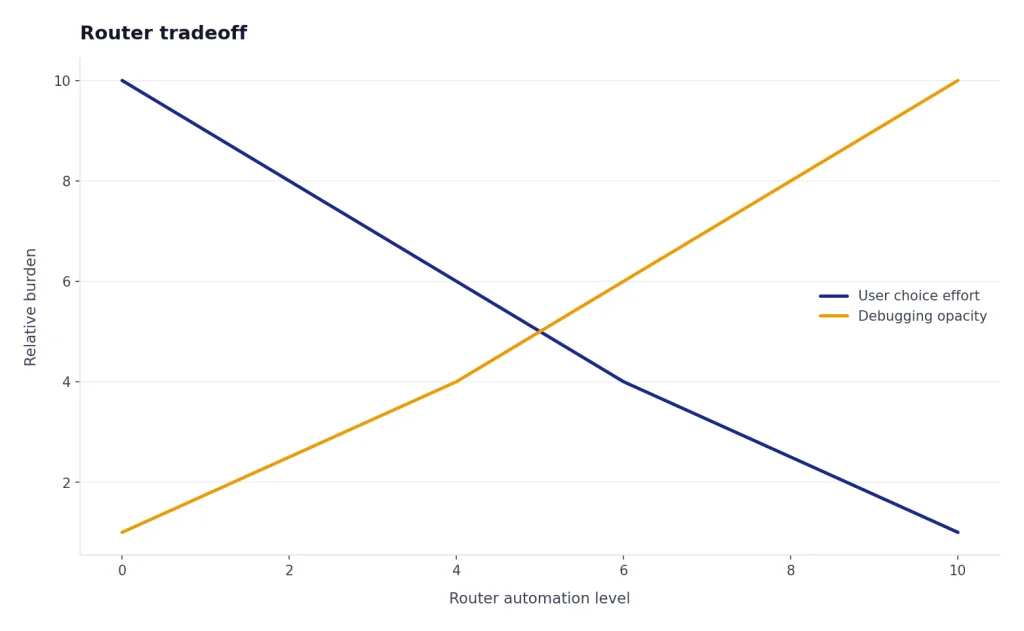
This explains the split reaction to GPT-5. New users benefited from a simpler default. Power users lost the certainty of picking a known model for a known job. OpenAI later brought back more model choice after the GPT-5 launch backlash, and its January 2026 retirement note said user feedback around GPT-4o shaped GPT-5.1 and GPT-5.2 improvements in personality and creative ideation.[10][14]
Our recommendation is to treat Auto as a convenience layer, not a guarantee. For quick work, let GPT-5 choose. For important work, manually select the deeper option when available, ask it to show assumptions, and verify facts. For developer workflows, build explicit routing yourself with the API rather than assuming one model should handle every step. Our OpenAI API pricing guide helps with that cost decision.
Weaknesses and launch problems
GPT-5’s biggest weakness was not only technical. It was product trust. OpenAI initially pushed a simplified GPT-5 experience, and many paying users objected because older models disappeared, workflows changed, and GPT-5’s personality felt colder to some users.[10][14]
That criticism was not just nostalgia. A writing assistant is partly a style tool. A coding assistant is partly a memory of previous conventions. A research assistant is partly a repeatable process. When OpenAI changes the default model, the user’s workflow can change even if benchmark scores improve.
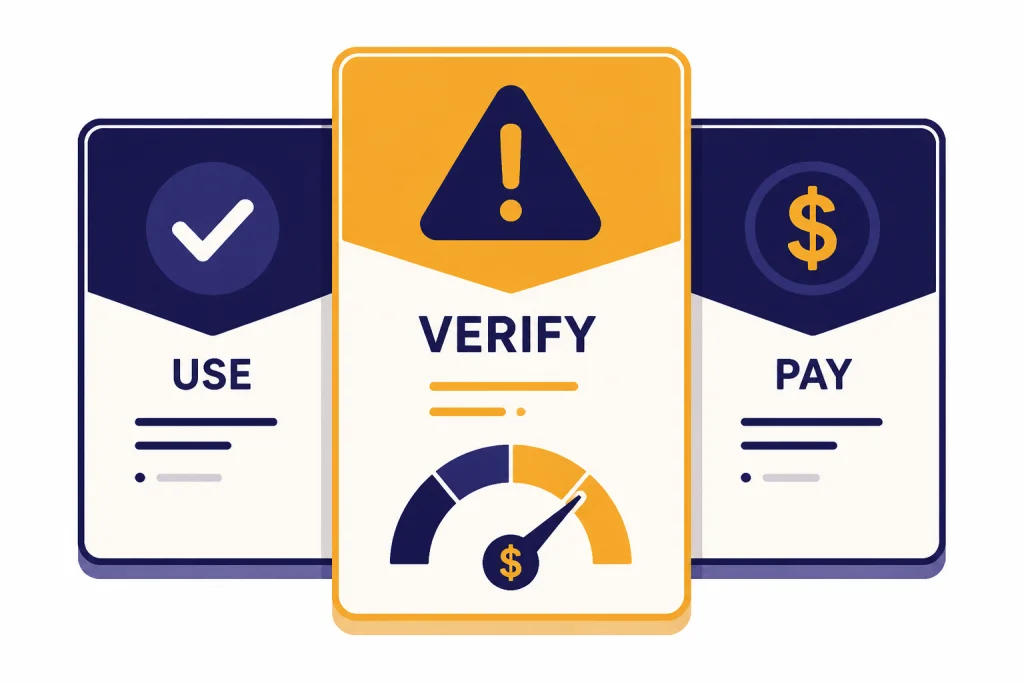
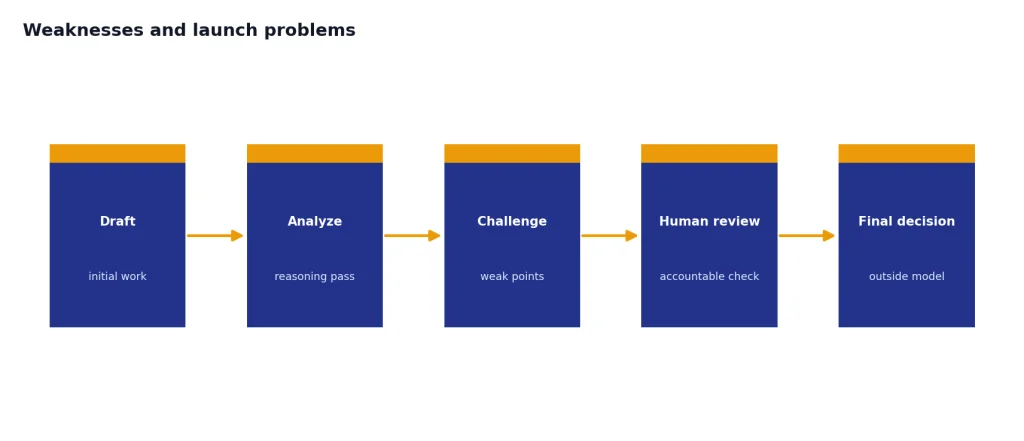
GPT-5 also still needs verification. It is better at avoiding hallucinations than older OpenAI models according to OpenAI’s launch claims, including about 45% fewer factual errors than GPT-4o with web search enabled and about 80% fewer factual errors than o3 when thinking.[1][12] But “less likely” does not mean “safe to trust without checking.” For legal, medical, financial, and business-critical work, GPT-5 should draft, analyze, and challenge, not make final decisions.
There is also a cost trap. GPT-5.4 Pro looks attractive because it is the top option, but the API price gap is large: $30 per 1M input tokens and $180 per 1M output tokens for GPT-5.4 Pro, compared with $2.50 and $15.00 for GPT-5.4.[6][9] For most teams, the better workflow is to use GPT-5.4 mini or GPT-5.4 for most steps and reserve Pro for final judgment.
Who should use GPT-5
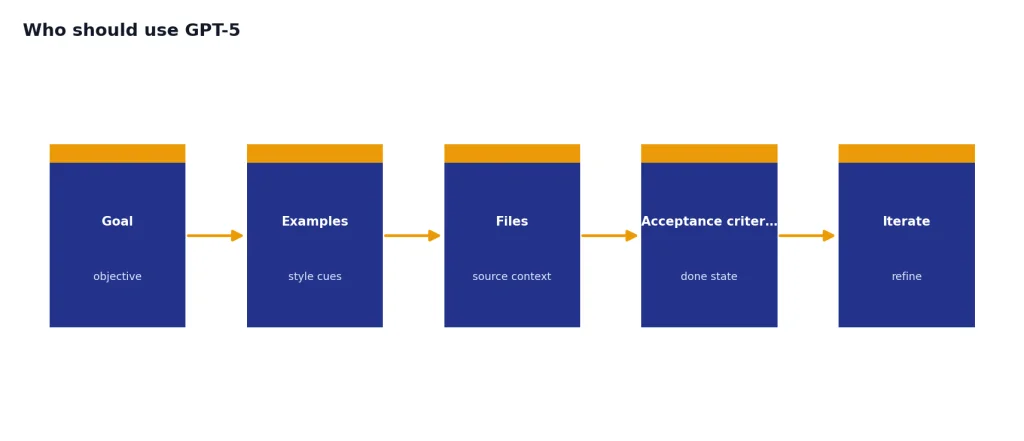
GPT-5 is best for users who bring it structured work. It rewards clear goals, examples, files, acceptance criteria, and iteration. It is less impressive when used as a magic answer box.
- Students and self-learners: GPT-5.3 Instant is strong for explanations, study plans, and practice questions, while Thinking helps with harder math, science, and reasoning prompts.
- Writers and editors: GPT-5 is useful for outlines, revisions, tone control, and critique. It still needs guardrails to preserve voice.
- Developers: GPT-5.4 is a serious coding model, especially for debugging, refactoring, UI scaffolding, and codebase reasoning.[6][8]
- Analysts and operators: GPT-5.4 Thinking is well suited to reports, spreadsheet reasoning, multi-source research, and workflow planning.[6][7]
- Casual users: Free or Plus is enough. Pro is usually overkill.
If you want one broad recommendation, start with Plus before Pro. Our ChatGPT Plus review and ChatGPT Pro review explain the subscription tradeoff in more detail. If you use GPT-5 inside a team, compare it with our ChatGPT Team review and ChatGPT Enterprise review, because administration, privacy, and workspace controls can matter more than the base model.
For agents and browser-based workflows, GPT-5 is only one part of the stack. Read our ChatGPT Agent review if you want to delegate multi-step tasks, and our ChatGPT Atlas review if your main question is whether ChatGPT belongs inside the browser.
Frequently asked questions
Is GPT-5 actually available in ChatGPT?
Yes, but the version matters. OpenAI launched GPT-5 on August 7, 2025, as the new ChatGPT flagship.[1][13] By publication, the original GPT-5 Instant and Thinking models had been retired from ChatGPT on February 13, 2026, and the live GPT-5 experience had moved to newer GPT-5-family models.[10][11]
Is GPT-5 better than GPT-4o?
For reasoning, coding, research, and structured analysis, yes. OpenAI said GPT-5 was about 45% less likely than GPT-4o to contain a factual error with web search enabled, and TechCrunch reported OpenAI’s GPT-5 benchmark claims at launch.[1][12] Some users still preferred GPT-4o’s conversational style, which is why the launch backlash matters.[10][14]
What is the difference between GPT-5.3 Instant and GPT-5.4 Thinking?
GPT-5.3 Instant is the fast everyday model, released March 3, 2026, and tuned for smoother conversations, search-backed answers, and fewer dead ends.[4][5] GPT-5.4 Thinking was released March 5, 2026, for deeper professional reasoning, coding, agentic workflows, and longer research tasks.[6][7] Use Instant for speed and Thinking for difficulty.
How much does GPT-5 cost in the API?
For GPT-5.4, OpenAI lists $2.50 per 1M input tokens, $0.25 per 1M cached input tokens, and $15.00 per 1M output tokens.[6][9] GPT-5.4 mini is cheaper at $0.75 input and $4.50 output per 1M tokens.[8][9] GPT-5.4 Pro is much more expensive at $30 input and $180 output per 1M tokens.[6][9]
Is ChatGPT Pro worth it for GPT-5?
Usually no for casual users. Plus has historically been the better value at $20 per month, while Pro was widely documented at $200 per month before later plan changes.[7][12] Pro makes sense if you need GPT-5.4 Pro, very high usage, or professional workflows where a stronger answer saves billable time.
Can GPT-5 replace a developer?
No. GPT-5 is a powerful coding assistant, and OpenAI reported strong GPT-5 and GPT-5.4 coding benchmark results, including 74.9% on SWE-bench Verified for original GPT-5 and 57.7% on SWE-Bench Pro for GPT-5.4.[2][6] It still needs human review for architecture, security, tests, dependencies, and production deployment.
What should OpenAI improve next?
OpenAI should keep improving transparency around routing, model changes, and plan limits. The August 2025 GPT-5 rollout showed that users need continuity as much as raw benchmark gains.[10][14] Clearer model labels, stable legacy windows, and better explanations when ChatGPT switches reasoning modes would make GPT-5 easier to trust.
Bottom line
GPT-5 is a real upgrade, especially after the GPT-5.3 and GPT-5.4 updates. It is strongest when used as a reasoning and work system, not as a novelty chatbot.
The safest buying advice is conservative. Use Free if you are curious, Plus if ChatGPT is part of your weekly work, and Pro only if GPT-5.4 Pro or heavy usage directly supports your job.