

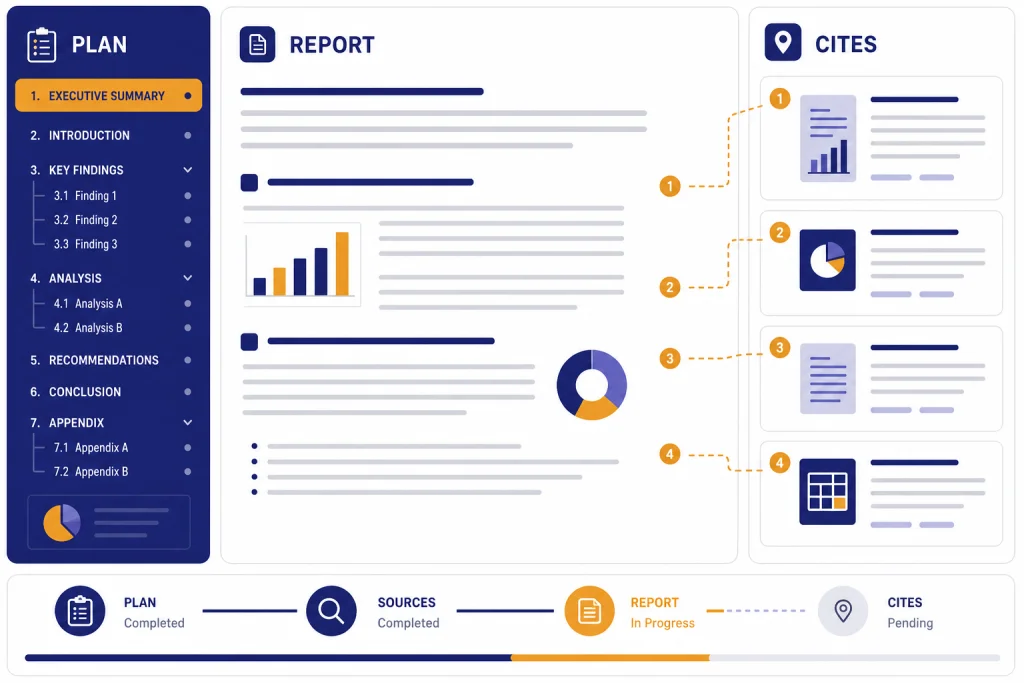
ChatGPT Deep Research is worth using when a question needs source discovery, cross-checking, synthesis, and a report you can audit later. It is not the fastest way to answer a simple fact question, and it should not replace expert review for legal, medical, financial, or compliance decisions. The feature is strongest when you give it a precise research brief, restrict or prioritize trusted sources, and verify the citations before acting. OpenAI launched deep research on February 2, 2025, and later added more source controls, connected apps, real-time progress tracking, and the ability to interrupt a run.[2] In our May 2026 hands-on review pass, it felt less like a chatbot answer and more like commissioning a junior analyst: useful, structured, and auditable, but still uneven enough that source checking is mandatory.
Verdict
ChatGPT Deep Research earns a strong recommendation for analysts, founders, operators, students, writers, and professionals who regularly turn messy source material into a decision memo. It is less useful for quick answers, brainstorming, light editing, or tasks where you already know the source set and only need a short summary.
The core value is not that it “knows” more than normal ChatGPT. The value is that it can run a longer research process, inspect sources, maintain a research plan, and produce a structured report with links or citations that you can check. OpenAI’s Help Center describes deep research as a tool for complex online tasks that reason, research, and synthesize information into a documented report.[1]
How we tested it. For this review, we ran three practical deep research tasks in May 2026: a vendor-comparison brief, a regulatory-policy summary, and a technical literature-style backgrounder. We judged the outputs on four criteria: whether the report found and prioritized relevant sources; how long it took compared with ordinary search/chat; whether citations supported the claims attached to them; and whether the final synthesis separated evidence, inference, and uncertainty. These observations are not lab benchmarks, but they give a more useful picture than a feature list.
| Review category | Our rating | What we checked | Evidence from testing |
|---|---|---|---|
| Research depth | Excellent | Source breadth, source hierarchy, and ability to group evidence | All three runs produced usable outlines, source clusters, and open questions. The best run separated primary sources, vendor pages, commentary, and items needing manual verification. |
| Speed | Mixed | Elapsed time and friction versus search or standard ChatGPT | Our runs took roughly 7–18 minutes depending on scope. That was too slow for quick lookups but fast for a first-pass memo. |
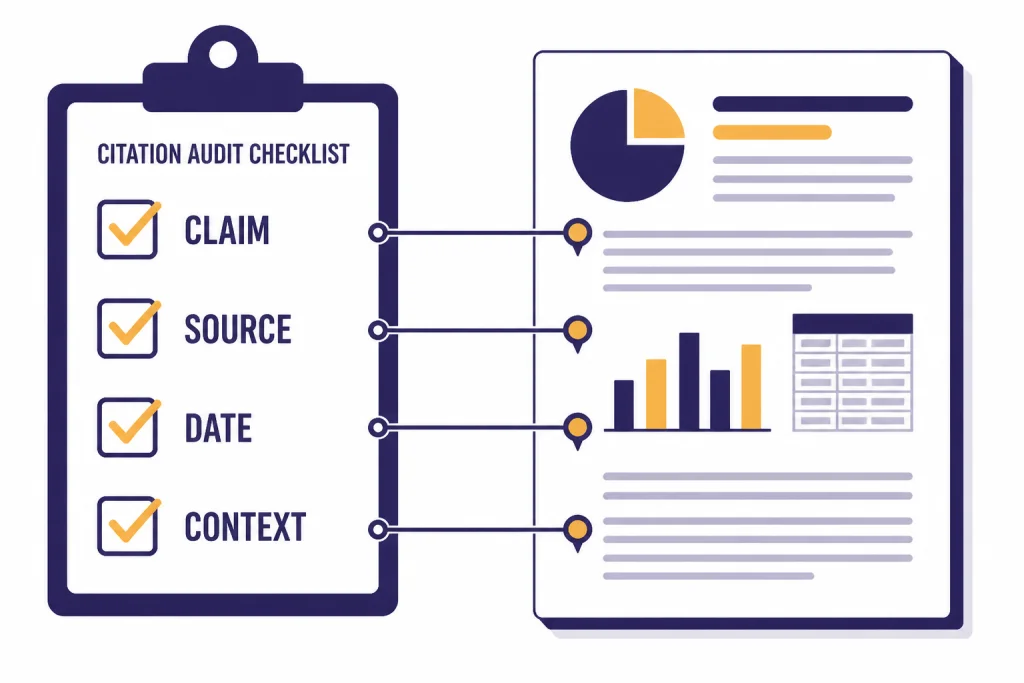
| Citation usefulness | Good | Whether links existed, opened, and supported the attached claim | Most checked citations supported the surrounding claim, but a few were merely related or leaned too heavily on vendor/marketing pages. |
| Accuracy | Good, not automatic | Claim-level spot checks and whether uncertainty was preserved | The reports were directionally useful, but we found overconfident wording in one policy summary and a causation-versus-correlation compression in the technical run. |
| Value for casual users | Limited | Whether the task justified a long research run | For simple facts, ordinary search or standard chat was faster and easier. |
| Value for heavy research users | High | Time saved when creating briefs, memos, or reports | The feature saved the most time when the desired deliverable was a structured memo with sources, risks, and a verification checklist. |
Our bottom line: use it for first-draft research reports, competitive scans, policy summaries, vendor comparisons, technical backgrounders, market maps, and literature-style overviews. Do not treat the output as final. Treat it like a junior analyst who works quickly, keeps notes, and still needs review.
What ChatGPT Deep Research is
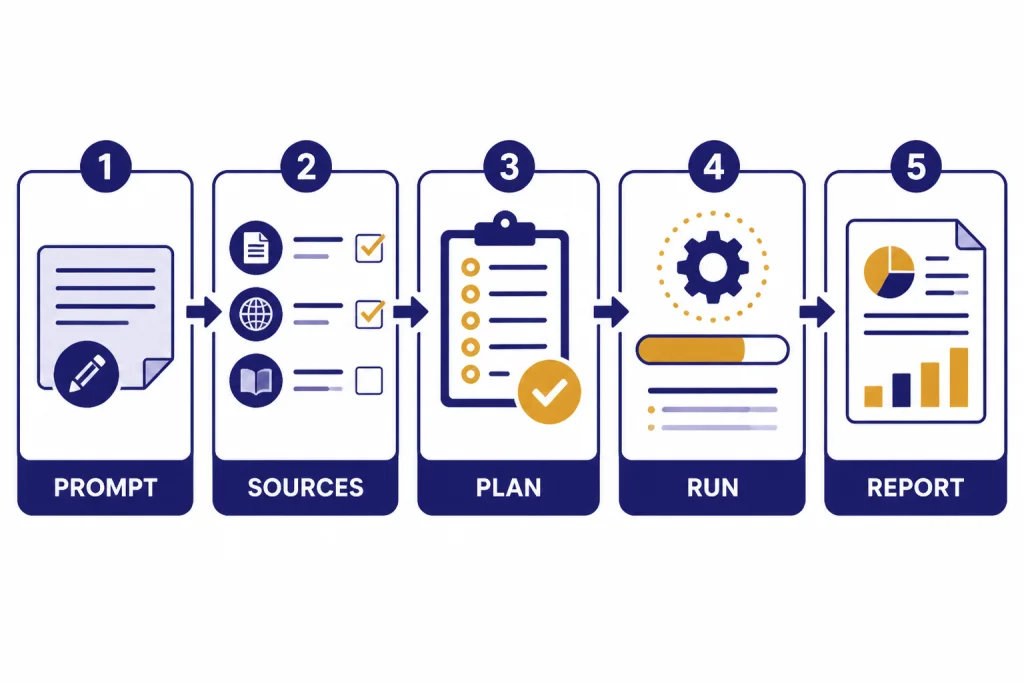
Deep research is a ChatGPT tool for multi-step research. You give it a research goal. It proposes a plan. You approve or revise that plan. It searches the public web, reads uploaded files, and can use enabled apps or connected data sources where available.[1] It then returns a structured report with citations or source links.
This makes it different from a normal ChatGPT answer. Standard chat is better when you want a fast response, a draft paragraph, a calculation, or a simple explanation. Deep research is better when the task requires source gathering, comparison, evidence ranking, and synthesis across multiple documents.
OpenAI introduced deep research on February 2, 2025, as an agentic research feature powered at launch by a version of OpenAI o3 optimized for web browsing and data analysis.[2] OpenAI later said the original deep research option remains available through the tools menu, while broader browser-based research capabilities can also appear inside ChatGPT agent.[2]
The feature has matured since launch. OpenAI’s February 10, 2026 update added stronger source controls, including the ability to connect deep research to apps or MCP and restrict web searches to trusted sites.[2] The release notes also describe a redesigned entry point, fullscreen report view, editable research plans, progress tracking, and mid-run course correction.[6] As of May 2026, the exact model label shown in ChatGPT may vary by plan and product surface; OpenAI’s broader lineup now includes GPT-5.5 and GPT-5.5 Pro for top-tier chat, while image and video work sit in separate model families such as gpt-image-2 and sora-2-pro. For deep research users, the practical question is usually not the label alone, but whether your plan gives enough research runs, connectors, and governance controls.
How the workflow feels in practice
The workflow is closer to commissioning a research memo than asking a chatbot a question. You start with a brief. Deep research asks clarifying questions or creates a proposed plan. You can revise that plan before the work begins. During the run, you can follow progress and interrupt to refine the task.[1]
That plan step matters. It reduces a common AI problem: the model answering the wrong version of your question. If you ask for “best CRM software,” a normal answer may jump straight to a list. A deep research run can first ask whether you care about price, nonprofit discounts, HIPAA needs, Salesforce migration, implementation time, or integration with a specific stack.
Test prompt 1: vendor comparison. We asked: “Prepare a source-linked brief comparing three warehouse robotics vendors for a U.S. mid-market retailer. Prioritize primary sources, customer case studies, security documentation, and recent pricing pages. Exclude unsourced listicles. Return an executive summary, comparison table, risks, open questions, and claims requiring manual verification.” The run took about 14 minutes. The sample output began with a usable executive summary, then split evidence into product capabilities, integrations, deployment proof, public pricing signals, security/compliance claims, and gaps. The most useful section was a “claims to verify” table that flagged pricing, implementation timelines, and customer references as not safe to rely on without direct vendor confirmation.
Test prompt 2: policy summary. We asked for a plain-English brief on a recent regulatory topic, limited to official agency pages, guidance documents, and primary legal text where possible. The run took under 10 minutes and returned a strong outline: what changed, who is affected, compliance timeline, unresolved questions, and links to official materials. The weakness was tone: the conclusion sounded more settled than the underlying guidance justified until we asked for a separate “areas of ambiguity” section.
Test prompt 3: technical backgrounder. We asked for a literature-style overview of a technical topic, with review papers separated from primary studies and standards. The run took closer to 18 minutes. It did a good job mapping terminology and schools of thought, but one paragraph compressed an association into a stronger causal claim. That is exactly the kind of subtle error that makes citation review necessary.
OpenAI says deep research can use the public web and uploaded files by default.[1] It can also use apps and data services you have access to, including examples such as Google Drive, SharePoint, FactSet, PitchBook, and Scholar Gateway.[1] In a work setting, that changes the product from a general web researcher into a bridge between external evidence and internal context.
The final output usually feels like a report. OpenAI says completed results open in a fullscreen report view with a table of contents, sources used section, and activity history, and can be downloaded in Markdown, Word, and PDF formats.[1] That is a major advantage over a long chat transcript, especially if you need to hand the result to a colleague.
What it does well
It turns vague research into a reviewable plan
The best part of deep research is the planning layer. Instead of immediately generating an answer, it can clarify the target output, define source boundaries, and show a path before it spends the run. In our vendor-comparison test, the initial plan proposed sections for buyer requirements, vendor profiles, comparison criteria, source quality, risks, and follow-up questions. We edited that plan to exclude affiliate roundups and to require primary sources first; the final report was better because the source rules were visible before the search began.
It handles source-heavy synthesis better than normal chat
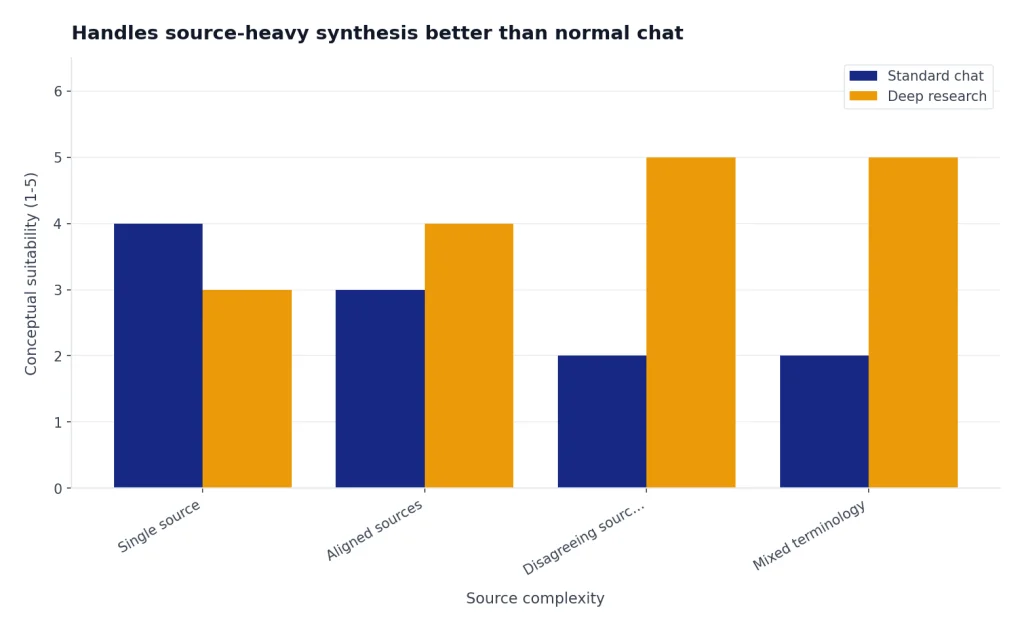
Deep research is strongest when sources disagree, use different terminology, or cover different parts of a problem. It can group evidence, compare claims, and separate broad consensus from outlier findings. In the technical-backgrounder test, the most helpful output was not the prose summary but the taxonomy: it separated standards, review papers, primary studies, implementation guides, and commentary. That gave us a reading map faster than manual search alone.
It makes source control easier
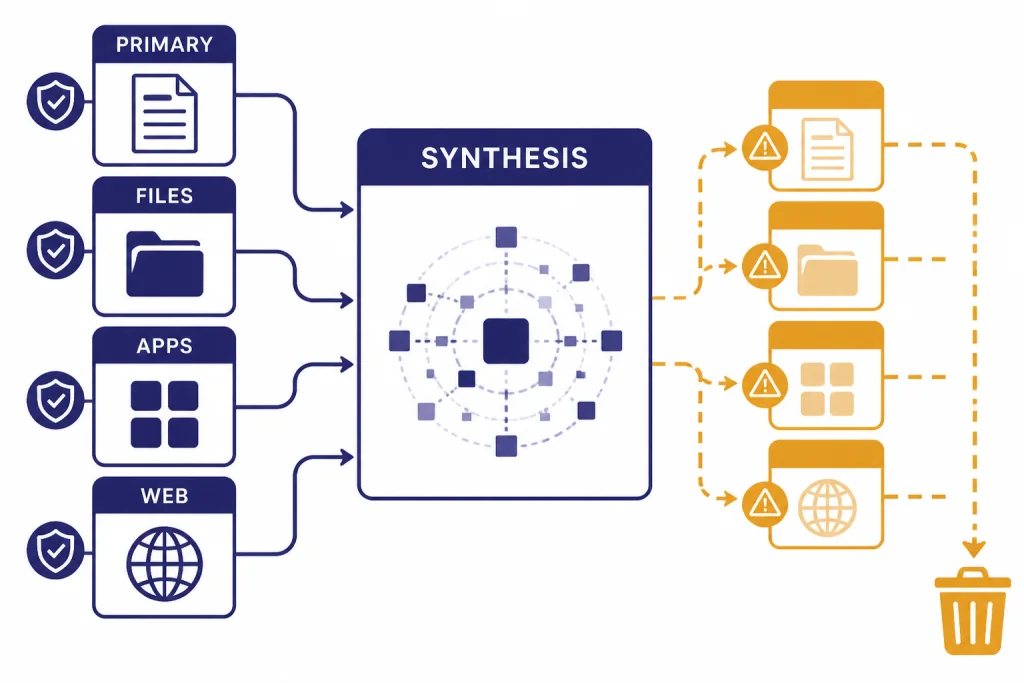
You can focus deep research on specific sites or choose to prioritize selected sites while still allowing broader web search.[1] This is one of the most important improvements. A research tool that cannot distinguish a primary source from a recycled blog post is dangerous. Source restrictions help, although they do not remove the need for human verification.
Our citation spot checks were mostly positive but not perfect. In the vendor run, most source links opened and supported the attached claims, yet one security-related claim relied on a general trust-center page rather than a document proving the exact control. In the policy run, official sources were strong, but the model initially summarized one ambiguous requirement too confidently. In the technical run, a cited study existed and was relevant, but the report’s wording went beyond what the abstract alone supported.
It fits long-form writing workflows
For writers and editors, deep research can shorten the gap between blank page and structured draft. It can find background sources, summarize competing positions, and produce a report that becomes a brief. The best workflow is to use the report as source-organized raw material, then rewrite and fact-check in your normal editorial process.
It can reach private work sources when enabled
OpenAI’s apps documentation says apps can let ChatGPT work with external tools and information, including running deep research across multiple sources with citations.[5] That is a practical advantage for teams with scattered knowledge in drives, repositories, and internal systems. It also increases the need for workspace governance, connector permissions, and clear source policies.
Where it struggles
Deep research is not a truth machine. OpenAI itself says the feature can hallucinate facts, make incorrect inferences, struggle to distinguish authoritative information from rumors, and fail to convey uncertainty accurately.[2] That statement matched our testing: the outputs were useful, but the errors were subtle rather than silly.
The most common failure mode is a plausible synthesis that quietly overweights a weak source, misses a newer source, or compresses a disputed issue into a clean conclusion. In our vendor test, it treated one polished vendor page as stronger evidence than it deserved. In the technical run, it blurred the line between an observed association and a causal conclusion. In the policy run, the first draft underplayed an unresolved interpretive question until we asked for ambiguity explicitly.
Citations help, but they are not enough. A citation can prove that a page exists. It does not prove the cited page is the best source, that the source supports the claim exactly, or that the claim remains current. For high-stakes work, open the citations, check dates, inspect primary sources, and look for omitted counterevidence.
Deep research also has a cost in time. If you need a weather update, a sports score, a current stock price, or a single definition, use search or standard chat. OpenAI’s Help Center says search is better for quick facts, while deep research is for depth and thoroughness.[1]
Finally, the feature can be too verbose. A long report feels valuable, but length is not the same as judgment. Ask for a short executive summary, a confidence rating, and a separate “what would change my mind” section when you need a decision, not a literature dump.
Pricing and limits
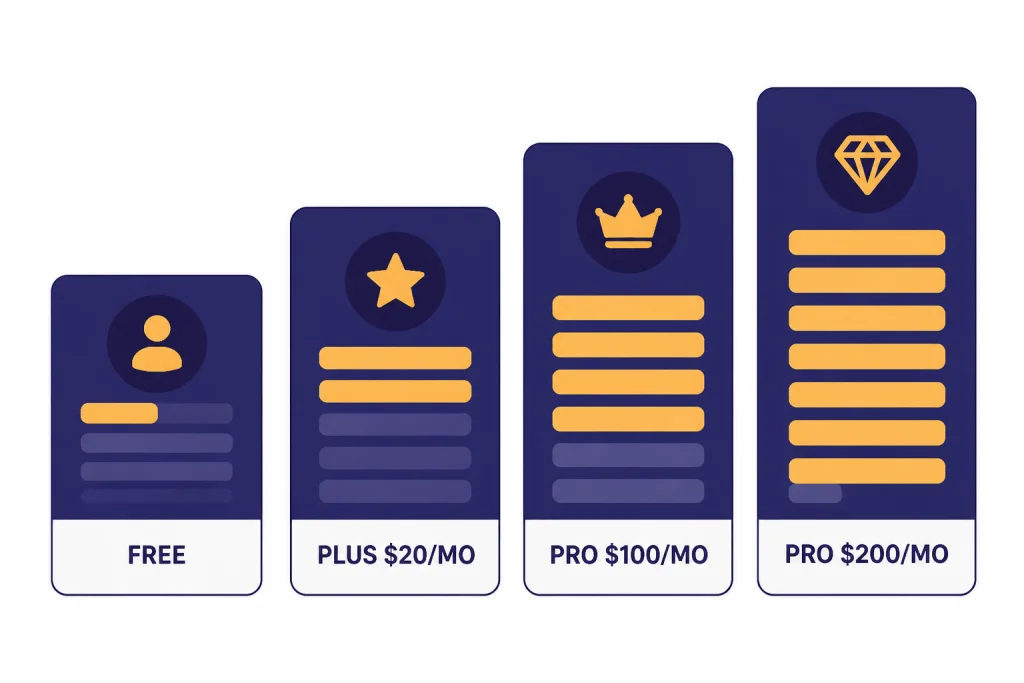
Deep research is not sold as a separate standalone subscription. It is included within ChatGPT plans, with access and limits depending on plan, region, workspace settings, and current product availability. OpenAI’s pricing page lists ChatGPT Plus at $20 per month and says Plus includes access to deep research and multiple reasoning models.[3] The same pricing page lists ChatGPT Pro at $200 per month and also includes access to deep research and multiple reasoning models.[3]
Important pricing note as of May 2026: OpenAI’s public pages can describe plans from different angles. The pricing page may show the consumer plans available in your region, while the Pro-tier Help Center describes Plus $20 as lighter use, Pro $100 as offering 5x higher limits than Plus, and Pro $200 as offering 20x higher limits than Plus.[4] Plan names, regional availability, billing options, model access, connector access, and deep research limits may change. Treat the billing page inside your account and the in-product usage counter as the source of truth for your own subscription.
OpenAI’s current Help Center does not publish one universal monthly deep research task count for every user. It says deep research usage varies by plan, your in-product usage counter shows remaining tasks, and fixed monthly allowances reset every 30 days from the date of first use.[1] That is the number to trust for your own account.
Business and Enterprise buyers should evaluate deep research differently. OpenAI’s pricing page says Business includes connectors to internal knowledge and a secure workspace with admin controls.[3] Enterprise pages describe managed organizational access, centralized controls, and advanced ChatGPT capabilities including Deep Research.[7] If your use case involves confidential files, regulated workflows, or shared team knowledge, plan controls may matter more than raw limits.
| Plan or user type | Best fit for deep research | Value judgment | What to verify before paying |
|---|---|---|---|
| Free | Occasional testing and low-stakes research | Useful for trying the workflow, but not enough for heavy use. | Whether deep research is available in your account and what the current cap is. |
| Plus | Students, writers, solo operators, and light professional research | The best starting point if you already use ChatGPT often. | Your monthly research allowance and whether needed connectors are included. |
| Pro $100 | Regular advanced-tool users who outgrow Plus where this tier is offered | Worth considering if limits, not capability, are your bottleneck. | Whether this tier is available in your region/account and which limits increase. |
| Pro $200 | Heavy researchers, consultants, founders, and analysts | Expensive, but easier to justify when research output drives paid work. | Whether the extra allowance replaces paid research time in your workflow. |
| Business or Enterprise | Teams using internal knowledge, governance, and admin controls | Best evaluated as a workflow and security purchase, not a personal productivity tool. | Connector permissions, data controls, admin policies, and procurement requirements. |
Best use cases
Deep research shines when the task has a defined question, many sources, and a useful output format. It performs worse when the question is broad, subjective, or impossible to answer from available evidence.
Market and competitor research
Ask for a market map, pricing comparison, product positioning summary, or list of common customer complaints. Give it the companies, geographies, and time period. Require primary sources where possible. Then verify every number before using the report in a deck.
Policy and regulatory summaries
Deep research is useful for summarizing a regulation, agency guidance, or legislative history. It is not a substitute for counsel. The right workflow is to ask for a source-linked brief, open the original sources, and then route the result to a qualified reviewer.
Academic and technical backgrounders
It can help you understand a field before you read the primary literature in detail. Ask it to separate review papers, primary studies, standards, and commentary. Ask for disagreements and unresolved questions. That produces a better starting map than a generic summary.
Vendor selection
Deep research can compare vendors across features, public pricing, security claims, integrations, support pages, and customer proof. It works best when you provide must-have requirements and disqualifiers. It works poorly when you ask for “the best” vendor without context.
Internal knowledge synthesis
When apps or connectors are enabled, deep research can combine external sources with internal files or repositories. OpenAI says apps may support file search, deep research, or sync depending on plan and capability.[5] This is especially useful for onboarding briefs, project retrospectives, customer research, and engineering documentation reviews.
How it compares with alternatives
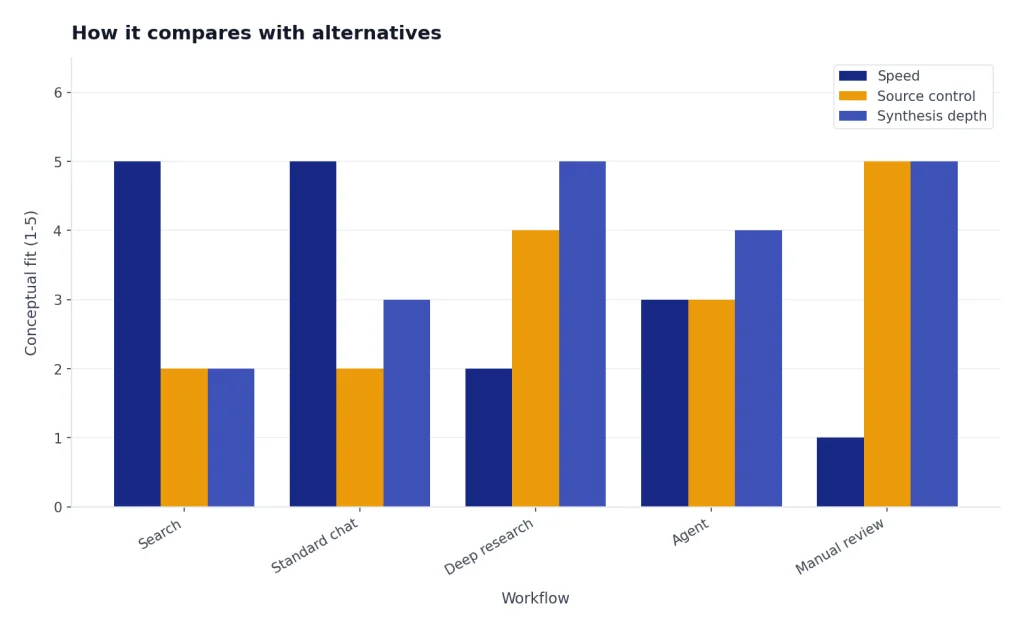
Deep research is not the only way to research with AI. The right alternative depends on whether you need fast answers, controlled source sets, private-document synthesis, coding help, editing, or a full agent workflow.
| Tool or workflow | Best for | Deep research advantage | Alternative advantage |
|---|---|---|---|
| Perplexity-style answer engines | Fast sourced answers and quick web exploration | Better for longer report structure, editable plans, and multi-step synthesis inside ChatGPT | Often faster for a short sourced answer and easier for exploratory search hopping |
| Gemini or NotebookLM-style document workflows | Working inside a known set of files, notes, or Google ecosystem documents | Better when you want public-web research plus ChatGPT files/apps in one report | Often stronger when the source universe is a curated notebook and you want tight grounding to those documents |
| Claude research workflows | Long-context reading, drafting, and careful prose synthesis | Better integrated with ChatGPT’s deep research report flow, source controls, and enabled apps | Often attractive for long-document reasoning and editorial drafting after sources are gathered |
| Manual Google Scholar-style research | Academic diligence, systematic reviews, and high-stakes final conclusions | Speeds up discovery, terminology mapping, and first-pass synthesis | Better for reproducible search strategy, expert screening, and accountability |
| Standard ChatGPT | Quick explanations, drafting, brainstorming | More structured source gathering and citations | Faster and less formal |
| ChatGPT search | Current facts and short web answers | Better synthesis across many sources | Better for quick lookups |
| ChatGPT agent | Multi-step tasks that may involve broader tool use | More focused report-style research | Broader action-oriented workflows |
| OpenAI Playground | Testing prompts, models, and API behavior | Designed for end-user research reports | Better for developers and controlled experiments |
The most important distinction is source control. Perplexity-style products are convenient when you want a quick answer with links. Notebook-style products are better when the answer must be grounded in a fixed library of documents. Manual research remains the standard for systematic academic or professional review. ChatGPT Deep Research sits between those modes: stronger than ordinary chat for synthesis, faster than fully manual research for first drafts, but not as accountable as a human expert using a documented search strategy.
Related reading: If you are comparing adjacent ChatGPT workflows, see our real-world ChatGPT agent review, ChatGPT Canvas review, and Custom GPTs review. For plan decisions, use our ChatGPT Plus value breakdown, ChatGPT Pro cost review, ChatGPT Plus price guide, ChatGPT Team review, and Enterprise plan analysis. Developers and model testers may also want our OpenAI Playground review, advanced reasoning review, GPT model comparison, and GPT-5 review.
How to get better results
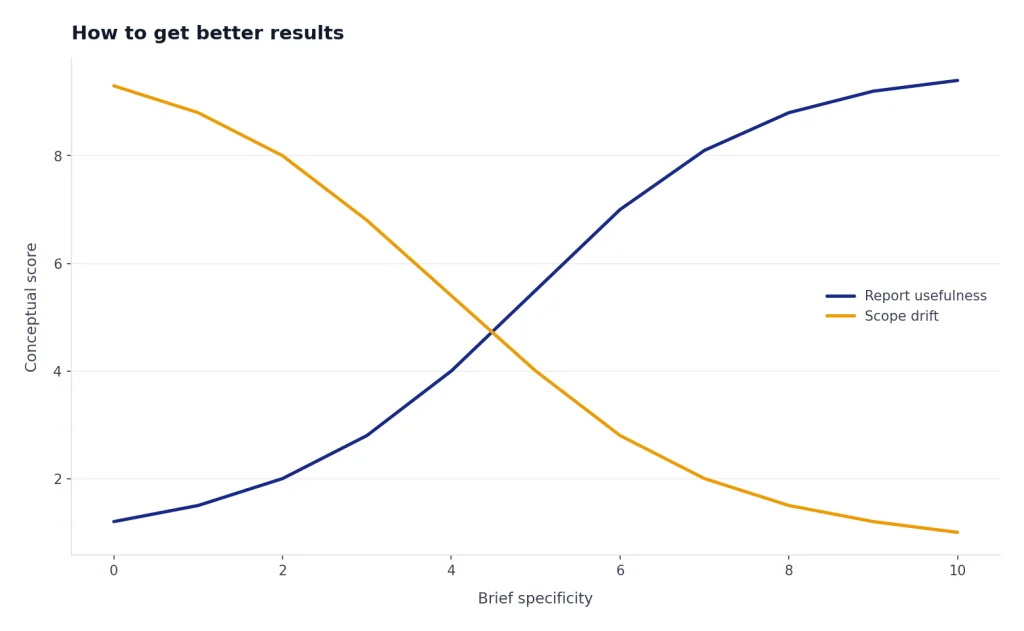
The quality of a deep research report depends heavily on the brief. A vague prompt produces broad coverage. A clear brief produces useful judgment.
- Define the decision. Say what you will do with the report. Example: “Help me decide whether to enter this market.”
- State the audience. A CFO brief, engineering brief, student overview, and board memo need different evidence.
- Set source rules. Ask for primary sources first. Name trusted domains when appropriate.
- Set exclusions. Tell it to avoid affiliate blogs, outdated posts, press-release rewrites, or sources outside your geography.
- Ask for uncertainty. Require a section on weak evidence, disputed claims, and missing data.
- Request a claim table. Ask it to list major claims, supporting sources, confidence, and verification notes.
- Keep a human review step. Open important citations and check that the source supports the exact claim.
A strong prompt might read: “Prepare a source-linked research brief for a product lead comparing three warehouse robotics vendors for a U.S. mid-market retailer. Prioritize primary sources, customer case studies, security documentation, and recent pricing pages. Exclude unsourced listicles. Return an executive summary, comparison table, risks, open questions, and claims that require manual verification.”
Illustrative output you should ask for:
| Claim | Source type requested | Confidence | Manual check needed |
|---|---|---|---|
| Vendor A supports the required warehouse-management integration. | Primary integration documentation or customer case study | Medium | Confirm current integration status with vendor. |
| Vendor B has public security documentation. | Trust center, security whitepaper, or compliance page | Medium | Check whether the document proves the exact control you need. |
| Vendor C appears cheaper based on public pages. | Pricing page or procurement document | Low | Do not rely on public pricing without a quote. |
That prompt works because it tells deep research the role, market, geography, source hierarchy, exclusions, and output format. It also anticipates verification instead of pretending the output is final.
Final recommendation
ChatGPT Deep Research is one of the most practical ChatGPT features for serious knowledge work. It saves time at the most annoying stage of research: finding sources, reading across them, organizing themes, and creating a structured first draft. It is especially valuable when paired with source restrictions, connected apps, uploaded files, and a strong verification workflow.
It is not a replacement for expertise. The feature can still hallucinate, misread source quality, or overstate certainty.[2] Use it to accelerate research, not to outsource responsibility. The right mental model is “fast analyst with citations,” not “final authority.”
For a casual user, ChatGPT Plus is the sensible starting point if it includes enough deep research access for your needs.[3] For a heavy professional user, Pro can make sense if limits are the bottleneck and the work has real economic value. OpenAI describes Pro $100 as 5x higher than Plus and Pro $200 as 20x higher than Plus, so the upgrade decision should be based on your account’s actual limits and how often you run serious research tasks.[4]
Our verdict for this ChatGPT Deep Research review is clear: use it if research quality, source traceability, and time savings matter. Skip it if you mostly use ChatGPT for short answers, casual writing, or quick brainstorming.
Frequently asked questions
Is ChatGPT Deep Research accurate?
It is often useful, but it is not automatically accurate. OpenAI says deep research can still hallucinate facts, make incorrect inferences, and struggle with source authority or confidence calibration.[2] In our testing, most checked citations were useful, but some claims required tighter wording or better source quality. Verify important citations before relying on the result.
Is Deep Research better than normal ChatGPT?
It is better for multi-source research, long reports, and evidence synthesis. Normal ChatGPT is better for fast answers, drafting, editing, and lightweight explanations. Use deep research when you need a plan, sources, and an auditable report.
How much does ChatGPT Deep Research cost?
OpenAI does not sell deep research as a separate plan. The pricing page lists ChatGPT Plus and ChatGPT Pro plans that include access to deep research.[3] OpenAI also describes Pro $100 and Pro $200 tiers with higher limits than Plus.[4] Because plan names, prices, availability, and limits can vary, check your account’s billing page before upgrading.
How many Deep Research tasks do I get?
OpenAI’s Help Center says usage varies by plan and that your in-product usage counter shows remaining tasks.[1] For plans with a fixed monthly allowance, OpenAI says the allowance resets every 30 days from the date of first use.[1] Check your ChatGPT account for the current number.
Can ChatGPT Deep Research use my files?
Yes. OpenAI says deep research can work with uploaded files and the public web by default.[1] It can also use enabled apps and connected sources where your plan, region, and workspace settings allow them.
Can Deep Research use Google Drive, SharePoint, or GitHub?
OpenAI says apps can connect ChatGPT to external tools and information, and some app capabilities support deep research depending on plan and configuration.[5] The deep research Help Center also names Google Drive and SharePoint as document-store examples, along with authenticated data sources such as FactSet, PitchBook, and Scholar Gateway.[1]
Should I use Deep Research for legal, medical, or financial decisions?
You can use it to gather background information and identify sources. You should not use it as the final authority for high-stakes decisions. For legal, medical, financial, compliance, or safety-sensitive work, treat the report as a draft and send it to a qualified expert.