

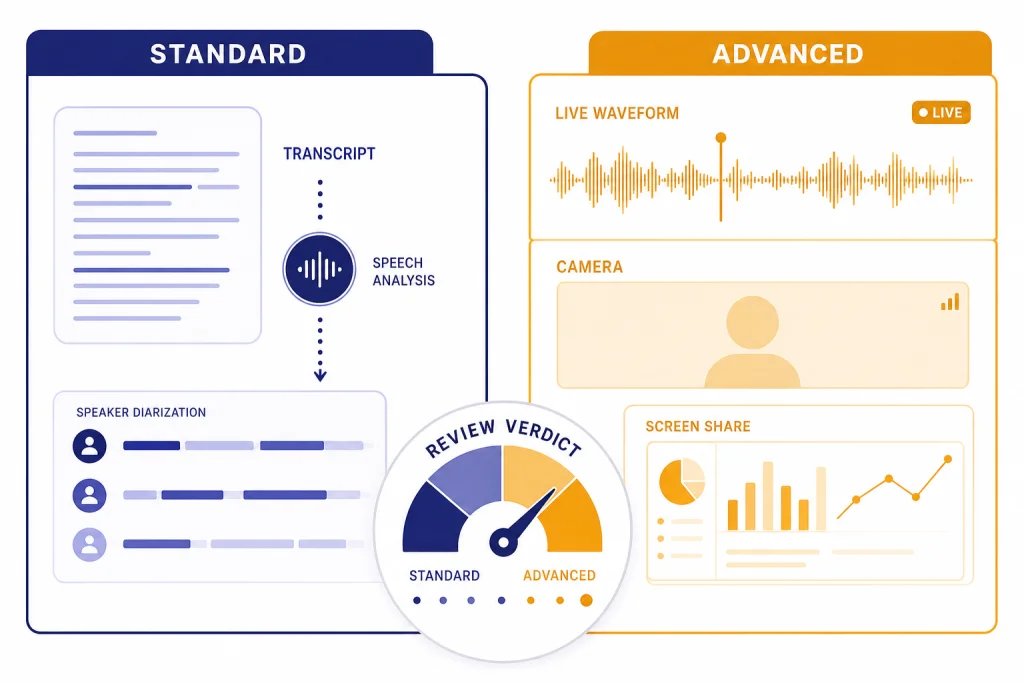
ChatGPT Voice Mode is worth using if you want a hands-free way to brainstorm, study, translate, rehearse conversations, or talk through a task while looking at something on your phone. Advanced Voice is the better everyday experience because it is faster, more interruptible, and more natural than the old Standard Voice pipeline. Standard Voice still has a place for users who prefer more text-like answers and a less performative speaking style. The biggest drawbacks are inconsistent limits, occasional speech recognition mistakes, uneven depth compared with text chat, and confusing documentation around which models power voice in 2026. This ChatGPT Voice Mode review covers both Standard and Advanced Voice so you can decide when to use voice and when to stay with text.
Verdict
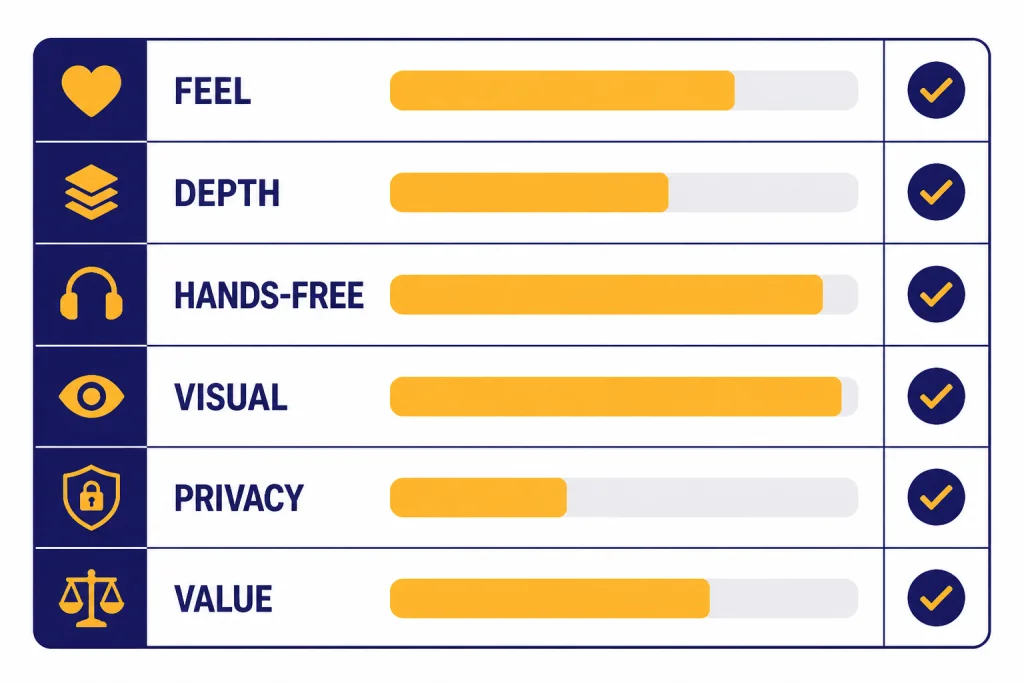
ChatGPT Voice Mode is one of the most useful ChatGPT interfaces, but it is not the best interface for every job. It shines when you want low-friction conversation. It is weaker when you need citations, exact formatting, careful multi-step work, or a complete record you can edit later.
Our recommendation is simple. Use Advanced Voice for active conversation, tutoring, live translation, interview practice, and visual help through phone video or screen sharing. Use Standard Voice when you want spoken access to more conventional ChatGPT-style responses. Use text chat, Canvas, or Deep Research when the answer needs structure, sources, or precision. For broader product context, see our ChatGPT review 2026 and GPT-5 review.
| Category | Our verdict | Why it matters |
|---|---|---|
| Conversation feel | Strong | Advanced Voice feels more natural and handles interruptions better than Standard Voice. |
| Answer depth | Mixed | Voice answers are often concise. Text chat is better when you need long, structured output. |
| Hands-free use | Excellent | It is useful while walking, cooking, commuting, or looking at another screen. |
| Visual assistance | Strong for subscribers | Subscribers can use mobile video, photos, and screen sharing during voice chats, subject to limits.[1] |
| Privacy clarity | Needs care | OpenAI stores audio and video clips for voice chats for 30 days unless certain exceptions apply.[1] |
| Best plan | Plus for most people | Plus includes voice conversations and costs $20/month.[5] |
What ChatGPT Voice Mode includes
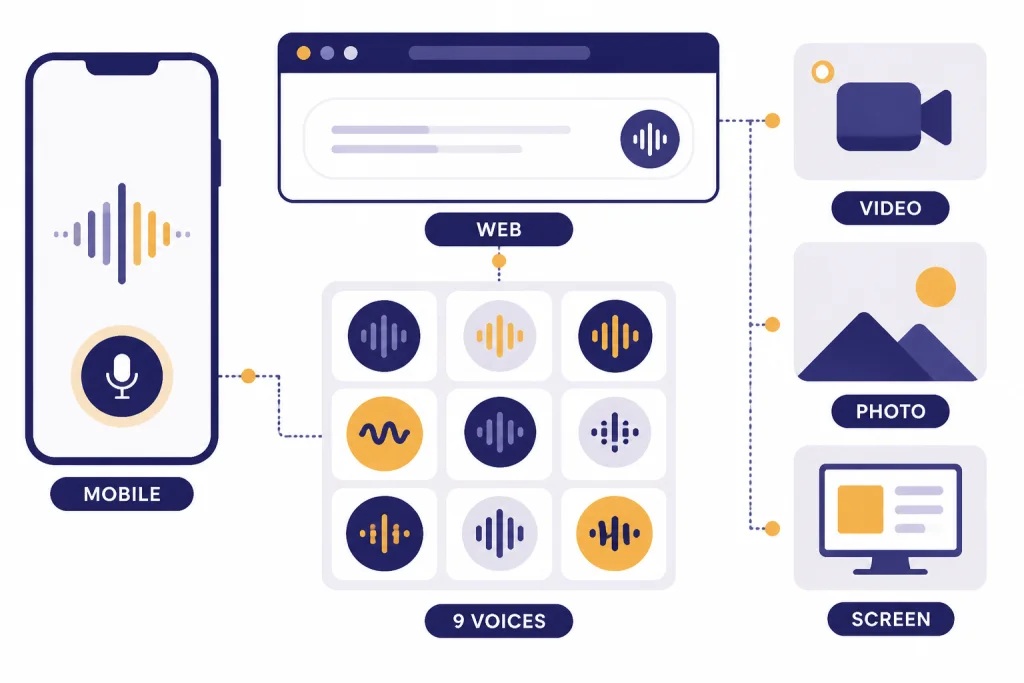
ChatGPT Voice Mode lets logged-in users speak to ChatGPT and hear spoken replies. OpenAI says voice conversations are powered by natively multimodal models and are available to logged-in users in ChatGPT mobile apps and on desktop web at ChatGPT.com.[1] On mobile, Voice Mode may appear as an integrated voice experience inside the main chat or as a separate blue-orb screen. Users can switch the separate mode setting in Settings → Voice → Separate Mode when that option is available.[1]
The current feature set is broader than simple speech-to-text. On iOS and Android, subscribers can share live video, upload or take a photo, and share their phone screen during a voice conversation.[1] That makes Voice Mode useful for tasks such as asking about a spreadsheet on your screen, troubleshooting an appliance, checking a workout form, or talking through a visual design. The experience is closest to a live assistant rather than a dictation box.
OpenAI lists nine output voices for ChatGPT: Arbor, Breeze, Cove, Ember, Juniper, Maple, Sol, Spruce, and Vale.[1] The voice selection matters more than expected. A calm voice works better for tutoring or planning. A brighter voice can help with brainstorming or language practice. The system also supports background conversations on mobile, but OpenAI says a background conversation can end if the conversation exceeds 1 hour, among other conditions.[1]
There is one confusing point. OpenAI’s Voice Mode FAQ says subscriber voice sessions automatically begin with GPT-4o and fall back to GPT-4o mini after the daily GPT-4o voice allocation is used.[1] OpenAI’s ChatGPT Plus article, however, says GPT-4o, GPT-4.1, GPT-4.1 mini, OpenAI o4-mini, and GPT-5 Instant and Thinking were retired from ChatGPT as of February 13, 2026.[5] Those official pages do not line up cleanly. The safest wording is that OpenAI’s own Voice FAQ still names GPT-4o for voice, while other ChatGPT docs describe GPT-4o as retired from the main ChatGPT model set.
Standard Voice vs Advanced Voice
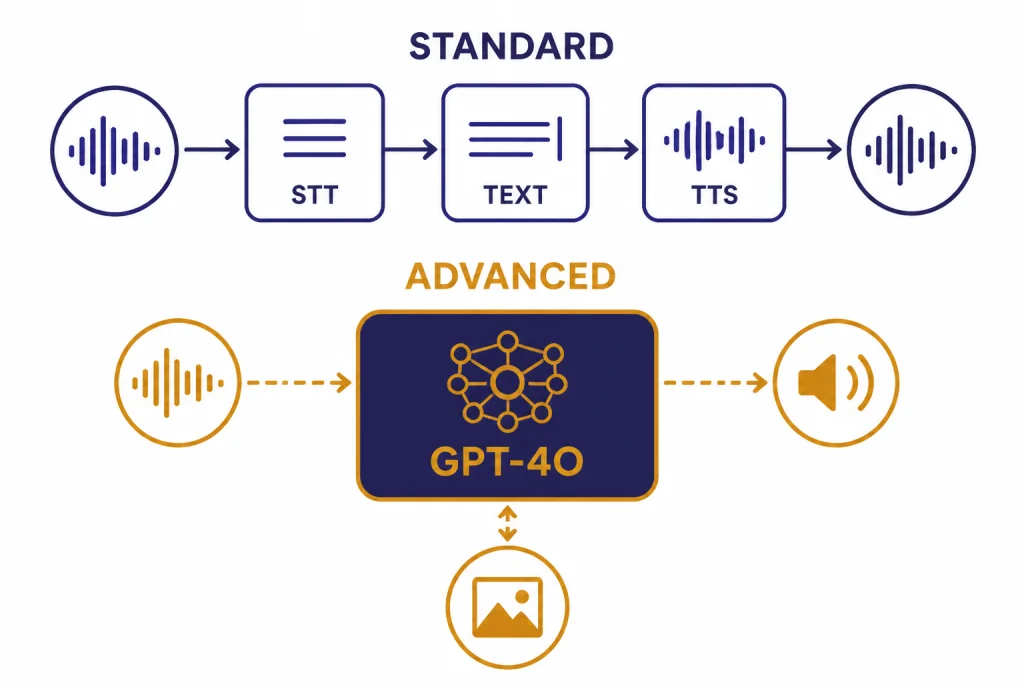
Standard Voice and Advanced Voice feel different because they are built around different interaction styles. OpenAI’s original 2023 voice feature used speech recognition to transcribe your spoken words and a text-to-speech model to speak the answer back.[4] OpenAI later described the pre-GPT-4o voice approach as a pipeline with separate models: one for transcription, one language model for response generation, and one model for converting the answer back to audio.[3]
Advanced Voice is designed around a more direct multimodal experience. OpenAI introduced GPT-4o on May 13, 2024 as a model that can reason across audio, vision, and text in real time.[3] OpenAI said GPT-4o could respond to audio inputs in as little as 232 milliseconds, with an average of 320 milliseconds, and said it planned to roll out a new version of Voice Mode with GPT-4o in ChatGPT Plus in the following weeks.[3]
In practical use, Advanced Voice feels faster and more conversational. You can interrupt it more naturally. It responds better to emotional tone and spoken pacing. It also feels more like a person in the room, which some users enjoy and some users dislike. Standard Voice feels less alive, but that can be a strength. It often behaves more like text ChatGPT with a speaker attached.
The user backlash around Standard Voice is real. OpenAI’s release notes said on August 7, 2025 that Standard Voice Mode would be retired in 30 days as part of a move toward the newer voice experience.[2] TechRadar later reported on September 10, 2025 that OpenAI had reversed course after users pushed back and that Standard Voice remained available while OpenAI addressed feedback in Advanced Voice.[7] That history explains why many long-time users still compare the two modes closely.
| Use case | Standard Voice | Advanced Voice | Better choice |
|---|---|---|---|
| Long explanation | Often closer to text-style ChatGPT | Can become more conversational and brief | Standard or text chat |
| Fast back-and-forth | More turn-based | More interruptible and fluid | Advanced |
| Language practice | Useful but less natural | Better for role-play and pronunciation drills | Advanced |
| Emotional tone | More neutral | More expressive | Depends on preference |
| Visual help | Not the main strength | Designed for video, image, and screen-share workflows | Advanced |
| Accessibility | Predictable spoken output | More natural spoken interaction | Depends on need |
My preference is Advanced Voice for active sessions and Standard Voice for calm listening. If I am role-playing a sales call, practicing Spanish, or asking about what the camera sees, Advanced Voice is clearly better. If I want to hear a dense explanation while walking, Standard Voice can feel less distracting.
Where Voice Mode works best
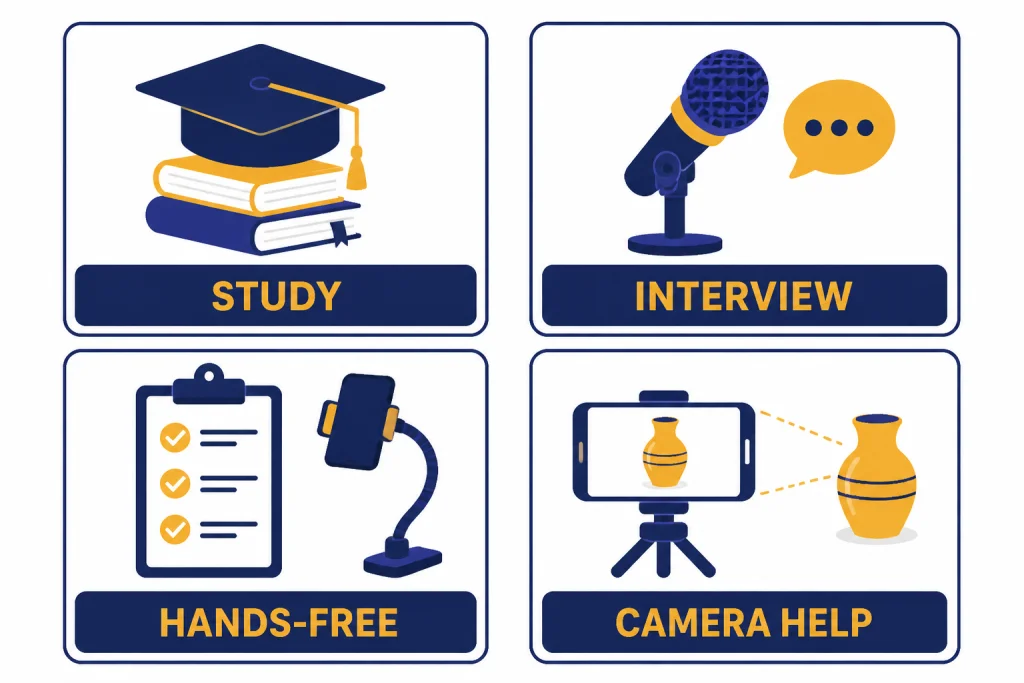
Voice Mode is strongest when speaking is more natural than typing. It changes the rhythm of ChatGPT. You ask shorter questions. You clarify more often. You correct it in real time. That makes it especially good for iterative tasks where the answer improves through conversation.
Learning and tutoring
Voice Mode is excellent for learning sessions. You can ask ChatGPT to quiz you, slow down, give hints, or explain the same idea in simpler terms. It works well for language practice because you can stay in the target language and ask for immediate correction. It is also useful for test prep when you want to answer aloud rather than type.
Interview and presentation practice
Advanced Voice is a strong rehearsal partner. Ask it to act as a hiring manager, investor, customer, or skeptical executive. Then answer naturally. The value is not only the feedback. It is the pressure of responding out loud without over-editing yourself.
Hands-free planning
Voice Mode is useful when your hands are busy. You can build a grocery list, plan a trip, outline a workout, or talk through a decision while doing something else. It is not ideal for final documents, but it is very good for first-pass thinking.
Visual troubleshooting
Subscribers get the most from Voice Mode when video and screen sharing are involved. OpenAI says subscribers can share video on iOS and Android and can use screen sharing or image uploads during a voice conversation.[1] This is where the feature feels most different from text chat. You can point the camera at a router, recipe, plant, whiteboard, or app screen and talk naturally.
Voice Mode is less compelling for tasks that require polished output. If you need a memo, article draft, code review, or spreadsheet analysis, start in voice if you like, then move the work into text. For writing and revision, ChatGPT Canvas review is the more relevant comparison. For source-heavy work, read our ChatGPT Deep Research review.
Limits, privacy, and reliability
Voice Mode has usage limits, and OpenAI says those limits can change.[1] OpenAI’s Voice FAQ says logged-in Free users get voice powered by GPT-4o mini with a limit of 2 hours each day.[1] For subscribers, OpenAI describes audio-only voice use as nearly unlimited each day, with a fallback to GPT-4o mini after the subscriber’s daily GPT-4o voice allocation is used.[1] Pro subscribers get unlimited GPT-4o voice, subject to abuse guardrails.[1]
Video and screen sharing are more constrained than audio-only voice. OpenAI says video and screen-share capabilities are limited daily for all eligible plans and also limited per conversation.[1] If a subscriber reaches the GPT-4o voice daily limit, OpenAI says the session falls back to GPT-4o mini and the user cannot share new video or screen-share content until the GPT-4o usage limit resets.[1]
Privacy needs attention. OpenAI says audio and video clips from voice chats are stored alongside the transcript in chat history and retained for 30 days.[1] OpenAI also says it does not train models on audio or video clips from voice chats unless the user chooses to share those clips, but transcripts and other files may be used depending on the user’s data controls and plan.[1] If you discuss sensitive personal, legal, medical, or business information, review your data controls before using voice.
Reliability is good enough for casual and semi-serious work, but not good enough to trust blindly. OpenAI warns that voice conversations may make mistakes and says users should check important information.[1] Speech recognition can also detect the wrong language. OpenAI says users can verbally correct the model or set a preferred main language in the app’s speech settings for dictation.[1]
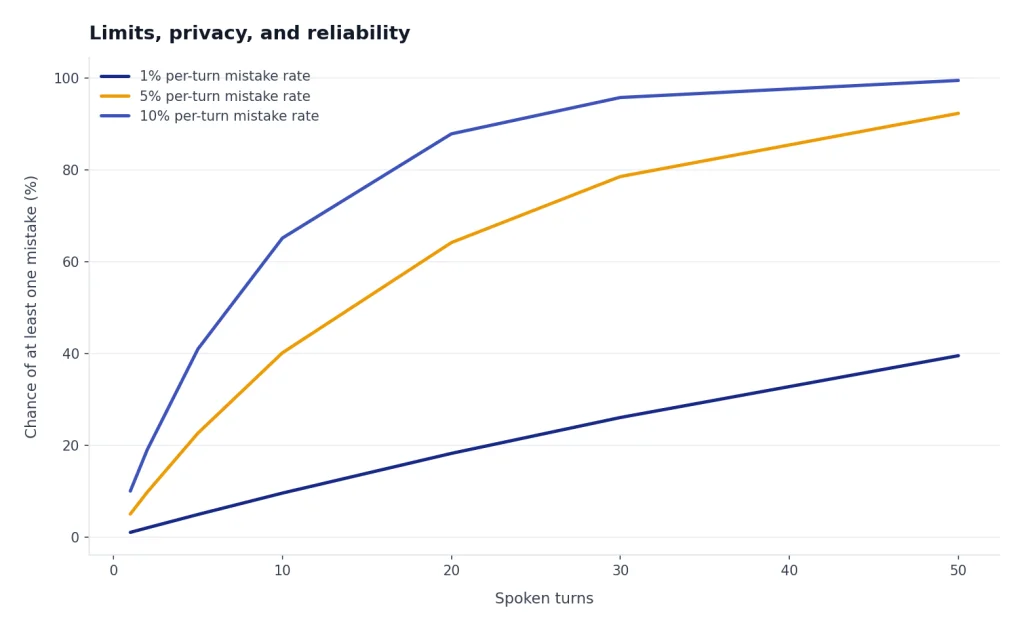
My rule is to treat Voice Mode as a conversation, not a source of record. If the output matters, ask ChatGPT to summarize the conversation in text afterward. Then inspect the summary. This catches missing steps, invented details, and misunderstood words.
Pricing and plan fit
Voice Mode is available to logged-in users, but the best version depends on your plan. OpenAI says logged-in Free users can use voice, but with GPT-4o mini and a 2-hour daily limit.[1] ChatGPT Plus costs $20/month and includes voice conversations among its expanded features.[5] ChatGPT Pro has higher usage allowances, and OpenAI’s Pro help article lists Pro $100 and Pro $200 tiers, with Pro $200 remaining the highest usage tier.[6]
| Plan type | Voice fit | Who should choose it |
|---|---|---|
| Free | Good for testing | Use it to decide whether voice fits your habits before paying. |
| Plus | Best value for most users | Choose it if you want regular Advanced Voice, video, and screen sharing without a Pro budget. |
| Pro $100 | For frequent heavy users | Choose it if you also need higher limits for advanced ChatGPT tools.[6] |
| Pro $200 | For continuous heavy use | Choose it only if you routinely exceed lower-tier limits or need maximum access.[6] |
| Business or Enterprise | For managed workspaces | Choose these when admin controls, data policy, and team management matter more than personal convenience. |
For most people, Voice Mode alone does not justify Pro. Plus is the natural paid tier if you use voice often. Pro makes more sense when Voice Mode is part of a larger workload that also includes agent mode, deep research, file-heavy analysis, coding, or image generation. If cost is your main question, compare this review with our ChatGPT Plus review, ChatGPT Pro review, and ChatGPT Plus price in 2026.
Alternatives inside ChatGPT
Voice Mode is not a replacement for the rest of ChatGPT. It is an input and interaction style. The best ChatGPT workflow often starts in one mode and finishes in another.
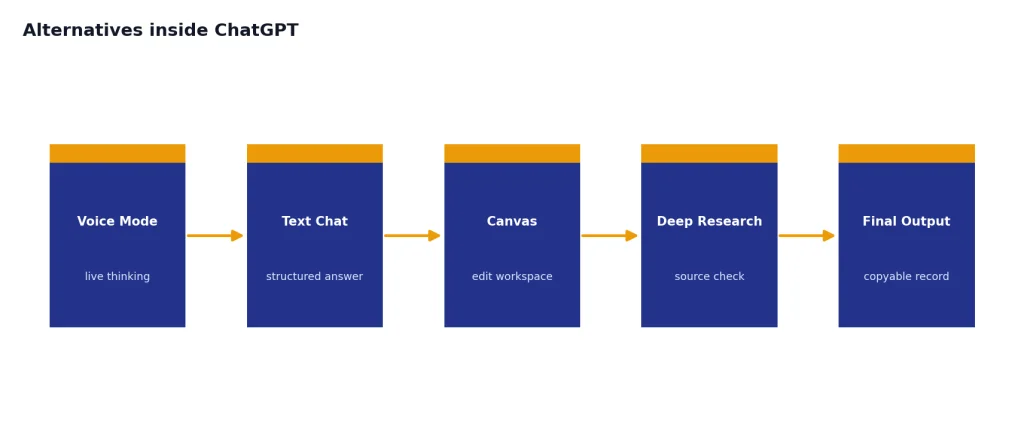
- Use text chat for precise prompts, longer answers, tables, code, citations, and copyable output.
- Use Voice Mode for live thinking, tutoring, rehearsal, translation, and hands-free questions.
- Use Canvas for editing documents or code with a visible workspace.
- Use Deep Research when you need structured source-backed research rather than conversational guidance.
- Use Custom GPTs when you want a repeatable assistant with instructions, files, or a defined role.
- Use the desktop or mobile app when microphone access, background conversation, or quick launch matters.
The closest internal substitute is not another model. It is text chat with dictation. Dictation is better when you want to speak a long prompt but still receive a structured written answer. Voice Mode is better when you want the whole exchange to stay spoken. If you are building repeatable voice-like workflows, our ChatGPT Custom GPTs review and GPT Store review are useful next reads. If you mainly care about app experience, see our best ChatGPT app for Mac, iPhone, and Android.
Final verdict
ChatGPT Voice Mode is worth using, and Advanced Voice is the version most people should try first. It makes ChatGPT feel less like a search box and more like a conversational workspace. The upgrade is most obvious when you are learning, rehearsing, translating, or asking about something you can show through your phone camera.
Standard Voice still matters. Some users prefer its calmer, more text-like behavior, and the backlash to its planned retirement shows that voice quality is not only about speed or expressiveness. A good assistant voice must also feel consistent, useful, and not overacted.
The main reason to hesitate is control. Voice answers can be shallow, limits can change, and privacy settings deserve a close look. For high-stakes work, use Voice Mode to explore the problem, then switch to text so you can verify, edit, and cite the final answer.
Bottom line: ChatGPT Voice Mode is a strong feature for conversation, learning, and hands-free help. It is not a full replacement for text ChatGPT, Canvas, Deep Research, or a careful written workflow.
Frequently asked questions
Is ChatGPT Voice Mode free?
Yes, logged-in Free users can use ChatGPT Voice Mode, but OpenAI says Free voice is powered by GPT-4o mini and is subject to a 2-hour daily limit.[1] Paid plans get higher access and subscriber-only options such as mobile video and screen sharing.[1]
What is the difference between Standard Voice and Advanced Voice?
Standard Voice is closer to the older speech-to-text and text-to-speech experience. Advanced Voice is designed for faster, more natural conversation and works better for interruptions, tone, and multimodal interactions. Some users still prefer Standard Voice because it can feel calmer and more like classic text ChatGPT spoken aloud.
Can ChatGPT Voice Mode see my screen or camera?
Subscribers can share video on the iOS and Android apps and can also share a photo or screen during a voice conversation.[1] These features are subject to daily and per-conversation limits.[1]
Does OpenAI train on my voice recordings?
OpenAI says it does not train models on audio or video clips from voice chats unless you choose to share those clips.[1] Transcripts and other files may still be used depending on your data controls and plan.[1] Review your settings before using Voice Mode for sensitive conversations.
Is ChatGPT Voice Mode good for language learning?
Yes. It is one of the best everyday uses for Voice Mode. Ask it to stay in the target language, correct your phrasing, slow down, or role-play a real situation such as ordering food, interviewing, or navigating a train station.
Should I pay for ChatGPT Plus just for Voice Mode?
Maybe, if you use voice several times a week and want subscriber features such as video and screen sharing. ChatGPT Plus costs $20/month and includes voice conversations as one of its expanded features.[5] If you only want occasional voice chats, start with the Free plan first.