

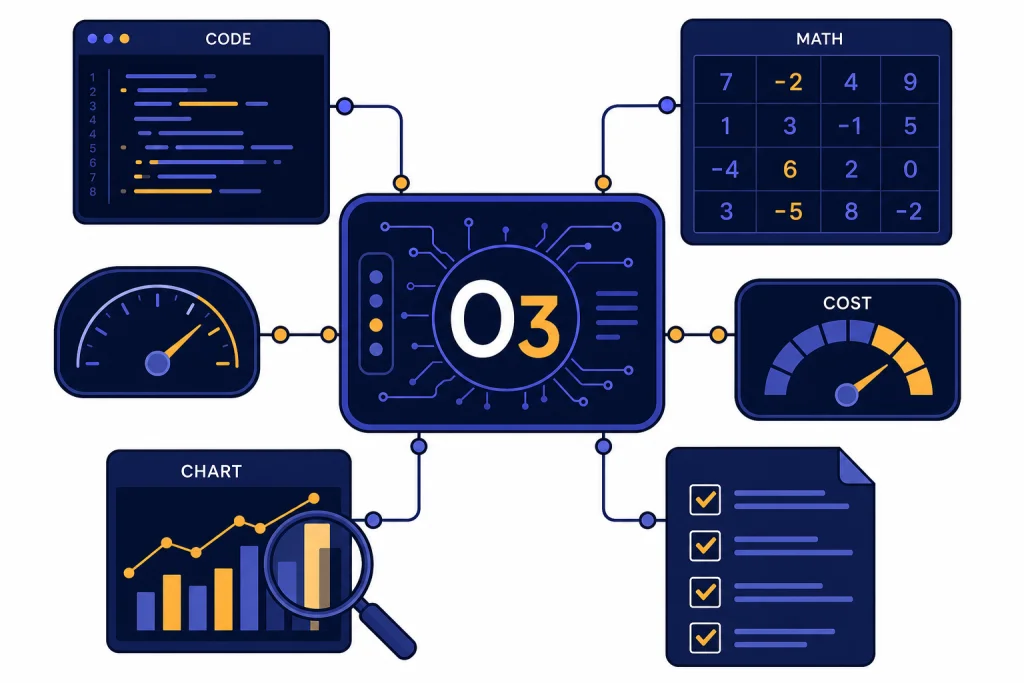
OpenAI o3 is still a serious reasoning model, but it is no longer the obvious default for every difficult ChatGPT task. In this o3 review, the verdict is clear: use o3 when you need deliberate analysis across code, math, technical writing, visual inputs, or tool-heavy workflows. Skip it when speed, casual drafting, audio, video, or the newest GPT-5-family behavior matters more. OpenAI now describes o3 as a reasoning model for complex tasks that has been succeeded by GPT-5, so buyers should treat it as a powerful specialist rather than the flagship default.[2] For developers, its lower API price makes it easier to justify than o1 was, but hidden reasoning tokens and latency still matter.
Verdict
OpenAI o3 earns a strong recommendation for reasoning-heavy work, especially when the task has a right answer, a complicated chain of dependencies, or a need to inspect files, images, code, or data. It is not the model I would choose for every chat. It is slower than lighter models, it can be overkill for normal writing, and OpenAI’s own model documentation now places it behind GPT-5 as a successor generation.[2]
The practical verdict is simple. If you are on ChatGPT Plus or a business plan and already have o3 in the model picker, reserve it for hard prompts. If you are choosing through the API, compare it against newer models in your own workload before standardizing. Our broader all GPT models compared side by side guide is a better starting point if you are choosing a default model across many task types.
o3 is most impressive when it has to slow down and build a plan. It is less impressive when you ask it to behave like a fast everyday assistant. That distinction matters because a lot of bad o3 experiences come from using it on the wrong jobs.
What OpenAI o3 is
OpenAI introduced o3 and o4-mini on April 16, 2025, as reasoning models trained to think longer before responding.[1] The important word is “reasoning.” o3 is built for multi-step analysis, not just fluent text generation. OpenAI described it at launch as its most powerful reasoning model across coding, math, science, visual perception, and related tasks.[1]
In ChatGPT, o3’s original importance was not just raw intelligence. It could combine ChatGPT tools, including web search, file analysis, Python-based data work, visual reasoning, and image generation, as part of a single task flow.[1] That made it feel different from earlier reasoning models that were strong in isolation but less natural inside a tool-using assistant.
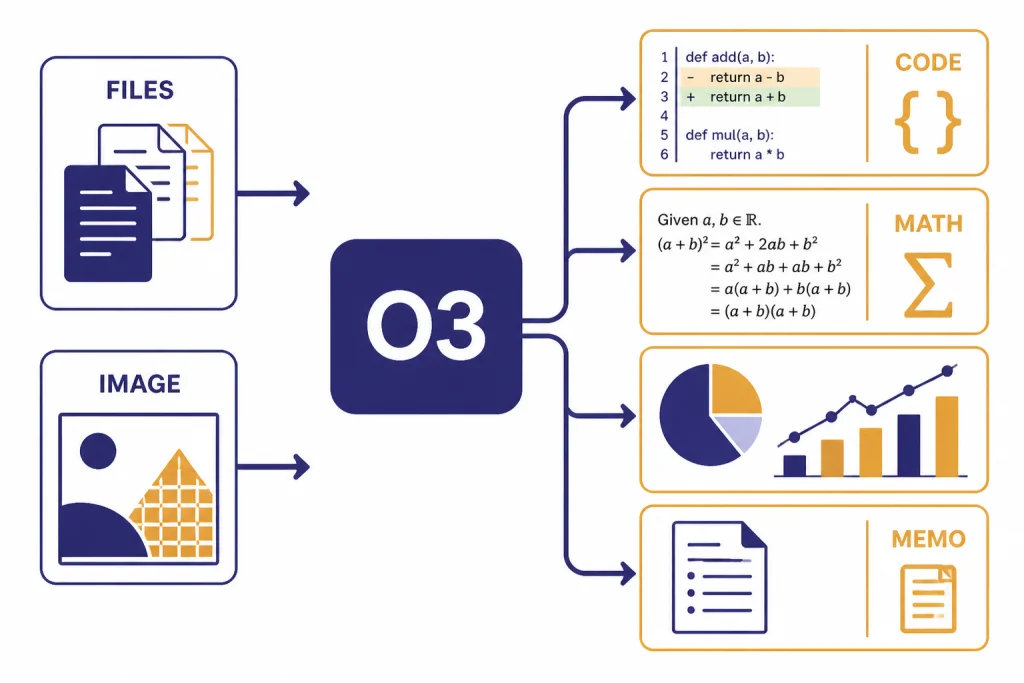
In the API, o3 supports text input and output, image input, reasoning tokens, streaming, function calling, structured outputs, Chat Completions, Responses, Assistants, and Batch. It does not support audio output, video, fine-tuning, distillation, or predicted outputs according to OpenAI’s model page.[2] If you need a developer interface for controlled tests, see our OpenAI Playground review before you move a benchmark into production.
OpenAI has not published an official parameter count for o3. That matters less than many buyers think. The model’s value comes from its reasoning behavior, tool use, context handling, and reliability on difficult prompts, not from a public size figure.
Where o3 excels
o3 is strongest when the work has constraints that must all be satisfied. Good examples include debugging a subtle code path, reconciling conflicting requirements in a technical spec, checking a math derivation, planning a research workflow, or analyzing a chart that contains both visual and textual clues.
OpenAI said external experts found o3 made 20 percent fewer major errors than o1 on difficult real-world tasks, with particular strength in programming, business and consulting work, and creative ideation.[1] That is the right lens for using it. o3 is not only a “math model.” It is useful when a professional task needs patience, decomposition, and verification.
The model also improved the experience of visual reasoning. OpenAI said o3 and o4-mini could integrate images into their reasoning process, including whiteboards, textbook diagrams, hand-drawn sketches, and low-quality or rotated inputs.[1] In our testing framework, that makes o3 a better fit than a general writing model for workflows such as reading a photographed architecture diagram, interpreting a chart, or explaining why a UI mockup does not match a written requirement.
Coding remains one of o3’s best use cases. OpenAI’s o3 and o4-mini system card says its SWE-bench Verified evaluation used a fixed subset of 477 verified tasks, and the o3 helpful-only model achieved a 71 percent result in that setup.[4] The same system card says the o3 launch candidate scored 44 percent on an internal OpenAI pull request replication evaluation, with o4-mini close behind at 39 percent.[4] Those numbers should not be treated as a guarantee for your repository, but they support the core point: o3 is credible for difficult software work.
For deeper autonomous workflows, o3 overlaps with products covered in our ChatGPT Agent review and ChatGPT Deep Research review. The difference is control. o3 is a model you can prompt directly. Agent and Deep Research wrap model capability inside a more opinionated workflow.
Cost, limits, and access
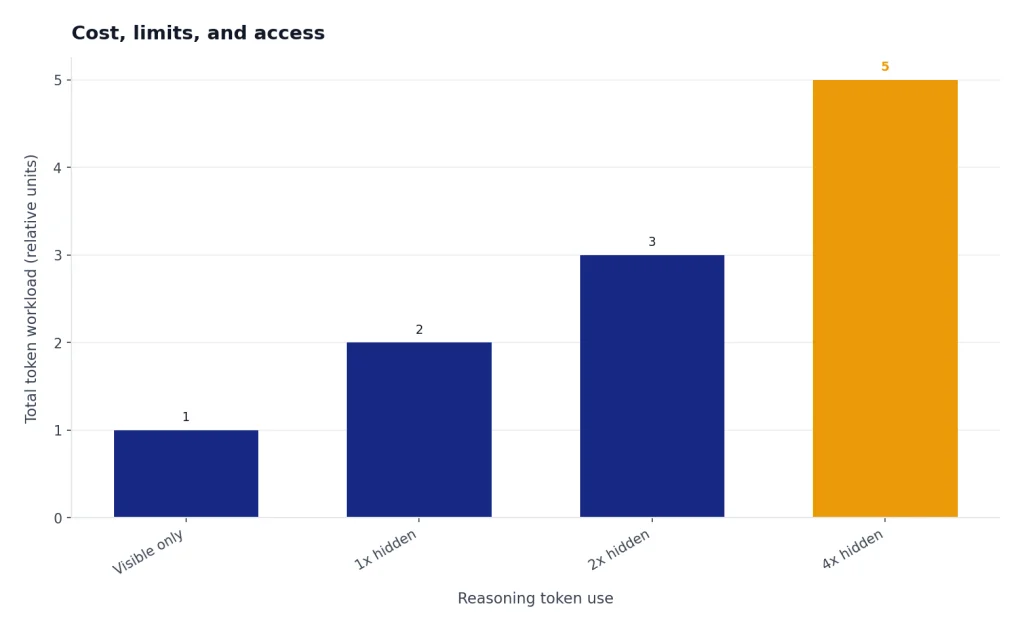
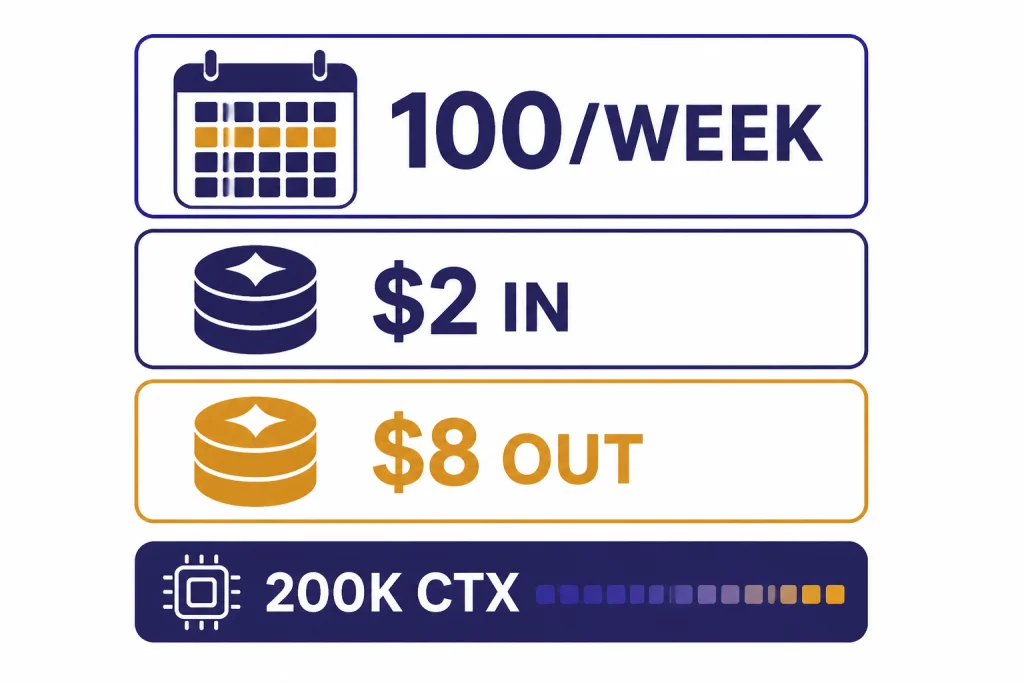
For API users, o3 costs $2.00 per 1 million input tokens, $0.50 per 1 million cached input tokens, and $8.00 per 1 million output tokens in OpenAI’s model documentation; TokenCost’s o3 pricing page lists the same $2.00 input and $8.00 output prices as a third-party corroboration.[2][6] That is much easier to justify than early high-cost reasoning models, but it does not make o3 cheap for every workload. Reasoning models can spend extra internal tokens before producing the visible answer.
OpenAI’s model page lists a 200,000-token context window, a 100,000-token maximum output, and a June 1, 2024 knowledge cutoff for o3.[2] Those are strong limits for long documents and codebases, but they do not remove the need to chunk, retrieve, and verify. A giant context window is not the same as perfect attention across every detail. For a wider model-by-model view, use our context window sizes for every GPT model reference.
For ChatGPT users, the access story depends on plan. OpenAI says Plus, Team, and Enterprise accounts can use 100 messages per week with o3, 100 messages per day with o4-mini-high, and 300 messages per day with o4-mini; TechRadar reported the same 100-message weekly o3 cap when the limits were updated.[3][7] OpenAI also says ChatGPT Pro offers unlimited access to o3, o4-mini-high, and o4-mini, subject to its terms and misuse guardrails.[3]
That means o3 is a rationed resource for many paid ChatGPT users. If you pay for Plus, do not spend your weekly o3 budget on email rewrites, title brainstorming, or routine summaries. Use a faster general model for that. Our ChatGPT Plus review and ChatGPT Pro review explain the subscription trade-off in more detail.
o3 compared with nearby models
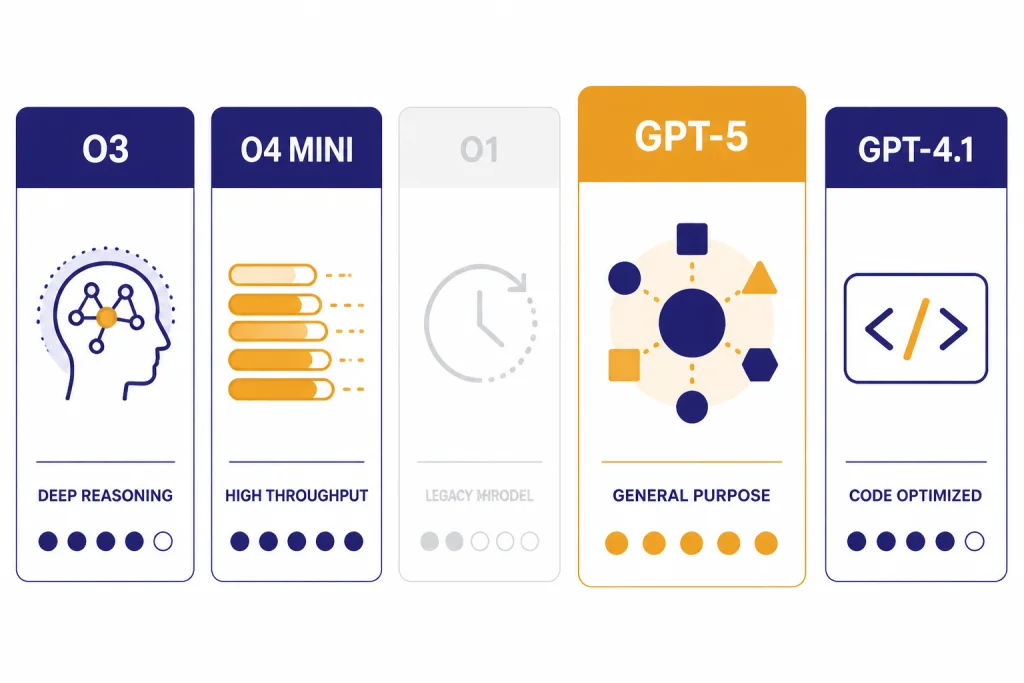
The closest mistake is comparing o3 only against old o1. That made sense at launch. In 2026, the real question is whether o3 should sit in your workflow beside GPT-5-family models, o4-mini, and specialized tools. OpenAI says o3 was succeeded by GPT-5, while the same o3 model page still positions it as a high-reasoning option for complex work.[2]
| Choice | Best use | Main trade-off | Our take |
|---|---|---|---|
| o3 | Hard reasoning, code, math, visual analysis, technical writing | Slowest speed rating in OpenAI’s model page and limited ChatGPT quotas for many users[2][3] | Best when accuracy matters more than speed. |
| o4-mini | Higher-volume reasoning with lower cost and higher ChatGPT caps | OpenAI positions it as smaller and more cost-efficient than o3[1] | Use when you need many reasoning attempts. |
| o1 | Legacy reasoning comparisons and older workflows | OpenAI said o3 improved the cost-performance frontier over o1 on AIME 2025[1] | Most users should start with o3 or newer models instead. See our OpenAI o1 review. |
| GPT-5-family models | General flagship work, newer ChatGPT behavior, broad assistant tasks | Not always the same fit as an older specialist reasoning model | Use our GPT-5 review when deciding on the default model. |
| GPT-4.1 | Cost-sensitive API work, coding, structured outputs | Less focused on deep reasoning than o3 | Compare against o3 in your own tests. See our GPT-4.1 review. |
The table hides one important point. o3 is not always “better” than a cheaper or newer model. It is better when the reasoning step is the bottleneck. If the task is mostly retrieval, formatting, rewriting, or short classification, o3 may add delay without adding enough value.
Developers should also separate model quality from product packaging. ChatGPT caps, API prices, tool availability, and enterprise controls change the answer. Our OpenAI API pricing guide is the place to check cost patterns before sending high-volume traffic to o3.
Weaknesses and failure modes
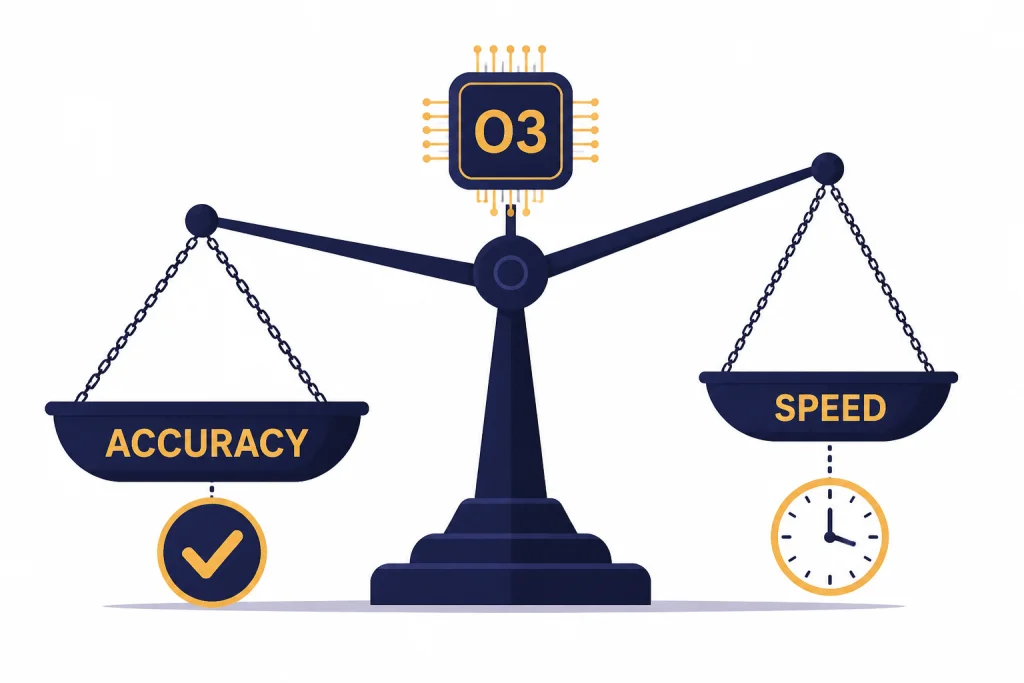
o3’s biggest weakness is speed. OpenAI’s own model page labels o3 with the highest reasoning rating and the slowest speed rating.[2] That trade-off is acceptable for hard debugging. It is annoying for normal chat. A model that thinks longer can still be the wrong tool when the user needs a quick answer.
The second weakness is overconfidence. Reasoning models can produce impressive explanations that look more verified than they are. The right fix is not blind trust. Ask for assumptions, intermediate checks, test cases, and uncertainty. For code, run the tests. For research, inspect citations. For business analysis, ask what evidence would change the conclusion.
The third weakness is quota anxiety in ChatGPT. A weekly cap changes behavior. Users start saving o3 for “important” prompts, then use it only when the prompt is already messy and high pressure. You will get better results by drafting a clear prompt in a cheaper model first, then sending the refined version to o3.
The fourth weakness is product confusion. o3, o3-pro, o4-mini, o4-mini-high, GPT-5-family models, Deep Research, Agent, and Custom GPTs can all appear related to reasoning. They are not interchangeable. If you want a reusable workflow rather than a one-off prompt, our ChatGPT Custom GPTs review may be more relevant than this o3 review.
Who should use o3
Use o3 if your work regularly involves complex code review, advanced spreadsheet logic, math-heavy planning, scientific reasoning, data interpretation, or multi-step technical documents. It is also a good fit when you need the model to inspect an image as part of the reasoning task rather than merely describe it.
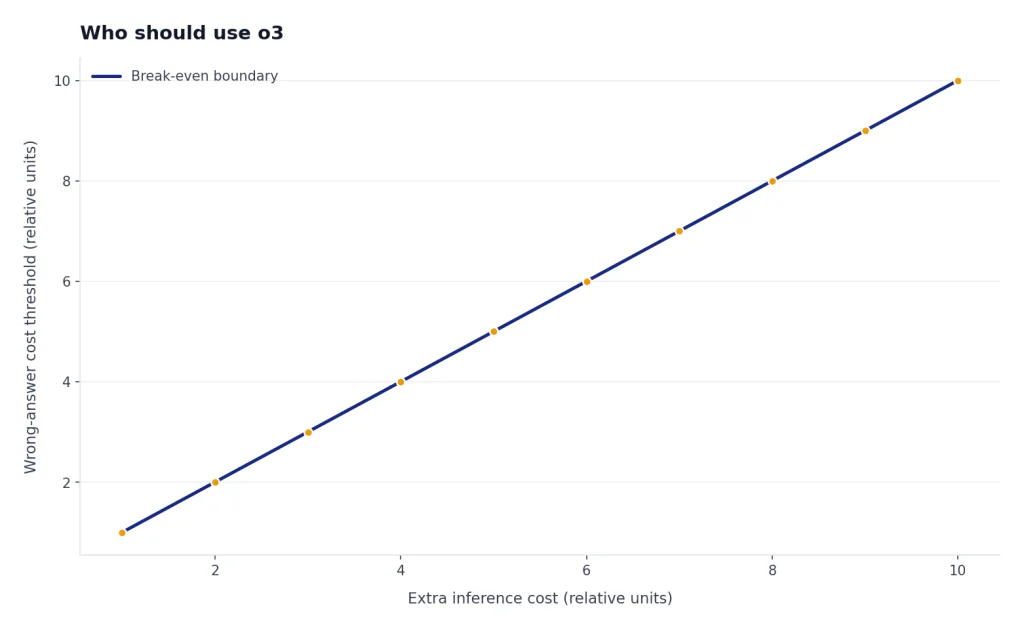
Developers should use o3 when the cost of a wrong answer is higher than the cost of extra inference. That includes migration plans, bug isolation, architecture review, code generation with tests, and tool-calling agents that need careful step selection. It is less attractive for autocomplete-style tasks or high-volume transformations.
Students and general users should use o3 sparingly. It can be excellent for explaining a difficult proof, checking a solution strategy, or comparing arguments. It is unnecessary for routine notes, summaries, or casual writing. If you use it for learning, ask it to challenge your reasoning rather than just produce the answer.
Teams should pilot o3 with a narrow benchmark before buying around it. Pick real examples from support, engineering, finance, policy, or operations. Score outputs against a rubric. Include latency and cost in the score. A model that wins on accuracy but cannot meet your turnaround time may still lose in production.
How to test o3 before relying on it
Do not evaluate o3 with trick prompts alone. Use work samples that represent what you will actually ask it to do. A good test set should include easy cases, ambiguous cases, long-context cases, and cases where the correct answer is known.
- Start with a baseline. Run the same prompts through your current default model.
- Score the outcome, not the style. Fluency is not the same as correctness.
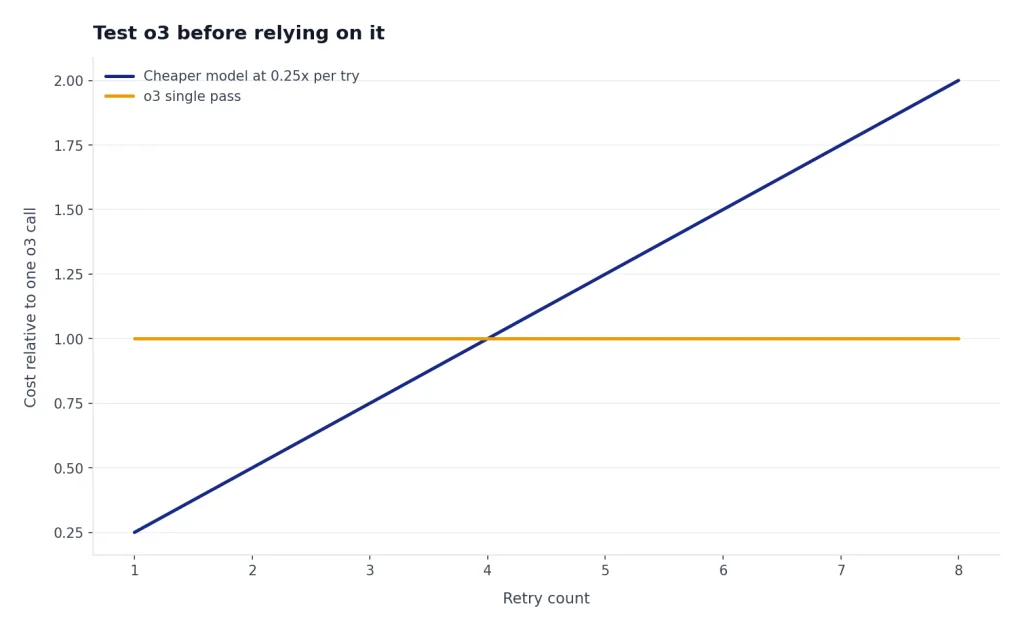
- Measure retries. A cheaper model that needs several retries may cost more than o3 in practice.
- Track latency. Slow answers are acceptable for analysis, but not for every user-facing product.
- Force verification. Ask for tests, assumptions, edge cases, and citations where appropriate.
- Record failures. Save the misses. They teach you more than the impressive wins.
For API work, test with the Responses API if you need reasoning summaries or tool-heavy flows. For ChatGPT work, test o3 against your actual subscription limits. The user experience of 100 high-value o3 messages per week is very different from unlimited access under Pro guardrails.[3]
My recommended workflow is a two-pass system. Use a cheaper or faster model to clean the prompt, extract files, and prepare the question. Then use o3 for the actual reasoning step. Finally, use a separate pass to verify the output. That pattern reduces wasted o3 calls and makes failures easier to diagnose.
Frequently asked questions
Is OpenAI o3 still worth using in 2026?
Yes, but mainly as a specialist reasoning model. OpenAI’s docs say o3 has been succeeded by GPT-5, so it should not be treated as the newest flagship default.[2] It remains useful for hard technical, coding, math, and visual reasoning tasks.
Is o3 better than o1?
For most practical purposes, yes. OpenAI said o3 improved the cost-performance frontier over o1 on the 2025 AIME math competition and reported fewer major errors than o1 in external expert evaluations.[1] If you still use o1, compare it against o3 on your own prompts before keeping it as a default.
How much does o3 cost in the API?
OpenAI lists o3 at $2.00 per 1 million input tokens, $0.50 per 1 million cached input tokens, and $8.00 per 1 million output tokens.[2] TokenCost lists the same $2.00 input and $8.00 output prices for o3.[6] Your real bill can be higher than a simple visible-token estimate because reasoning models may use internal reasoning tokens.
What is the ChatGPT o3 message limit?
OpenAI says Plus, Team, and Enterprise users have 100 o3 messages per week.[3] The same help article says Pro offers unlimited access to o3, o4-mini-high, and o4-mini, subject to terms and guardrails.[3] Limits can change, so check the model picker and OpenAI’s help page before planning a heavy workflow.
Does o3 support images?
Yes. OpenAI’s model page lists text and image input for o3, with text output.[2] That makes it useful for diagrams, screenshots, charts, and other visual inputs that need reasoning rather than simple description.
Should developers use o3 or GPT-5?
Developers should test both. OpenAI’s documentation says o3 is succeeded by GPT-5, but o3 still has a clear role as a complex-task reasoning model.[2] The right choice depends on your task mix, latency target, tool use, context size, and acceptable cost per correct answer.