

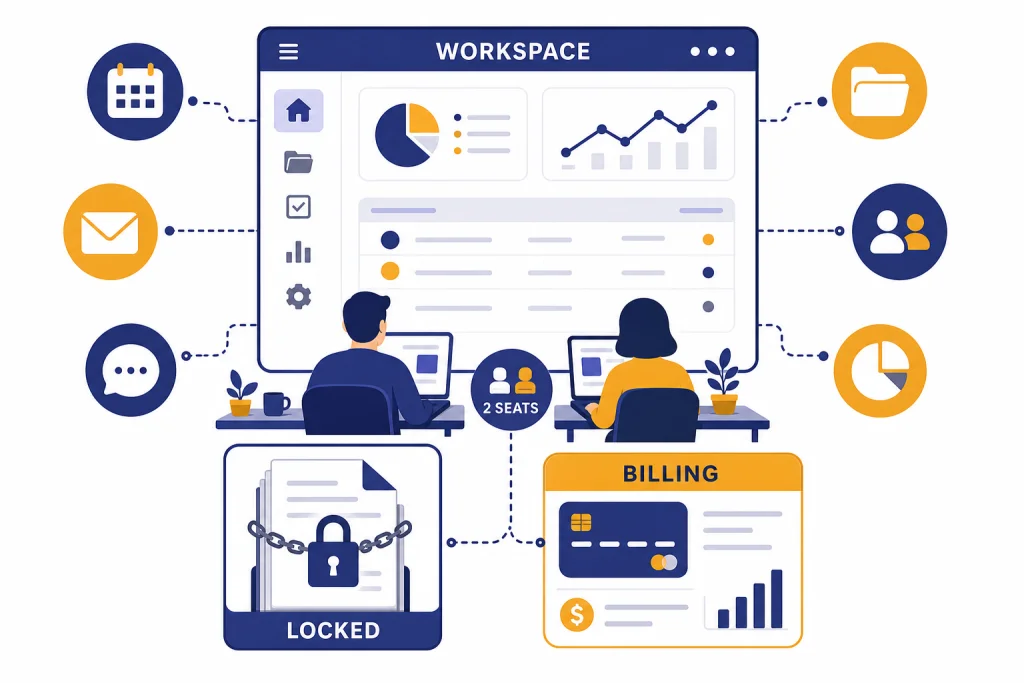
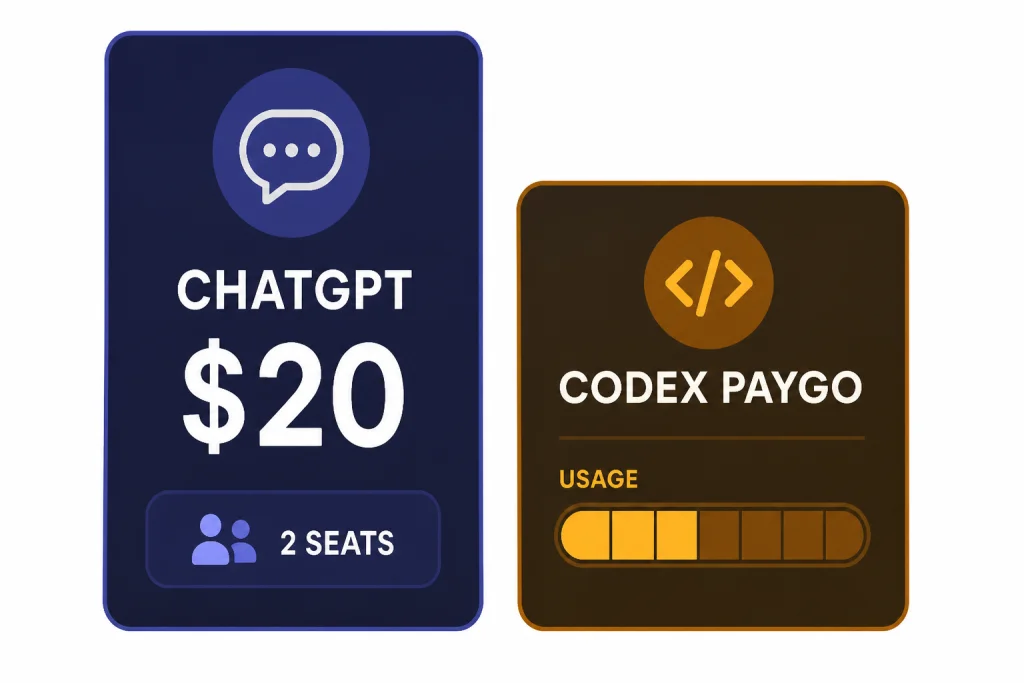
ChatGPT Team is now ChatGPT Business, but many small-business buyers still search for the old name. Our verdict: it is worth it for teams that want shared billing, a protected workspace, company knowledge, custom GPTs, and basic admin control without an enterprise contract. It is not the right buy for solo users, heavily regulated companies, or teams that need SCIM, data residency, custom legal terms, or full role-based access controls. As of April 5, 2026, the standard Business ChatGPT seat costs $20 per user per month when billed annually, with a 2-user minimum.[1]
Verdict for small businesses
This ChatGPT Team review has a simple answer: small businesses should buy it when ChatGPT has moved from individual productivity tool to shared business system. If two or more people use ChatGPT for client work, internal documents, sales research, code review, analysis, or operations, the Business plan is usually easier to manage than reimbursing personal subscriptions.
The plan’s strongest argument is not raw model access. It is control. You get a dedicated workspace, central billing, member management, shared workspace GPTs, company knowledge, apps, data analysis, canvas, record mode, projects, and a privacy commitment that workspace data is not used to train OpenAI models by default.[2] If your team already relies on tools like Drive, Slack, GitHub, SharePoint, or Atlassian, that shared context matters more than a marginal difference in chat limits.
The plan’s weakest point is the gap between “small-business admin” and true enterprise governance. Business has SAML SSO, MFA, a dedicated workspace, bulk member management, admin roles, domain verification, and SOC 2 Type 2 alignment on OpenAI’s pricing page.[2] It does not include several Enterprise controls listed on the same page, including SCIM, enterprise key management, role-based access controls, a full analytics dashboard, compliance API logs, IP allowlisting, broad data residency controls, dedicated onboarding, or ongoing account management.[2]
That makes the plan best for startups, agencies, small law-adjacent teams that do not need a BAA, consultancies, engineering teams, marketing teams, and operators who want a safer shared AI workspace. If you mainly want one premium personal account, read our ChatGPT Plus review or ChatGPT Pro review first.
ChatGPT Team is now ChatGPT Business
OpenAI renamed ChatGPT Team to ChatGPT Business on August 29, 2025.[7] The old name still appears in searches, invoices, bookmarks, and internal company documents. For this review, “ChatGPT Team” and “ChatGPT Business” refer to the same self-serve workspace product.
The rename matters because buyers may see mixed wording online. OpenAI’s rename FAQ says the change was a name change only, and that existing contracts and terms remained in effect.[7] The more important recent change is separate: on April 2, 2026, OpenAI updated Business with Codex-only seats, token-based Codex pricing, and a reduced subscription price for standard ChatGPT seats.[1]
Do not judge the plan by older reviews that describe only the original Team launch. The product now sits between personal subscriptions and Enterprise. It is a practical middle tier for companies that need shared governance but do not need a sales-led contract.
Pricing and seat types
ChatGPT Business now has two seat types: standard ChatGPT seats and Codex seats.[1] A standard ChatGPT seat includes ChatGPT and Codex in the Business workspace, uses a fixed per-user subscription price, and requires a 2-seat minimum.[1] A Codex seat is Codex-only, usage-based, and has no minimum seat requirement.[1]
For most countries, OpenAI lists standard ChatGPT Business pricing at $25 per user per month when billed monthly and $20 per user per month when billed annually, although pricing may vary by country and currency.[1] OpenAI’s April 2, 2026 Codex pricing announcement also says it lowered the annual price of ChatGPT Business from $25 to $20 per seat.[3]
That means the real minimum entry point for a standard ChatGPT workspace is not one seat. It is two seats. A small business should budget for at least two paid users, then add Codex-only users separately if developers need coding access but not the full ChatGPT workspace.
| Seat type | Best for | Billing model | Minimum | Main caution |
|---|---|---|---|---|
| Standard ChatGPT seat | Staff who need ChatGPT, company knowledge, projects, GPTs, apps, and Codex | Fixed per-user monthly subscription | 2 seats | Costs more if you only need coding access |
| Codex seat | Developers who only need Codex | Usage-based with workspace credits | No minimum | No ChatGPT access inside the Business workspace |
The pricing model is fair for a small team if the company will actually standardize on the workspace. It is less attractive if only one person needs ChatGPT, or if employees will keep using personal accounts because the company never documents a workflow.
What you get for the money
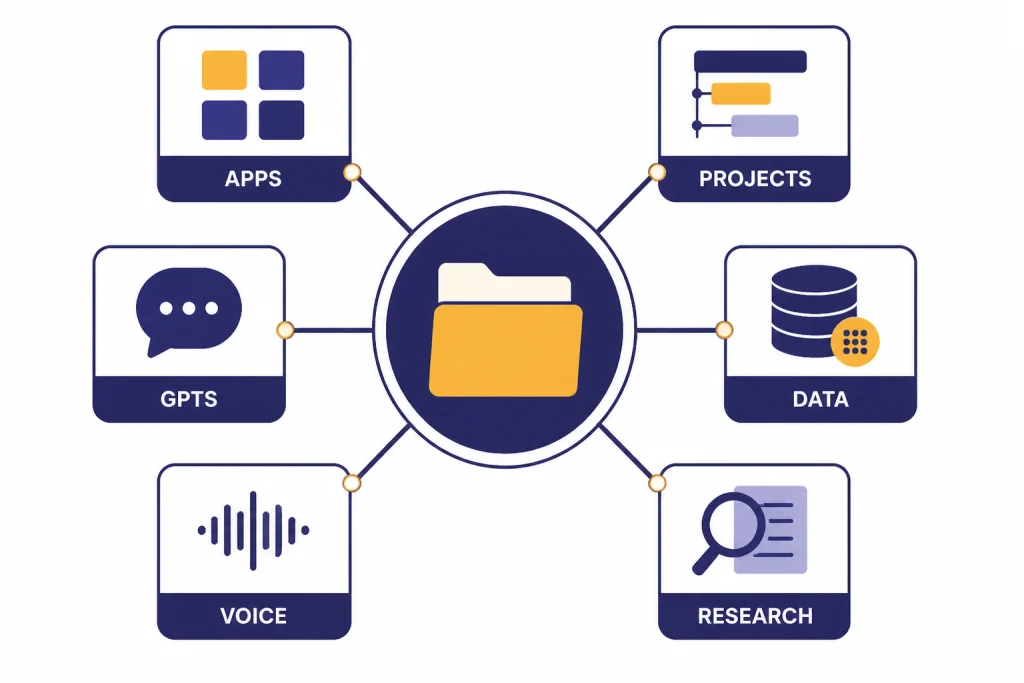
The Business plan is strongest when teams use multiple ChatGPT features together. OpenAI lists Business features that include apps, data analysis, record mode, canvas, shared projects, and custom workspace GPTs.[2] The plan also includes access to company knowledge, Deep Research, ChatGPT Agent, GPTs, Projects, Apps, and Codex through standard ChatGPT seats.[1]
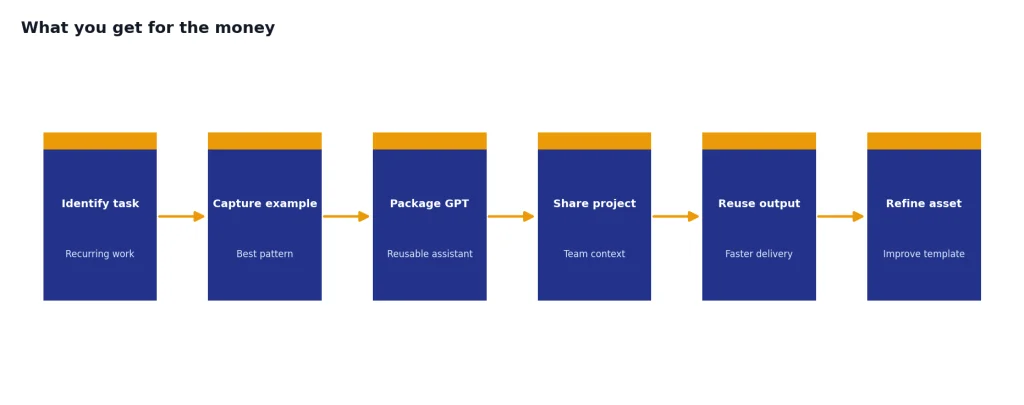
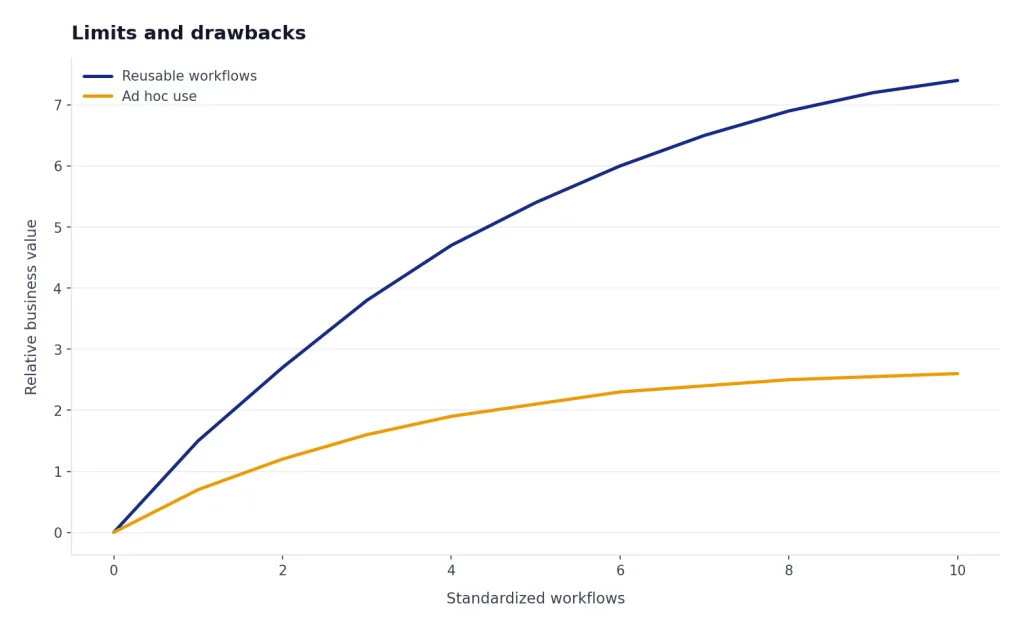
For a small business, the practical value comes from reusable work. A sales team can keep account research in shared projects. A marketing team can maintain a workspace GPT for brand voice. A finance lead can analyze CSV exports without moving them into a personal account. A software team can use Codex in a shared billing environment instead of tying usage to individual subscriptions.
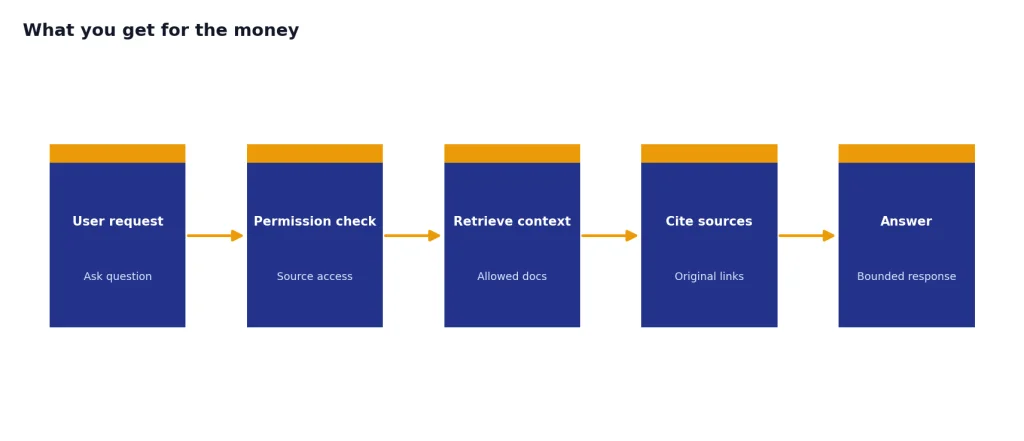
Company knowledge is a major reason to choose Business over individual plans. OpenAI says company knowledge lets ChatGPT use an organization’s context from apps, answer with citations to original sources, and respect the user’s existing app permissions.[6] That last point is important. ChatGPT should not become a shortcut around your existing permission model. If an employee cannot access a file in the source system, company knowledge should not expose it to that employee.[6]
Custom GPTs also become more useful inside a shared workspace. A personal GPT can help one person. A workspace GPT can help a whole team follow the same proposal format, support checklist, onboarding sequence, or data-cleaning pattern. For a deeper look at this part of the product, see our ChatGPT Custom GPTs review and GPT Store review.
Canvas, voice, and Deep Research also matter, but they should not be the only reason to upgrade. Those tools are valuable when tied to team workflows. Canvas is useful for editing briefs, SOPs, landing pages, and technical drafts; we cover the editor experience in our ChatGPT Canvas review. Voice can help with meeting prep and roleplay; see our ChatGPT Voice Mode review. Deep Research is strongest for longer multi-source research tasks; our ChatGPT Deep Research review covers that separately.
Privacy, security, and admin controls
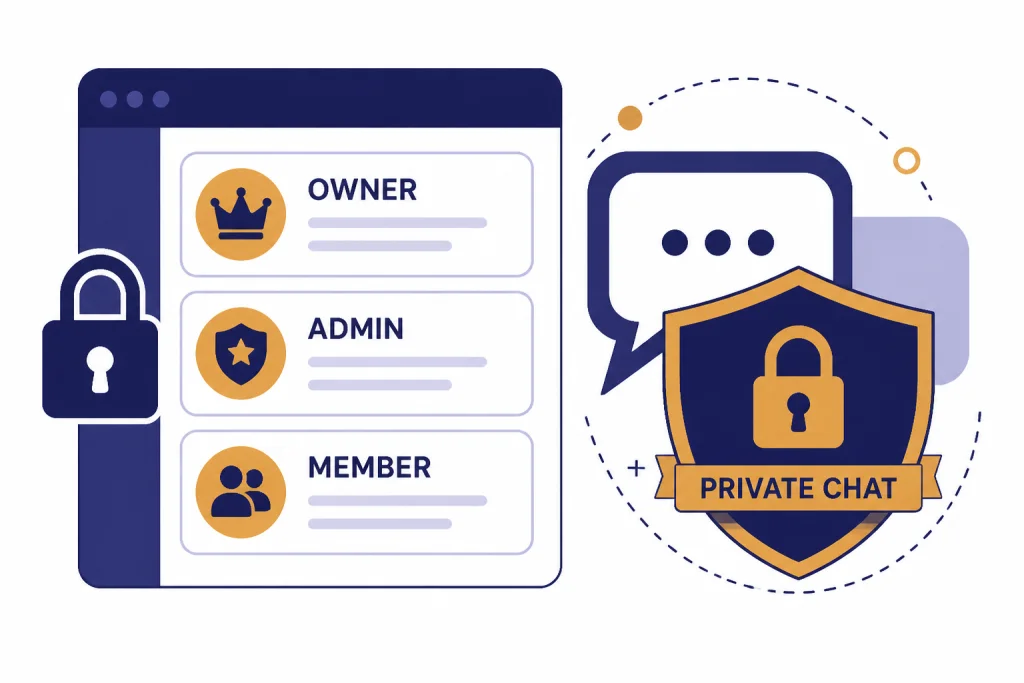
Privacy is the main reason small businesses should stop using scattered personal accounts for company work. OpenAI says ChatGPT Business workspace data is excluded from training by default and encrypted in transit and at rest.[4] OpenAI also says each user has their own chat and Codex history, and other members do not automatically see those chats or Codex activity.[4]
That privacy model is useful but often misunderstood. A Business workspace is not a company-wide transcript archive. Admins can manage the workspace, members, roles, and spend-related controls, but OpenAI says usage analytics and spend controls do not automatically give other members full access to a user’s private chat history.[4] Team members can share specific chats, GPTs, and other resources, but collaboration does not mean every private chat becomes visible to the company.[4]
The admin model is simple enough for small teams. OpenAI documents three main Business roles: owners, admins, and members.[5] Owners have full access, including billing, identity management, and workspace configuration; admins help manage users and groups; members can use ChatGPT and create GPTs without admin privileges.[5]
Business also supports practical membership operations. Admins and owners can invite users, approve join requests, remove members, and use CSV import for bulk additions.[5] Workspace owners can set a default seat type for new members, and OpenAI’s documentation distinguishes ChatGPT seats from Codex seats in membership management.[5]
For many small businesses, this is enough. For regulated or larger organizations, it may not be. If your security team asks for SCIM, data residency, enterprise key management, compliance API logs, IP allowlisting, custom retention, or a BAA, Business is probably the wrong tier. OpenAI’s Business overview says companies that need invoice billing, purchase orders, wire or ACH payment, net terms, Zero Data Retention, BAAs, or other sales-led options should use a contracted offering instead of self-serve ChatGPT Business.[1] Our ChatGPT Enterprise review is the better starting point for that evaluation.
Limits and drawbacks
The first drawback is that ChatGPT Business is still a self-serve product. It gives small teams a better workspace, but it does not turn OpenAI into your managed AI vendor. If you need procurement workflows, negotiated terms, advanced compliance support, or a named account team, you should expect to evaluate Enterprise instead.
The second drawback is that the seat model can create confusion. A Codex seat is not a cheaper ChatGPT seat. It gives access to Codex only and does not include ChatGPT access in the Business workspace.[1] That may be perfect for a developer who lives in Codex. It is a poor fit for an employee who needs chat, company knowledge, files, projects, or custom GPTs.
The third drawback is that limits can change. OpenAI’s models and product packaging move quickly. For example, OpenAI’s models and limits page says GPT-4o, GPT-4.1, GPT-4.1 mini, OpenAI o4-mini, and GPT-5 Instant and Thinking were retired from ChatGPT on February 13, 2026, and that GPT-4o remained available within Custom GPTs for Business, Enterprise, and Edu only until April 3, 2026.[8] If your business depends on a specific model personality or output style, treat model migration as an operational risk.
The fourth drawback is adoption. ChatGPT Business only pays off when the company changes behavior. If employees keep sensitive work in personal accounts, ignore shared projects, and never build reusable GPTs, you have bought a subscription without creating a system. The plan is a tool. The workflow is still your responsibility.
ChatGPT Team vs Plus, Pro, Enterprise, and API
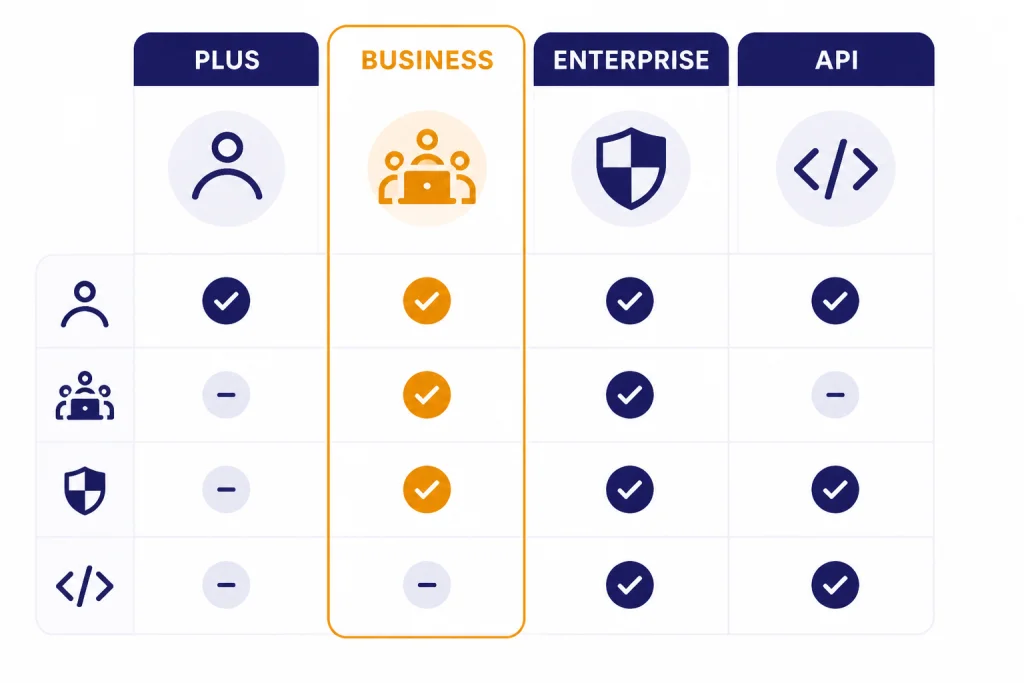
The closest alternatives are not all direct substitutes. ChatGPT Plus and Pro are personal productivity plans. ChatGPT Business is a shared workspace. ChatGPT Enterprise is a contracted organizational product. The OpenAI API is a developer platform billed separately from ChatGPT Business.[1]
Choose by governance first, not by model envy. If the buyer is one person, a personal plan may be enough. If the buyer is a company with shared files, client data, common prompts, billing needs, and onboarding requirements, Business is the more coherent plan. If the buyer has a security or procurement department, Enterprise deserves a separate review.
| Option | Best fit | Why choose it | Why avoid it |
|---|---|---|---|
| ChatGPT Plus | Solo users and light business users | Lower commitment and simple personal use | No shared business workspace or central admin |
| ChatGPT Pro | Individual power users | Better fit when one person needs more personal access | Not designed as a team governance layer |
| ChatGPT Business | Small teams using ChatGPT for recurring company work | Shared workspace, admin controls, no training on workspace data by default, company knowledge | Limited enterprise governance |
| ChatGPT Enterprise | Larger or regulated organizations | More advanced controls, support, and contract options | Sales-led buying process and heavier rollout |
| OpenAI API | Teams building products or automations | Programmatic access and custom app integration | Separate billing and more engineering work |
If you are comparing model capability rather than workspace packaging, start with our all GPT models compared side by side. If you are comparing subscription cost against token-based development, read our OpenAI API pricing guide before you commit.
Who should buy it
ChatGPT Business is a good buy for a small business when at least two employees use ChatGPT every week for work that benefits from shared context. It is especially useful for agencies, consultants, software teams, sales teams, customer support teams, operations leads, and founders who want one workspace instead of a patchwork of personal subscriptions.
- Buy it if you need a shared workspace, central billing, workspace GPTs, projects, apps, data analysis, company knowledge, and a default no-training posture for workspace data.
- Buy it if your team keeps repeating the same prompts, research steps, code review tasks, document edits, or reporting workflows.
- Buy it if you want developers to use Codex under company billing while still giving non-developers standard ChatGPT seats.
- Skip it if you are a solo user who only wants stronger personal access.
- Skip it if your company requires SCIM, custom retention, data residency, BAA support, IP allowlisting, or enterprise procurement terms.
- Delay it if you cannot name the first three workflows your team will standardize after launch.
The best small-business rollout starts narrow. Pick one department, one shared project, and one recurring deliverable. For example, an agency could start with client brief analysis, proposal drafting, and campaign reporting. A software company could start with bug triage, release notes, and code review support. A consulting firm could start with research summaries, meeting prep, and deliverable outlines.
If those workflows improve, expand. If they do not, adding more seats will not fix the problem.
Setup checklist
A good ChatGPT Business setup is more than inviting users. Treat it like a lightweight software rollout.
- Name the owner. Assign one person who controls billing, workspace settings, and rollout decisions.
- Choose seat types. Put regular business users on standard ChatGPT seats. Use Codex seats only for developers who do not need ChatGPT workspace access.
- Set a sharing policy. Explain when to share chats, when to use shared projects, and what should remain private.
- Connect apps carefully. Start with the systems your team already uses for source-of-truth documents. Confirm permissions before broad rollout.
- Create the first workspace GPTs. Build a few high-value assistants for common tasks rather than dozens of novelty bots.
- Write a data policy. State what employees may and may not paste, upload, or connect.
- Review adoption monthly. Look for repeatable workflows, not just high usage.
Small teams should also define when to escalate. If ChatGPT becomes a core system for regulated records, customer data, legal work, medical workflows, or confidential finance operations, reassess whether Business still fits. The correct tier can change as the risk profile changes.
Bottom line: ChatGPT Business is the right middle tier for small companies that need team structure without enterprise overhead. It is not magic, and it is not a substitute for internal policy. Used well, it gives a small business a cleaner, safer, more repeatable way to work with ChatGPT.
Frequently asked questions
Is ChatGPT Team the same as ChatGPT Business?
Yes. OpenAI renamed ChatGPT Team to ChatGPT Business on August 29, 2025.[7] Many people still use the older name, but the current product name is ChatGPT Business.
How much does ChatGPT Business cost?
For most countries, OpenAI lists standard ChatGPT Business seats at $25 per user per month when billed monthly and $20 per user per month when billed annually.[1] Standard ChatGPT seats require a 2-seat minimum.[1] Codex-only seats are usage-based and have no fixed monthly seat fee.[1]
Does OpenAI train on ChatGPT Business data?
OpenAI says Business workspace data is excluded from training by default.[4] OpenAI also says the data is encrypted in transit and at rest.[4] Companies should still write internal rules for what employees may upload or connect.
Can admins read every employee chat?
No, not by default. OpenAI says each user has their own chat and Codex history, and other members do not automatically see those chats or Codex activity.[4] Users can share specific chats or resources, but the workspace is not automatically a transcript viewer for every private conversation.
Is ChatGPT Business better than ChatGPT Plus?
It is better for teams, not necessarily for individuals. ChatGPT Plus is simpler for one person. ChatGPT Business is better when a company needs shared billing, admin controls, a dedicated workspace, company knowledge, and reusable team assets.
When should a company choose Enterprise instead?
Choose Enterprise when self-serve Business controls are not enough. OpenAI says companies needing invoice billing, purchase orders, bank transfer, wire, ACH, net terms, Zero Data Retention, BAAs, or other sales-led options should use a contracted offering instead of ChatGPT Business.[1] Enterprise is also the better path for stronger security, support, and governance requirements.