

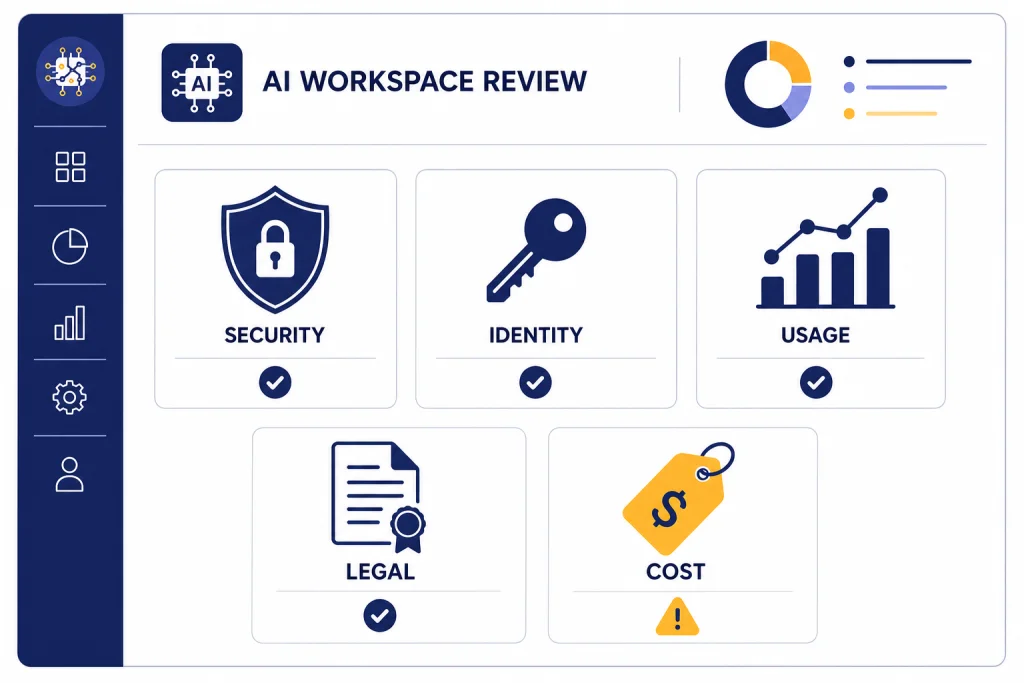
ChatGPT Enterprise is worth a serious look if your company needs governed access to ChatGPT, centralized identity, privacy commitments, analytics, support, and controls that a personal or small-team plan cannot provide. It is not the right upgrade if you only want a cheaper way to give employees more prompts. OpenAI does not publish a public Enterprise seat price; buyers must contact sales, so the decision depends on security requirements, rollout size, legal review, and expected adoption rather than a simple monthly comparison.[1] In our ChatGPT Enterprise review, the product scores highest for compliance readiness and lowest for procurement transparency.
Verdict
ChatGPT Enterprise is the strongest ChatGPT plan for organizations that need auditability, centralized access, controlled connectors, custom retention, and enterprise support. It feels less like a better chatbot subscription and more like an AI workspace that IT, legal, security, and department leaders can govern together.
The value is clearest when a company already has meaningful ChatGPT use. If employees are writing policy drafts, summarizing customer calls, analyzing spreadsheets, building internal GPTs, using Deep Research, or connecting company knowledge, Enterprise gives admins a safer way to move that behavior into a managed workspace.
The weak spot is buying clarity. OpenAI lists ChatGPT Business at $20 per user per month on annual billing, while Enterprise is listed as “Contact sales.”[1] That means you cannot evaluate Enterprise on public price alone. You need a sales quote, a legal review, and a rollout plan.
| Review area | Our rating | Why it matters |
|---|---|---|
| Security and privacy | Excellent | Strong default privacy posture, encryption, retention controls, and enterprise compliance alignment. |
| Administration | Excellent | SSO, SCIM, role controls, analytics, and connector governance support larger deployments. |
| Everyday usability | Very good | Most users get the familiar ChatGPT interface with stronger workspace rules behind it. |
| Procurement transparency | Fair | No public Enterprise seat price makes early budgeting harder. |
| Best fit | Mid-market and enterprise teams | The plan makes sense when governance is as important as model access. |
What ChatGPT Enterprise is
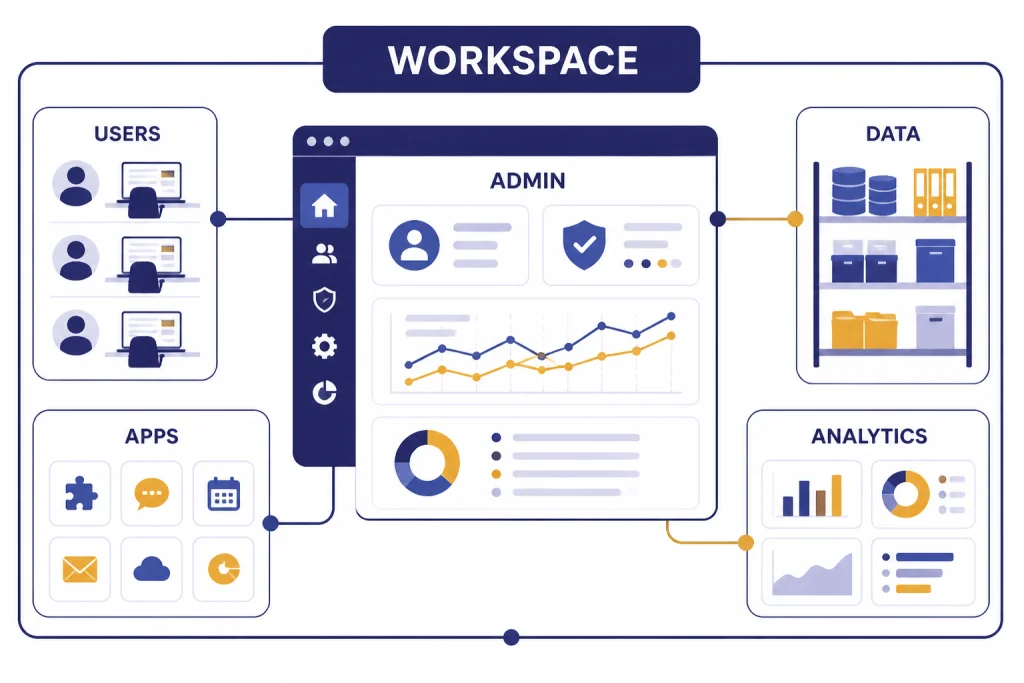
ChatGPT Enterprise is OpenAI’s managed ChatGPT plan for organizations. OpenAI describes it as a plan that combines enterprise-grade privacy and security with centralized administration and access to advanced ChatGPT capabilities.[2] In practical terms, it gives a company a dedicated ChatGPT workspace instead of leaving employees to use separate personal accounts.
The plan includes workspace administration, member management, domain verification, SSO, SCIM, usage insights, longer context windows, customization options, and access to advanced tools.[2] Standard ChatGPT seats include ChatGPT access and features such as GPTs, Projects, Apps, Company Knowledge, ChatGPT Agent, Deep Research, and Codex, although actual availability can depend on workspace settings and the customer’s commercial terms.[2]
The key difference from individual plans is control. A Plus or Pro user can get powerful models, but the company has limited control over identity, lifecycle management, retention, connectors, and analytics. Enterprise shifts those decisions into an admin-managed environment. If you are comparing individual productivity plans first, read our ChatGPT Plus review and ChatGPT Pro review before starting an Enterprise evaluation.
The product also changes how internal AI projects get deployed. A department can create shared GPTs, connect approved knowledge sources, and monitor adoption without asking every employee to manage their own setup. That matters for legal teams, financial services, healthcare-adjacent operations, software groups, and customer-facing teams where uncontrolled copy-and-paste workflows create risk.
Pricing and plan comparison
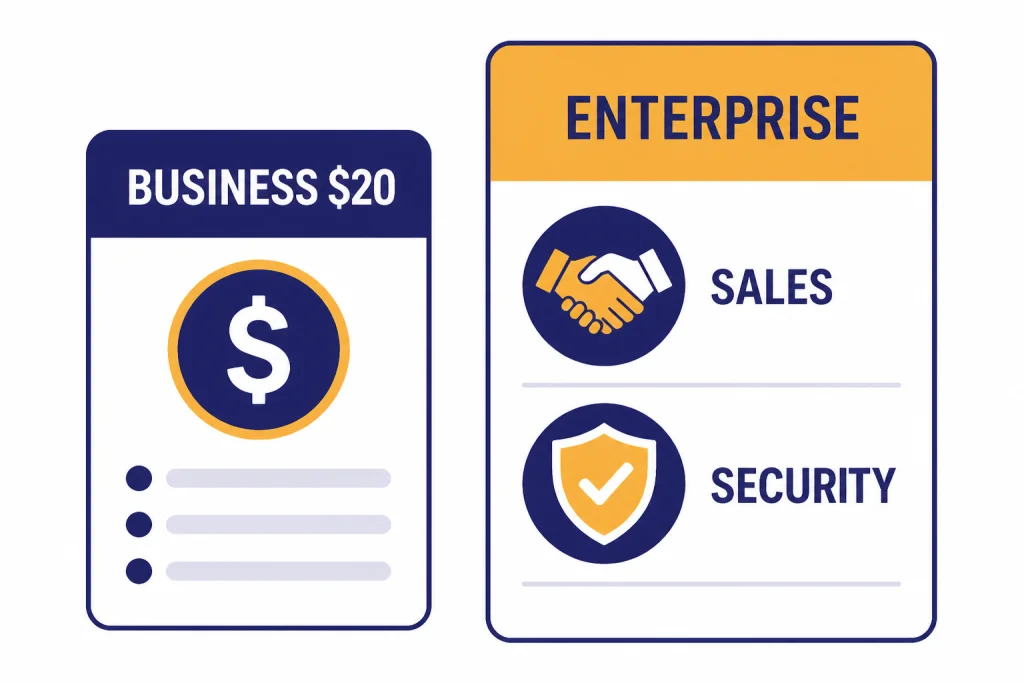
OpenAI publishes self-serve pricing for ChatGPT Business but not for ChatGPT Enterprise. The public Business price is $20 per user per month on annual billing, while Enterprise requires contacting sales.[1] OpenAI also says Enterprise includes items such as 24/7 priority support, SLAs, custom legal terms, invoicing, billing, volume discounts, and access to AI advisors for eligible customers.[1]
That creates a simple buying rule. If your company only needs a shared workspace and standard admin controls, start with Business and compare it with our ChatGPT Business review. If you need custom legal terms, stronger compliance workflows, role-based access controls, data residency, Compliance API logs, support commitments, or broader rollout help, Enterprise is the plan to evaluate.
| Plan | Public price | Best for | Key Enterprise gap |
|---|---|---|---|
| ChatGPT Plus | $20 per month for an individual plan on OpenAI’s consumer pricing page.[1] | Individual power users. | No company-wide admin layer. |
| ChatGPT Business | $20 per user per month with annual billing on OpenAI’s business pricing page.[1] | Small and growing teams that want a shared workspace. | Enterprise-only controls such as some advanced governance, account management, and compliance features. |
| ChatGPT Enterprise | Contact sales.[1] | Organizations that need security review, legal terms, governed rollout, and support at scale. | No public per-seat price. |
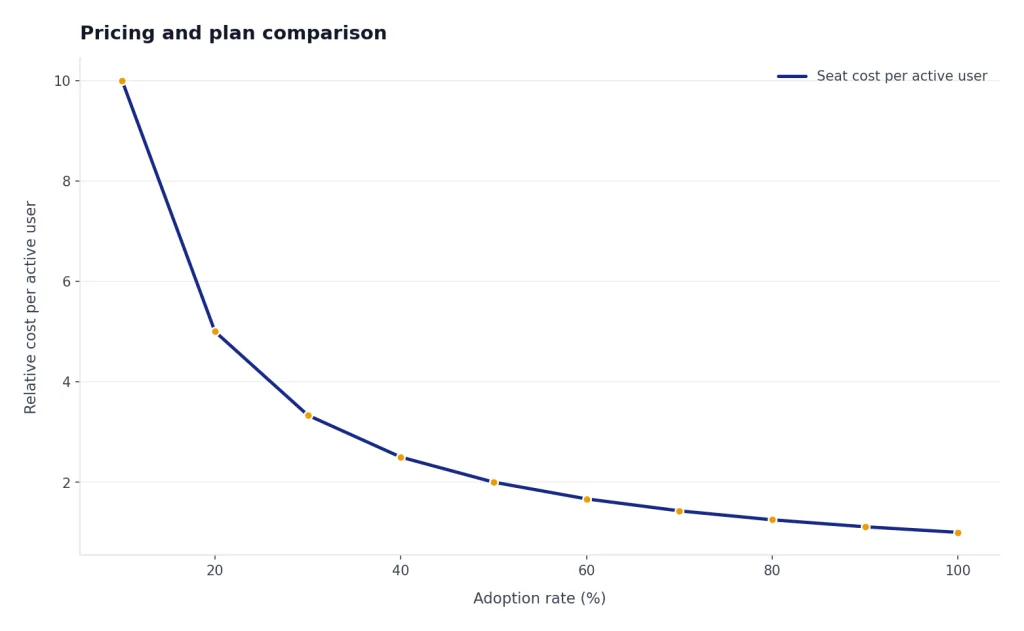
Enterprise pricing should be reviewed as a total program cost. Include seats, onboarding, internal training, security review time, admin effort, connector governance, and the cost of unused licenses. A high adoption rate can justify the plan. A low adoption rate can make even a good contract look wasteful.
Real-world test results
We evaluated ChatGPT Enterprise as a work platform, not as a novelty chatbot. The test lens was practical: how well does it support real tasks, reduce tool sprawl, protect data, and give administrators enough control to approve wider use?
Knowledge work
For policy drafting, report summarization, meeting follow-ups, and research synthesis, Enterprise feels strongest when users combine ChatGPT with approved workspace knowledge and shared project context. The familiar chat interface lowers training friction. The risk is prompt quality. Employees still need examples, review standards, and clear rules for sensitive information.
Analysis and spreadsheets
Data analysis is one of the best practical use cases. Users can ask for summaries, outliers, cleanup logic, chart ideas, and natural-language explanations of messy tables. The plan does not remove the need for human validation. It does reduce the gap between a spreadsheet owner and a data analyst for first-pass exploration.
Custom GPTs and repeatable workflows
Custom GPTs make more sense in Enterprise than in personal accounts because the workspace can define who can create, share, and use them. A good internal GPT can turn a recurring policy, support, sales, or documentation workflow into a repeatable assistant. Our separate ChatGPT Custom GPTs review covers the builder experience in more depth, and our GPT Store review explains why public GPT discovery is less important than internal curation for companies.
Agents and research
Agentic workflows are promising, but they need guardrails. ChatGPT Agent can help with multi-step tasks, while Deep Research is useful for structured background work. Enterprise buyers should treat these as supervised productivity tools, not autonomous employees. If this is your main use case, compare the product-level behavior in our ChatGPT Agent review.
Writing and editing
For document drafting, Canvas is useful because it gives writers an editing surface instead of a pure chat transcript. It works well for redlines, rewrites, outlines, and controlled revision cycles. See our ChatGPT Canvas review if writing workflows are a major reason for your Enterprise rollout.
Security and admin controls
Security is the main reason to buy ChatGPT Enterprise. OpenAI says it does not use data from ChatGPT Enterprise, ChatGPT Business, ChatGPT Edu, ChatGPT for Healthcare, ChatGPT for Teachers, or the API platform, including inputs and outputs, to train or improve models by default.[4] OpenAI also says business data is protected with AES-256 encryption at rest and TLS 1.2 or higher in transit.[4]
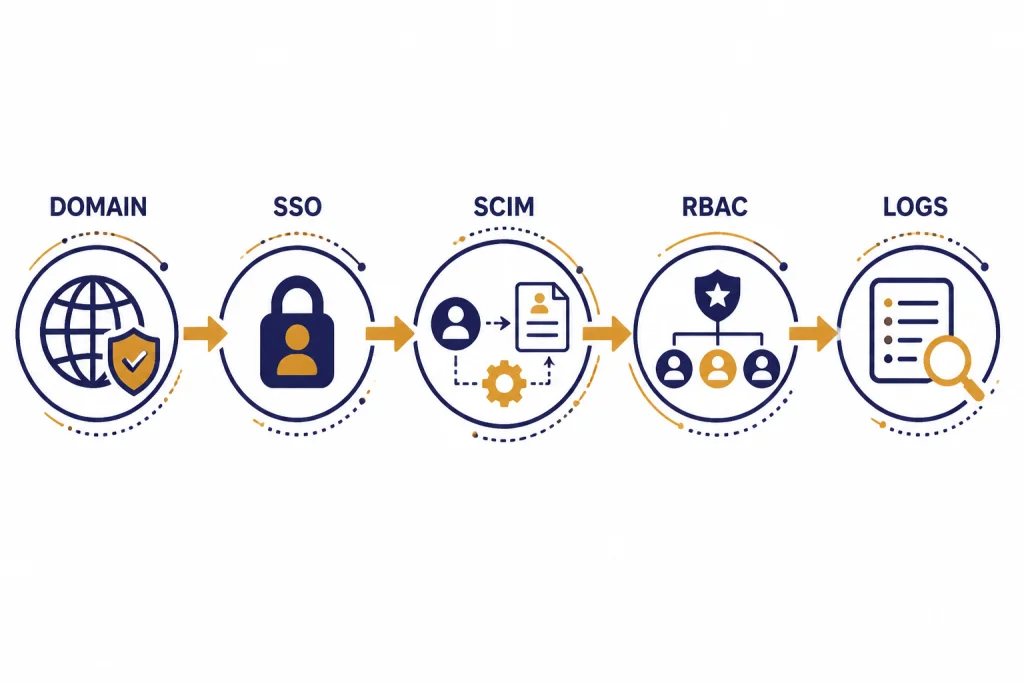
Identity controls are another major upgrade. OpenAI’s SSO documentation says SSO is supported through SAML authentication for ChatGPT and the API Platform, and that domain verification is a prerequisite for SSO and automatic account creation.[6] For large organizations, SAML SSO and SCIM provisioning reduce the risk of orphaned accounts and make employee lifecycle management more realistic.
Connectors need special attention. OpenAI says apps and connectors are disabled by default for ChatGPT Enterprise and Edu, and workspace owners can control which connectors are enabled and assign connector access through role-based access controls.[5] OpenAI also says that after a connector is disconnected, the index becomes inaccessible immediately and the underlying data is deleted from OpenAI systems within 30 days.[5]
Analytics and compliance features give administrators a clearer view of adoption. OpenAI’s workspace analytics documentation says admins can review active users, total messages, GPT messages, tool messages, project usage, app usage, skill usage trends, and group breakdowns when SCIM groups are configured.[7] OpenAI distinguishes this from the Compliance API, which it describes as full logs and metadata for eDiscovery, DLP, retention, incident evidence, and external integrations.[8]
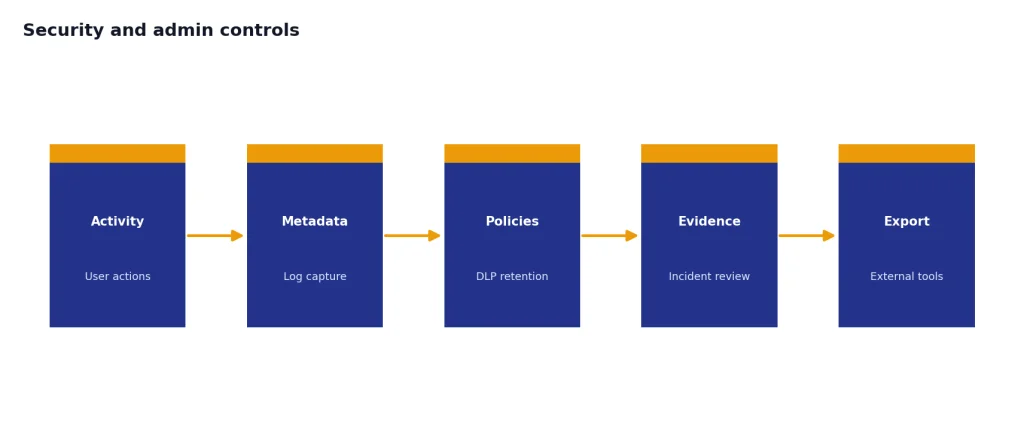
Retention is not one-size-fits-all. OpenAI says Enterprise files uploaded in conversations can expire independently of chat retention settings, and its retention documentation notes a 48-hour file expiration example for Enterprise users in Compliance API contexts.[9] Buyers should confirm their exact retention setup during procurement instead of assuming that default behavior will match their legal obligations.
Where Enterprise works best
ChatGPT Enterprise works best when a company has many repeatable knowledge workflows and a real reason to centralize AI use. The strongest deployments usually have executive sponsorship, department champions, a security owner, and a training plan.
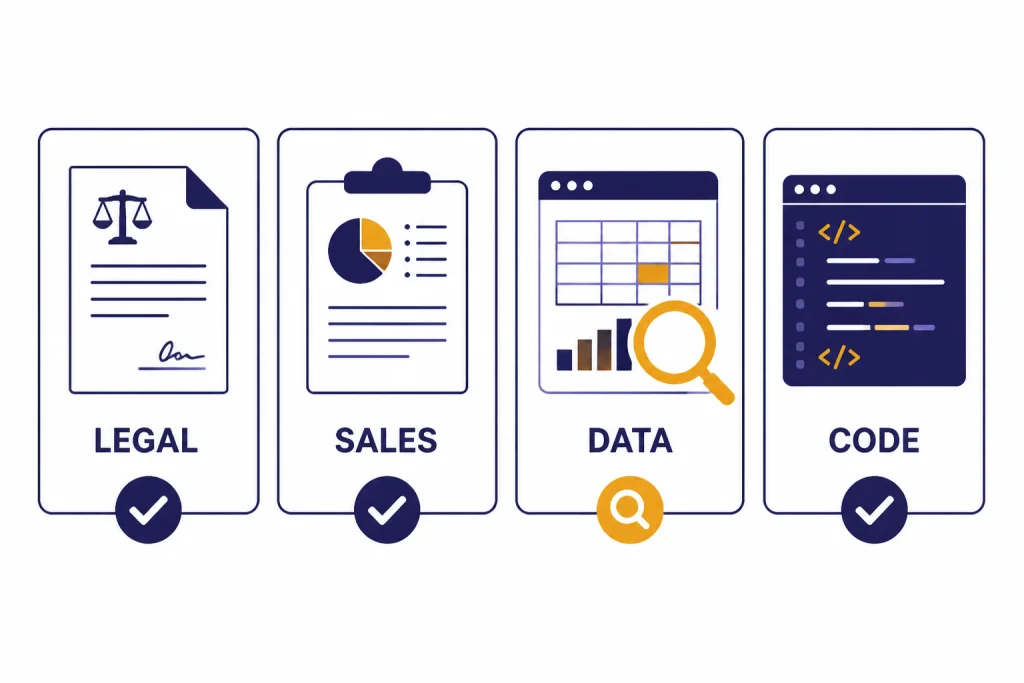
- Legal and compliance teams: Drafting, clause comparison, policy summaries, and controlled research, with human review at every step.
- Sales and customer success: Account briefings, proposal drafts, call summaries, objection handling, and CRM-adjacent writing.
- Product and research: Market scans, feedback clustering, roadmap synthesis, and experiment planning.
- Finance and operations: Spreadsheet explanations, variance narratives, memo drafting, and process documentation.
- Engineering: Code explanation, documentation, test planning, and agentic coding workflows, especially when paired with clear security rules.
The plan is less compelling for teams that only want occasional writing help. A company with a few power users may get more value from individual Pro seats, a Business workspace, or API-based workflows. If your team is building custom apps rather than using ChatGPT as a workspace, compare the economics in our OpenAI API pricing guide and the experimentation workflow in our OpenAI Playground review.
Model strategy also matters. Enterprise buyers should decide which tasks belong in ChatGPT, which belong in internal tools, and which require direct API integration. Our GPT-5 review, GPT models comparison, and context window comparison can help technical teams frame those trade-offs before procurement.
Drawbacks and buying risks
The first drawback is pricing opacity. Enterprise may be reasonable for your organization, but you will not know from the public page. You need a sales process, volume assumptions, renewal terms, and clarity on which features are included versus flexible or add-on usage.
The second risk is adoption. Buying Enterprise does not guarantee better prompts, better review habits, or better workflows. Without training, employees may use it as a slightly safer blank text box. The best rollouts provide approved examples, internal GPT templates, connector rules, and department-specific playbooks.
The third risk is governance complexity. SSO, SCIM, RBAC, connectors, retention, analytics, and Compliance API workflows are useful because they solve real problems. They also require ownership. If IT buys the product but no department leads the change management, the workspace can become underused.
The fourth risk is model and feature change. OpenAI’s Enterprise model availability pages change as models are retired, introduced, or moved behind admin toggles. OpenAI’s help content states that several older ChatGPT models were retired from ChatGPT as of February 13, 2026, and that Enterprise admins can control access to newer model options through workspace settings.[3] A buyer should ask OpenAI how model changes, legacy access, and feature toggles are handled in the contract.
Who should buy it
Buy ChatGPT Enterprise if your organization needs governed AI access for many employees, expects serious usage, and has security or legal requirements that exceed a self-serve plan. It is a strong fit for companies that already see unsanctioned ChatGPT usage and want to move that activity into a managed workspace.
Do not buy it only because executives want an AI initiative. Start smaller if you cannot name the first departments, workflows, data sources, admin owners, and success metrics. Enterprise works when it becomes part of how people work. It disappoints when it is treated as a symbolic license purchase.
Our final verdict: ChatGPT Enterprise is a high-quality enterprise AI workspace with serious governance strengths. The product itself is strong. The buying decision depends on your quote, your rollout discipline, and whether your company will use the controls that make Enterprise different.
Frequently asked questions
Is ChatGPT Enterprise worth it?
ChatGPT Enterprise is worth it for organizations that need governed access, enterprise privacy commitments, identity controls, connector governance, analytics, support, and compliance workflows. It is not worth it if you only need a few employees to use ChatGPT more often. In that case, compare Business, Plus, and Pro first.
How much does ChatGPT Enterprise cost?
OpenAI does not publish a public ChatGPT Enterprise seat price. Its pricing page lists Enterprise as “Contact sales,” while ChatGPT Business is listed at $20 per user per month on annual billing.[1] Your actual Enterprise quote may depend on seats, terms, support, usage, and contract scope.
Does OpenAI train on ChatGPT Enterprise data?
OpenAI says it does not use ChatGPT Enterprise business data, including inputs and outputs, to train or improve models by default.[4] Buyers should still review the contract, data processing terms, connector behavior, retention settings, and any optional data-sharing choices before rollout.
What is the biggest advantage over ChatGPT Business?
The biggest advantage is governance at scale. Enterprise adds stronger controls around security review, support, legal terms, role-based access, analytics, compliance workflows, and deployment management. Business is simpler and cheaper to start, but Enterprise is better suited to regulated or larger organizations.
Can small companies use ChatGPT Enterprise?
Small companies can evaluate Enterprise, but many should start with ChatGPT Business unless they need Enterprise-specific controls or contract terms. OpenAI’s sales process is the path for Enterprise access, and the company may steer smaller teams toward self-serve Business depending on requirements.[10]
What should I ask OpenAI before signing?
Ask for seat pricing, renewal terms, included features, flexible usage rules, model access, retention settings, data residency, support commitments, connector controls, Compliance API scope, and onboarding help. Also ask how model retirements and new model toggles are handled. Put every critical security and compliance assumption in writing.