

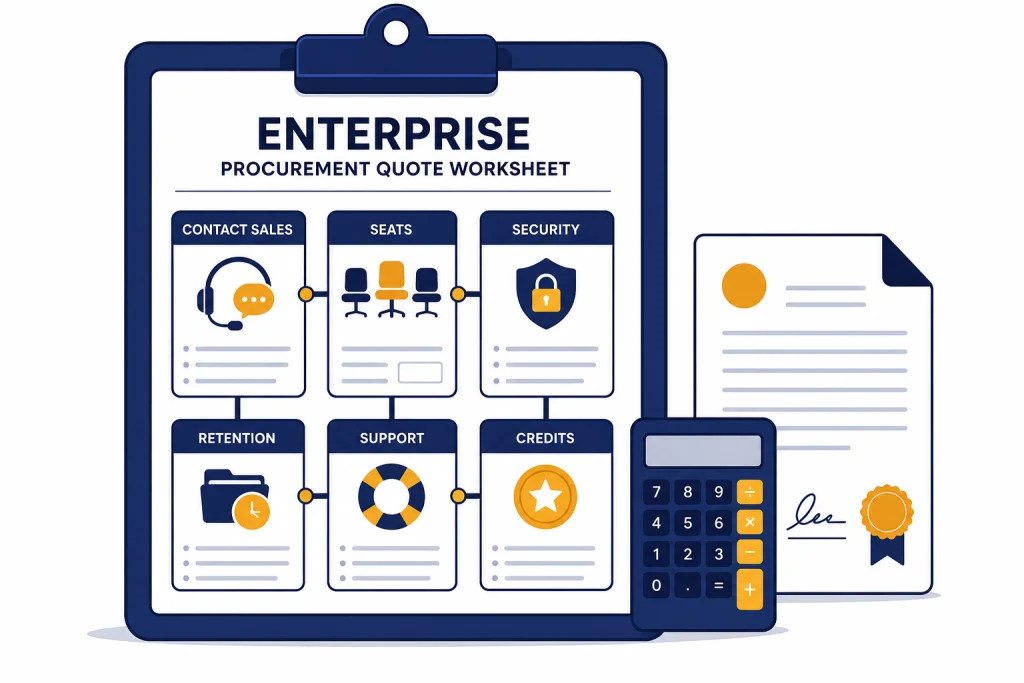
ChatGPT Enterprise pricing is not posted as a public per-seat price. OpenAI lists ChatGPT Enterprise as a sales-led plan, so the real answer is: you need a quote based on seat count, contract terms, security requirements, support expectations, and any flexible usage you add.[1] That does not mean you have to enter the sales process blind. You can benchmark against published ChatGPT plans, identify the features that justify Enterprise, and prepare a procurement worksheet before you contact sales. This guide explains what OpenAI publishes, what it does not publish, and how to ask for a quote you can actually compare against ChatGPT Business, Plus, Pro, API usage, and competing internal tools.
Does OpenAI publish ChatGPT Enterprise pricing?
No. OpenAI does not publish a standard ChatGPT Enterprise per-user price on its public pricing page. The Enterprise card says to contact sales, while self-serve plans list public prices such as Free at $0 per month, Plus at $20 per month, Pro at $200 per month, and Business at $25 per user per month when billed annually on the pricing page available at publication.[1]
That distinction matters. ChatGPT Enterprise is a contracted product. The sales process can include procurement, legal review, security review, invoicing, volume terms, deployment planning, and support requirements. OpenAI’s help documentation tells organizations that want Enterprise to contact the OpenAI sales team and select ChatGPT Enterprise as the product of interest.[4]
OpenAI has not published an official minimum seat count for ChatGPT Enterprise. OpenAI has not published an official public discount schedule for Enterprise volume tiers. OpenAI has not published a universal Enterprise renewal uplift, implementation fee, or per-seat range. Treat any uncited number you see elsewhere as an estimate, not a quote.
The practical way to read ChatGPT Enterprise pricing is simple: Business gives you the public self-serve benchmark, while Enterprise adds negotiated security, administration, support, data, and commercial terms. If your organization only needs a shared workspace and basic admin controls, start with chatgpt team pricing or chatgpt business pricing. If your organization needs custom legal terms, enhanced governance, or enterprise procurement, Enterprise is the plan to evaluate.
What ChatGPT Enterprise includes
ChatGPT Enterprise is not just a larger version of an individual ChatGPT subscription. OpenAI describes it as a managed ChatGPT plan for organizations with enterprise-grade privacy and security, centralized administration, advanced tools, higher-usage work use cases, and admin features such as domain verification, SSO, SCIM, and usage insights.[4]
OpenAI’s public business pricing page says Enterprise includes everything in Business, plus enterprise-grade governance, advanced data privacy controls, custom data retention policies, encryption at rest and in transit, no training on business data by default, 24/7 priority support, service-level agreements, custom legal terms, invoicing and billing, volume discounts, and access to AI advisors for eligible customers.[3]
The privacy terms are usually the reason Enterprise enters the budget discussion. OpenAI says business data from ChatGPT Enterprise, ChatGPT Business, ChatGPT Edu, ChatGPT for Teachers, ChatGPT for Healthcare, and the API platform is not used by default to train or improve OpenAI models.[6] OpenAI’s Enterprise privacy page also says Enterprise customers control how long their data is retained and decide who has access inside the organization.[5]
For security teams, the key Enterprise questions are not only “What does it cost?” They are “Can we enforce identity controls?”, “Can we control retention?”, “Can we satisfy audit requirements?”, and “Can legal negotiate the agreement?” The published feature set points to Enterprise when those controls matter more than the lowest per-seat price.
If you are comparing plans across the full product line, use ChatGPT Subscription Plans for the broad map, then return here for the Enterprise-specific procurement checklist.
What changes the Enterprise quote
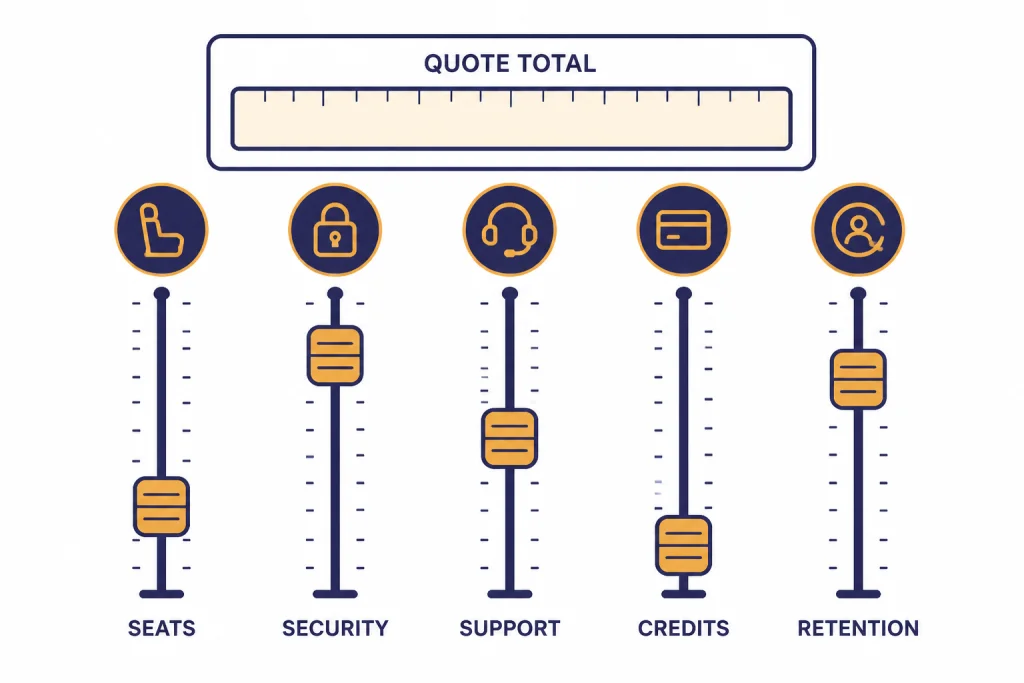
OpenAI does not publish the Enterprise pricing formula, but the public plan descriptions show the inputs a buyer should expect to discuss. The quote is likely shaped by the number of users, contract length, billing structure, support level, governance requirements, data controls, and any additional usage beyond the standard Enterprise workspace.
Seat count and deployment shape
Start by separating named users from occasional users. Enterprise contracts usually become easier to evaluate when you know which departments need full access at launch, which teams will join later, and whether contractors or temporary staff require seats. OpenAI states that ChatGPT Enterprise is purchased at the organization level and that members usually get access after an owner or admin invites them or provisions them through the organization’s identity system.[4]
Security and identity requirements
Enterprise buyers should document requirements for SAML SSO, SCIM, domain verification, role-based access controls, IP allowlisting, compliance logs, and related controls before requesting pricing. OpenAI’s business pricing comparison identifies several of these controls as Enterprise features rather than Business features.[3]
Data retention and compliance
Retention policy is a procurement variable because it affects legal, security, and records management review. OpenAI says Enterprise customers can control retention, and its retention documentation notes that after a configured retention period, content becomes unavailable via the Compliance API immediately, while internal backups may retain it for up to 30 additional days.[5][7]
Support, onboarding, and account management
Enterprise pricing should be evaluated with support scope included. OpenAI lists 24/7 priority support, SLAs, custom legal terms, invoicing and billing, volume discounts, and ongoing account management as Enterprise-related items on the business pricing page.[3] Those features may matter more than model access if the deployment affects a regulated business process.
API and platform usage
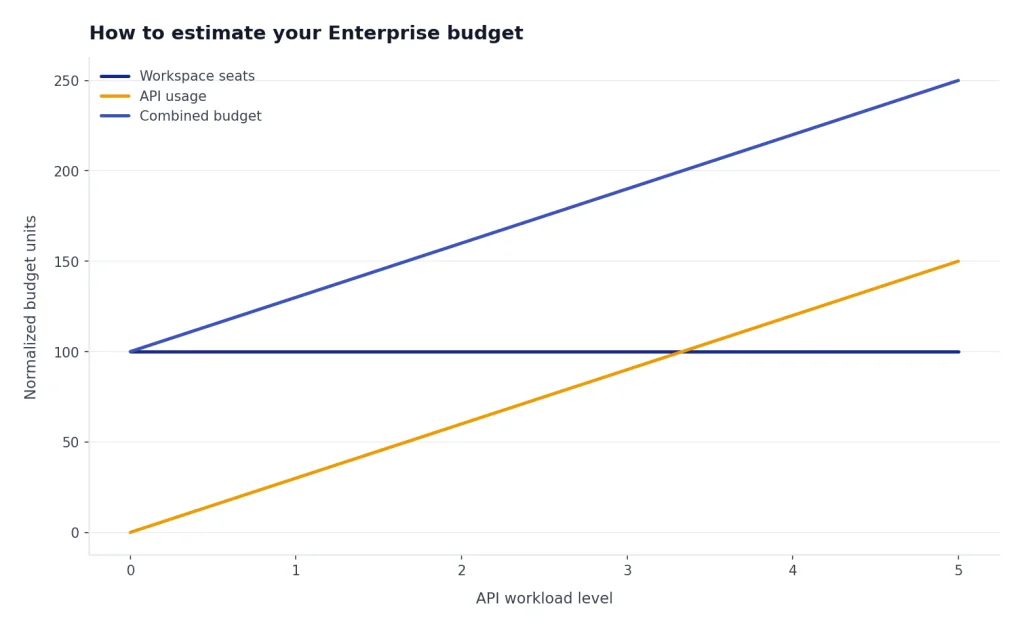
Do not assume ChatGPT Enterprise includes your API usage. OpenAI states that ChatGPT billing and API Platform billing are separate, and that a ChatGPT Enterprise workspace and an API Platform organization are separate membership systems.[8] If your business case includes custom applications, estimate API costs separately with OpenAI API Pricing.
ChatGPT Business vs Enterprise pricing
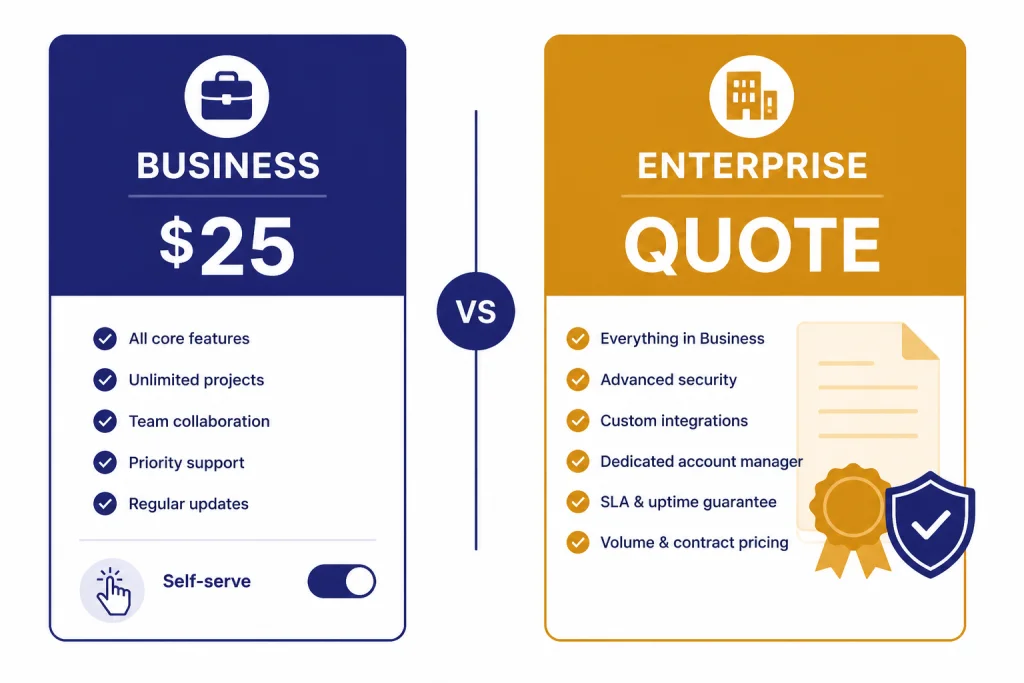
ChatGPT Business is the clearest public benchmark for Enterprise. On OpenAI’s pricing page available at publication, Business was listed at $25 per user per month billed annually, while OpenAI’s help documentation also described monthly Business pricing at $30 per seat per month.[1][2] Enterprise, by contrast, was listed as contact sales.[1]
| Question | ChatGPT Business | ChatGPT Enterprise |
|---|---|---|
| Public price | $25 per user per month billed annually, with $30 per seat per month described in Help Center billing documentation at publication.[1][2] | No public per-seat price. Contact sales.[1] |
| Best fit | Teams that want a shared workspace, admin controls, and published pricing. | Organizations that need sales-led procurement, governance, legal terms, and scale support. |
| Billing style | Self-serve subscription. | Contracted plan with invoicing and billing options.[3] |
| Security controls | Core workspace administration and SAML SSO are listed for Business.[3] | Enterprise adds controls such as SCIM, role-based access controls, Enterprise Key Management, Compliance API Logs Platform, and data residency options in OpenAI’s comparison.[3] |
| Support | Standard business support path. | OpenAI lists 24/7 priority support, SLAs, and ongoing account management for Enterprise.[3] |
| Procurement | Good for teams that can buy with a card or standard subscription workflow. | Better for purchase orders, legal review, custom terms, and enterprise rollout planning. |
The table shows why a direct price comparison can mislead buyers. Business may be cheaper and faster to start. Enterprise may be more expensive, but it can solve procurement and governance problems that Business is not designed to handle.
For a smaller organization, the right comparison is often Business versus a collection of Plus or Pro accounts. If that is your situation, read How Much Does ChatGPT Cost in Total?, ChatGPT Plus vs Pro, and is ChatGPT Plus worth it? before starting an Enterprise sales cycle.
How to estimate your Enterprise budget
You cannot calculate ChatGPT Enterprise pricing from a public rate card, but you can build a budget range for internal approval. Use the public Business price as a floor, then add procurement, support, compliance, and rollout assumptions. Do not present the result as OpenAI’s price. Present it as your planning model.
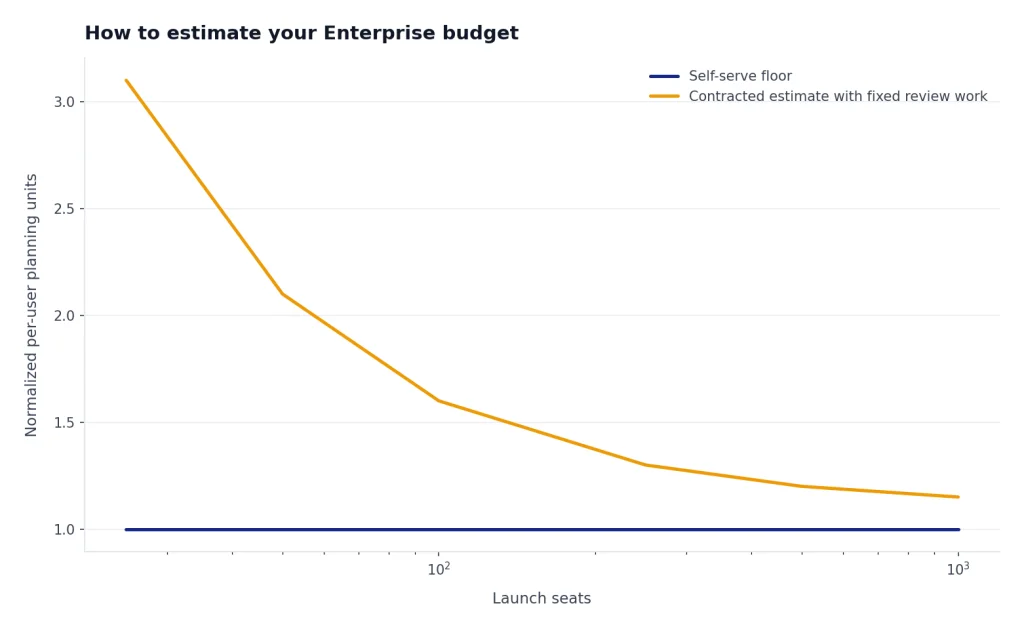
A useful internal estimate has four parts. First, count launch seats and expected expansion seats. Second, list the Enterprise-only controls your organization requires. Third, identify extra usage categories, including API workloads, connectors, advanced research workflows, or engineering tools. Fourth, decide whether the purchase must use invoice billing, purchase orders, net terms, or custom legal terms.
OpenAI’s help documentation for Business says organizations that need invoice billing, purchase orders, bank transfer, wire, ACH, net terms, split payments, Zero Data Retention, BAAs, or other sales-led options should use a contracted offering instead of self-serve ChatGPT Business.[2] That sentence is a useful procurement test. If your buying process needs those items, your real comparison is not only price. It is Business plus workarounds versus Enterprise with a contract.
Also separate ChatGPT workspace costs from API costs. A company can have ChatGPT Enterprise for employees and still pay separately for API usage in custom applications. OpenAI states that ChatGPT and the API Platform operate as separate platforms with separate billing settings.[8] This is where finance teams often underbudget the rollout.
If your organization operates across countries, compare local plan pricing and tax treatment with ChatGPT Pricing by Country. If you are buying for a university instead of a company, see ChatGPT Edu Pricing, because OpenAI treats Edu as a separate institutional path.
How to get a real quote from OpenAI
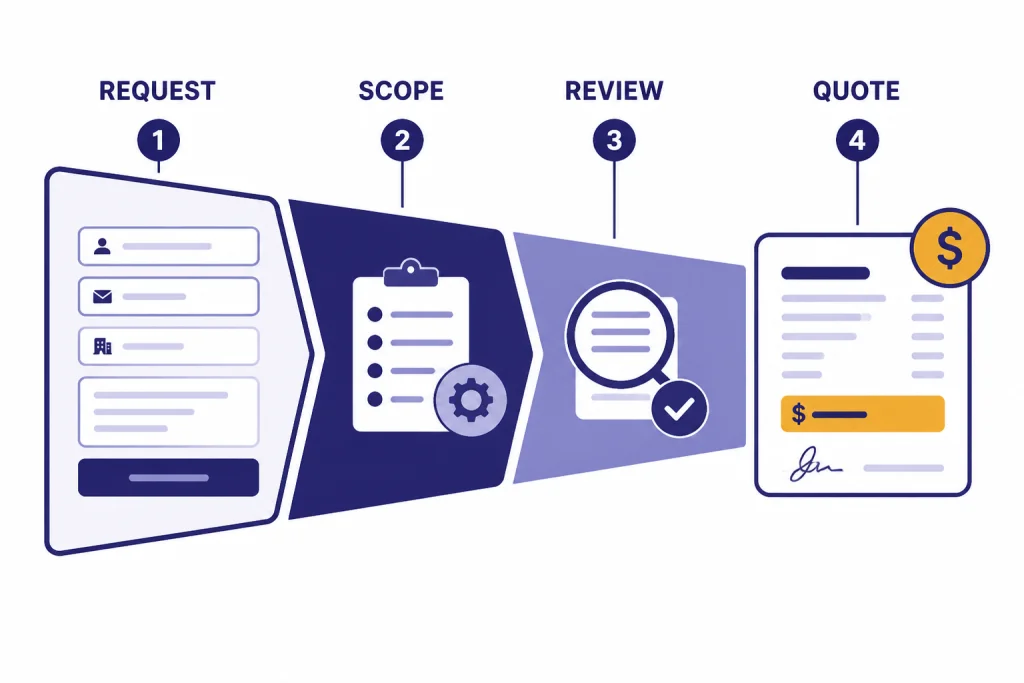
The fastest way to get a usable quote is to make the first sales request specific. OpenAI says organizations that want ChatGPT Enterprise should contact sales, select ChatGPT Enterprise as the product of interest, fill out additional details, and submit the request so an OpenAI representative can work with them on fit.[4]
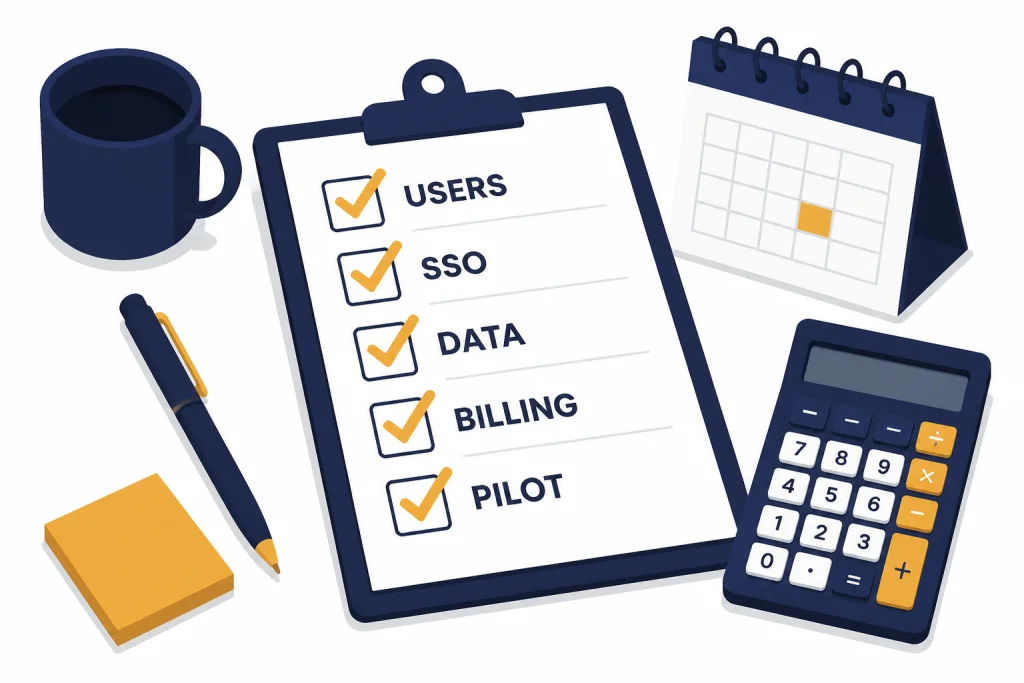
Before you submit the form, prepare a short buying brief. It should include your approximate launch user count, the departments included, the target deployment date, identity requirements, data retention requirements, billing requirements, compliance review needs, and whether API usage belongs in the same business case.
Ask OpenAI for the quote in a structure your procurement team can evaluate. Request the seat price or subscription component, any usage-based or flexible components, contract term, renewal language, support scope, onboarding scope, billing method, payment terms, data retention terms, and whether any pilots or phased rollouts are available.
For legal and security review, ask for documentation on data use, retention, subprocessors, compliance, audit reports, identity controls, and workspace administration. OpenAI’s Enterprise privacy page says customers own and control business data, do not have business data used for training by default, and can control retention for ChatGPT Enterprise.[5] Use those public statements as the starting point for your review, not as a substitute for your final contract.
If you already have employees paying for individual accounts, include that in the rollout plan. OpenAI says that if a user migrates into a ChatGPT Enterprise workspace from an individual paid ChatGPT subscription tied to the same account, the individual subscription is canceled automatically and the user receives a partial refund for the unused portion of that subscription period.[4] For broader billing cleanup, see ChatGPT Refund Policy and how to cancel ChatGPT subscription on any device.
When Enterprise is not the right plan
ChatGPT Enterprise is not the default answer for every organization. It is usually overkill if you have a small team, no enterprise procurement requirement, no custom retention requirement, no formal security review, and no need for sales-led terms. In that case, the public Business plan is easier to price and faster to deploy.
Individual Plus or Pro accounts can also be enough for independent professionals or small teams that do not need centralized administration. Plus was listed at $20 per month and Pro at $200 per month on OpenAI’s pricing page available at publication.[1] If you are evaluating only personal productivity, use ChatGPT Plus Benefits, ChatGPT Free vs Plus, and ChatGPT Plus Price in 2026 before you consider a business plan.
Enterprise is also not a replacement for API budgeting. If you are building an internal app, customer-facing workflow, or automated process with OpenAI models, price that separately. ChatGPT Enterprise governs the workspace experience for employees. API Platform usage has its own organization, membership, and billing model.[8]
The right decision is usually clear after you write down the blocker. If the blocker is “we need lower cost,” Enterprise may not help. If the blocker is “legal, security, and procurement will not approve self-serve AI accounts,” Enterprise is the correct sales path.
Frequently asked questions
How much does ChatGPT Enterprise cost?
OpenAI does not publish a public per-seat ChatGPT Enterprise price. Its pricing page lists Enterprise as contact sales, so the real price depends on a quote.[1] Ask for seat costs, contract term, support scope, billing terms, and any usage-based components in writing.
Is there a minimum number of seats for ChatGPT Enterprise?
OpenAI has not published an official minimum seat count for ChatGPT Enterprise. You should ask sales whether your launch size qualifies and whether phased deployment is available. Do not rely on old forum posts or uncited reseller claims for minimums.
Is ChatGPT Business cheaper than ChatGPT Enterprise?
ChatGPT Business has a public price, while ChatGPT Enterprise is quote-based. At publication, OpenAI listed Business at $25 per user per month billed annually and also documented $30 per seat per month monthly billing in Help Center materials.[1][2] Enterprise may cost more, but it can include contracted terms, governance, support, and administrative controls that Business does not provide.
Does ChatGPT Enterprise include API usage?
Do not assume that it does. OpenAI says ChatGPT and the API Platform are separate platforms, and ChatGPT Enterprise workspace access does not automatically grant API Platform organization access.[8] Price employee ChatGPT usage and API usage as separate budget lines unless your contract says otherwise.
Does OpenAI train on ChatGPT Enterprise data?
OpenAI says it does not use data from ChatGPT Enterprise, ChatGPT Business, ChatGPT Edu, ChatGPT for Teachers, ChatGPT for Healthcare, or the API Platform to train or improve models by default.[6] Your legal team should still review the contract, privacy commitments, retention settings, and any connected apps or integrations before deployment.
Can employees move from Plus to Enterprise?
Yes, if the organization provisions them into the Enterprise workspace. OpenAI says that when a user migrates from an individual paid ChatGPT subscription tied to the same account into a ChatGPT Enterprise workspace, the individual subscription is canceled automatically and a partial refund is issued for the unused portion.[4] Plan this migration carefully so users understand which workspace owns future chats and files.