

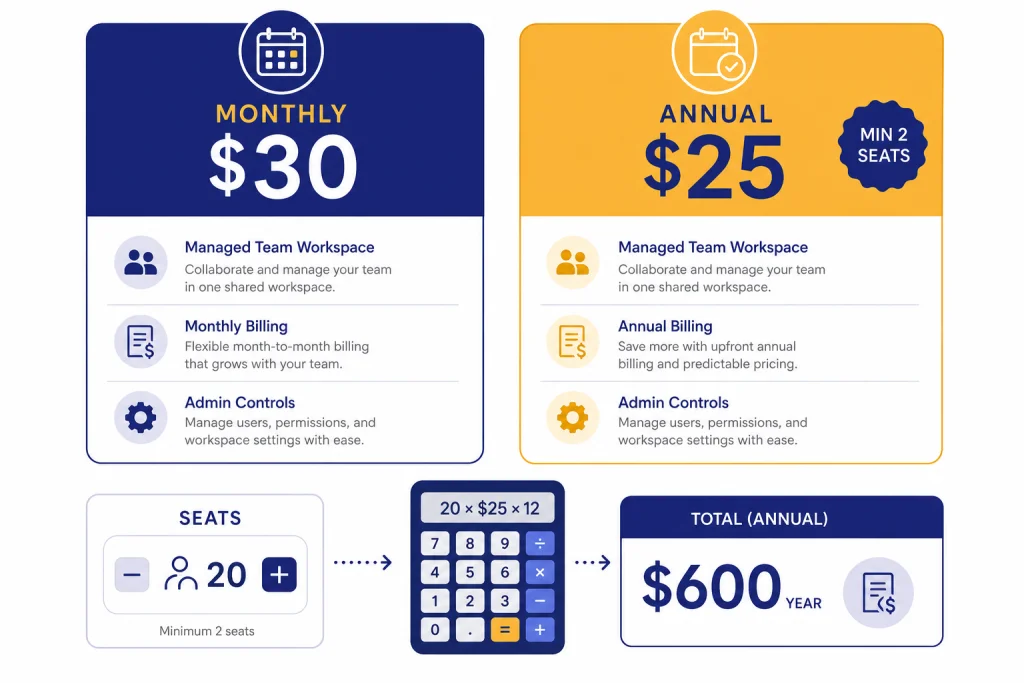
ChatGPT Team pricing is now branded as ChatGPT Business, but many buyers still search for the old Team name. As of March 10, 2026, the self-serve Team-style plan costs $25 per user per month when billed annually, or $30 per user per month when billed monthly, with a 2-seat minimum.[1] That makes the practical starting price $600 per year on annual billing or $60 month to month.[1] The plan is mainly for organizations that need a shared workspace, admin controls, centralized billing, SAML SSO, and business data excluded from model training by default.[2]
Quick answer: ChatGPT Team price per seat
OpenAI renamed ChatGPT Team to ChatGPT Business on August 29, 2025, but the old name still appears in searches, invoices, bookmarks, and internal approval docs.[1] In practical terms, ChatGPT Team pricing means the self-serve business workspace tier for small and midsize teams.
For most U.S. buyers on March 10, 2026, the seat price is simple: $30 per user per month on monthly billing, or $25 per user per month on annual billing.[1] OpenAI requires a minimum of 2 seats, so a solo founder cannot buy one Team seat as a cheaper personal upgrade.[1] If you only need an individual subscription, start with our ChatGPT Subscription Plans overview or the ChatGPT Plus price in 2026 guide.
The annual Team price is not a separate annual discount code. It is the same business plan with a lower per-seat monthly equivalent in exchange for an annual commitment. At 2 seats, the annual plan costs $600 before taxes for the year; the monthly plan costs $60 per month before taxes.[1]
| Billing choice | Listed seat price | Minimum seats | Minimum starting cost | Best fit |
|---|---|---|---|---|
| Monthly | $30 per user per month[1] | 2 seats[1] | $60 per month before taxes[1] | Short trials, changing headcount, uncertain adoption |
| Annual | $25 per user per month, billed annually[1] | 2 seats[1] | $600 per year before taxes[1] | Stable teams that expect to use ChatGPT all year |
Total cost by team size
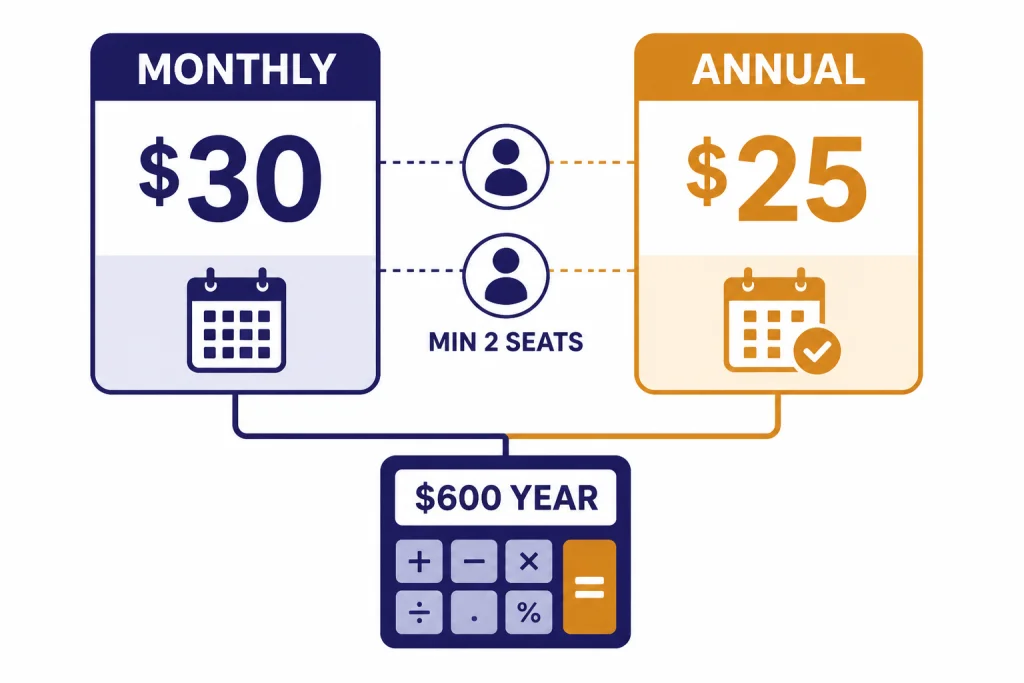
The easiest way to budget ChatGPT Team is to multiply seats by the billing rate. Monthly billing is seats × $30. Annual billing is seats × $25 × 12 months.[1] Taxes, currency conversion, and app-store billing differences can change the final amount, so finance teams should treat these as pre-tax U.S. examples.
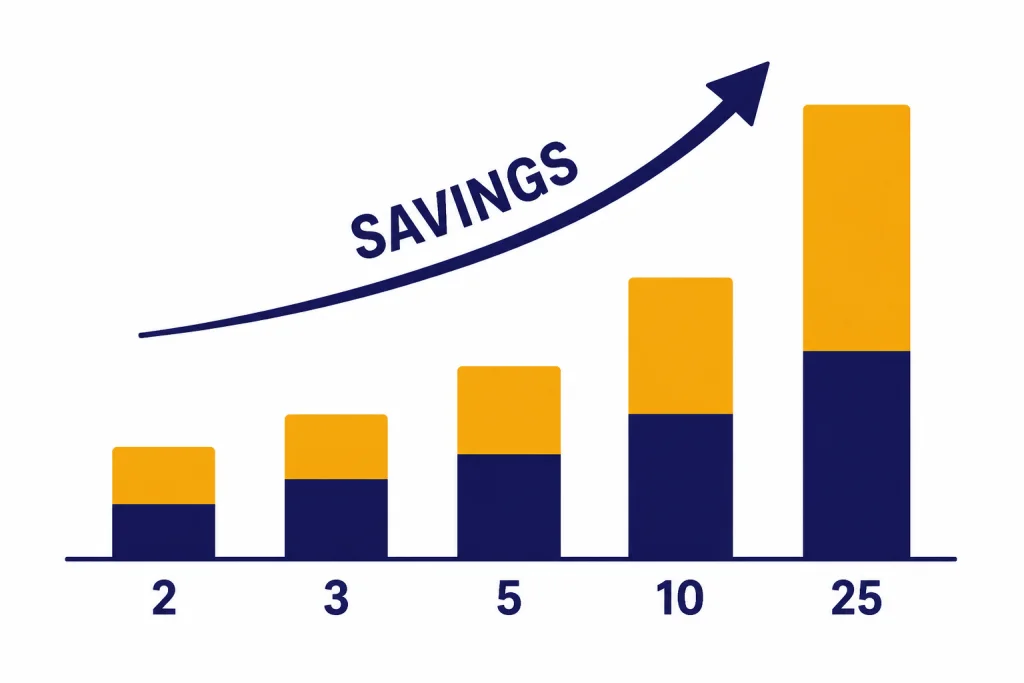
The annual plan saves $5 per user per month compared with monthly billing, or $60 per user per year.[1] At the 2-seat minimum, that is a $120 annual difference before taxes.[1] If your organization already knows which employees will use the workspace for a full year, annual billing is usually the cleaner budget choice. If you are piloting adoption with contractors, interns, or a temporary project team, monthly billing may be safer even though it costs more per seat.
| Seats | Monthly billing total | Annual billing total | Annual-plan savings vs monthly for 12 months |
|---|---|---|---|
| 2 | $60 per month; $720 for 12 months[1] | $600 per year[1] | $120 per year[1] |
| 3 | $90 per month; $1,080 for 12 months[1] | $900 per year[1] | $180 per year[1] |
| 5 | $150 per month; $1,800 for 12 months[1] | $1,500 per year[1] | $300 per year[1] |
| 10 | $300 per month; $3,600 for 12 months[1] | $3,000 per year[1] | $600 per year[1] |
| 25 | $750 per month; $9,000 for 12 months[1] | $7,500 per year[1] | $1,500 per year[1] |
The 2-seat minimum matters more than the headline price. A 1-person business comparing Team with Plus is not choosing between $25 and $20. It is choosing between a 2-seat Team minimum and a single personal Plus subscription. OpenAI lists ChatGPT Plus at $20 per month.[7] If you are deciding between individual and team plans, read is ChatGPT Plus worth it? before you commit to a workspace.
Monthly vs annual billing
The monthly plan is the flexible option. It costs more per seat, but it lets you test adoption without committing the full year. Use it when you are not sure whether employees will use ChatGPT often enough, when you are onboarding a temporary team, or when you need procurement approval before a longer commitment.
The annual plan is the lower-cost option for steady teams. It costs $25 per user per month when billed annually, compared with $30 on monthly billing.[1] That is a 12-month commitment, so the best candidates are teams with named users, a clear owner, and a repeatable workflow such as research, support drafting, sales enablement, data analysis, documentation, or internal automation.
Do not choose annual billing only because the unit price is lower. Choose it because the team has a durable use case. If your company is still deciding whether ChatGPT belongs in daily work, a one-month or two-month pilot can prevent a bigger unused-seat problem later.
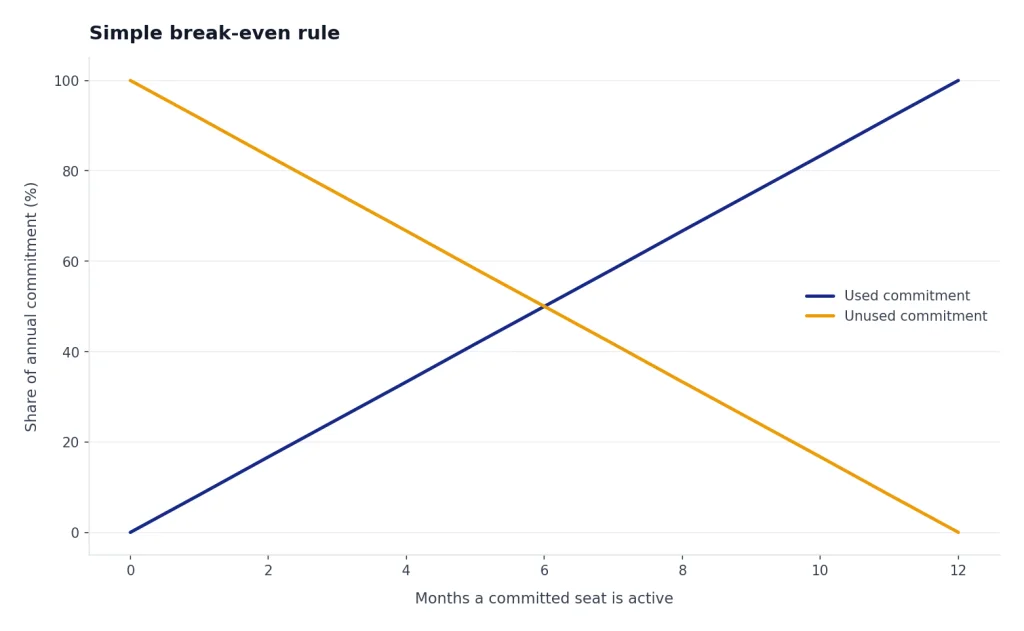
Simple break-even rule
If a seat will be used for the full year, annual billing is cheaper. If a seat might be removed after a few months, monthly billing protects flexibility. The annual plan saves $5 per active user per month, but unused committed seats can erase that savings quickly.[1]
For example, a 5-seat team on annual billing pays $1,500 before taxes for the year.[1] A 5-seat team on monthly billing pays $150 per month and can reassess each cycle.[1] The right choice depends less on the math and more on whether those 5 users are permanent, trained, and accountable for using the tool.
What is included in ChatGPT Team
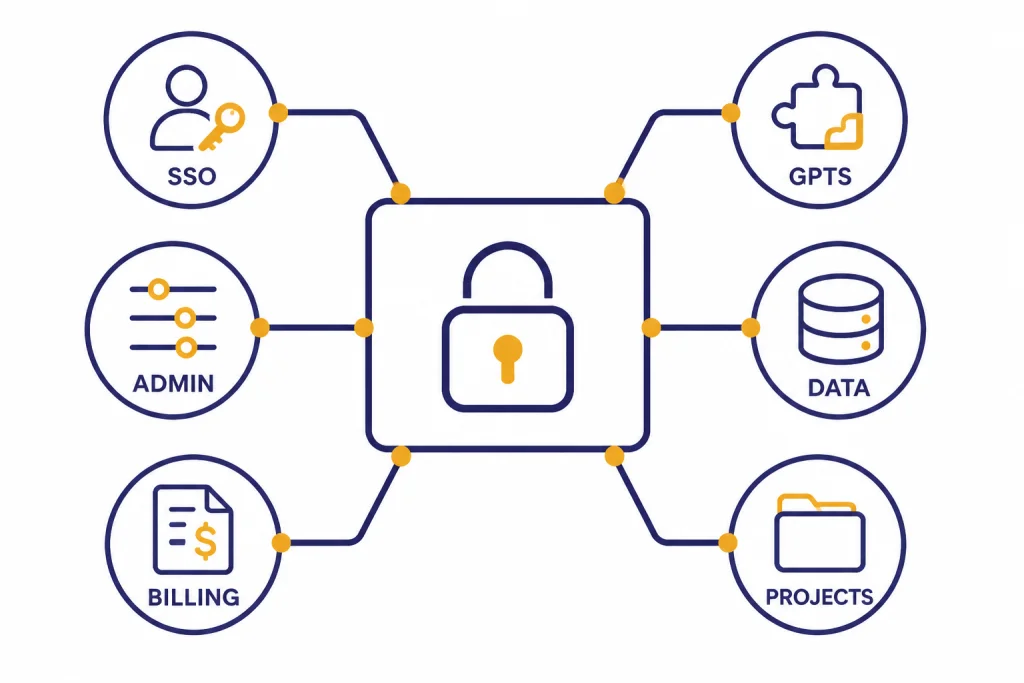
ChatGPT Team is not just several personal accounts on one invoice. It creates a dedicated business workspace with centralized billing, admin controls, shared workspace features, and business data handling. OpenAI’s pricing page lists Team-style business features such as a secure dedicated workspace, SAML SSO, MFA, connectors to internal sources, data analysis, record mode, canvas, projects, tasks, custom workspace GPTs, deep research, Codex, and data excluded from training by default.[2]
The most important difference is governance. A company can invite members into one workspace, manage access, and keep work separate from personal ChatGPT accounts. That is useful for agencies, startups, nonprofits, legal operations teams, finance teams, product teams, and any group that needs shared AI use without sharing passwords.
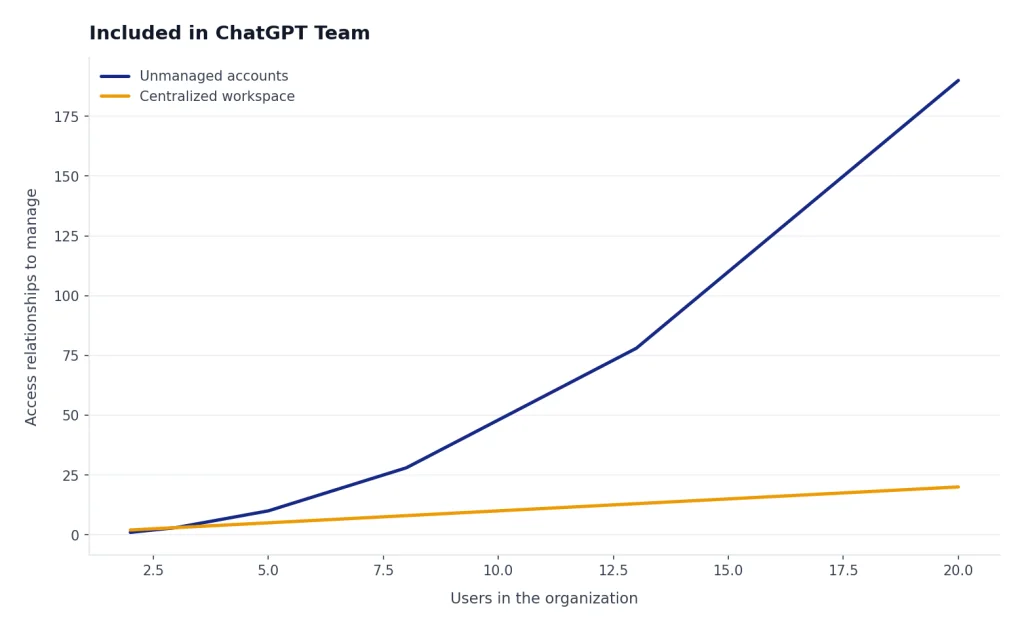
OpenAI also says business workspace data is excluded from training by default and encrypted in transit and at rest.[4] That does not make ChatGPT Team a complete compliance program by itself. It does give small organizations a better default than unmanaged personal accounts for work conversations.
SSO support is another reason teams upgrade. OpenAI’s SSO documentation lists supported identity providers including Okta, Microsoft Entra ID, Google SAML, OneLogin, Duo SAML, PingFederate, Rippling, Salesforce, and others.[5] If your IT policy requires identity-provider login for business tools, this may be the feature that justifies Team even when the raw seat cost is higher than Plus.
| Included area | Why it matters |
|---|---|
| Dedicated workspace | Keeps business use separate from personal ChatGPT use.[2] |
| Centralized billing | Replaces scattered individual reimbursements with one workspace bill.[2] |
| Admin controls | Lets owners manage users, access, and workspace settings.[2] |
| SAML SSO and MFA | Supports identity-management policies for company tools.[2] |
| Business data excluded from training by default | Reduces the risk of employees using unmanaged personal accounts for sensitive work.[4] |
| Workspace GPTs and collaboration features | Helps teams standardize prompts, workflows, and internal assistants.[2] |
Billing rules that affect your real cost
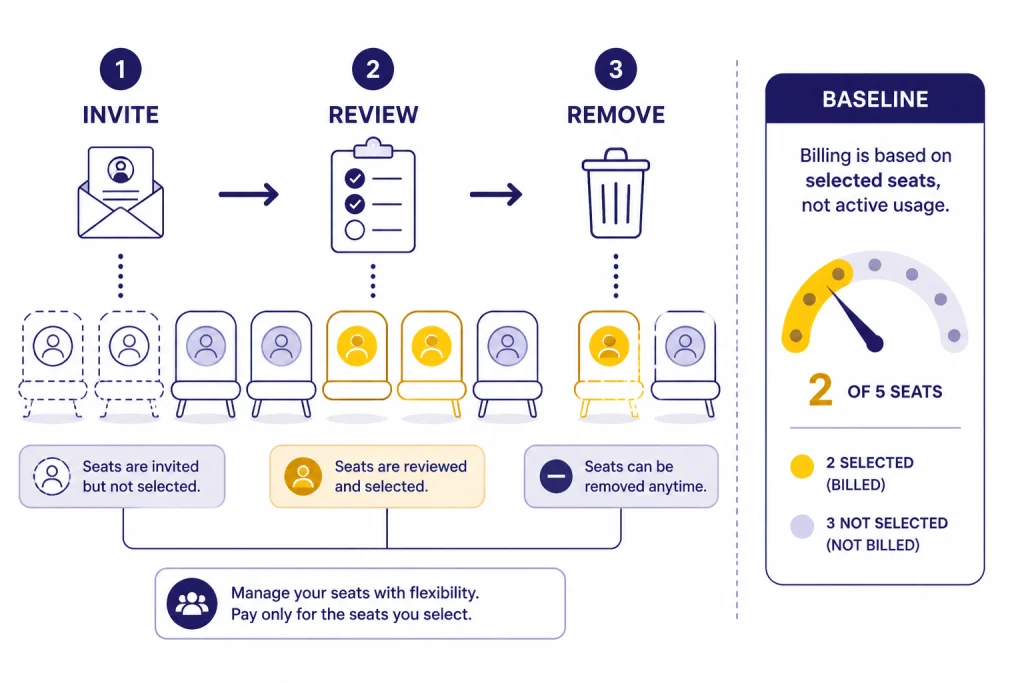
The seat price is only the first layer. The real cost depends on how carefully you manage seats. OpenAI’s billing help explains that unused standard ChatGPT seats are not refundable once you commit to a seat count, and billing is based on the number of seats selected at checkout rather than actual usage.[3] That means a dormant user can still cost money until the workspace owner adjusts the seat count for a future billing period.
Before buying, decide who owns seat management. In small companies, that may be the founder or operations lead. In larger teams, it may be IT, finance, or department operations. Someone should review seats monthly, remove employees who no longer need access, and avoid buying seats for people who have not been trained.
OpenAI says owners can adjust the plan’s seat count at the end of the billing cycle for future periods.[3] That wording is important. Removing a user is not the same as receiving an immediate refund for the unused portion of a committed seat. If refund risk is a major concern, read our ChatGPT Refund Policy guide before you purchase.
Also separate ChatGPT Team from the OpenAI API. ChatGPT Team is a ChatGPT workspace subscription. It does not replace API billing for developers who call models from their own apps. If your spending is tied to tokens, endpoints, or production software, compare the workspace plan with OpenAI API pricing instead.
Seat management checklist
- Start with the smallest seat count that covers active users.
- Assign an owner for invites, removals, and billing review.
- Review usage before each renewal date.
- Do not buy annual seats for experimental users unless the budget owner accepts the risk.
- Document which work data can and cannot be entered into the workspace.
ChatGPT Team vs Plus vs Enterprise
ChatGPT Team sits between personal subscriptions and custom enterprise contracts. It is usually too much for one individual and not enough for a highly regulated enterprise with advanced audit, procurement, and account-management requirements.
Use Plus when the need is personal productivity. Use Team when the organization needs a managed workspace and multiple users. Use Enterprise when the company needs a sales-led contract, deeper enterprise controls, and custom support. OpenAI’s business pricing comparison distinguishes Business from Enterprise across security, administration, support, data residency, SCIM, role-based access controls, analytics dashboard, compliance logs, IP allowlisting, and account management.[2]
| Plan type | Typical buyer | Pricing style | Best reason to choose it |
|---|---|---|---|
| ChatGPT Plus | Individual user | $20 per month[7] | Personal access without a shared company workspace |
| ChatGPT Team / Business | Small or midsize team | $30 monthly or $25 annually per user, with 2-seat minimum[1] | Shared workspace, admin controls, centralized billing, and business data handling |
| ChatGPT Enterprise | Larger organization | Custom sales-led pricing | Enterprise controls, support, procurement, and governance needs |
If you are comparing personal tiers, use our ChatGPT Plus vs Pro breakdown. If you are comparing company plans, start with ChatGPT business pricing and then review ChatGPT Enterprise pricing if you need a sales quote. For a broader cost map, see How much does ChatGPT cost in total?.
Who should buy ChatGPT Team
ChatGPT Team is worth considering when at least 2 people will use ChatGPT for recurring work and the organization needs control over the workspace.[1] It is a good fit for teams that already reimburse several Plus subscriptions, teams handling internal documents, and teams that want reusable GPTs or shared project workflows.
It is less compelling for one person, casual use, or teams that only need AI a few times per month. It may also be the wrong tier for organizations that require SCIM, advanced audit logs, IP allowlisting, data residency, custom security review, or ongoing account management, because OpenAI’s business comparison places several of those controls on Enterprise rather than Business.[2]
A practical test is simple. If your team can name the users, name the workflows, and name the person responsible for governance, Team is a reasonable candidate. If the plan is “let’s buy seats and see what happens,” start monthly or stay on individual plans until adoption is clearer.
Good Team use cases
- A 4-person marketing team that drafts briefs, repurposes content, and analyzes campaign notes.
- A 6-person customer operations team that builds internal response templates and support summaries.
- A 3-person finance team that uses data analysis for spreadsheet review and reporting drafts.
- A software team that wants shared prompts, internal coding help, and centralized billing.
- A leadership team that wants business data excluded from training by default and a dedicated workspace.
If your team is distributed across countries, check whether local taxes, currency, and availability affect the final invoice. Our ChatGPT Pricing by Country guide is a better starting point for international budgets.
Buying checklist before you subscribe
Before you buy ChatGPT Team, write down the seat count, the billing term, the workspace owner, and the first set of approved use cases. This prevents the common mistake of treating Team as a generic software upgrade rather than a managed business workspace.
- Confirm the minimum. You need at least 2 seats for the Team-style workspace.[1]
- Pick the billing term. Choose monthly for a pilot and annual for stable adoption.
- Name the seat owner. Assign one person to add, remove, and review members.
- Define acceptable data. Even with business privacy defaults, employees need clear rules for sensitive information.
- Train users. A short onboarding session can save more than the annual discount by preventing unused seats.
- Review alternatives. Individual Plus may be cheaper for 1 user, while Enterprise may be better for strict governance.
- Plan cancellation steps. If the pilot fails, know who can cancel or reduce seats before the next billing cycle.
If you already subscribed and need to stop renewal, use our guide on how to cancel ChatGPT subscription on any device. If you are still choosing between paying yourself and reimbursing individuals, compare Team with ChatGPT Free vs Plus for the baseline personal-plan tradeoff.
Frequently asked questions
How much does ChatGPT Team cost per seat?
As of March 10, 2026, ChatGPT Team, now called ChatGPT Business, costs $30 per user per month on monthly billing or $25 per user per month when billed annually.[1] The plan requires at least 2 seats, so the practical minimum is $60 per month or $600 per year before taxes.[1]
Is ChatGPT Team cheaper than ChatGPT Plus?
Not for one person. ChatGPT Plus is listed at $20 per month, while ChatGPT Team requires at least 2 seats.[7][1] Team can make sense when the business needs a shared workspace, admin controls, centralized billing, and business data protections.
Can I buy just one ChatGPT Team seat?
No. OpenAI says the Team-style Business plan requires a minimum of 2 seats.[1] A solo user should usually compare Free, Plus, and Pro before paying for a business workspace.
Does ChatGPT Team include SSO?
Yes. OpenAI’s pricing materials list SAML SSO for the business plan, and its SSO documentation lists many supported identity providers.[2][5] This is one of the main reasons a company may choose Team over reimbursed personal subscriptions.
Does OpenAI train on ChatGPT Team data?
OpenAI says ChatGPT Business workspace data is excluded from training by default and encrypted in transit and at rest.[4] Organizations should still set internal rules for confidential, regulated, or customer data.
Can unused ChatGPT Team seats be refunded?
OpenAI’s billing help says unused standard ChatGPT seats are not refundable once you commit to a seat count, and billing is based on seats selected at checkout rather than actual usage.[3] Review your seat list before buying annual billing.