

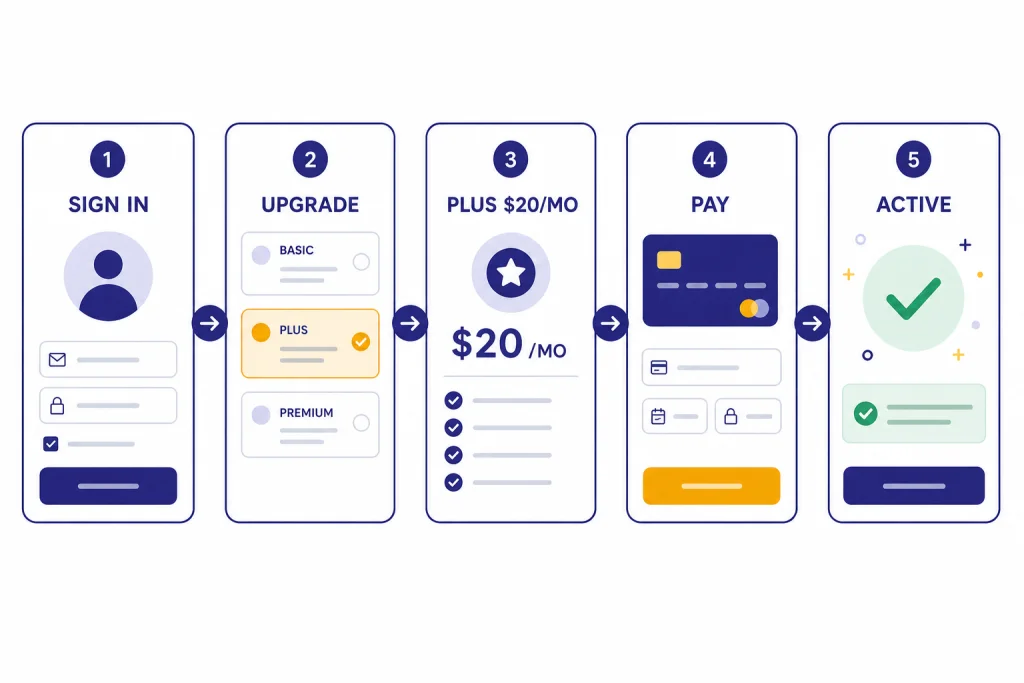
To upgrade to ChatGPT Plus, log in to ChatGPT, open your profile menu, choose the upgrade option, select Plus, and complete checkout with a supported payment method. OpenAI lists ChatGPT Plus at $20 per month, billed monthly, with expanded access compared with the free plan.[1] The safest route is usually the web checkout because OpenAI says web subscriptions are managed on chatgpt.com, while iPhone and Android subscriptions are managed by Apple or Google.[5] Before you pay, check the account email, the renewal terms, any promo code, and whether your work or school needs a Business, Enterprise, or Edu plan instead.
Quick answer
The basic upgrade path is simple: sign in, open the profile menu, select the upgrade option, choose Plus, review checkout, pay, and confirm that your account shows Plus. OpenAI’s Help Center describes the signup flow as logging into ChatGPT, clicking the profile icon, choosing Upgrade Plan, and selecting Get Plus.[2]
ChatGPT Plus is a personal subscription. It is not the same as the OpenAI API, and OpenAI states that API usage is separate and billed independently.[2] If your goal is to call models from your own app or automation, read our OpenAI API pricing guide before buying Plus.
Most individual users should upgrade from the same account they already use every day. Do not create a new account unless you intentionally want a separate subscription, chat history, and billing record.
Before you upgrade
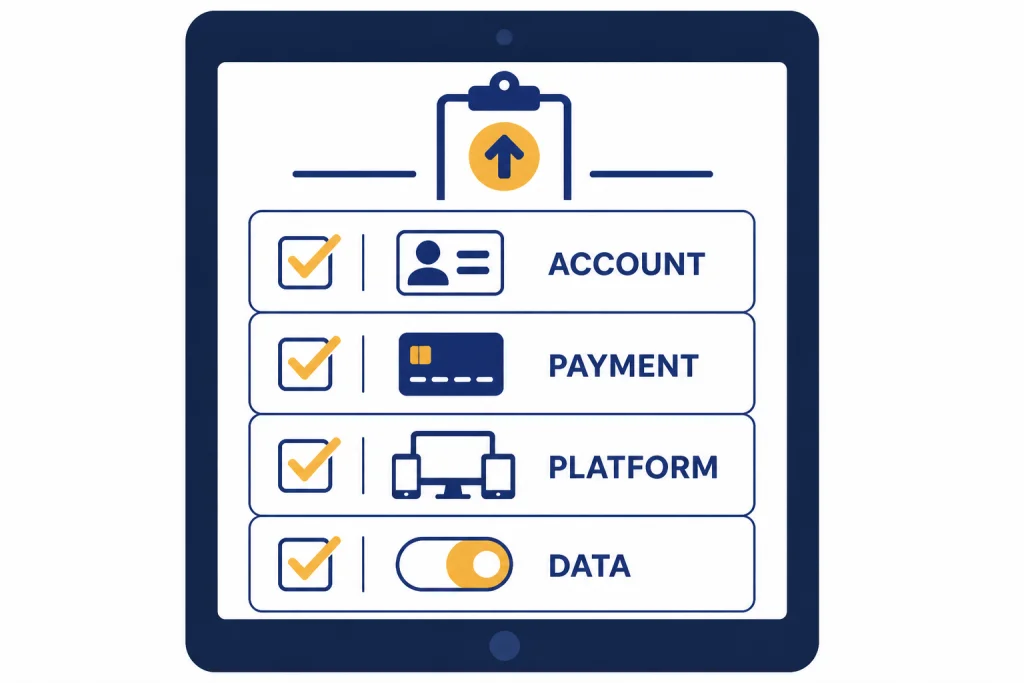
Take a minute to check four things before entering payment details. This prevents most upgrade mistakes.
- Your account email. Make sure you are signed into the account where you want Plus access. If you use multiple personal, work, or school accounts, this is the most common source of confusion.
- Your billing platform. A web subscription is managed on chatgpt.com. A mobile subscription is managed by Apple App Store or Google Play, depending on where you started it.[5]
- Your local price and payment options. OpenAI supports localized currencies for ChatGPT subscriptions in many regions and says web subscriptions use chatgpt.com billing, while iOS and Android subscriptions are handled through Apple or Google.[3] For a country-by-country view, see ChatGPT pricing by country.
- Your privacy settings. On personal plans such as Free, Plus, and Pro, data sharing is enabled by default, but OpenAI says you can opt out through Settings, Data Controls, and the Improve the model for everyone toggle.[8]
Also decide whether Plus is the right paid tier. Plus is a good personal productivity upgrade for people who want more capability than the free plan, but it is not the highest-access plan and it is not a team administration plan. If you are still deciding, compare ChatGPT Free vs Plus, review the full ChatGPT Plus benefits, and then read our verdict on whether ChatGPT Plus is worth it.
How to upgrade to ChatGPT Plus on the web
The web checkout is the cleanest path for most users because it keeps subscription management inside ChatGPT rather than inside an app store. OpenAI also recommends chatgpt.com as an easy option for people who use ChatGPT across multiple devices.[5]
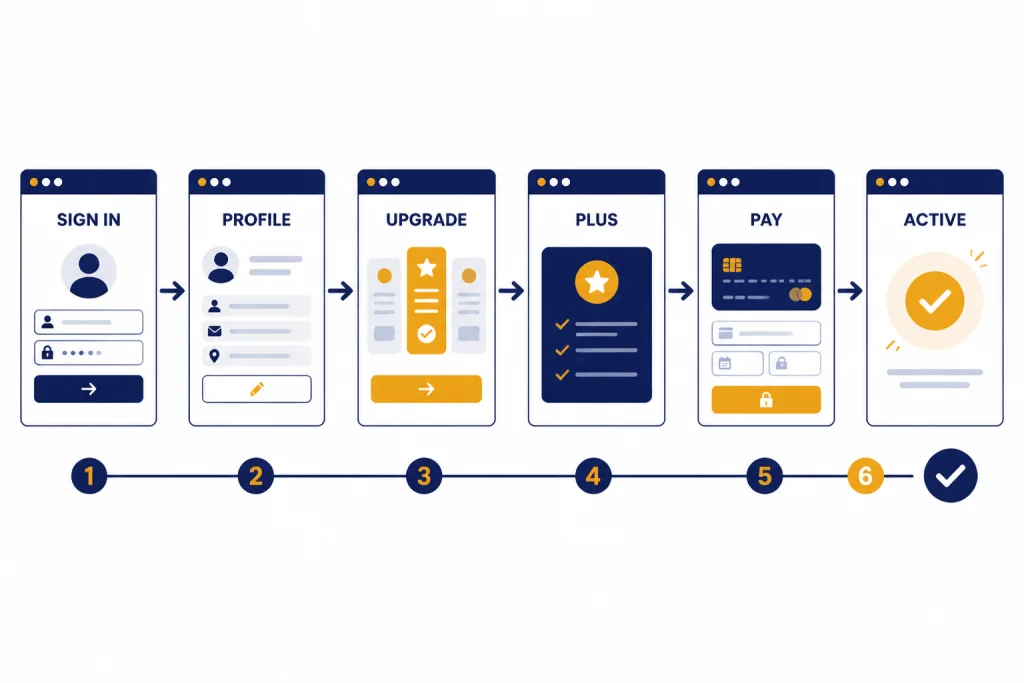
Step 1: Sign in to the correct account
Go to ChatGPT and sign in. Check the email address in the profile menu before you upgrade. If the email is wrong, sign out and use the account where you want Plus.
Step 2: Open the profile menu
Open your profile menu in the lower corner of the ChatGPT interface. OpenAI’s help article describes the upgrade path from the profile icon to Upgrade Plan.[2]
Step 3: Choose the upgrade option
Select the upgrade option. The label may vary slightly by interface, but OpenAI’s help article names the path as Upgrade Plan and then Get Plus.[2] If you see several plan cards, choose Plus only if you want the personal monthly plan.
Step 4: Review the Plus plan
OpenAI describes Plus as enhanced access to the ChatGPT web app for $20 per month, billed monthly.[2] The pricing page lists Plus at $20 per month and says paid plans are priced per user per month.[1] If taxes, local currency, or app-store pricing apply in your region, review the checkout screen before confirming.
Step 5: Enter payment details and complete checkout
Use a supported payment method at checkout. OpenAI’s multi-currency billing article says credit and debit cards are supported across all countries listed there, with some additional local payment methods available in specific regions.[3]
Step 6: Confirm Plus is active
After payment, return to ChatGPT and check your plan status in settings. You should also receive a billing record or receipt through the billing platform that processed the subscription.
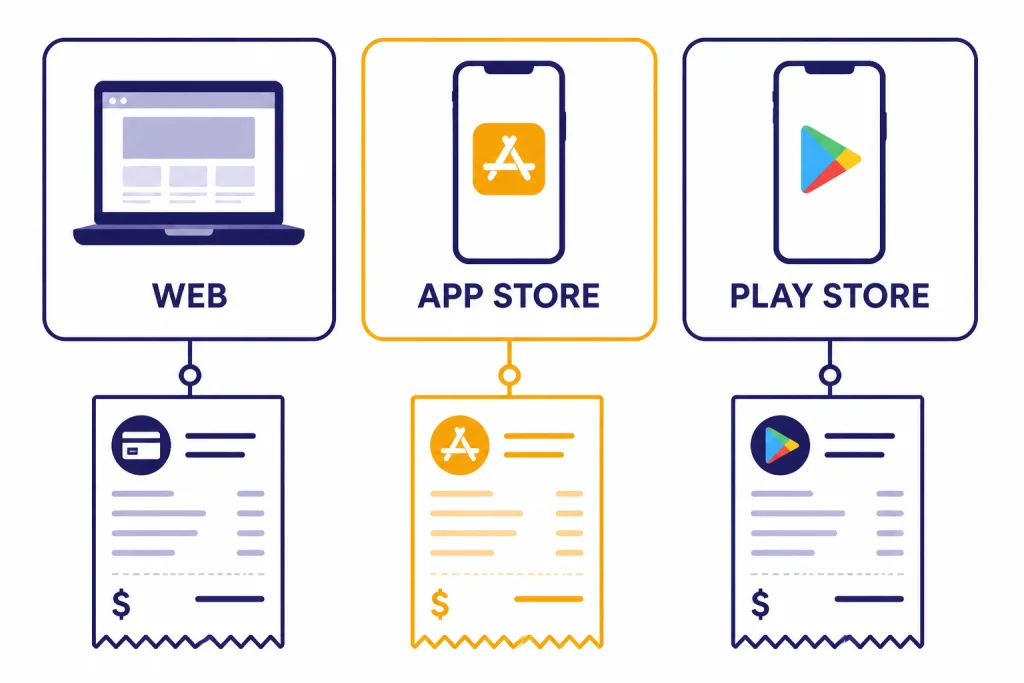
Web, iPhone, and Android billing compared
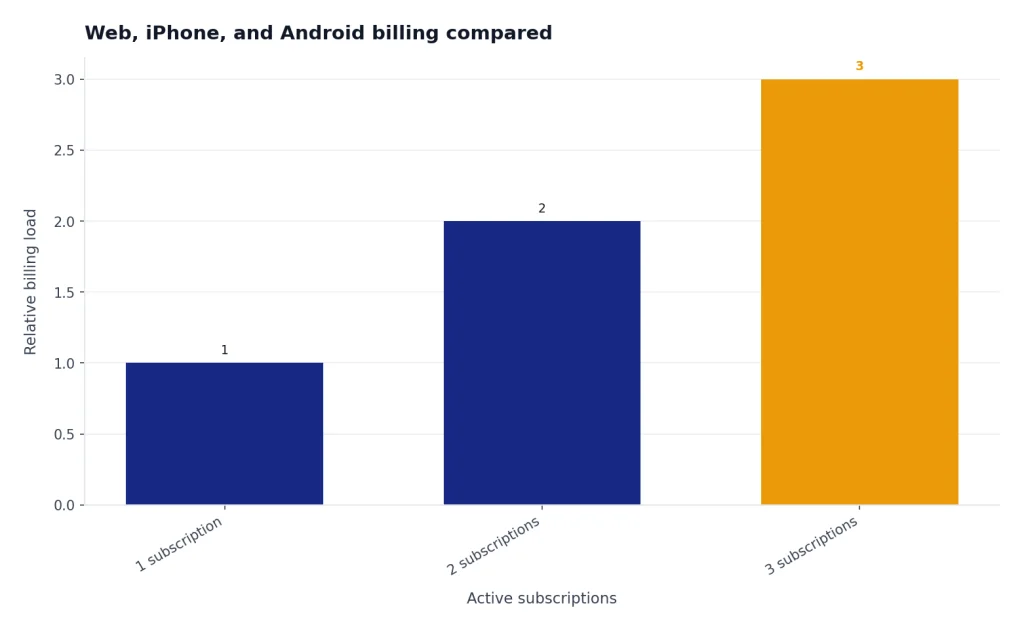
You can use ChatGPT Plus across devices after you subscribe, but the place where you start the subscription matters. OpenAI warns that users can create multiple active subscriptions if they subscribe on more than one platform.[5]
| Where you upgrade | Who manages billing | Best for | Main caution |
|---|---|---|---|
| chatgpt.com on the web | OpenAI on chatgpt.com | Users who want one account to manage across laptop, phone, and tablet | You must cancel on the web if you started on the web.[4] |
| ChatGPT iPhone app | Apple App Store | Users who prefer Apple subscription management | Apple subscriptions must be handled through Apple, including cancellation and refunds.[6] |
| ChatGPT Android app | Google Play | Users who prefer Google Play subscription management | Google Play subscriptions must be managed through the Google account used to subscribe.[5] |
If you already have a Plus subscription on one platform and want to move it to another, cancel the existing subscription from the original platform first. OpenAI says starting a new subscription on another platform before canceling the old one can lead to multiple charges.[5]
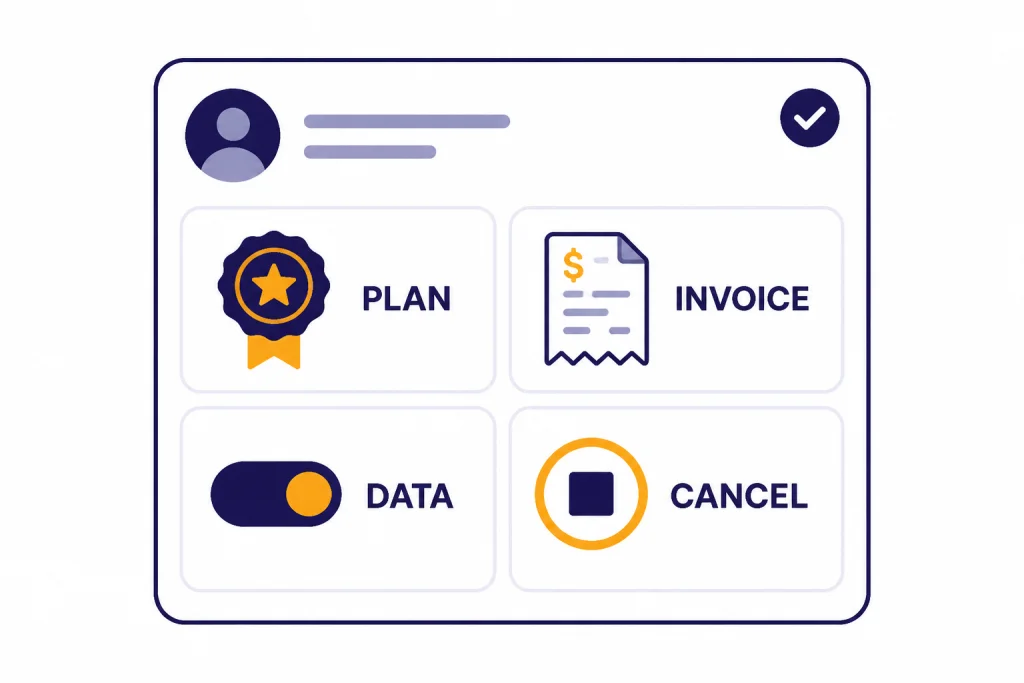
This is why the web path is often simpler. It keeps renewal, invoice access, cancellation, and plan management in one place. If you subscribed through an app store, do not assume web settings can cancel that store-managed subscription.
After upgrading
Once Plus is active, review your settings rather than jumping straight back into a long project. A short post-upgrade check helps you avoid surprises later.
- Confirm plan status. Open account settings and make sure Plus appears on the account you intended to upgrade.
- Save or locate your invoice. OpenAI says users can manage subscriptions, view invoices, and cancel through ChatGPT account settings for web subscriptions.[2]
- Check data controls. If you do not want new personal-plan conversations used for model training, turn off Improve the model for everyone under Data Controls.[8]
- Test the features you paid for. OpenAI lists Plus benefits such as priority access during high-traffic periods, higher GPT-5 limits, faster responses, voice conversations, image generation, file uploads and analysis, Deep Research tools where available, and custom GPT creation and use.[2]
OpenAI has not published an official fixed message cap for Plus. Its Help Center says Plus may include usage limits such as message caps and that limits may vary based on system conditions.[2] Treat Plus as expanded access, not unlimited access.
If you mainly upgraded for a specific feature, verify that the feature is available in your account and region before relying on it for a deadline. Some tools can be limited, rolled out gradually, or affected by demand.
Promo codes, free trials, and discounts
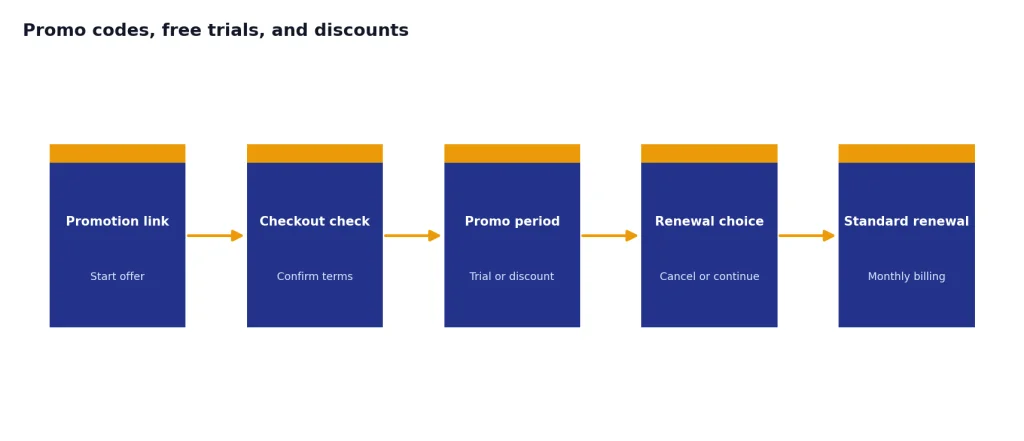
Do not assume there is always a public ChatGPT Plus discount. OpenAI’s promotions article says some promotions may start with a free trial, some may offer a discounted price, and others may use a one-time promotional rate.[7] If you are looking for savings, start with our ChatGPT Plus discount code tracker and our separate ChatGPT promo code page.
If you have a legitimate promotion, redeem it through the unique partner link or instructions. OpenAI says users should confirm that the discount or trial appears at checkout before completing the purchase.[7] If checkout shows the full monthly price and you expected a trial, stop and resolve the issue first.
OpenAI says most promotions auto-renew to the standard ChatGPT Plus monthly rate after the promotional period ends unless you cancel before renewal.[7] For a deeper look at trial eligibility, see ChatGPT Plus free trial and how to get ChatGPT Plus for free legally.
Students should also check current eligibility before paying. We track the student-specific options in ChatGPT Plus for students and our ChatGPT student discount guide.
Troubleshooting upgrade problems
The Plus button is missing
Check that you are signed in, using a supported region, and not already inside another paid workspace. If your account is managed by a workplace or school, plan options may differ from a personal account.
Your payment failed
Try a supported card or local payment method shown at checkout. OpenAI’s billing article lists credit and debit cards as supported payment methods across all countries covered by that article, with additional methods in some regions.[3] If a bank declines the charge, contact the bank or use another payment method.
You paid but Plus is not active
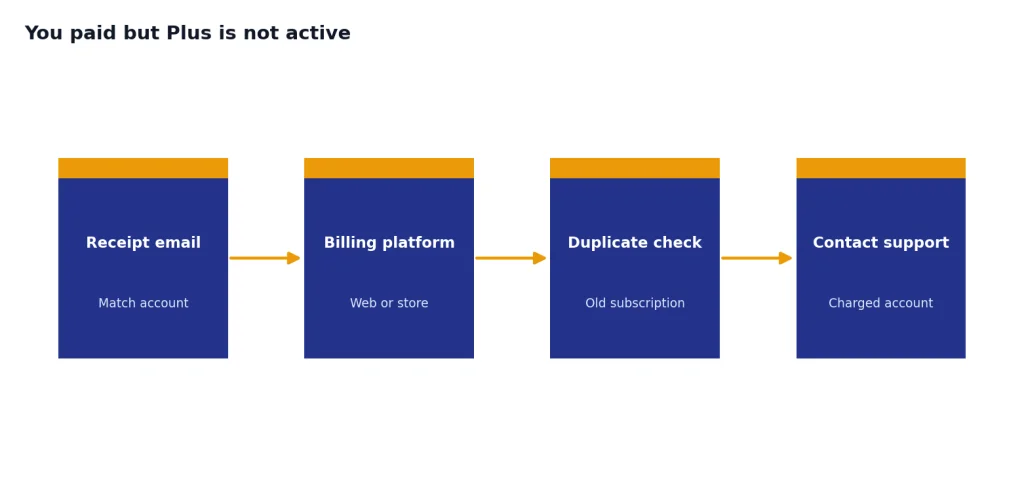
First, confirm the email address on the receipt and the email address in ChatGPT match. Then check whether the subscription was created through web, Apple, or Google Play. OpenAI says each platform manages its own subscription, and duplicate subscriptions can happen if you start a new one before canceling the old one.[5]
You upgraded the wrong account
Do not delete the account as your first move. OpenAI says deleting a ChatGPT account automatically cancels active ChatGPT subscriptions to prevent future charges, but that is not the same as moving Plus to another account.[6] Contact support from the charged account if you need help.
You want to cancel after upgrading
OpenAI says web subscriptions can be canceled from ChatGPT settings by going to Account, Manage, and Cancel Subscription.[4] It also says cancellation becomes effective the day after the next billing date, letting you use the service until then, and recommends canceling at least 24 hours before the next billing date to avoid another charge.[4] We cover the full process in how to cancel ChatGPT Plus subscription.
Refund rules depend on platform and circumstances. OpenAI says accidental purchases are generally eligible for a refund if you contact OpenAI within 14 days of the charge, and eligible web refunds are processed within 5 to 7 business days.[6] For app-store purchases, OpenAI says Apple subscriptions must be handled through Apple, while Google Play refund requests go through OpenAI support after you log in to the charged account.[6] See our ChatGPT refund policy guide before filing a request.
When not to upgrade
Do not upgrade to Plus just because it is the most visible paid option. It is a personal plan, and that makes it wrong for some use cases.
- You need the API. Plus does not include API usage, and OpenAI says API usage is billed separately.[2]
- You need a team workspace. If you need centralized billing, admin controls, and user management, compare the business plans instead of using one personal Plus account.
- You need the highest-access personal tier. Compare ChatGPT Plus vs Pro if you routinely hit limits or need heavier use.
- You only need occasional help. The free plan may be enough if you use ChatGPT lightly. Read how much ChatGPT costs before committing to a subscription.
- You are buying for a school or company. Personal Plus may not satisfy procurement, privacy, or administrative requirements.
OpenAI also says Plus does not currently support annual billing or paying for multiple months in advance.[2] If you need annual billing, invoices, purchase orders, or centralized controls, Plus is probably not the right buying path.
Frequently asked questions
How much does it cost to upgrade to ChatGPT Plus?
OpenAI lists ChatGPT Plus at $20 per month, billed monthly.[1] Taxes, local currency conversion, and app-store billing details can vary by region and platform, so review the final checkout screen before paying. For more detail, read how much ChatGPT Plus costs.
Can I upgrade to ChatGPT Plus from my phone?
Yes, but understand who will manage the subscription. OpenAI says iOS and Android subscriptions are managed by Apple App Store or Google Play, while web subscriptions are managed on chatgpt.com.[5] If you want the simplest cross-device billing setup, use the web checkout.
Does ChatGPT Plus include API credits?
No. OpenAI states that API usage is separate and billed independently from ChatGPT Plus.[2] Buy Plus for the ChatGPT app, not for developer API usage.
Can I pay annually for ChatGPT Plus?
OpenAI says it does not currently support annual billing or paying for multiple months in advance for ChatGPT Plus subscriptions.[2] If you see a third party claiming to sell annual Plus access, be cautious and verify it directly with OpenAI.
What happens if I cancel right after upgrading?
For standard web subscriptions, OpenAI says cancellation becomes effective the day after your next billing date, so you can keep using the service until then.[4] Promotions can work differently; OpenAI says access from a free promotion may end immediately when canceled.[7]
Can I get a refund if I upgraded by mistake?
OpenAI says accidental purchases are generally eligible for a refund if you contact OpenAI within 14 days of the charge.[6] Apple subscriptions must be handled through Apple, while Google Play refund requests are submitted through OpenAI support after logging into the charged account.[6]