

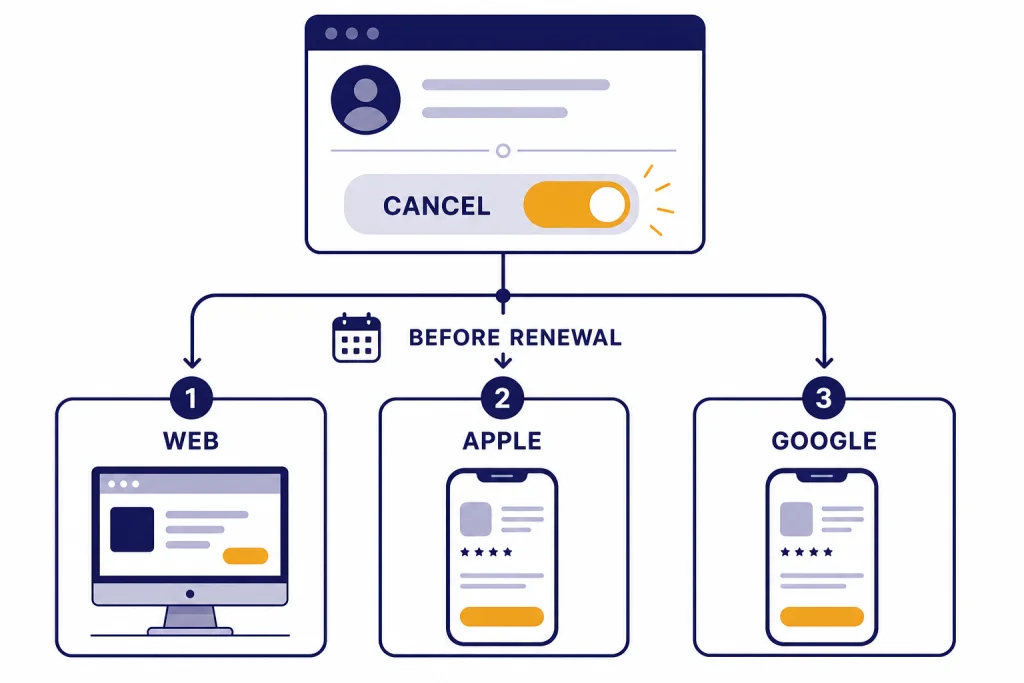
To cancel a ChatGPT subscription, start where you originally bought it. If you subscribed on chatgpt.com, cancel from ChatGPT settings under Account, Manage, then Cancel Subscription. If you subscribed through the Apple App Store, cancel from Apple subscriptions on your iPhone, iPad, Mac, or Apple account. If you subscribed through Google Play, cancel from Google Play subscriptions. OpenAI says cancellation should be done at least 24 hours before the next billing date to avoid the next charge, and access usually continues through the paid period.[1] This guide explains each path and what to check if the cancel button is missing.
Choose the right cancellation path
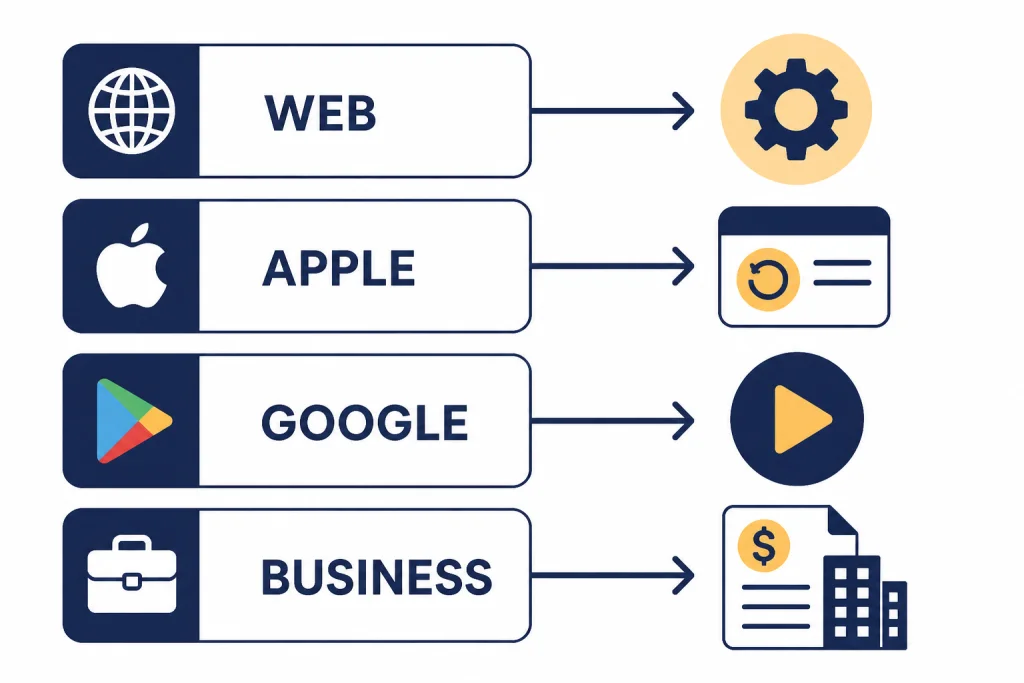
The fastest way to cancel is to identify who bills you. ChatGPT subscriptions can be managed by chatgpt.com, Apple, or Google Play. OpenAI also documents a separate cancellation path for ChatGPT Business workspaces. The device in your hand is less important than the payment system that created the subscription.
OpenAI states that subscriptions started on chatgpt.com must be canceled on chatgpt.com, while mobile App Store or Play Store subscriptions must be canceled through the corresponding mobile billing provider.[1] That rule also prevents duplicate subscriptions. If you move from Apple or Google Play to chatgpt.com, OpenAI says to cancel the old platform subscription first.[4]
Use this table before you start. It will save time if you have used ChatGPT across several devices.
| Where you originally subscribed | Where to cancel | Best device to use | What to check first |
|---|---|---|---|
| chatgpt.com | ChatGPT account settings | Desktop browser or mobile browser | Profile icon, Settings, Account, Manage |
| ChatGPT iOS app with Apple billing | Apple subscriptions | iPhone, iPad, Mac, or Apple account web | The Apple Account shown on the receipt |
| ChatGPT Android app with Google Play billing | Google Play subscriptions | Android device or Google Play website | The Google Account used to subscribe |
| ChatGPT Business self-serve workspace | Workspace billing settings | Desktop browser | Workspace owner or admin access |
| Enterprise or Edu | Contract or admin channel | Not self-service in this guide | Your organization’s administrator or OpenAI contact |
If you are comparing whether to cancel, downgrade, or switch plans, start with our overview of ChatGPT Subscription Plans. If your subscription is specifically Plus, our separate guide on how to cancel ChatGPT Plus subscription narrows the steps to that plan.
Cancel on ChatGPT web
Use this path if your paid plan was purchased directly on chatgpt.com. It applies to personal self-service subscriptions managed by OpenAI billing. OpenAI’s cancellation article says to log in, open your profile menu, select Settings, go to the Account tab, open the Manage dropdown, and choose Cancel Subscription.[1]
- Open ChatGPT in a web browser and sign in to the account that is being charged.
- Select your profile icon.
- Open Settings.
- Go to Account.
- Select Manage.
- Choose Cancel Subscription.
- Finish the confirmation flow and keep the confirmation email or screenshot.
If you use ChatGPT on a phone, you can still cancel a web-billed subscription from a mobile browser. Do not assume the iOS or Android app store controls your subscription just because you use the app now. The billing path depends on where the subscription began.
If you cannot find the Manage option, check whether your plan is billed through Apple or Google Play. OpenAI’s duplicate subscription guidance tells users to check each platform separately: iOS Settings, Google Play subscriptions, and ChatGPT web account settings.[4]
Canceling does not erase your chats. It ends renewal for the paid subscription. If your goal is to reduce cost rather than leave ChatGPT entirely, compare the features you will lose in ChatGPT Free vs Plus and review whether is ChatGPT Plus worth it for your actual usage.
Cancel on iPhone, iPad, or Apple billing
Use this path if you subscribed to ChatGPT through the Apple App Store. OpenAI says Apple manages those subscriptions, so cancellation must happen through Apple’s subscription settings rather than through ChatGPT web billing.[2]
Cancel on iPhone or iPad
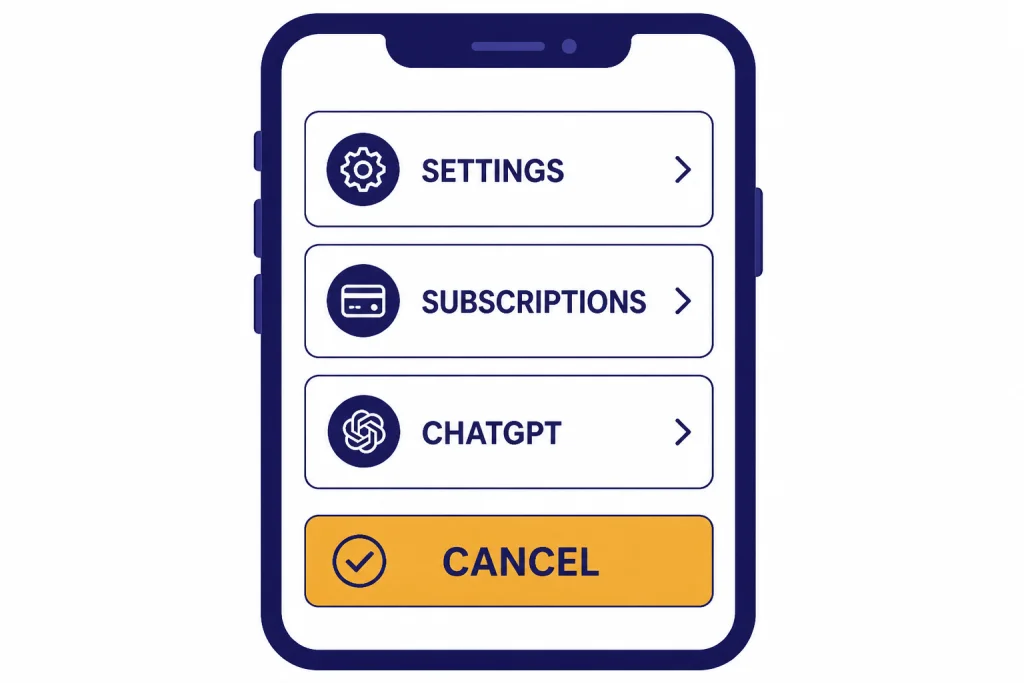
- Open the Settings app.
- Tap your name at the top.
- Tap Subscriptions.
- Select ChatGPT.
- Tap Cancel Subscription.
- Confirm the cancellation.
Apple’s own support instructions match this general path for App Store subscriptions: open Settings, tap your name, tap Subscriptions, choose the subscription, and tap Cancel Subscription.[6] Apple also notes that if there is no Cancel button or you see an expiration message in red text, the subscription is already canceled.[6]
Cancel from a Mac or Apple account
If you do not have your iPhone nearby, Apple says subscriptions can also be canceled on a Mac through the App Store account settings, or on the web through an Apple account cancellation flow.[6] This is useful when your ChatGPT subscription was created on iPhone but you now manage billing from a laptop.
Check the Apple Account carefully. Apple says that if you cannot find the subscription, you should search your email for Apple receipts and check which Apple Account appears on the receipt.[6] You cannot cancel another family member’s subscription from your own Apple Account, even if the charge affects a shared payment method.
OpenAI warns that deleting your ChatGPT account on the web interface will not cancel an Apple-billed ChatGPT subscription.[2] Cancel in Apple subscriptions first if Apple is the billing provider.
Cancel on Android or Google Play
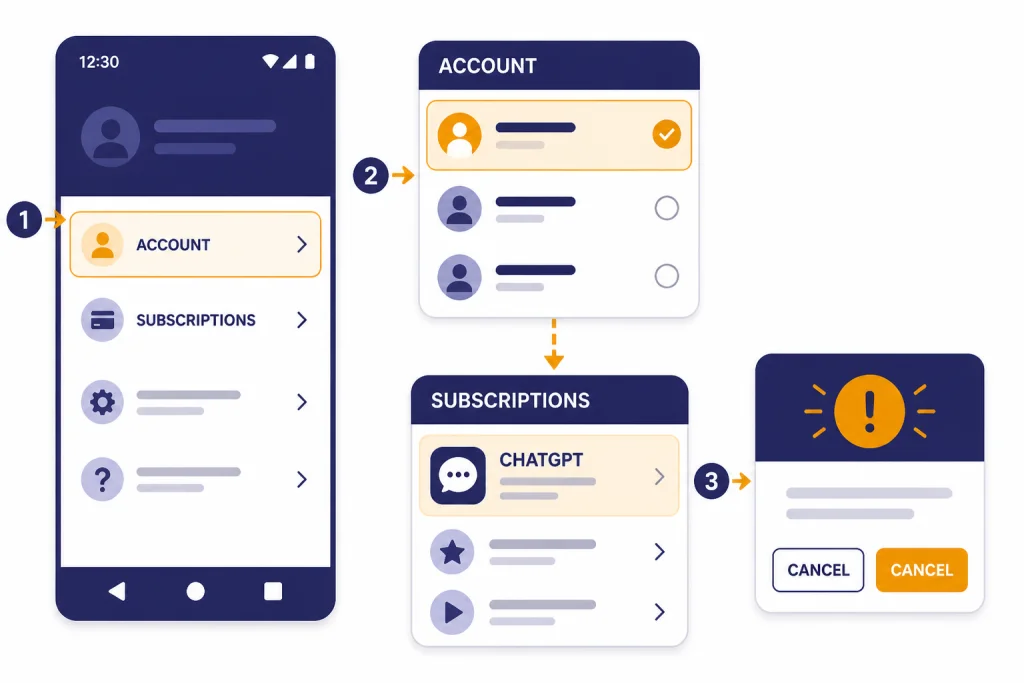
Use this path if you subscribed through the ChatGPT Android app using Google Play billing. OpenAI says Google Play subscriptions can be canceled from the Google Play Store app or the Google Play website while signed in to the same Google Account used to subscribe.[3]
Cancel in the Google Play app
- Open the Google Play Store on your Android device.
- Confirm you are signed in to the Google Account that bought ChatGPT.
- Open Menu, then Subscriptions.
- Select the ChatGPT subscription.
- Tap Cancel subscription.
- Follow the remaining prompts.
Google’s support page gives the same core instruction: go to subscriptions in Google Play, select the subscription, tap Cancel subscription, and follow the instructions.[7] Google also states that uninstalling an app does not cancel the subscription.[7]
Cancel on the Google Play website
- Open Google Play subscriptions in a browser.
- Sign in to the Google Account used for the ChatGPT purchase.
- Find ChatGPT and select Manage.
- Choose Cancel subscription.
- Select a reason in the confirmation pop-up.
- Select Continue.
OpenAI’s Android help article says Google Play accounts may be charged 24 hours before the current subscription period ends, and that subscription features remain available until the end of the current paid period after canceling.[3] Cancel early if your renewal date is close.
If ChatGPT does not appear in Google Play subscriptions, switch Google Accounts and check again. Google’s support page says a missing subscription may be on a different account.[7]
Cancel ChatGPT Business
ChatGPT Business has a different cancellation path from a personal Plus or Pro plan. OpenAI says Business users should log in, click the profile icon, select Workspace settings, go to Billing, open Manage plan, and select Cancel subscription.[1]
- Log in to ChatGPT with a workspace owner or admin account.
- Select your profile icon.
- Open Workspace settings.
- Go to the Billing tab.
- Open Manage plan.
- Select Cancel subscription.
- Save confirmation for your records.
OpenAI’s Business billing article also says owners and admins can cancel from Workspace settings, Billing, using a Cancel button at the bottom of the billing page.[8] If you do not see billing controls, you may be a member rather than an owner or admin.
Business cancellation can affect multiple users, shared workspace resources, and seat management. OpenAI says unused standard ChatGPT seats are not refundable once a workspace commits to a seat count on a monthly or annual plan.[8] Review your seat count and renewal date before canceling a workspace.
If your company is still deciding between individual and workspace billing, compare the tradeoffs in chatgpt business pricing. For individual cost planning, see How Much Does ChatGPT Cost in Total?.
What happens after you cancel
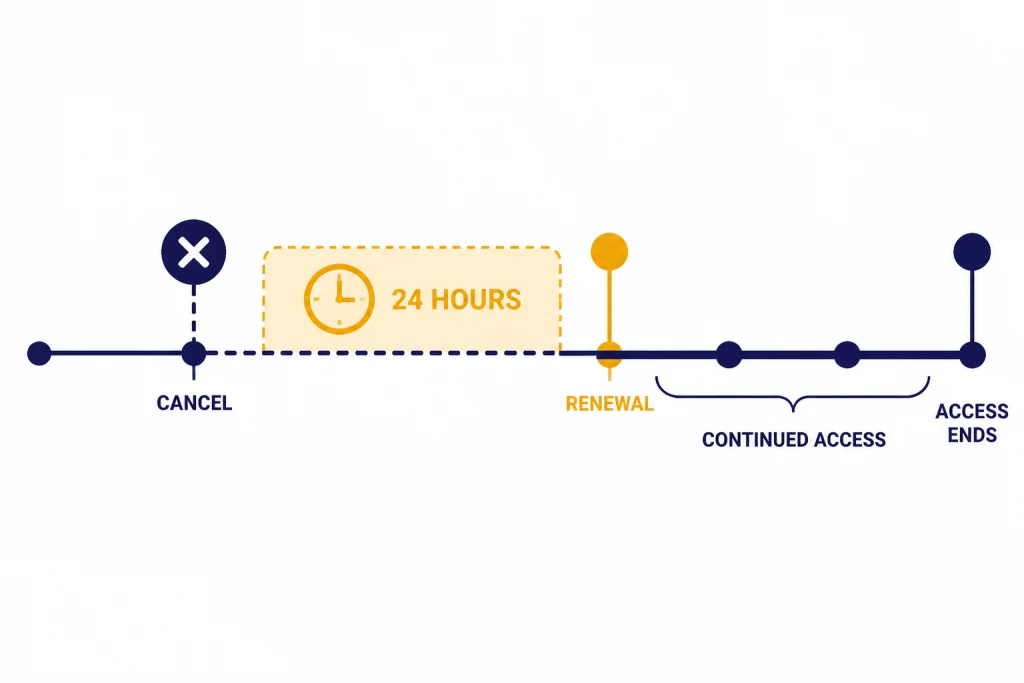
Canceling stops the next renewal. It usually does not remove paid access immediately. OpenAI says cancellation becomes effective the day after the next billing date, allowing users to keep using the service until then.[1] OpenAI also says to cancel at least 24 hours before the next billing date to avoid being charged for the next billing period.[1]
For Apple-billed ChatGPT subscriptions, OpenAI says the Apple App Store account will be charged 24 hours before the end of the current subscription period, and subscription features remain until the end of the current paid period after canceling.[2] For Google Play-billed subscriptions, OpenAI gives the same 24-hour timing and continued-access rule.[3]
Do not rely on deleting the app. OpenAI says uninstalling the ChatGPT Android app will not cancel a ChatGPT subscription.[3] Google says the same for Google Play subscriptions generally.[7] OpenAI also says uninstalling does not cancel Apple or Google Play subscriptions in its duplicate billing guidance.[4]
Deleting your OpenAI or ChatGPT account is different. OpenAI says deleting your ChatGPT account automatically cancels active ChatGPT subscriptions and prevents future charges.[1] That said, OpenAI separately warns that deleting your ChatGPT account on the web interface will not cancel an Apple-billed ChatGPT subscription.[2] If Apple is billing you, cancel in Apple subscriptions first.
Duplicate billing can happen when users switch platforms without canceling the old one. OpenAI says ChatGPT subscriptions are managed by the platform where they were purchased: Apple App Store, Google Play Store, or chatgpt.com.[4] Check all three if you see more than one charge.
Refunds after canceling
Canceling and getting a refund are separate actions. OpenAI’s cancellation page says subscription fees are non-refundable.[1] OpenAI’s refund article adds a practical exception: accidental purchases are generally eligible for a refund if you contact OpenAI within 14 days of the charge.[5]
If you subscribed through Apple, OpenAI says cancellations and refunds must be requested directly from Apple.[5] Apple says App Store purchases and subscriptions may be eligible for a refund, and refund requests are handled through Apple’s support flow.[6]
If you subscribed through Google Play, OpenAI says to log in to ChatGPT, open the Help Center widget, and request a refund through chat.[5] Google’s general Play policy says you may be able to get a refund for apps, games, and in-app purchases, including subscriptions, depending on how long it has been since purchase.[7]
OpenAI says eligible refunds are processed within 5 to 7 business days.[5] Residents of the EU, UK, and Turkey are eligible for a refund if they cancel within 14 days of purchase, according to OpenAI’s refund article.[5]
For a step-by-step refund-focused guide, read our ChatGPT Refund Policy. If you are canceling because the plan cost feels high, also check ChatGPT Pricing by Country, since local billing details can vary by region and app store.
Troubleshooting missing cancel buttons
ChatGPT says you have no web subscription
This usually means Apple or Google Play manages the subscription, or you are signed in to the wrong ChatGPT account. Check your receipts first. A receipt from Apple points to Apple subscriptions. A receipt from Google Play points to Google Play subscriptions. A receipt from OpenAI or ChatGPT web billing points to chatgpt.com account settings.
Apple does not show ChatGPT
Apple says to search your email for Apple receipts and check which Apple Account appears on the receipt.[6] If the receipt belongs to another Apple Account or a family member, that account must cancel the subscription.
Google Play does not show ChatGPT
Google says missing subscriptions may be on a different Google Account.[7] Switch accounts in Google Play and check Subscriptions again. If you have multiple personal and work Google Accounts on the same phone, this is a common cause.
You canceled but still have paid features
That is expected if your paid period has not ended. OpenAI says subscription features remain available until the end of the current paid period for Apple and Google Play cancellations.[2][3] The same principle applies to OpenAI’s web cancellation timing, where access continues until the cancellation becomes effective after the next billing date.[1]
You canceled but were charged again
Check the cancellation time and the billing platform. OpenAI says to cancel at least 24 hours before the next billing date.[1] If the charge came from Apple or Google Play, check that platform directly. If you have more than one active subscription, follow OpenAI’s duplicate subscription guidance and inspect Apple, Google Play, and chatgpt.com separately.[4]
Alternatives before you cancel
Canceling is the right choice if you no longer use paid features or you need to stop renewal today. But if the issue is price, limits, or the wrong plan, review your alternatives first. You may be better served by downgrading, switching billing platforms, or waiting until a project-heavy month to resubscribe.
If your question is whether Plus still earns its place in your budget, read is ChatGPT Plus worth it? honest 2026 verdict. If you are trying to understand the difference between individual paid tiers, compare ChatGPT Plus vs Pro. If you are mainly looking for savings, review our notes on chatgpt promo code and chatgpt plus discount code, but treat any third-party discount claim with caution.
Students should check current eligibility before canceling for cost reasons. Start with ChatGPT Plus for Students and chatgpt student discount. If you are hoping for a temporary trial instead of a paid renewal, see chatgpt plus free trial and chatgpt free trial.
After you cancel, you can usually keep using free ChatGPT features with the same account. If you later decide to subscribe again, follow how to upgrade to ChatGPT Plus step by step. Keep your cancellation confirmation until the final billing cycle is closed.
Frequently asked questions
How do I cancel my ChatGPT subscription if I do not know where I subscribed?
Check all three billing places: ChatGPT web settings, Apple subscriptions, and Google Play subscriptions. OpenAI says the subscription is managed by the platform where it was purchased.[4] Your receipt is usually the fastest clue.
Will deleting the ChatGPT app cancel my subscription?
No. OpenAI says uninstalling the ChatGPT Android app will not cancel the subscription.[3] Google also states that uninstalling an app does not cancel a Google Play subscription.[7] Use the actual billing settings instead.
Can I keep using ChatGPT after I cancel?
Usually yes, through the end of the paid period. OpenAI says cancellation becomes effective the day after the next billing date for web subscriptions.[1] OpenAI also says Apple and Google Play subscription features remain until the end of the current paid period after cancellation.[2][3]
How late can I cancel before renewal?
OpenAI says to cancel at least 24 hours before the next billing date to avoid the next charge.[1] OpenAI also says Apple and Google Play accounts may be charged 24 hours before the end of the current subscription period.[2][3] Cancel earlier if you are close to renewal.
How do I cancel ChatGPT if Apple shows no cancel button?
Apple says that if there is no Cancel button, or if you see an expiration message in red text, the subscription is already canceled.[6] If ChatGPT is not listed at all, check the Apple Account shown on the receipt. Another Apple Account may own the subscription.
Can I get a refund after canceling ChatGPT?
Not always. OpenAI says subscription fees are non-refundable on its cancellation page.[1] Its refund article says accidental purchases are generally eligible if you contact OpenAI within 14 days of the charge, and eligible refunds are processed within 5 to 7 business days.[5]