

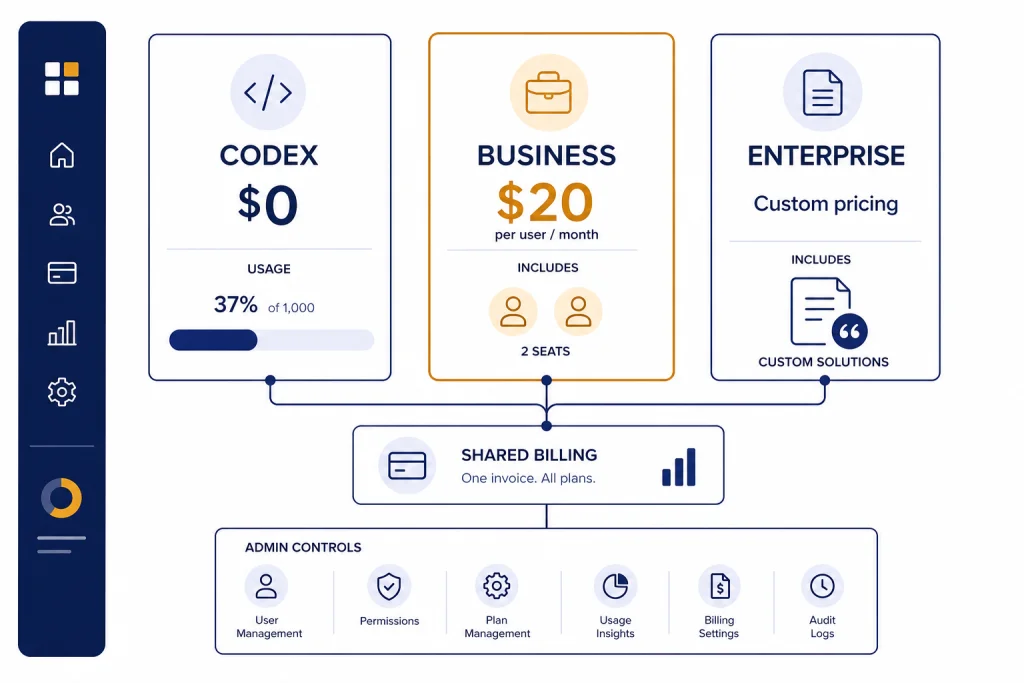
ChatGPT Business pricing starts at $20 per user per month when billed annually, or $25 per user per month on monthly billing, with a minimum of 2 standard ChatGPT seats.[3] That means the lowest paid Business workspace starts at $480 per year on annual billing, before taxes, credits, and optional usage-based Codex activity.[3] OpenAI also offers a Codex-only Business seat with no fixed monthly seat fee, but usage requires workspace credits.[3] Enterprise and Edu are quote-based, while API usage is billed separately from any ChatGPT Business subscription.[2] This guide explains the tiers, real team costs, and when Business is the right upgrade over Plus or Pro.
Quick price answer
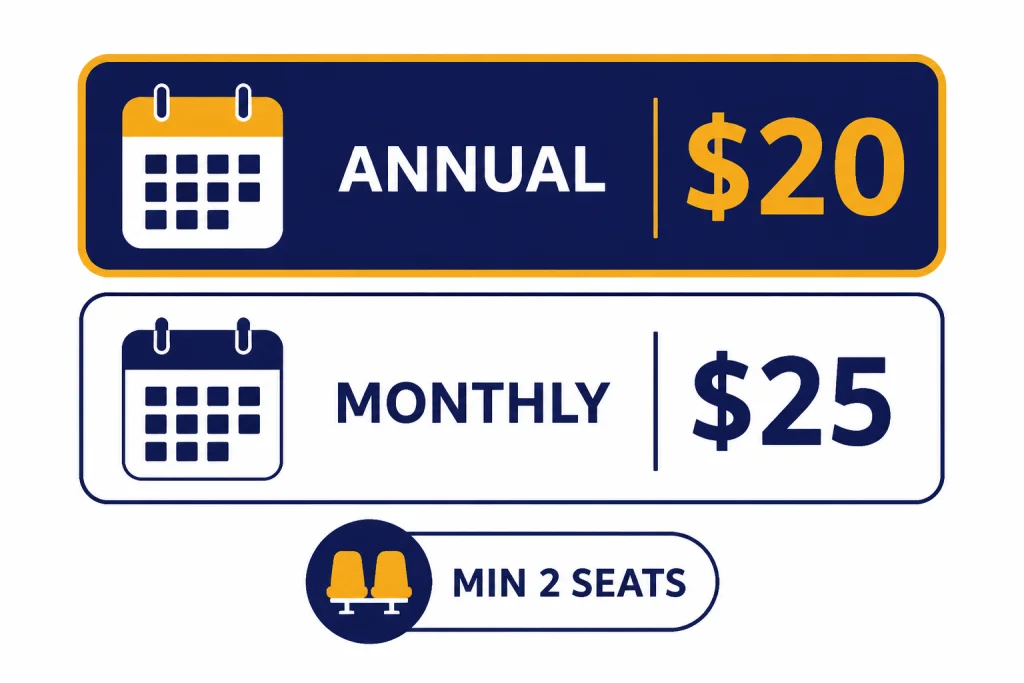
The short version is simple. A standard ChatGPT Business seat costs $20 per user per month on annual billing and $25 per user per month on monthly billing.[3] OpenAI requires at least 2 standard ChatGPT seats for a paid Business workspace, so the practical minimum is $40 per month on annual billing, paid as $480 for the year, or $50 month to month before taxes.[3]
OpenAI changed the Business pricing structure on April 2, 2026, including a $5 per month reduction for standard ChatGPT seats and a new Codex-only seat type.[2] If you last looked at the old ChatGPT Team price, update your spreadsheet. ChatGPT Team was renamed ChatGPT Business on August 29, 2025, and the current Business plan is the successor to that workspace product.[2]
There are now 2 Business buying paths. “Business ChatGPT & Codex” is the normal paid workspace with standard ChatGPT seats. “Business Codex” is a development-focused option with no fixed seat fee and pay-as-you-go usage.[1] Most non-engineering teams should start with standard ChatGPT Business seats. Engineering groups that only need Codex access for some users should evaluate Codex seats separately.
What ChatGPT Business includes
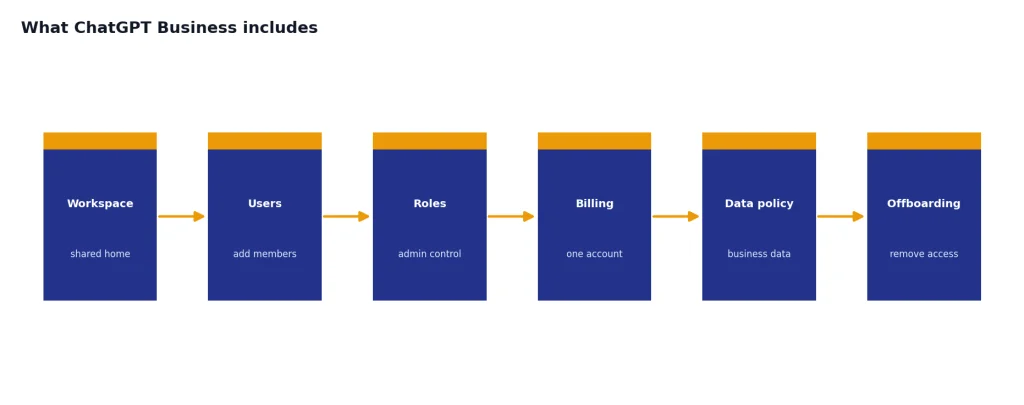
ChatGPT Business is a self-serve workspace for organizations that want shared billing, shared collaboration features, and basic administrative control. OpenAI describes it as a secure collaborative workspace for startups and growing businesses.[1] It includes a dedicated workspace, centralized billing, member and role management, SAML SSO, MFA, and no training on your business data by default.[1]
The Business plan also includes work features that individual Plus and Pro accounts do not handle as cleanly. OpenAI lists apps, data analysis, record mode, canvas, shared projects, and custom workspace GPTs as Business features.[1] The pricing page also says Business includes 60+ apps that connect tools and data into ChatGPT, including examples such as Slack, Google Drive, SharePoint, GitHub, and Atlassian.[1]
The main reason to buy Business is not only higher usage. It is governance. A company can create one workspace, add or remove members, manage billing in one place, and keep work conversations under a business data policy. If your company has multiple employees expensing individual Plus accounts, Business is usually cleaner even before you consider features.
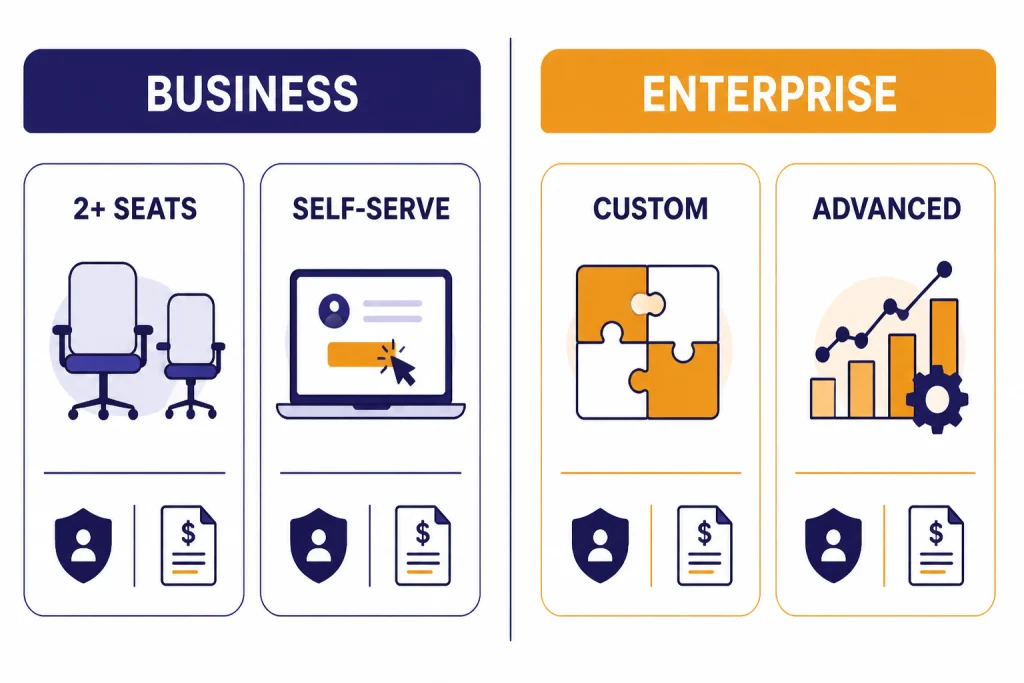
Business is still not the same as Enterprise. OpenAI positions Enterprise for organizations that need advanced controls, custom terms, priority support, invoicing, volume discounts, and security features beyond the self-serve Business plan.[1] If your procurement team needs purchase orders, ACH, net terms, a BAA, Zero Data Retention, or custom legal review, OpenAI says to use a contracted offering instead of self-serve ChatGPT Business.[2] For a deeper quote-focused comparison, see our ChatGPT Enterprise pricing guide.
Business seat types
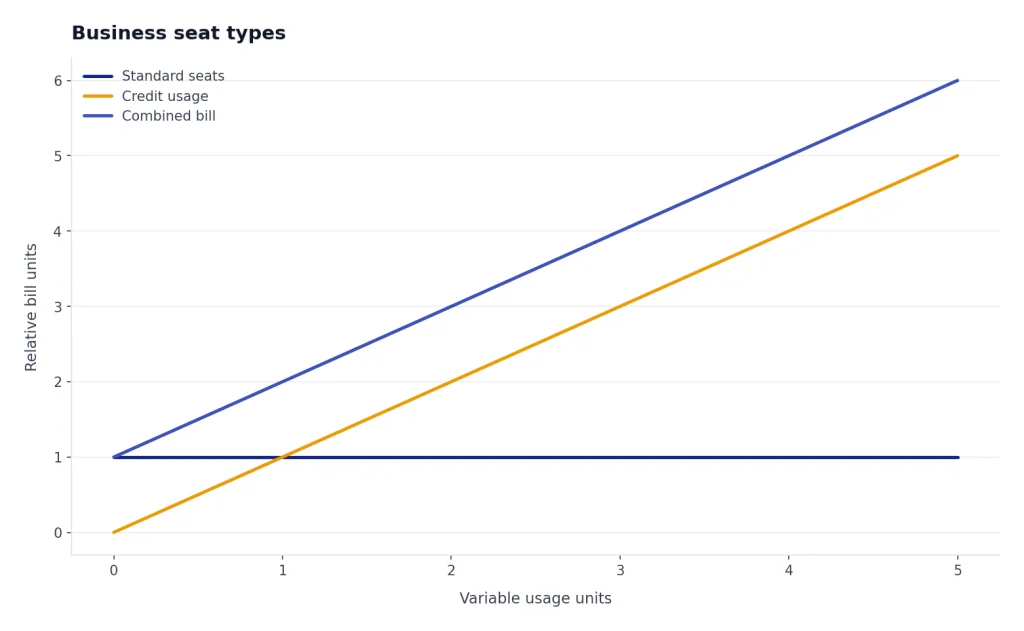
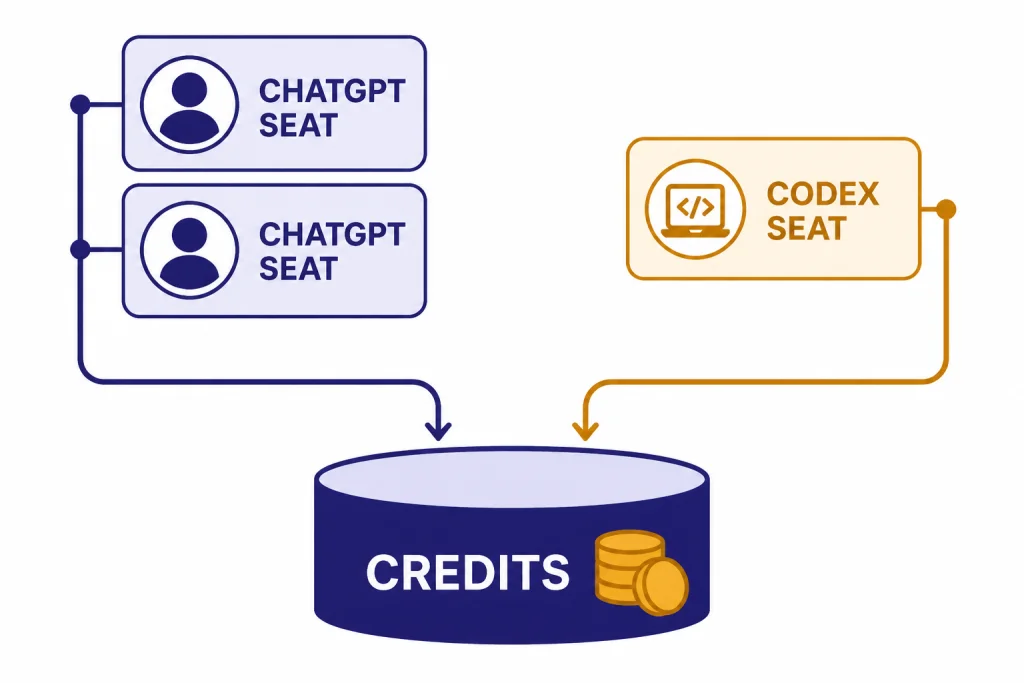
OpenAI now separates Business access into 2 seat types: a standard ChatGPT seat and a Codex seat.[2] The seat type matters because it determines both access and billing. A standard seat includes ChatGPT and Codex access for a fixed per-user monthly price. A Codex seat is Codex-only and usage-based, with no fixed monthly seat price.[3]
| Seat type | Best for | Access | Billing | Minimum |
|---|---|---|---|---|
| Standard ChatGPT seat | Employees who use ChatGPT for writing, analysis, research, meetings, and coding help | ChatGPT and Codex | $20 per user per month annually, or $25 per user per month monthly | 2 seats |
| Codex seat | Developers who only need Codex in the Business workspace | Codex only | No fixed seat fee; usage requires workspace credits | No minimum |
A mixed workspace can include standard ChatGPT seats, Codex-only seats, or both.[3] That helps a company avoid giving every technical collaborator a full ChatGPT seat when some only need coding-agent access. It also means the monthly bill can have 2 parts: predictable standard seats and variable credit-based usage.
If a user on a Codex seat tries to access ChatGPT in the Business workspace, OpenAI says that user will be told ChatGPT access is not available for that seat type.[2] Upgrading that person to a standard ChatGPT seat adds both ChatGPT and Codex access. For teams that need a simple fixed budget, standard seats are easier. For engineering groups with uneven coding-agent usage, Codex seats can be more precise.
Real cost examples
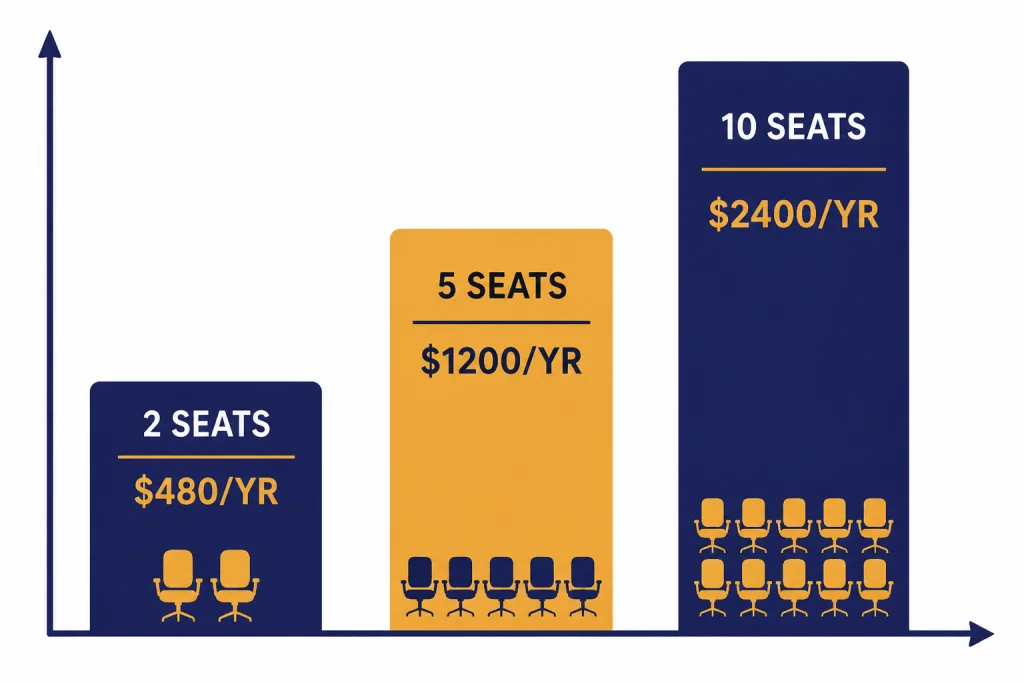
Business pricing scales linearly for standard ChatGPT seats. The annual plan gives the lowest published per-seat price, but it also commits you to annual billing. The monthly plan costs more per user, but it is easier to adjust if your headcount is uncertain.[3]
| Team size | Annual billing at $20/user/month | Monthly billing at $25/user/month | Notes |
|---|---|---|---|
| 2 users | $480 per year | $50 per month | Minimum paid standard-seat workspace |
| 5 users | $1,200 per year | $125 per month | Small leadership, sales, or operations team |
| 10 users | $2,400 per year | $250 per month | Department-level rollout |
| 25 users | $6,000 per year | $625 per month | Large team; compare against Enterprise quote if governance needs are rising |
These examples use OpenAI’s published standard-seat prices and exclude taxes, currency differences, add-on credits, and Codex usage over included limits.[3] OpenAI says pricing may vary by country and currency, so international teams should verify the checkout price in their region.[2] Our ChatGPT pricing by country guide covers the practical issues that can show up when a U.S. headquarters pays for users in other markets.
The simplest way to budget is to separate fixed seats from variable usage. Standard seats are your recurring subscription line. Credits are your variable line for advanced usage. API usage is a separate product line and should not be included in a ChatGPT Business seat budget.[2]
Business vs Plus, Pro, Enterprise, Edu, and API
ChatGPT Business sits between individual subscriptions and contract-based organization plans. It is not just “Plus for companies.” Plus and Pro are personal subscriptions. Business is a shared workspace. Enterprise and Edu are larger deployments with sales-led purchasing. API pricing is separate usage-based developer billing.
| Plan | Published or typical pricing model | Best fit | Key difference from Business |
|---|---|---|---|
| Free | $0 per month on OpenAI’s pricing page | Light personal use | No paid workspace controls |
| Plus | $20 per month | Individual users who want expanded access | No shared company workspace or centralized seat billing |
| Pro | $200 per month for the highest individual tier listed in OpenAI’s Pro help content | Heavy individual users | Higher personal usage, but not a team-admin plan |
| Business | $20 per user per month annually, or $25 monthly, minimum 2 standard seats | Small and growing organizations | Self-serve workspace with admin controls and pooled billing |
| Enterprise | Custom pricing | Large or regulated organizations | Contract terms, advanced controls, invoicing, support, and volume discounts |
| Edu | Sales-led education offering; OpenAI has not published an official public seat price | Universities and campus-wide deployments | Education-focused deployment and campus administration |
| API | Usage-based model pricing | Developers building products or internal systems | Separate from ChatGPT Business; seats do not include API usage |
OpenAI’s pricing page lists Plus at $20 per month and Free at $0 per month.[5] The ChatGPT Plus help page also describes Plus as enhanced access to the ChatGPT web app for $20 per month.[6] If you are choosing between individual subscriptions, start with our ChatGPT Plus vs Pro comparison or the broader ChatGPT subscription plans breakdown.
For Pro, OpenAI’s help article describes the $200 Pro tier as the highest usage tier and distinguishes it from lower-usage Pro options.[7] The important Business comparison is that Pro is still an individual subscription. A founder, analyst, or engineer may prefer Pro for solo heavy usage, but a company that needs shared workspace controls should compare Business instead.
ChatGPT Edu is different. OpenAI says ChatGPT Edu is for schools that want to deploy AI broadly to students and campus communities, and the Help Center directs institutions to contact OpenAI to learn more.[8] The education page highlights campus features such as no training on data, SAML SSO, domain verification, custom data retention windows, SCIM, user analytics, and consolidated invoicing.[9] For university-specific pricing questions, see our ChatGPT Edu pricing guide.
The API should be budgeted separately. OpenAI states that a ChatGPT Business subscription does not include API usage and that API usage is billed independently.[2] Developers should use the API when they are building an application, automation, or backend system rather than giving employees the ChatGPT web app. Our OpenAI API pricing article explains that separate meter.
Credits, Codex, and flexible pricing
OpenAI’s flexible pricing system lets Business, Enterprise, and Edu workspaces use credits for additional access to advanced features. The Help Center lists examples such as Deep Research, thinking models, Image Gen, Advanced Voice, and Codex.[4] For Business workspaces, owners can buy credits from Settings > Billing, and credits are pooled across users.[4]
Credits matter most for teams that push beyond baseline included access or use Codex seats. OpenAI says Codex seats have no fixed recurring seat fee, but they require workspace credits for activity.[3] If a Business user exhausts included usage and no credits are available, OpenAI says the feature is blocked and the user can request that an admin add more.[4]
Business credits are valid for 12 months after purchase.[4] That expiration window matters for budgeting. Do not buy a large credit pool just because the team had one intense week. Start with normal seat costs, watch usage reports, then add credits based on real demand.
OpenAI also announced a limited Codex for Business promotion beginning April 2, 2026. Under that promotion, eligible ChatGPT Business workspaces can earn $100 in workspace credits for each new eligible Codex seat after that seat sends its first Codex message, up to $500 total per workspace.[11] Treat that as a temporary promotion, not the normal price. If you are looking for broader coupon information, check our ChatGPT promo code page before assuming there is an active discount.
Discounts, trials, refunds, and canceling
OpenAI’s Business pricing page shows a “Get started” path for Business ChatGPT & Codex and Business Codex.[1] The Business signup help page says you can start a Business account with either standard ChatGPT seats, which require a 2-seat minimum, or Codex seats, which have no minimum number of seats.[10] During checkout, OpenAI says you can select monthly billing or an annual discounted plan.[10]
For self-serve Business billing, OpenAI says credit and debit cards are currently supported.[3] If you need invoice billing, purchase orders, bank transfer, wire, ACH, net terms, or split payments, OpenAI points you toward a contracted offering instead of self-serve Business.[2] That is one of the clearest signs that your company may be ready for Enterprise.
Refunds are not the same as discounts. Because OpenAI reduced standard Business seat pricing on April 2, 2026, it says current subscribers receive a prorated price-difference refund as a credit applied to a future subscription renewal.[3] That is specific to the pricing change. It does not mean every Business cancellation produces a cash refund. For general refund steps, see our ChatGPT refund policy guide.
Cancelation should be handled before your next billing date, especially if you chose annual billing. If your team is still deciding between individual and team plans, review how to cancel a ChatGPT subscription before you migrate users. For individual upgrades, our how to upgrade to ChatGPT Plus walkthrough is the better starting point.
Who should buy ChatGPT Business
Buy ChatGPT Business when the work is no longer individual. The strongest signals are shared company knowledge, multiple users, a need to remove people when they leave, one bill instead of expense reports, and a policy requirement that business data not be used to train OpenAI models by default.[1]
Stay on Plus if only one person needs ChatGPT and there is no company data governance issue. Move to Pro if one individual needs much higher personal usage and does not need a managed workspace. Move to Business when 2 or more employees need a shared environment, standard controls, and predictable per-seat pricing.[3]
Ask for Enterprise when the blocker is procurement, legal, security review, regional data residency, custom retention, advanced user administration, or support. OpenAI lists Enterprise features such as SCIM, Enterprise Key Management, user analytics, data residency in multiple regions, 24/7 priority support, SLAs, invoicing, billing, and volume discounts.[1]
For most small teams, the decision is practical. If 2 employees each pay for Plus at $20 per month, the combined cost matches the minimum annualized Business seat cost before taxes, but Business adds the shared workspace layer.[3] If your company will actually use that layer, Business is the cleaner plan. If not, individual subscriptions may still be enough.
Frequently asked questions
How much does ChatGPT Business cost?
ChatGPT Business standard seats cost $20 per user per month on annual billing or $25 per user per month on monthly billing.[3] OpenAI requires a minimum of 2 standard ChatGPT seats, so the lowest paid standard-seat workspace is $480 per year on annual billing before taxes and optional credits.[3]
Is ChatGPT Business the same as ChatGPT Team?
Yes. OpenAI says ChatGPT Team was renamed ChatGPT Business on August 29, 2025.[2] The rename did not by itself change the plan, but OpenAI later updated pricing and seat options, including the April 2, 2026 changes.[2]
Can I buy one ChatGPT Business seat?
Not for a standard ChatGPT Business paid workspace. OpenAI requires a minimum purchase of 2 standard ChatGPT seats.[3] Codex-only seats have no minimum, but they provide Codex access only and require workspace credits for usage.[3]
Does ChatGPT Business include API usage?
No. OpenAI says ChatGPT Business is separate from the API platform and that API usage is billed independently.[2] If you are building software with OpenAI models, budget for API usage separately from ChatGPT seats.
Is Enterprise cheaper than Business for large teams?
OpenAI does not publish a universal Enterprise seat price. Enterprise uses custom pricing, volume discounts, invoicing, and sales-led terms.[1] For larger teams, the answer depends on your negotiated quote and the value of advanced security, support, and procurement features.
Do ChatGPT Business credits expire?
Yes. OpenAI says Business credits are valid for 12 months after purchase.[4] Credits should be treated as a usage budget for advanced features, not as a permanent balance.