

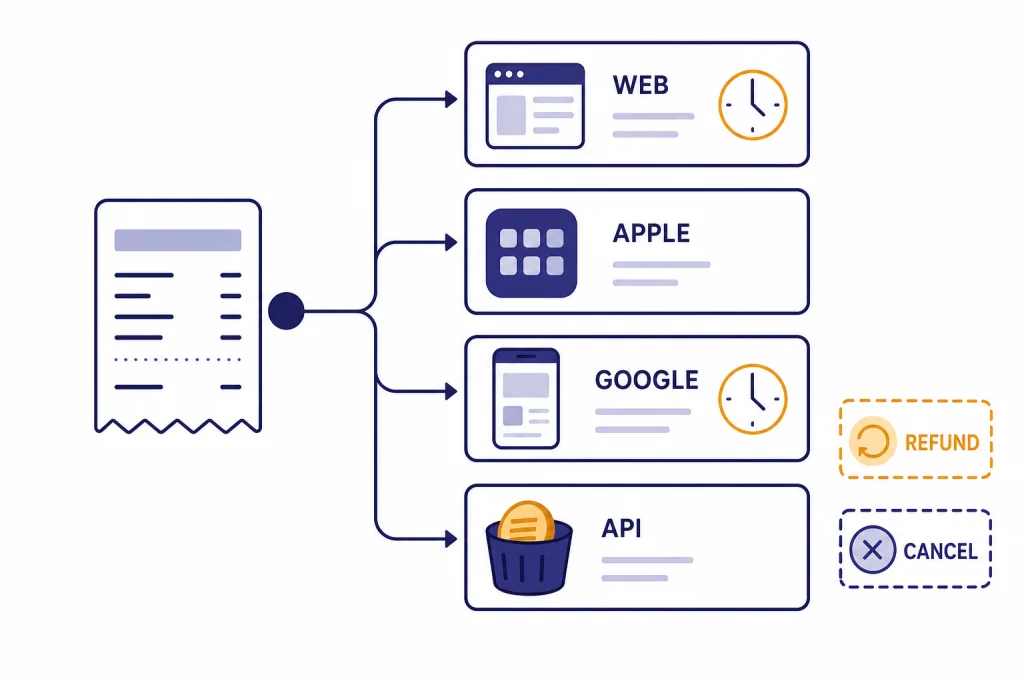
The ChatGPT refund policy depends on how you paid. If you subscribed on the web, OpenAI says accidental purchases are generally eligible when you contact support within 14 days of the charge, and eligible refunds are processed within 5-7 business days.[1] If you paid through Apple, you must request the refund from Apple.[1] If you paid through Google Play, OpenAI’s current instructions route you through the ChatGPT Help Center, with eligible refunds processed within 10 business days.[1] The safest move is to request the refund first, cancel the subscription separately, and keep your receipt until the refund posts.
Quick answer: when ChatGPT refunds are possible
OpenAI’s consumer terms say paid subscription payments are non-refundable except where required by law, but OpenAI also publishes a help article that explains how to request refunds for ChatGPT subscriptions.[9][1] In practice, that means you should not treat every renewal as automatically refundable. You should treat accidental purchases, duplicate charges, unauthorized charges, and local-law cooling-off rights as the strongest refund cases.
For a web purchase at chatgpt.com, OpenAI says accidental purchases are generally eligible for a refund if you contact OpenAI within 14 days of the charge.[1] If approved, OpenAI says it processes web subscription refunds within 5-7 business days.[1] For Google Play Store purchases, OpenAI lists the same 14-day accidental-purchase standard, but says eligible refunds are processed within 10 business days.[1]
Local law can matter. OpenAI says residents of the EU, UK, and Turkey are eligible for a prorated refund if they cancel within 14 days of purchase.[1] If you live elsewhere, do not assume that a partial-month refund is available just because you stopped using ChatGPT. Canceling prevents the next renewal; it does not by itself guarantee money back for the current billing period.
If you are deciding whether to keep paying after a refund request, compare your actual usage against the plan you bought. Our separate guide to ChatGPT Subscription Plans explains the plan lineup, while how much ChatGPT Plus costs covers the monthly price question in more detail.
Find the right refund path
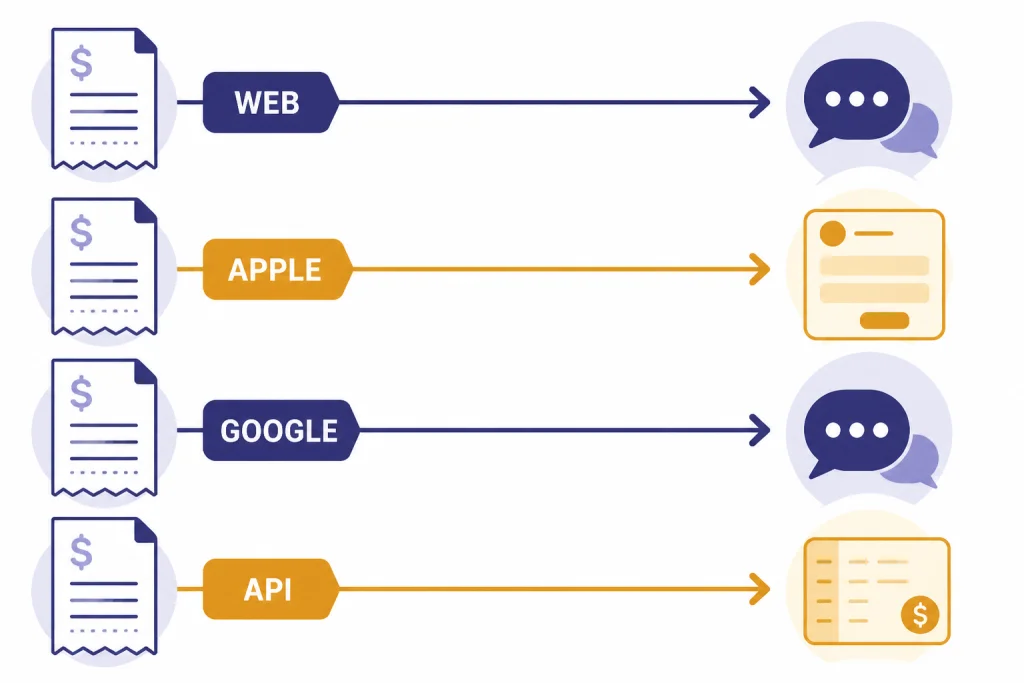
The first question is not why you want a refund. It is where the charge was processed. OpenAI, Apple, and Google can sit between you and the same ChatGPT account, and the correct refund path changes based on the payment channel.
Check your receipt before you contact support. If the receipt came from OpenAI or Stripe for a chatgpt.com purchase, start with OpenAI Help Center chat. If the receipt came from Apple, start with Apple. If the charge appears in Google Play, OpenAI’s ChatGPT refund instructions currently tell you to request the refund through the OpenAI Help Center while logged in to the charged account.[1]
| Where you paid | Where to request the refund | Best timing | What to expect |
|---|---|---|---|
| chatgpt.com on the web | OpenAI Help Center chat while logged in to the charged account | Within 14 days for accidental purchases | Eligible refunds processed within 5-7 business days[1] |
| Apple App Store subscription | Apple’s refund system | As soon as you see the unwanted charge | Apple says some purchases may be eligible and gives an update in 24-48 hours after submission[5] |
| Google Play Store subscription | OpenAI Help Center chat for ChatGPT refund requests; Google also maintains its own Google Play refund process | Within 14 days for accidental purchases under OpenAI’s ChatGPT instructions | Eligible refunds processed within 10 business days through OpenAI[1] |
| Unauthorized ChatGPT or API credit charge | OpenAI Help Center chat under payments and billing | Immediately, and contact your bank too | OpenAI reviews transaction details and may issue a refund if applicable[4] |
| OpenAI API prepaid credits | OpenAI billing support only for unusual billing issues | Before buying more credits | Purchased API credits expire after 1 year and are non-refundable[7] |
The main mistake is contacting the wrong party and losing time. Apple controls Apple-billed refunds. OpenAI controls most web subscription refund requests. Google Play can be relevant for Android billing records, but OpenAI’s current ChatGPT-specific refund page directs Google Play subscribers to OpenAI’s Help Center for refund requests.[1]
If your issue is really cancellation, use a cancellation guide instead of waiting for refund support. Start with how to cancel a ChatGPT subscription on any device or the more specific ChatGPT Plus cancellation walkthrough.
How to request a refund through OpenAI
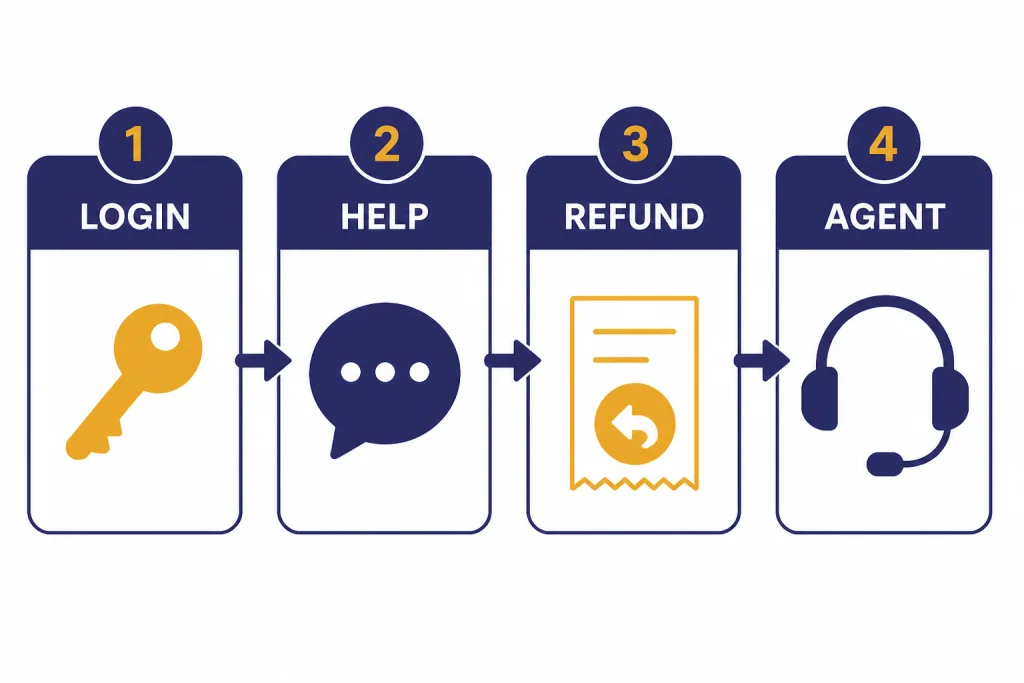
Use this path if you subscribed on chatgpt.com. Also use it for Google Play subscriptions if you are following OpenAI’s current ChatGPT refund instructions. The goal is to prove that you are the account holder and that the charge belongs to the account you are using.
- Sign in to the OpenAI account that was charged. Do not use a second account, a work account, or a newly created account.
- Open the OpenAI Help Center while still signed in.
- Select the chat widget in the bottom-right corner.
- Ask for a refund and explain whether the purchase was accidental, duplicate, unauthorized, or otherwise incorrect.
- Keep the browser open long enough to confirm the request is submitted or that you have been connected with an agent.
OpenAI says the refund process works best when you contact support while logged in to the OpenAI account tied to the subscription, or from the email address associated with the charge.[1] If the chat widget cannot locate the subscription, OpenAI says to sign in to the correct account and submit the request again.[1]
Include the date of the charge, the amount, the last four digits of the card if relevant, the plan name shown on your receipt, and a short explanation. Do not send a long complaint first. A clear support message is easier to process: “I was charged for a ChatGPT subscription on March 12, 2026. This was an accidental purchase. Please review my refund eligibility.”
For web purchases, OpenAI says eligible refunds are processed within 5-7 business days.[1] For Google Play Store purchases handled through OpenAI’s ChatGPT refund instructions, OpenAI says eligible refunds are processed within 10 business days.[1] Processing time is not the same as bank posting time. Your card issuer or bank may take additional time to show the credit.
How Apple-billed ChatGPT refunds work
If you subscribed through the ChatGPT iOS app and the receipt came from Apple, OpenAI says cancellations and refunds must be requested directly from Apple.[1] That is normal for App Store subscriptions. Apple is the billing platform, so Apple decides whether the purchase is eligible.
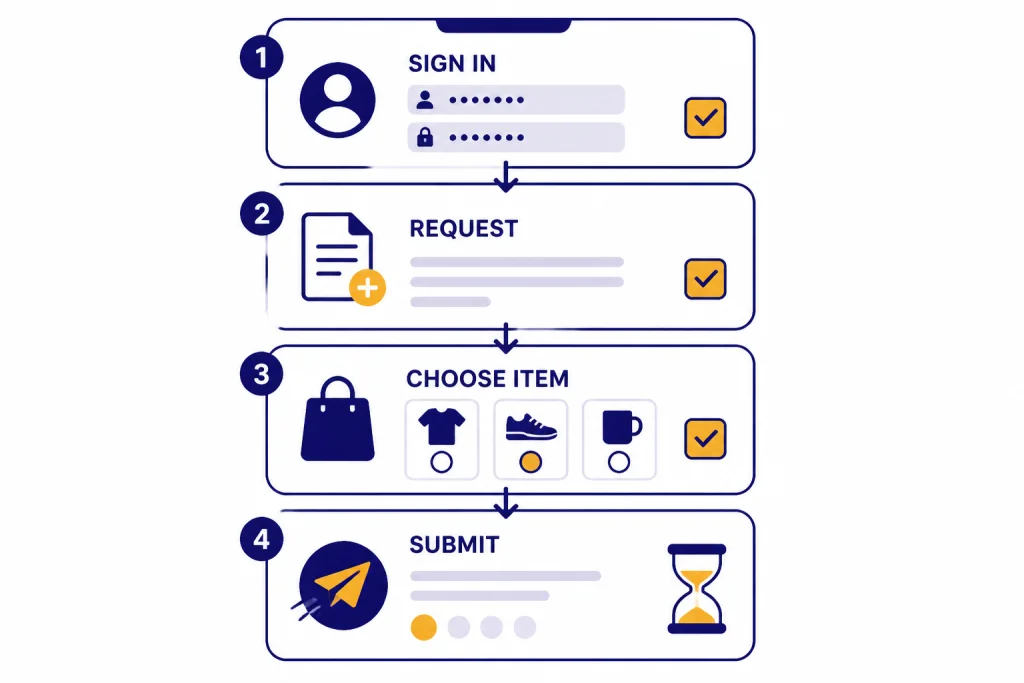
Apple’s official refund instructions say to sign in to its report-a-problem site, choose “Request a refund,” select a reason, choose the app, subscription, or other item, and submit the request.[5] Apple also says to wait 24-48 hours for an update after you submit the request.[5]
Canceling the Apple subscription and requesting a refund are related but separate. If the subscription is still active, cancel it so it does not renew. Then submit the refund request for the specific transaction. If Apple approves the refund, the time for funds to return can depend on the payment method.
If Apple denies the request, OpenAI may not be able to override Apple’s billing decision. You can still contact OpenAI if your ChatGPT account did not receive the paid access after an Apple charge, but that is an account-entitlement problem, not the same as Apple refund approval.
What to do after you submit the request
After you request a refund, do three things. First, cancel the subscription if you no longer want the plan. Second, save the receipt and the support conversation. Third, monitor the card or app-store billing history until the credit appears or the request is denied.
OpenAI’s cancellation page says your cancellation becomes effective the day after your next billing date, and you can keep using the service until then.[2] It also says you should cancel at least 24 hours before the next billing date to avoid the next billing period.[2] This is important because a refund request does not automatically prove that your subscription is canceled.
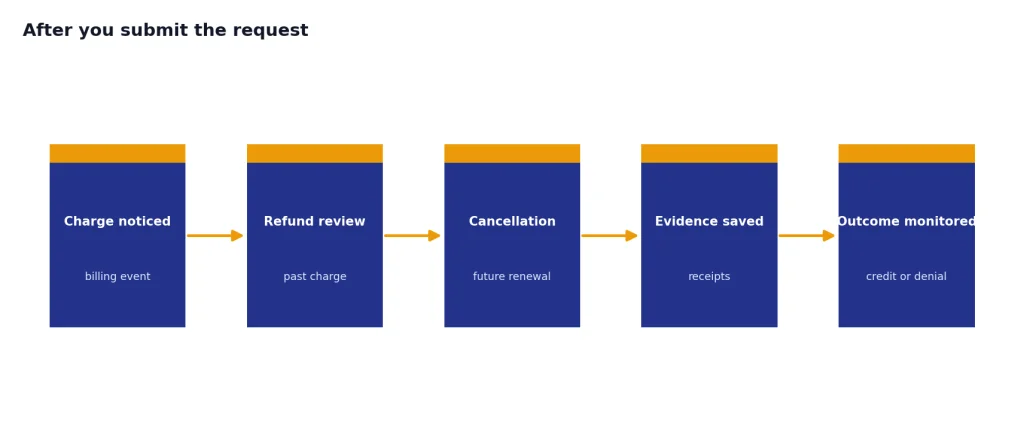
Deleting your OpenAI account is not the best first step if you are trying to resolve a billing problem. OpenAI says deleting your account automatically cancels active ChatGPT subscriptions, but account deletion can also make support and receipt matching harder if you have not already saved the relevant details.[2] Cancel the plan, gather evidence, then decide whether you need to delete the account.
If you requested a refund because you were disappointed with the plan, use the remaining paid period to decide whether a lower-cost or free setup is enough. You may find that ChatGPT Free vs Plus covers your usage better than another refund cycle, or that ChatGPT Plus benefits are still worth keeping if you use them daily.
Use this short refund message
Here is a simple message you can adapt for OpenAI support or for your own records:
I am requesting a refund for a ChatGPT subscription charge on [date] for [amount]. The charge was [accidental / duplicate / unauthorized / for the wrong account]. I am contacting you from the email associated with the charged account. Please review my refund eligibility and confirm whether any subscription remains active.
API, Business, Enterprise, and Edu refunds
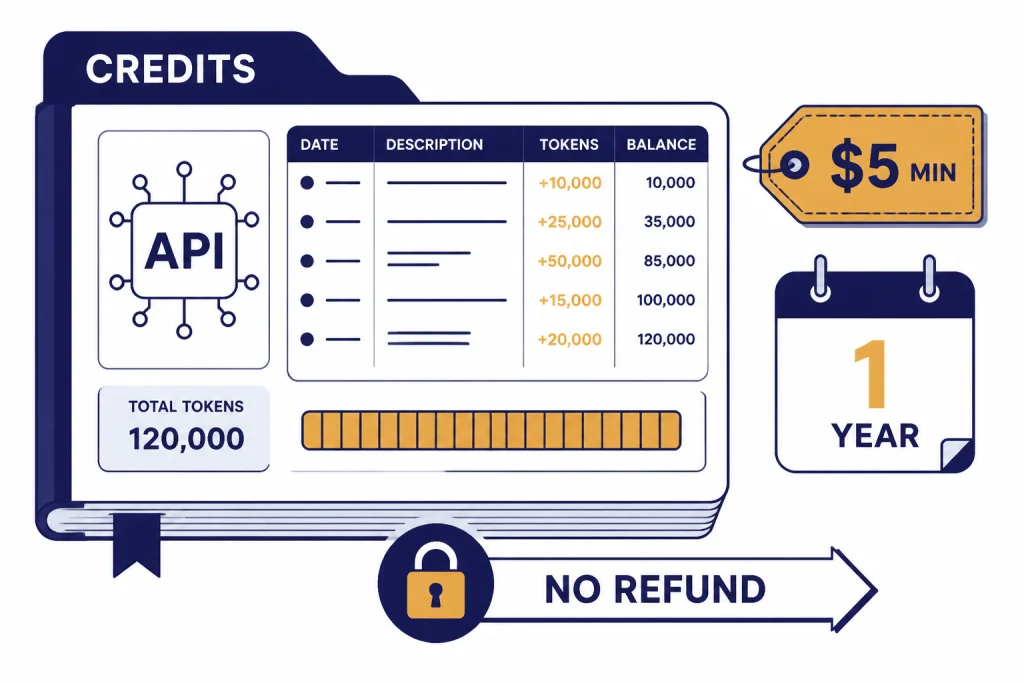
The ChatGPT refund policy for personal subscriptions is not the same as OpenAI API billing. OpenAI says purchased API credits expire after 1 year and are non-refundable.[7] OpenAI also says the minimum API credit purchase is $5, with a default purchase amount of $10.[7] If you are using the API, treat prepaid credits as a committed balance, not a refundable wallet.
Canceling API pay-as-you-go service also does not erase charges already accrued. OpenAI says API billing is based on actual usage, so canceling a paid API account does not refund charges already accrued for the current month.[8] After cancellation, OpenAI says you will still receive a final invoice for usage incurred during the current billing month.[8] If you need broader API cost control, see our OpenAI API pricing guide before buying more credits.
Business and enterprise arrangements can be different because they may be governed by an order form or services agreement. OpenAI’s Services Agreement says fees are non-refundable except as required by law or as otherwise specifically permitted in the agreement, and it says minimum commitment amounts are non-cancellable except as required by law or otherwise specifically permitted.[10] It also says invoice disputes must be raised within 30 days of the disputed invoice date.[10]
For ChatGPT Business self-service subscriptions, OpenAI’s cancellation article says to cancel from Workspace settings under the Billing tab, then Manage plan, then Cancel subscription.[2] For negotiated Enterprise or Edu contracts, OpenAI has not published one universal public refund window that applies to every customer. The controlling document is usually the signed order form, services agreement, or procurement paperwork.
If your team is comparing individual and workspace plans after a billing issue, use ChatGPT Plus vs Pro, ChatGPT Team pricing, and ChatGPT business pricing to decide whether the plan itself was the problem.
How to avoid the next charge
The best refund policy is not needing one. ChatGPT subscriptions renew unless you cancel, and app-store subscriptions can renew even if you delete the app. Treat cancellation as a separate task from uninstalling, logging out, or ignoring the product.
- Cancel early. OpenAI says to cancel at least 24 hours before the next billing date to avoid the next billing period.[2]
- Use the same platform where you subscribed. Web subscriptions are managed on chatgpt.com. App Store and Play Store subscriptions may need app-store cancellation flows.
- Check every account. Many “mystery” ChatGPT charges come from a second personal email, a work email, or a mobile subscription tied to a different app-store account.
- Save receipts. Receipts show whether Apple, Google, or OpenAI handled the charge.
- Be careful with trials and promo codes. If you started with a discount, trial, or promotion, note the renewal date immediately.
If you are trying to avoid paying full price again, verify whether there is a legitimate promotion before you subscribe. We track that separately in our guides to ChatGPT promo codes, ChatGPT Plus discount codes, and ChatGPT Plus free trials. Avoid gray-market “cheap Plus” offers. They can create account, billing, and support problems that are harder to unwind than a normal cancellation.
If you are not sure you will use ChatGPT enough, start free, upgrade only when a paid feature solves a real problem, and set a calendar reminder one week before renewal. That simple habit prevents most refund requests.
Frequently asked questions
Can I get a refund for ChatGPT Plus?
Maybe. If you bought through chatgpt.com, OpenAI says accidental purchases are generally eligible if you contact support within 14 days of the charge.[1] If you bought through Apple, request the refund from Apple instead.[1]
Does canceling ChatGPT automatically refund me?
No. Canceling stops future renewal, but it does not automatically return the current charge. OpenAI says subscription fees are non-refundable in its cancellation article, while its separate refund article explains the situations and channels for requesting a refund.[2][1]
How long does a ChatGPT refund take?
For eligible web subscription refunds, OpenAI says it processes refunds within 5-7 business days.[1] For eligible Google Play Store subscription refunds handled through OpenAI’s ChatGPT refund process, OpenAI says it processes refunds within 10 business days.[1] Your bank or card issuer may take additional time to post the credit.
What if I see an unauthorized ChatGPT charge?
Contact OpenAI through the Help Center chat under payments and billing, and choose the fraud or unrecognized charges path. OpenAI says it will ask for transaction details such as dates, amounts, and card information, and it also recommends contacting your bank immediately.[4]
Are OpenAI API credits refundable?
OpenAI says purchased API credits expire after 1 year and are non-refundable.[7] If you are unsure how much API usage you need, buy a smaller starting balance and set auto-recharge carefully.
Can I get a prorated refund if I used ChatGPT for only a few days?
Not always. OpenAI specifically says EU, UK, and Turkey residents are eligible for a prorated refund if they cancel within 14 days of purchase.[1] Outside those rules, OpenAI does not publish a universal prorated refund promise for every personal subscription.