

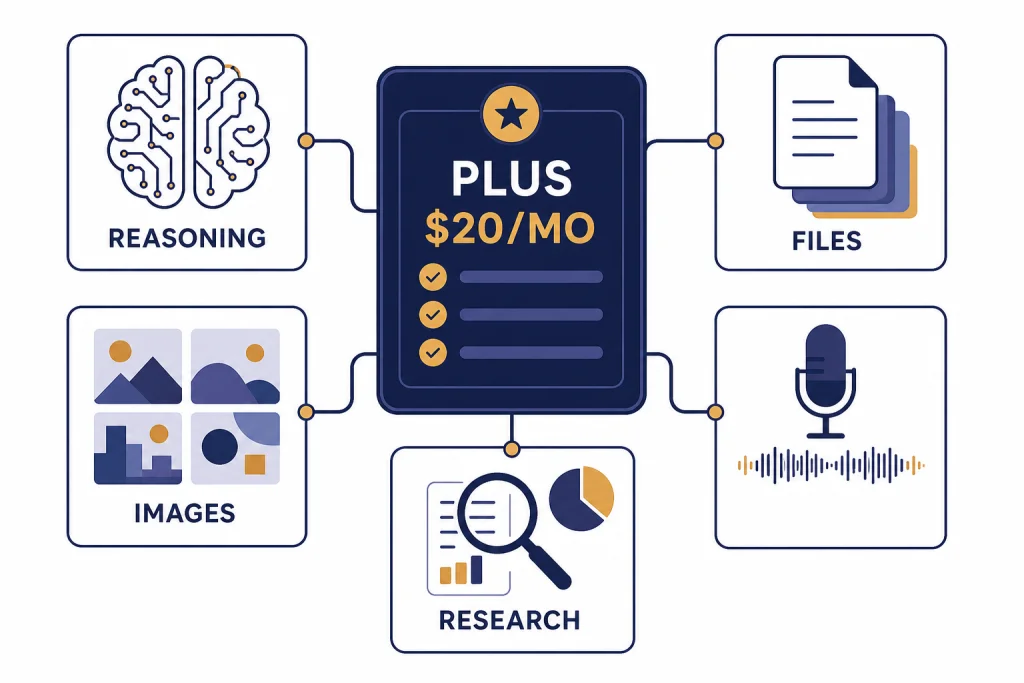
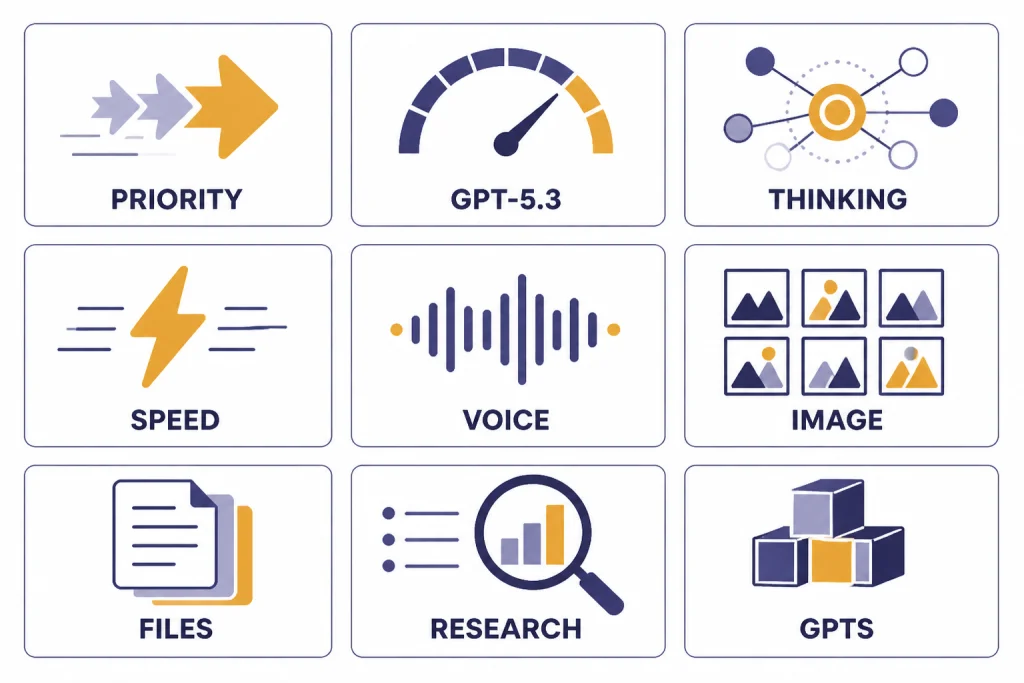
ChatGPT Plus is the paid individual plan for people who want higher limits, better model access, and more complete tools than the free version. As of March 23, 2026, the core ChatGPT Plus benefits are priority access, higher GPT-5.3 limits, access to GPT-5.4 Thinking for advanced reasoning, faster responses, voice conversations, image generation, file uploads and analysis, Deep Research where available, custom GPT creation, expanded memory and context, Projects, tasks, and early access to selected new features.[1][4] It costs $20 per month, billed monthly.[1][3]
ChatGPT Plus benefits in 2026: the short answer
ChatGPT Plus is worth considering if you use ChatGPT most days and regularly hit the free plan’s limits. The plan’s main value is not one single feature. It is the bundle: higher GPT-5.3 access, manual access to GPT-5.4 Thinking, expanded uploads, image generation, Deep Research, custom GPTs, Projects, tasks, and priority availability during busy periods.[1][4]
The short version is simple. If ChatGPT is an occasional question-answer tool, Free is enough. If it is part of your work, school, coding, research, writing, or planning routine, Plus is the first paid tier that feels meaningfully different.
Full list of ChatGPT Plus benefits
OpenAI describes ChatGPT Plus as enhanced access to the ChatGPT web app for $20 per month.[1][3] That wording is broad because Plus changes several parts of the product at once. You get more access to the main model, more access to advanced reasoning, and more complete access to the tools around the model.
Here is the practical list. This table combines OpenAI’s Plus Help Center article, the ChatGPT model Help Center article, and OpenAI release notes available for the March 2026 product state.[1][4][6]
| Benefit | What Plus adds | Why it matters | Main caveat |
|---|---|---|---|
| Priority access | Fewer interruptions during high demand.[1] | ChatGPT is more reliable when traffic is heavy. | Priority access is not the same as unlimited access. |
| Higher GPT-5.3 limits | More room to use GPT-5.3 than the free plan.[1][4] | Daily users can keep working without constant fallback behavior. | Limits can still apply during heavy use. |
| GPT-5.4 Thinking | Manual access to the advanced reasoning model available to Plus users in March 2026.[4][7] | Better fit for harder coding, analysis, research, math, and planning tasks. | It has its own usage ceiling. |
| Faster responses | OpenAI lists quicker replies as a Plus benefit.[1] | Short everyday chats feel more responsive. | Reasoning tasks may still take longer by design. |
| Voice conversations | Voice is included in the expanded Plus feature set.[1] | Useful for brainstorming, dictation, language practice, and hands-free use. | Voice behavior may vary by app and model state. |
| Image generation | Plus includes image generation, with broader access than Free.[1][6] | Good for drafts, diagrams, thumbnails, concept art, and visual ideation. | It is not a professional design workflow by itself. |
| File uploads and analysis | Plus includes file uploads and file analysis.[1][6] | You can ask questions about PDFs, spreadsheets, images, notes, and documents. | Confidential files still require careful judgment. |
| Deep Research | OpenAI lists Deep Research tools as a Plus feature where available.[1][6] | Useful when you need a more structured research pass instead of a quick answer. | Availability and limits can vary. |
| Custom GPTs | Plus includes custom GPT creation and use.[1] | You can save repeat instructions, workflows, and task-specific assistants. | Workspace-level controls are not part of an individual Plus account. |
| Early access | OpenAI’s pricing materials list early access to new features for Plus.[6] | Plus users often see product changes before broad rollout. | Early access is not guaranteed for every feature. |
For most readers, the biggest upgrade is not speed. It is continuity. Free users can sample many ChatGPT capabilities, but Plus gives regular users more room to stay inside the same workflow before they hit a limit or fallback path. If you are comparing the plan against your actual monthly budget, start with our separate ChatGPT Plus price in 2026 guide.
Model access and usage limits
The most important 2026 Plus benefit is model access. As of the March 2026 model state, GPT-5.3 is the everyday model family available across ChatGPT tiers, while paid users can manually select GPT-5.4 Thinking for more complex reasoning work.[4][7] OpenAI announced GPT-5.4 on March 5, 2026, and TechCrunch independently reported the same March 5, 2026 launch.[7][8]
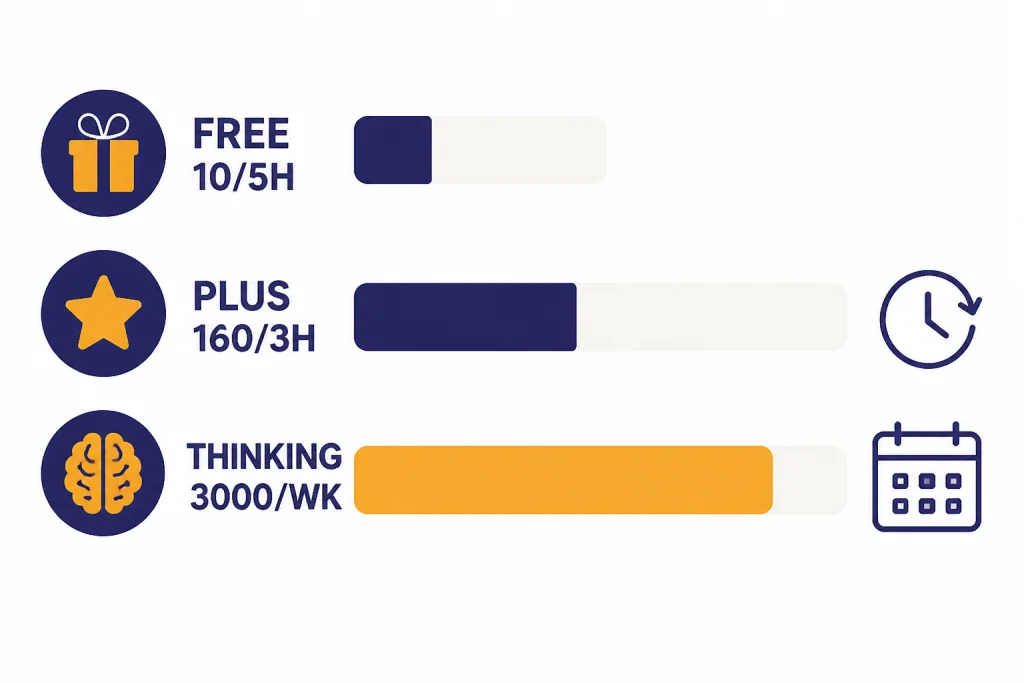
Plus does not mean every model is unlimited. The practical distinction is that Free gives limited access, Plus gives expanded access, and higher paid tiers are meant for heavier throughput. OpenAI’s Help Center listed the following March 2026 limits for GPT-5.3 and GPT-5.4 Thinking; a secondary pricing analysis also repeated the same Plus Thinking ceiling, but OpenAI remains the primary source for the exact cap.[4][5]
| Plan or mode | Published access detail | Best use | What happens at the limit |
|---|---|---|---|
| Free with GPT-5.3 | OpenAI listed up to 10 GPT-5.3 messages every 5 hours.[4] | Testing ChatGPT or occasional use. | Chats switch to a mini model until the limit resets.[4] |
| Plus or Go with GPT-5.3 | OpenAI listed up to 160 GPT-5.3 messages every 3 hours.[4][5] | Frequent everyday questions, drafting, coding help, and planning. | Chats switch to a mini model until the limit resets.[4] |
| Plus with GPT-5.4 Thinking | OpenAI listed up to 3,000 manually selected Thinking messages per week.[4][5] | Harder analysis, multi-step work, research synthesis, and technical tasks. | The Thinking option is no longer selectable until the weekly limit resets.[4] |
| Manual Thinking context | OpenAI listed 256K total context for paid tiers when Thinking is manually selected.[4] | Long documents, complex conversations, and larger work sessions. | Very long work can still be constrained by plan and tool limits. |
| GPT-5.3 Instant context on Plus | OpenAI listed 32K context for Plus and Business on GPT-5.3 Instant.[4] | Normal chats, files, summaries, and medium-length work. | Longer jobs may need Thinking or a different workflow. |
The model table explains why the phrase “ChatGPT Plus benefits” can be misleading if you only think about price. The real product is a set of gates. Plus opens the higher-utility gates for most solo users, but it still leaves the heaviest throughput and Pro-only model access outside the plan.
That is why we recommend asking a usage question before a budget question. If you mainly need better writing, brainstorming, summaries, and occasional analysis, Plus is the right plan to test first. If you constantly run long agentic coding sessions or hit Thinking caps, compare ChatGPT Plus vs Pro before staying on Plus by default.
Tools included with ChatGPT Plus
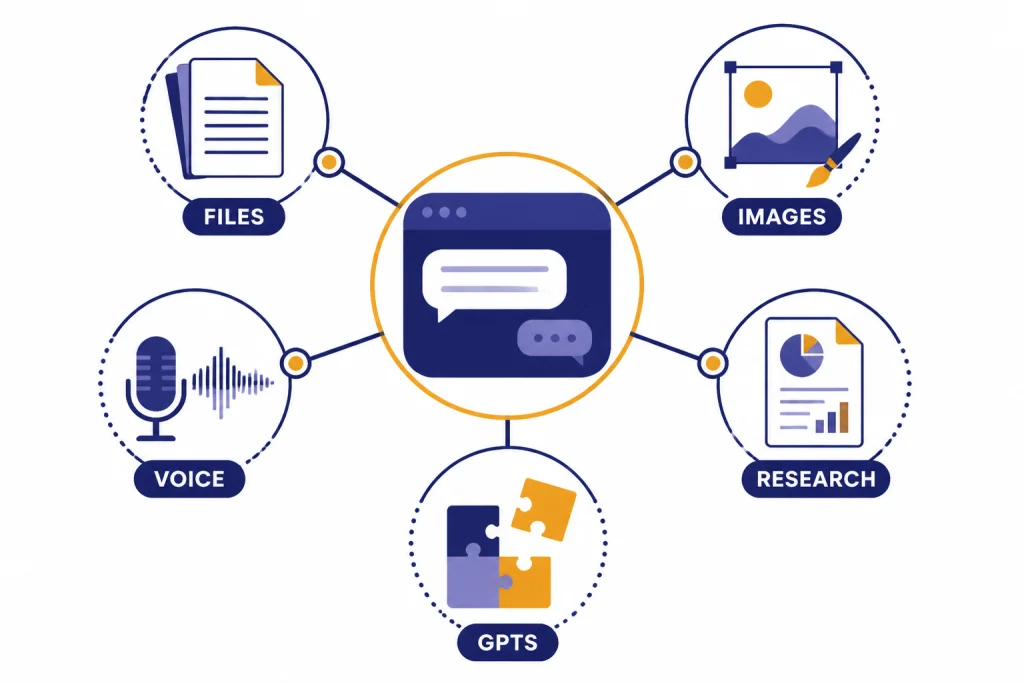
ChatGPT Plus is no longer just “the better model plan.” It is also the practical entry point for the fuller ChatGPT tool suite. OpenAI lists voice conversations, image generation, file uploads and analysis, Deep Research tools where available, and custom GPT creation and use as Plus benefits.[1] OpenAI’s model Help Center also says GPT-5.3 Instant and GPT-5.4 Thinking support tools such as web search, data analysis, image analysis, file analysis, Canvas, image generation, memory, and custom instructions.[4]
Files and analysis
File uploads are one of the clearest Plus upgrades. They turn ChatGPT from a blank prompt box into a document assistant. You can upload a paper, contract draft, spreadsheet, class notes, or exported report and ask for summaries, comparisons, tables, extraction, or critique. This is where Plus starts to feel less like a chatbot and more like a work surface.
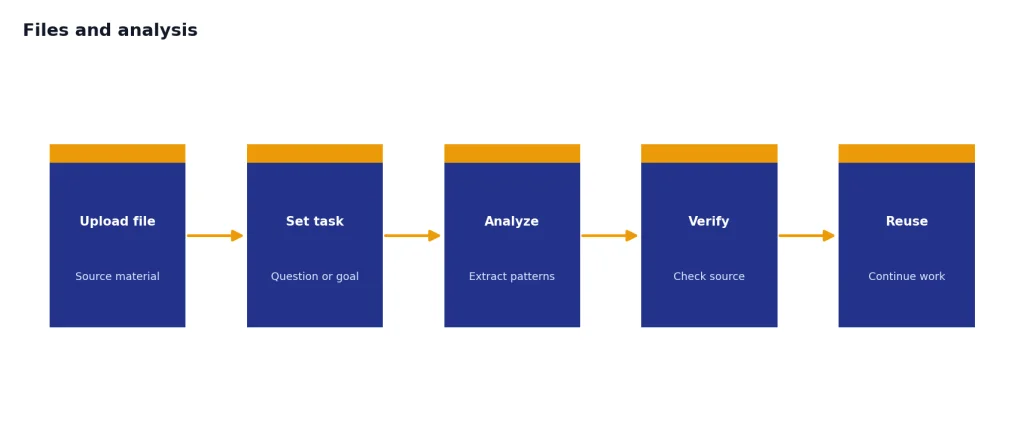
OpenAI’s release notes also describe a File Library that saves uploaded or created files for later reuse, with web availability and mobile support for recent files and file search.[6] That matters for repeat work. Instead of re-uploading the same document every time, you can build on prior materials when the feature is available in your region and account.
Image generation and image analysis
Plus includes image generation and image analysis.[1][4] This helps with visual work that does not require a full design app. You can create concept variations, explain a screenshot, turn a rough idea into a diagram prompt, or ask ChatGPT to inspect a chart or photo. The best use is iteration. Ask for a rough version, critique it, then refine the prompt.
Voice conversations
Voice is useful when typing slows you down. OpenAI lists voice conversations as part of the Plus expanded feature set.[1] For planning, language practice, interview prep, and working through a messy idea, speaking can be faster than writing a polished prompt. The weakness is precision. For legal, financial, code, or data work, typed prompts and file context are still safer.
Deep Research
Deep Research is one of the most valuable Plus features for people who need structured information gathering. OpenAI lists Deep Research tools as available with Plus where available, and its release notes describe updates that let users focus research on specific websites and connected apps as trusted sources.[1][6] It is not a substitute for reading primary sources yourself. It is a way to speed up the first serious pass.
Custom GPTs, Projects, and tasks
Custom GPTs are useful when you repeat the same instructions. A teacher might create a rubric assistant. A founder might create a pitch-deck reviewer. A developer might create a code-review helper with a house style. OpenAI lists custom GPT creation and use as a Plus benefit.[1]
Projects and tasks make Plus more organized. Projects help keep related chats and materials together. Tasks help ChatGPT act on reminders or recurring work when available. If your main problem with Free is not model quality but scattered work, these organization features can be the benefit you notice first. For a deeper plan-by-plan comparison, see our ChatGPT subscription plans overview.
ChatGPT Free vs Plus vs Pro
Plus sits in the middle of the individual ChatGPT lineup. It is not the cheapest way to use ChatGPT, and it is not the maximum-usage plan. Its job is to give one person enough capability for serious daily use without jumping to a heavier tier.
| Plan | Best fit | Model access pattern | Tool access pattern | Practical limitation |
|---|---|---|---|---|
| Free | Occasional questions and testing. | Limited GPT-5.3 access; OpenAI listed up to 10 messages every 5 hours in the March 2026 Help Center state.[4] | Limited access to uploads, images, memory, context, and research features.[1][6] | You will hit limits sooner if ChatGPT becomes part of daily work. |
| Plus | Daily individual use for writing, research, coding help, files, and planning. | Higher GPT-5.3 limits plus manual GPT-5.4 Thinking access.[1][4] | Voice, image generation, files, Deep Research, custom GPTs, Projects, tasks, and early access.[1][6] | Still capped; not built for continuous heavy workflows. |
| Pro | Heavy individual use and high-intensity workflows. | Higher usage and Pro-level access, subject to OpenAI guardrails.[4] | More room for advanced tools such as Deep Research and Codex, depending on current plan rules.[6] | Costs much more than Plus, so it needs a clear use case. |
| Business or Enterprise | Teams that need administration, workspace controls, or procurement. | Business and Enterprise are separate workspace products, not personal Plus upgrades.[6] | Team-oriented features such as admin, compliance, and workspace controls depend on plan. | Overkill for a single personal account. |
If you are only choosing between Free and Plus, read our ChatGPT Free vs Plus comparison. If you are choosing between Plus and a heavier paid tier, read is ChatGPT Plus worth it? and then compare your actual usage against the limits above.
Original analysis: the Plus decision framework
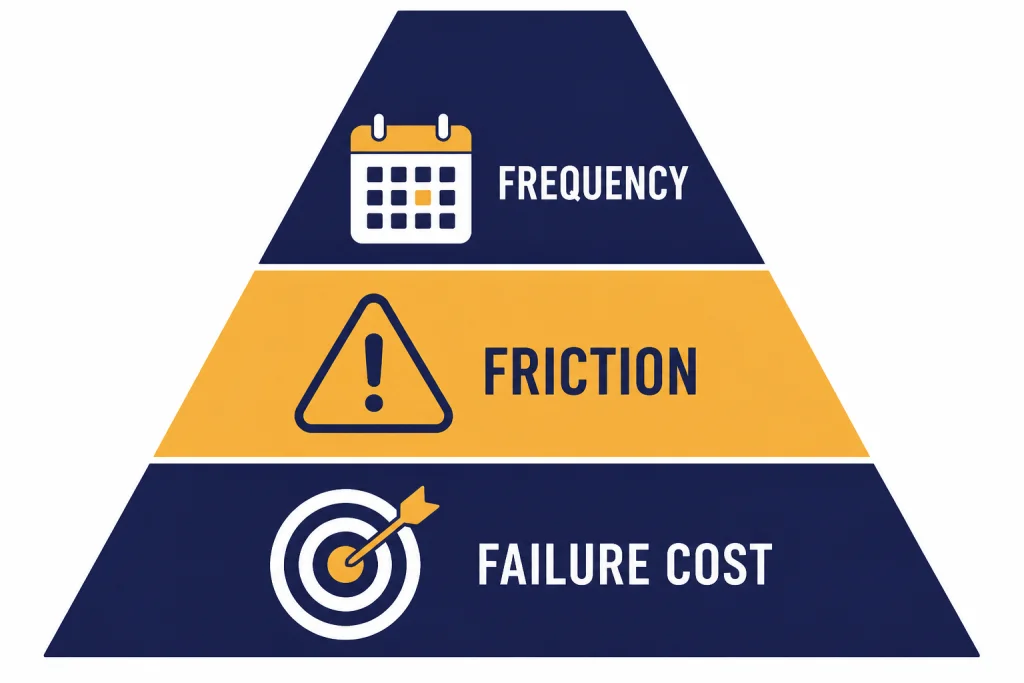
We use a simple framework for deciding whether Plus is the right plan: frequency, friction, and failure cost. This is more useful than asking whether ChatGPT Plus is “good,” because Plus can be excellent for one person and unnecessary for another.
Frequency: how often ChatGPT is part of your day
If you open ChatGPT once or twice a week, Plus is probably not essential. If you open it every workday, the value changes. Repeated use makes small limits and slower fallback behavior more expensive. A $20 monthly plan is easier to justify when it saves time across many sessions, not one impressive demo.[1][3]
Friction: where Free interrupts your workflow
Upgrade when you can name the interruption. Examples include hitting message limits, needing a file analyzed, wanting a more careful reasoning pass, needing better image generation, or wanting a custom GPT for a recurring task. Do not upgrade just because the paid tier exists. Upgrade when Free blocks a task you already do.
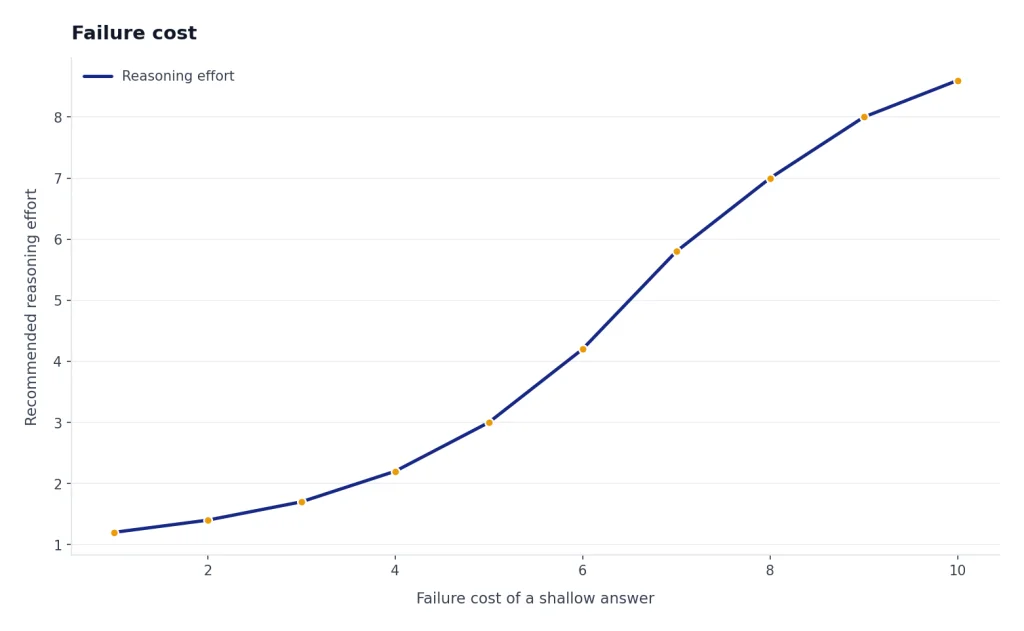
Failure cost: what happens when the answer is shallow
Some tasks tolerate a rough answer. Others do not. Brainstorming a dinner plan has low failure cost. Reviewing a spreadsheet, preparing a client memo, debugging production code, or comparing sources has higher failure cost. GPT-5.4 Thinking is more relevant when the cost of a shallow answer is high enough to justify a slower, more deliberate reasoning path.[4][7]
This framework also prevents overbuying. If your problem is team administration, Plus is the wrong product; look at ChatGPT Team pricing or ChatGPT business pricing. If your problem is API usage, Plus will not help; see OpenAI API pricing. If your problem is personal usage volume, Plus is the right first paid test.
What ChatGPT Plus does not include
ChatGPT Plus is broad, but it has clear boundaries. First, API usage is not included. OpenAI says API usage is separate and billed independently.[1] If you are building an app, automating a backend workflow, or paying by tokens, your costs live outside the Plus subscription.
Second, Plus is not a team admin plan. It does not give you centralized billing for a group, workspace analytics, domain controls, or enterprise procurement features. Those live in business and enterprise products. A solo consultant may be fine on Plus. A company deploying ChatGPT to employees should not treat one Plus account as a workspace.
Third, Plus does not preserve every older model forever. OpenAI retired GPT-4o, GPT-4.1, GPT-4.1 mini, OpenAI o4-mini, and GPT-5 Instant and Thinking from ChatGPT on February 13, 2026; OpenAI’s release notes and Help Center both describe that retirement.[1][6] This is important if you subscribe because you prefer a specific model personality. The plan buys access to the current product, not a permanent right to one model snapshot.
Fourth, Plus is not a guarantee that every feature appears in every country on the same day. OpenAI often rolls features out gradually, and some features are unavailable or delayed in specific regions. If your purchase depends on one feature, verify that feature inside your own account before relying on it.
Finally, Plus is not always ad-supported in the same way as lower tiers. OpenAI release notes said the February 2026 ads test applied to Free and Go in the United States and did not apply to Plus, Pro, Business, Enterprise, or Education plans; TechCrunch separately reported that paid plans including Plus would not see those ads.[6][10] That is a benefit, but ad policy can change, so it should not be the only reason to subscribe.
Upgrade, cancel, and refund notes
OpenAI’s Plus Help Center article says you can sign up by logging into ChatGPT, opening the profile menu, choosing Upgrade Plan, and selecting Get Plus.[1] If you want a more detailed walkthrough, use our how to upgrade to ChatGPT Plus guide.
Billing is monthly. OpenAI lists ChatGPT Plus at $20 per month, billed monthly, and its original Plus announcement also introduced the plan at $20 per month.[1][2] TechCrunch independently reported the same $20 monthly launch price when the plan was introduced.[3] For international pricing differences, taxes, and local currency issues, see ChatGPT pricing by country.
OpenAI says ChatGPT Plus does not currently support annual billing or paying for multiple months in advance.[1] That makes cancellation simpler than many annual software subscriptions. If you only need Plus for a short project, you can subscribe for a month and cancel before the next renewal. For detailed steps, see how to cancel ChatGPT Plus subscription.
Refunds are more conditional. OpenAI’s refund article says approved web subscription refunds are processed within 5–7 business days, while Google Play subscription refunds are processed within 10 business days; OpenAI has not published a corroborated figure for those processing windows in a second official source.[9] Accidental purchases are generally eligible if you contact OpenAI within 14 days of the charge, and EU, UK, and Turkey residents are eligible for a prorated refund if they cancel within 14 days of purchase.[9] For a dedicated walkthrough, use our ChatGPT Refund Policy guide.
Be cautious with discount claims. OpenAI does not consistently offer public ChatGPT Plus coupon codes, and many pages advertising guaranteed savings are unreliable. If you are checking for a legitimate offer, start with our ChatGPT Plus discount code, ChatGPT promo code, and ChatGPT Plus free trial pages.
Frequently asked questions
What are the main ChatGPT Plus benefits in 2026?
The main benefits are higher GPT-5.3 limits, access to GPT-5.4 Thinking, priority access, faster responses, voice, image generation, file uploads and analysis, Deep Research where available, and custom GPT creation.[1][4] OpenAI also lists Projects, tasks, expanded memory and context, and early access in the broader Plus feature set.[6] The exact limits can change, so treat the Help Center as the source of truth.
How much does ChatGPT Plus cost?
ChatGPT Plus costs $20 per month, billed monthly.[1][3] OpenAI introduced the plan at $20 per month in 2023, and the same monthly price is still listed in the Plus Help Center for this 2026 guide.[1][2] There is no annual Plus plan listed in OpenAI’s Plus Help Center.[1]
Does ChatGPT Plus include GPT-5.4 Thinking?
Yes. In the March 2026 model state, OpenAI’s Help Center listed GPT-5.4 Thinking as manually selectable for Plus users, while GPT-5.3 remained the everyday model family.[4][7] OpenAI announced GPT-5.4 on March 5, 2026, and TechCrunch also reported that March 5, 2026 launch.[7][8] Plus does not include every Pro-only model capability.
What are the ChatGPT Plus message limits?
OpenAI’s March 2026 Help Center state listed up to 160 GPT-5.3 messages every 3 hours for Plus and Go users.[4][5] It also listed up to 3,000 manually selected GPT-5.4 Thinking messages per week for Plus or Business users.[4][5] Limits can vary with system conditions, so check your account if you are near a cap.
Does ChatGPT Plus include the API?
No. OpenAI says API usage is separate and billed independently from ChatGPT Plus.[1] This matters because a $20 Plus subscription does not cover token-based API calls, app development, or backend automation.[1][3] If you need programmatic access, compare API costs separately.
Can I cancel ChatGPT Plus after one month?
Yes. ChatGPT Plus is billed monthly, and OpenAI’s Help Center says you can manage billing and cancellation from your account settings.[1] OpenAI also says Plus does not currently support annual billing or paying for multiple months in advance.[1] That makes a one-month test practical if you want to evaluate the plan before keeping it.
Can I get a refund for ChatGPT Plus?
Possibly, depending on how you subscribed and why you are requesting the refund. OpenAI says accidental purchases are generally eligible if you contact support within 14 days of the charge.[9] OpenAI also says EU, UK, and Turkey residents are eligible for a prorated refund if they cancel within 14 days of purchase.[9] OpenAI has not published a corroborated figure in a second official source for its stated 5–10 business-day processing range.
Bottom line
ChatGPT Plus is the right first paid plan for most individuals who use ChatGPT seriously. Its value comes from the combined package: higher GPT-5.3 limits, GPT-5.4 Thinking, files, images, voice, Deep Research, custom GPTs, Projects, tasks, and priority access.[1][4][6]
Watch model and limit changes closely. OpenAI retired several ChatGPT models on February 13, 2026, and the Plus experience changed with the GPT-5.4 rollout on March 5, 2026.[1][6][7][8] The best way to judge Plus is still practical: subscribe only if the free plan interrupts work you already do.