


OpenAI Playground is the testing workspace inside the OpenAI platform for building prompts before you put them in code. It lets you try a model, write system and user instructions, add variables, test tools, generate schemas, save reusable prompts, and compare behavior without rebuilding your app each time. It is not the same thing as ChatGPT. Playground is tied to the API platform, API billing, project settings, rate limits, and model pricing. Use it when you need repeatable prompt experiments, structured outputs, or a clean path from prototype to production.
What OpenAI Playground is
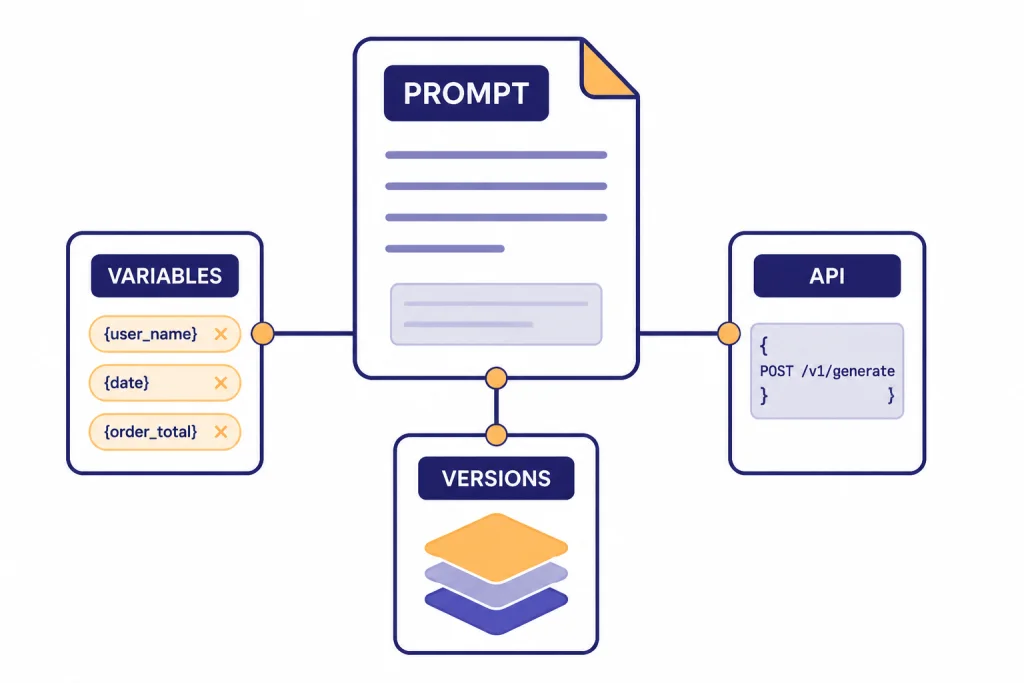
OpenAI Playground is a developer-facing prompt workspace in the OpenAI platform. OpenAI’s own documentation describes the Playground as the place to develop and iterate on prompts, and the prompt dashboard can create, save, version, and share prompts for a project.[1]
The practical value is speed. You can change instructions, inputs, models, output format, and tools in one place. That makes it useful for testing a support bot answer, checking whether a classification prompt returns stable labels, or validating a JSON schema before an engineer wires the prompt into an application.
The important distinction is that Playground sits on the API platform. ChatGPT is a consumer and business chat application. Playground is closer to a lab bench for API behavior. If you are comparing product subscriptions, API usage, and plan billing, read our separate guide to OpenAI API pricing.
Before you start
You need an OpenAI platform account and access to a project. ChatGPT and the API platform use separate billing systems, so paying for ChatGPT does not automatically cover API usage in Playground.[12]
Before you test anything important, check three items: the active organization, the active project, and the billing setup. OpenAI’s production guidance says API keys are used for authentication and should be kept out of code and public repositories; it also recommends environment variables or a secret management service for applications.[13]
- Organization: This controls billing, members, and high-level access.
- Project: This separates app work, permissions, and usage tracking.
- Billing: This determines whether your tests can run and how costs are charged.
- API keys: These authenticate code, not your public website or front-end app.
If your company uses Microsoft’s enterprise cloud stack, Playground on the OpenAI platform may not be the final runtime. Compare that choice with Azure OpenAI Service vs. OpenAI API before you standardize your architecture.
The main parts of the Playground
The exact layout can change, but the core workflow is stable. You choose a model, write instructions, provide input, run the prompt, and inspect the output. OpenAI’s text generation guide says the Responses API is the recommended API for new text generation projects, and the dashboard can develop reusable prompts that are used from API requests instead of hard-coding all prompt content.[3]
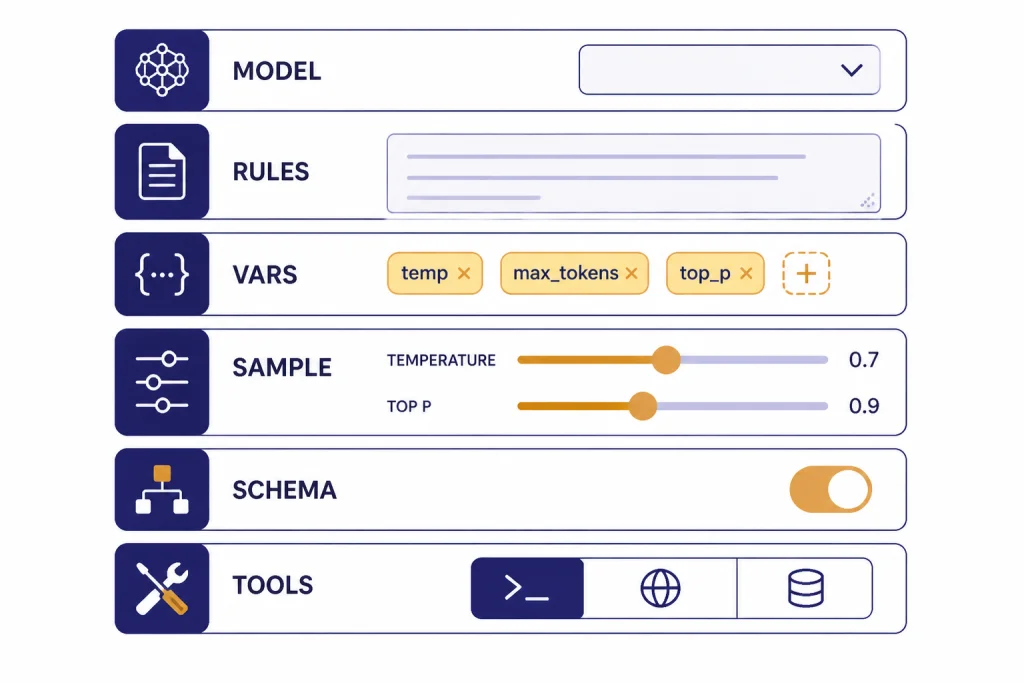
Think of the screen as five working areas:
- Prompt area: The instructions and user input you want to test.
- Model selector: The model family and version you want to compare.
- Settings panel: Controls such as reasoning level, output format, and sampling behavior where available.
- Tools panel: Built-in tools or function definitions for tasks that need outside capabilities.
- Output and logs: The response, usage details, and any tool behavior you need to inspect.
The Playground is best treated as an experiment record. Do not only ask whether one output looks good. Ask whether the same setup behaves well across edge cases, different inputs, and realistic failure modes.
How to run your first prompt
Start with a narrow task. A vague request hides problems. A specific request exposes whether the instructions, model, and settings are doing what you expect.
For example, use a small customer-support task:
You are a support assistant for a billing team. Rewrite the customer message into a concise internal ticket. Include issue type, urgency, account clues, and the next action. Do not invent account details.
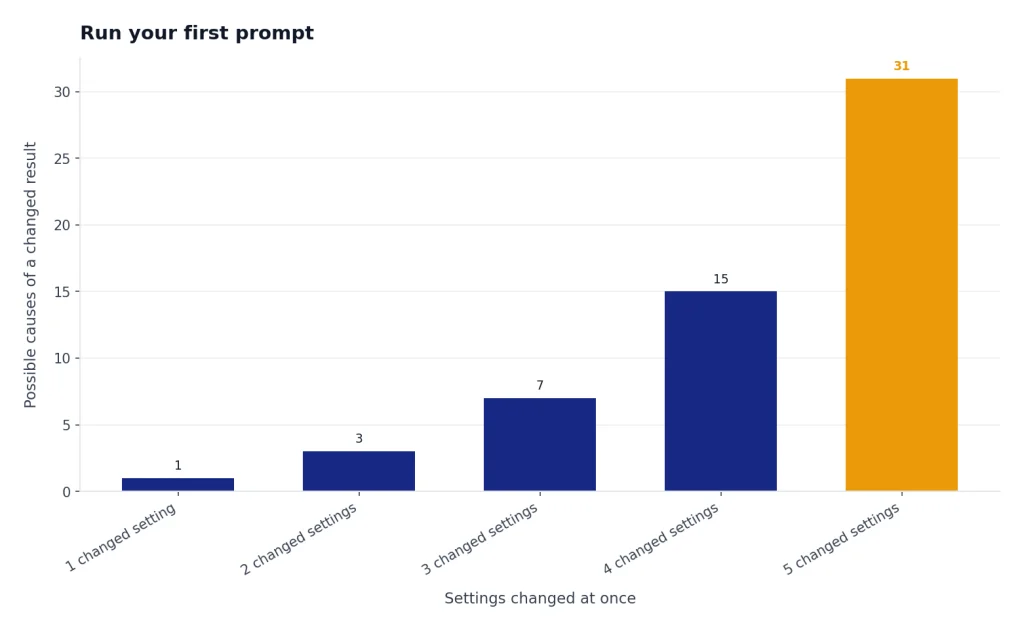
Then paste a realistic customer message as the input. Run it once. Change one thing. Run it again. If you change the model, instructions, and output format at the same time, you will not know what caused the improvement or regression.
OpenAI’s prompting guide recommends putting overall tone or role guidance in the system message and keeping task-specific details and examples in user messages.[1] That separation matters when you later turn a Playground test into an API call or a reusable prompt.
Use variables when the same prompt will run with changing values. OpenAI’s prompt docs show variables with double curly braces, such as a city variable in a weather prompt, and explain that variables can be reused without changing the underlying prompt.[1]
Settings that matter
Most users do not need every setting on day one. Focus on the controls that affect reliability, cost, and fit for your task.
| Setting | What it changes | Use it when |
|---|---|---|
| Model | Capability, speed, supported features, and price | You are comparing quality against cost |
| Instructions | The model’s role, rules, and task boundaries | You need consistent behavior across inputs |
| Variables | Reusable placeholders inside the prompt | You want one prompt template for many inputs |
| Temperature or top_p | Sampling behavior where exposed | You need either more variety or more consistency |
| Output format | Plain text, JSON mode, or schema-constrained output | Your app needs machine-readable responses |
| Tools | Access to web search, files, code, functions, or other capabilities | The answer depends on external data or actions |
For model choice, do not assume the largest model is always the right one. OpenAI’s pricing page lists GPT-5 at $1.250 per 1M input tokens and $10.000 per 1M output tokens, GPT-5 mini at $0.250 per 1M input tokens and $2.000 per 1M output tokens, GPT-5 nano at $0.050 per 1M input tokens and $0.400 per 1M output tokens, and GPT-5 pro at $15.00 per 1M input tokens and $120.00 per 1M output tokens.[8] OpenAI’s GPT-5 model page also lists GPT-5, GPT-5 mini, and GPT-5 nano as quick comparison options, with GPT-5 priced at $1.25 input and $10.00 output per 1M tokens.[9]
For most prompt design, start with the cheapest model that might work. Escalate only when you see concrete failures: missing instructions, weak reasoning, poor tool selection, or unstable structured data. If the task is delayed and high-volume, compare Playground results with the OpenAI Batch API before you decide how to run it at scale.
Test tools and structured outputs
Playground becomes more valuable when the task is not just text in and text out. OpenAI’s Responses API supports text and image inputs, text outputs, stateful interactions, built-in tools such as file search and web search, and function calling for access to external systems.[4]
OpenAI’s tools guide lists available platform tools including web search, file search, function calling, remote MCP, image generation, code interpreter, computer use, apply patch, and shell.[5] Do not enable tools by habit. Add a tool only when the model needs information or capability it does not already have in the prompt.
Function calling is different from asking the model to write an answer. OpenAI describes it as a way for models to interface with external systems and use data outside their training data. The function-calling flow sends a request with available tools, receives a tool call, executes application-side code, returns the tool output, and receives the final response or additional tool calls.[6]
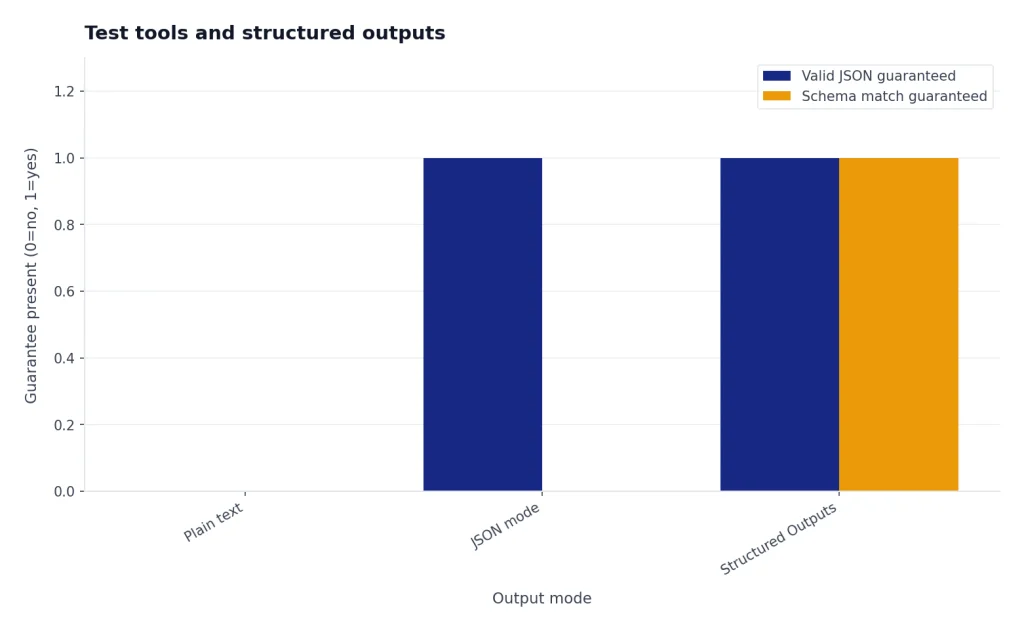
Use structured outputs when your application needs reliable JSON. OpenAI says Structured Outputs ensure responses adhere to a supplied JSON Schema, while JSON mode ensures valid JSON but does not guarantee adherence to a specific schema.[7] This distinction matters for order forms, extraction tasks, routing labels, and any downstream process that expects exact fields.
If your prompt uses images, test the input shape in Playground first and then move to the OpenAI Vision API implementation. If your prompt becomes a multi-step agent, compare the result with the OpenAI Agents SDK and OpenAI Agent Builder.

Save, share, and evaluate prompts
Do not leave successful prompts as one-off Playground experiments. OpenAI’s prompting guide says prompt objects support versioning and templating shared by users in a project, with a central definition across APIs, SDKs, and the dashboard.[1] That means a saved prompt can become a managed asset instead of a hidden string in application code.
OpenAI also documents a Generate button in Playground for generating prompts, functions, and schemas from a task description. The guide says prompt generation uses meta-prompts based on prompt engineering best practices, while schema generation uses meta-schemas that produce valid JSON and function syntax.[2] Treat generated prompts as drafts. They are useful starting points, not finished product requirements.
For serious work, build a small test set. OpenAI’s datasets guide says datasets provide a quick way to start evals and test prompts, and that saving a prompt creates a new version that can be used across the OpenAI platform.[14]
- Create examples for normal inputs, messy inputs, and known edge cases.
- Run the same examples after each prompt change.
- Track whether the output improved on the task, not whether it sounds more polished.
- Keep a changelog of model, instructions, variables, and output schema.
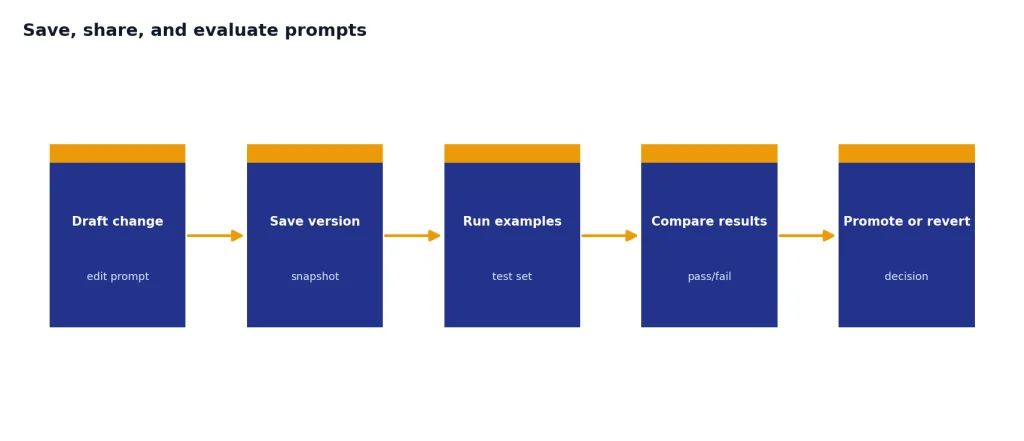
This is the line between prompt tinkering and prompt engineering. A prompt that works once is a demo. A prompt that passes a realistic test set is a candidate for production.
Costs, limits, and troubleshooting
Playground calls are API activity. OpenAI states that the Responses API is not priced separately; tokens are billed at the chosen language model’s input and output rates.[8] That makes short experiments cheap in many cases, but long prompts, long outputs, repeated runs, and tool-heavy tests can add up.
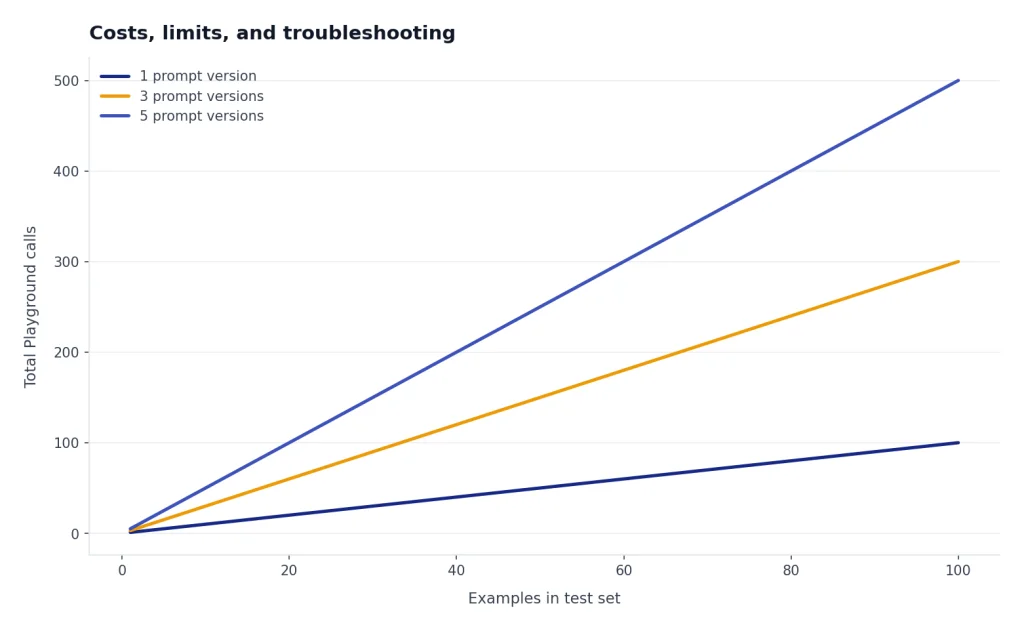
OpenAI’s rate-limit guide says rate limits are defined at the organization and project level, vary by model, and include usage limits on total monthly API spend.[10] If a Playground request fails, the issue may be a prompt problem, a billing problem, a model availability issue, a rate limit, or a service incident.
Use the usage dashboard as part of your workflow. OpenAI’s usage dashboard article says organization owners or users with usage dashboard permission can access it, and that usage data can be filtered by project; the dashboard also displays data in UTC.[11]
For permissions and keys, OpenAI’s project API key reference shows project API keys are managed per project, with list, retrieve, and delete operations available through the organization project API key endpoints.[15] If you are debugging a live app after a Playground test, our OpenAI API Errors guide covers common failure patterns and fixes.
A simple troubleshooting order works best:
- Check whether the prompt runs with a smaller input.
- Confirm the active project and organization.
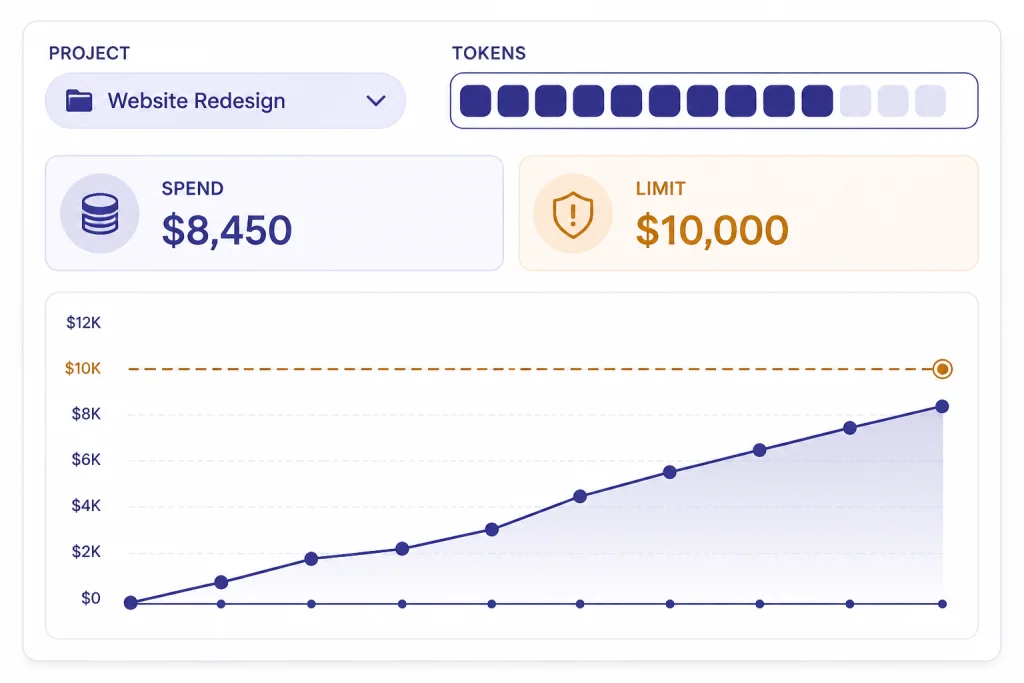
- Check billing and spend limits.
- Check rate limits for the selected model.
- Check whether a tool, schema, or file input is causing the failure.
- Check the OpenAI status page if failures are widespread.
Playground vs. ChatGPT vs. API
Use the right surface for the job. ChatGPT is best for interactive work. Playground is best for controlled prompt testing. The API is best for production software.
| Surface | Best for | Billing and limits | Main risk |
|---|---|---|---|
| ChatGPT | Personal work, writing, analysis, file chats, and team collaboration | Managed through ChatGPT billing, separate from API billing[12] | Good results may not map directly to API behavior |
| OpenAI Playground | Prompt prototypes, model comparisons, schema tests, and tool experiments | API platform usage, model rates, project settings, and rate limits[8] | One-off tests can feel reliable before you run enough examples |
| OpenAI API | Production apps, batch jobs, agents, internal tools, and customer workflows | API billing, API keys, usage limits, and operational monitoring[13] | Security, cost control, retries, and evaluation become your responsibility |
A good workflow is simple: explore in ChatGPT if you are still deciding what you want, formalize in Playground when you need repeatable behavior, then implement through the API after you have tests and cost controls. For organization context, see our OpenAI history overview.
Frequently asked questions
Is OpenAI Playground free?
Playground itself is a workspace in the API platform, but the calls you run can create API usage. OpenAI says Responses API usage is billed at the chosen model’s token rates, not through a separate Responses fee.[8] Check your billing page and usage dashboard before running large test sets.
Is OpenAI Playground the same as ChatGPT?
No. ChatGPT is the chat product. Playground is for API-oriented prompt and tool testing. OpenAI says ChatGPT and API billing are managed in separate systems, which is the clearest practical difference for most users.[12]
Can I use Playground prompts in production?
Yes, if you save and manage them properly. OpenAI documents reusable prompts with prompt IDs, versions, and variables that can be referenced from API requests.[3] You should still add evaluation, monitoring, retries, and cost controls before production use.
Which model should I start with in Playground?
Start with the least expensive model that might solve the task, then compare upward when you find specific failures. OpenAI’s pricing page shows large differences between GPT-5, GPT-5 mini, GPT-5 nano, and GPT-5 pro rates.[8] Do not choose a model only because it is the newest or largest.
Can Playground test function calling?
Yes. OpenAI’s function-calling documentation says models can use tools defined by JSON schema and call application-side functionality through the API flow.[6] Playground is a good place to design and inspect those function schemas before you build the full integration.
What should I do if Playground returns errors?
Check the active project, billing status, model selection, rate limits, prompt size, tool configuration, and output schema. OpenAI says rate limits vary by model and are set at organization and project level.[10] If the same request worked earlier, also check service health and recent changes to your project settings.