


An API cost calculator helps you turn token estimates into a practical OpenAI API budget before you deploy. Use the tool below to enter your model, average input tokens, cached input tokens, output tokens, and expected request volume. It estimates pay-as-you-go spend so you can compare model choices, test pricing assumptions, and avoid surprise invoices. The result is still an estimate, not a billing statement. Real usage can change when prompts grow, users trigger retries, tools add extra calls, or streaming responses run longer than expected. Treat the calculator as a planning tool, then validate it against your usage logs and the OpenAI usage dashboard once traffic starts.
OpenAI API Cost Calculator
Estimate what an API call will cost. Pick the model, enter input + output tokens, and see the price. Updated for May 2026 list prices.
Price table
| Model | Input / 1M | Output / 1M |
|---|
Prices are list rates excluding prompt caching, batch, or volume discounts.
What the API cost calculator does
The calculator estimates OpenAI API spend from four inputs: model pricing, input tokens, cached input tokens, output tokens, and request volume. It is built for planning product budgets, comparing model options, and checking whether a feature can fit inside a target monthly spend.
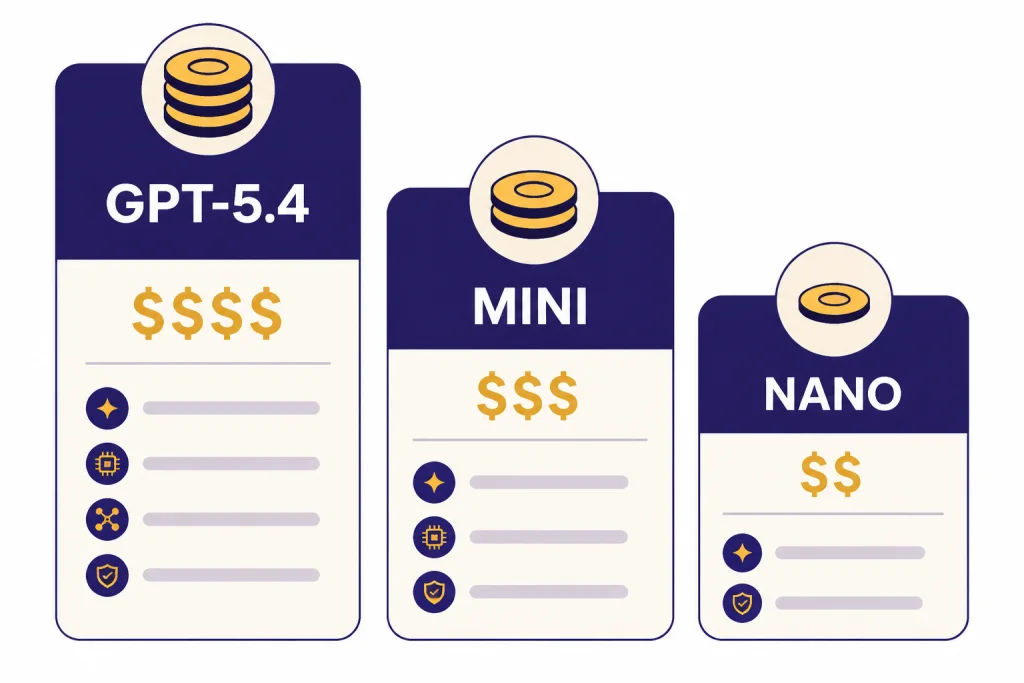
OpenAI prices many text models per million input tokens, cached input tokens, and output tokens. For example, OpenAI lists GPT-5.4 at $2.50 per 1M input tokens, $0.25 per 1M cached input tokens, and $15.00 per 1M output tokens; its model reference also notes a 1,050,000-token context window and 128,000 max output tokens.[3] GPT-5.4 mini is listed at $0.75 per 1M input tokens and $4.50 per 1M output tokens, while GPT-5.4 nano is listed at $0.20 per 1M input tokens and $1.25 per 1M output tokens.[4]
The tool does not decide which model you should use. It gives you a cost estimate so you can decide whether to use a frontier model, a smaller model, a batch workflow, or a hybrid routing strategy. For a broader model-by-model price reference, see our OpenAI API pricing guide.
How the estimate works
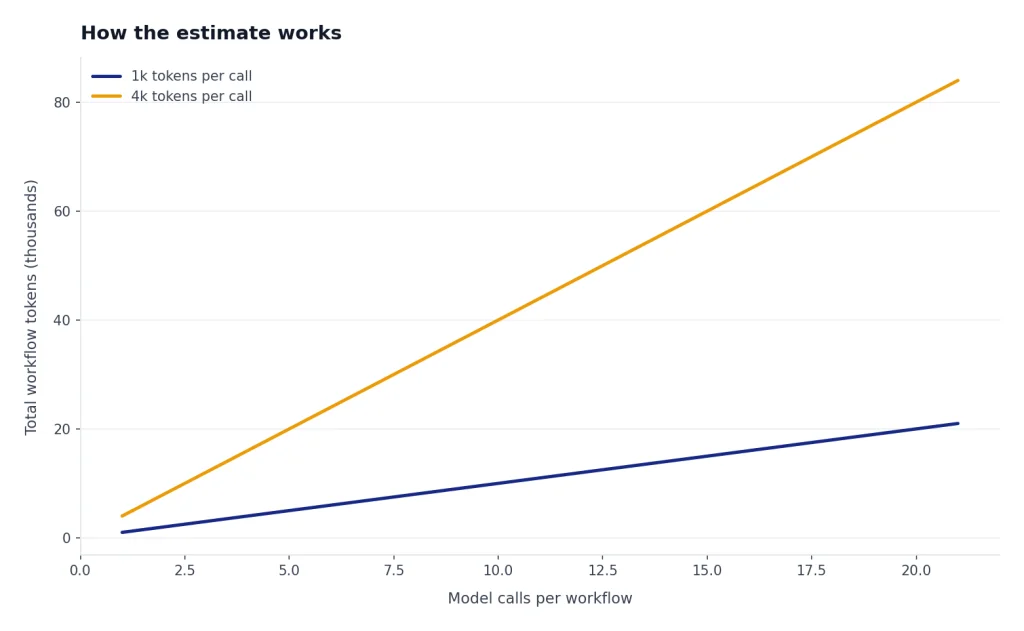
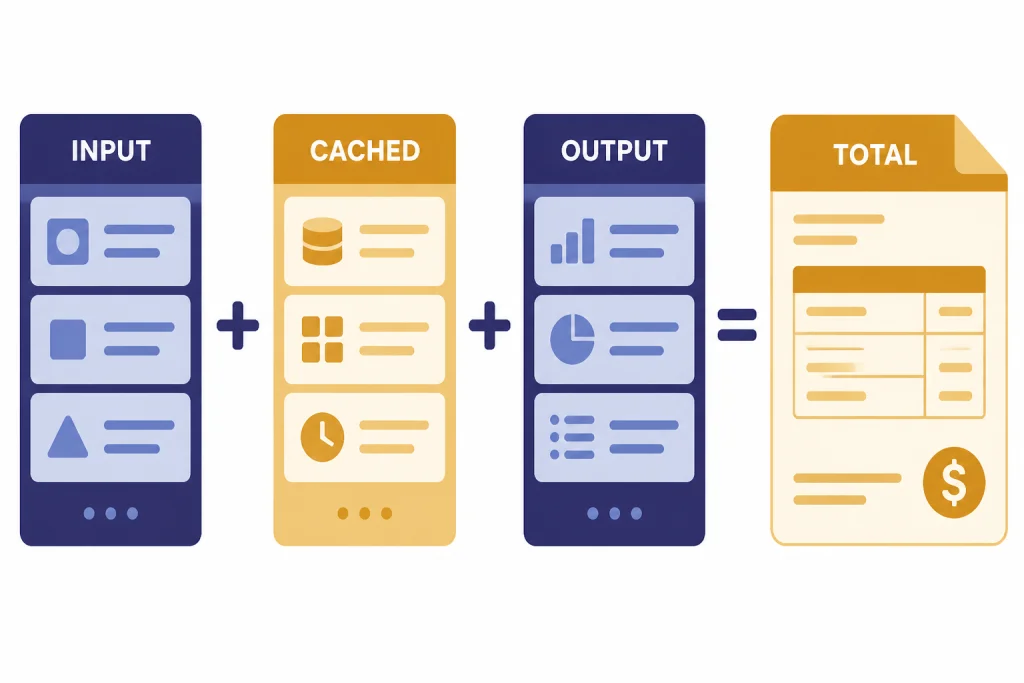
The basic formula is simple: multiply each token bucket by its model-specific price, then multiply by your expected number of calls. The calculator separates input, cached input, and output because OpenAI bills those categories differently for supported models.[2]
monthly cost =
  (input_tokens / 1,000,000 × input_price)
+ (cached_input_tokens / 1,000,000 × cached_input_price)
+ (output_tokens / 1,000,000 × output_price)
This estimate is most useful when you calculate tokens per workflow, not just tokens per single API call. A support chatbot may call the model once. An agent may call a model many times, invoke tools, summarize intermediate state, and append prior messages to later turns. If you are building with the Responses API, start with our Responses API documentation and examples so your estimate matches the endpoint you plan to use.
How to use the calculator
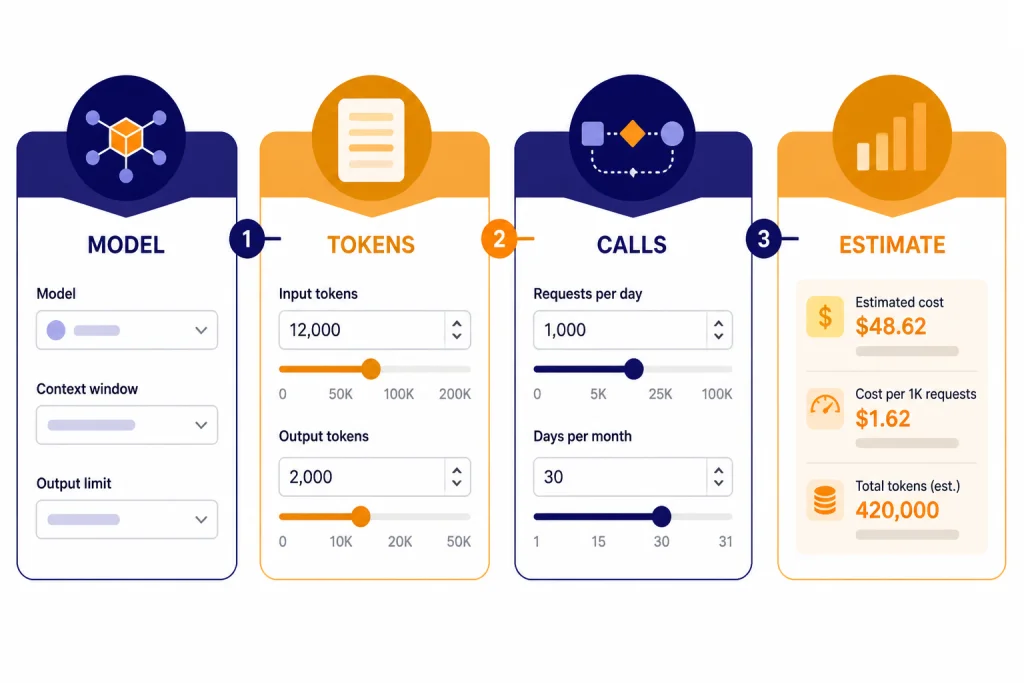
Use the calculator before you ship, then revisit it after you have real usage data. Early estimates should be conservative. Production estimates should be based on logs.
Step 1: Choose the model
Select the model you expect to use in production. If the feature is latency-sensitive or high-volume, compare a smaller model against the best model you tested. OpenAI describes GPT-5.4 nano as its cheapest GPT-5.4-class model for simple high-volume tasks, with a 400,000-token context window and 128,000 max output tokens.[10]
Step 2: Estimate average input tokens
Count the full request, not only the visible user message. Include system instructions, developer instructions, conversation history, retrieved context, tool schemas, and any structured output instructions. OpenAI’s production guidance says pricing is token-based and recommends projecting utilization from traffic levels, user interaction frequency, and the amount of data processed.[6]
Step 3: Estimate cached input tokens
If your workload reuses long, stable prompt prefixes, cached input may reduce cost on models that support cached pricing. Keep this input at zero unless you have confirmed that your prompt structure actually benefits from caching. Do not assume every repeated string receives cached pricing.
Step 4: Estimate output tokens
Output tokens often drive the bill because output prices are usually higher than input prices. Set a realistic average and a worst-case value. If your app streams responses, OpenAI says token usage can still be accessed from API responses, and streaming usage can be included with stream_options: {"include_usage": true}.[8] For implementation details, see our guide to streaming responses with the OpenAI API.
Step 5: Enter monthly request volume
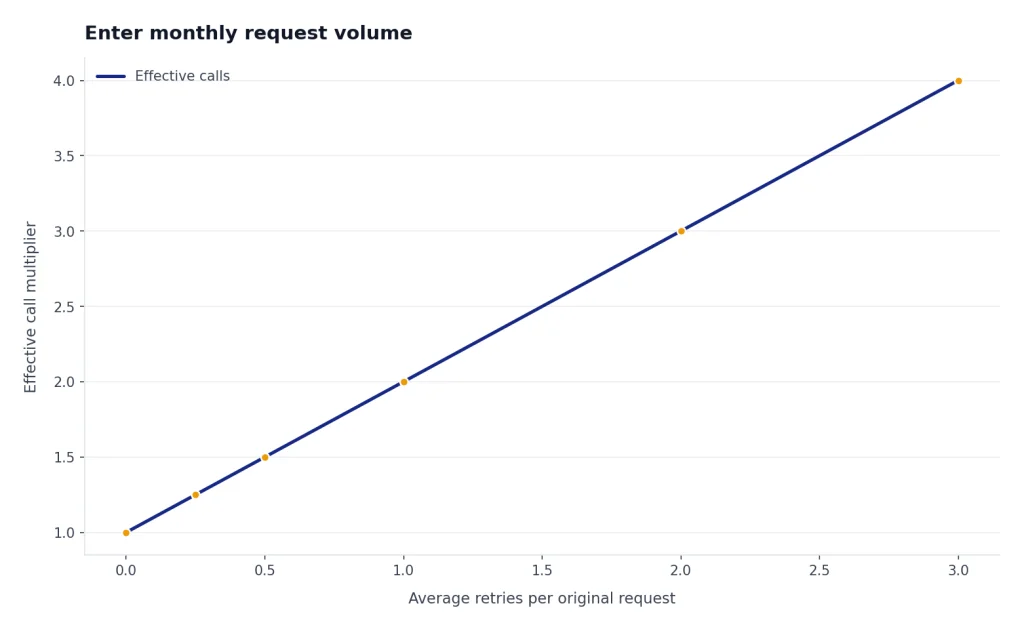
Use a range. A new product may need a launch-week estimate, a steady-state estimate, and a failure-mode estimate that includes retries. If your traffic is asynchronous, compare standard processing against the OpenAI Batch API.
Cost variables that change your bill
Token price is only one part of API cost. The same feature can produce very different bills depending on prompt length, output caps, model routing, retries, and whether you batch non-urgent work.
| Variable | What changes | How to model it |
|---|---|---|
| Model | Different models have different input, cached input, and output prices. | Run the calculator once per candidate model. |
| Prompt length | Long instructions, history, and retrieved context increase input tokens. | Measure real prompts from development logs. |
| Output length | Long answers, JSON objects, and reasoning-heavy tasks increase output tokens. | Set average and worst-case output values. |
| Caching | Repeated stable prefixes may qualify for lower cached-input pricing on supported models. | Separate cached input from normal input only after verification. |
| Retries | Failed calls, timeouts, and validation failures can multiply usage. | Add a retry factor to monthly call volume. |
| Batch processing | Non-urgent jobs may be cheaper when run asynchronously. | Compare normal cost with Batch API cost. |
| Tools and modalities | Search, image, audio, and computer-use features may have their own billing rules. | Estimate those components separately. |
GPT-5.4, GPT-5.4 mini, and GPT-5.4 nano make this tradeoff clear. OpenAI’s model comparison page lists GPT-5.4 at $2.50 input, $0.25 cached input, and $15.00 output per 1M tokens; GPT-5.4 mini at $0.75 input, $0.08 cached input, and $4.50 output per 1M tokens; and GPT-5.4 nano at $0.20 input, $0.02 cached input, and $1.25 output per 1M tokens.[2]
If you process images, embeddings, audio, or moderation separately, do not force those workloads into a text-only estimate. Use separate assumptions and read the relevant guides, such as our OpenAI Vision API guide, OpenAI Embeddings API guide, and OpenAI Moderation API guide.
Worked example
Assume a support assistant uses GPT-5.4 mini. Each request averages 1,000 input tokens and 300 output tokens. The product team expects 100,000 requests per month.
- Input: 100,000 requests × 1,000 input tokens = 100,000,000 input tokens.
- Output: 100,000 requests × 300 output tokens = 30,000,000 output tokens.
- Input cost: 100M tokens × $0.75 per 1M tokens = $75.
- Output cost: 30M tokens × $4.50 per 1M tokens = $135.
- Estimated monthly model cost: $210.
Those dollar amounts use OpenAI’s listed GPT-5.4 mini input and output prices.[4] The estimate excludes tool calls, retrieval infrastructure, hosting, observability, failed requests, and human review time. It also assumes average output length stays close to 300 tokens.
A good next step is to run the same estimate with output set to 600 tokens and request volume set to 150,000 calls. That stress test shows whether your budget survives longer answers and higher traffic. If JSON formatting drives long outputs, consider structured outputs with the OpenAI API so you can control response shape more tightly.
When not to use this calculator
Do not use this calculator as your final invoice forecast after launch. Use it for planning, procurement, and architecture decisions. Once real users arrive, your billing source of truth is usage data from OpenAI and your own application logs.
OpenAI says the usage dashboard can show spend, token totals, request totals, capability breakdowns, and project-level filters; it also notes that dashboard data is displayed in UTC.[7] Use that dashboard to reconcile estimates against actual usage. OpenAI also says token usage is included in API responses under the usage key, which makes request-level logging possible.[8]
A calculator is also a weak fit for highly dynamic agents. If an agent can take dozens of steps, call tools repeatedly, or pull large files into context, a single average may hide the expensive tail. In that case, build a budget monitor, add per-request caps, and test failure paths. Our OpenAI API best practices for production guide covers the operational side.

Finally, do not use the calculator to compare API billing with a ChatGPT subscription. ChatGPT plans and API usage are separate products with different billing models. If you are deciding between them, read Does ChatGPT Plus Include API Access? and ChatGPT API vs ChatGPT Plus.
Calculator vs. alternatives
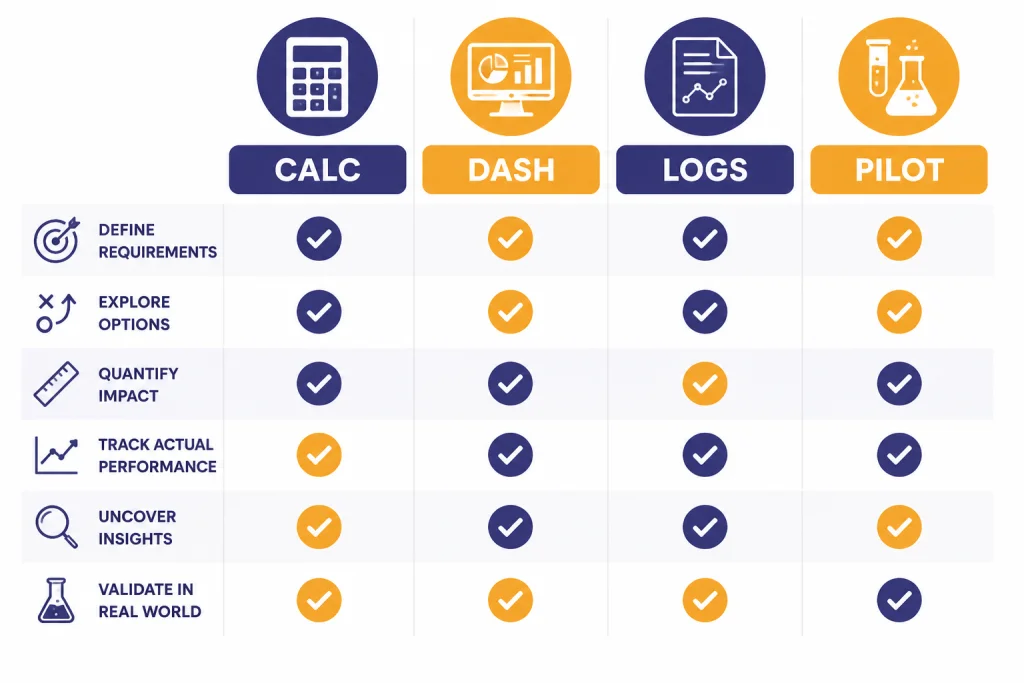
The calculator answers a different question from the usage dashboard, logs, and invoice data. It estimates future spend. The dashboard and logs explain actual spend.
| Method | Best for | Strength | Weakness |
|---|---|---|---|
| API cost calculator | Planning a feature before launch | Fast comparison across token assumptions | Only as accurate as your estimates |
| OpenAI usage dashboard | Reviewing real spend after traffic starts | Shows actual usage and spend views | Looks backward, not forward |
| Response usage logs | Finding expensive routes, users, or prompts | Can tie cost to product behavior | Requires instrumentation |
| Tokenizer tests | Estimating prompt size before sending requests | Useful for prompt design | Does not predict output length |
| Small production pilot | Validating estimates with real users | Best evidence before scale-up | Costs money and takes time |
For most teams, the best workflow is sequential. Use the calculator during design. Use tokenizer checks while building prompts. Log usage in development. Run a limited production pilot. Then use the dashboard to verify spend and adjust the calculator assumptions.
How to lower your API cost
Start by reducing output tokens. Output is often the expensive side of a request, and long answers can grow quietly as prompts evolve. Set response length limits, ask for concise fields, and avoid returning intermediate reasoning or verbose explanations unless users need them.
Second, route by task difficulty. Use a smaller model for classification, extraction, and simple transformations. Reserve the strongest model for workflows where quality failures cost more than the token difference. For model selection, compare our GPT models side-by-side guide with your own evaluation data.
Third, batch work that does not need an immediate response. OpenAI says the Batch API offers a 50% cost discount compared with synchronous APIs and a 24-hour turnaround target.[5] The Batch API guide also lists supported endpoints including /v1/responses, /v1/chat/completions, /v1/embeddings, /v1/completions, and /v1/moderations.[5]
Fourth, prevent waste from retries and errors. Validate inputs before sending them, cap output tokens, handle rate-limit errors, and log failed requests. If you are seeing repeated failures, use our OpenAI API errors reference before increasing your budget.
Fifth, separate experimental traffic from production traffic. OpenAI’s production guidance recommends monitoring usage and says you can set notification thresholds for usage amounts.[6] Separate projects and clear budget alerts make it easier to catch runaway tests before they affect a customer-facing application.
Frequently asked questions
Is this API cost calculator exact?
No. It is an estimate based on the model prices and token counts you enter. Real bills can differ because users write longer prompts, outputs vary, retries happen, and tools may add extra usage. Use the OpenAI usage dashboard and response usage logs to verify actual spend after launch.[7]
What token counts should I enter?
Use measured averages from development logs when possible. Include system instructions, conversation history, retrieved text, tool schemas, and the final user message in input tokens. For output tokens, use both an average case and a worst case.
Does cached input always reduce my bill?
No. Cached input only helps when your model and request pattern qualify for cached pricing. Keep cached input at zero in early estimates unless you have verified the behavior in your application. Otherwise, the calculator will understate cost.
How do I estimate cost for streaming?
Streaming changes how users receive the answer, not the fact that generated tokens count. Log usage from streamed responses and estimate the same way: input tokens plus output tokens. OpenAI says streaming usage can be included by setting stream_options: {"include_usage": true}.[8]
Should I use the Batch API to save money?
Use Batch API for work that can wait, such as evaluations, classification jobs, bulk enrichment, and embeddings over a content repository. OpenAI describes Batch API as asynchronous and says it has a 24-hour turnaround window and 50% lower costs than synchronous APIs.[5] Do not use it for user-facing interactions that need an immediate response.
Does ChatGPT Plus include API credits?
No. ChatGPT subscriptions and OpenAI API usage are billed separately. A ChatGPT plan gives access to ChatGPT features, while API usage is metered through the developer platform. See our separate guide to ChatGPT Plus API access for the practical differences.