

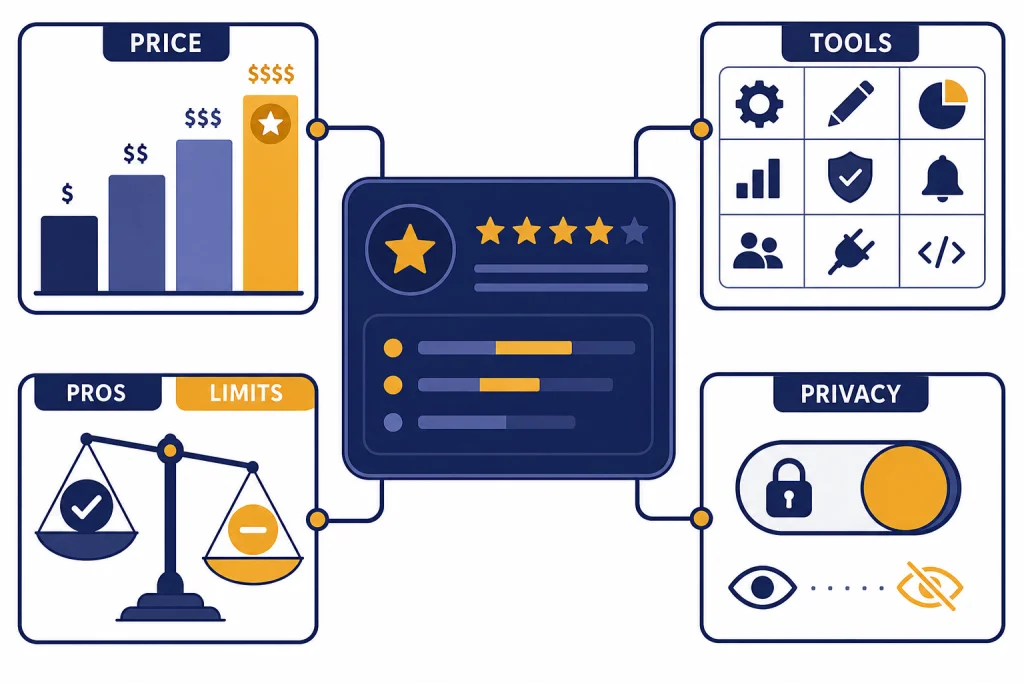
ChatGPT is still the strongest general-purpose AI assistant for most people in 2026, but it is not the right tool for every job. Its biggest advantages are breadth, polished everyday usability, strong reasoning options, file handling, voice, image tools, custom GPTs, canvas, projects, and deep research. Its biggest weaknesses are moving limits, occasional confident errors, uneven model availability, privacy tradeoffs on consumer accounts, and a price ladder that jumps sharply for heavy users. The short version of this ChatGPT review: use the free plan if you are curious, Plus if ChatGPT is part of your daily work, Pro only if limits cost you money, and Team if you need a shared business workspace.
Our verdict
ChatGPT earns a strong recommendation because it combines capable models with the most complete everyday AI workspace. It is not just a chatbot anymore. It is a writing assistant, coding helper, search interface, spreadsheet explainer, file reader, voice assistant, image tool, research helper, and lightweight automation surface in one product.
The main reason to choose ChatGPT is convenience. Many competing tools can beat it in one narrow area. Few match its mix of reasoning, multimodal input, app availability, memory, projects, file uploads, custom GPTs, and built-in research. OpenAI’s own capabilities overview lists deep research, image input and generation, file uploads, voice mode, canvas, projects, memory, custom GPTs, and search as current ChatGPT capabilities.[4]
The main reason to hesitate is control. Limits change. Model names change. A workflow that works well one month may feel different after a model retirement, routing change, or usage cap adjustment. OpenAI’s Help Center says GPT-4o, GPT-4.1, GPT-4.1 mini, OpenAI o4-mini, and GPT-5 Instant and Thinking were retired from ChatGPT on February 13, 2026.[1] That pace can be good for improvement, but it is frustrating if you need a stable toolchain.
Our practical verdict: ChatGPT is worth using, and ChatGPT Plus is worth paying for if it saves you at least one hour a month. ChatGPT Pro is a niche plan for people who already know they exceed Plus limits. Team is the cleaner option for small organizations that need workspace controls, shared billing, and business data handling.
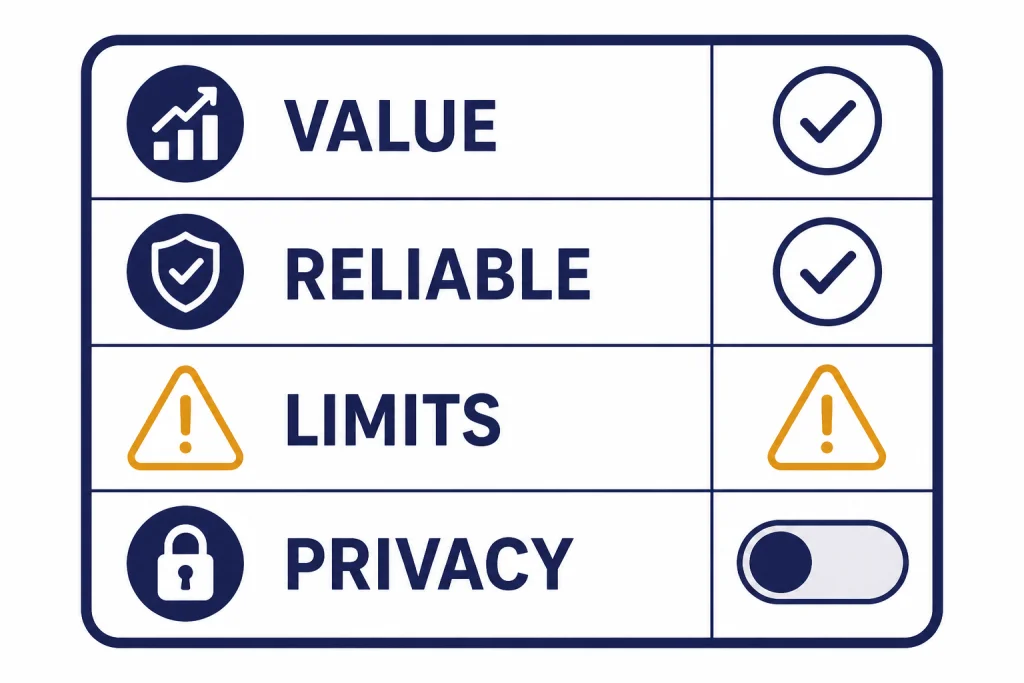
What ChatGPT is best at in 2026
ChatGPT is strongest when you use it as a flexible work partner rather than a magic answer box. It performs best on tasks where you can give context, review the output, and iterate. That includes drafting, editing, summarizing, planning, coding help, data cleanup, explanation, brainstorming, interview prep, and first-pass research.
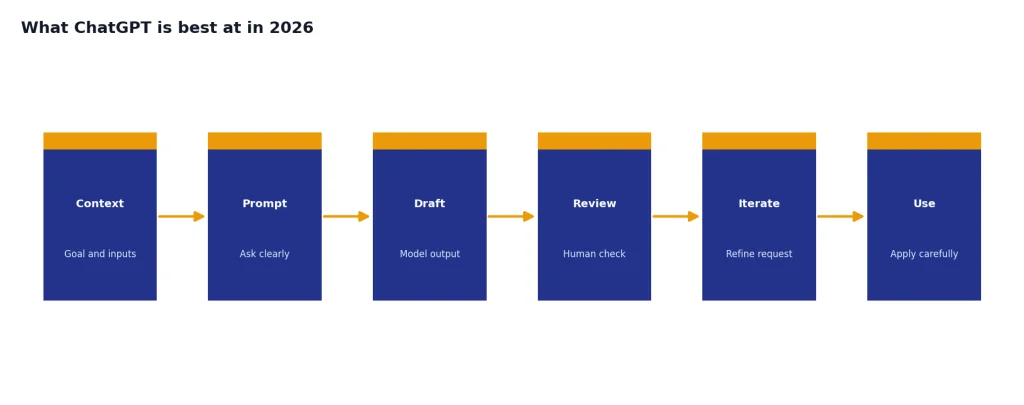
The 2026 version is especially useful for mixed-input work. You can upload a file, ask questions about it, turn findings into a table, revise the answer in canvas, ask for a shorter version, then use voice to continue the discussion. That flow matters more than any single benchmark score.
For knowledge work, the best use case is not “write this for me.” It is “help me see the structure of this problem.” ChatGPT is good at turning vague notes into an outline, finding gaps in an argument, converting a transcript into action items, and explaining a difficult document in plain language.
For developers, ChatGPT is helpful for debugging, code explanation, test generation, refactoring suggestions, and reading unfamiliar repositories. If your main need is coding, also read our OpenAI o3 review, GPT-5 review, and OpenAI Playground review, because the best interface depends on whether you want a chat workspace or a developer sandbox.
For creators, ChatGPT is a useful planning and editing tool. It can help shape scripts, revise headlines, build shot lists, and generate images. For dedicated media work, see our DALL-E 3 review and Sora review, because ChatGPT’s built-in creative tools are convenient but not always the deepest option for visual production.
What you get inside ChatGPT
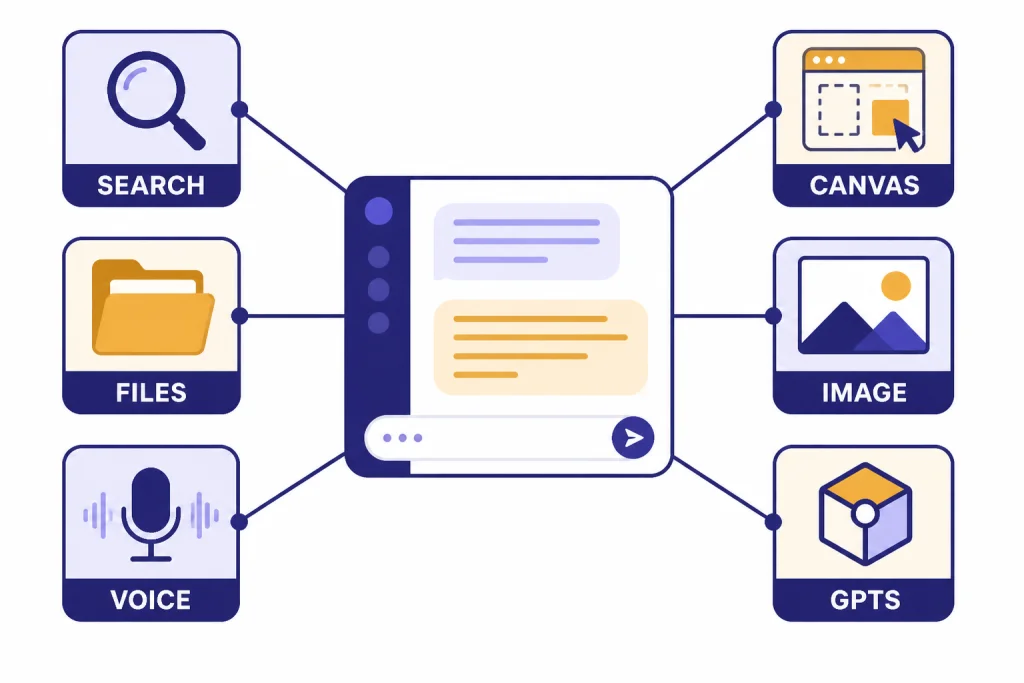
ChatGPT’s feature set is its biggest advantage. The product works because the tools sit in one conversation. You do not have to decide whether you need a search engine, a document reader, a coding assistant, or an image tool before you start. You can begin with a normal prompt and bring in tools as the task becomes clearer.
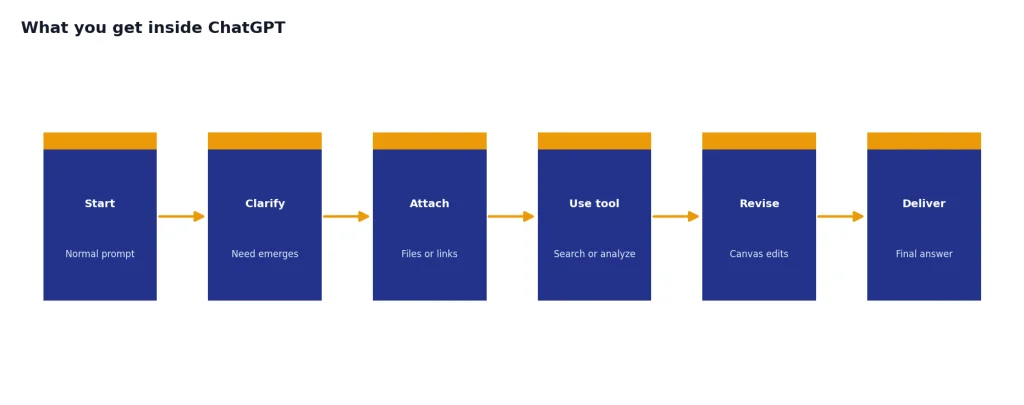
The core features include web search, file uploads, data analysis, image input, image generation, voice mode, canvas, custom GPTs, projects, memory, tasks, and deep research.[4] Availability varies by plan, region, account status, and usage limits, so you should treat OpenAI’s current plan page as the final source when buying.
Canvas is one of the most useful upgrades for longer work. OpenAI describes canvas as an interactive workspace for co-writing, editing, or debugging with ChatGPT, with inline suggestions, file upload, and code editing support.[7] It is a better fit than normal chat when you need to revise a document or code file over several rounds. For a deeper look, read our ChatGPT Canvas review.
Deep research is the other standout feature for serious work. OpenAI says deep research is designed for multi-step research tasks and can read and synthesize online sources into cited, structured outputs.[6] It is slower than normal chat, but it is much better for market scans, literature reviews, vendor comparisons, and technical briefings. We cover that separately in our ChatGPT Deep Research review.
Custom GPTs are useful when you repeatedly run the same workflow. They are less useful when you only need a one-off prompt. If you browse the GPT Store often, our GPT Store review and ChatGPT Custom GPTs review explain when they are worth your time.
ChatGPT plans and pricing
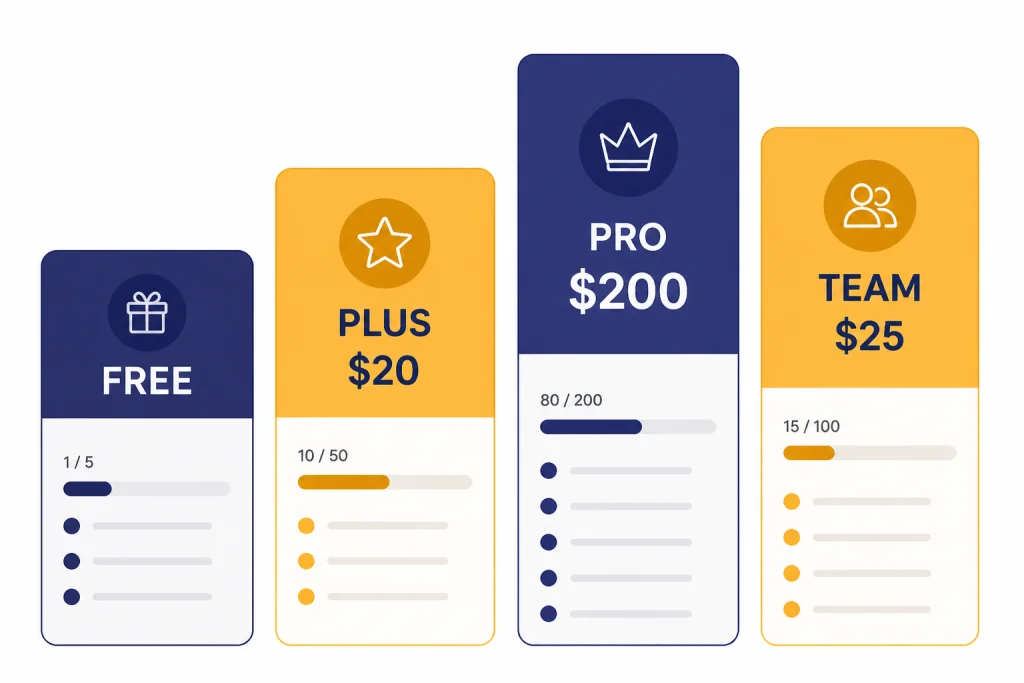
ChatGPT’s pricing is simple at the surface and complicated in practice. The free plan is good enough for occasional use. Plus is the mainstream paid plan. Pro is for heavy individual users. Team is for small groups that want a shared workspace. Enterprise is for organizations that need procurement, security, admin, and support features.
ChatGPT Plus costs $20 per month and is billed monthly.[1] ChatGPT Pro costs $200 per month in the Pro plan referenced by OpenAI’s Help Center.[2] ChatGPT Team was introduced at $25 per user per month with annual billing or $30 per user per month with monthly billing.[9] Enterprise uses custom sales pricing rather than a public sticker price.
| Plan | Best for | Strength | Main caution |
|---|---|---|---|
| Free | Trying ChatGPT or using it occasionally | No subscription required | Lower limits and less predictable access |
| Plus | Daily personal work, writing, coding help, research, and files | Best value for most individuals | Still has limits on advanced tools |
| Pro | Heavy users who hit Plus limits often | Higher access to advanced models and tools | Hard to justify unless it directly saves billable time |
| Team | Small organizations and shared workspaces | Admin, billing, collaboration, and business data handling | Costs more than individual Plus when bought for multiple seats |
| Enterprise | Larger organizations with security and compliance needs | Governance, support, and negotiated terms | Requires a sales process |
Most readers should start with Free, upgrade to Plus only after they know their actual use pattern, and avoid Pro until they can name the specific limit that blocks them. If you are choosing between the two main individual paid tiers, read our ChatGPT Plus review and ChatGPT Pro review. If you are buying for a small company, compare this article with our ChatGPT Team review.
The price gap between Plus and Pro is the hardest part of the lineup. A user who needs more than Plus but not a heavy professional plan may feel squeezed. OpenAI has not published a single official fixed message limit that covers every Plus and Pro use case, so do not buy based on a third-party limit chart alone.
Pros and cons
ChatGPT’s strengths are broad and practical. Its weaknesses are also real. The product is powerful, but it is not dependable enough to use without review in legal, medical, financial, hiring, security, or public-facing decisions.
Pros
- Best all-around AI workspace. ChatGPT combines chat, files, images, voice, canvas, search, projects, and research in one place.
- Strong everyday writing help. It is very good at outlines, rewrites, summaries, tone changes, and first drafts.
- Useful for coding support. It can explain errors, draft tests, refactor functions, and reason through architecture choices.
- Good multimodal support. It can work with text, documents, screenshots, charts, images, and spoken conversation, depending on plan limits.
- Flexible enough for many skill levels. Beginners can ask plain questions. Advanced users can build repeatable workflows with files, projects, and custom GPTs.
- Deep research is genuinely useful. It is one of the clearest reasons to keep ChatGPT in a professional toolkit when you need cited synthesis rather than quick answers.
Cons
- It can still be wrong. ChatGPT may invent facts, misread sources, miss edge cases, or give overconfident answers.
- Limits are not always transparent. Usage caps can depend on plan, tool, model, region, and demand.
- The model lineup changes often. OpenAI retired several ChatGPT models on February 13, 2026, which shows how quickly familiar options can disappear.[1]
- Pro is expensive. The $200 monthly price makes sense only for people who get direct economic value from higher limits.[2]
- Consumer privacy settings require attention. You should review data controls before pasting sensitive material.
- Custom GPT quality varies. Some are useful wrappers. Others are little more than saved prompts.
Where ChatGPT still falls short
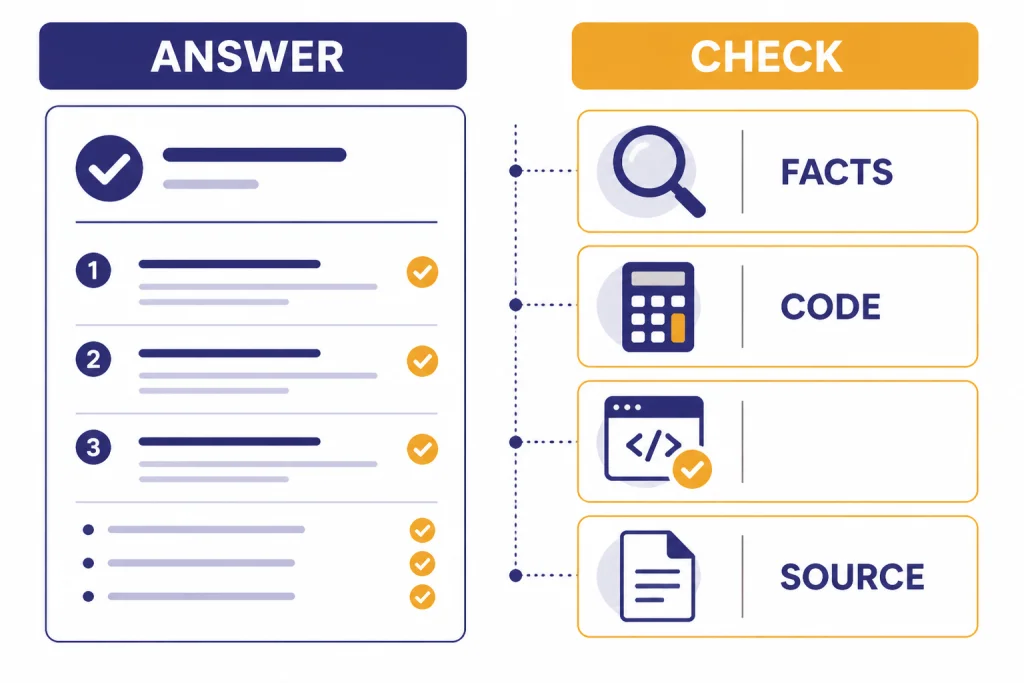
The most important limit is reliability. ChatGPT can produce a clean, plausible answer that contains a quiet mistake. This is especially risky when the answer includes citations, calculations, code, or policy interpretation. You still need to verify important outputs.
The second limit is continuity. OpenAI improves ChatGPT quickly, but quick improvement brings product churn. Model names, defaults, tools, and limits can shift. If you build a workflow around one exact behavior, you should expect maintenance.
The third limit is source handling. ChatGPT search and deep research are useful, but they do not remove the need to open the underlying source for high-stakes work. A cited paragraph can still misrepresent nuance, miss a date, or overlook a conflicting source.
The fourth limit is cost predictability for power users. Plus is affordable for many professionals, but the jump to Pro is steep. Team can be a better answer for organizations, but it changes the buying decision from personal productivity to workspace management.
The fifth limit is over-reliance. ChatGPT is best when it sharpens your judgment. It is risky when it replaces your judgment. Use it to draft, challenge, summarize, and explore. Do not use it as the final authority on facts that matter.
Who should use ChatGPT
Students and learners should use ChatGPT as a tutor, not a shortcut. Ask it to explain concepts, quiz you, generate practice problems, and critique your reasoning. Do not ask it to submit work for you.
Writers and marketers should use it for structure, options, revisions, research questions, and editing passes. The best results come when you bring clear source material and ask for specific transformations.
Developers should use it as a rubber duck, reviewer, and code explainer. It can save time, but you should still run tests, inspect diffs, and check security-sensitive changes. If you care most about model-by-model differences, use our all GPT models compared side by side guide.
Analysts and operators should use it for summarizing spreadsheets, cleaning messy notes, building first-pass reports, and planning next steps. It is very good at turning unstructured information into a usable format.
Small teams should consider Team when they need shared billing, workspace separation, admin controls, and business data handling. If your organization has strict legal, security, or compliance requirements, look at our ChatGPT Enterprise review instead.
Privacy and data controls
ChatGPT is not a private notebook by default in the way a local text file is. You should treat it as a cloud service and read the controls before pasting confidential information. OpenAI’s Data Controls FAQ says users can turn off “Improve the model for everyone,” and conversations will still appear in chat history but will not be used to train ChatGPT.[8]
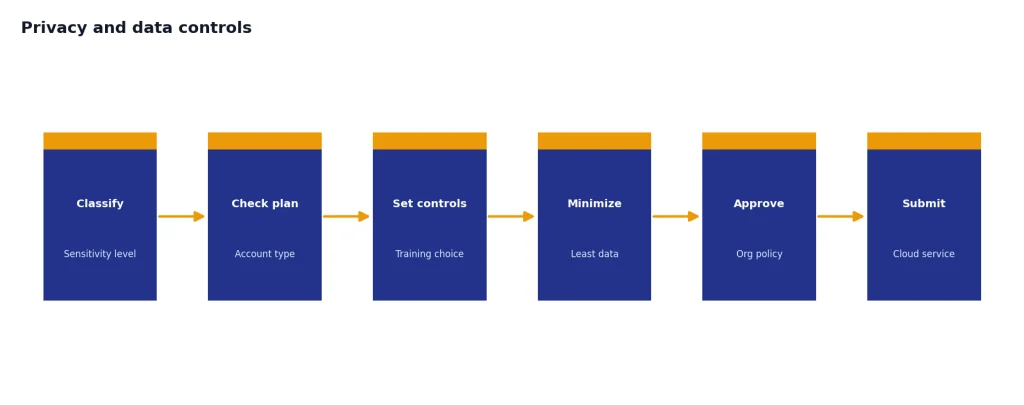
For business use, the distinction between consumer and workspace plans matters. OpenAI says ChatGPT Business workspace data is excluded from training by default and encrypted in transit and at rest.[10] That does not mean every organization can use it for every regulated workflow, but it is a major reason teams should not manage company work through a patchwork of personal accounts.
Our recommendation is simple. Do not paste secrets, private health information, unreleased financials, customer records, credentials, or confidential legal material into a consumer account unless your organization has approved that use. If you need ChatGPT for sensitive work, use the right business plan and confirm retention, access, and compliance terms with your own legal or security team.
Alternatives worth considering
ChatGPT is the best default choice for many users, but it is not always the best specialized tool. You should compare alternatives based on the job, not the brand.
| Need | ChatGPT fit | When to consider another tool |
|---|---|---|
| General writing and planning | Excellent | Use another tool if your workplace already standardizes on a different assistant. |
| Long research reports | Very good with deep research | Use specialist databases for legal, medical, scientific, or financial research. |
| Software development | Strong for explanation, review, and debugging | Use a coding-first environment when repository automation matters more than chat. |
| Image generation | Convenient | Use a dedicated image platform for advanced style control or production pipelines. |
| Video generation | Useful if Sora access fits your needs | Compare dedicated video tools if editing controls matter. |
| Enterprise deployment | Strong with the right plan | Run procurement and security review before standardizing. |
If you mainly want a desktop or mobile experience, start with our best ChatGPT app for Mac, iPhone, and Android guide. If you want a browser-centered workflow, read our ChatGPT Atlas review. If you want to compare paid ChatGPT with API usage, our OpenAI API pricing guide is the better next step.
The bottom line remains straightforward. ChatGPT is worth using because it is broad, capable, and easy to fit into real work. It is worth paying for when it becomes a daily tool. It is not worth blindly upgrading just because a higher tier exists.
Frequently asked questions
Is ChatGPT worth it in 2026?
Yes, ChatGPT is worth using in 2026 for most people who write, research, code, study, plan, or analyze information. The free plan is enough for casual use. Plus is the better value if ChatGPT is part of your daily workflow.
Is ChatGPT Plus worth $20 per month?
ChatGPT Plus is worth $20 per month if it saves you time every week or gives you access to tools you actually use.[1] It is not worth paying for if you only ask a few simple questions per month. Start with Free, then upgrade after you hit a real limit.
Who should pay for ChatGPT Pro?
ChatGPT Pro is for heavy users who repeatedly hit Plus limits and can connect the higher access to real productivity or revenue. At $200 per month, it is not a casual upgrade.[2] Most individuals should try Plus first.
Can ChatGPT replace Google Search?
ChatGPT can replace some search sessions, especially when you want synthesis, explanation, or a starting list of sources. It should not replace opening primary sources for important decisions. Use it as a research assistant, not as the final source of truth.
Is ChatGPT safe for confidential work?
It depends on your plan, settings, and organization rules. Consumer users should review data controls before sharing sensitive information. Business workspace data has stronger default handling, including exclusion from training by default according to OpenAI.[10]
Does ChatGPT still make mistakes?
Yes. ChatGPT can still produce inaccurate, incomplete, or misleading answers. You should verify facts, calculations, citations, code, and any advice that affects money, health, law, safety, or employment.