

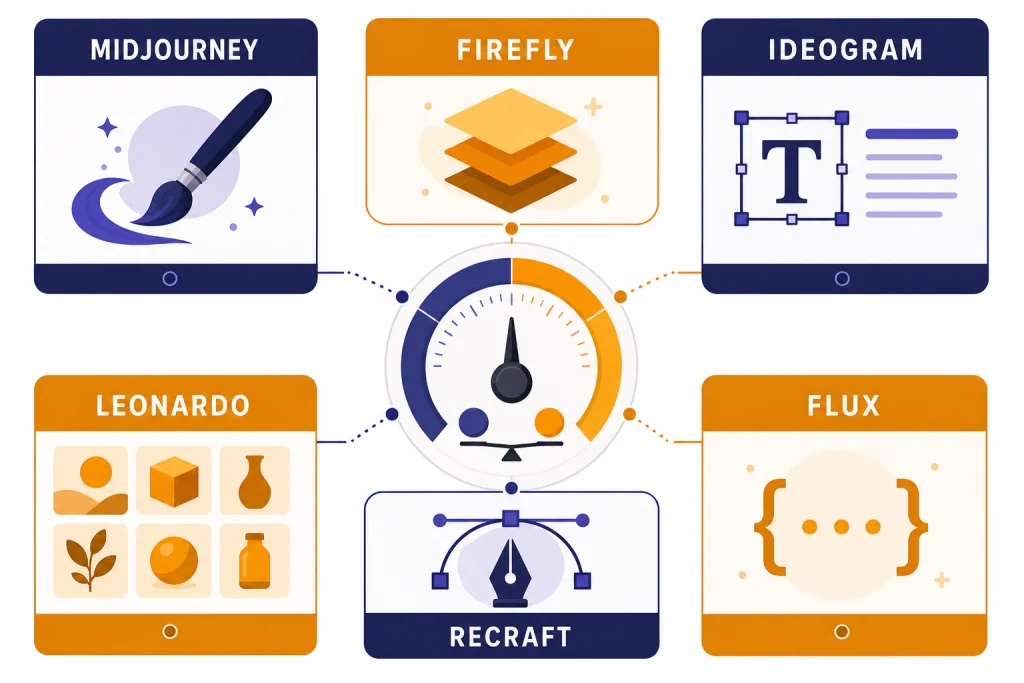
The best AI image tools beyond DALL-E depend on what you need to make. Midjourney is the strongest general pick for polished creative images. Adobe Firefly fits professional design teams that already work inside Adobe apps. Ideogram is the most practical choice when text, posters, or logos matter. Leonardo.Ai is useful for game assets, character work, and high-volume iteration. Recraft stands out for vector graphics and brand-ready design assets. FLUX from Black Forest Labs is a strong API option for builders who want direct model access. Stability AI and Canva are better for structured brand workflows than one-off art generation. This guide compares the main options by output quality, workflow, cost model, and commercial fit.
Quick picks
If you want one tool for artistic, editorial, and concept images, start with Midjourney. Its plan table lists Basic, Standard, Pro, and Mega subscriptions, with monthly pricing from $10 to $120 and higher tiers adding more fast GPU time, Relax Mode, and Stealth Mode.[1] The tradeoff is workflow. Midjourney is excellent for visual ideation, but it is not the cleanest choice when you need editable design layers, vector output, or predictable API billing.
If you work in a professional creative stack, Adobe Firefly is the safer first test. Adobe lists Firefly Standard at US$9.99 per month, Firefly Pro at US$19.99 per month, and Firefly Premium at US$199.99 per month, with monthly generative credit allowances tied to each paid plan.[2] Firefly is less about isolated image prompts and more about generation inside editing, layout, and production workflows.
If text accuracy matters, test Ideogram early. Ideogram’s own plan page lists Free, Plus, Pro, and Team plans, with Plus at $20 per month, Pro at $60 per month, and Team at $30 per month per member with a two-member minimum.[3] It is especially useful for posters, packaging roughs, social graphics, and visual concepts where misspelled words ruin the result.
If you need reusable styles, game assets, or lots of variations, Leonardo.Ai is a practical production workspace. Leonardo lists Free, Essential, Premium, and Ultimate solo tiers, with Essential at $12 per month, Premium at $30 per month, and Ultimate at $60 per month before tax.[4] Its token system, model variety, and relaxed generation options make it more of a creative operations tool than a simple prompt box.
If you need vector art, icons, illustrations, or assets that need to move into design tools, Recraft deserves a spot near the top. Recraft’s API pricing page lists Recraft V4 raster generation at $0.04 per image, Recraft V4 Vector at $0.08 per image, Recraft V4 Pro at $0.25 per image, and Recraft V4 Pro Vector at $0.30 per image.[5] That makes it easier to compare cost per deliverable than credit systems that hide the unit economics.
How the best AI image tools compare
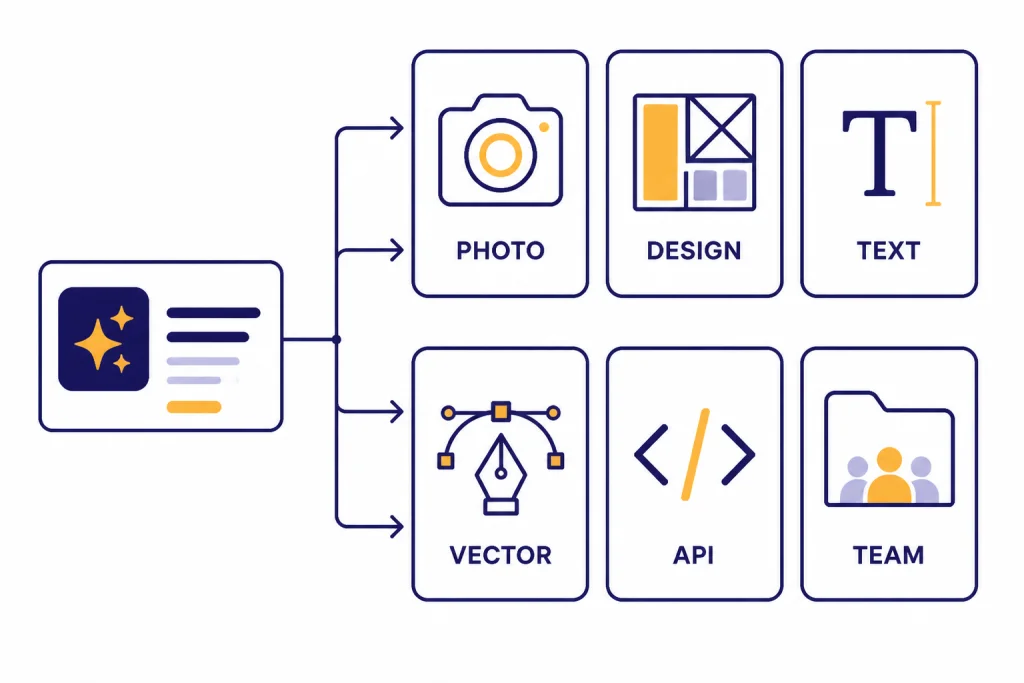
The best ai image tools are not interchangeable. Some are image models. Some are design environments. Some are API platforms. A fair comparison starts with the job you need done, not with the prettiest demo image.
| Tool | Best fit | Cost model to check | Main strength | Main drawback |
|---|---|---|---|---|
| Midjourney | Art direction, concepts, editorial images | Subscription tiers from $10 to $120 per month[1] | Polished aesthetics and fast iteration | Less ideal for structured design files |
| Adobe Firefly | Commercial design teams and Adobe users | Firefly paid plans from US$9.99 to US$199.99 per month[2] | Creative Cloud integration and production editing | Credit rules can matter for heavier use |
| Ideogram | Posters, logos, text-heavy images | Free, Plus, Pro, and Team plans with paid tiers listed from $20 per month[3] | Text rendering and prompt control | Less broad as a full design suite |
| Leonardo.Ai | Game assets, character concepts, high-volume output | Free plan plus solo paid tiers from $12 to $60 per month[4] | Model choice, token workflow, and asset production | Token math takes time to understand |
| Recraft | Vector graphics, brand assets, icons, mockups | API pricing from $0.04 per Recraft V4 raster image and $0.08 per Recraft V4 Vector image[5] | Editable vector and design-focused output | Not the first choice for cinematic art |
| Stability AI Brand Studio | Brand-controlled production work | Trial with 1,000 credits and Core at $50 per month with 5,000 monthly credits[6] | Brand workflows, inpainting, product insertion | Best value appears in structured team use |
| FLUX by Black Forest Labs | Developers, API users, custom apps | Credit pricing where 1 credit equals $0.01, with FLUX.2 model prices varying by model and resolution[7] | Direct model access and clear API economics | Requires more technical setup |
| Canva | Social posts, presentations, quick business design | Plan-based design platform with AI tools | Templates, layouts, publishing, brand kits | Less control than specialist image generators |
| Gemini image generation | Personalized casual generation inside Google’s AI ecosystem | Subscription access can vary by feature and region | Personal context and Google Photos integration | Not a dedicated design production suite |
Use this table as a starting point, not a final verdict. If you need a single-image hero visual, Midjourney may win. If you need editable brand assets, Recraft or Adobe Firefly may save more time. If you need programmatic generation, FLUX or Recraft’s API can be cleaner than a subscription interface. If you also compare video tools, see our best AI video tools of 2026 and our Sora vs Runway comparison.
Best tools by use case
Best overall creative image tool: Midjourney
Midjourney remains the easiest recommendation for users who care most about image appeal. It produces strong mood, composition, lighting, and style variation with less setup than most tools. It is a good fit for thumbnails, concept art, book covers, editorial illustrations, pitch decks, campaign concepts, and exploratory art direction.
The main reason not to choose Midjourney is downstream control. If your next step is editing layers, exporting vectors, feeding images into a web app, or locking every output to brand rules, a more production-oriented tool may fit better.
Best for Adobe users: Adobe Firefly
Adobe Firefly is strongest when image generation is part of a larger design process. Adobe described Firefly in April 2026 as an all-in-one creative AI studio with image editing, video, audio, vector features, Firefly Boards, and access to a roster of more than 30 creative AI models.[11] That broad scope matters if you need to move from an image concept to an actual marketing asset.
Choose Firefly if your team already works in Photoshop, Illustrator, Express, or Creative Cloud. It is less compelling if you only want cheap one-off image generations and do not need Adobe’s editing ecosystem.
Best for text inside images: Ideogram
Ideogram is the tool to test when words are part of the artwork. Use it for fake product labels, poster headlines, event graphics, logo concepts, sticker ideas, and ad mockups. Text rendering still requires checking and rerolling, but Ideogram is built around this problem more directly than many general image generators.
Its credit model is also straightforward enough for regular creative use. Ideogram lists priority credits, slow credits, top-ups, and concurrent generation limits by plan, which makes it easier to estimate whether a paid tier fits your workload.[3]
Best for game assets and production iteration: Leonardo.Ai
Leonardo.Ai is best viewed as a production workspace. It supports image generation, editing, upscaling, collections, personal AI model training on paid tiers, platform models, and third-party models.[4] That makes it a strong fit for game artists, indie studios, print-on-demand sellers, and creators who need many variations in a consistent direction.
The weakness is complexity. Tokens, rollover limits, relaxed generation, model eligibility, and queue rules all affect real usage. If you only generate a few images per week, a simpler tool may be easier.
Best for vectors and brand assets: Recraft
Recraft is one of the clearest choices for designers who need more than a raster image. Its documentation says Recraft V4 was released in February 2026 and includes raster and vector versions, including higher-resolution Pro variants for print-ready and large-format work.[10] That matters for icons, brand illustrations, landing page graphics, product mockups, packaging exploration, and assets that need to be edited later.
The API pricing is also unusually legible. A designer or developer can estimate a batch of raster or vector generations by image count instead of trying to reverse-engineer a token balance.[5]
Best for developers: FLUX by Black Forest Labs
FLUX is a better fit for builders than casual users. Black Forest Labs lists credit-based pricing across FLUX.2, FLUX.1, and batch requests, with 1 credit equal to $0.01 and FLUX.2 prices varying by model and output resolution.[7] That structure helps if you are building a product, automating creative operations, or comparing providers by per-image cost.
If you are not technical, you may still use FLUX through hosted apps. But the main advantage is control: you can connect it to a workflow, route prompts, test models, and track cost more directly. For OpenAI-specific image and vision workflows, pair this roundup with our OpenAI Vision API guide and OpenAI API pricing breakdown.
Pricing, credits, and limits to check before you pay
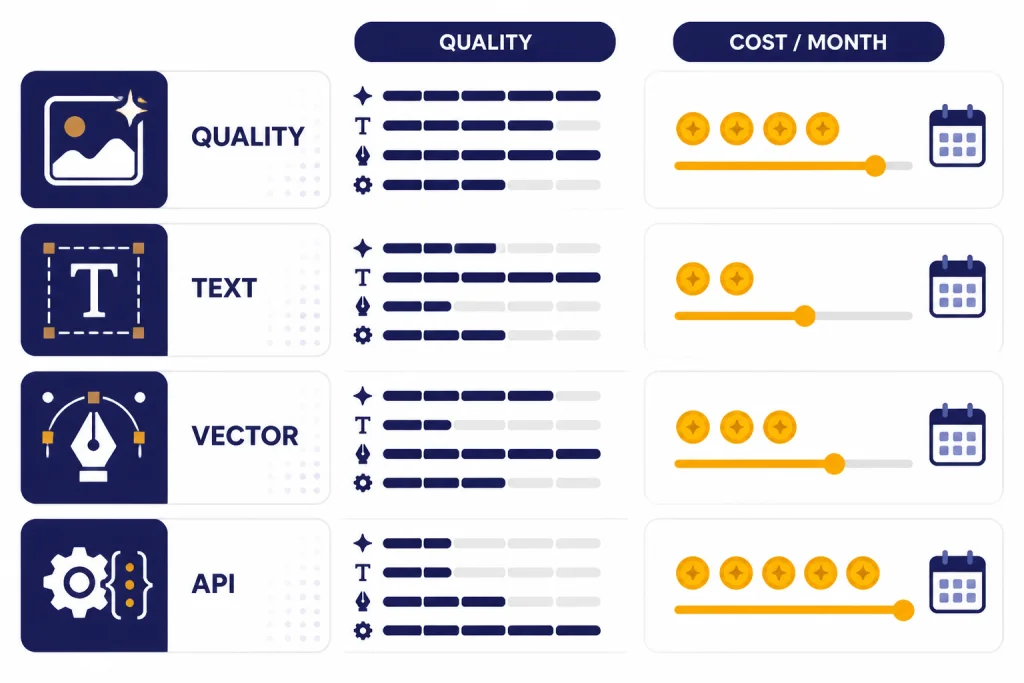
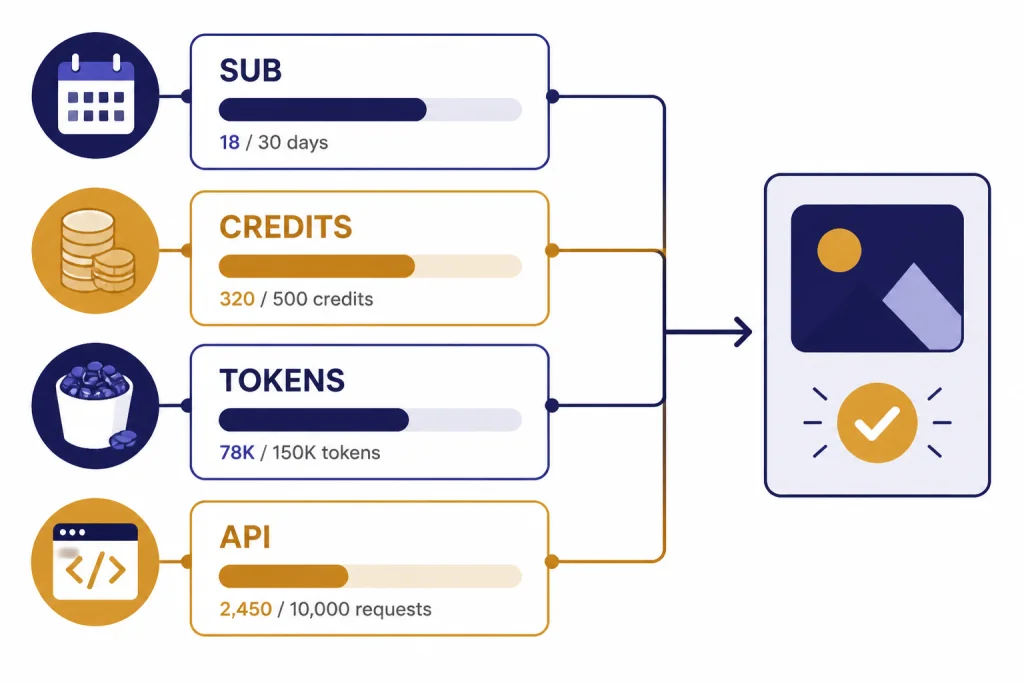
AI image pricing is not as simple as a monthly fee. The headline price tells you how you enter the product. It does not always tell you how many usable final assets you will get, whether rerolls count, whether edits consume credits, whether private output requires a higher tier, or whether the model you want is excluded from relaxed generation.
Midjourney uses plan tiers with GPU time, Relax Mode eligibility, concurrent prompt limits, and Stealth Mode only on Pro and Mega plans.[1] Adobe Firefly uses plan tiers and generative credits, with higher tiers including larger monthly credit allowances.[2] Ideogram separates priority credits, slow credits, and top-up pricing by plan.[3] Leonardo.Ai uses fast tokens, token banks, top-ups, and relaxed generation rules.[4] Recraft and Black Forest Labs are easier to evaluate for API work because they publish per-image or credit-based API pricing.[5][7]
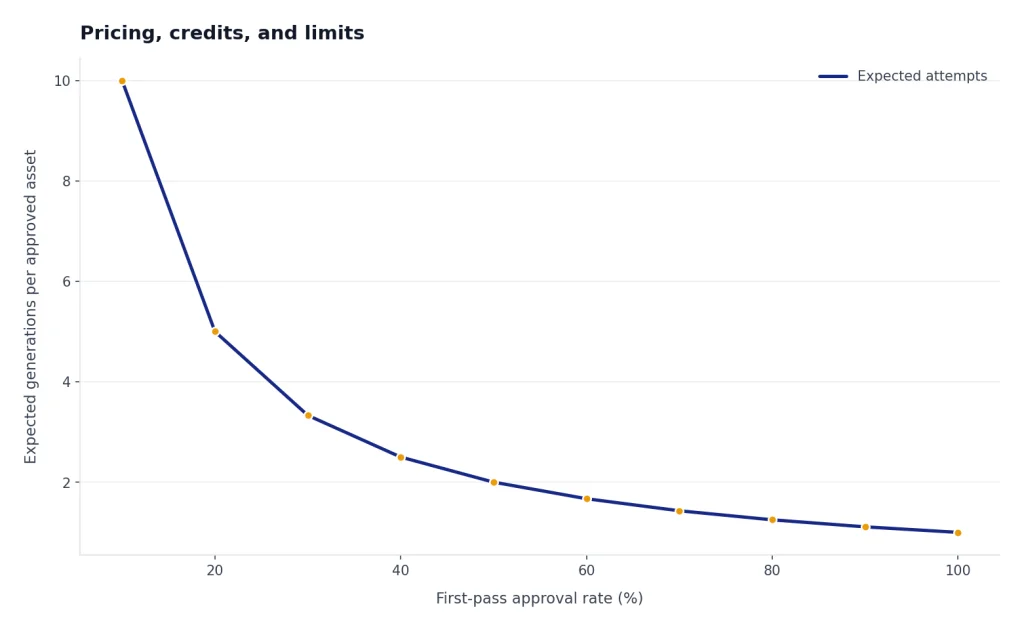
Before you subscribe, run a realistic test. Count a finished asset as the final approved output, not the first generation. If a simple ad concept takes ten prompt attempts, two edits, one upscale, and one background change, your real cost is the full chain. This is why image quality alone is not enough. Workflow efficiency determines value.
For teams, also check seat rules. Ideogram’s Team plan is listed at $30 per month per member with a two-member minimum.[3] Leonardo.Ai lists team plans separately from solo plans and shows per-seat pricing for Starter and Growth team tiers.[4] If your team only needs occasional images, separate individual accounts may be cheaper. If your team needs shared assets, admin controls, and private workspaces, team pricing may be worth it.
The same logic applies to other AI tool categories. Subscription pricing can look simple until you hit a usage limit, export limit, or workflow gap. We use the same approach in our API cost calculator tools, token counter tools, and AI writing tools comparison.
Rights, privacy, and safety checks
For commercial work, check rights before quality. A tool can produce a beautiful image and still be a bad fit if the free plan makes outputs public, if commercial terms differ by tier, or if private generation requires an upgrade.
Leonardo.Ai says paid subscribers retain full ownership, copyright, and other intellectual property rights in generated images, while free-tier users grant Leonardo broader rights to use their creations.[4] Recraft says images created on its Free plan are owned by Recraft, while paid-plan images grant full ownership and commercial rights and can be kept private.[5] Midjourney says Stealth Mode is only available on Pro and Mega plans, and its plan page notes different commercial requirements for companies above a stated revenue threshold.[1]
Do not treat “commercial use” as one universal promise. Read the terms for the plan you actually use. Check whether outputs are public by default. Check whether uploaded reference images can be used for training, displayed in a gallery, or accessed by other users. For sensitive client work, private mode is not a luxury feature. It is a procurement requirement.
You should also build an authenticity process. Keep prompts, model names, generation dates, and edit history when the work matters. That record helps with client approvals, internal review, and later disputes about what was generated versus edited. If you publish AI-generated media at scale, pair image review with broader content governance. Our best plagiarism checkers and AI detectors for teachers and schools explain adjacent review workflows.
A practical workflow for better image results
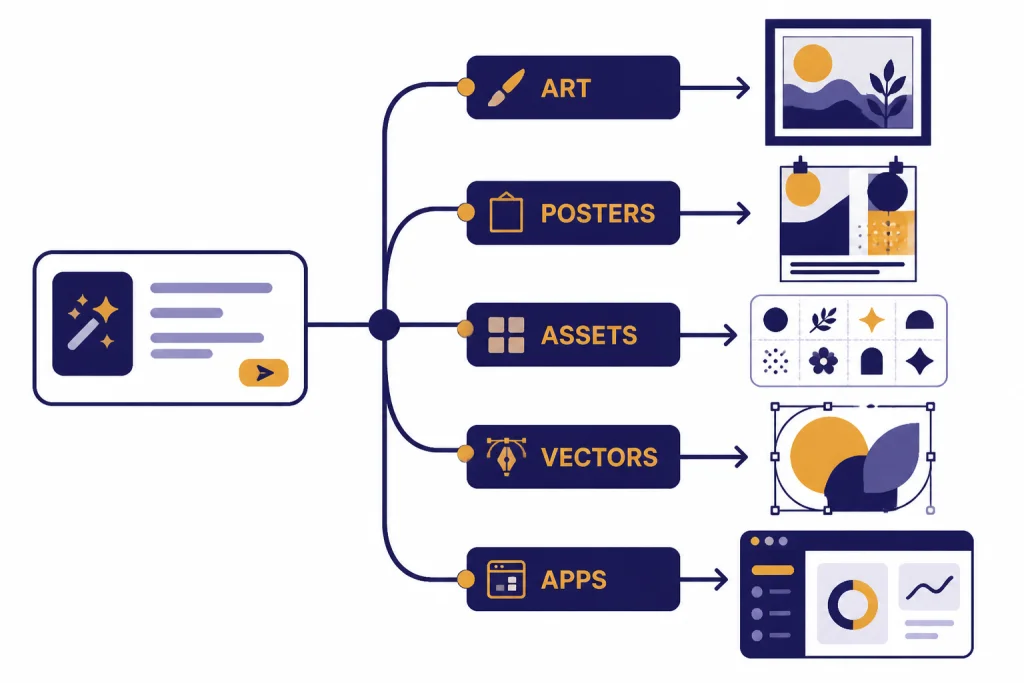
Good image output starts before you open the tool. Write a short creative brief first. Define the subject, audience, format, aspect ratio, style boundaries, text requirements, colors, and must-avoid details. Then choose the tool that matches the hardest part of the brief.
- For mood and polish: start in Midjourney, then refine in an editor.
- For text-heavy graphics: start in Ideogram or Recraft.
- For vector deliverables: start in Recraft rather than converting a raster image later.
- For Adobe production: start in Firefly and finish inside Photoshop, Illustrator, or Express.
- For repeatable app workflows: test FLUX or Recraft API with a small prompt set.
- For social publishing: use Canva after generation, even if the image starts elsewhere.
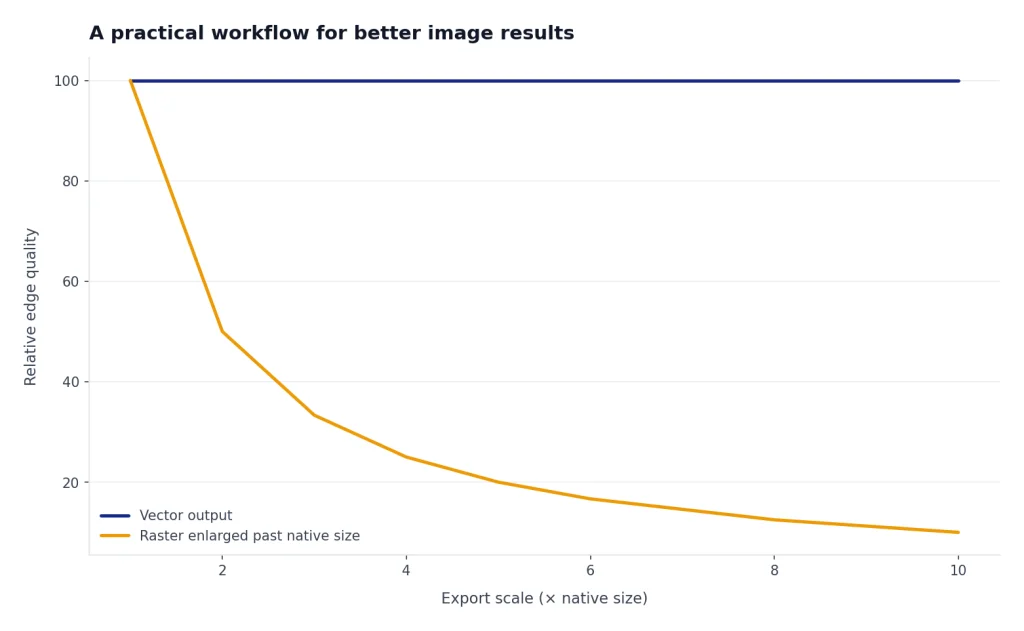
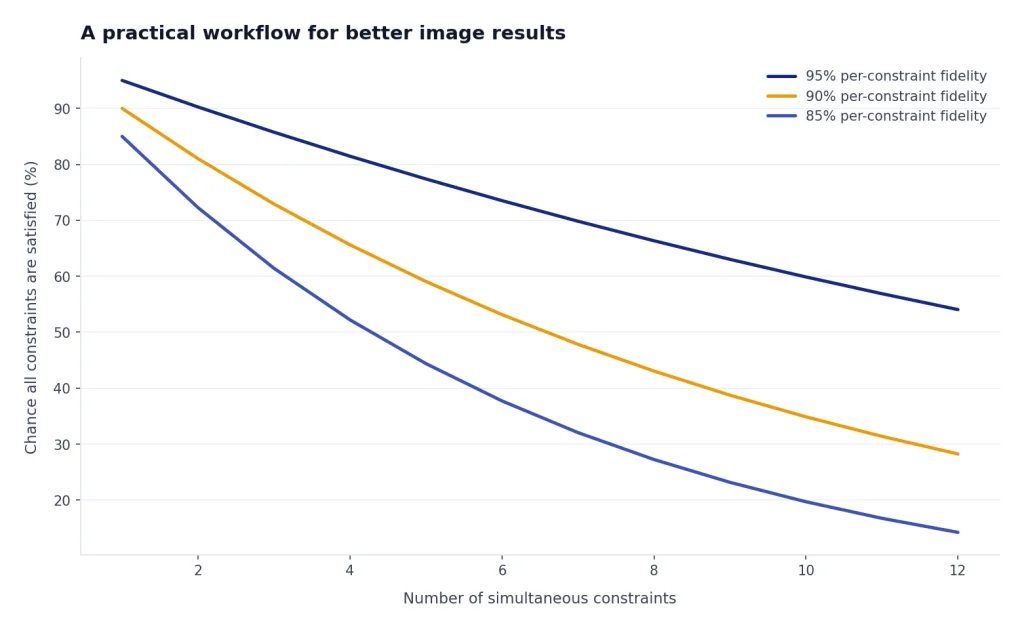
Use a staged prompt workflow. First, generate rough concepts. Second, choose one direction. Third, lock composition. Fourth, edit details. Fifth, upscale or export. Do not try to solve all constraints in one prompt. Long prompts can help, but they can also hide conflicting instructions.
For recurring work, build a small prompt library. Save prompts for product shots, ad concepts, portraits, thumbnails, icons, and backgrounds. Add notes about which tool handled each prompt best. A prompt library is often more valuable than a longer subscription list. If you need help building one, see our ChatGPT prompt generator tools.
Finally, judge outputs in the format where they will be used. A hero image may look strong full screen and fail as a mobile thumbnail. A logo concept may look acceptable until it is reduced to favicon size. A poster may look fine until you inspect the text. Export early, test in context, then regenerate only what needs to change.
Final recommendations
For most individual creators, start with Midjourney and add Ideogram only if text in images becomes a recurring problem. For designers, start with Adobe Firefly if you already use Adobe apps, and test Recraft if vectors or brand illustrations matter. For developers, compare FLUX and Recraft API pricing before committing to any subscription interface. For teams, look beyond output quality and evaluate seats, private workspaces, brand controls, credit limits, and ownership terms.
The best setup is often a small stack. A realistic stack might be Midjourney for concepts, Ideogram for text-heavy graphics, Recraft for vectors, and Canva or Adobe for final layout. Another stack might be FLUX for API generation, Recraft for brand graphics, and a manual review process for approval. If your image work connects to voice, video, or translation, compare adjacent categories in our best AI voice tools, best AI translation tools, and AI research tools for academics.
Do not buy the tool with the most impressive gallery. Buy the tool that produces approved assets with the fewest steps, the clearest rights, and the most predictable cost.
Frequently asked questions
What is the best AI image tool beyond DALL-E?
Midjourney is the best general-purpose pick for polished images and concept work. Adobe Firefly is better for Adobe-centered production. Ideogram is better for text in images, and Recraft is better for vectors and brand assets.
Which AI image tool is best for logos?
Ideogram and Recraft are the best starting points for logo concepts. Ideogram is useful when lettering matters. Recraft is better when you need editable vector-style output or brand illustration assets.
Which tool is best for commercial work?
Adobe Firefly is a strong fit for commercial creative teams because it sits inside a broader professional design workflow. Recraft and Leonardo.Ai can also work for commercial projects, but you should check the specific ownership and privacy terms for your plan before using outputs for clients.[4][5]
Are free AI image tools good enough?
Free plans are good for testing style, interface, and prompt behavior. They are not always good for client work because outputs may be public, credit limits may be low, and commercial terms may differ from paid plans. Use free plans to evaluate tools, then upgrade only when a tool fits your actual workflow.
Which AI image tool has the clearest pricing?
Recraft and Black Forest Labs have clearer API economics than many subscription tools because they publish per-image or credit-based model pricing.[5][7] Subscription tools can still be a better value for casual users, but you need to understand credits, queues, and relaxed generation rules.
Should I use one image generator or several?
Use one tool if your work is simple and repeatable. Use several if your work spans art direction, text-heavy graphics, vectors, and final layout. A small stack is often more reliable than forcing one generator to handle every job.