

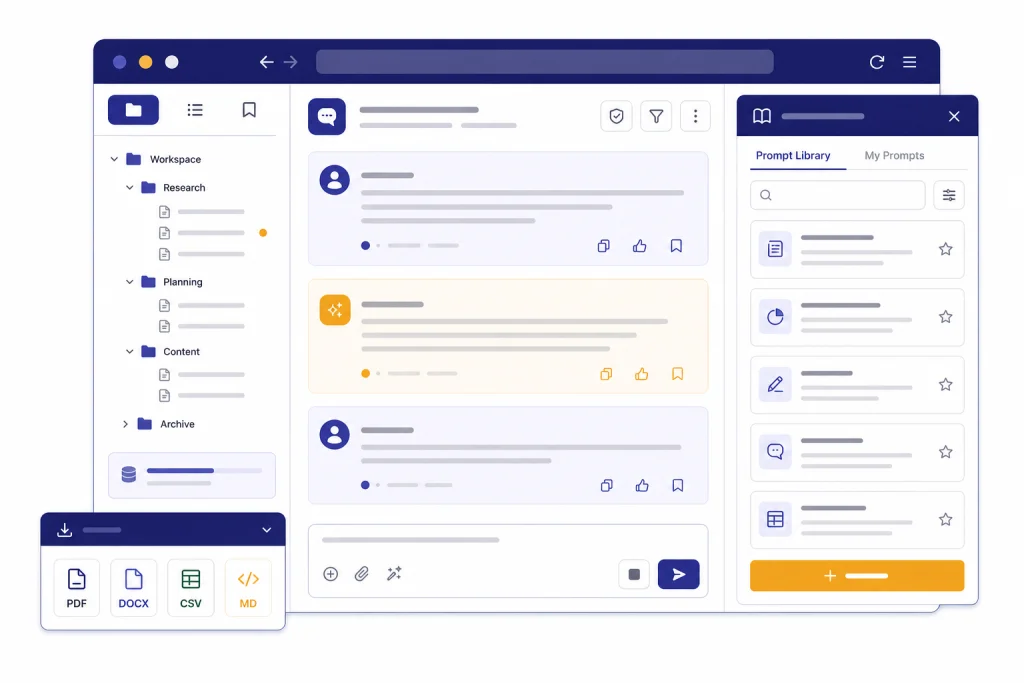
Superpower ChatGPT is one of the most capable browser extensions for people who live inside ChatGPT and need better organization, prompt reuse, export tools, and workflow shortcuts. It is not an OpenAI product. It is a third-party extension that modifies the ChatGPT web interface and adds power-user controls on top of it. The free tier is useful, especially for folders, search, exports, prompt history, and counters. The paid tier makes more sense for heavy users who want reference chats, notes, an image gallery, prompt management, right-click actions, and automation. This Superpower ChatGPT review recommends it for individual power users, not for teams with strict security or compliance requirements.
Verdict
Superpower ChatGPT is best understood as a ChatGPT workspace layer. It does not replace ChatGPT, and it does not give you a separate model. It adds organization, prompt management, export, navigation, and interface controls to the ChatGPT website. The Chrome Web Store listing describes features such as folders and subfolders, search and highlight, export to multiple formats, pinned messages, prompt chains, prompt templates, public prompts, custom instruction profiles, auto-splitting, word and character counters, copy controls, keyboard shortcuts, a model switcher interface, image gallery, notes, reference conversations, right-click actions, and auto archive or auto delete controls.[1]
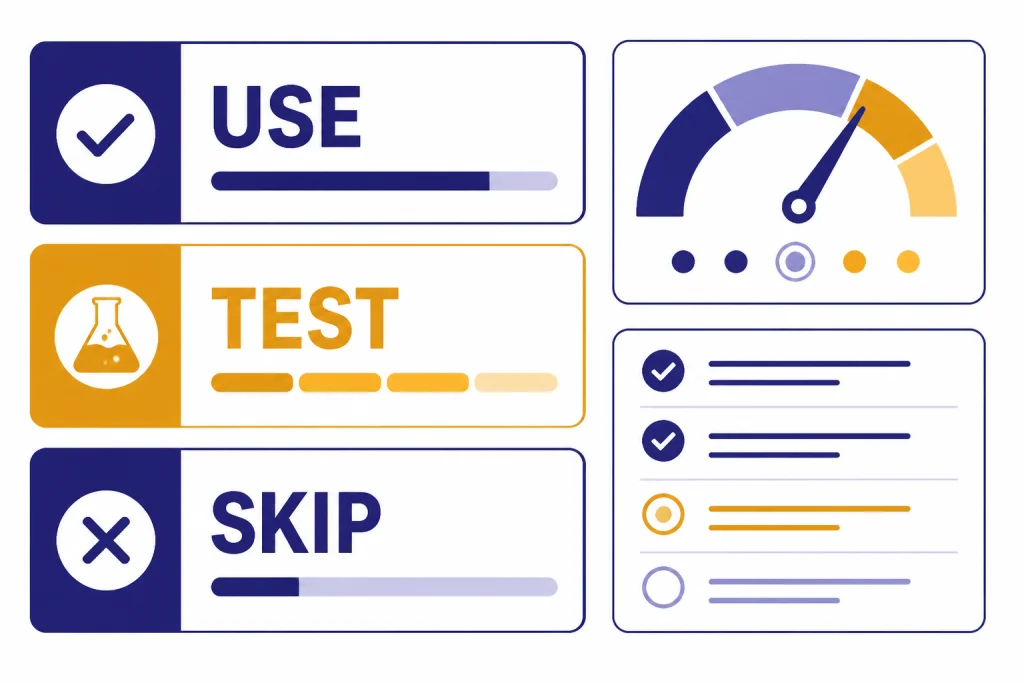
Our recommendation is straightforward. Use Superpower ChatGPT if your ChatGPT history has become hard to manage and you want better folders, exports, reusable prompts, and fast navigation. Skip it if you only use ChatGPT casually, if you prefer the official ChatGPT apps, or if your employer prohibits third-party browser extensions on work data. If you mainly want a prompt library, compare it with AIPRM for ChatGPT and Best ChatGPT Prompt Generator Tools. If you mainly want browser add-ons, start with our broader ChatGPT Chrome extension guide.
What Superpower ChatGPT adds
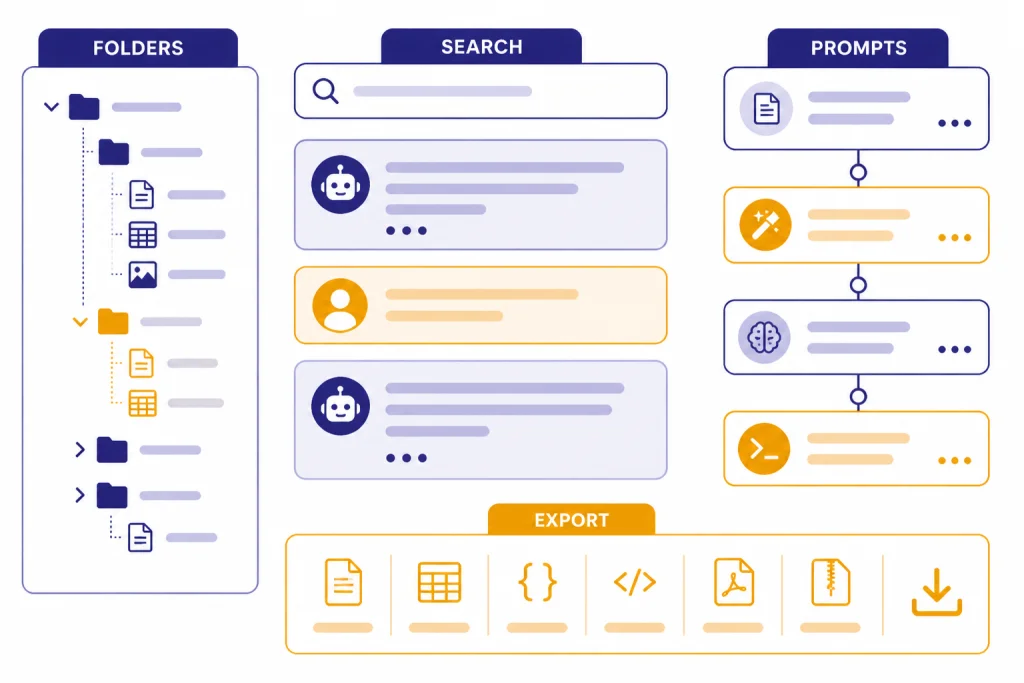
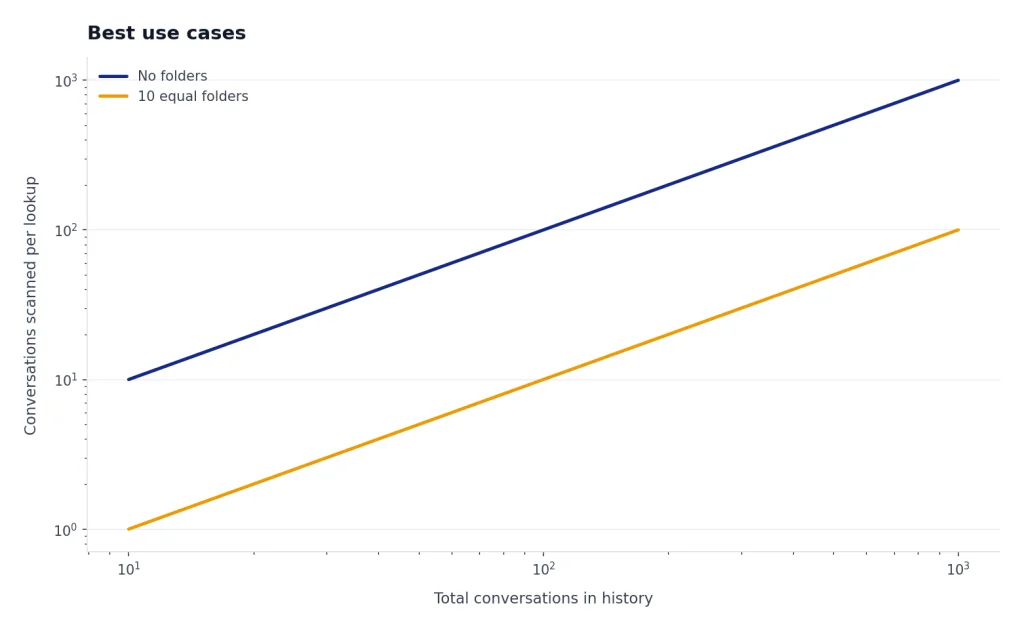
The strongest part of Superpower ChatGPT is conversation management. The extension adds folders and subfolders, lets you search older conversations, highlights matches, supports bulk actions, and provides export options for selected chats. The official site also describes conversation features such as unlimited folders and subfolders, image gallery search, bulk delete/export/archive actions, a minimap, reference conversations, timestamps, and export formats including PDF, text, Markdown, and JSON.[2]
That matters because ChatGPT’s native organization has improved, but it still serves a broad audience. OpenAI’s Projects feature can group chats, files, instructions, and related context in one place, and it supports moving existing chats into a project.[6] Superpower ChatGPT is more granular. It is closer to a file manager, prompt manager, and productivity overlay for one person’s ChatGPT history.
The prompt tools are also useful. Superpower ChatGPT supports saved prompts, prompt history, variables inside templates, prompt chains, quick prompt access from the input box, and shared public prompts.[2] If you repeat multi-step workflows, this can save time. A marketer might chain a brief, outline, draft, and rewrite prompt. A developer might chain bug reproduction, hypothesis, patch plan, and test generation. A teacher might chain rubric creation, feedback drafting, and reading-level adjustment. If you work with long files or large pasted text, pair this with OpenAI Token Counter Tools before you send oversized prompts.
| Feature area | What it adds | Best for | Our take |
|---|---|---|---|
| Folders and search | Conversation grouping, search highlights, bulk movement, and navigation | Users with large ChatGPT histories | Very useful if you reuse old work |
| Exports | Selected chat exports in practical formats | Researchers, writers, consultants, and students | One of the strongest reasons to install it |
| Prompt management | Saved prompts, variables, prompt chains, prompt history, and quick insertion | Repeatable workflows | Strong, but may feel crowded |
| Interface controls | Minimap, width controls, counters, copy modes, keyboard shortcuts, and navigation | Daily ChatGPT users | Helpful once configured |
| Pro workflow tools | Notes, image gallery, reference chats, right-click actions, and automation | Heavy individual users | Worth considering if you use ChatGPT as a work hub |
Pricing and free plan limits
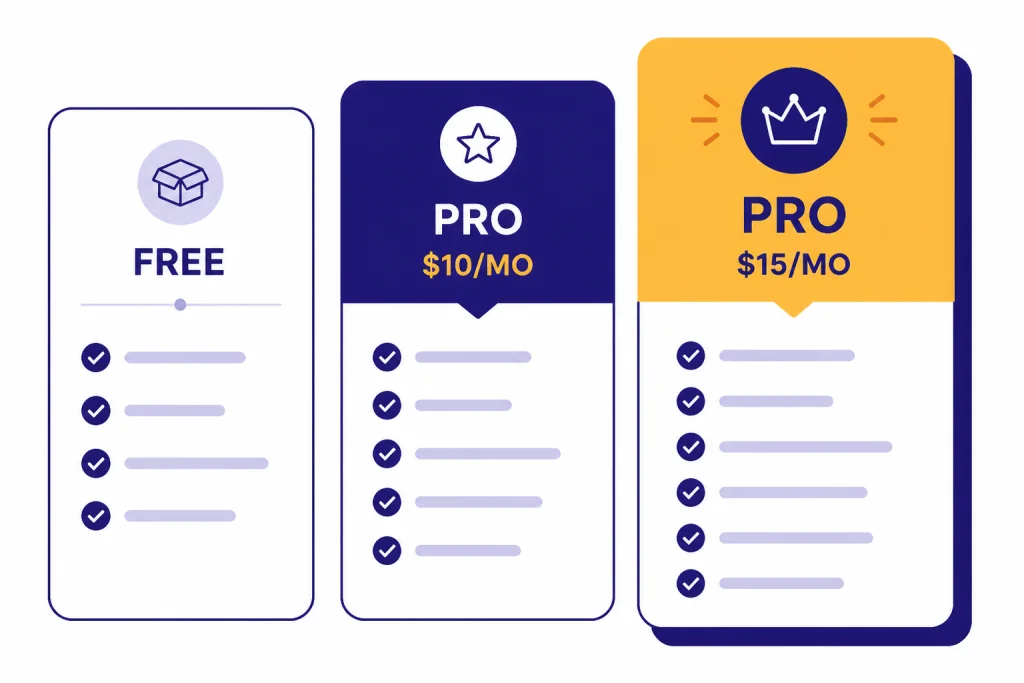
Superpower ChatGPT has a free tier and a Pro tier. The official pricing page lists the Free plan at $0 per month and the Pro plan at $10 per month when billed annually, with a monthly option listed at $15 per month.[2] A separate search result for the same official pricing page also surfaced the $10 annual-billing price and the $15 monthly price, which matches the pricing displayed on the official site.[7]
| Plan | Listed price | Included capabilities | Best fit |
|---|---|---|---|
| Free | $0 per month[2] | Folders, search, prompt tools, minimap, exports, counters, and interface customization with some limits | Most individual users testing the extension |
| Pro annual billing | $10 per month when billed annually[2] | Advanced prompt management, prompt optimizer, notes, image gallery, reference chats, side-by-side voice mode, auto folder, auto delete/archive, right-click actions, enhanced GPT store, and priority support | Heavy users who know they will keep it |
| Pro monthly billing | $15 per month[2] | Same Pro feature set without annual commitment | Short-term testing or seasonal work |
Read the billing terms before paying. Superpower’s billing agreement says subscriptions renew automatically unless canceled before the end of the term, and it says paid fees are non-refundable for partial months or unused portions of the agreement term.[3] That is not unusual for small SaaS products, but it matters if you are buying the annual option for one specific project.
The free plan is generous enough for evaluation. Use it for a week before upgrading. Build a few folders, export several conversations, save your most common prompts, and test whether the added interface controls help or distract you. If the extension becomes part of your daily workflow, the Pro tier is easier to justify. If you only open ChatGPT a few times per week, the free plan or native Projects will probably be enough.
Best use cases
Superpower ChatGPT works best when ChatGPT is a workspace, not a novelty. The more conversations, drafts, prompts, and research fragments you have, the more the extension helps. It is less valuable if every session is a one-off question.
Writers and content teams
Writers can organize client chats, draft threads, outline prompts, and revision chains. The export options are helpful when you need to move a conversation into a document editor or archive a client-specific thread. If your workflow also includes dedicated writing platforms, compare this extension with best AI writing tools compared in 2026 before paying for another subscription.
Researchers and students
Researchers can use folders, notes, references, and exports to keep related conversations together. The extension is not a citation manager, and it does not verify sources for you. It is better as a workspace organizer around ChatGPT. For source-heavy work, also compare dedicated Best AI Research Tools for Academics and Best AI Summarizer Tools for Long Documents.
Developers and technical users
Developers often repeat prompt patterns. A prompt chain can standardize bug triage, code review, refactoring plans, and test generation. Folders can separate client projects or repositories. Still, Superpower ChatGPT is not a coding assistant inside your editor. If you want code completion, repo context, and IDE integration, use our best AI coding assistants of 2026 comparison instead.
Consultants and operators
Consultants can keep client research, strategy drafts, meeting summaries, and reusable prompt templates organized. The export controls are useful for handoffs. The risk is data governance. If client confidentiality matters, get approval before installing any extension that runs on ChatGPT pages.
Privacy and security considerations
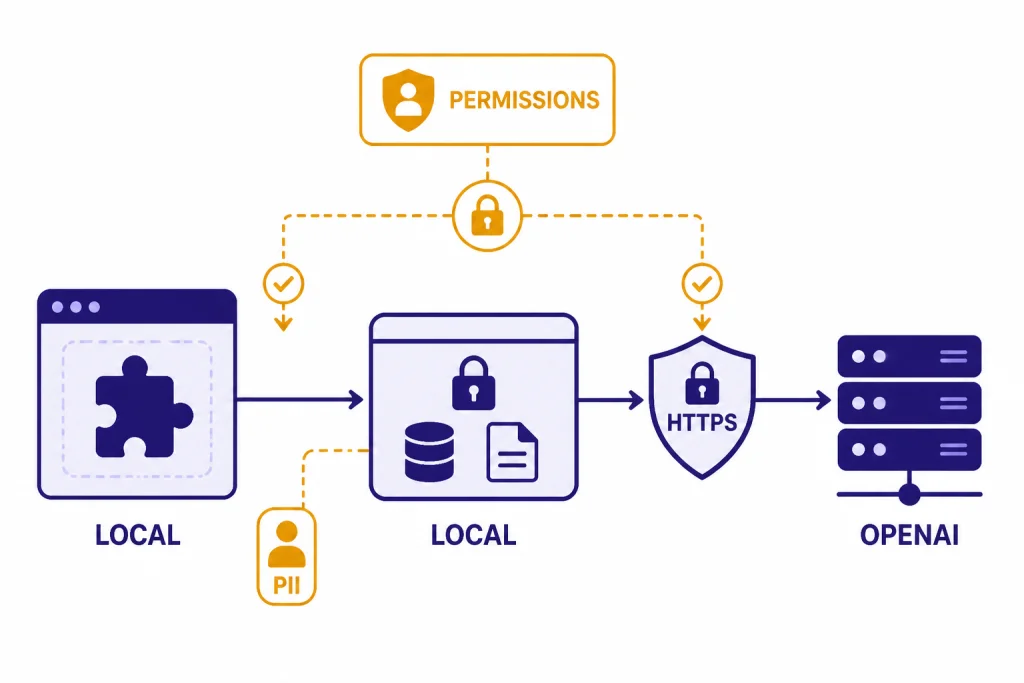
Superpower ChatGPT deserves a careful privacy review because it is a browser extension that interacts with ChatGPT. The Chrome Web Store listing says the extension handles personally identifiable information and points users to the developer’s privacy policy.[1] The developer also declares on the listing that data is not sold to third parties, not used or transferred for unrelated purposes, and not used or transferred for creditworthiness or lending purposes.[1]
The developer’s privacy policy says Superpower may collect account, communication, social, and technical information when users access its site or services. It also says the extension does not save ChatGPT login authentication on its servers and that messages sent on ChatGPT go to OpenAI endpoints directly from the browser using HTTPS.[4] The official site FAQ says chat history, chat messages, and prompts are stored locally in the browser’s local storage, and that requests go directly between the browser and OpenAI.[2]
Those statements are helpful, but they do not remove all risk. Google’s Chrome Web Store Help explains that extension permission warnings do not necessarily mean an extension is dangerous, but access to website data can let an extension read, request, or modify data on pages you visit.[5] For a ChatGPT extension, that means you should treat the extension like part of your ChatGPT environment.
- Do not use it with regulated health, legal, financial, or employer-confidential data unless your organization approves it.
- Install it only from the official browser store or the developer’s official site.
- Review the permissions shown by your browser before enabling it.
- Keep your browser profile separate for personal and work ChatGPT use.
- Export and remove data you no longer need.
- Disable the extension when you do not need it.
This is not a claim that Superpower ChatGPT is unsafe. It is a practical rule for any extension that changes a web app where you paste sensitive information.
Alternatives to consider
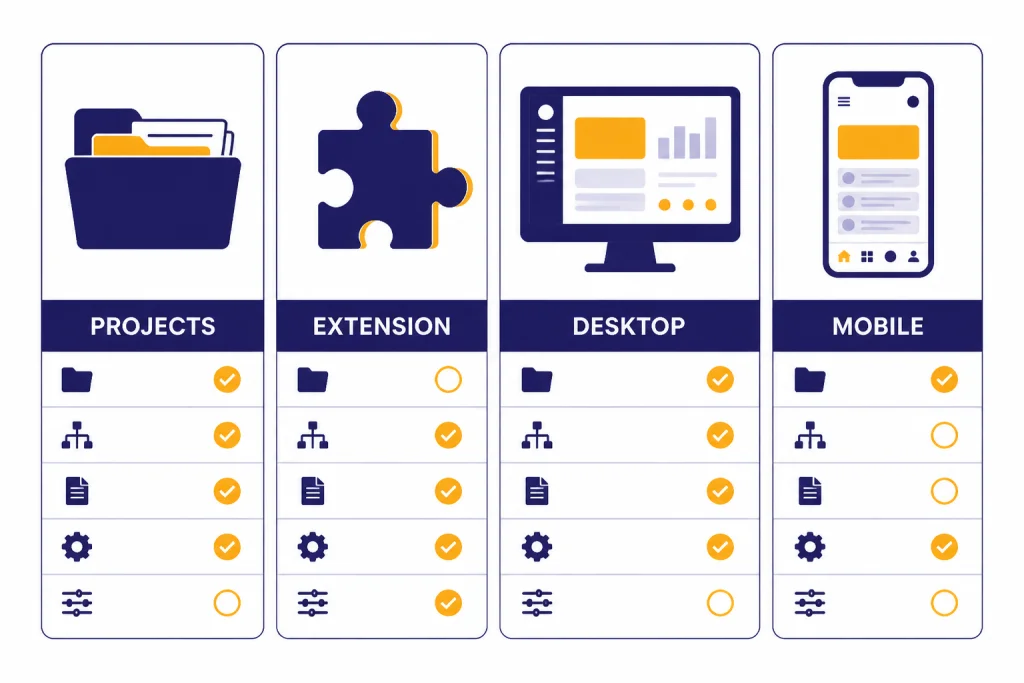
The best alternative depends on what you want Superpower ChatGPT to do. If you mainly want organization, start with ChatGPT Projects. OpenAI’s help page describes Projects as a way to keep chats, files, instructions, and related context together, and it supports moving existing chats into a project.[6] Projects are native, which makes them the first option for users who do not want third-party extensions.
If you want web results inside ChatGPT, Superpower ChatGPT is not the main extension to compare. Look at our WebChatGPT review. If you want an always-available assistant panel next to webpages, compare ChatGPT Sidebar Review. If you want official app experiences instead of browser overlays, see Best ChatGPT Desktop Apps and Best ChatGPT Mobile Apps.
| Option | Use it when | Tradeoff |
|---|---|---|
| ChatGPT Projects | You want native organization without installing an extension | Less folder-style control and fewer export-oriented tools |
| Superpower ChatGPT | You want folders, exports, prompt chains, search, notes, and workflow controls | Adds third-party extension risk and a busier interface |
| AIPRM | You mainly want prompt templates and prompt discovery | Less focused on conversation archiving and navigation |
| WebChatGPT | You mainly want web-search augmentation | Not a full ChatGPT workspace manager |
| ChatGPT desktop or mobile apps | You want official app convenience and fewer browser dependencies | Fewer extension-style customizations |
For most readers, the decision is simple. Use native ChatGPT Projects first. Add Superpower ChatGPT only when Projects are not enough for your prompt library, export workflow, or archive management.
Setup and daily workflow tips
Install the extension from the official store listing or the developer’s official site. The official Superpower site links to Chrome, Edge, and Firefox installation options, and it says Chrome and Firefox are officially supported while Edge, Brave, and other Chromium-based browsers can install it through the Chrome Web Store.[2] After installation, open ChatGPT in a fresh tab and give yourself time to configure the interface. The default experience can feel busy because the extension adds many controls at once.
- Create a small folder system first. Use broad categories such as Work, Personal, Research, Writing, Coding, and Admin.
- Save only prompts you actually reuse. A messy prompt library is not better than no prompt library.
- Test exports early. Export a short conversation in the formats you expect to use later.
- Use prompt chains only for repeatable workflows. Do not chain exploratory thinking that changes every time.
- Turn off interface features you do not need. A cleaner ChatGPT page is faster to use.
- Keep one browser profile for sensitive work without extensions.
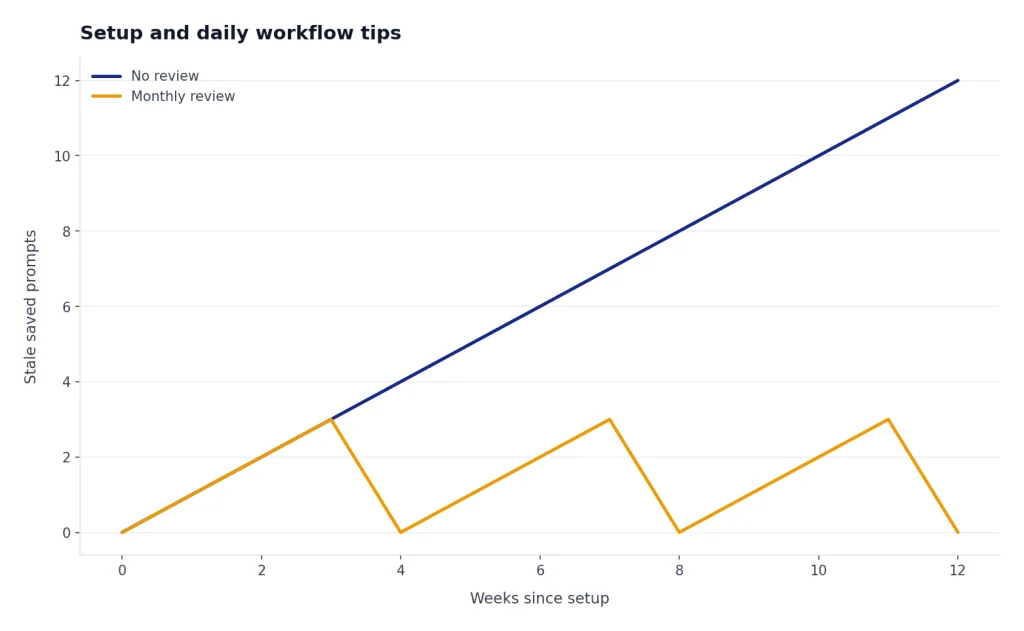
The best workflow is boring and consistent. Put each important conversation into a folder as soon as it becomes useful. Add a short note if the conversation contains reusable decisions. Export finished work before a project ends. Review your saved prompts monthly and delete the ones you no longer trust.
Who should skip it
Skip Superpower ChatGPT if you want the simplest possible ChatGPT interface. The extension is built for people who want more controls, not fewer. If you get distracted by sidebars, buttons, prompt menus, and automation settings, you may be more productive with native ChatGPT Projects and the official apps.
Also skip it for sensitive work unless you have permission. Browser extensions can be appropriate in a personal workflow, but they are harder to justify in regulated or enterprise environments. If you are a teacher evaluating student work, an attorney drafting privileged material, a clinician handling patient details, or an employee working with confidential customer data, ask your organization before installing it. For education-specific tooling, see our Best AI Detectors for Teachers and Schools guide. For document originality workflows, see Best Plagiarism Checkers.
Finally, skip the paid plan until the free plan proves its value. Superpower ChatGPT’s free features cover enough ground to test the core idea. Upgrade only if the Pro features solve a real problem you have every week.
Frequently asked questions
Is Superpower ChatGPT made by OpenAI?
No. Superpower ChatGPT is a third-party browser extension, not an OpenAI product. The Chrome Web Store listing identifies the developer as Saeed Ezzati and links to the Superpower ChatGPT website rather than an OpenAI property.[1]
Is Superpower ChatGPT free?
Yes, it has a free tier. The official site lists the Free plan at $0 per month and says most features are free, while Pro adds extra features through a subscription.[2] Start with the free plan before paying.
How much does Superpower ChatGPT Pro cost?
The official pricing page lists Pro at $10 per month when billed annually, or $15 per month when billed monthly.[2] Prices can change, so check the billing screen before subscribing.
Does Superpower ChatGPT store my chats?
The developer says chats, chat messages, and prompts are stored locally in the browser using local storage, and that messages go directly from the browser to OpenAI over HTTPS.[2] You should still review extension permissions and avoid sensitive data unless your organization approves the tool.
Is Superpower ChatGPT better than ChatGPT Projects?
It depends on your workflow. ChatGPT Projects are native and better for users who want simple grouping of chats, files, and instructions.[6] Superpower ChatGPT is better for people who want folder-style organization, exports, prompt chains, notes, and extra interface controls.
Should businesses use Superpower ChatGPT?
Businesses should treat it like any other third-party browser extension. It may be useful for approved personal productivity workflows, but it should not be installed on confidential or regulated work systems without security review. Chrome’s own help documentation notes that extension data permissions can allow access to information on websites you visit.[5]