

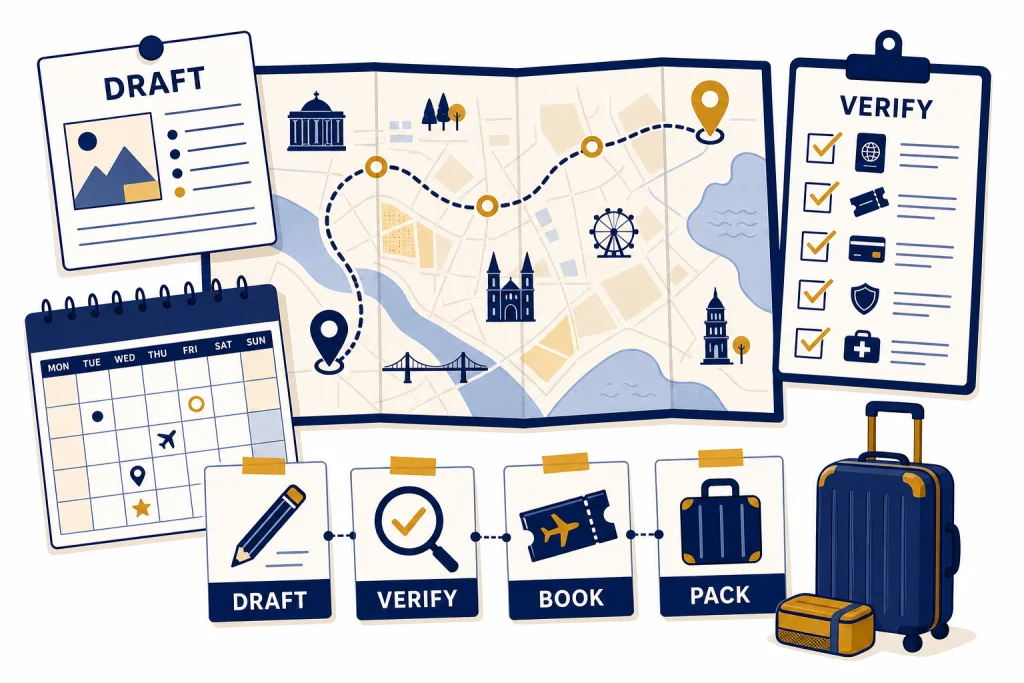
ChatGPT for travel works best when you use it as an itinerary planner, packing-list drafter, neighborhood explainer, and trip-decision coach. It can turn a vague idea into a practical day-by-day plan, adapt that plan around children or mobility limits, and help compare tradeoffs such as fewer hotel changes versus more scenic stops. It should not be your only source for prices, entry rules, health requirements, opening hours, or safety conditions. Treat every ChatGPT itinerary as a draft. Then verify the pieces that can affect money, safety, or eligibility with official sources, booking sites, airlines, hotels, and attraction pages before you reserve anything.
Where ChatGPT fits in travel planning
Use ChatGPT at the messy beginning of a trip. It is useful when you know the destination but not the order of days, when you have too many saved restaurants, or when a group cannot agree on the pace. It can convert preferences into a coherent plan and ask follow-up questions that a search engine would not ask.
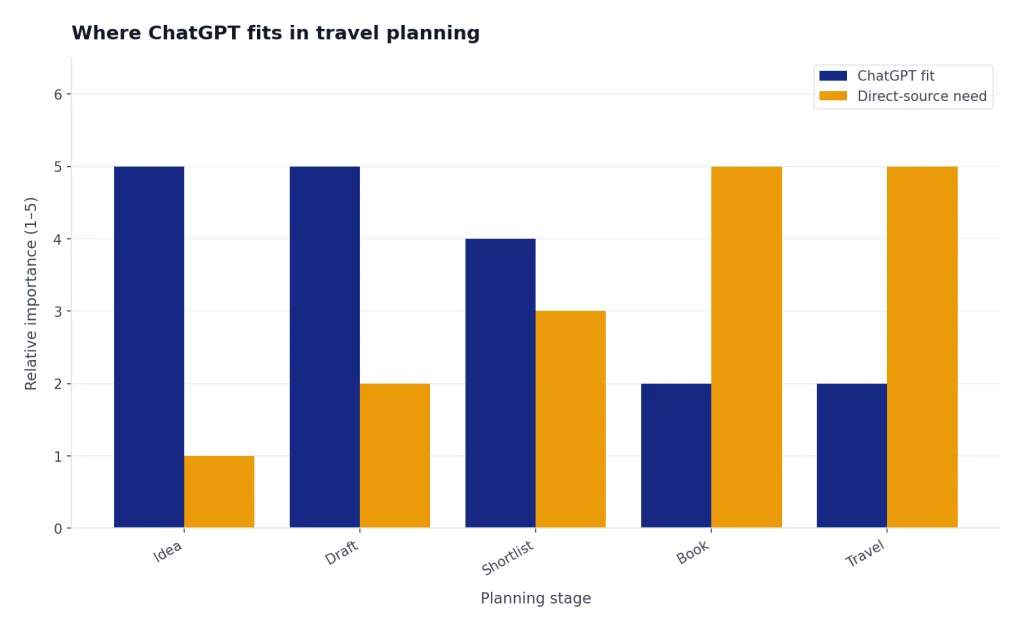
ChatGPT also helps after you have booked. You can paste your arrival time, hotel area, restaurant shortlist, and must-see attractions. Then ask it to reduce backtracking, keep meals near activities, and add rest windows. If you already use AI for personal routines, the same structured approach works for meal planning with ChatGPT, fitness routines while traveling, and other everyday planning tasks.
The risk is overconfidence. A polished itinerary can still include a closed museum, an unrealistic transfer, a restaurant that no longer exists, or a visa rule that changed. OpenAI’s ChatGPT Search help says ChatGPT can search the web and provide timely answers with links to relevant sources, but the output still needs human review when the decision matters.[1]
Best ways to use ChatGPT for travel
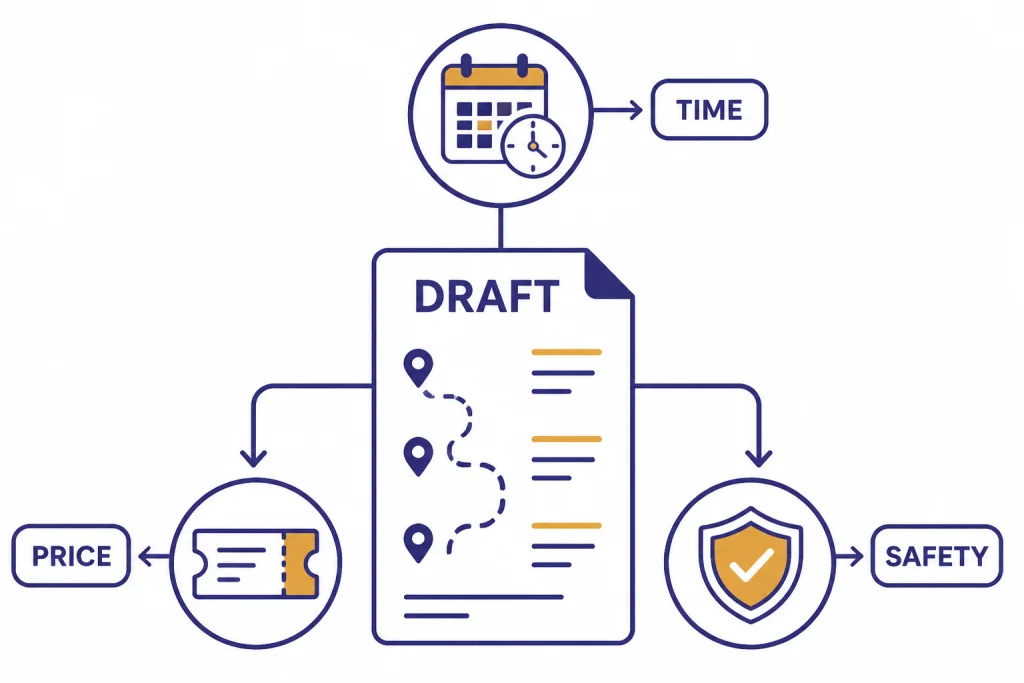
The strongest use cases are planning tasks that need synthesis, not final authority. Ask ChatGPT to organize, compare, simplify, and rewrite. Then use direct sources for bookings and rules.
Turn preferences into an itinerary
Give ChatGPT your destination, dates, travel style, hotel area, walking tolerance, budget posture, food preferences, and hard constraints. It can draft a day plan that groups nearby activities and explains the logic behind the order. This is the core benefit of chatgpt for travel planning: it handles the first pass quickly so you can spend your time checking and refining.
Compare neighborhoods and trip styles
Ask for a tradeoff table. For example, compare “historic center,” “beach area,” and “business district” by transit, late-night noise, restaurant access, family convenience, and airport transfer difficulty. ChatGPT can make the choice clearer even before you open hotel maps.
Plan around real constraints
Good travel planning is constraint management. Tell ChatGPT if you are traveling with a toddler, a parent who avoids stairs, a partner who wants slow mornings, or a friend who needs vegetarian options. You can ask it to produce a “low-friction” version of the same itinerary with fewer transfers and more recovery time.
Upload trip materials for analysis
If your plan lives in spreadsheets, PDFs, or notes, ChatGPT’s data analysis features can help organize the information. OpenAI says ChatGPT can analyze uploaded data by writing and running Python code, and it can help with tasks such as cleaning datasets, creating charts, and uncovering insights.[2] For travel, that can mean sorting a restaurant list by neighborhood, turning a budget sheet into categories, or finding schedule conflicts in a rough plan.
Create reminders before departure
ChatGPT tasks can run prompts later and send notifications when complete. OpenAI’s help page says tasks can be triggered at specific times, including one-off or recurring schedules.[3] That makes them useful for reminders such as “check passport status next Monday,” “review weather three days before departure,” or “confirm restaurant reservations the week before the trip.”
A prompt framework for better itineraries
Most weak travel outputs come from weak inputs. “Plan a trip to Tokyo” gives ChatGPT too much room to guess. A better prompt provides the facts, the traveler profile, the constraints, and the desired format.
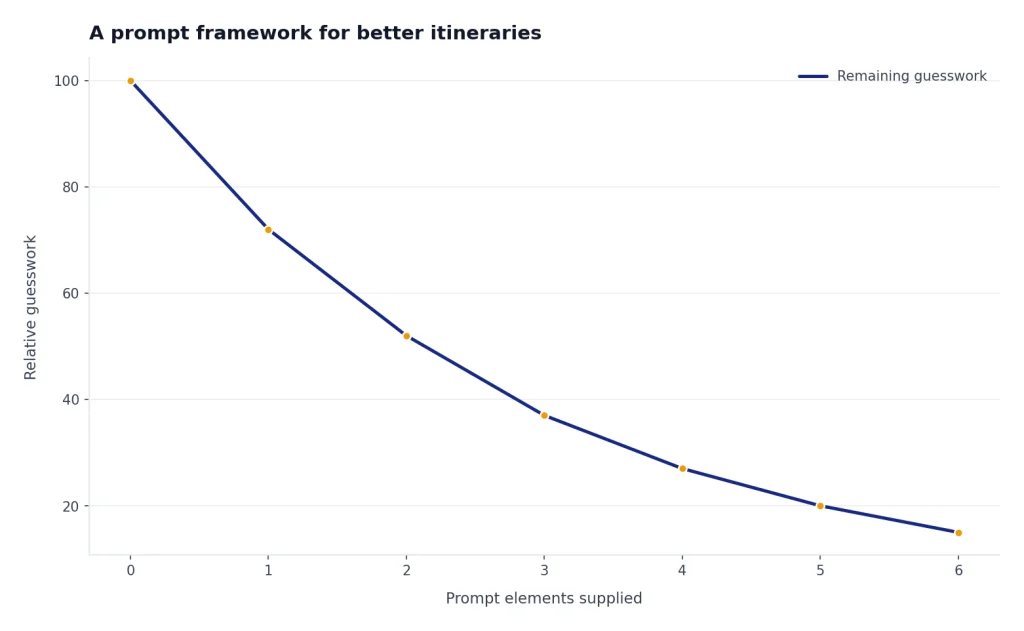
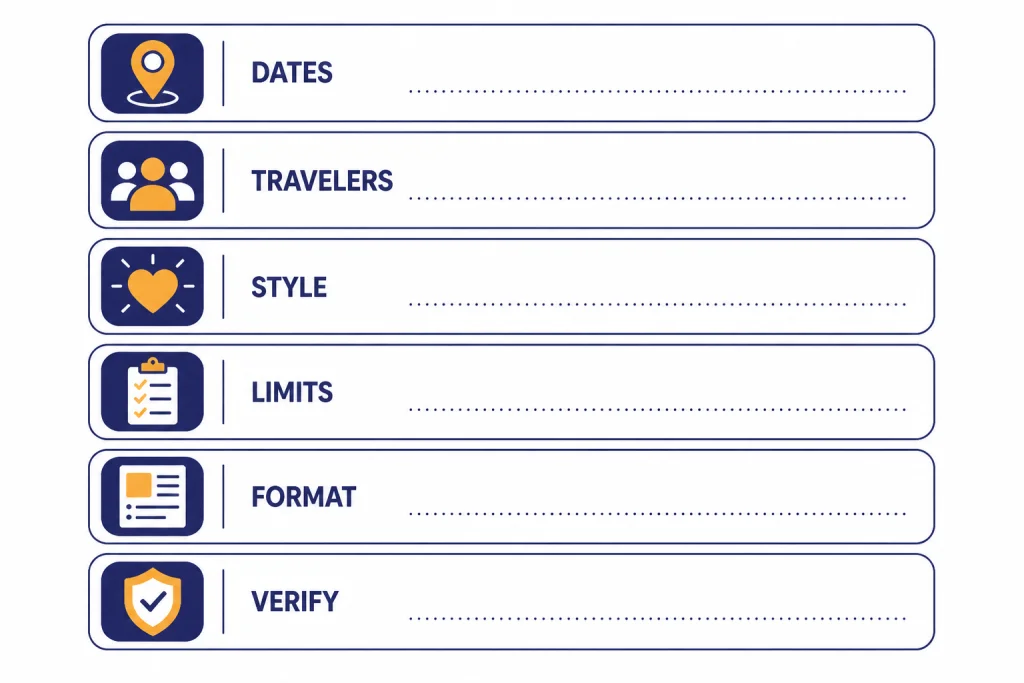
Use this structure:
- Destination and dates: city, region, season, arrival time, departure time.
- Traveler profile: solo, couple, family, group, work trip, accessibility needs.
- Trip style: museums, food, beaches, nightlife, hiking, shopping, quiet neighborhoods.
- Constraints: budget level, walking limit, dietary needs, fixed reservations, sleep preferences.
- Output: day-by-day table, map-friendly clusters, backup options, booking checklist.
- Verification request: ask it to mark anything that requires live checking.
Here is a stronger prompt:
I am planning a family trip to Lisbon in late June. We arrive on a Tuesday morning and leave Saturday afternoon. We are two adults and two children. We like food markets, viewpoints, short museums, and easy transit. Avoid late nights and long uphill walks. Build a day-by-day itinerary from a hotel near Baixa. Include one slower afternoon, meal-area suggestions, backup rainy-day ideas, and a final checklist of items I must verify on official or booking sites.
That prompt gives ChatGPT enough context to be useful. It also makes verification part of the assignment instead of an afterthought. The same prompt discipline applies outside travel. If you are building reusable prompt patterns, our ChatGPT prompt generator guide explains how to turn one-off prompts into a practical library.
Sample itinerary workflow
A reliable ChatGPT travel workflow has separate passes. Do not ask for the perfect trip in one message. Ask for a rough plan, critique it, tighten it, and then verify it.
Start with a broad draft
Ask ChatGPT for a first-pass itinerary that favors neighborhood clusters over famous-name overload. Tell it to include assumptions. For example, it should say whether it assumed a central hotel, early starts, public transit, or a rental car.
Ask for the “too much” critique
Next, ask: “What parts of this plan are too rushed, too expensive, or too dependent on perfect timing?” This forces the model to challenge its own draft. It often reveals transfer problems and overloaded days.
Create versions for different travelers
Ask for alternate versions: first-time visitor, food-focused, kid-friendly, low-walking, budget-conscious, rainy-day, and splurge version. This helps groups compare priorities without starting from scratch. It also reduces the chance that one traveler’s preference silently dominates the plan.
Convert the plan into action lists
Once the itinerary looks plausible, ask ChatGPT to generate booking tasks, packing notes, transit checks, and a verification list. If the trip includes content creation, you can pair the itinerary with ChatGPT for YouTubers or ChatGPT for social media content creation to draft shot lists, captions, and daily recap ideas.
End with a compact travel brief. This should include arrival logistics, hotel address, daily priorities, reservation numbers, backup plans, and emergency notes. Keep a copy offline. If you expect weak connectivity, read our reality check on how to use ChatGPT offline before you depend on live access during the trip.
What to verify outside ChatGPT
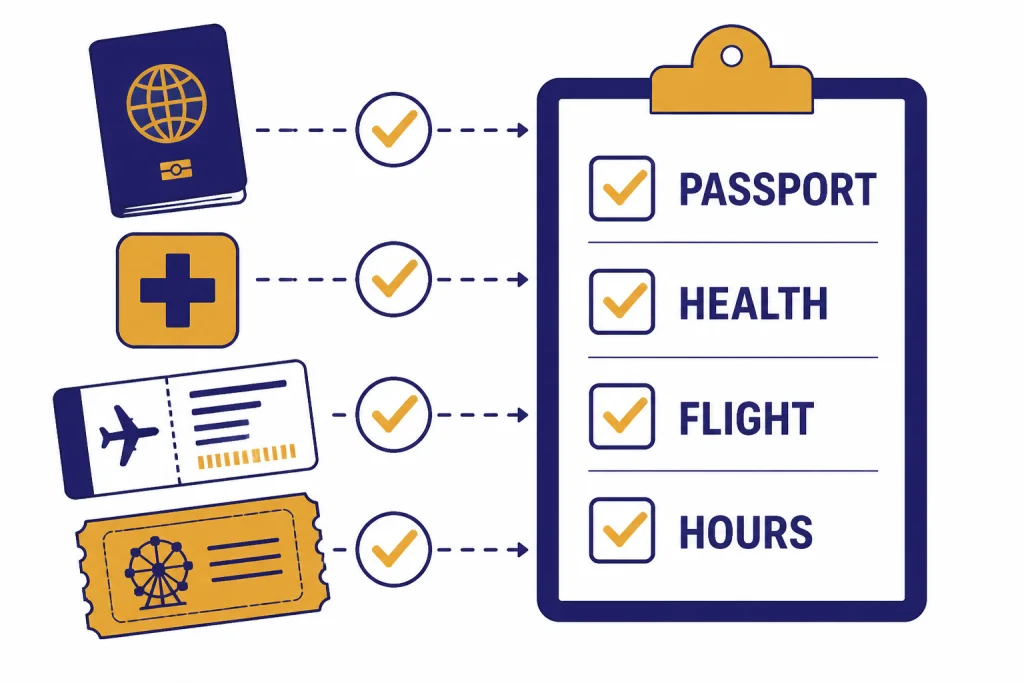
Verification is the difference between a helpful AI plan and a risky one. Anything that can block entry, cost money, or affect safety should be checked directly.
| Trip item | Use ChatGPT for | Verify with |
|---|---|---|
| Flights | Route ideas, layover tradeoffs, airport transfer questions | Airlines, booking sites, airport pages |
| Hotels | Neighborhood comparison, amenity checklist, review themes | Hotel site, booking platform, recent guest reviews |
| Passports and entry | Checklist drafting and questions to ask | Government travel and immigration sources |
| Health and vaccines | Doctor-visit question list and packing reminders | CDC pages, clinician, destination health authority |
| Safety conditions | Summary of concerns and contingency planning | State Department advisories and local official sources |
| Attractions | Day grouping and backup choices | Official attraction pages for hours, closures, ticket rules |
For U.S. travelers going abroad, the State Department says travelers can select a destination to review the travel advisory, destination-specific information, and tips from the U.S. embassy.[5] Its travel-industry guidance says many countries require passports to have at least six months of validity remaining, and it notes that some countries may deny entry if a passport lacks two or more blank pages.[7]
Health details also need direct checking. The CDC Travelers’ Health destination pages provide country-specific health information, and the CDC says travelers should be fully vaccinated against measles before international travel.[6] Use ChatGPT to prepare questions for a clinician, not to replace one.
For U.S. domestic flights, identity rules matter. The Defense Travel Management Office states that, as of May 7, 2025, U.S. travelers need a REAL ID-compliant license or another acceptable form of identification to board commercial flights, and that children under 18 are not required to provide identification for domestic U.S. travel.[8]
ChatGPT versus travel planning tools
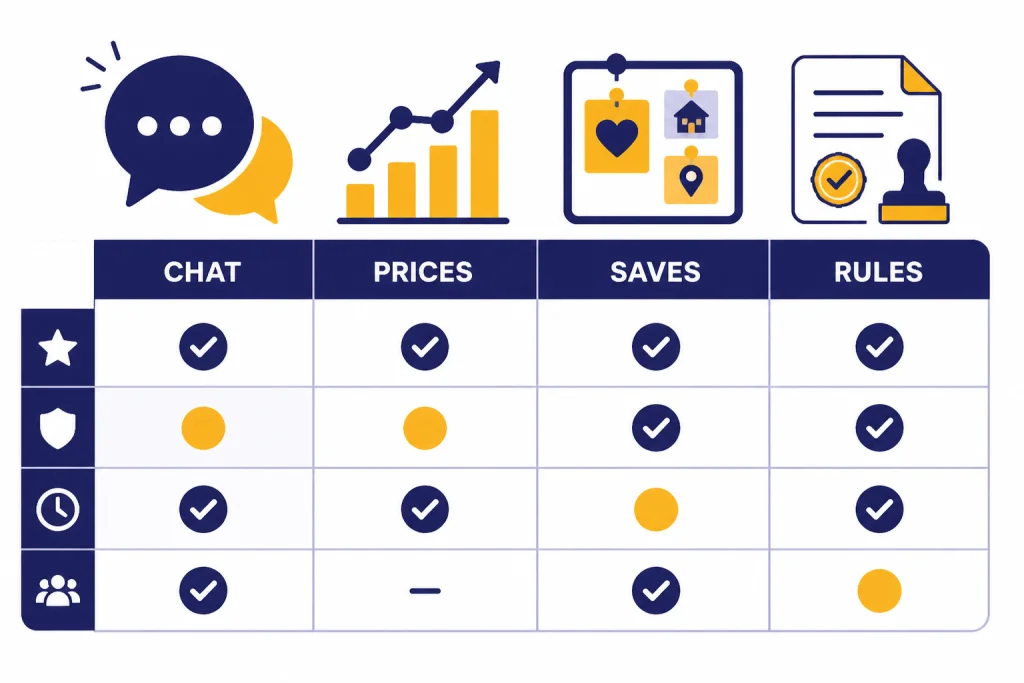
ChatGPT is not the only AI-assisted travel tool. The best setup is usually a mix: ChatGPT for reasoning and drafting, travel platforms for live inventory, and official sources for rules.
| Tool | Best role | Limitation |
|---|---|---|
| ChatGPT | Drafts itineraries, compares tradeoffs, rewrites plans, creates checklists | May be wrong about live availability, rules, prices, or closures |
| Google Travel | Flight and hotel exploration, price tracking, date-grid style comparisons | Still requires booking and policy checks with providers |
| Tripadvisor Trips | Saved places, AI recommendations, group collaboration | Recommendations depend on platform data and user review context |
| KAYAK.ai | Conversational search for flights, hotels, rental cars, and activities with real-time pricing backed by KAYAK data | KAYAK says booking information can have sync delays and should be verified with the provider |
| Official government and health sites | Entry, safety, passport, identification, and health requirements | Usually less helpful for designing a fun day-by-day route |
Google Travel says it can help users find flight and hotel prices, see flexible travel dates, track trip prices, compare hotel prices, and review destination information such as hours and attraction details.[9] Tripadvisor’s Trips page says users can build a trip from saved places, use AI for custom recommendations, collaborate with friends, and organize trip ideas.[10] KAYAK says KAYAK.ai supports natural-language searches for flights, hotels, rental cars, and activities, with real-time pricing backed by KAYAK’s data, but it also warns users to verify exact booking details directly with the provider because information may have sync delays.[11]
That makes ChatGPT a planning layer, not a replacement for the rest of the stack. Use it to decide what you want. Use travel tools to see what is available. Use official sources to confirm what is allowed.
Privacy and group trips
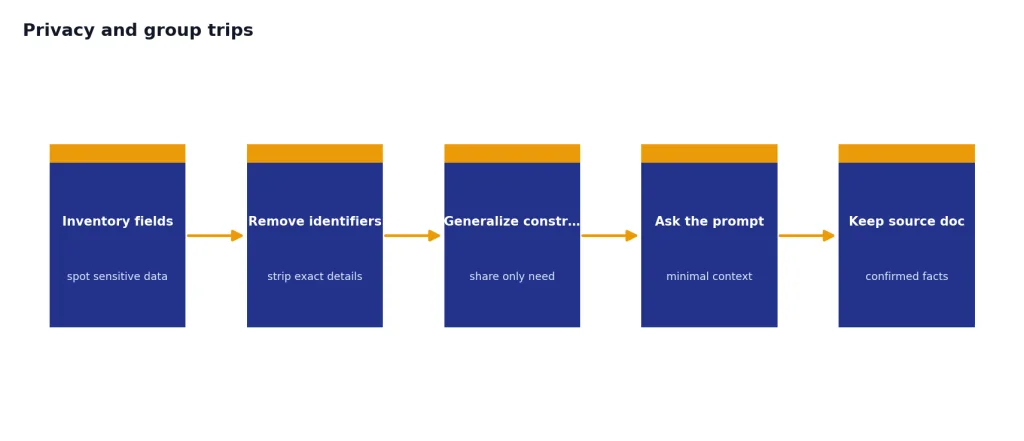
Travel planning can include sensitive details: passport dates, children’s names, hotel addresses, medical needs, and exact dates when your home may be empty. Do not paste more personal information than ChatGPT needs to solve the task.
OpenAI’s Data Controls FAQ says users can turn off “Improve the model for everyone,” and that conversations will still appear in chat history but will not be used to train ChatGPT after that setting is turned off.[4] The same FAQ says Temporary Chats are deleted from OpenAI systems after 30 days, are not used to train models, do not get saved in history, and do not create memories.[4]
For group trips, keep a shared document as the source of truth. ChatGPT can draft the plan, but one person should maintain the final version with confirmed reservations, payment status, and cancellation deadlines. If your group is creating a travel blog, newsletter, or guide, ChatGPT for writing and ChatGPT for blog writing can help turn trip notes into polished copy after the trip.
Be careful with screenshots and uploads. Remove passport numbers, full birthdates, payment details, loyalty account numbers, and home addresses unless they are absolutely necessary. In most cases, ChatGPT only needs general constraints such as “passport expires five months after return” or “one traveler uses a wheelchair,” not full document scans.
Travel prompts you can copy
These prompts are designed to produce practical drafts. Replace the bracketed text with your details.
Itinerary builder
Build a realistic itinerary for [destination] from [arrival date/time] to [departure date/time]. We are [traveler profile]. We like [interests] and want to avoid [constraints]. Assume we stay near [area]. Group activities by location, include meal-area suggestions, and mark anything I must verify before booking.
Neighborhood chooser
Compare the best areas to stay in [destination] for [traveler type]. Rate each area on transit convenience, food options, noise, safety considerations, access to attractions, and airport transfer ease. Give me a plain-English recommendation.
Slow-travel version
Rewrite this itinerary to reduce rushing. Keep the most important experiences, remove low-value stops, add rest breaks, and keep each day geographically efficient. Explain what you removed and why.
Verification checklist
Create a verification checklist for this trip. Separate it into passports and entry, health, flights, lodging, local transit, attractions, restaurants, money, phone service, and emergency contacts. For each item, tell me which source I should check.
Travel language helper
Create a compact phrase sheet for [language] for a traveler visiting [destination]. Include phrases for restaurants, taxis, hotels, medical help, allergies, and polite greetings. Keep pronunciation simple and flag phrases that may vary by region.
If language support is a major part of the trip, pair these prompts with ChatGPT translation prompts or our guide to ChatGPT for Translators. For deeper destination research, ChatGPT for research can help you build a source-checking workflow before you book.
Frequently asked questions
Can ChatGPT plan a full vacation?
Yes, ChatGPT can draft a full vacation plan, including daily activities, meal areas, packing lists, and booking tasks. You should treat the plan as a draft. Verify flights, lodging, entry rules, health guidance, attraction hours, and prices with direct sources before you commit money.
Is ChatGPT good for finding cheap flights?
ChatGPT can help you think through flexible airports, layover tradeoffs, and date strategies. It is not the best final source for live fares. Use a flight search tool or airline site to confirm actual prices, baggage rules, and cancellation policies.
Should I paste my passport details into ChatGPT?
Usually, no. You can ask for passport-planning help with generalized information, such as the expiration month and the countries you plan to visit. Avoid sharing passport numbers, full birthdates, scans, and other sensitive identifiers unless you have a specific reason and understand the privacy tradeoff.
Can ChatGPT make a kid-friendly itinerary?
Yes. Tell it the children’s ages, nap needs, food limitations, stroller needs, and maximum walking time. Ask it to include playgrounds, short activities, rest blocks, and backup indoor options.
Can ChatGPT help with travel emergencies?
It can help organize information and draft a checklist, but it should not replace emergency services, local authorities, your airline, your hotel, your insurer, or your embassy or consulate. For urgent safety or medical issues, contact the appropriate real-world service first.
What is the best prompt for ChatGPT travel planning?
The best prompt gives destination, dates, arrival and departure times, hotel area, traveler type, interests, constraints, budget posture, and desired format. Add a final instruction: “Mark anything that needs live verification.” That one sentence improves the usefulness of the output.