

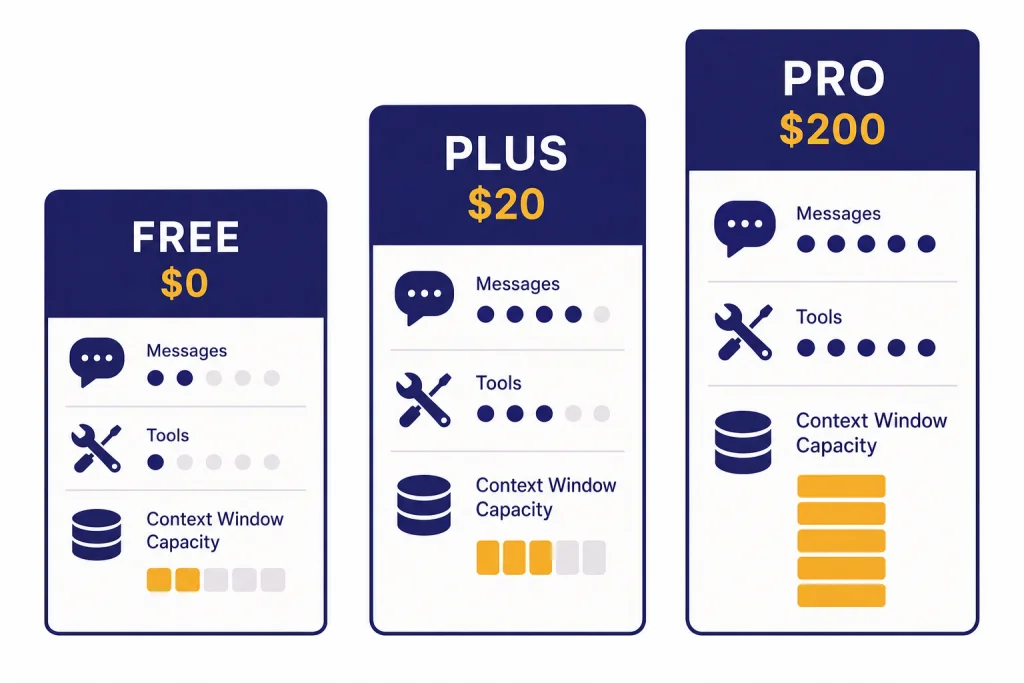
ChatGPT Free is enough for casual questions, light writing, web search, and occasional file or image work. ChatGPT Plus is the best value for most individuals because it adds higher limits, faster access, expanded tools, and the paid model picker for a predictable monthly price. ChatGPT Pro is for people who use ChatGPT as a production work system: heavy research, coding, advanced reasoning, long context, voice, image work, and parallel projects. The main decision is not whether Pro is “better.” It is whether you will use enough advanced capacity to justify the jump from a free account or Plus subscription to a much more expensive Pro tier.
Quick verdict
For most readers comparing chatgpt free vs plus vs pro, the practical answer is simple. Stay on Free if ChatGPT is an occasional assistant. Buy Plus if ChatGPT saves you time every week and you want fewer interruptions. Consider Pro only if ChatGPT is part of your job, research, coding workflow, or client delivery process.
OpenAI’s pricing page lists the free version as available to everyone and describes paid ChatGPT plans as per-user monthly subscriptions.[1] The same pricing page shows the important pattern: Free gets many of the same tool categories, but with limited access; Plus adds fuller access; Pro expands capacity, context, and high-end tools.[1]
Use this rule of thumb. Free is for exploration. Plus is for regular individual productivity. Pro is for sustained advanced work. If you manage a team, do not treat Pro as a substitute for a workspace plan; compare it against ChatGPT Pro vs Team or ChatGPT Plus vs Team instead.
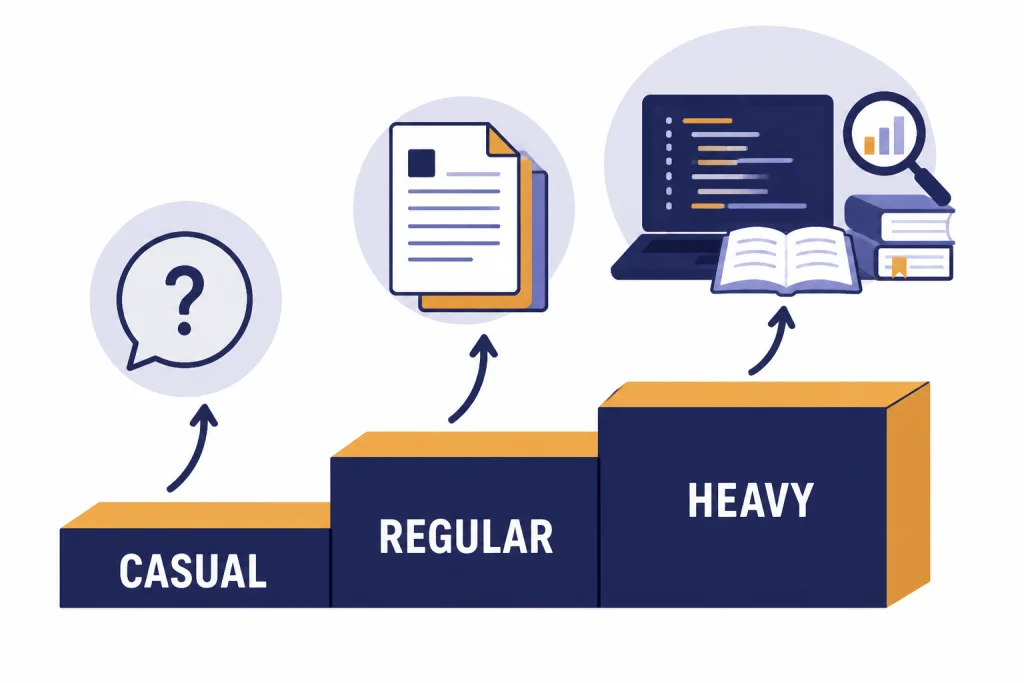
ChatGPT Free vs Plus vs Pro comparison table
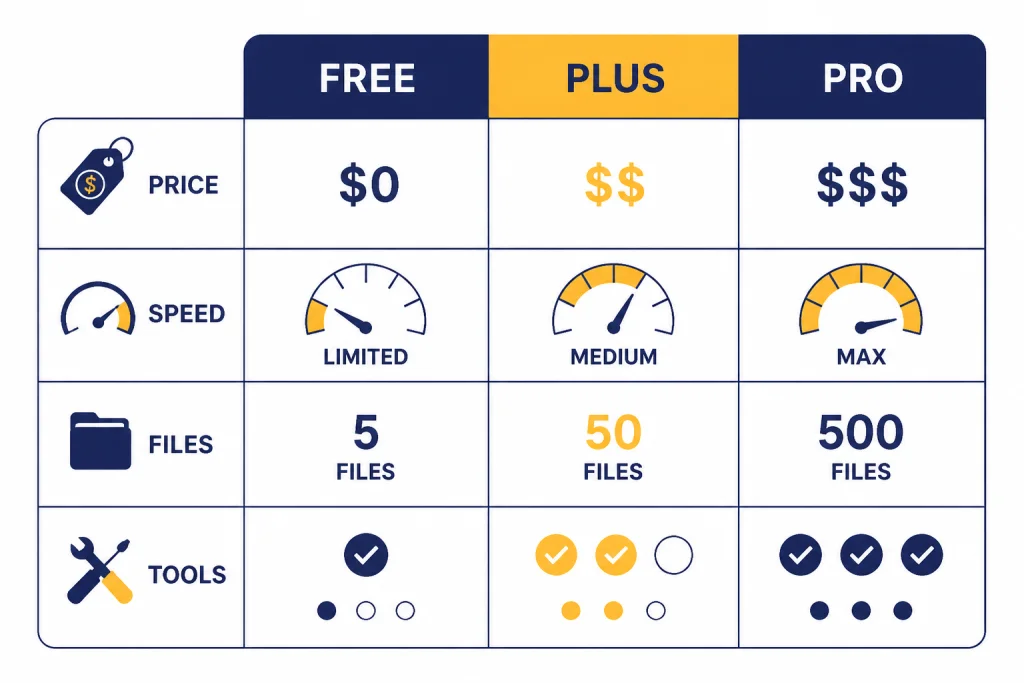
The table below summarizes the difference between the three personal plan families. OpenAI changes exact caps and model names over time, so treat this as a decision table rather than a permanent spec sheet.
| Category | ChatGPT Free | ChatGPT Plus | ChatGPT Pro |
|---|---|---|---|
| Best for | Casual use, learning, quick drafting | Regular individual productivity | Heavy reasoning, research, coding, and long sessions |
| Monthly price | $0 on OpenAI’s pricing page[1] | $20/month for Plus[2] | OpenAI’s Pro help page describes $100 and $200 Pro tiers[3] |
| Model access | Flagship access with tighter limits | Higher limits and paid model picker access | Pro model access and much larger usage allowance |
| Speed | Limited by bandwidth and availability | Fast response times on the pricing page[1] | Fast response times plus higher advanced-tool capacity[1] |
| Files and data analysis | Available with limits | Available with higher limits | Available with expanded capacity |
| Image generation | Available with limits | Available | Available, with more room for repeated work |
| Custom GPTs | Can discover and use GPTs; creation is limited to paid plans | Can create and use custom GPTs | Can create and use custom GPTs, with more room for heavy workflows |
| Team administration | No admin console | No admin console | No admin console |
The biggest difference is not one isolated feature. It is the amount of reliable access you get before limits, fallbacks, or tool caps interrupt your work. That matters more than the feature checklist if you use ChatGPT for long files, repeated image drafts, code changes, or research reports.
Pricing and the Pro tier wrinkle
Plus is the easiest price to understand. OpenAI’s Help Center describes ChatGPT Plus as enhanced access to the ChatGPT web app for $20/month, billed monthly.[2] Free is also straightforward because OpenAI’s pricing page lists it as the no-cost plan for individual users.[1]
Pro needs more care. OpenAI’s public pricing page has historically emphasized Pro as the high-end personal plan, while the Pro Help Center page describes two Pro tiers: Pro $100 with 5x higher limits than Plus, and Pro $200 with 20x higher limits than Plus.[3] That means readers may see different Pro presentation depending on where they enter the upgrade flow. If your account only shows one Pro option, rely on the plan selector inside ChatGPT and the Help Center language for your account.
OpenAI also says it does not currently support annual billing or paying multiple months in advance for ChatGPT Go, Plus, or Pro subscriptions.[3] That makes the upgrade easier to test. You can subscribe for a month, measure whether it changes your output, and cancel or downgrade if it does not.
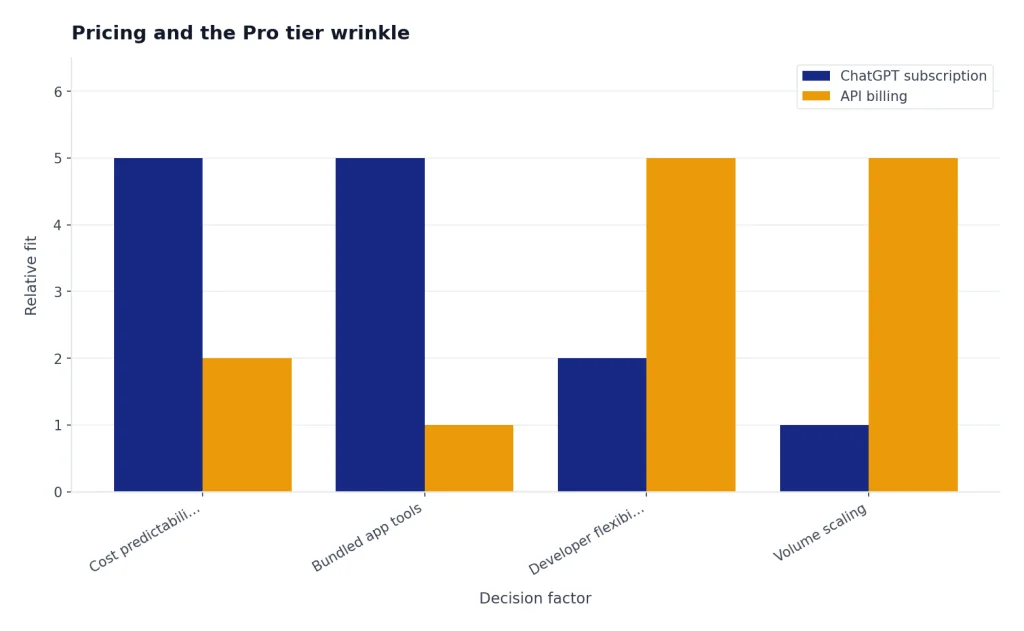
Do not compare ChatGPT Plus or Pro to API pricing as if they are the same product. ChatGPT subscriptions buy access to the ChatGPT app and its bundled tools. API billing charges by usage for developers who build their own applications. If you are deciding between app access and developer access, read OpenAI API pricing separately.
Models, limits, and speed
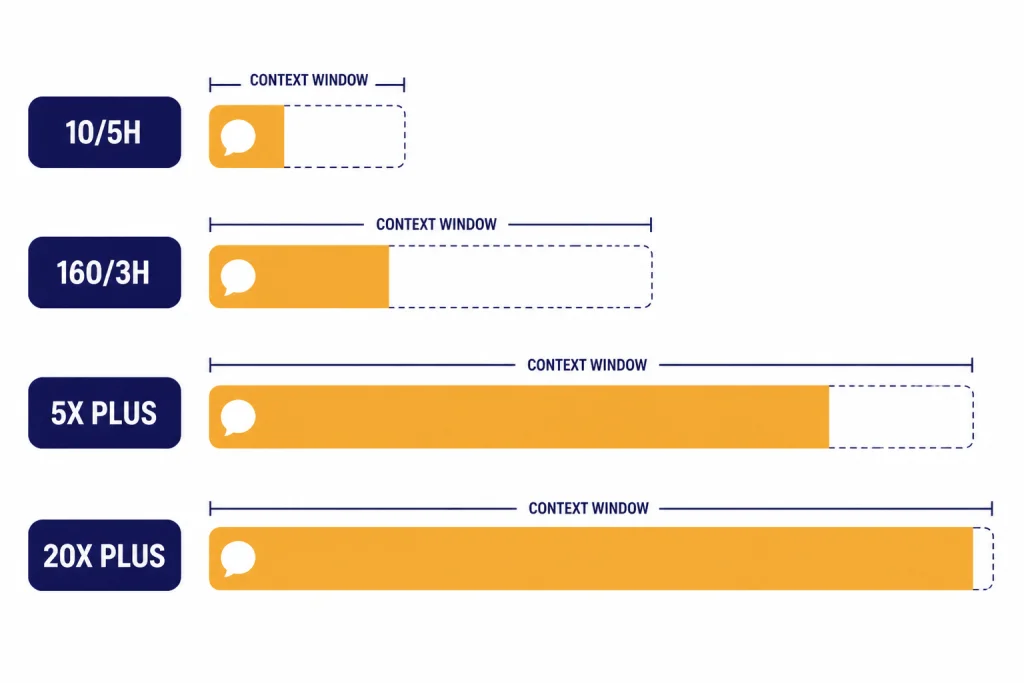
Free users get access to current ChatGPT capabilities, but the limits are the constraint. OpenAI’s model-limit article says Free accounts can send up to 10 messages with GPT-5.3 every 5 hours, after which chats fall back to a mini version until the limit resets.[4] Plus users get a much larger allowance: the same article says Plus and Go users can send up to 160 GPT-5.3 messages every 3 hours before fallback behavior applies.[4]
Those numbers explain why Plus feels different in daily use. The quality of one answer may not always change, but your ability to continue a thread, revise a document, debug a script, or analyze multiple files improves because the plan gives you more room before you hit a wall.
Pro is about headroom. OpenAI’s Pro page says the $100 Pro tier is for advanced tools and models throughout the week with 5x higher limits than Plus, while the $200 Pro tier is for demanding workflows with 20x higher limits than Plus.[3] It also describes temporary Codex usage promotions, including 10x Codex usage versus Plus for Pro $100 and 25x five-hour Codex limits for Pro $200 through March 31.[3]
Context window is another major difference. OpenAI’s pricing page lists GPT Instant total context as 27K for Free, 54K for Plus, and 128K for Pro.[1] It also lists GPT Reasoning total context as variable for Free, 256K for Plus, and 400K for Pro.[1] If you routinely paste long contracts, notebooks, meeting transcripts, or research packets, this matters. For a broader model-level view, see our context window comparison and all GPT models compared side by side.
Tools and workflow features
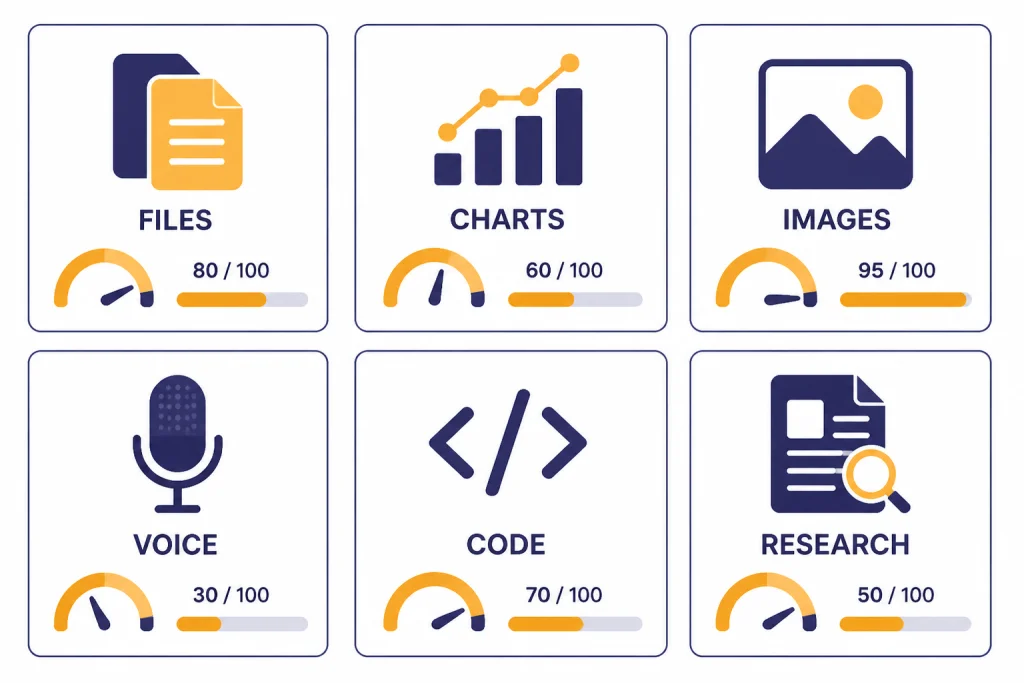
Free is no longer a bare text box. OpenAI’s Free Tier FAQ says free users can search the web, analyze data, upload images or files, discover and use GPTs, and create images in ChatGPT, subject to limits.[5] That makes Free useful for many everyday jobs: summarizing a PDF, drafting an email, asking for spreadsheet help, or generating a few image ideas.
Plus expands the same workflow. OpenAI’s Plus article lists benefits such as priority access during high-traffic periods, faster responses, voice conversations, image generation, file uploads, and analysis.[2] In practice, Plus is the plan for people who want ChatGPT open all day but do not need enterprise controls. Writers, students, analysts, founders, and solo consultants often fit here.
Pro adds the most value when the tools become part of a repeated workflow. OpenAI lists Pro access to advanced features including Pro models, Codex, deep research, image creation, memory, and file uploads.[3] Codex is especially relevant for developers because OpenAI describes it as an AI coding agent that can work in a terminal, IDE, or cloud task flow.[8] If coding speed is the main reason you are upgrading, also compare models in GPT vs the o-Series and OpenAI o1 vs o3.
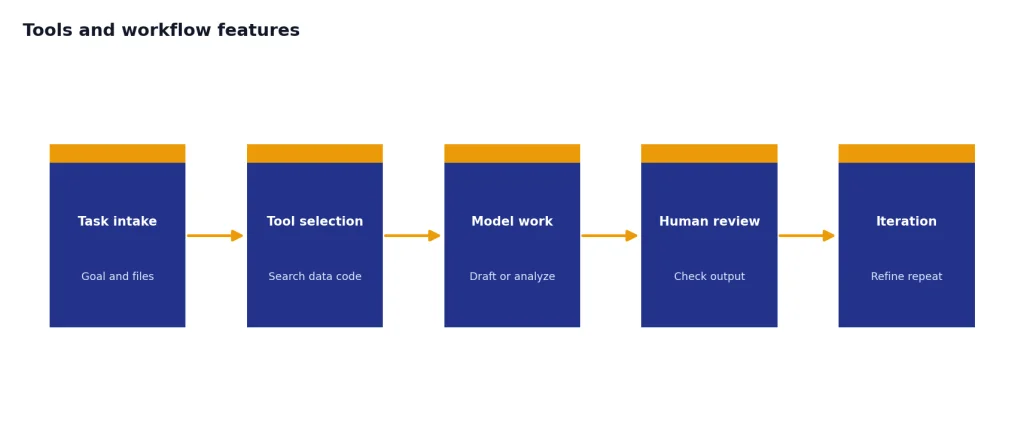
Image work is plan-sensitive too. OpenAI says ChatGPT Images is available on all tiers, while images with thinking are available on Plus, Pro, and Business.[7] If visual generation is your main concern, a ChatGPT plan may not be the only option. Compare dedicated image tools in DALL-E vs Midjourney or DALL-E vs Stable Diffusion.
Privacy, data controls, and business limits
Free, Plus, and Pro are personal plans. They do not include the same workspace administration, compliance, analytics, or centralized controls as Business and Enterprise. OpenAI’s pricing page lists admin console, SAML SSO, bulk member management, domain verification, and related security administration as unavailable on Free, Plus, and Pro.[1]
Data controls are also important. OpenAI says that on ChatGPT Free, Plus, and Pro personal workspaces, data sharing is enabled by default, but users can opt out through Settings → Data Controls → Improve the model for everyone.[6] After opting out, new conversations are not used to train OpenAI’s models, according to the same Help Center page.[6]
If you are handling client files, employee data, unreleased financials, private code, or regulated information, the plan comparison changes. You should evaluate workspace plans instead of buying Pro for one person. Start with ChatGPT Team vs Enterprise if administration and data governance matter more than personal usage limits.
Which plan should you choose?
Choose ChatGPT Free if you are still testing the habit
Free is the right plan if you use ChatGPT a few times per week, do not mind occasional limits, and mainly ask short questions. It is also the safest starting point if you are comparing ChatGPT with other assistants. If cost is the main issue, see our free ChatGPT alternative guide.
Choose ChatGPT Plus if you want the best individual value
Plus is the best default upgrade. It gives you enough extra capacity for regular work without forcing you into a high monthly commitment. Choose it if you write, research, analyze files, generate images, or use voice often enough that Free limits interrupt you.
Choose ChatGPT Pro if limits are costing you money or time
Pro makes sense when ChatGPT directly supports paid work or serious research. Examples include software projects, analyst work, legal research support, grant drafting, scientific literature review, long-form content systems, and high-volume client deliverables. If you only want “better answers,” try Plus first. If you need sustained capacity, longer context, Pro models, and more Codex or deep research room, Pro becomes easier to justify.
Also consider speed. Some users should pay for the fastest practical workflow rather than the most capable model. If latency is your main bottleneck, compare options in our fastest GPT model guide.
Upgrade checklist
Before you upgrade, run a simple one-week test. Track each time Free blocks you, slows you down, or forces you to shorten the task. Then decide whether the upgrade solves a real bottleneck.
- Count limit hits. If you rarely hit Free limits, stay Free.
- Measure saved time. If Plus saves more than a small amount of time each week, it is probably worth testing.
- Check your task type. Long files, coding, deep research, and repeated image drafts favor paid plans.
- Separate personal use from team use. Pro is not a team admin plan.
- Review data settings. If you use a personal plan, set your model-training preference before uploading sensitive material.
- Try monthly first. OpenAI does not currently offer annual billing for Plus or Pro, so a month-to-month test is the natural path.[3]
The bottom line: Free is capable, Plus is the value pick, and Pro is a capacity purchase. Upgrade only when the plan removes a constraint you can clearly name.
Frequently asked questions
Is ChatGPT Plus worth it over Free?
Yes, if you use ChatGPT regularly and Free limits interrupt your work. Plus gives higher limits, faster access, and a better day-to-day experience for writing, analysis, voice, files, and image tasks. If you only ask a few casual questions per week, Free is still the better value.
Is ChatGPT Pro worth it over Plus?
Pro is worth it when limits are costing you time or revenue. It is not a casual upgrade. Choose it for sustained advanced reasoning, long-context work, deep research, coding, and repeated high-volume tool use.
Does ChatGPT Free include image generation?
Yes. OpenAI says Free users can create images in ChatGPT, but the Free plan applies limits.[5] Plus and Pro are better if you generate, edit, and iterate on images often.
Can Free users create custom GPTs?
Free users can discover and use GPTs, but OpenAI’s Free Tier FAQ says paid plans have access to the GPT creator.[5] If custom GPT building is part of your workflow, Plus is the minimum practical upgrade.
Do Free, Plus, and Pro include business privacy controls?
No. They are personal plans, not managed workspaces. OpenAI lists admin and workspace controls such as SAML SSO, admin console, and bulk member management as unavailable on Free, Plus, and Pro.[1] Use a workspace plan if governance matters.
Can I cancel ChatGPT Plus or Pro after one month?
OpenAI says users can change or cancel Pro subscriptions from Settings → My Plan, and that access continues until the end of the billing period after a change or cancellation.[3] Plus and Pro are monthly subscriptions, so testing one paid month is a reasonable way to decide.