

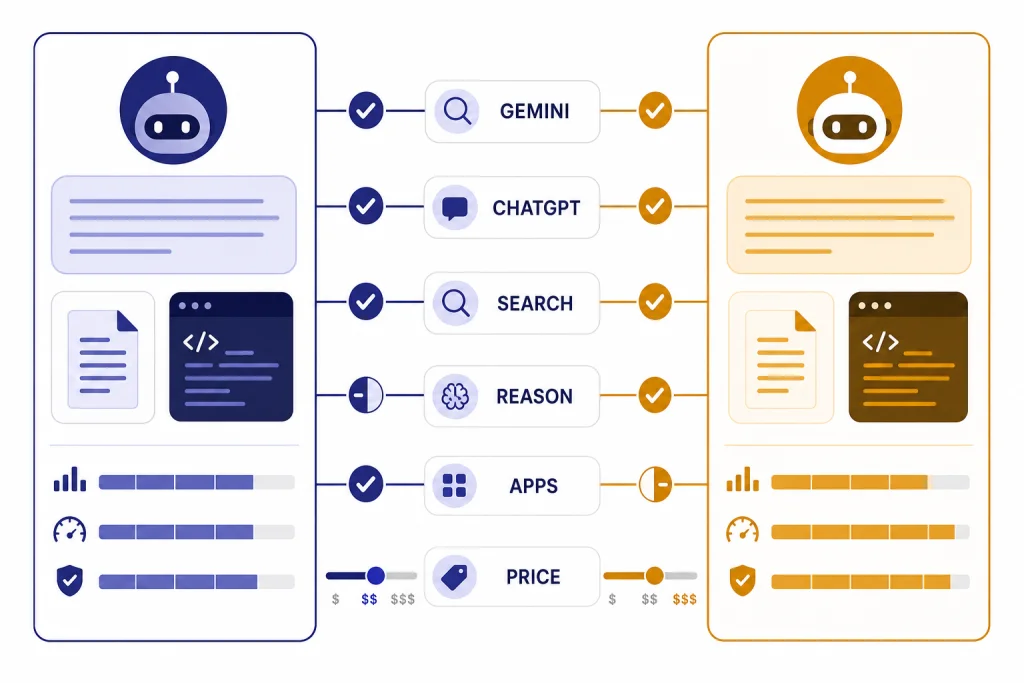
Google Gemini vs ChatGPT is now less about one chatbot being universally smarter and more about which ecosystem fits your work. Gemini is stronger when your day already runs through Google Search, Gmail, Docs, Drive, Photos, YouTube, and Android. ChatGPT is stronger when you want a focused AI workspace with mature writing, coding, reasoning, voice, file analysis, and custom workflow features in one place. For most casual users, either free product is good enough. For paid users, Gemini usually wins on Google-native productivity and bundled storage, while ChatGPT usually wins on broad task reliability and a cleaner standalone AI experience.
Quick verdict
Choose Google Gemini if your main work happens inside Google products. Its best advantage is not only the model. It is the way Gemini can sit near Google Search, Gmail, Docs, Drive, Sheets, Slides, Photos, YouTube, and Android. Google has also been folding Gemini features into Workspace, including Docs, Sheets, Slides, and Drive capabilities for Google AI Ultra and Pro subscribers.[5]
Choose ChatGPT if you want the most polished general-purpose AI assistant. It is easier to treat as a neutral workspace for writing, research, coding, brainstorming, file analysis, voice, and structured workflows. OpenAI positioned GPT-5.4 as its current frontier release on March 5, 2026, with GPT-5.4 Pro available in ChatGPT and the API for users who want maximum performance on complex tasks.[6]
The simplest rule is this: Gemini is best when context lives in Google. ChatGPT is best when the task is the center of the workflow. If you are comparing more AI assistants beyond these two, see our broader list of ChatGPT alternatives for 2026.
| Use case | Better first pick | Why |
|---|---|---|
| Google Workspace-heavy work | Gemini | It connects naturally to Google apps and Workspace features. |
| Standalone writing and editing | ChatGPT | It usually provides a cleaner drafting, rewriting, and iteration flow. |
| Research from the open web | Split | Gemini benefits from Google Search. ChatGPT is often better at turning messy material into structured output. |
| Coding help | ChatGPT for general coding; Gemini for Google-stack work | ChatGPT has strong coding workflows, while Gemini fits Android, Google Cloud, and Workspace-heavy contexts. |
| Paid personal plan value | Depends | Gemini bundles Google storage and app access. ChatGPT charges for the AI workspace itself. |
What Gemini and ChatGPT are built to do
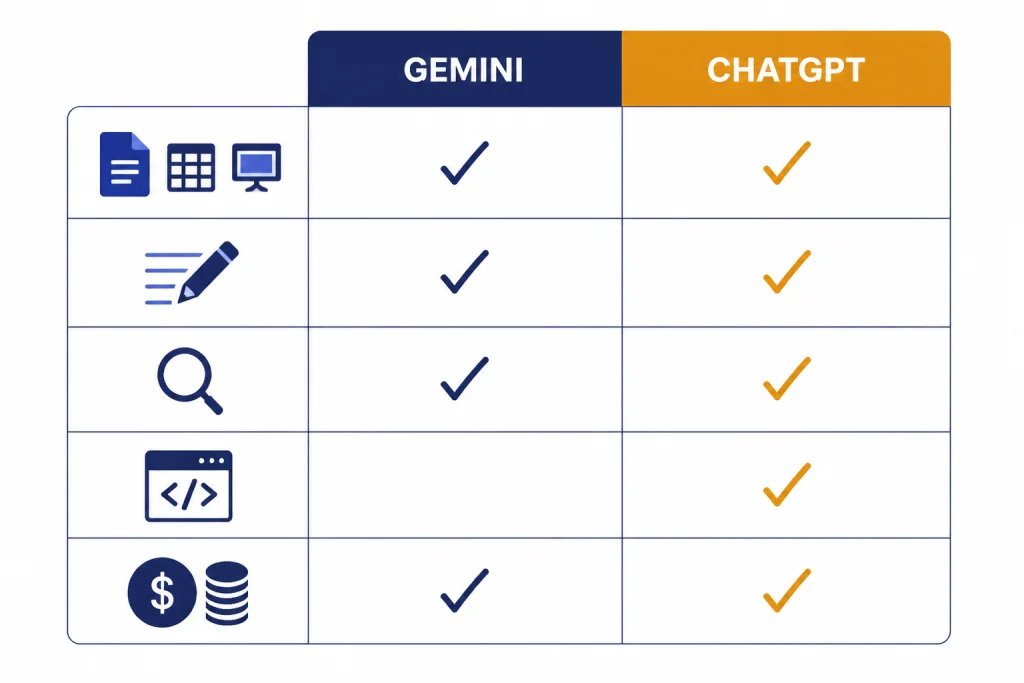
Gemini is Google’s AI assistant and model family. The consumer app is tied closely to Google services, and the paid Google AI plans extend that connection with higher access, Google app features, NotebookLM benefits, Flow, Whisk, storage, and other bundled services.[1] That makes Gemini feel less like a separate app and more like an AI layer across Google’s existing products.
ChatGPT is OpenAI’s conversational AI product. It is built around a chat workspace, model selection, files, tools, memory, projects, custom GPTs, voice, and developer-facing models through the API. If you need a refresher on the product itself, start with what ChatGPT is. If you want the model-family view, see our GPT explainer.
This difference matters. Gemini often wins when the assistant needs to understand your Google account context. ChatGPT often wins when you want to bring your own files, prompts, and instructions into an independent workspace that is not tied to one productivity suite.
Gemini feels like an AI layer over Google
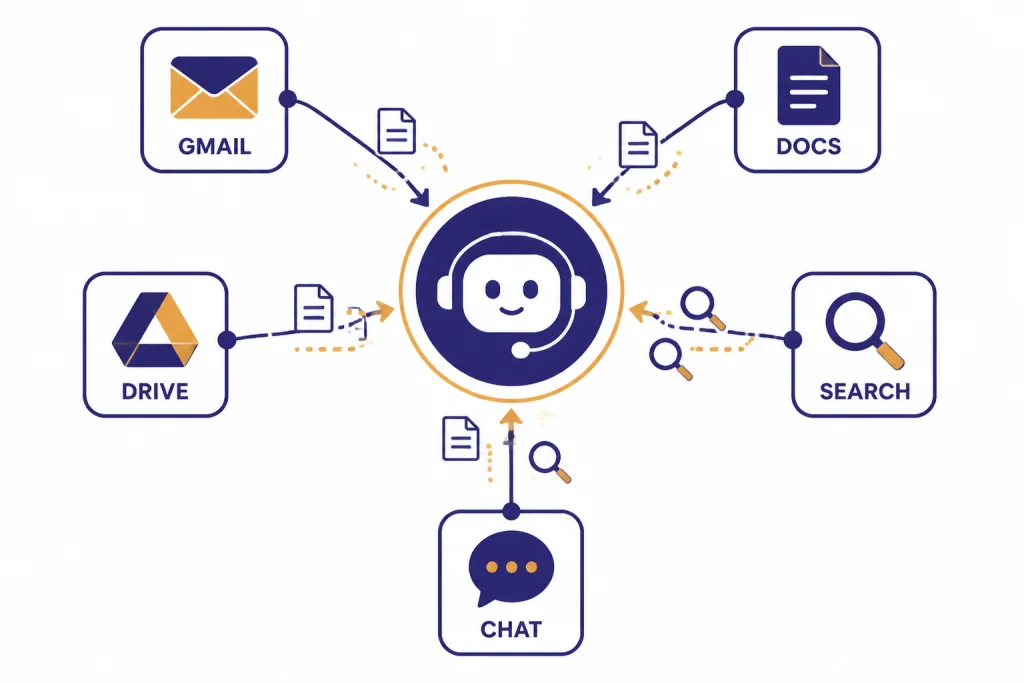
Google has been explicit about connecting Gemini to personal Google context. In January 2026, Google described Personal Intelligence as an optional beta feature in the United States that can connect Gmail, Photos, YouTube, and Search for more personalized responses.[4] That is powerful when you want answers grounded in your real Google activity. It is also the reason privacy settings matter more with Gemini.
ChatGPT feels like a dedicated AI workspace
ChatGPT’s advantage is focus. You do not need to live in one ecosystem to use it well. You can paste material, upload files, ask for structured drafts, create custom GPTs, work through code, and move outputs into any app. That makes it a better default for people who use Google at work, Microsoft at school, Slack with a team, and a separate code editor for projects. For Microsoft-heavy users, compare this with GPT vs Microsoft Copilot.
Models and answer quality
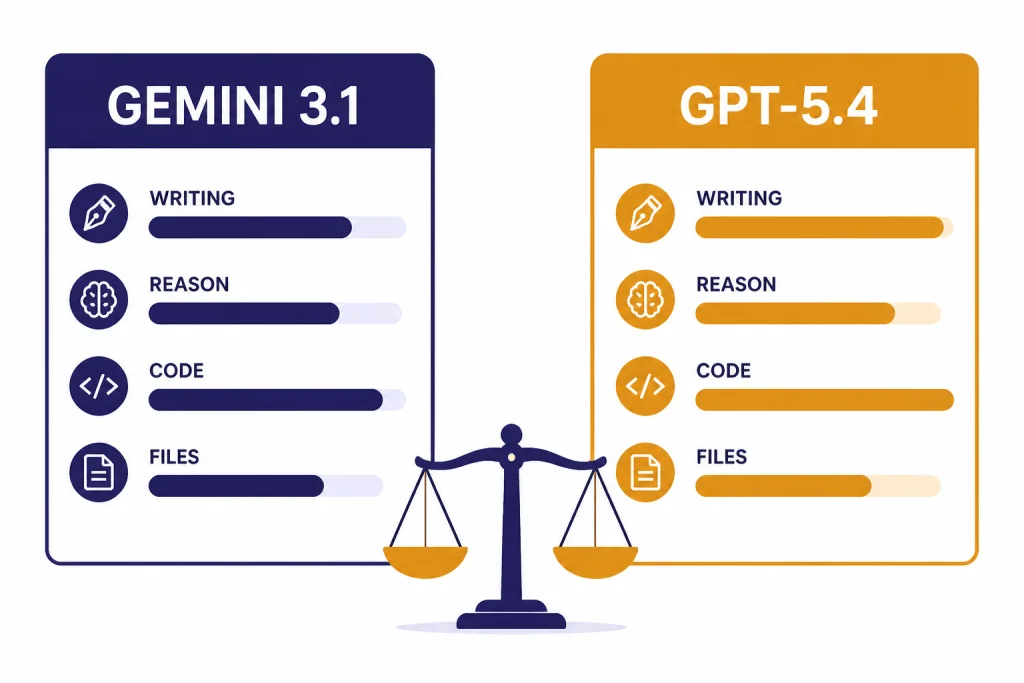
As of this review, the top consumer comparison is broadly Gemini 3.1 Pro against OpenAI’s GPT-5.4 family in ChatGPT. Google announced Gemini 3.1 Pro on February 19, 2026, and said it was rolling out through the Gemini app, Gemini API, Vertex AI, and NotebookLM.[3] OpenAI announced GPT-5.4 on March 5, 2026, and said GPT-5.4 Pro was being released in ChatGPT and the API for complex work.[6]
Both products are strong enough for everyday writing, planning, explanation, summarization, and brainstorming. The difference shows up in edge cases. Gemini tends to be strongest when a response can benefit from Google-native context, long document analysis, and multimodal Google tooling. ChatGPT tends to be strongest when you need careful instruction following, multi-step transformation, code explanation, and a polished final answer.
Do not compare Gemini only against old GPT-4o screenshots or older ChatGPT reviews. OpenAI’s Help Center says GPT-4o, GPT-4.1, GPT-4.1 mini, OpenAI o4-mini, and GPT-5 Instant and Thinking were retired from ChatGPT on February 13, 2026, with GPT-4o fully retired across plans after April 3, 2026.[8] If you specifically want the older OpenAI generation, read GPT-5 vs GPT-4o and GPT-4o vs GPT-4.
| Quality dimension | Gemini | ChatGPT |
|---|---|---|
| Short factual answers | Strong, especially when tied to Search. | Strong, especially when asked to cite, compare, or format. |
| Long-form writing | Good, but can feel more Google-assistant-like. | Usually better for tone control, rewriting, and editorial polish. |
| Reasoning-heavy prompts | Gemini 3.1 Pro is designed for complex tasks.[3] | GPT-5.4 Pro is positioned for complex tasks in ChatGPT and the API.[6] |
| Multimodal work | Very strong across Google’s image, video, app, and assistant ecosystem. | Very strong inside ChatGPT, especially when paired with files, voice, images, and structured prompts. |
| Consistency across mixed tasks | Best when the task touches Google context. | Best when the task mixes writing, coding, analysis, and formatting. |
Search, apps, and files
Gemini has the clearest advantage when the task starts with Google Search or Google apps. Google AI Pro includes access to the Gemini app, higher access to Gemini models, Deep Research on Gemini 2.5 Pro as described on Google’s subscription page, Google Search features, Jules, Gemini Code Assist and Gemini CLI limits, NotebookLM benefits, and Gemini in Gmail, Docs, Vids, and more depending on plan.[1] The exact model names on subscription pages can change, so check the live plan page before buying.
Google’s Workspace direction is also clear. Google said new Gemini features for Docs, Sheets, Slides, and Drive were coming to Google Workspace for Google AI Ultra and Pro subscribers on March 10, 2026.[5] If your daily work is buried in Drive folders, spreadsheet tabs, Docs comments, and Gmail threads, Gemini may save more manual copying.
ChatGPT is more portable. It is often better when you want to upload a file, ask for a summary, transform it into a memo, turn the memo into a slide outline, and then paste the result into whichever app you use. ChatGPT is also usually easier to audit because the workspace is more self-contained. For web research specifically, see ChatGPT vs Google Search.
File and context limits
Google’s subscription page says Google AI Pro unlocks powerful features such as Deep Research and a 1M token context window.[1] OpenAI has not published a single simple ChatGPT-wide context-window figure for every consumer plan in the sources we reviewed. For OpenAI-specific context details, use our context window comparison before you choose a plan for large documents.
Coding, reasoning, and technical work
ChatGPT is still the safer default for general coding help. It is strong at explaining errors, drafting scripts, writing tests, converting code between languages, and talking through architecture. OpenAI’s GPT-5.4 launch emphasized complex work, developer access, and GPT-5.4 Pro in ChatGPT and the API.[6] For a deeper model-family view, see GPT vs the o-Series.
Gemini is stronger when your technical work is tied to Google’s developer ecosystem. Google AI Pro and Ultra include higher limits for Gemini Code Assist and Gemini CLI, according to Google’s subscription page.[1] That matters if you use Android tooling, Google Cloud, Workspace automation, or Google’s developer products.
For non-developers, the better question is not which model wins a benchmark. It is which assistant gives you fewer broken instructions. ChatGPT usually does better when you need step-by-step debugging or clean code comments. Gemini usually does better when the task draws on Google account context, Google files, or Google Search.
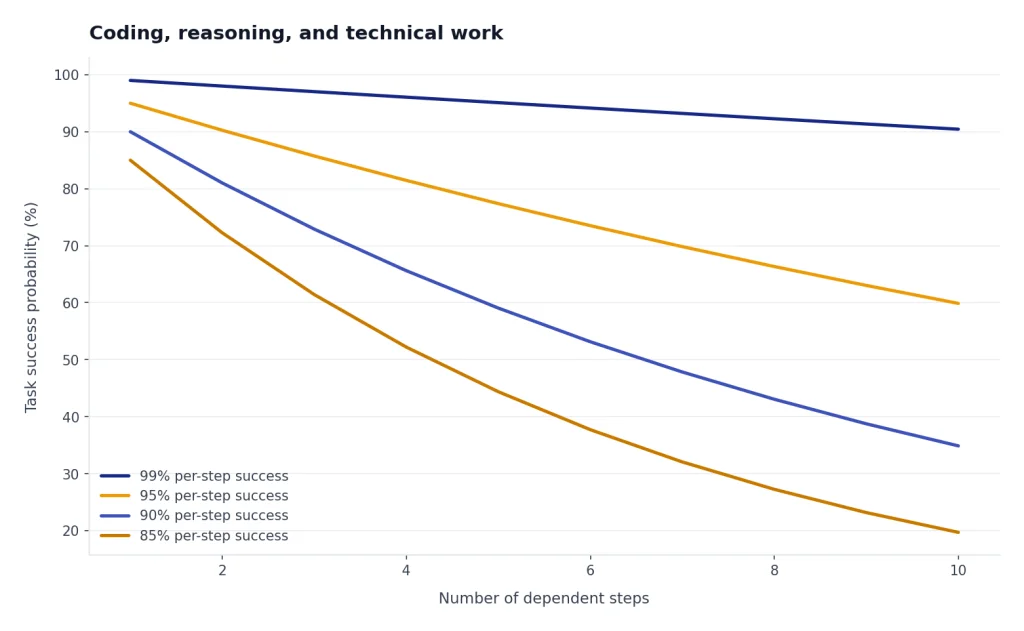
Practical test: give both tools the same real task, not a benchmark prompt. Ask each to revise one document, analyze one spreadsheet, explain one bug, and plan one project. The winner for your workflow will be obvious.
Pricing and plan value
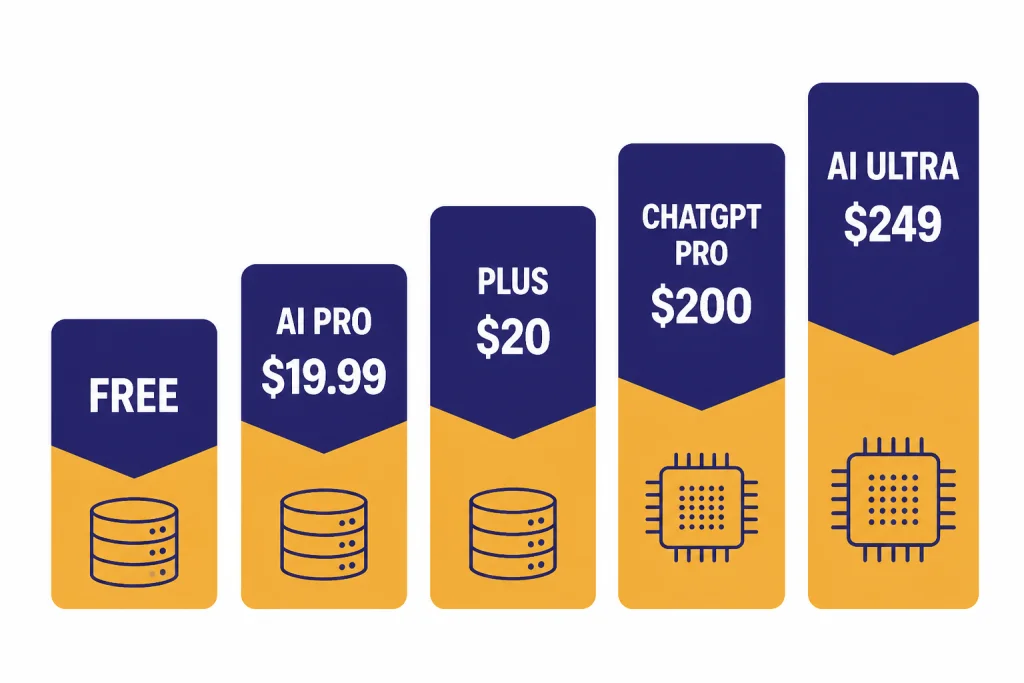
Gemini and ChatGPT both have free access, mid-tier paid plans, and expensive high-access plans. The prices look similar at the middle and different at the top. Google AI Pro is listed at $19.99/month, while Google AI Ultra is listed at $249.99/month with a first-user promotional rate shown on Google’s subscription page.[1] Google also announced AI Ultra at $249.99/month in the United States when it introduced the plan on May 20, 2025.[2]
OpenAI’s Help Center lists ChatGPT Plus at $20/month.[8] OpenAI introduced ChatGPT Pro as a $200 monthly plan on December 5, 2024, and third-party coverage at launch reported the same $200/month price.[7][11] OpenAI’s live plan lineup can change, so verify the checkout page before subscribing.
| Plan type | Gemini | ChatGPT | Best fit |
|---|---|---|---|
| Free | Google Account access with limited Gemini features and 100 monthly AI credits shown on Google’s subscription page.[1] | Free ChatGPT access with limits that vary by feature and demand. | Casual questions, light writing, quick help. |
| Main paid consumer plan | Google AI Pro at $19.99/month, with 2 TB storage and 1,000 monthly AI credits listed by Google.[1] | ChatGPT Plus at $20/month.[8] | Daily personal productivity. |
| Highest consumer plan | Google AI Ultra at $249.99/month, with 30 TB storage and 25,000 monthly AI credits listed by Google.[1] | ChatGPT Pro was introduced as a $200 monthly plan.[7] | Heavy AI use, advanced models, media, coding, and research workloads. |
| Team or business use | Best when the organization is already committed to Google Workspace. | Best when the organization wants a dedicated AI workspace across departments. | Depends on admin controls, data policies, and existing software stack. |
The paid-plan value question is not only price. Gemini’s paid plans bundle storage and Google product access. ChatGPT’s paid plans focus on the AI assistant itself. If you are choosing among OpenAI plans, read ChatGPT Free vs Plus vs Pro and ChatGPT Plus vs Team.
Privacy, business use, and account fit
Gemini’s biggest strength is also its biggest decision point. When an assistant can connect to Gmail, Photos, YouTube, Search, Drive, and Workspace, it can become more useful and more sensitive. Google said Personal Intelligence connections are optional and that the beta can use linked Google apps for more personalized answers.[4] Before using it for personal or company data, review the settings, retention terms, and admin controls for your account type.
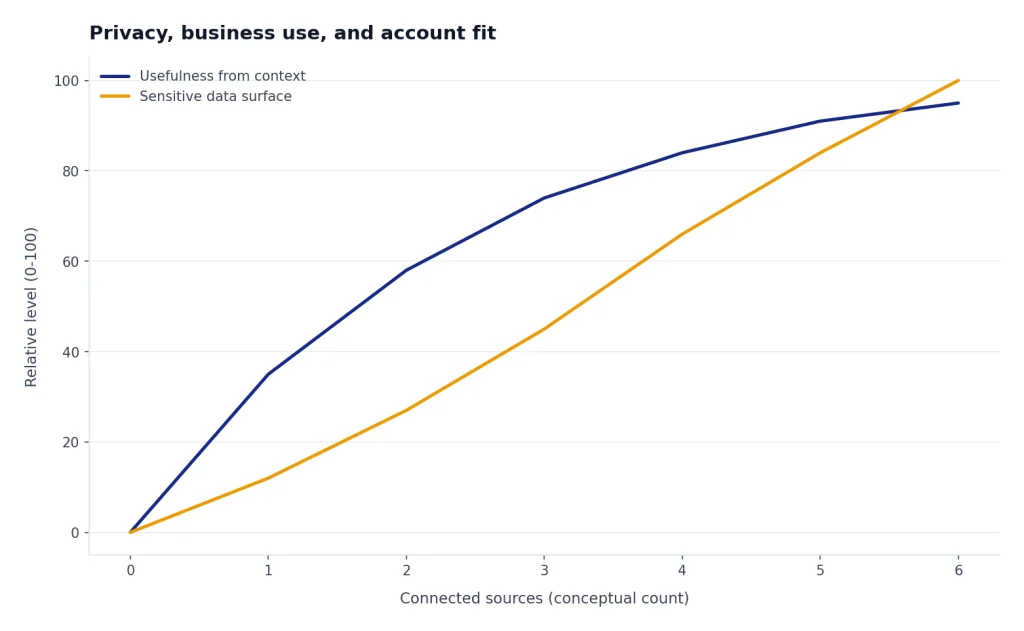
ChatGPT is easier to separate from your main productivity suite. That can reduce accidental exposure from connected accounts, but it does not remove privacy questions. You still need to understand file uploads, memory, shared chats, custom GPTs, workspace controls, and whether you are using a personal, team, business, or enterprise plan. For organizations, compare ChatGPT Pro vs Team and ChatGPT Team vs Enterprise.
For sensitive work, do not choose based on model quality alone. Choose based on contract terms, admin controls, logging, data retention, access management, and employee training. The better chatbot is the one your organization can govern.
Which one should you choose?
Pick Gemini if you want AI inside the Google universe. It is the better choice for people who search constantly, work in Docs and Drive, live in Gmail, use Android, and value bundled storage. It is also the better first test if your company already pays for Google Workspace and wants AI close to existing content.
Pick ChatGPT if you want one AI assistant that works across everything. It is the better choice for independent professionals, writers, analysts, students, developers, and teams that do not want their AI workflow locked to one app suite. It also has a strong advantage for reusable prompt workflows, custom GPT-style assistants, and structured outputs.
If your budget allows only one paid plan, start with the product that matches your daily home base. If you open Google Drive before anything else, try Gemini first. If you open a blank chat to solve many different kinds of problems, try ChatGPT first. If images or video are the deciding factor, compare the adjacent ecosystems with DALL-E vs Midjourney, DALL-E vs Stable Diffusion, and Sora vs Google Veo.
| Reader profile | Best choice | Reason |
|---|---|---|
| Google Workspace power user | Gemini | More useful inside Docs, Drive, Gmail, Sheets, and Search. |
| Writer or editor | ChatGPT | Better drafting, rewriting, tone control, and structured iteration. |
| Student | Either | Gemini is useful for Google tools. ChatGPT is useful for explanation and study workflows. |
| Developer | ChatGPT first, Gemini if Google-stack focused | ChatGPT is stronger as a general coding partner. Gemini fits Google developer tools. |
| Research-heavy professional | Split test | Gemini may gather context faster. ChatGPT may synthesize and format better. |
| Privacy-sensitive organization | Depends on governance | Review admin controls, account type, and data terms before model quality. |
Frequently asked questions
Is Gemini better than ChatGPT?
Gemini is better if you want AI tied closely to Google Search, Gmail, Docs, Drive, and other Google products. ChatGPT is better if you want a standalone assistant for writing, coding, analysis, and reusable workflows. The best choice depends more on your ecosystem than on a single benchmark.
Is ChatGPT better for writing?
Usually, yes. ChatGPT tends to be stronger at rewriting, tone matching, outlining, summarizing, and producing polished drafts. Gemini can write well, but its biggest advantage is often context from Google apps rather than editorial control.
Is Gemini better for search?
Gemini has a natural advantage for search-related work because it is built by Google and sits close to Google Search. That does not mean every Gemini answer is automatically correct. For important work, ask for sources, open the sources yourself, and compare with conventional search results.
Which is cheaper, Gemini or ChatGPT?
The main paid consumer tiers are very close: Google AI Pro is listed at $19.99/month, and ChatGPT Plus is listed at $20/month.[1][8] The high-end plans differ more: Google AI Ultra is listed at $249.99/month, while OpenAI introduced ChatGPT Pro as a $200 monthly plan.[1][7] Prices and plan names can change, so confirm at checkout.
Which is better for coding?
ChatGPT is the better default for general coding help, debugging, test generation, and architecture discussion. Gemini is worth testing if your coding work uses Android, Google Cloud, Gemini Code Assist, or other Google developer tools. Serious developers should test both on their own repositories instead of relying only on public benchmarks.
Should I pay for both Gemini and ChatGPT?
Most people should not pay for both every month. Start with the one that matches your daily workflow. Pay for both only if you regularly need Google-native context from Gemini and a separate high-quality AI workspace from ChatGPT.