

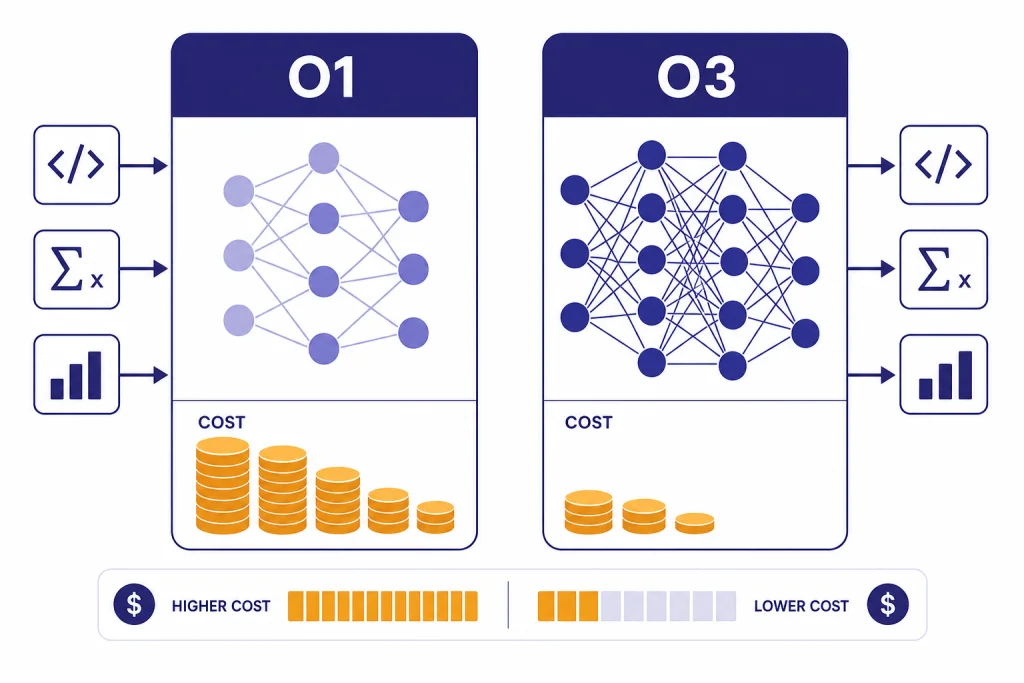
OpenAI o3 is the better default choice in an o1 vs o3 comparison. It is newer, cheaper in the API, stronger across OpenAI’s stated target areas, and built for more tool-aware reasoning workflows. OpenAI still lists o1 as a previous full o-series reasoning model, with the same published 200,000-token context window and 100,000-token max output limit as o3, but at much higher token prices.[1][2] The practical answer is simple: use o3 when you can, keep o1 only for legacy workflows, regression checks, or cases where your saved prompts were tuned around o1’s behavior.
Quick verdict
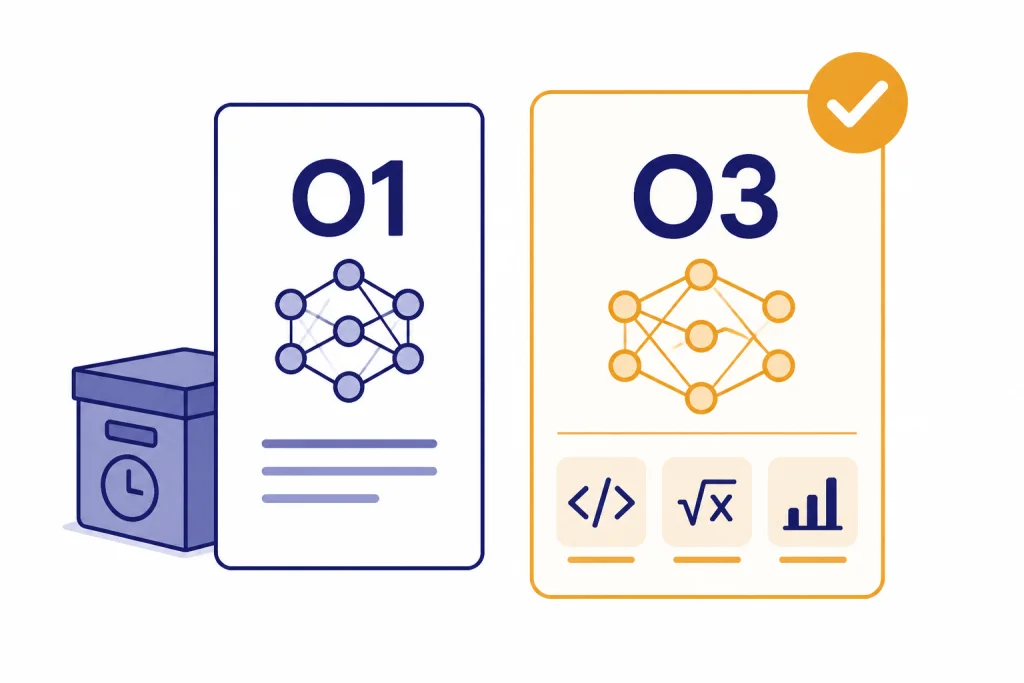
Choose o3 for most new reasoning work. OpenAI describes o3 as a well-rounded model for complex tasks across math, science, coding, visual reasoning, technical writing, and instruction-following.[1] OpenAI describes o1 as the previous full o-series reasoning model.[2] That framing matters. o1 is not useless, but it is no longer the model most readers should start with when both are available.
The main exception is continuity. If you have a prompt suite, eval set, or production workflow that was validated on o1, you should not switch blindly. Run side-by-side tests first. Reasoning models can differ in style, refusal behavior, tool use, and how much hidden reasoning they spend before returning visible output.
If you are comparing o1 vs o3 because you want the broader model-family picture, read our GPT vs the o-Series explainer next. If your real question is whether to pay for ChatGPT access, start with the ChatGPT Free vs Plus vs Pro breakdown.
Core differences
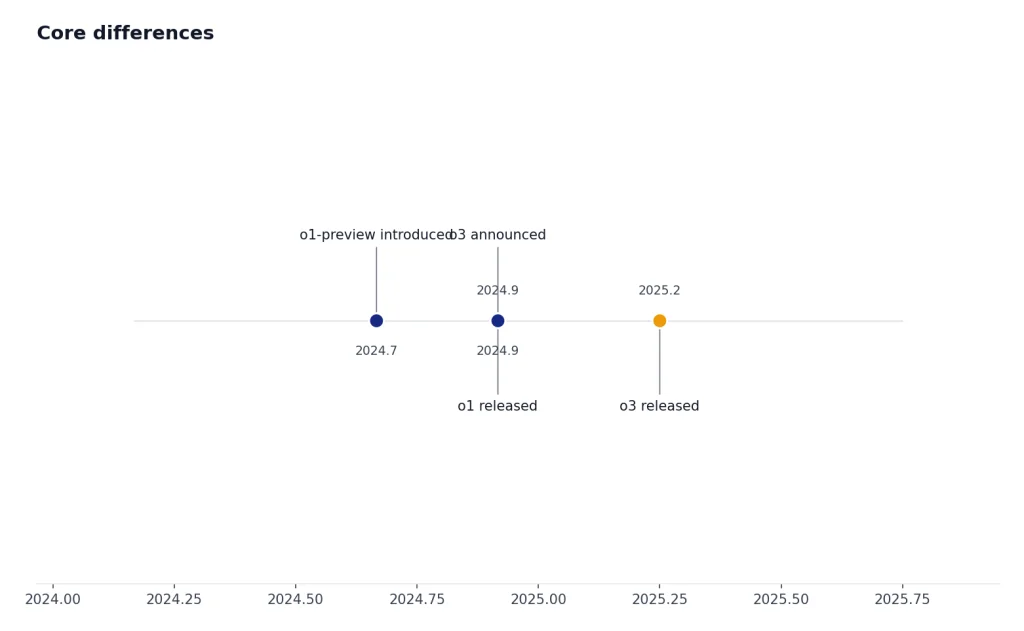
The biggest differences are generation, price, and intended role. o1 was OpenAI’s first full production reasoning model in the o-series. o3 came later as a more capable reasoning model with broader tool-oriented design. OpenAI’s o3 launch post said o3 was its most powerful reasoning model at launch and highlighted coding, math, science, visual perception, and complex multi-step analysis.[3]
The two models also share several published platform traits. OpenAI lists both o1 and o3 with text and image input, text output, reasoning token support, a 200,000-token context window, and a 100,000-token max output limit.[1][2] Those shared numbers can make the models look more similar than they feel in use. The newer model is not just a larger context-window variant. It reflects a later generation of OpenAI’s reasoning work.
| Category | OpenAI o1 | OpenAI o3 | What it means |
|---|---|---|---|
| Role | Previous full o-series reasoning model | Reasoning model for complex tasks | o3 is the stronger default for new work.[1][2] |
| Context window | 200,000 tokens | 200,000 tokens | Same published API context size.[1][2] |
| Max output | 100,000 tokens | 100,000 tokens | Same published maximum output size.[1][2] |
| Knowledge cutoff | Oct. 1, 2023 | June 1, 2024 | o3 has the newer listed cutoff.[1][2] |
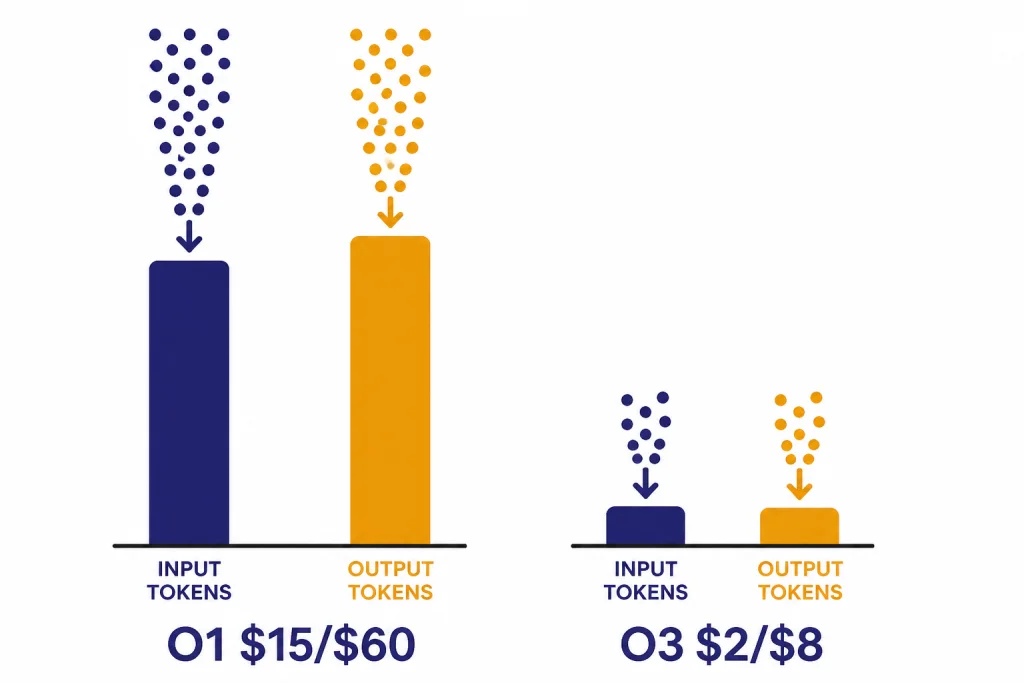
| Input price | $15.00 per 1M tokens | $2.00 per 1M tokens | o3 is far cheaper for input tokens.[1][2] |
| Output price | $60.00 per 1M tokens | $8.00 per 1M tokens | o3 is far cheaper for output and reasoning tokens.[1][2] |
| Best fit | Legacy reasoning workflows | New complex reasoning workflows | Use o1 mainly when compatibility matters. |
The pricing gap is hard to ignore. Based on OpenAI’s published API pages, o1 costs 7.5 times as much as o3 for both input and output tokens.[1][2] That alone makes o3 the better value unless o1 gives you a measurable quality advantage on your own workload.
Quality and reasoning
Both o1 and o3 are reasoning models. That means they are designed to spend internal computation on the problem before giving a final answer. OpenAI’s reasoning guide explains that reasoning models generate reasoning tokens in addition to input and visible output tokens, and those reasoning tokens are not shown to the user.[4]
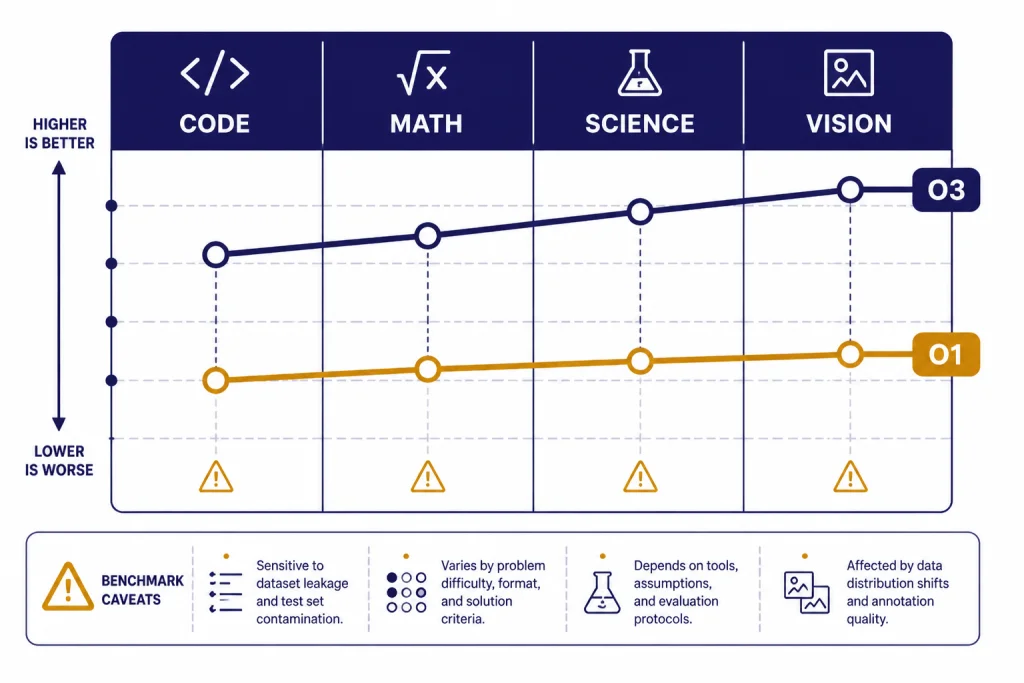
In practical use, o3 tends to be the better model when a task has several moving parts. Examples include debugging a codebase, comparing scientific hypotheses, solving a difficult math proof, interpreting a chart, or turning a vague business question into a structured analysis. OpenAI’s launch post said o3 made 20 percent fewer major errors than o1 in external expert evaluations on difficult real-world tasks, with strengths in programming, business and consulting, and creative ideation.[3]
The o3 system card adds a useful caution. In OpenAI’s SWE-bench Verified discussion, o3 and o4-mini used an internal tool scaffold, while prior models used a different Agentless setting.[6] That means benchmark comparisons can be directionally useful but not perfectly clean. Treat them as signals, not final proof that one model will win every private task.
o1 can still be valuable as a baseline. It helped define what the o-series was for: slower, more deliberate reasoning rather than fast conversational completion. OpenAI’s o1 system card says o1 performs chain-of-thought reasoning in context and showed strong performance across capability and safety benchmarks.[7] If your team has historical o1 evals, keeping o1 in your comparison set can help you detect regressions when migrating.
For a wider ranking across model families, see all GPT models compared side by side. For context-window details across models, use our context window comparison.
Pricing and value
For API users, o3 is the clear value winner. OpenAI lists o3 at $2.00 per 1 million input tokens, $0.50 per 1 million cached input tokens, and $8.00 per 1 million output tokens.[1] OpenAI lists o1 at $15.00 per 1 million input tokens, $7.50 per 1 million cached input tokens, and $60.00 per 1 million output tokens.[2]
That pricing is especially important because reasoning tokens are billed as output tokens. OpenAI’s reasoning guide states that reasoning tokens are not visible in the API, but they still occupy space in the context window and are billed as output tokens.[4] A model that “thinks” more can cost more than expected, even if the visible answer is short.
Here is a simple example. If a request uses 100,000 input tokens and 20,000 output tokens, o1 would cost about $2.70 before caching, while o3 would cost about $0.36 before caching, using OpenAI’s listed per-token rates.[1][2] The exact bill can change with cached input, tool calls, batching, and the amount of hidden reasoning.
OpenAI’s pricing page also notes that Responses API, Chat Completions API, Realtime API, Batch API, and Assistants API are not priced separately; tokens are billed at the selected model’s input and output rates.[5] That makes model selection the main cost lever for ordinary text reasoning workloads.
For a current model-by-model cost table, use our OpenAI API pricing guide. If latency matters as much as cost, compare this article with our fastest GPT model benchmarks.
Context, tools, and API support
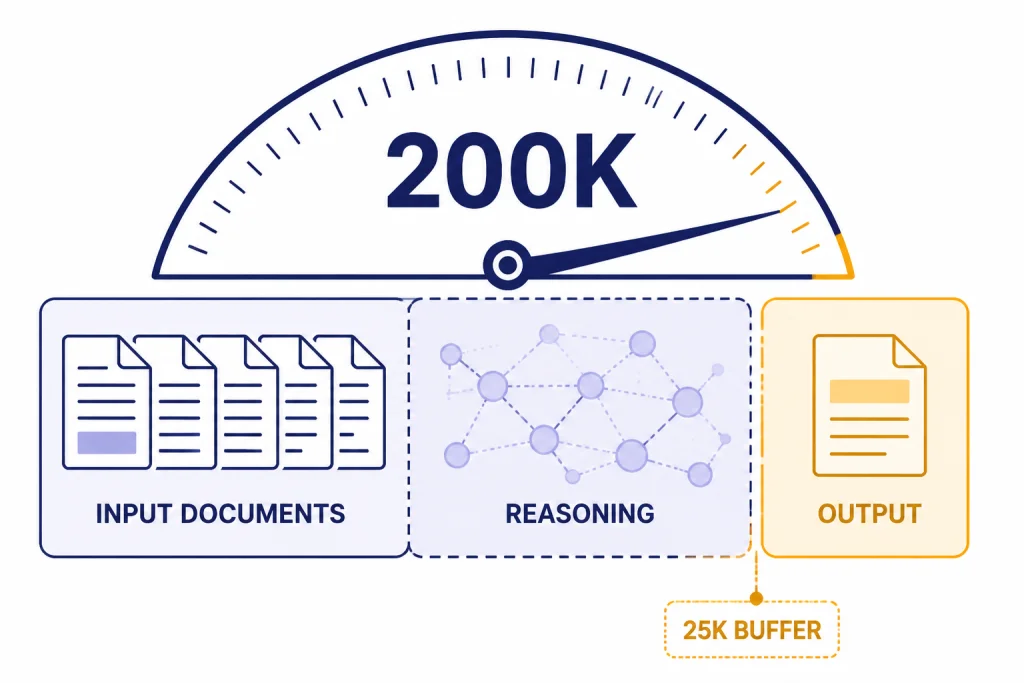
o1 and o3 have the same published 200,000-token context window and 100,000-token max output limit in OpenAI’s model pages.[1][2] But the full window is not the same as usable room for your documents. Reasoning models need space for hidden reasoning and the final answer. OpenAI recommends reserving at least 25,000 tokens for reasoning and outputs when you start experimenting with these models.[4]
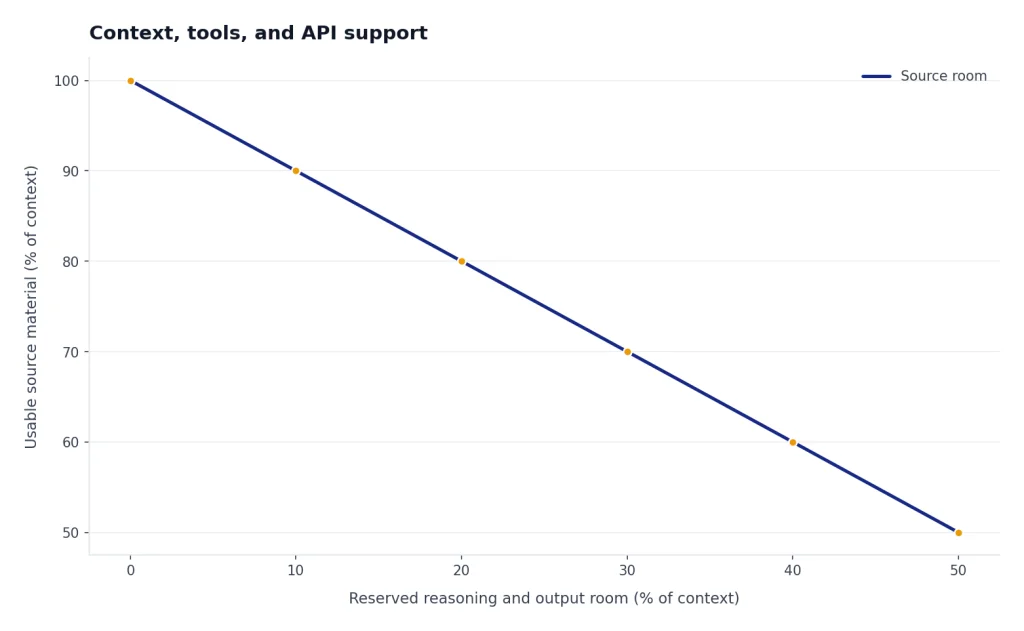
This affects long-document work. If you fill the entire context with source material, the model may run out of room before it can reason properly. The better pattern is to leave headroom, compress low-value context, and split tasks into stages. For example, ask the model to extract claims from a long contract first, then reason over the extracted claims in a second step.
o3 also fits better with tool-heavy workflows. OpenAI’s o3 launch post said o3 and o4-mini could use and combine ChatGPT tools, including web search, file analysis, Python, visual reasoning, and image generation.[3] The same post said both o3 and o4-mini were available to developers through the Chat Completions API and Responses API at launch.[3]
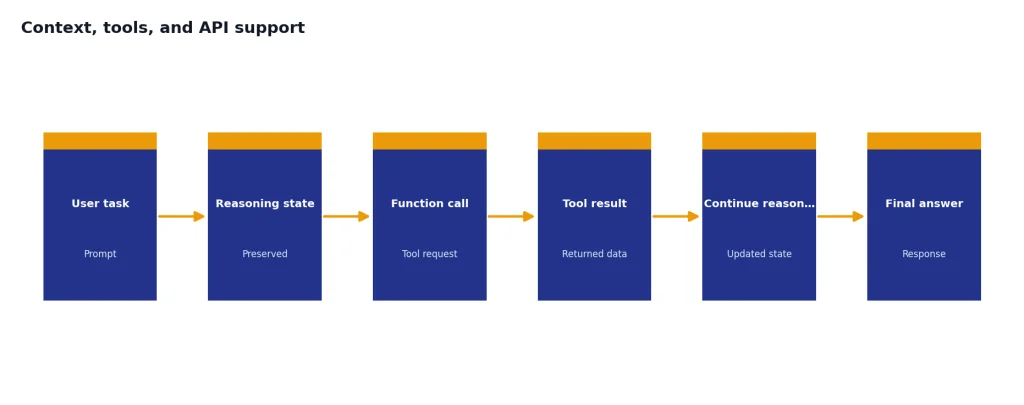
For developers, the Responses API is usually the more future-oriented path for reasoning workflows. OpenAI’s reasoning guide describes preserving reasoning items around function calls so a model can continue its reasoning process more efficiently.[4] That is the kind of workflow where o3’s later design matters more than o1 compatibility.
ChatGPT access
In ChatGPT, o3 replaced o1 for many users when OpenAI launched o3 and o4-mini. OpenAI said ChatGPT Plus, Pro, and Team users would see o3, o4-mini, and o4-mini-high in the model selector, replacing o1, o3-mini, and o3-mini-high; Enterprise and Edu users were scheduled to gain access one week later.[3]
That means many readers will not be choosing between o1 and o3 in the ChatGPT model picker. They will be choosing between o3 and newer or smaller alternatives available on their plan. If your plan does not show o1, that is expected. If your plan shows o3, it is usually the better reasoning choice than trying to preserve older o1 habits.
Teams should also think about administration and data controls. A solo user comparing reasoning quality may only need Plus or Pro. A company comparing o1 vs o3 for shared workflows should also review seats, workspace controls, admin settings, and data policies. Our ChatGPT Pro vs Team, ChatGPT Plus vs Team, and ChatGPT Team vs Enterprise guides cover those plan-level differences.
Which model to use
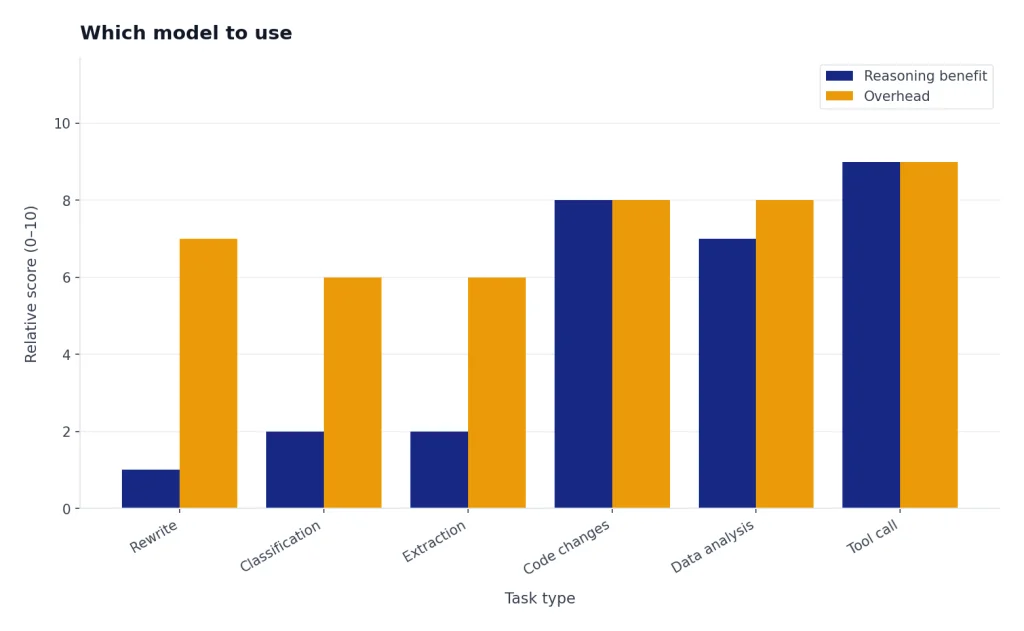
Use o3 when the task is new, difficult, and worth the extra reasoning time. It is the better fit for multi-file code changes, data analysis plans, visual reasoning, math-heavy explanations, and structured decision memos. It is also the better economic choice in the API because it has much lower listed input and output prices than o1.[1][2]
Use o1 when you need continuity. That includes old eval harnesses, archived comparisons, internal documentation that names o1, and workflows where a prompt was tuned to o1’s style. You should also keep o1 in regression tests if you are measuring how much quality changed after a model migration.
Do not use either model for every prompt. Reasoning models are overkill for short rewriting, classification, simple extraction, and lightweight chat. A faster general-purpose model may be cheaper and more pleasant for those tasks. If you are comparing reasoning models against general GPT models, read our GPT-5 vs GPT-4o and GPT-4o vs GPT-4 comparisons.
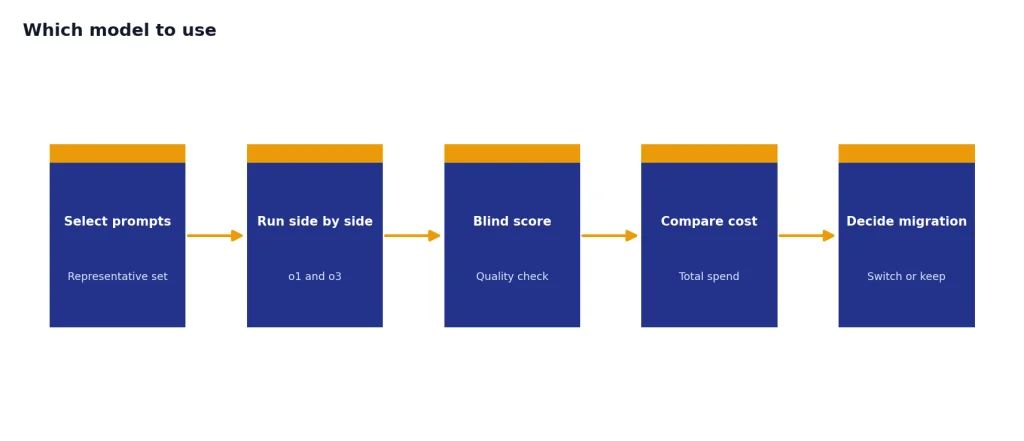
The safest migration path is simple: pick a small set of representative prompts, run o1 and o3 side by side, score the outputs blind, and compare total cost. Include at least one easy prompt, one adversarial prompt, one long-context prompt, and one task with a tool call. If o3 wins or ties on quality, its lower API price makes the decision straightforward.
Frequently asked questions
Is o3 better than o1?
For most new reasoning tasks, yes. OpenAI positions o3 as a later, stronger reasoning model for complex tasks, while it labels o1 as the previous full o-series reasoning model.[1][2] You should still test both if you have a production workflow already tuned to o1.
Is o3 cheaper than o1?
Yes in the API. OpenAI lists o3 at $2.00 per 1 million input tokens and $8.00 per 1 million output tokens, while o1 is listed at $15.00 per 1 million input tokens and $60.00 per 1 million output tokens.[1][2] That makes o1 7.5 times more expensive on both input and output token rates.
Do o1 and o3 have the same context window?
OpenAI lists both o1 and o3 with a 200,000-token context window and a 100,000-token max output limit.[1][2] You should not fill the whole window with input, because reasoning models need room for hidden reasoning and final output. OpenAI recommends reserving at least 25,000 tokens for reasoning and outputs when experimenting.[4]
Why would anyone still use o1?
The main reason is compatibility. If a team validated prompts, tests, or outputs on o1, switching to o3 should be treated as a migration rather than a drop-in assumption. o1 can also serve as a useful baseline when measuring how newer reasoning models changed behavior.
Can o3 use tools?
Yes. OpenAI said o3 and o4-mini could use and combine ChatGPT tools such as web search, file analysis, Python, visual reasoning, and image generation.[3] In the API, o3 supports developer workflows through the Chat Completions API and Responses API.[3]
Should I use o3 or o1-pro?
This article compares o1 and o3, not o1-pro. o1-pro is a higher-compute variant with a different value proposition. If you are considering the paid pro variant, read OpenAI o1 vs o1-pro before choosing.