

The best free ChatGPT alternative depends on the job. In May 2026, ChatGPT Free remains a capable baseline with web search, uploads, image creation, GPT discovery, and stricter limits than paid plans.[2] But it is not the only useful no-cost AI assistant. For most people, the strongest free stack is Gemini or Copilot for everyday help, Perplexity for cited research, Claude for rewriting, and one specialist tool such as Le Chat, HuggingChat, DeepSeek, Meta AI, You.com, or Grok depending on your workflow.
Quick verdict
If you want one free ChatGPT alternative to try first, start with Google Gemini or Microsoft Copilot. Gemini is a broad everyday assistant tied closely to Google’s ecosystem, and Google describes the Gemini app as free to use.[4] Copilot is useful when you want web-grounded answers and Microsoft 365-adjacent workflows; Microsoft describes Copilot Chat as available at no cost with Microsoft 365.[3]
If your work is mostly research, choose Perplexity. Its free Standard plan includes practically unlimited basic searches, three Pro Searches per day, one Research Query per month, and limited file uploads.[6] If your work is mostly writing, choose Claude, but expect session-based limits that reset every five hours on the free plan.[5]
Use Meta AI if you mainly want casual social, caption, and creative help inside Meta’s ecosystem. Try Mistral Le Chat if you want a productivity-focused assistant with web search, documents, Canvas, code interpreter, and custom agents.[8] Try HuggingChat if open-model experimentation matters more than polish. For a broader market scan, see our best ai chatbot alternatives to ChatGPT and our chatgpt alternatives 2026 list.
How to choose a free ChatGPT alternative
Do not pick a free AI chatbot only by model reputation. Pick it by task, friction, and limits. A tool that is excellent for cited web research may feel slow for brainstorming. A tool that is convenient inside a messaging app may be weak for file analysis. A tool with generous chat access may still be inappropriate for confidential work.
How we compared these tools: we checked the public free-plan pages and app listings cited below, then used a compact manual prompt set to compare everyday behavior: one research question requiring sources, one rewrite task, one code-debugging task, one file/upload or document-handling check where the free plan allowed it, and one account-friction check. This is not a lab benchmark, and we do not publish stopwatch-style latency numbers because free-tier routing, account age, region, and capacity can change the result. Instead, the recommendations below focus on what consistently matters to a searcher: source visibility, writing control, account requirements, platform availability, upload access, and quota clarity.
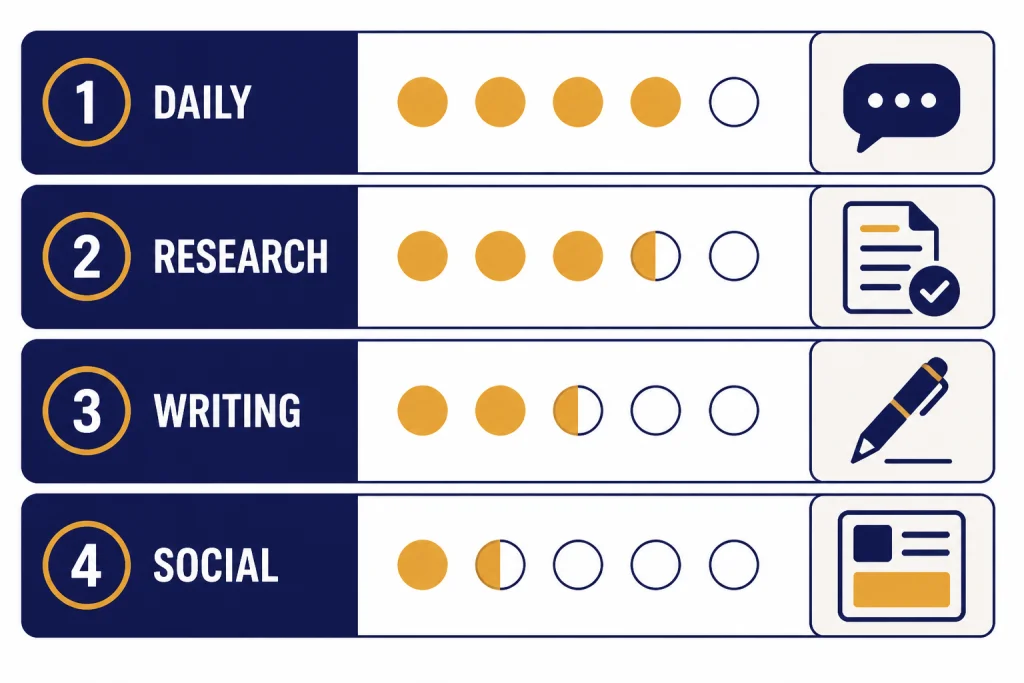
Use this filter before you create another account:
- For research: prioritize citations, source visibility, and current web search.
- For writing: prioritize tone control, revision quality, and long-document handling.
- For coding: prioritize code explanation, debugging steps, and whether the tool can inspect files.
- For students: prioritize explanations, citations, study structure, and clear limits. Our separate guide to free ChatGPT alternatives for students goes deeper.
- For mobile use: prioritize app quality, voice input, and cross-device history. See our apps like ChatGPT guide if phone use matters most.
- For privacy: prioritize account controls, data settings, export options, and whether the tool is allowed by your school or employer.
Example test prompts we used as checks, not scored benchmarks:
| Task | Prompt used | What separated good answers from weak answers |
|---|---|---|
| Research | “Find three recent sources explaining why home insurance premiums are rising, and summarize each in one sentence.” | Good tools showed sources clearly, separated claims from citations, and avoided pretending one source supported every point. |
| Writing | “Rewrite this refund request so it sounds firm but polite, under 120 words.” | Good tools preserved the user’s intent, reduced emotional wording, and did not add fake policy details. |
| Coding | “This Python function returns the wrong total. Explain the bug and show a corrected version.” | Good tools explained the failure before giving code, handled edge cases, and did not overcomplicate the fix. |
The best free setup for most people is not one chatbot. It is a small stack: ChatGPT Free for general use, Perplexity for research, Claude for rewriting, and Gemini or Copilot for everyday web-connected help. That gives you coverage without paying for several subscriptions.
Top 10 free ChatGPT alternatives
The table below ranks practical free options for everyday users. “Free” means the tool has a usable no-cost path; it does not mean unlimited access to the strongest model, largest file uploads, image generation, deep research, or business controls.
| Rank / tool | Best free use | Free access and platform notes | Main free-plan catch |
|---|---|---|---|
| 1. Google Gemini | Everyday assistant | Google describes Gemini as an everyday AI assistant and promotes free app use.[4] | Advanced access and higher limits sit behind paid Google AI plans; features can differ by region, account, and workspace settings. |
| 2. Microsoft Copilot | Web answers and Microsoft workflows | Copilot Chat is available at no cost with Microsoft 365.[3] | Best value if you already use Microsoft tools; work-data access depends on your organization and plan. |
| 3. Claude | Writing, editing, careful explanations | Free usage is available with limits that reset every five hours.[5] | Heavy sessions, long documents, and repeated file work can hit limits quickly. |
| 4. Perplexity | Cited research | Free Standard includes basic searches, three Pro Searches per day, one Research Query per month, and limited uploads.[6] | Advanced models, more research capacity, image generation, and larger usage are paid. |
| 5. Meta AI | Social and creative tasks | Meta says users can access it on the web, in the Meta AI app, and in Facebook, Instagram, Messenger, and WhatsApp.[7] | Most useful if you already use Meta platforms; availability and features can vary by country and app surface. |
| 6. Mistral Le Chat | Productivity and European AI stack | Le Chat supports chat, web search, documents, Canvas, code interpreter, and custom agents on web, iOS, and Android.[8] | Free, Pro, Team, and Enterprise differ; exact limits and business controls depend on plan.[9] |
| 7. DeepSeek | Reasoning and coding practice | The official Android listing describes DeepSeek’s AI assistant as free.[10] | Use caution with sensitive data and confirm whether your school, employer, or country restricts it. |
| 8. HuggingChat | Open-model experimentation | The iOS listing describes HuggingChat as free and focused on open AI models.[12] | Model quality, speed, and availability can vary more than in a single-vendor assistant. |
| 9. You.com | AI search with live web answers | You.com lists a Free plan for basic Q&A with live web search.[11] | The free plan has limited basic queries; more capable modes require paid access. |
| 10. Grok | X users and real-time social context | xAI says limited free access and paid plans are available depending on location.[13] | Availability, quotas, and included features can change by region, account, and plan. |
1. Google Gemini
Gemini is the easiest free ChatGPT alternative to recommend to most Google users. In our prompt checks, it was strongest as a general planner and everyday explainer: trip outlines, email drafts, summary requests, study plans, and search-adjacent questions. It is especially convenient if your workflow already lives in Search, Gmail, Docs, Android, or Chrome. Google describes Gemini as an everyday AI assistant and promotes free use in the app.[4]
The catch is that “Gemini” can mean different app experiences depending on country, account type, and whether you have a paid Google AI plan. Treat it as the first general-purpose free alternative to try, not as a guaranteed unlimited replacement for every advanced ChatGPT feature.
2. Microsoft Copilot
Copilot is a strong choice for people who want answers grounded in the web and who already use Microsoft products. In the research-style prompt, its main advantage was not just the answer itself but the workflow fit: it feels natural when the next step is a document, spreadsheet, browser session, or workplace search. Microsoft says Copilot Chat is available at no cost with Microsoft 365.[3]
Be careful about the word “Copilot.” Consumer chat, Microsoft 365 Copilot Chat, and paid workplace Copilot features are not the same thing. If you need access to work files, admin controls, or enterprise data protection, check your organization’s plan rather than assuming free chat includes it.
3. Claude
Claude is the best free alternative for people who care most about writing quality. It is strong at rewriting, summarizing, editing for tone, and explaining complex ideas in plain English. On the refund-request prompt, the kind of output you want is concise and controlled, for example: “I’m requesting a refund because the product did not match the description. Please confirm the return steps and expected timeline. I’d prefer to resolve this without opening a dispute.” That illustrates Claude’s main appeal: careful tone without sounding robotic.
The free plan is useful, but Anthropic says free usage has a session-based limit that resets every five hours.[5] If you paste long drafts, run repeated revisions, or upload documents, expect to hit the cap sooner than you would during light Q&A.
4. Perplexity
Perplexity is not just a chatbot. It is an answer engine built around search and citations. That makes it one of the best free options for fact-finding, source discovery, and quick literature scans. Perplexity says its free Standard plan includes practically unlimited basic searches, three Pro Searches per day, one Research Query per month, best-model selection by Perplexity, and limited basic file uploads.[6] For more research-heavy workflows, see our best ChatGPT alternatives for research.
In the research prompt, the key advantage was source handling: Perplexity is designed to show where an answer came from. Still, you should open the cited pages before relying on a claim. Free research tools can surface useful sources while still summarizing them imperfectly.
5. Meta AI
Meta AI is best when you want quick creative help inside tools you already use. Meta says users can access Meta AI through the web interface, the Meta AI app, Facebook, Instagram, Messenger, and WhatsApp.[7] It is practical for captions, social posts, image ideas, group-chat questions, and casual brainstorming.
Its biggest advantage is convenience, not necessarily deep document work. If your test task is “write five Instagram caption options for a bakery’s spring menu,” Meta AI is a natural fit. If your task is “analyze a confidential contract,” use an approved business tool instead.
6. Mistral Le Chat
Mistral Le Chat is one of the strongest free ChatGPT alternatives for users who want a capable assistant outside the largest U.S. AI brands. Mistral describes Le Chat as a conversational AI assistant available on the web, iOS, and Android, with chat, web search, document analysis, Canvas, code interpreter, and custom agent workflows.[8]
In practice, Le Chat is worth trying when your task spans more than plain chat: summarize a document, turn notes into a draft, inspect a small code issue, or use a canvas-style workspace. The free-plan catch is plan variability. Mistral separates Free, Pro, Team, and Enterprise, so verify which tools, quotas, and data controls apply before building a workflow around it.[9]
7. DeepSeek
DeepSeek is useful for reasoning, coding prompts, and comparing how another model solves the same problem. The official Google Play listing describes DeepSeek’s app as an official AI assistant available for free.[10] In a code-debugging check, a good DeepSeek-style use is asking it to explain the bug first, then produce the smallest corrected function, then list edge cases to test.
Treat it as a technical comparison tool, not a default place for confidential work. Before using it with private code, regulated data, client files, or employer-restricted material, check your organization’s security rules and regional restrictions.
8. HuggingChat
HuggingChat is the best pick if you want to experiment with open models rather than stay inside one commercial model family. Its app listing says it lets users chat for free with open-source AIs from Meta, Microsoft, Google, and Mistral, and that it does not use chats to train new AIs.[12] If open models matter to you, also read our open source ChatGPT alternatives guide.
The benefit is variety. The trade-off is consistency. Open-model availability, speed, and answer quality can change as models rotate or become busy. Use HuggingChat when you want to compare model behavior or avoid a single-vendor workflow, not when you need the most predictable free assistant.
9. You.com
You.com is a useful free alternative when your task starts with search. Its Free plan is positioned for basic Q&A and includes real-time answers powered by live web search.[11] It is less of a pure writing companion than Claude or Gemini, but it is a good fit when you want a search-first assistant and do not need a long drafting session.
The free-plan catch is quota clarity. You.com lists limited basic queries for the Free plan, so it is better as an occasional search assistant than as the only tool for a full day of research.
10. Grok
Grok is worth considering if you spend time on X or want an assistant tied to that ecosystem. xAI says limited free access and paid subscription plans with full Grok features are available depending on location.[13] That wording matters: Grok can be free, but it is not safe to assume the same free features or quotas are available to every user.
Use Grok when real-time social context is the point of the task. For formal research, private documents, or academic work, compare its answer against source-first tools such as Perplexity and against the original sources themselves.
Best picks by use case
If you only want the short answer, use this matching guide. The “reason to choose it” column is intentionally specific so you can avoid signing up for three similar tools that all do the same basic chat job.
| Use case | Best free pick | Backup pick | Reason to choose it |
|---|---|---|---|
| General daily assistant | Gemini | Copilot | Choose Gemini for Google-centered daily help; choose Copilot if your work already happens in Microsoft tools. |
| Research with citations | Perplexity | You.com | Perplexity is the clearest free pick when source visibility matters; You.com is useful for basic live-web Q&A. |
| Polished writing | Claude | Gemini | Claude is strongest for tone, concision, and revision; Gemini is a flexible backup when Claude hits a session limit. |
| Microsoft users | Copilot | ChatGPT Free | Copilot fits naturally into Microsoft workflows, while ChatGPT Free remains a good general assistant. |
| Social content | Meta AI | Gemini | Meta AI is close to Instagram, Facebook, Messenger, and WhatsApp; Gemini works well for planning the campaign around the post. |
| Open-model testing | HuggingChat | Le Chat | HuggingChat exposes open-model variety; Le Chat gives Mistral’s more productized assistant experience. |
| Coding practice | DeepSeek | Claude | DeepSeek is useful for technical reasoning comparisons; Claude is often clearer when explaining code to a learner. |
| Mobile assistant | Gemini | Meta AI | Gemini is strong for Android and Google users; Meta AI is convenient inside social and messaging apps. |
For specialized needs, go deeper instead of choosing from a broad list. We keep separate guides for best ChatGPT alternatives for writing, best ChatGPT alternatives for coding, best ChatGPT alternatives for image generation, and best mobile alternatives to ChatGPT.
Free does not mean unlimited
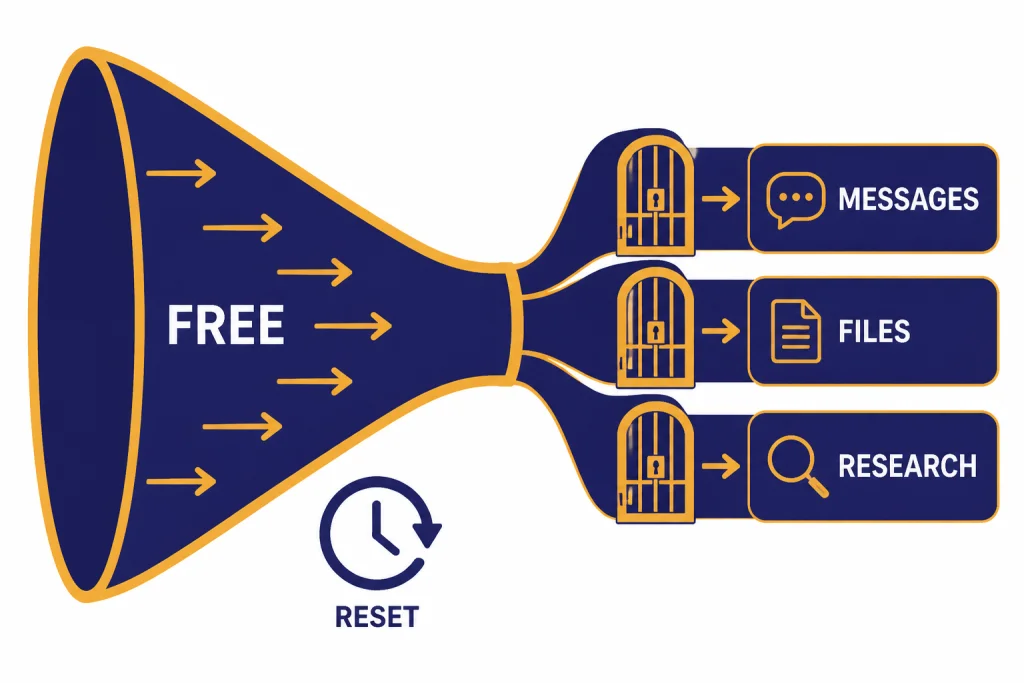
The biggest mistake is assuming that a free ChatGPT alternative gives unlimited access to its best model. Most free plans are entry tiers. They are useful, but they usually include capacity controls, fewer advanced model choices, lower upload limits, fewer image runs, or fewer research queries.
ChatGPT Free is a good example. OpenAI says free users can use GPT capabilities, search the web, upload files or images, create images, and discover GPTs, but advanced functionality has stricter rate limits on the Free tier than paid tiers.[2] As of May 2026, OpenAI’s current paid chat lineup includes higher-tier GPT-5.5 and GPT-5.5-pro access, while free access remains quota-gated and may route differently under load. OpenAI has not published one fixed message number that applies to every free-user situation.
Claude is another clear example. Anthropic says the free Claude plan has a session-based usage limit that resets every five hours.[5] Perplexity is more explicit in its comparison table: the Free plan includes three Pro Searches per day and one Research Query per month.[6] Those limits can still be enough for casual use, but they matter if you rely on AI every hour.
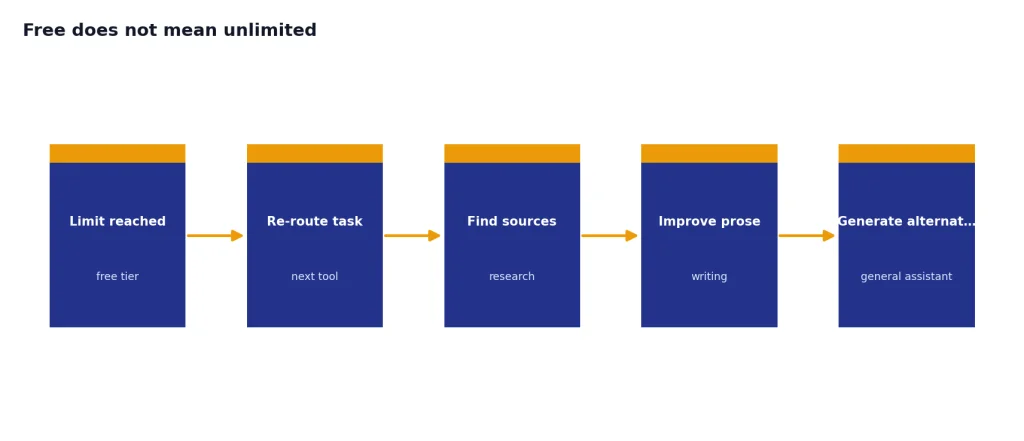
This is why a free stack works better than a single free chatbot. If one tool hits a limit, move the task to another. Use Perplexity to find sources, Claude to improve the prose, Gemini to turn the work into a plan, and ChatGPT Free to generate alternatives. If you want more options in the same category, see our free ChatGPT alternatives that actually work.
Privacy and account trade-offs
Free AI tools are still services. They may require an account, collect usage data, store chat history, or apply different data controls by plan. Before you paste sensitive material into any free assistant, check the product’s privacy settings and your organization’s policy.
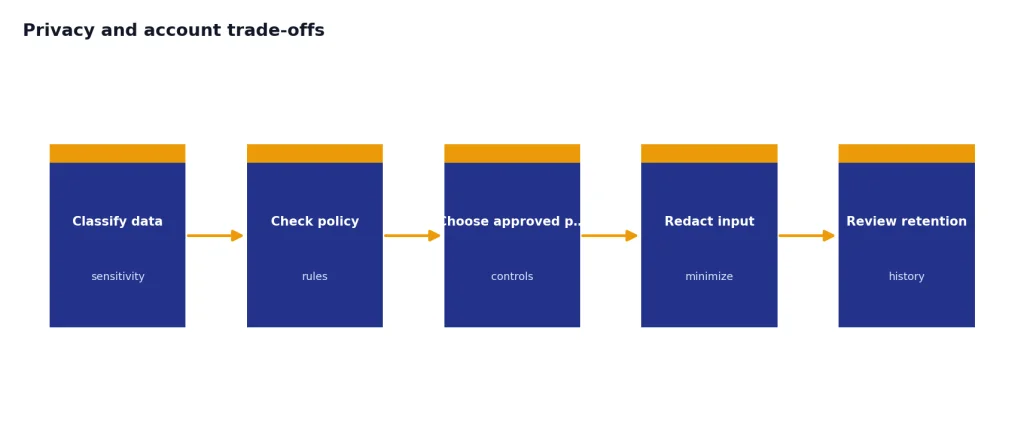
Use a stricter rule for legal, medical, financial, student records, source code under NDA, unpublished research, and internal business documents. If you would not put the text into a public web form, do not put it into a free AI chatbot unless your organization has approved that specific product and plan.
Account friction also matters. Some users want a ChatGPT alternative with no login required, but no-login tools often have weaker continuity, fewer controls, and less reliable abuse protection. Logged-in tools usually provide history, personalization, and billing options, but you must manage data settings carefully.
Also watch for region and account differences. Grok’s own FAQ says limited free access depends on location.[13] Meta AI appears across several Meta surfaces, but the exact experience can differ by app and country.[7] Microsoft work features depend on the Microsoft environment you are using, not just whether a chat box is free.[3]
When to stay with ChatGPT Free
You do not need to leave ChatGPT Free just because alternatives exist. Stay with ChatGPT Free if you like its interface, use GPTs, rely on voice or image tools, or want one general assistant instead of several specialized tools. OpenAI says the free tier includes web search, file and image uploads, image creation, and GPT discovery, subject to limits.[2]
Switch only when another tool clearly handles your task better. Use Perplexity when citations matter. Use Claude when tone and structure matter. Use Gemini when you want a Google-centered assistant. Use Copilot when you work in Microsoft’s ecosystem. Use HuggingChat when you want open-model variety. For a larger side-by-side comparison, read our top 10 ChatGPT alternatives in 2026 and similar to ChatGPT comparisons.
Frequently asked questions
What is the best free ChatGPT alternative overall?
Gemini is the best first try for most people because it is broad, easy to access, and useful for everyday tasks. Copilot is just as strong if you prefer Microsoft tools or want web-grounded answers. Perplexity is better than both for source-heavy research.
Which free ChatGPT alternative is best for research?
Perplexity is the best free research alternative because it is built around search and citations. Its free plan includes basic searches, three Pro Searches per day, one Research Query per month, and limited uploads.[6] Use it to find sources, then verify important claims directly with the cited pages.
Which free alternative is best for writing?
Claude is the strongest free pick for rewriting, editing, and tone control. It is especially good when you paste a rough draft and ask for a clearer version. The main downside is that free usage is capped by session limits that reset every five hours.[5]
Are free AI chatbots safe for private documents?
Do not assume they are safe for private documents. Read the tool’s data controls and your organization’s policy before uploading sensitive files. For confidential work, use an approved business or education plan with appropriate data protections.
Is there a free alternative with no limits?
Usually, no. Most free AI chatbots limit advanced models, file uploads, image generation, research features, or message volume. If a service claims unlimited premium AI for free, check who operates it, how it handles data, and whether it is an official product.
Should I use more than one free AI chatbot?
Yes. A small free stack is often better than one free chatbot. Use one tool for research, one for writing, and one for everyday questions, then compare answers when accuracy matters. This also helps when one free plan hits a reset window or quota.