

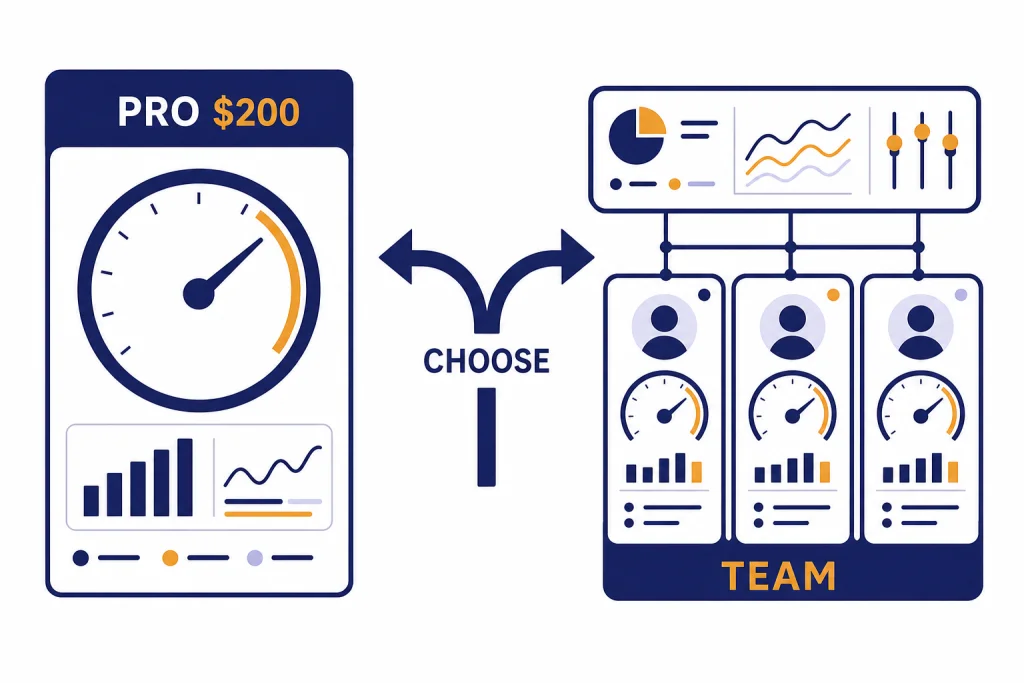
ChatGPT Pro vs Team comes down to one question: are you buying more power for one person, or a managed workspace for a group? ChatGPT Pro is the better fit for an individual who needs the highest personal usage tier, including Pro-level reasoning and expanded access to advanced tools. ChatGPT Team, now named ChatGPT Business, is the better fit for companies that need shared billing, user management, SAML SSO, role controls, and business data excluded from model training by default.[2][3] On price, Pro was the expensive individual plan at $200 per month, while Team was priced per user at $25 per month annually or $30 month-to-month before the later Business pricing change.[4][5][6]
Quick answer: choose Pro for one power user, Team for a managed workspace
Choose ChatGPT Pro if one person needs the highest individual access tier and can justify a $200 monthly subscription for intensive research, coding, image work, voice use, or reasoning-heavy workflows.[4][5] Choose ChatGPT Team, now called ChatGPT Business, if more than one person needs a shared workspace, centralized billing, admin controls, SAML SSO, and business data protection by default.[2][3]
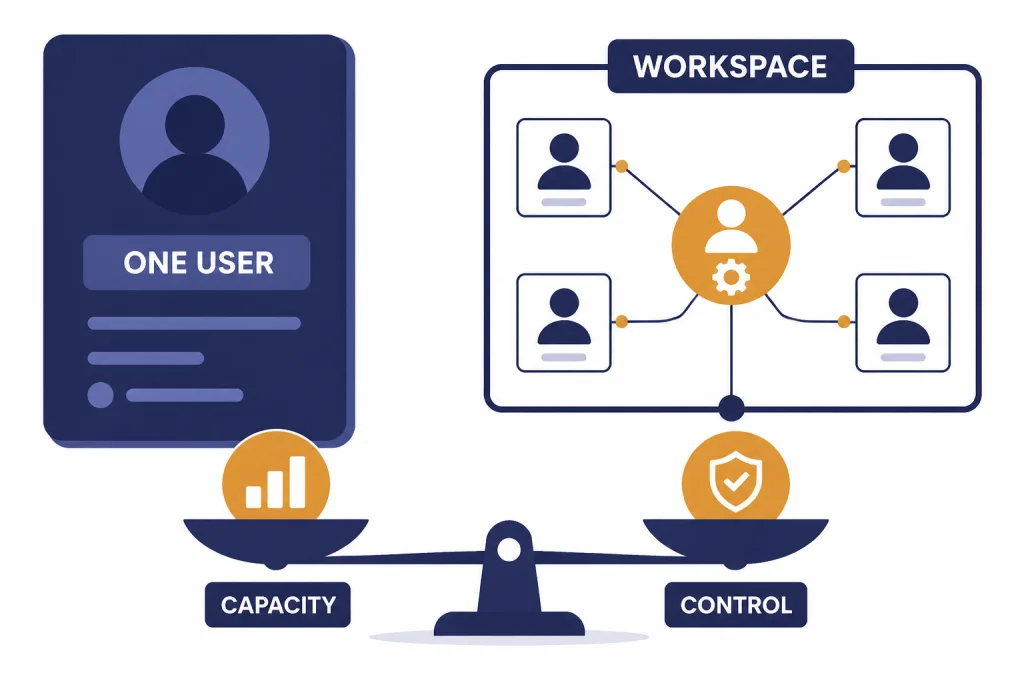
The short version is simple. Pro buys more individual capacity. Team buys organizational control. If you are a solo consultant, researcher, engineer, founder, analyst, or creator, start the comparison with Pro. If you manage people, data, procurement, or security, start with Team.
Team is now called Business
OpenAI renamed ChatGPT Team to ChatGPT Business on August 29, 2025.[3][9] The old name still appears in searches, invoices, internal company docs, and older help articles, so this comparison uses “Team” when referring to the buyer question and “Business” when referring to OpenAI’s current plan name.
The rename matters because many buyers are not comparing two individual subscriptions. They are comparing an individual power-user plan against a workspace plan. OpenAI’s rename did not change the basic buyer split: ChatGPT Pro remains an individual plan, while the former Team plan is the self-serve workspace plan for organizations.[2][3]
For a broader view of the individual plan stack, see our ChatGPT Free vs Plus vs Pro breakdown. If you are comparing workspace tiers instead, our ChatGPT Team vs Enterprise guide is the better next step.
Pricing comparison
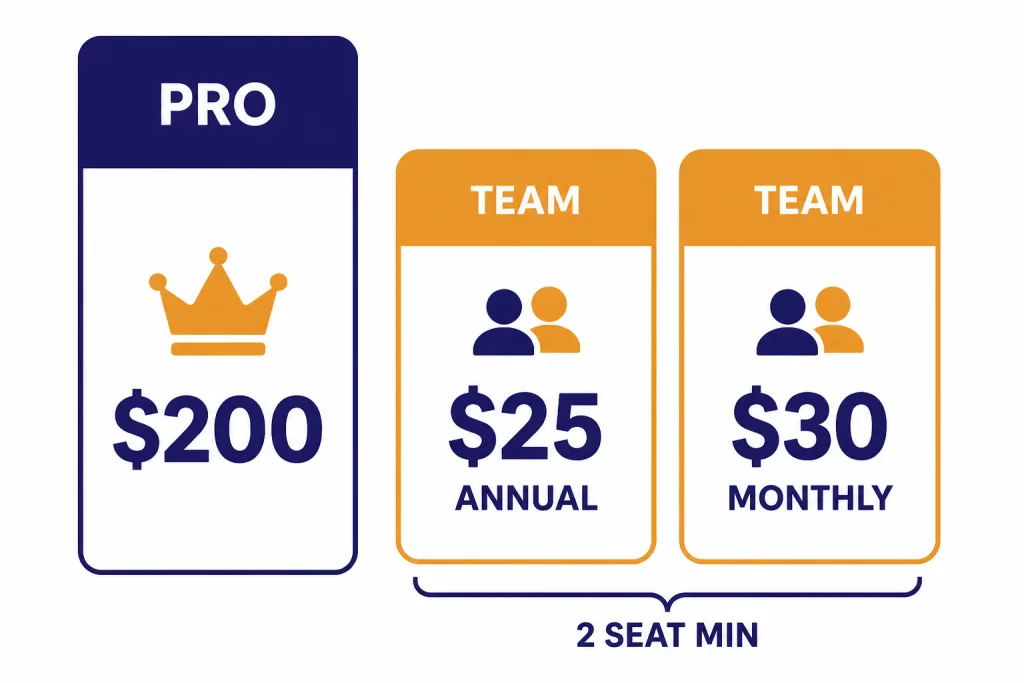
ChatGPT Pro was introduced as a $200 monthly plan for higher-end individual use.[4][5] ChatGPT Team launched at $25 per user per month when billed annually or $30 per user per month when billed monthly, and OpenAI described it as a self-serve option for smaller teams.[6][11]
The price comparison is not only $200 versus $25 or $30. Team requires multiple seats, and OpenAI’s Business help material says standard ChatGPT seats require a minimum purchase of 2 seats.[2][10] That means a small company must think in workspace cost, not single-seat cost.
| Plan | Published buyer type | Price basis | Minimum practical purchase | What the price buys |
|---|---|---|---|---|
| ChatGPT Pro | Individual heavy user | $200 per month[4][5] | 1 user[1][4] | Highest individual access tier, Pro reasoning, and expanded advanced-tool access[1][4] |
| ChatGPT Team / Business annual | Organization workspace | $25 per user per month at launch when billed annually[6][11] | 2 standard seats[2][10] | Shared workspace, admin controls, centralized billing, and business data protection[2][7] |
| ChatGPT Team / Business monthly | Organization workspace | $30 per user per month at launch when billed monthly[6][11] | 2 standard seats[2][10] | Same workspace features without annual commitment[2][6] |
| ChatGPT Enterprise | Larger organization | Custom pricing[1][7] | Sales-led deployment[1][7] | More advanced controls such as SCIM, custom roles, and expanded enterprise options[1][7] |
For a solo user, the cost gap is large. Pro costs more than a single Team seat, but Team is not meant to be a single-user consumer upgrade. It is a workspace product. If you are the only buyer and you do not need centralized administration, the low per-seat price of Team can be misleading.
Feature comparison
Both plans include access to advanced ChatGPT features, but they emphasize different outcomes. Pro emphasizes maximum individual capability. Team emphasizes a secure, collaborative workspace with management features.
OpenAI’s pricing page lists Pro as including higher usage, Pro reasoning, expanded projects, tasks, custom GPTs, deep research, agent mode, memory, context, image creation, and Codex-related access.[1][4] OpenAI describes Business as a secure collaborative workspace with centralized billing, admin controls, usage visibility, spend controls, and access to ChatGPT and Codex depending on seat type.[2][10]
| Feature area | ChatGPT Pro | ChatGPT Team / Business | Practical meaning |
|---|---|---|---|
| Account model | Individual subscription[1][4] | Shared workspace for organizations[2][3] | Pro optimizes one user. Team manages multiple users. |
| Reasoning access | Pro-level reasoning access listed on OpenAI plan materials[1][4] | Business access to frontier models and workspace model access[1][2] | Pro is usually the better fit for one person who constantly hits reasoning limits. |
| Workspace controls | Personal account controls[8][1] | Admin controls for users, roles, access, billing, and spend visibility[2][7] | Team is better when someone must manage access after employees join or leave. |
| Data training default | Personal workspace data sharing can be enabled by default, with opt-out available[8][1] | Business workspace data is not used to train models by default[7][8] | Team is the safer default for company data. |
| SSO and MFA | Not the main reason to buy Pro[1][8] | SAML SSO and MFA are listed among Business security controls[7][1] | Team fits IT-managed access. |
| Custom GPTs and projects | Available for individual workflows[1][4] | Available with workspace-oriented sharing and management[1][2] | Team works better when internal GPTs become reusable company assets. |
The overlap can confuse buyers. Both plans can feel “premium.” The distinction is control. Pro gives one person more room to work. Team gives an organization a place to govern how work happens.
If your main decision is model quality, compare the underlying models too. Our GPT vs the o-Series explainer, GPT-5 vs GPT-4o comparison, and all GPT models side-by-side guide will help separate plan packaging from model behavior.
Usage, limits, and credits
Pro is the simpler usage story. You pay for the highest individual access tier, with OpenAI describing unlimited access as subject to abuse guardrails.[1][4] That wording matters. “Unlimited” does not mean resale, automation, credential sharing, or unlimited third-party service use.
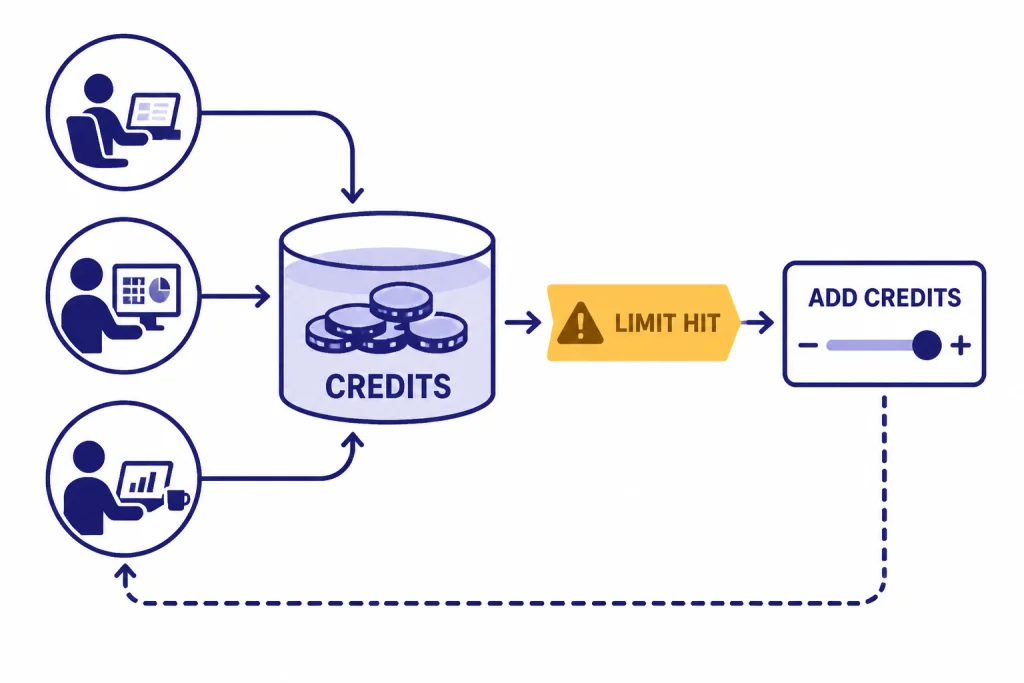
Team is more operational. Business users receive per-seat limits for advanced features, and workspace owners can purchase credits when users exceed included usage.[10][2] OpenAI’s flexible pricing help says credits can unlock additional use of advanced features, while core tools such as search, file upload, and canvas do not require credits under that framework.[10][1]
This creates a different management pattern. A Pro user manages personal workload. A Team admin manages usage across people. That can be valuable when the company has mixed users: a few analysts may need heavy reasoning, a few engineers may need Codex, and many employees may only need light drafting or summarization.
Team also gives leaders visibility into demand. If usage spikes every month, that is a signal to budget for credits, create policy, or move some users to a more appropriate workspace plan. Pro gives a heavy individual more capacity, but it does not solve the cross-user budgeting problem.
Privacy, admin controls, and compliance
This is the strongest reason to choose Team over Pro. OpenAI says it does not use ChatGPT Business inputs or outputs to train or improve its models by default.[7][8] OpenAI’s personal-plan help says Free, Plus, and Pro users can opt out of model training, but personal workspace data sharing can be enabled by default.[8][1]
That difference matters for companies. Employees often paste customer messages, internal strategy, meeting notes, code snippets, financial drafts, and vendor details into AI tools. A personal Pro subscription may be powerful, but it is still attached to the employee’s personal plan. A Team workspace gives the organization a managed boundary.
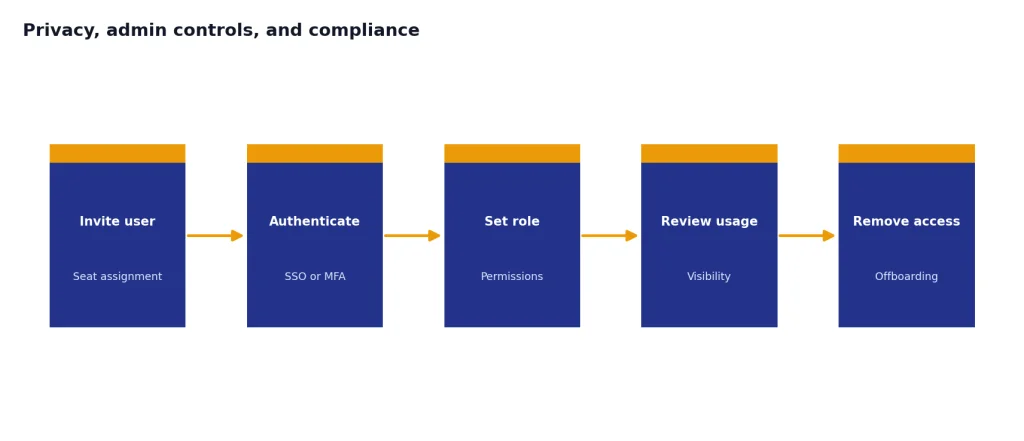
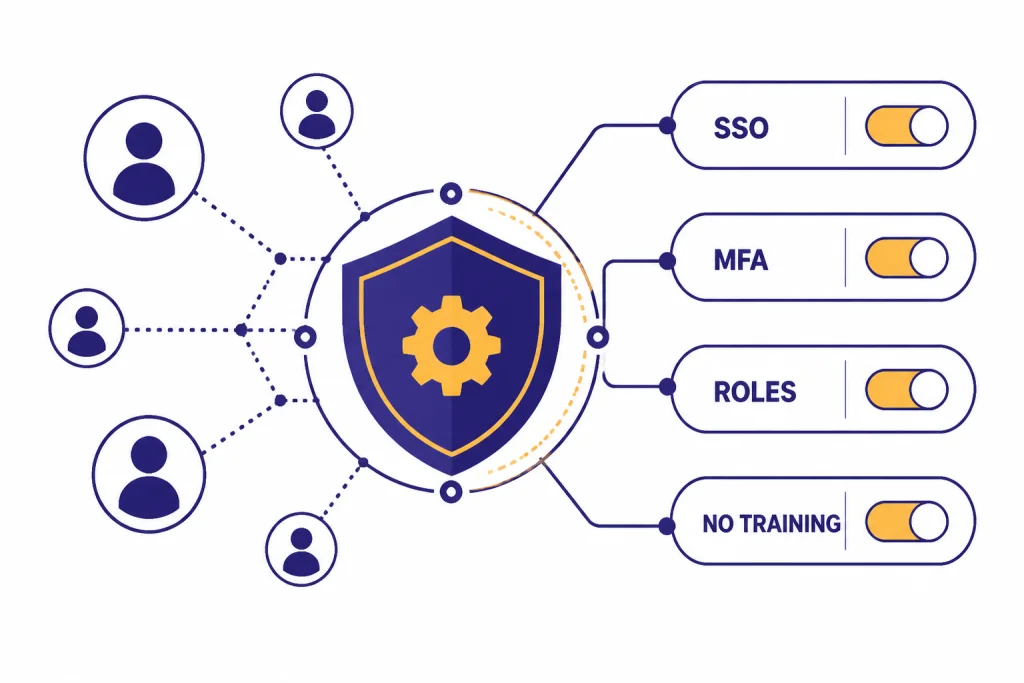
OpenAI lists Business controls such as MFA, roles, GPT controls, SAML SSO, and basic analytics.[7][1] It also says Business provides centralized billing, admin controls for managing users, usage visibility, and spend controls.[2][10] Those controls are not decorative. They answer ordinary IT questions: who has access, who pays, what happens when someone leaves, and how do we reduce unmanaged AI use?
Team is not the same as Enterprise. OpenAI lists additional Enterprise controls such as SCIM, role-based access controls, user analytics, domain verification, and enterprise-level options.[1][7] If your company needs those controls, read our ChatGPT Team vs Enterprise comparison before standardizing on the self-serve workspace.
Original analysis: the seat-control tradeoff
The cleanest way to decide is to separate capacity from control. Pro is a capacity purchase. Team is a control purchase that also includes useful capacity. Most bad decisions happen when a buyer treats one as the other.
Use this rule: if the pain is “I personally hit limits, wait too long, or need the best reasoning model more often,” look at Pro first. If the pain is “my team is using AI with company data and I cannot manage seats, data policy, or billing,” look at Team first.
The seat-control tradeoff becomes clear in small groups. A 2-person annual Team workspace launched at the equivalent of $50 per month before taxes, because the original annual price was $25 per user per month and the workspace required 2 seats.[6][2] That was far below a single $200 Pro subscription, but it did not buy the same individual Pro tier.[4][5] It bought a workspace.
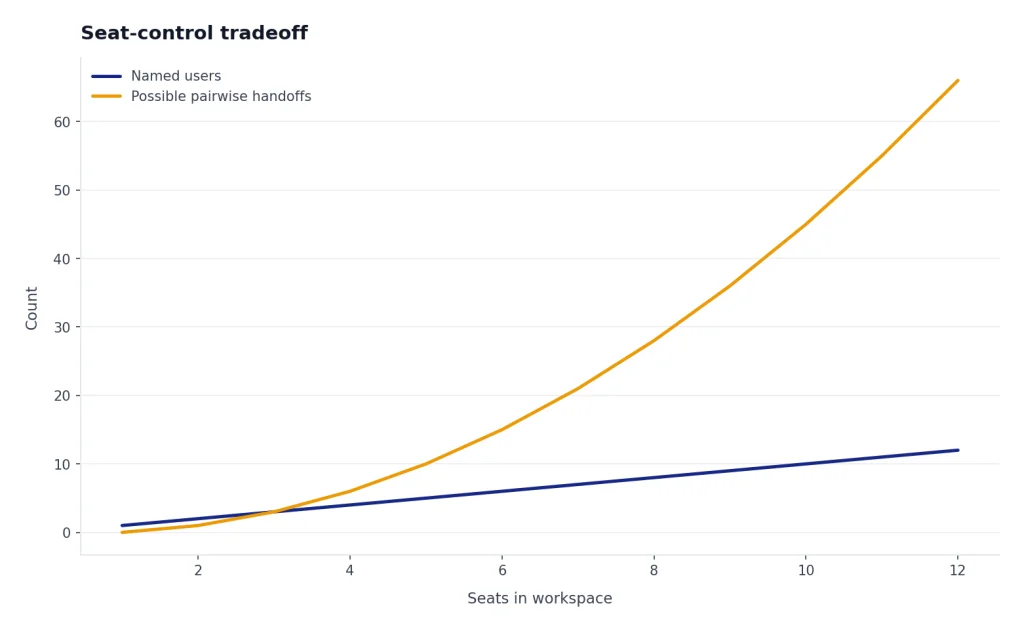
A 5-person group is different again. If each person only needs moderate usage, Team is usually the more rational purchase because the value comes from shared governance. If only 1 person needs extreme usage and the other 4 need occasional access, a mixed strategy may work better: one Pro subscription for the specialist and Team seats for the organization. OpenAI plan packaging changes often, so check the live pricing page before buying.[1][9]
This framework also prevents a common mistake: using Pro as a shadow-IT workaround. If employees need to handle company material, the workspace default matters more than one user’s higher personal limits. If the work is personal, solo, and high-volume, Team’s admin features may add friction without solving the real problem.
Who should choose ChatGPT Pro
Choose ChatGPT Pro if you are buying for yourself and the work product has enough value to justify the higher monthly price. The strongest candidates are people who repeatedly run difficult prompts, long research tasks, advanced analysis, complex code review, high-volume image work, or voice-heavy workflows.
- Independent consultants who use ChatGPT in client research, proposals, strategy memos, and analysis.
- Developers and technical leads who need more advanced reasoning and coding help but do not need a company workspace.
- Researchers and analysts who repeatedly use deep research, file analysis, and long-context reasoning.
- Founders who are still solo and need output speed more than admin controls.
- Creators who rely on repeated drafting, image generation, voice, and experimentation.
Pro is also easier to cancel or change as an individual. There are no seats to manage and no workspace rollout to coordinate. That simplicity is useful when one person is testing whether the extra capacity changes their daily output.
Do not choose Pro simply because it sounds more powerful. If your real need is data governance, SSO, or a shared company space, Pro is solving the wrong problem. In that case, compare Team with Enterprise rather than comparing Pro with Team.
Who should choose ChatGPT Team
Choose ChatGPT Team if you are buying for a group. The plan is designed for organizations that want a shared workspace, centralized billing, admin controls, and business privacy defaults.[2][7] That usually matters as soon as AI use becomes part of normal company work.
- Small businesses that want employees inside one managed AI workspace.
- Agencies that need reusable internal GPTs, shared workflows, and clearer data rules.
- Startups that want to reduce scattered personal subscriptions.
- Operations teams that need centralized billing and user management.
- IT and security teams that need SSO, MFA, and basic workspace controls.
Team is especially strong when the organization wants to turn AI from an individual habit into a managed tool. Shared projects, custom workspace GPTs, admin controls, and default business data protection support that shift.[1][2]
Team is not always enough. If you need advanced enterprise controls, custom legal terms, richer auditability, SCIM, domain verification, or a larger deployment, ChatGPT Enterprise may be the more appropriate plan.[1][7] For teams that mainly care about coding workflows, also compare plan-level access with API usage in our OpenAI API pricing guide.
Alternatives to consider
ChatGPT Pro and Team are not the only ways to buy OpenAI capability. The right alternative depends on whether you want a cheaper individual plan, a larger workspace, or API-based integration.
- ChatGPT Plus can be enough for individual users who do not hit limits often. See our ChatGPT Plus vs Team guide if your choice is solo premium access versus a small workspace.
- ChatGPT Enterprise is the better comparison for regulated or large organizations. Start with our Team vs Enterprise analysis.
- OpenAI API is better when you are building a product, workflow, or backend system rather than using ChatGPT directly. See OpenAI API pricing.
- Other chatbot platforms may fit if your company already standardizes on Microsoft, Google, Anthropic, or open models. Our AI chatbot alternatives guide covers that broader market.
- Model-specific comparisons help when the plan is less important than the model. Start with our context window comparison if your work depends on long documents.
For visual and creative teams, plan choice may also depend on image or video workflow. If that is your real use case, compare dedicated tools with our DALL-E vs Midjourney guide or Sora vs Runway comparison.
Frequently asked questions
Is ChatGPT Team the same as ChatGPT Business?
Yes. OpenAI says ChatGPT Team was renamed ChatGPT Business on August 29, 2025.[3][9] The company said the rename itself did not change plan features, pricing, limits, or security at that time.[3] Older articles and internal company documents may still use “Team.”
How much does ChatGPT Pro cost?
ChatGPT Pro was introduced as a $200 monthly plan.[4][5] The plan was positioned for users who need scaled access to OpenAI’s models and tools.[4] If price is your main concern, compare Pro with Plus before comparing it with Team.
How much did ChatGPT Team cost?
ChatGPT Team launched at $25 per user per month with annual billing or $30 per user per month with monthly billing.[6][11] OpenAI later renamed the plan Business, and plan names and pricing can change over time.[3][1] Always check the live pricing page before purchase.
Can one person buy ChatGPT Team?
Team is designed for organizations, not a single personal upgrade. OpenAI’s Business help says standard ChatGPT seats require a minimum purchase of 2 seats.[2][10] If you are buying only for yourself, ChatGPT Pro or Plus is usually the cleaner comparison.
Is Team more private than Pro?
For company data, yes. OpenAI says Business workspace data is not used to train models by default.[7][8] For personal plans such as Pro, OpenAI says data sharing can be enabled by default, though users can opt out through data controls.[8][1]
Does ChatGPT Pro include admin controls?
Pro is an individual plan, so it is not primarily built around workspace administration. Team includes organization-oriented features such as centralized billing, admin controls, user and role management, usage visibility, and spend controls.[2][7] If those controls matter, Team is usually the better starting point.
Should a small company buy Pro seats or Team seats?
A small company should usually start with Team if multiple employees will use ChatGPT for company work. The original Team price was lower per user than Pro, but the bigger reason is workspace control, not raw price.[6][2] A mixed setup can make sense when 1 specialist needs Pro-level individual capacity and the rest of the company needs managed Team access.[4][7]
Bottom line
ChatGPT Pro is the better plan for one heavy user who needs maximum individual access and can justify the $200 monthly cost.[4][5] ChatGPT Team, now Business, is the better plan for organizations that need seats, shared billing, admin controls, SAML SSO, and business data excluded from training by default.[2][7]
The decision is not “which plan is more powerful.” It is “which problem are you solving.” Buy Pro for personal capacity. Buy Team for organizational control.