

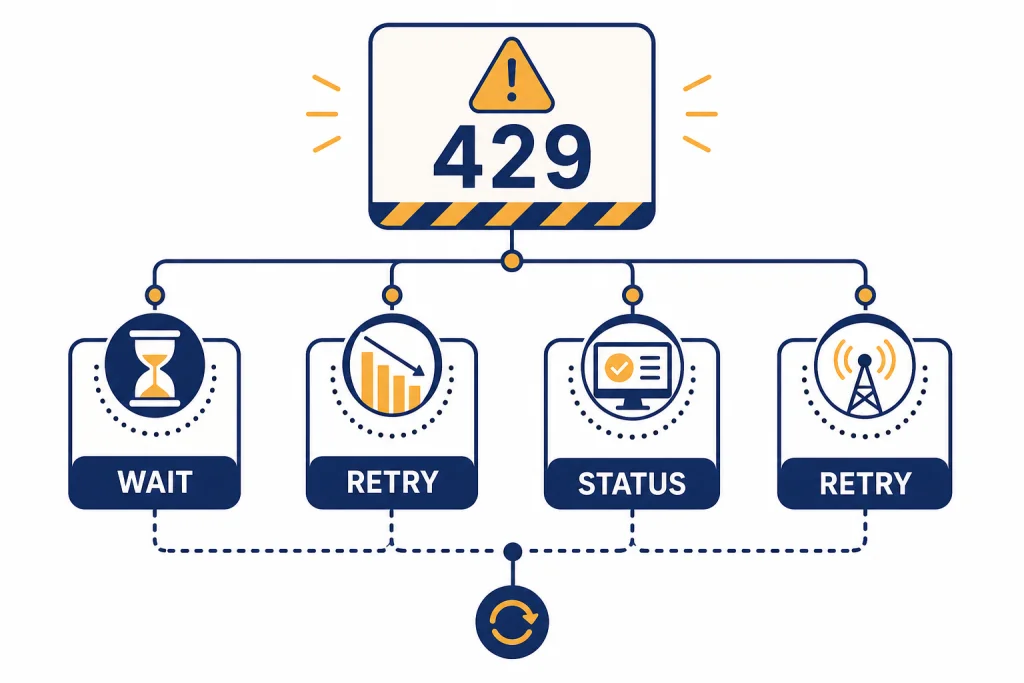
The ChatGPT too many requests error means ChatGPT has temporarily blocked more messages from your account, browser, device, network, or workspace because it detected too much activity in a short period. The fastest fix is to stop retrying, wait for the limit window to clear, and then send fewer, better-batched prompts. Refreshing repeatedly usually makes the problem last longer. If the error appears during a known service incident, you may only be able to wait for OpenAI to recover the affected system. This guide explains the practical fixes, how to tell a local limit from an outage, and what to avoid so you do not turn a short cooldown into a longer restriction.
Quick fix for ChatGPT too many requests
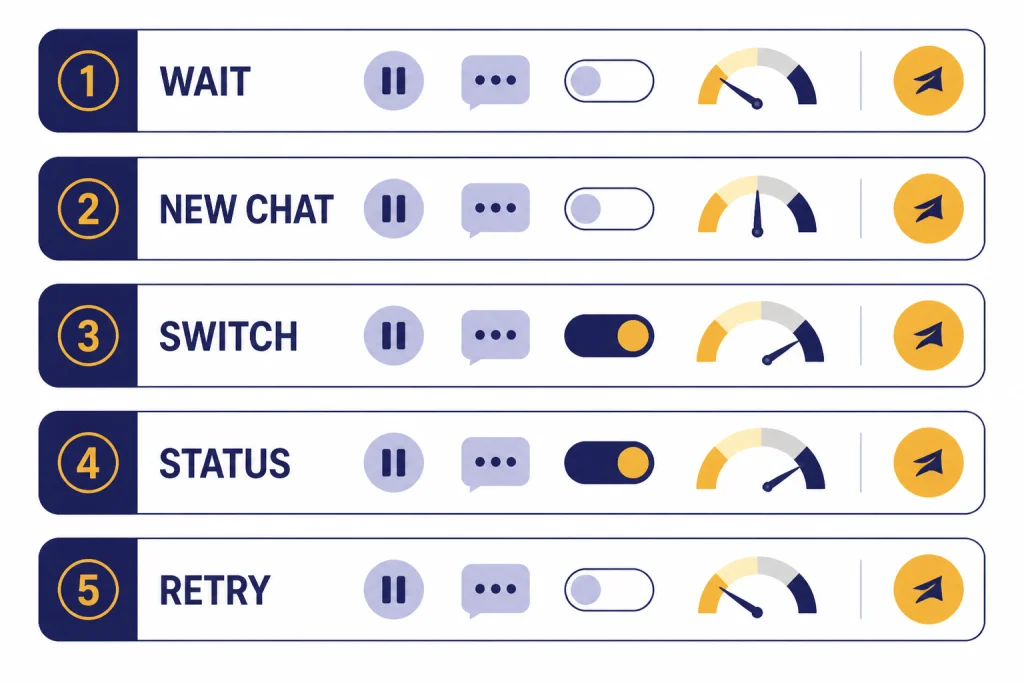
Use this short sequence first. It solves most normal ChatGPT rate-limit cases without changing settings or creating a new account.
- Stop sending messages. Do not refresh, regenerate, or paste the same prompt again.
- Wait for the visible timer if ChatGPT shows one. If there is no timer, wait before testing again.
- Start with one short prompt. Ask a simple question to confirm that sending works again.
- Switch to a lighter task. Avoid file uploads, image generation, large data analysis jobs, and long multi-step prompts until the session is stable.
- Check OpenAI’s status page. OpenAI says its status availability metrics are reported at an aggregate level across tiers, models, and error types, so your own plan or model can still be affected differently.[4]
If you also see slow responses, failed generations, or messages that hang before failing, use this guide with our ChatGPT network error and why ChatGPT is slow troubleshooting pages. Those symptoms often overlap, but the fixes are not identical.
What the error means
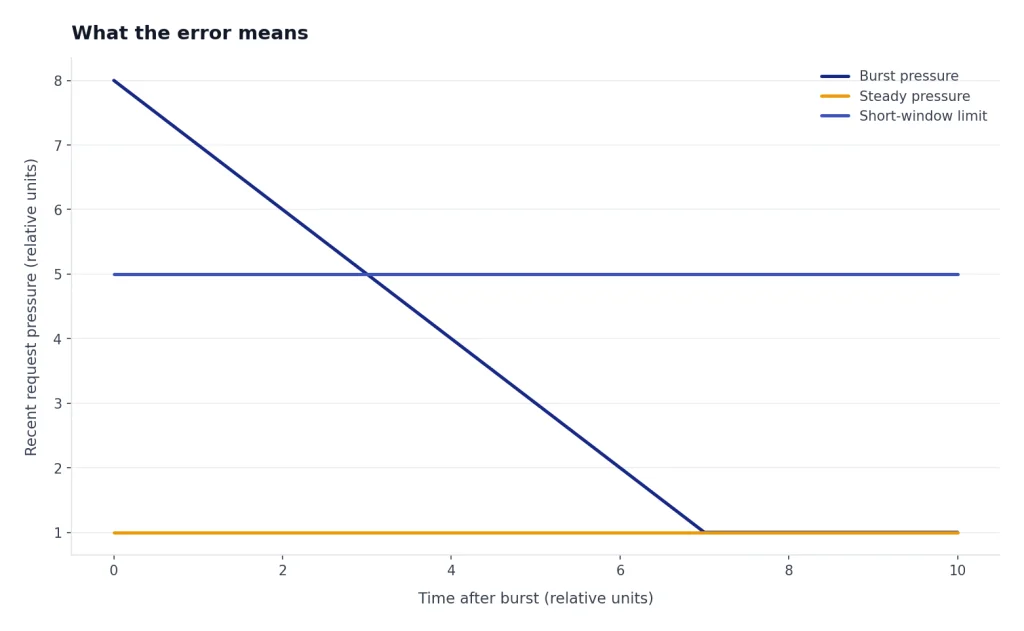
“Too many requests” is rate-limit language. In standard HTTP terms, a 429 Too Many Requests response means the client sent too many requests in a given amount of time.[6] ChatGPT may show this as a plain-language message instead of displaying the raw 429 code. The meaning is still the same: the service is refusing more activity for now.
The phrase “in 1 hour” can be misleading. It does not prove that every ChatGPT user has the same fixed one-hour bucket. OpenAI’s API help page describes rate limits in terms of requests and tokens per minute, and also says limits can apply over shorter periods, such as burst behavior within a minute.[1] For ChatGPT, the visible message may summarize several possible limits: account usage, model usage, tool usage, abuse protection, network-level throttling, or a temporary incident.
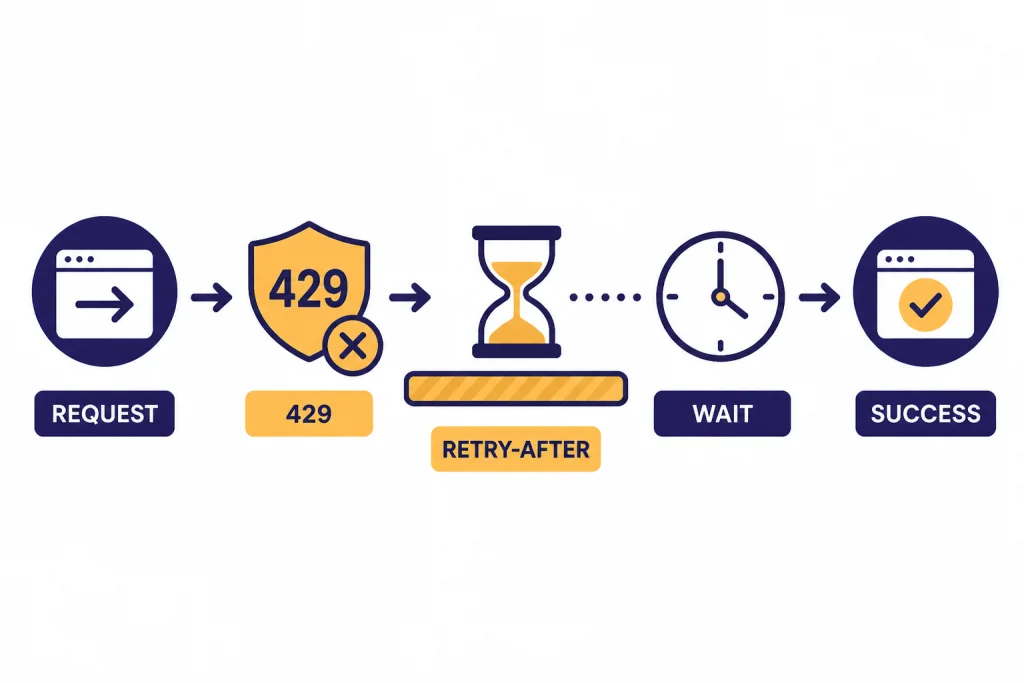
Some services include a Retry-After header with a 429 response. That header tells a client how long to wait before making another request.[7] ChatGPT’s consumer interface usually does not expose headers to you. If the app shows a reset time, follow it. If it does not, assume retrying every few seconds is the wrong move.
If you see the raw code, read our deeper ChatGPT Error 429 Too Many Requests guide. This page focuses on the consumer-facing “too many requests in 1 hour” version.
Common causes
The error usually comes from a usage pattern, not from one bad prompt. Look at what happened immediately before the message appeared.
| Cause | What it looks like | Best first fix |
|---|---|---|
| Message burst | You sent many short prompts, regenerated repeatedly, or edited and resent several times. | Stop retrying and wait before sending one test prompt. |
| Model or plan cap | The error appears after a long work session, especially on a free or lower-limit plan. | Wait for the relevant limit to reset or switch to an available fallback model if ChatGPT offers one. |
| Tool-specific limit | Text still works, but uploads, images, data analysis, or GPTs fail. | Pause that tool and continue with plain text. |
| Shared network pressure | The error appears at work, school, on public Wi-Fi, or behind a VPN. | Try a trusted non-VPN connection or mobile data. |
| Session or browser loop | The page keeps resubmitting, loading, or failing after refreshes. | Open a new chat, clear the tab state, or try another browser. |
| OpenAI incident | Many features fail at once, and other users report errors too. | Check the status page and wait for recovery. |
Free-tier tool limits can also feel inconsistent because tools may have separate limits from the main text limit. OpenAI’s Free Tier FAQ says data analysis, file and image uploads, and image creation have usage rate limits that are separate from the text rate limit.[3] If uploads are your problem, start with our ChatGPT file upload not working guide. If images are failing, use the ChatGPT image generator not working checklist instead.

Step-by-step fixes
1. Stop the retry loop
This is the most important fix. OpenAI’s 429 guidance says unsuccessful requests can contribute to a per-minute limit, so continuously resending a request will not work.[1] In the ChatGPT app, the same principle applies in plain terms: repeated refreshes, retries, and regenerations look like more traffic, not like patience.
2. Reduce the size of the next request
When the cooldown clears, do not restart with the same huge prompt. Send a smaller task first. For example, instead of asking ChatGPT to analyze a long file, write code, create a table, and draft an email in one turn, ask it to summarize the file first. Then continue in stages.
3. Open a fresh chat
A long conversation can carry a lot of context. That can make each follow-up more expensive for the system to process. Starting a new chat with a short summary of what matters reduces the amount of context ChatGPT needs to handle. It can also clear a broken conversation state.

4. Temporarily avoid heavy tools
If the error appeared after uploads, data analysis, GPTs, voice, or image generation, test plain text first. Separate tool limits can reset on a different schedule from text limits.[3] For voice-specific failures, see ChatGPT voice mode not working. For data-analysis sessions that expire or stall, see code interpreter session expired.
5. Test another browser or the mobile app
If waiting does not help, isolate the device. Try a private window, another browser, the desktop app, or the mobile app. If ChatGPT works elsewhere, your original browser may have a stuck tab, extension conflict, cached script problem, or repeated background request. Our ChatGPT app not working guide covers iOS and Android-specific checks.
6. Turn off a VPN or proxy temporarily
VPNs can put many users behind the same exit address. That can make normal activity look unusually dense from the service side. If the error disappears on a trusted home connection or mobile data, the network path was likely part of the problem. Use our ChatGPT not working with VPN guide if you need to keep a VPN on for work or privacy.
7. Sign out and back in only after waiting
Signing out can fix a stale session, but it does not erase a real rate limit. If you immediately sign in and hammer the same request again, you may extend the problem. If login itself fails afterward, troubleshoot that separately with our ChatGPT login failed guide.
ChatGPT app users versus API users
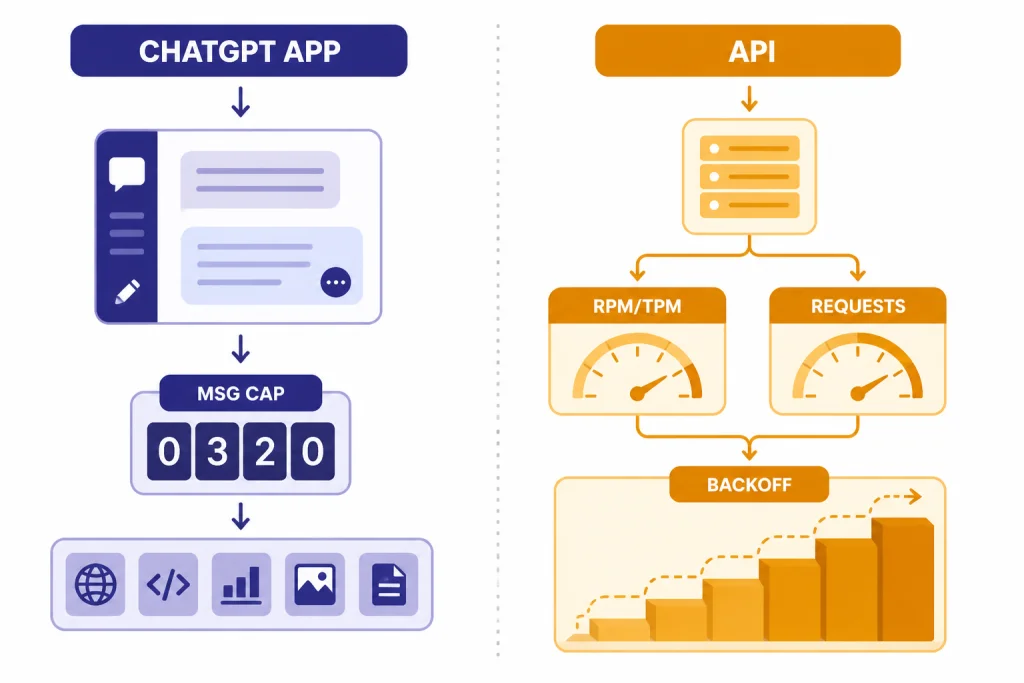
The ChatGPT website and app are not the same as the OpenAI API. They can both produce “too many requests” behavior, but the controls are different.
| Situation | Likely limit type | What to do |
|---|---|---|
| ChatGPT web or mobile | Account, plan, model, tool, session, or abuse guardrail | Wait, reduce prompt volume, switch tools, test another device, and check service status. |
| OpenAI API app or script | Requests per minute, tokens per minute, project limits, or usage tier | Use exponential backoff, queue traffic, reduce concurrency, and review account limits. |
| Third-party app using OpenAI | The third-party service’s own OpenAI quota or routing layer | Check that app’s status page and support docs. Your ChatGPT subscription may not affect it. |
For API users, OpenAI recommends exponential backoff for 429 errors: wait briefly, retry, increase the wait if it fails again, and stop after a maximum number of retries.[1] That advice is useful conceptually for ChatGPT users too, but consumer ChatGPT does not give you the same rate-limit headers, project dashboards, or code-level controls.
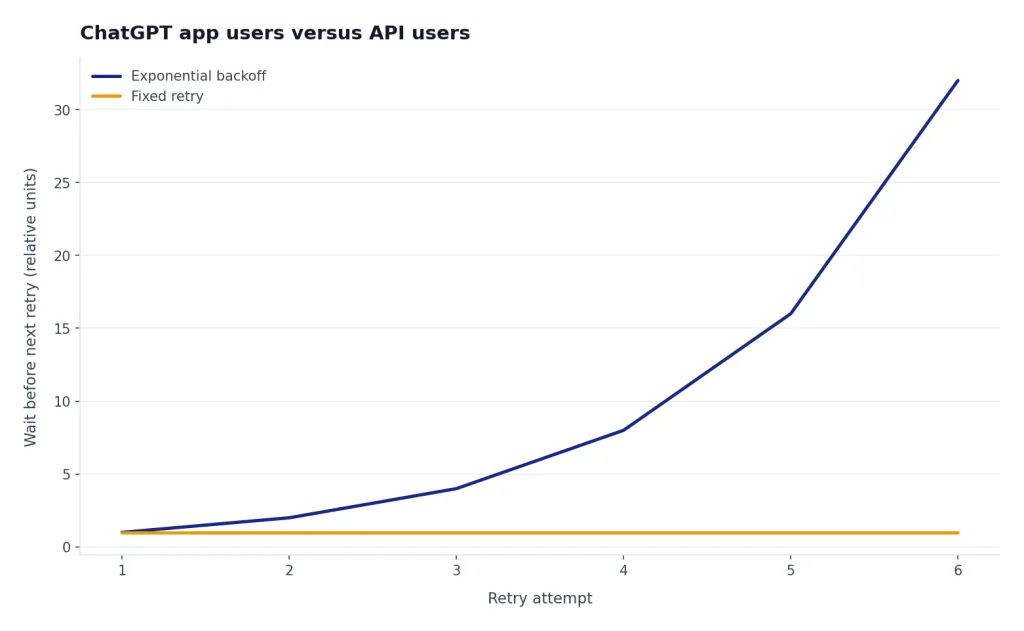
// Practical API pattern
send request
if 429:
  wait
  retry with a longer delay
  stop after a safe retry limit
If you are building with the API, do not solve 429 errors by adding more parallel workers. Queue the work. Cap concurrency. Send shorter inputs where possible. For cost planning, use our OpenAI API pricing reference.
Limits, plans, and the one-hour message
OpenAI publishes some ChatGPT message limits, but not every guardrail appears as a neat public counter. As of this article’s April 17, 2026 publication date, OpenAI’s ChatGPT model-limit help page said Free accounts could send up to 10 messages with GPT-5.3 every 5 hours before chats switched to the mini version until reset.[2] The same page said ChatGPT Plus and ChatGPT Go users could send up to 160 messages with GPT-5.3 every 3 hours.[2] It also listed a manual Thinking usage limit of up to 3,000 messages per week for Plus and Business users.[2]
Those published limits do not explain every “too many requests in 1 hour” case. A visible one-hour error can still come from burst behavior, tool limits, network reputation, or a temporary protection system. That is why upgrading is not always the right first move. If your issue is a temporary burst or an outage, a paid plan may not fix the current session.
If you repeatedly hit normal plan limits during legitimate work, compare your usage with our ChatGPT daily limit, ChatGPT Plus GPT-4o message limit, and how to bypass ChatGPT message limits legitimately guides. If you are weighing an upgrade, check the current ChatGPT Plus price breakdown before paying only to solve a short-term cooldown.
How to tell if it is an outage
A real rate limit usually affects your sending, your account, your selected model, or one feature. An outage usually creates broader symptoms: blank responses, failed login, stuck conversations, errors across multiple devices, or reports from many users at the same time.
OpenAI’s incident history shows that rate-limit-style messages can appear during broader failures. In an April 10, 2024 incident, OpenAI said a large portion of requests failed with 500 and 503 error codes, and that rate limiting used to reduce inbound traffic led many users to receive a misleading error message.[5] That history matters because a “too many requests” message is not always proof that you personally overused ChatGPT.
Check three things. First, open OpenAI’s status page. Second, test another device or network. Third, ask whether only one feature is failing. If all signs point to a platform issue, stop troubleshooting your browser and wait. Our ChatGPT outages 2026 and ChatGPT outage history pages track broader downtime patterns. For server-class messages, compare with ChatGPT error 500, ChatGPT error 502, and ChatGPT error 503.
What not to do
Do not try to brute-force the error. The point of a rate limit is to slow traffic. More traffic is the one response most likely to fail.
- Do not refresh repeatedly. It can create more failed requests.
- Do not run browser automation against ChatGPT. Automated use can trigger protective systems.
- Do not share one account across a team. OpenAI says an account is meant for the individual who created it, and that someone else who needs OpenAI products should sign up for their own account.[9]
- Do not try to circumvent rate limits. OpenAI’s terms prohibit interfering with or disrupting services, including circumventing rate limits or restrictions.[8]
- Do not assume clearing cookies resets the limit. It may fix a bad session, but it will not erase account-side usage.
The safest long-term fix is workflow design. Batch small edits into one prompt. Ask for an outline before asking for a full draft. Avoid regenerating five times when a targeted follow-up would work. Start new chats when the old context is no longer useful. These habits reduce limits and usually improve answer quality.
Frequently asked questions
How long does ChatGPT too many requests last?
Use the reset time shown in ChatGPT if one appears. If no timer appears, wait before trying again and avoid repeated refreshes. The duration can vary because the message may refer to account limits, burst limits, tool limits, network behavior, or a temporary protection system.
Does “too many requests in 1 hour” mean I used ChatGPT too much?
Sometimes, but not always. It can mean you sent too many messages or retries in a short period. It can also appear when a tool limit is reached, a shared network is noisy, or OpenAI is rate limiting traffic during an incident.
Will upgrading to ChatGPT Plus fix too many requests?
It may help if you are hitting a Free plan usage cap during normal work. It will not necessarily fix a browser loop, VPN issue, tool-specific limit, account protection flag, or OpenAI outage. Test the basic fixes before upgrading only because of one error.
Why do I get the error after only a few messages?
Your visible message count may not reflect the whole limit. Long prompts, file tools, repeated regenerations, shared networks, and failed retries can all matter. If the account was already near a limit before your current session, a few new messages may be enough to trigger the warning.
Can a VPN cause ChatGPT too many requests?
Yes, it can contribute. A VPN exit server may be shared by many users, which can make traffic from that address look unusually busy. Test with a trusted non-VPN connection or mobile data to confirm before changing other settings.
Is this the same as ChatGPT Error 429?
It is closely related. Error 429 is the technical status code for too many requests, while the ChatGPT app may show a friendlier message. The fix is usually the same: wait, reduce bursts, stop retry loops, and check whether the service itself is having trouble.