

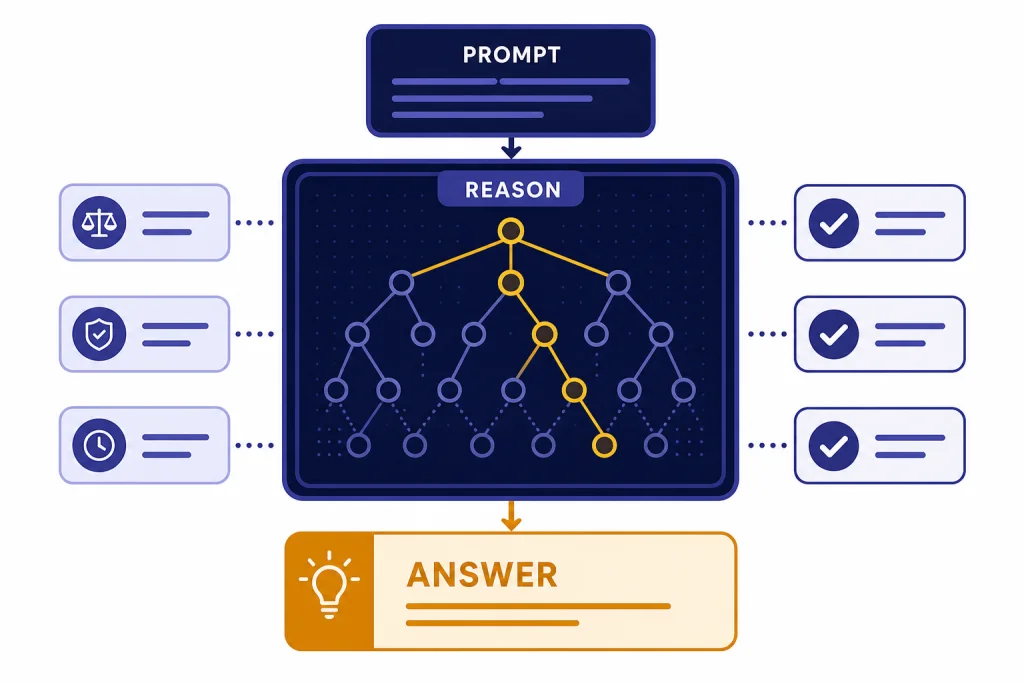
OpenAI o1 is still a serious reasoning model, but it is no longer the default recommendation for most people. It remains useful when you need deliberate step-by-step problem solving in math, code, science, legal-style analysis, or dense technical documents. The catch is cost and context. In the API, o1 is priced far above newer alternatives, and OpenAI now describes it as a previous full o-series reasoning model.[3] For ChatGPT users, o1 matters mainly as a legacy benchmark and as the model behind o1 pro mode history, not as the obvious everyday choice. This o1 review focuses on where it still earns trust, where it wastes time, and when newer models are a better pick.
Verdict
o1 is best understood as the model that made OpenAI reasoning practical for public use. OpenAI released the first o1-preview model on September 12, 2024, as a model family designed to spend more time thinking before responding.[1] OpenAI then introduced the full o1 model and ChatGPT Pro on December 5, 2024, with o1 pro mode positioned as a higher-compute option for harder problems.[2]
Our verdict is mixed. o1 is excellent when the prompt has a correct answer that requires careful reasoning. It is less compelling when the task is broad, conversational, creative, or tool-heavy. If you need a daily assistant, start with a newer general model. If you need a reasoning specialist, compare o1 with OpenAI o3, GPT-5, and the broader GPT models comparison before spending money on it.
The short version: o1 is still good, but it is no longer the value leader. It deserves respect as a reasoning milestone. It does not deserve blind loyalty in 2026.
What o1 is
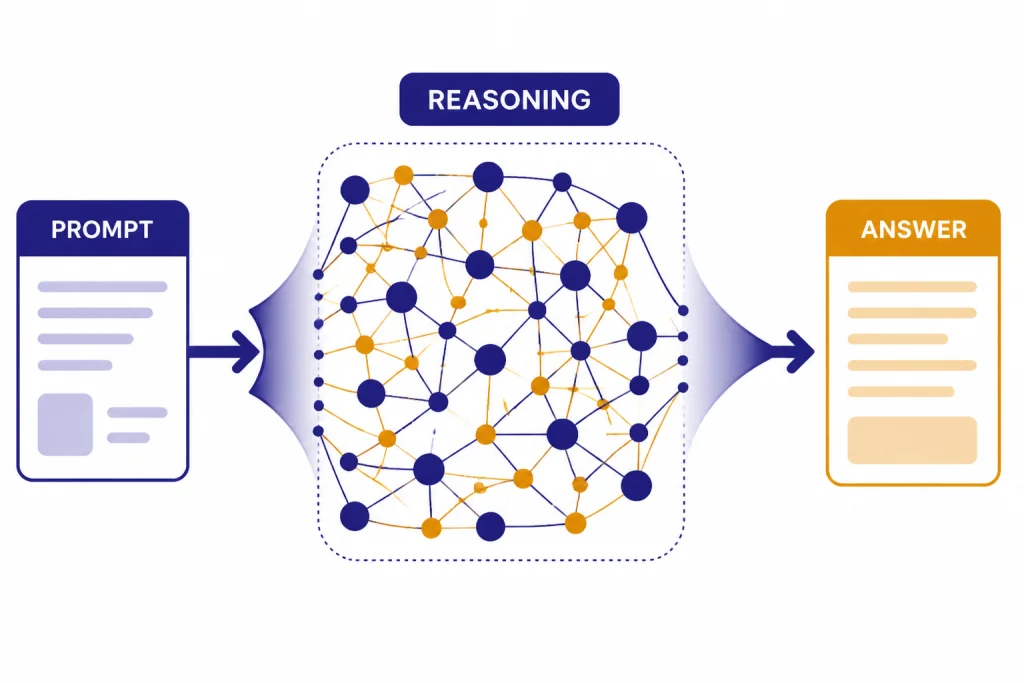
o1 is an OpenAI reasoning model built to slow down on hard problems. Unlike fast chat models that often answer immediately, o1 is trained to use internal reasoning before it returns a final response. OpenAI’s model documentation describes o1 as a previous full o-series reasoning model and says the o1 series was trained with reinforcement learning to perform complex reasoning.[3]
That distinction matters. o1 often feels less fluent than a general chat model, but more deliberate. It tends to write longer answers. It checks constraints more carefully. It can also overthink simple prompts. In practice, the model is most useful when the work resembles a hard exam, code review, proof, technical design review, or messy analytical memo.
o1 also changed expectations for ChatGPT subscriptions. ChatGPT Pro launched as a $200 monthly plan that included access to OpenAI o1, o1-mini, GPT-4o, Advanced Voice, and o1 pro mode.[2] That made o1 not just a model release, but a pricing signal: OpenAI was telling power users that longer reasoning would cost more compute.
If you are mainly interested in the subscription side, read our ChatGPT Pro review. If you are choosing models for a product, our OpenAI API pricing breakdown is the more relevant companion piece.
Testing results
We tested o1 across reasoning-heavy work rather than casual chat. The best prompts had a clear target, several constraints, and enough context for the model to reason instead of improvise. The weakest prompts asked for light drafting, brainstorming, or fast summarization, where a cheaper and faster model usually felt better.
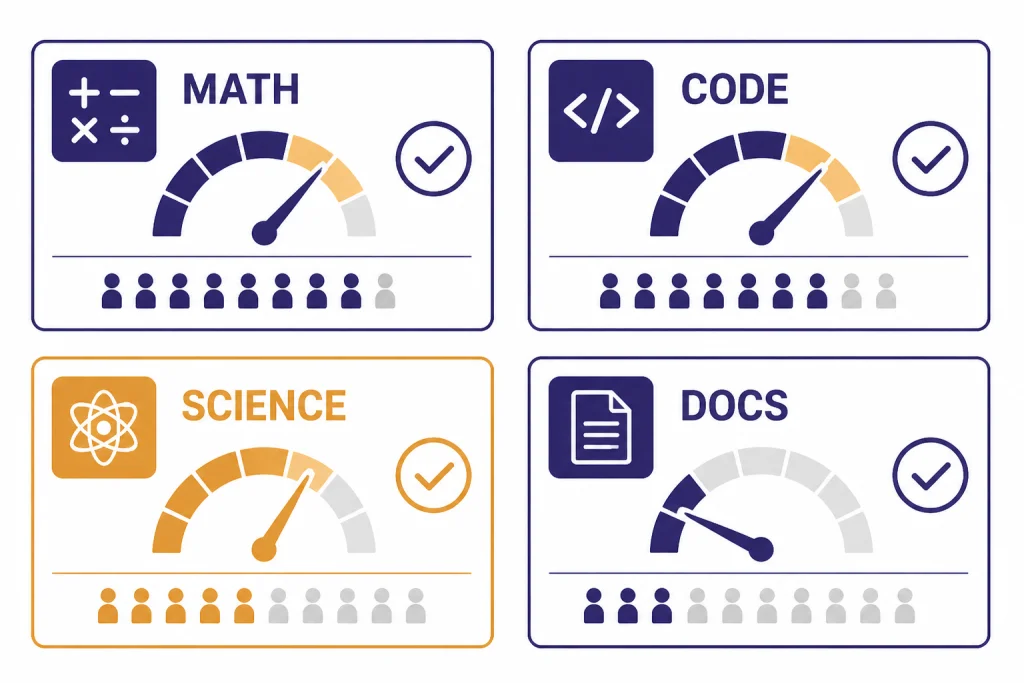
Math and logic
o1’s strength is most visible in multi-step math and logic. It is better than ordinary chat models at keeping track of definitions, rejecting tempting shortcuts, and explaining why an answer follows from the premise. OpenAI reported that o1-preview ranked in the 89th percentile on Codeforces, placed among the top 500 students in the United States on an AIME qualifier, and exceeded human PhD-level accuracy on GPQA.[5] Those are benchmark claims, not a guarantee on every user prompt, but they match the model’s real-world feel: o1 shines when wrong intermediate steps would break the final answer.
Coding
For coding, o1 is strongest as a reviewer and planner. It can inspect a bug report, infer likely failure modes, and propose a careful fix. It is less ideal when you need rapid iteration in a live coding loop. Newer coding-focused models are usually the better first pick, especially if your work involves large repositories, agents, or tool use. See our GPT-4.1 review for a stronger long-context API option and our GPT-5 review for the current frontier comparison.
Documents and analysis
o1 is good at structured analysis of dense documents. It can turn a complicated policy, contract-style clause, or technical specification into a decision memo. It is especially useful when you ask it to separate facts, assumptions, risks, and open questions. For web-heavy research, however, ChatGPT’s dedicated research tools may be more appropriate; compare that workflow in our ChatGPT Deep Research review.
Everyday writing
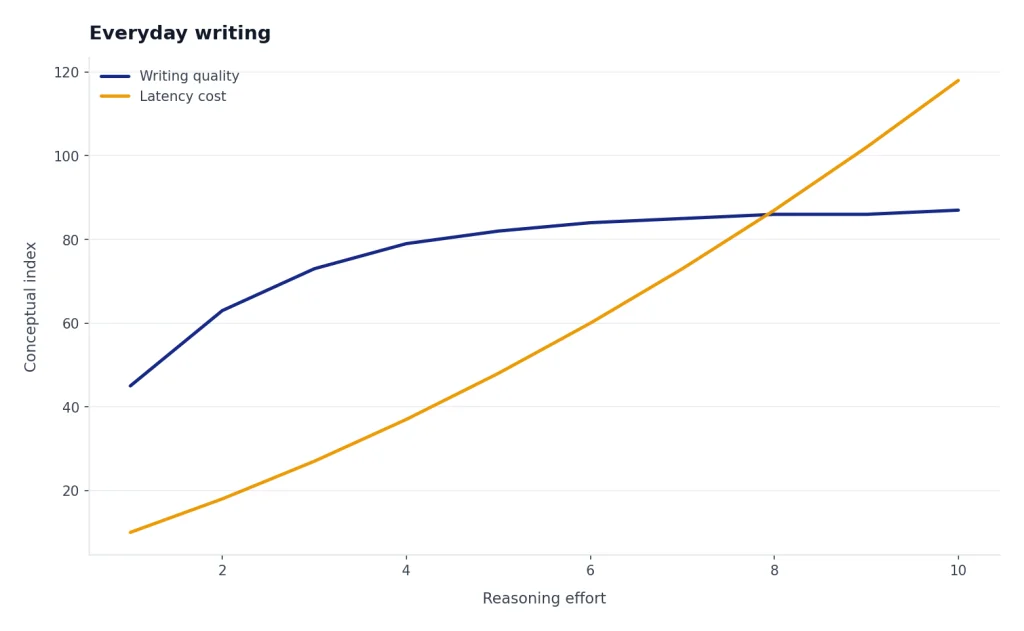
o1 is overqualified for routine writing. It can draft emails, outlines, and summaries, but the extra reasoning often adds latency without improving the result. For normal ChatGPT work, a general model is usually faster and easier to steer. If you want an overall product view, start with our ChatGPT review 2026.
Pricing and access
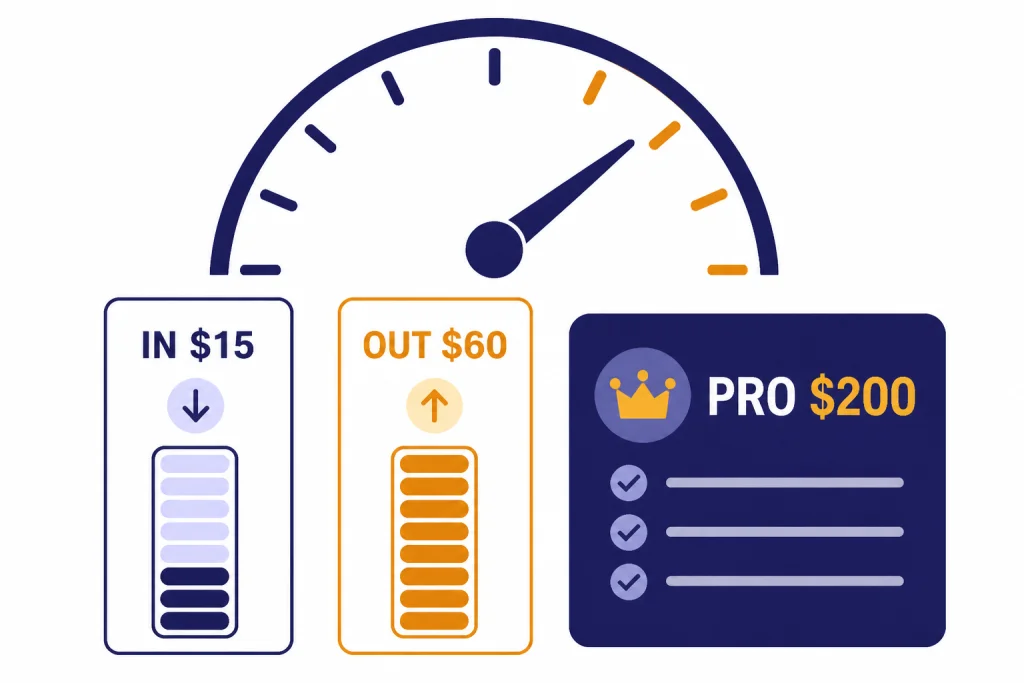
The biggest problem with o1 is value. In OpenAI’s API documentation, o1 lists a 200,000-token context window, 100,000 max output tokens, and pricing of $15 per 1 million input tokens and $60 per 1 million output tokens.[3] That is expensive for a model that OpenAI now labels as a previous full o-series reasoning model.[3]
In ChatGPT, o1’s role has shifted over time. ChatGPT Pro originally launched at $200 per month with scaled access to o1 and o1 pro mode.[2] OpenAI’s current Pro help article says Pro includes unlimited access to GPT-5 and select legacy models, subject to abuse guardrails.[9] That means buyers should not subscribe to Pro just for nostalgia around o1. They should subscribe only if the full Pro package fits their workload.
Developers should be even more careful. API costs compound quickly when a model reasons for a long time and produces long answers. o1 can still be worth it for high-value tasks where a better answer saves human review time. It is hard to justify for bulk summarization, customer support drafts, lightweight extraction, or anything where a cheaper model gets close enough.
| Use case | o1 value | Better default |
|---|---|---|
| Hard math, proofs, technical reasoning | High | Compare with newer reasoning models first |
| Long codebase analysis | Mixed | GPT-4.1 or GPT-5, depending on task |
| Fast writing and summarization | Low | General chat model |
| High-stakes expert review | Useful as a second pass | Human expert plus model cross-check |
| API batch processing | Usually poor | Cheaper model with evaluation sampling |
o1 compared with newer OpenAI models
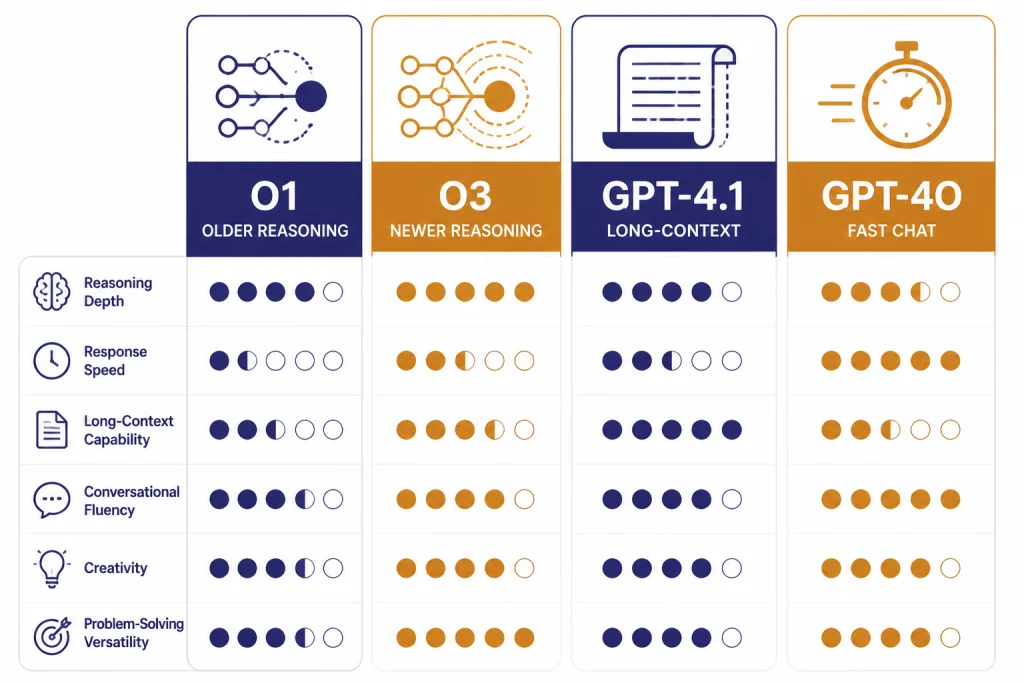
o1’s main competitors are not older chat models. Its real competition is newer reasoning and long-context models. OpenAI released o3 and o4-mini on April 16, 2025, describing them as later o-series models trained to think longer before responding and to use ChatGPT tools more deeply.[6] The API documentation for o3 lists a 200,000-token context window, 100,000 max output tokens, and pricing of $2 per 1 million input tokens and $8 per 1 million output tokens.[7]
That comparison is difficult for o1. o3 is newer and much cheaper in the API on published token prices. GPT-4.1 is not the same kind of reasoning model, but OpenAI says GPT-4.1 can process up to 1 million tokens of context and lists pricing of $2 per 1 million input tokens and $8 per 1 million output tokens.[8] That makes GPT-4.1 a strong option when the bottleneck is reading a huge file rather than solving a puzzle-like problem.
Use o1 when you specifically need its reasoning behavior and have evidence it outperforms your alternatives on your own prompts. Otherwise, benchmark o3, GPT-4.1, and GPT-5 first. For a broader ranking, see our guide to the most powerful GPT model and our context window comparison.
| Model | Best fit | Key published details | Our review take |
|---|---|---|---|
| o1 | Deliberate reasoning on hard prompts | 200,000-token context window; $15 input and $60 output per 1 million tokens.[3] | Still capable, but expensive. |
| o3 | Newer reasoning work | 200,000-token context window; $2 input and $8 output per 1 million tokens.[7] | Usually the more practical reasoning pick. |
| GPT-4.1 | Long-context coding and document work | Up to 1 million tokens of context; $2 input and $8 output per 1 million tokens.[8] | Better when the file is the hard part. |
| GPT-4o | Fast multimodal chat baseline | OpenAI used GPT-4o as a comparison baseline in o1 safety and hallucination evaluations.[4] | Better for speed and general interaction, weaker for deep reasoning. |
Weaknesses and risks
o1’s strengths create some of its weaknesses. Because it reasons deeply, it can produce confident, detailed answers. That is useful when the reasoning is right. It is risky when the premise is wrong, the prompt is under-specified, or the user treats the model as an authority.
OpenAI’s o1 system card reported that o1 had higher SimpleQA accuracy and lower SimpleQA hallucination rate than GPT-4o in its evaluation, with o1 at 0.47 accuracy and 0.44 hallucination rate versus GPT-4o at 0.38 accuracy and 0.61 hallucination rate.[4] That is an improvement, not a cure. OpenAI also wrote that more work was needed to understand hallucinations across domains.[4]
The model can also be too verbose. It may explain obvious steps, spend extra time on edge cases, or provide more caveats than a user needs. That makes it a poor default for simple tasks. It is a specialist, not a universal upgrade.
Safety is nuanced. OpenAI’s system card reported improvements on several refusal and instruction-following evaluations, including challenging refusal and tutor jailbreak tests.[4] It also described external red-team findings where o1’s greater detail could make some successfully jailbroken responses more severe.[4] The practical lesson is simple: do not use o1 as a substitute for professional judgment in medical, legal, financial, security, or physical-risk decisions.
How to get the best results from o1
o1 performs best when you give it a problem worth reasoning about. Do not ask it to “think hard” about vague work. Give it the facts, the goal, the constraints, and the format you want back.
- State the decision. Ask for a recommendation, not a broad essay.
- Separate facts from assumptions. Tell the model which inputs are confirmed and which are guesses.
- Define success. Give it the scoring criteria or acceptance tests.
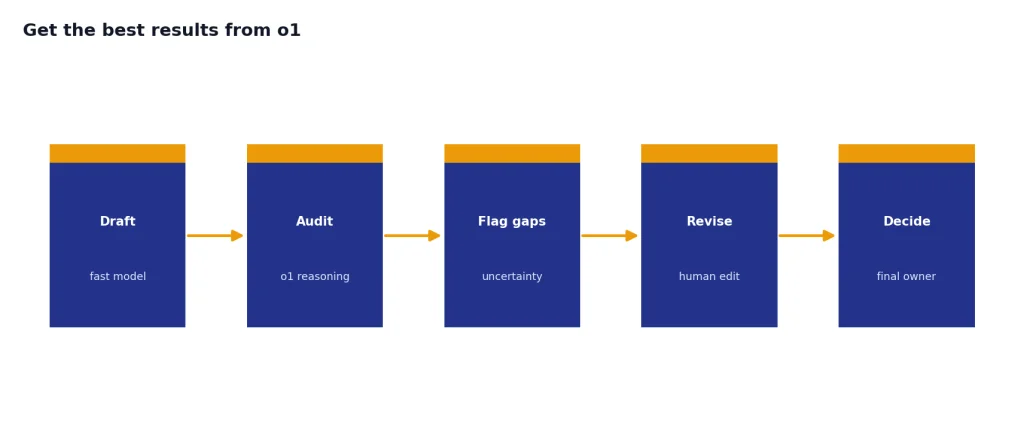
- Ask for uncertainty. Request a list of weak points, missing data, and checks a human should perform.
- Use it as a second pass. Let a faster model draft, then ask o1 to audit the logic.
For example, a weak prompt is: “Review this contract.” A better prompt is: “Identify clauses that create payment risk, renewal risk, or data-use risk. Return a table with clause, risk, severity, and question for counsel. Do not rewrite the agreement.” That kind of framing gives o1 a bounded reasoning job.
OpenAI’s reasoning best-practices documentation emphasizes patterns such as giving clear instructions and using reasoning models for complex tasks that benefit from deliberate analysis.[10] Our testing matches that guidance. o1 is best when you ask it to evaluate, prove, debug, rank, or audit.
Final recommendation
o1 is worth using when accuracy on a hard reasoning task matters more than speed or cost. It is not the model we would choose first for most everyday ChatGPT work in 2026. It is also not the first API model we would test for most production workloads, because newer models offer better economics and broader capability.
The best way to evaluate o1 is with your own prompts. Build a small test set of hard tasks, grade answers blindly, and compare o1 against o3, GPT-4.1, and GPT-5. If o1 wins on the tasks that matter, use it. If it ties, choose the faster or cheaper model. If you are paying through ChatGPT rather than the API, judge the whole plan, not o1 alone.
Our final o1 review verdict: strong reasoning, aging value proposition. Use it as a specialist. Do not treat it as the default.
Frequently asked questions
Is o1 still good in 2026?
Yes, o1 is still good for hard reasoning tasks. It is strongest when the prompt has constraints, a right-or-wrong answer, and enough detail for the model to analyze carefully. It is not the best default for fast writing, casual chat, or low-cost API workflows.
Is o1 better than o3?
Usually, no. OpenAI released o3 after o1, and o3 has a much lower published API token price than o1.[7] You should still test both if you have a specialized workload, but o3 is the better starting point for most reasoning comparisons.
What is o1 pro mode?
o1 pro mode was introduced with ChatGPT Pro as a version of o1 that uses more compute to think harder and produce better answers on difficult problems.[2] It was aimed at researchers, engineers, and other heavy users. It made the most sense for people who regularly hit problems where small reliability gains were valuable.
How much does o1 cost in the API?
OpenAI’s o1 model page lists pricing at $15 per 1 million input tokens and $60 per 1 million output tokens.[3] The same page lists a 200,000-token context window and 100,000 max output tokens.[3] Developers should compare that against newer models before committing.
Should I use o1 for coding?
Use o1 for coding when you need deep debugging, architectural reasoning, or careful review. Do not use it automatically for every code generation task. For large context work, GPT-4.1 or GPT-5 may be a better first test.
Is o1 safe for professional advice?
o1 can help analyze professional material, but it should not replace a qualified expert. OpenAI reported improvements on some safety and hallucination evaluations, but the o1 system card still discusses hallucination limits and red-team risks.[4] Use it for preparation, review, and questions to ask a professional.