

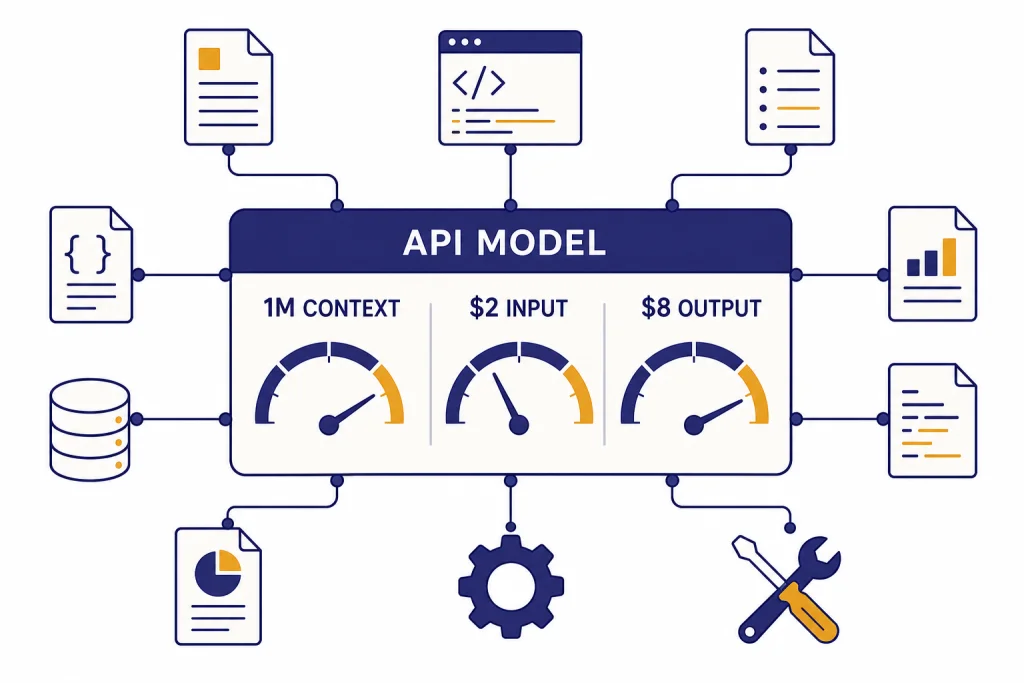
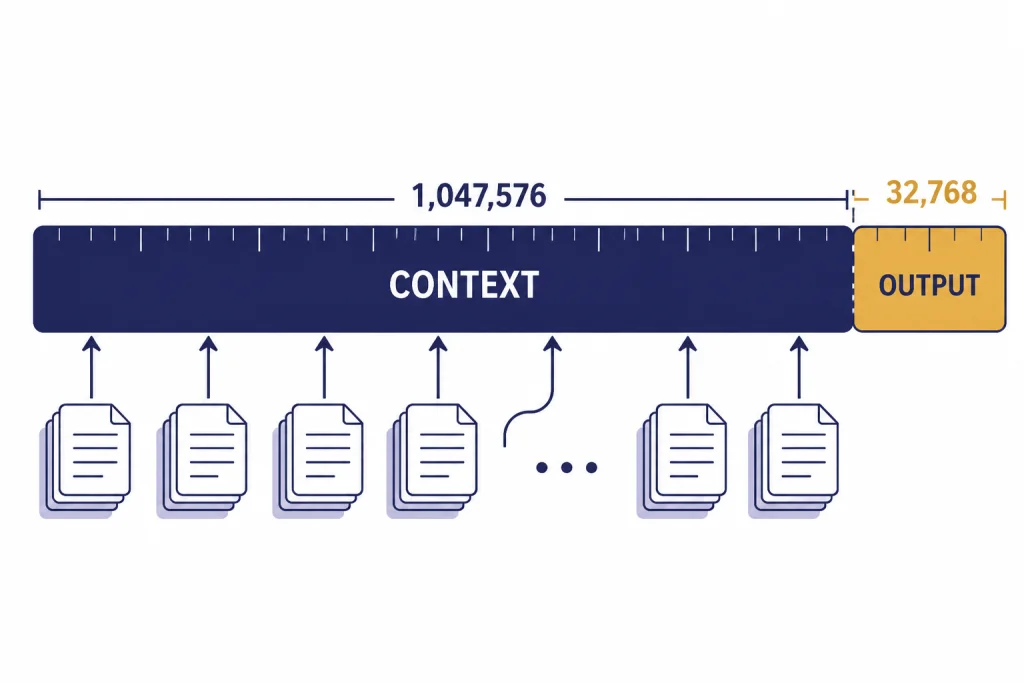
GPT-4.1 is OpenAI’s API-focused GPT model for coding, instruction following, tool use, and long-context work. OpenAI introduced the GPT-4.1 family on April 14, 2025, with GPT-4.1, GPT-4.1 mini, and GPT-4.1 nano.[1] The main GPT-4.1 model has a 1,047,576-token context window, a 32,768-token max output, text and image input, and text output.[2] Standard API pricing is $2.00 per 1 million input tokens, $0.50 per 1 million cached input tokens, and $8.00 per 1 million output tokens.[2] Use it when you need a strong non-reasoning model with large-context handling and predictable API costs.
What GPT-4.1 is
GPT-4.1 is the largest model in the GPT-4.1 family. OpenAI positioned it as a practical API model with gains in coding, instruction following, and long-context comprehension.[1] It is not a reasoning-model tier like o-series models. It is better understood as a strong general GPT model that responds directly, supports tool workflows, and can process unusually large prompts.
The model is useful when the job is too large or sensitive to formatting for a cheap small model, but not so hard that you need a dedicated reasoning model. For a wider model map, see all GPT models compared side by side. If the deciding factor is context length alone, start with our context window comparison.
OpenAI’s launch post said GPT-4.1 scored 54.6% on SWE-bench Verified, 38.3% on Scale’s MultiChallenge, and 72.0% on the long, no-subtitles category of Video-MME.[1] Treat those scores as directional rather than universal. Your production result will depend on prompt structure, tools, retrieval quality, schema design, and the cost of retries.
Feature summary
GPT-4.1’s core value is the combination of a large context window, strong code behavior, structured output support, and a midrange price among OpenAI API models. OpenAI’s model page describes GPT-4.1 as its smartest non-reasoning model, with low latency without a reasoning step.[2] That makes it attractive for apps that need dependable output but cannot wait for a slower deliberative model on every request.
| Area | GPT-4.1 detail | Why it matters |
|---|---|---|
| Model role | Smartest non-reasoning model on OpenAI’s GPT-4.1 model page[2] | Good default for complex direct-response tasks. |
| Context | 1,047,576-token context window[2] | Can hold large document sets, repositories, transcripts, and multi-file prompts. |
| Output | 32,768 max output tokens[2] | Supports long reports, code rewrites, structured JSON, and multi-section answers. |
| Inputs and outputs | Text and image input; text output[2] | Useful for document, screenshot, chart, and diagram analysis. |
| API features | Streaming, function calling, structured outputs, fine-tuning, and distillation are supported[2] | Fits production apps that need schemas, tools, or customization. |
| Responses API tools | Web search, file search, image generation, and code interpreter are supported[2] | Can be part of richer agent and retrieval workflows. |
The practical takeaway is simple. GPT-4.1 is strongest when the prompt contains many instructions or a lot of source material and the answer must stay inside a specified structure. It is less compelling when you only need fast classification, basic extraction, or a short rewrite. In those cases, a smaller model may produce a better cost-performance result.
Context window and output limit
The headline spec is the 1,047,576-token context window.[2] That is the combined space used by instructions, user content, tool messages, retrieved files, image-derived tokens, and prior conversation content. The output cap is separate: GPT-4.1 can produce up to 32,768 output tokens.[2]
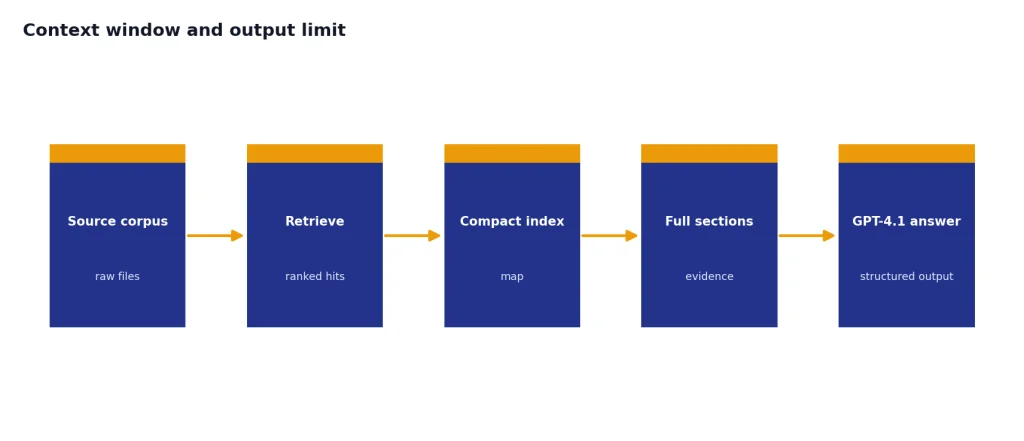
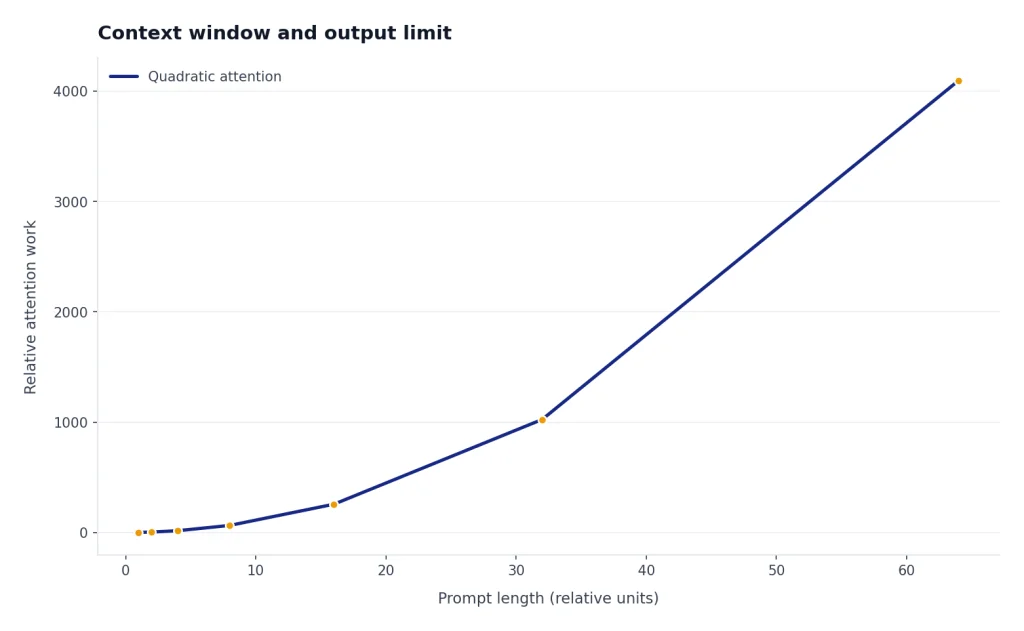
A large context window does not mean you should paste everything into every request. It means you can use more complete context when the task genuinely benefits from it. Long prompts still cost money. They can also add latency and make evaluation harder. A cleaner pattern is to retrieve the most relevant documents first, include a compact index or summary, and then provide the full source sections only when the model needs them.
OpenAI said GPT-4.1, GPT-4.1 mini, and GPT-4.1 nano can process up to 1 million tokens of context, compared with 128,000 for previous GPT-4o models.[1] The company also said it trained GPT-4.1 to attend to information across the full long-context range and to ignore distractors more reliably.[1] That matters for legal review, technical support logs, source-code repositories, financial filings, and other tasks where the key fact may appear deep inside the input.
For architecture planning, treat the 1M context window as a ceiling, not a target. A prompt with 40,000 high-quality tokens often beats a prompt with 700,000 noisy tokens. If your app repeatedly sends the same base material, prompt caching can reduce cost. If your app needs to compare many documents, chunking and retrieval still help because they make the model’s job narrower.
API pricing
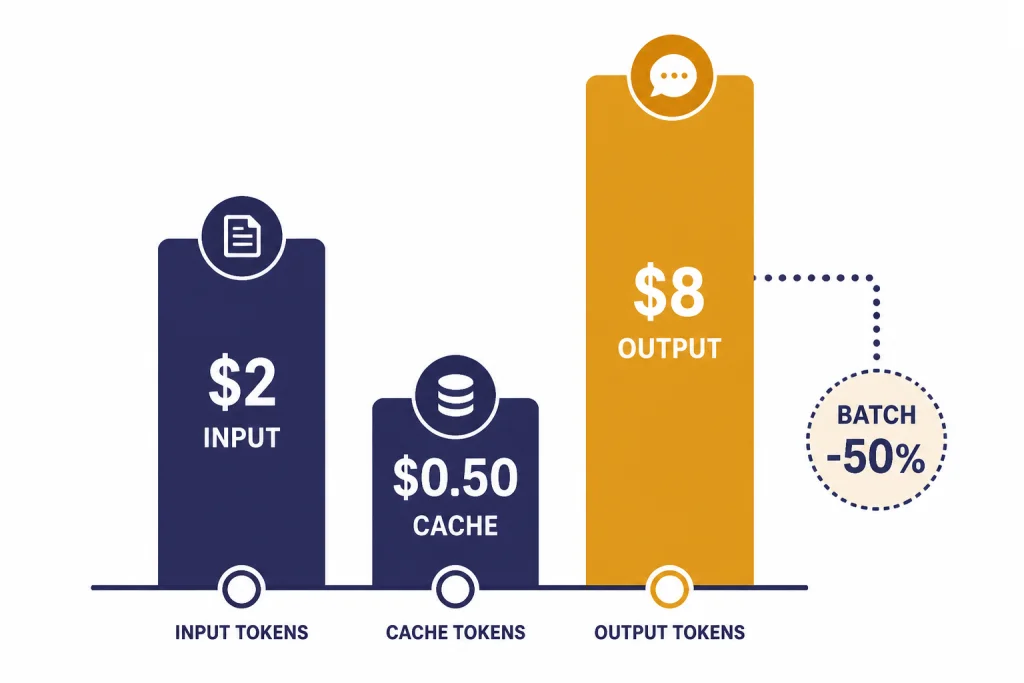
GPT-4.1 uses token-based API pricing. OpenAI lists standard GPT-4.1 text token prices at $2.00 per 1 million input tokens, $0.50 per 1 million cached input tokens, and $8.00 per 1 million output tokens.[2] OpenAI’s GPT-4.1 launch post lists the same prices and says long-context requests have no extra charge beyond standard per-token costs.[1]
| Token type | GPT-4.1 price | Use it when |
|---|---|---|
| Input | $2.00 per 1M tokens[2] | You send new instructions, user content, retrieved files, or uncached context. |
| Cached input | $0.50 per 1M tokens[2] | You reuse stable prompt prefixes or repeated context that qualifies for caching. |
| Output | $8.00 per 1M tokens[2] | The model generates final text, code, JSON, summaries, or explanations. |
| Batch API | Additional 50% pricing discount for GPT-4.1 family batch use[1] | You can run work asynchronously and do not need an immediate response. |
Here are simple examples using the published GPT-4.1 prices. A request with 100,000 new input tokens and 2,000 output tokens costs about $0.216 before any tool charges: $0.20 for input plus $0.016 for output.[2] If those 100,000 input tokens are cached, the same request costs about $0.066 before tool charges: $0.05 for cached input plus $0.016 for output.[2]
The output side matters more than many teams expect. A verbose answer can be expensive even if the input is cached. For production apps, set a clear output budget. Ask for exact fields, concise explanations, or changed lines only when that fits the task. If your app is cost-sensitive, compare GPT-4.1 against smaller models in our cheapest GPT model guide and check the broader OpenAI API pricing breakdown.
GPT-4.1 vs mini and nano
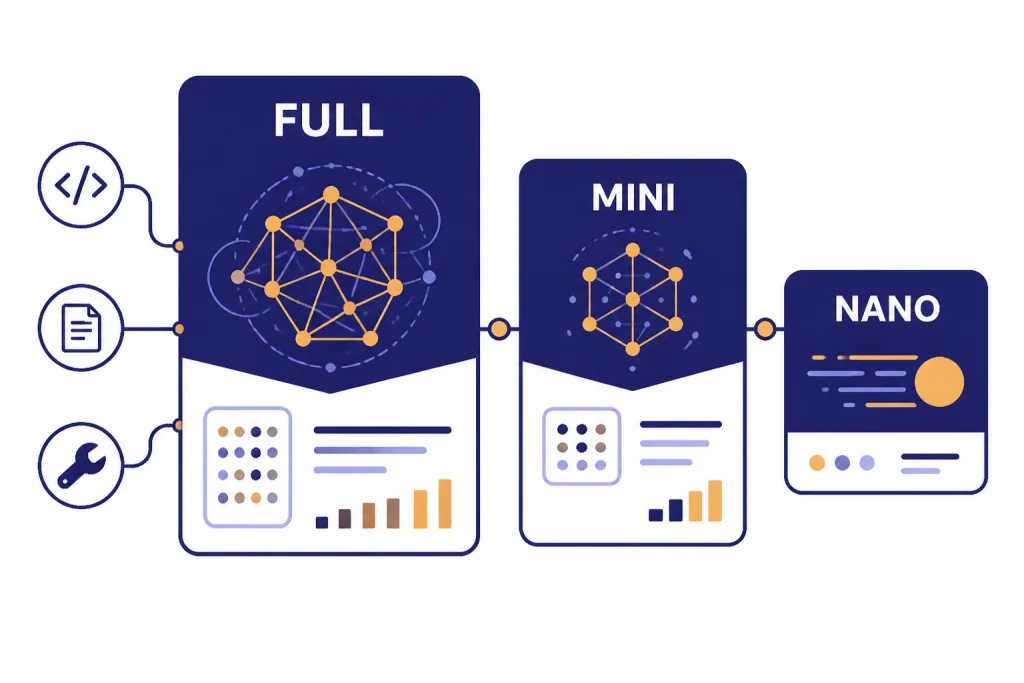
The GPT-4.1 family has three models: GPT-4.1, GPT-4.1 mini, and GPT-4.1 nano.[1] The full model is the safest choice when quality matters. Mini is the middle option. Nano is the low-cost, low-latency option for simpler automation.
| Model | Input | Cached input | Output | Best fit |
|---|---|---|---|---|
| gpt-4.1 | $2.00 / 1M tokens[1] | $0.50 / 1M tokens[1] | $8.00 / 1M tokens[1] | Hard coding, long-context QA, careful tool use, structured production answers. |
| gpt-4.1-mini | $0.40 / 1M tokens[1] | $0.10 / 1M tokens[1] | $1.60 / 1M tokens[1] | High-volume workflows that still need good quality. |
| gpt-4.1-nano | $0.10 / 1M tokens[1] | $0.025 / 1M tokens[1] | $0.40 / 1M tokens[1] | Classification, autocomplete, routing, extraction, and lightweight assistants. |
OpenAI described GPT-4.1 mini as a small-model leap that can beat GPT-4o in many benchmarks, while reducing latency by nearly half and reducing cost by 83%.[1] OpenAI described GPT-4.1 nano as its fastest and cheapest model available at launch, and listed 80.1% on MMLU, 50.3% on GPQA, and 9.8% on Aider polyglot coding.[1]
A sensible production pattern is tiered routing. Send routine extraction and tagging to nano. Send more detailed summaries and moderately complex transformations to mini. Reserve full GPT-4.1 for requests with high ambiguity, complex instructions, many files, or a high cost of failure. If speed is your main constraint, compare it with our fastest GPT model guide.
Best use cases
GPT-4.1 is strongest in API workflows where a larger prompt changes the result. It is not just a bigger chat model. It is a practical model for structured work over files, code, logs, and policies.
Coding and code review
OpenAI said GPT-4.1 improved on GPT-4o for coding tasks such as solving repository issues, frontend coding, generating fewer extraneous edits, following diff formats, and using tools consistently.[1] Use it for pull request review, codebase Q&A, migration planning, unit-test generation, and patch proposals. For a deeper coding comparison, see best GPT model for coding.
Long-document analysis
GPT-4.1 is a strong fit for contracts, filings, research packets, customer-support histories, and compliance materials. The point is not only that the model can accept a large input. The point is that it can follow specific instructions while using that input. Ask it to cite section names, distinguish facts from assumptions, and return structured fields that your app can validate.
Structured outputs and tool workflows
OpenAI’s model page lists structured outputs and function calling as supported GPT-4.1 features.[2] That makes the model useful for apps where the answer is not just prose. Examples include ticket triage with JSON labels, analyst workspaces with file search, or internal tools that call functions after classifying user intent.
Writing with constraints
GPT-4.1 can help when writing requires exact rules: tone limits, terminology rules, banned phrases, section order, or a strict schema. It is not always the best model for creative style, but it is useful when the draft must follow an editorial brief. For more writing-focused model selection, read best GPT model for writing.
Prompting and implementation notes
GPT-4.1 follows instructions more literally than some earlier models, according to OpenAI’s prompting guide.[3] This is usually a strength, but it can expose vague or conflicting prompts. If your old prompt relied on the model to infer intent, expect to rewrite it.
- Write explicit rules. State what the model should do, what it should avoid, and how it should handle missing information.
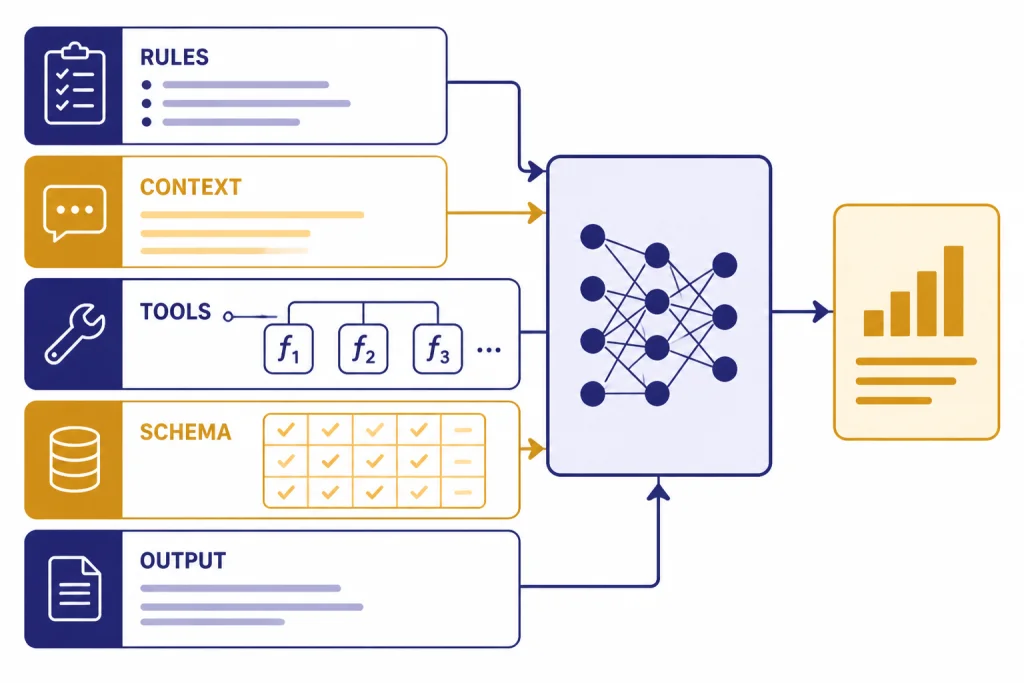
- Separate instructions from context. Use clear sections for task, rules, source material, output format, and examples.
- Use tools through the API. OpenAI recommends passing tools through the tools field rather than manually injecting tool descriptions into the prompt.[3]
- Test long-context placement. For very long inputs, repeat the most important final instruction after the context when needed.
- Validate structured output. Use schemas and reject malformed responses instead of relying on visual inspection.
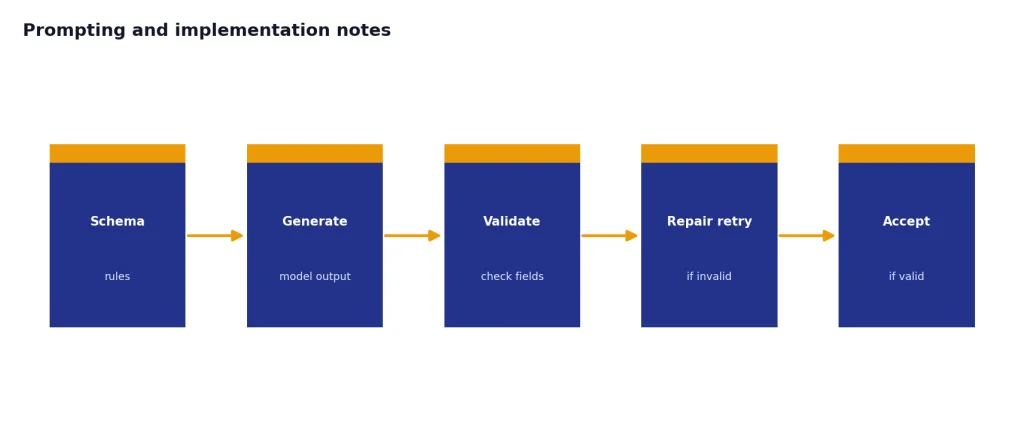
The most common migration issue is over-broad instructions. For example, “summarize this file” is too vague for a production workflow. Better: “Return a JSON object with risk_level, quoted_evidence, missing_information, and next_action. Use only the provided source text. If the source does not support a field, return null.” That kind of prompt lets GPT-4.1’s instruction following work for you instead of against you.
When to choose another model
Do not use GPT-4.1 just because it has a large context window. Choose it when quality, context, and instruction following justify the price. Choose something else when a narrower model is cheaper, faster, or more capable for the specific task.
| Need | Better starting point | Reason |
|---|---|---|
| Lowest cost at high volume | GPT-4.1 nano or another small model | Classification and extraction often do not need the full model. |
| Fastest response | A smaller GPT model | Lower latency can matter more than peak quality. |
| Deep multi-step reasoning | An o-series reasoning model | Reasoning models are built for harder deliberative tasks. |
| Image generation | An image model | GPT-4.1 accepts image input but returns text output.[2] |
| Speech-to-text | Whisper or a transcription model | GPT-4.1 does not support audio as a modality on its model page.[2] |
For reasoning-heavy work, compare GPT-4.1 with OpenAI o3 or OpenAI o4-mini. For image generation, start with DALL-E 3 or our best GPT model for image generation. For transcription, use Whisper.
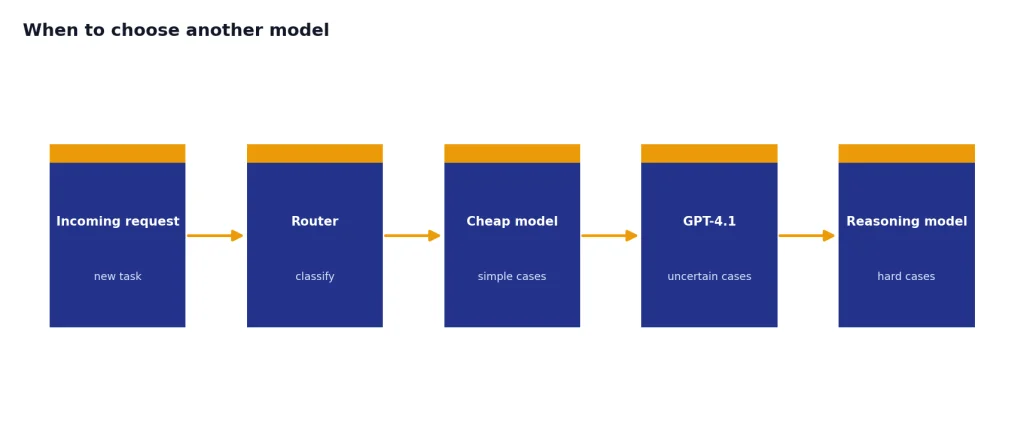
The best production setup often uses more than one model. A router can send simple cases to a cheap model, uncertain cases to GPT-4.1, and hard reasoning cases to an o-series model. This keeps quality high without paying full-model prices for every request.
Frequently asked questions
Is GPT-4.1 the same as GPT-4?
No. GPT-4.1 is a later OpenAI model family introduced for the API on April 14, 2025.[1] It has different pricing, context limits, output limits, and implementation guidance than the original GPT-4 generation.
What is the GPT-4.1 context window?
OpenAI’s GPT-4.1 model page lists a 1,047,576-token context window.[2] That limit covers the material the model can consider in a request, including instructions and provided context. The separate max output limit is 32,768 tokens.[2]
How much does GPT-4.1 cost in the API?
Standard GPT-4.1 pricing is $2.00 per 1 million input tokens, $0.50 per 1 million cached input tokens, and $8.00 per 1 million output tokens.[2] Batch API usage can reduce prices further when asynchronous processing fits the workload.[1]
Does GPT-4.1 support images?
Yes, GPT-4.1 supports text and image input, with text output.[2] That means it can analyze images, charts, screenshots, or visual documents, but it is not the right model when the deliverable is a generated image.
Is GPT-4.1 good for coding?
Yes. OpenAI highlighted coding as one of GPT-4.1’s main improvements and reported 54.6% on SWE-bench Verified.[1] It is especially useful for code review, repository analysis, diff generation, and tasks that require large code context.
Should I use GPT-4.1 or GPT-4.1 mini?
Use GPT-4.1 when quality and reliability matter more than cost. Use GPT-4.1 mini when the workflow is high-volume and the task is moderately complex. OpenAI lists GPT-4.1 mini at $0.40 per 1 million input tokens and $1.60 per 1 million output tokens, which is far below the full model’s listed price.[1]