

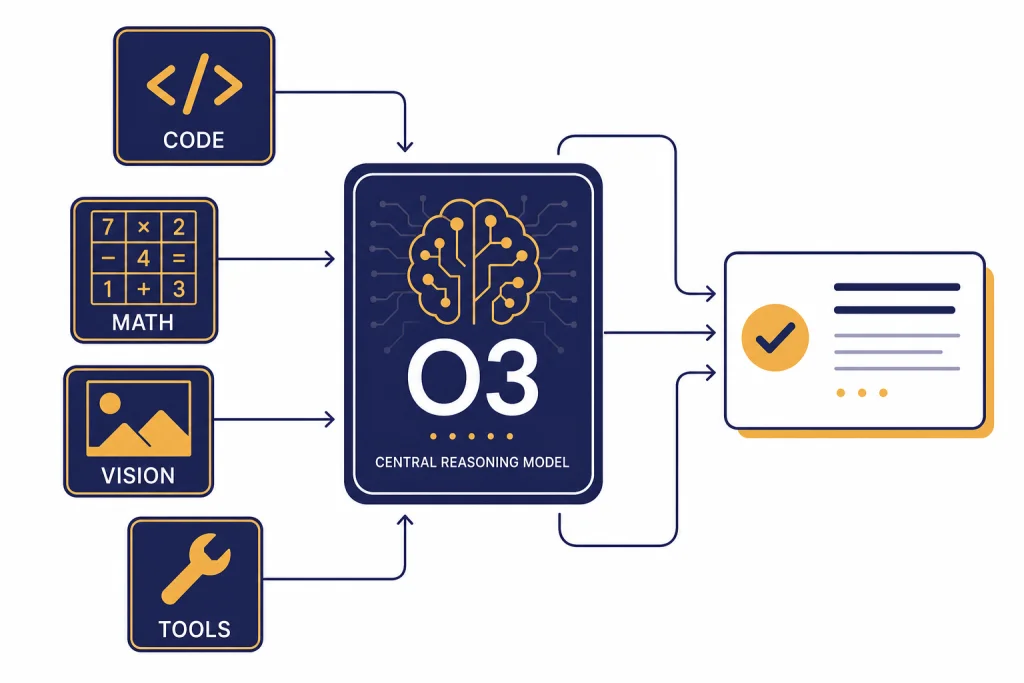
OpenAI o3 is a full-size o-series reasoning model built for difficult work that needs planning, multi-step analysis, code reasoning, math, science, visual interpretation, and tool use. OpenAI released o3 with o4-mini on April 16, 2025, and later positioned it as a powerful reasoning model for complex tasks that was succeeded by GPT-5 in the API model catalog.[1][2] In practical terms, o3 is still useful when you want deliberate reasoning and can tolerate more latency than a lightweight model. It is less appropriate for high-volume chat, simple writing, or low-cost automation where a cheaper or faster model will do the job.
What is OpenAI o3?
OpenAI o3 is a reasoning model in OpenAI’s o-series. The o-series was designed to spend more effort on complex tasks before answering, rather than responding as quickly as a general chat model. OpenAI described o3 at launch as its most powerful reasoning model across coding, math, science, visual perception, and related domains.[1]
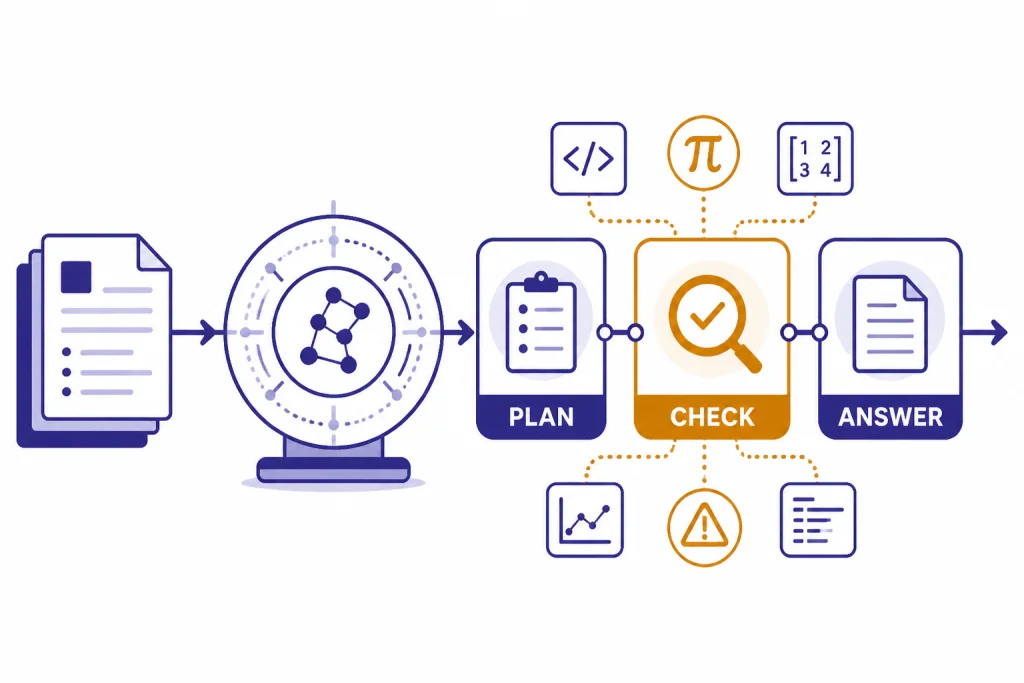
The key difference is not that o3 has a separate public “thought transcript.” It is that the model can allocate internal reasoning tokens, plan across multiple steps, and decide when tools are useful. OpenAI’s reasoning documentation describes o-series models as planners that are better suited to ambiguous, high-stakes, or expert-style tasks than routine drafting.[5]
That makes o3 a specialist. Use it when the answer depends on intermediate reasoning: debugging a hard bug, comparing several technical tradeoffs, interpreting a chart, checking a mathematical argument, or planning a sequence of API calls. If you only need a fast email rewrite, a short summary, or a predictable extraction task, start with a cheaper or faster model. Our broader all GPT models compared side by side guide is better for that first-pass model selection.
Specs, pricing, and access
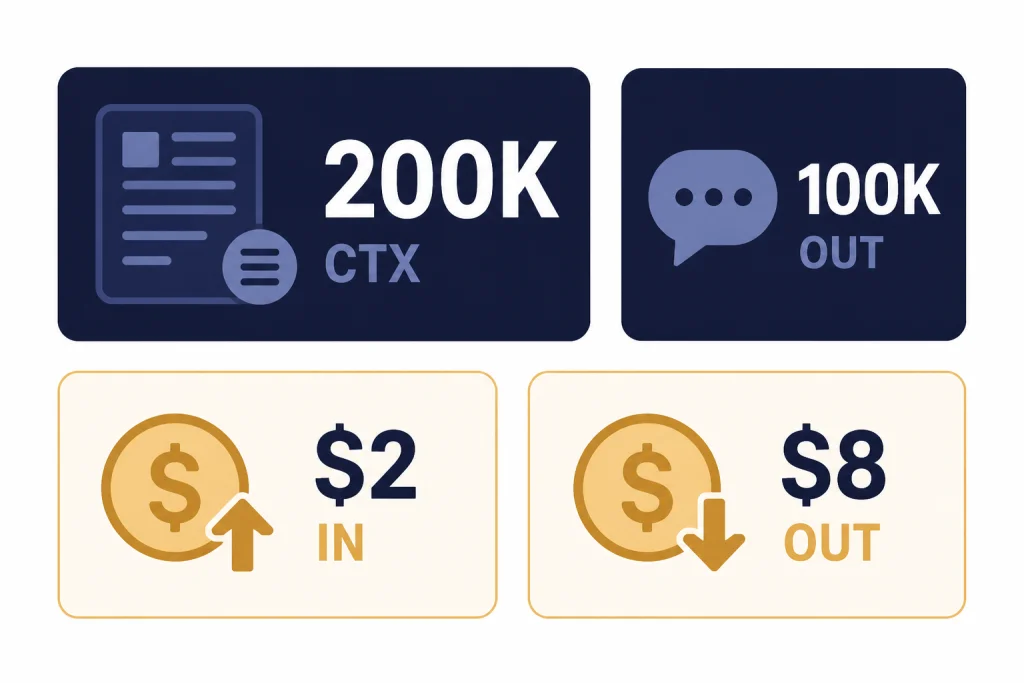
The API model page lists o3 with a 200,000-token context window, 100,000 maximum output tokens, a June 1, 2024 knowledge cutoff, text input and output, image input, reasoning token support, and support for the Responses API, Chat Completions API, Assistants API, and Batch API.[2] The same model page lists streaming, function calling, and structured outputs as supported features.[2]
OpenAI’s model page lists standard o3 text token pricing at $2.00 per 1 million input tokens, $0.50 per 1 million cached input tokens, and $8.00 per 1 million output tokens.[2] A separate OpenAI developer documentation page corroborates the same 200,000-token context window, 100,000-token maximum output, and $2/$8 headline price display for o3.[9] For the full current pricing grid across models, see our OpenAI API pricing reference.
| Field | OpenAI o3 value | What it means in practice |
|---|---|---|
| Model ID | o3 | Use this model name unless you need a dated snapshot. |
| Snapshot shown | o3-2025-04-16 | Useful when you want stable behavior across deployments.[2] |
| Context window | 200,000 tokens | Large enough for long files, multi-document prompts, and code context.[2] |
| Maximum output | 100,000 tokens | Allows long reports, code patches, and detailed reasoning summaries.[2] |
| Input price | $2.00 per 1 million tokens | More expensive than lightweight models, but below earlier premium reasoning prices.[2] |
| Output price | $8.00 per 1 million tokens | Output-heavy workflows can drive most of the bill.[2] |
| Modalities | Text plus image input | Good for screenshots, diagrams, charts, and visual troubleshooting.[2] |
In ChatGPT, OpenAI’s help article says Plus, Pro, Team, and Enterprise users can select OpenAI o3, o3-pro, or o4-mini in the model selector.[4] The same article lists 100 o3 messages per week for Plus, Team, and Enterprise accounts, 100 o4-mini-high messages per day, and 300 o4-mini messages per day.[4] These limits can change, so treat them as plan documentation rather than a permanent guarantee.
What o3 is good at
o3’s strongest advantage is deliberate problem solving. OpenAI said o3 set new state-of-the-art results at launch on Codeforces, SWE-bench, and MMMU, and reported that external experts found 20 percent fewer major errors than o1 on difficult real-world tasks.[1] That does not mean o3 is always the right model. It means o3 is worth considering when the cost of a shallow answer is high.
For coding, o3 is a good fit for architectural review, test failure analysis, migration planning, and multi-file debugging. A smaller model may patch the obvious line. o3 is better suited to finding the hidden dependency, explaining why the previous fix failed, and proposing a safer sequence of changes. If coding is your main concern, pair this article with our best GPT model for coding comparison.
For math and science, o3 is useful when the prompt requires setting up the problem correctly before calculating. It can be a strong helper for derivations, unit checks, experimental design, and technical critique. You should still verify important outputs. The model can reason carefully and still make a wrong assumption, especially when the prompt omits constraints.
For business and operations work, o3 works best when you give it a messy situation and ask for a decision framework. For example, you can provide a vendor contract, a usage export, support tickets, and budget constraints, then ask it to identify the decision, assumptions, risks, and next data needed. That is a better o3 task than asking it to write a generic memo.
Visual reasoning and tool use
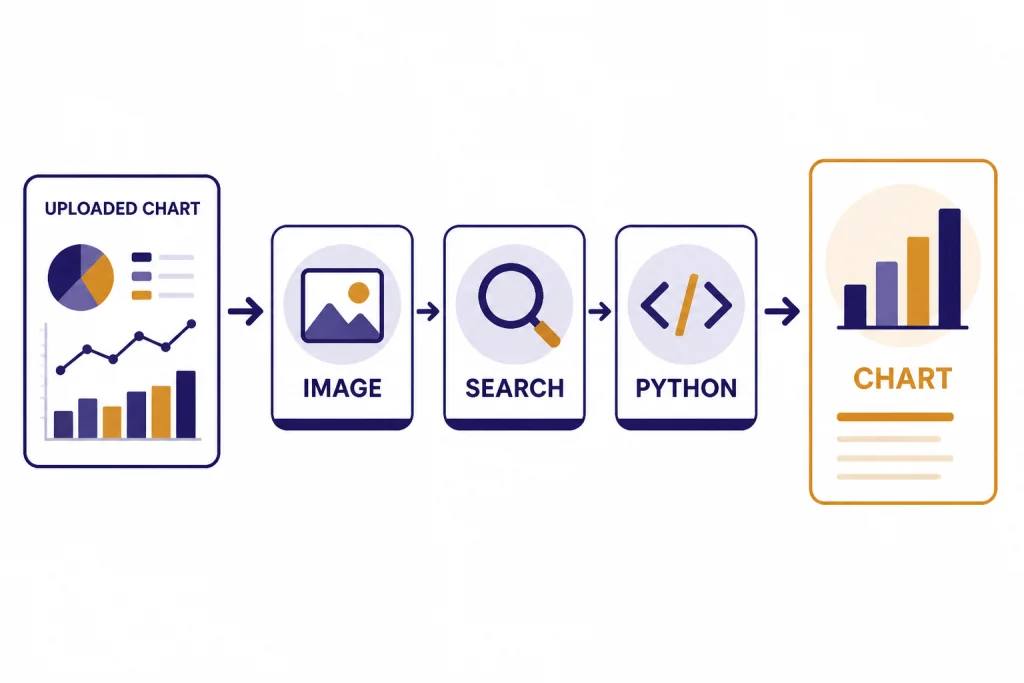
OpenAI positioned o3 and o4-mini as reasoning models that can use and combine ChatGPT tools, including web search, uploaded file analysis, Python data work, visual reasoning, and image generation.[1] In the API, o3 supports function calling and structured outputs, which makes it practical for agent-style workflows where the model must decide what to call and return machine-readable results.[2]
The visual part matters. o3 can take image input, and OpenAI described the model family as able to reason about images such as charts, graphics, textbook diagrams, whiteboards, and imperfect photos.[1][2] This makes o3 useful for tasks such as interpreting a dashboard screenshot, reviewing a UI state, checking a geometry diagram, or converting a photographed whiteboard into a structured plan. For the broader history of image-capable OpenAI models, see our GPT-4 Vision guide.
Tool use is also where prompt design changes. Do not ask o3 to “think step by step” and then expect a full private chain of thought. Ask for the result format you need: assumptions, checks performed, code run, sources consulted, risks, and final recommendation. The model can provide useful reasoning summaries without exposing every internal token.
o3 vs o1, o3-mini, o4-mini, and GPT-5
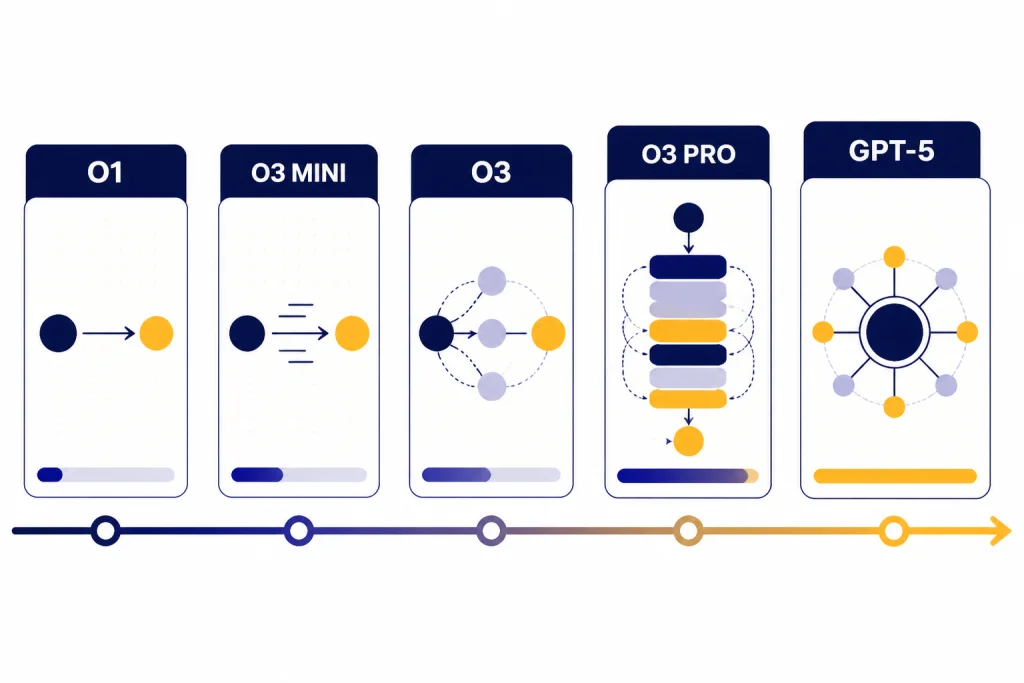
o3 sits between earlier o-series reasoning models and newer GPT-5-family models. OpenAI’s launch article said o3 improved over o1 and replaced o1 in the ChatGPT model selector for Plus, Pro, and Team users when o3 and o4-mini launched.[1] OpenAI’s current model catalog describes o3 as a reasoning model for complex tasks that was succeeded by GPT-5.[2]
The most useful comparison is not “which model is smartest” in the abstract. It is whether the job needs depth, speed, cost control, or a current frontier model. For a wider ranking, see our most powerful GPT model, fastest GPT model, and cheapest GPT model guides.
| Model | Best role | Why choose it | Why skip it |
|---|---|---|---|
| o1 | Earlier full reasoning baseline | Useful for understanding the previous o-series generation. | o3 replaced o1 in ChatGPT at launch for paid users.[1] |
| o3-mini | Lower-cost reasoning | Good when you want reasoning behavior with less compute. See our OpenAI o3-mini guide. | Use o3 when the task is harder and the answer quality matters more than throughput. |
| o3 | Full reasoning for hard tasks | Strong fit for multi-step coding, math, science, visual analysis, and planning.[1] | Not the cheapest or fastest option for simple prompts. |
| o3-pro | Heavier reasoning tier | OpenAI described o3-pro as a version of o3 designed to think longer and provide more reliable responses.[1] See our OpenAI o3-pro breakdown. | Overkill when o3 already solves the task well. |
| o4-mini | Fast cost-efficient reasoning | OpenAI described o4-mini as optimized for fast, cost-efficient reasoning, with higher usage limits than o3.[1] | Less appropriate when you need the strongest available o3-class reasoning. |
| GPT-5 | Newer successor generation | OpenAI’s model catalog says o3 was succeeded by GPT-5.[2] | Use o3 only when you specifically need its behavior, compatibility, or pricing profile. |
If your main constraint is context length, check our context window sizes for every GPT model before committing. A model with a bigger window is not automatically better, but insufficient context can force brittle chunking and lost evidence.
Best use cases for o3
Use o3 for difficult technical diagnosis. Give it logs, code snippets, stack traces, recent changes, and failed hypotheses. Ask it to rank likely causes, identify missing evidence, and propose a minimal next test.
Use o3 for structured decision support. It performs well when you provide constraints and ask for tradeoffs. For example, it can compare database migration paths, cloud cost controls, security remediation plans, or product roadmap options.
Use o3 for visual technical interpretation. Feed it a chart, architecture diagram, whiteboard sketch, or UI screenshot and ask for a structured analysis. This is different from image generation. If you need a model that creates images, start with our best GPT model for image generation guide instead.
Use o3 for long-form technical writing with checks. o3 can help draft design docs, incident reviews, research notes, and engineering proposals when you ask it to separate facts, assumptions, and recommendations. If your writing task is less technical, our best GPT model for writing article may point you to a faster option.
Avoid o3 for routine automation. Classification, extraction, short copy edits, basic summaries, and template filling usually do not need full reasoning. A cheaper model will often produce equivalent results with lower latency and lower cost.
Limitations and safety notes
o3 is not a guarantee of correctness. More reasoning can improve performance on hard tasks, but it can also produce a confident answer around a flawed premise. Always verify outputs that affect code deployment, finance, legal decisions, medical decisions, security posture, or public claims.
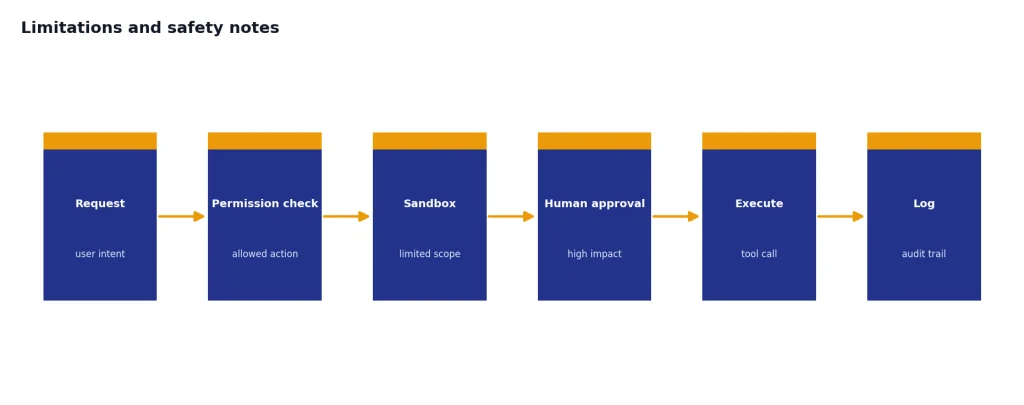
OpenAI’s system card says its Safety Advisory Group reviewed Preparedness evaluations and determined that o3 and o4-mini did not reach the High threshold in the tracked categories of biological and chemical capability, cybersecurity, and AI self-improvement.[7] That is useful context, but it does not remove the need for application-level safeguards. If your app lets o3 call tools, write files, send messages, or trigger workflows, constrain those tools and log the actions.
Latency is another limitation. Reasoning models can take longer because the model spends compute before answering. OpenAI’s launch post said o3 and o4-mini were trained to choose when and how to use tools and typically solve more complex problems in under a minute.[1] That can be acceptable for analysis. It may be too slow for autocomplete, realtime chat support, or tight user-interface loops.
Cost control also matters. Because o3 supports large outputs, an unconstrained prompt can become expensive. Set a reasonable maximum output, ask for concise intermediate sections, and cache repeated context where possible. The cached input price listed for o3 is $0.50 per 1 million tokens, which can help when the same long background appears in many requests.[2]
API prompting tips
Give o3 the decision boundary, not just the task. A weak prompt says, “Analyze this incident.” A stronger prompt says, “Identify the most likely root cause, list evidence for and against each candidate, propose the next three checks, and mark any assumption that would change the conclusion.”
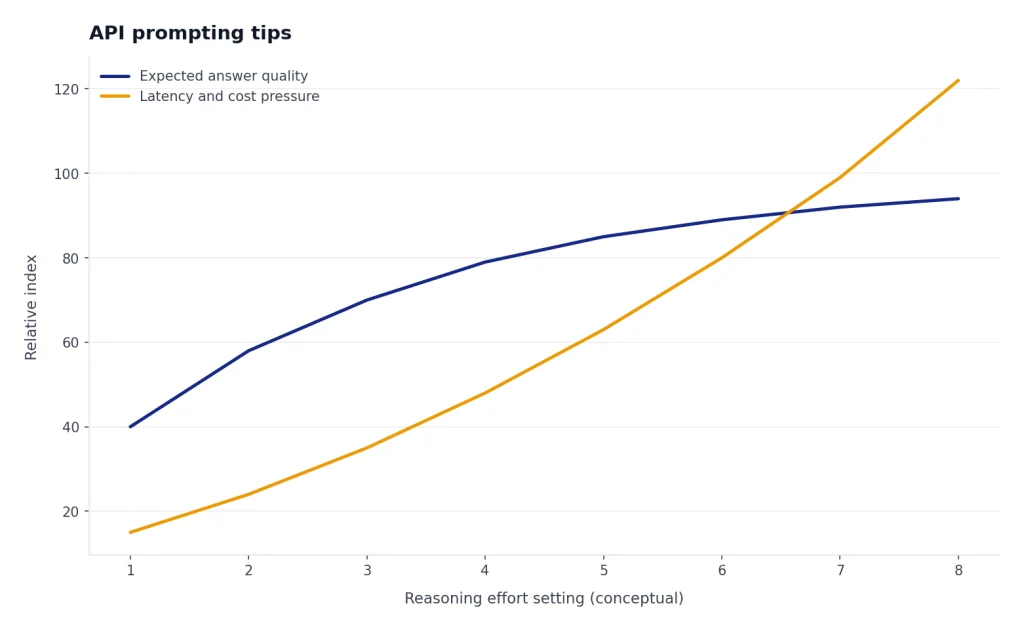
OpenAI’s reasoning guide says the reasoning.effort parameter controls how many reasoning tokens the model generates before producing an answer, and recommends reserving at least 25,000 tokens for reasoning and outputs when first experimenting with reasoning models.[6] Treat that as a starting point, not a universal setting. Increase reasoning effort only when the task benefits from deeper analysis.
Use structured outputs when downstream code depends on the answer. o3 supports structured outputs and function calling, so you can ask for JSON fields such as risk_level, missing_evidence, recommended_action, and confidence_notes.[2] This reduces brittle parsing and makes reviews easier.
Separate source material from instructions. Put documents, logs, or screenshots in a clearly marked context section. Put the task after that. Then state what the model must not do, such as inventing missing evidence or changing code without listing tests.
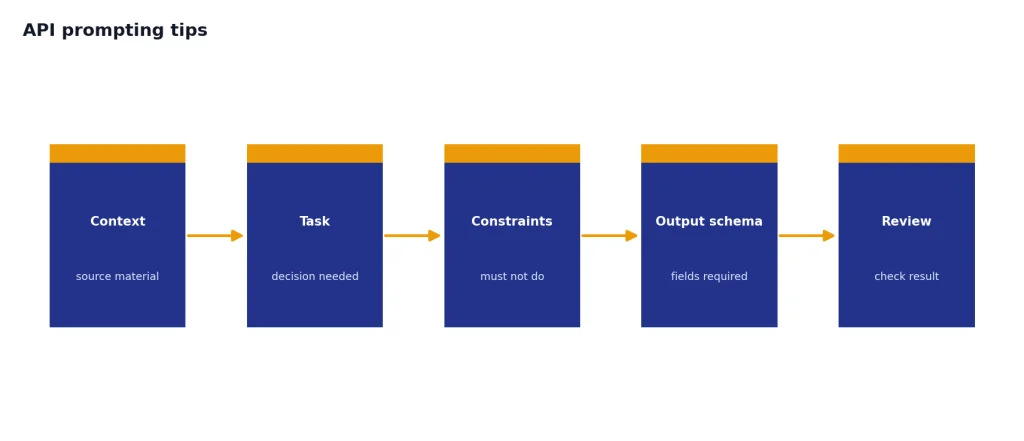
Ask for uncertainty. o3 is most useful when it can say which facts matter and which facts are missing. A good final answer should include the conclusion, the evidence, the caveats, and the next action.
Frequently asked questions
Is OpenAI o3 still worth using in 2026?
Yes, if you need strong reasoning for complex tasks and your workflow already fits o3’s API behavior or pricing. OpenAI’s current model catalog says o3 was succeeded by GPT-5, so new projects should also test newer GPT-5-family models before standardizing on o3.[2]
What is o3 best at?
o3 is best at tasks that require planning, technical analysis, visual interpretation, math, science, coding, and multi-step reasoning. OpenAI highlighted coding, math, science, and visual perception as core strengths at launch.[1]
How much does o3 cost in the API?
OpenAI’s o3 model page lists $2.00 per 1 million input tokens, $0.50 per 1 million cached input tokens, and $8.00 per 1 million output tokens.[2] Output-heavy prompts can cost more than expected, so cap output length and avoid asking for unnecessary long explanations.
Does o3 support images?
Yes. The OpenAI API model page lists image input support for o3, while audio and video are not listed as supported modalities for the model.[2] Use it for interpreting screenshots, diagrams, charts, and other visual inputs.
Is o3 better than o3-mini?
o3 is the stronger full reasoning model, while o3-mini is the smaller alternative. Choose o3 when answer quality matters more than throughput; choose o3-mini when you want lighter reasoning at lower cost or higher volume.
Can I use o3 in ChatGPT?
OpenAI’s help article says Plus, Pro, Team, and Enterprise users can select OpenAI o3, o3-pro, or o4-mini in the ChatGPT model selector.[4] The same help article lists plan limits, including 100 o3 messages per week for Plus, Team, and Enterprise accounts.[4]