


The practical ChatGPT word limit is not a fixed word count. ChatGPT is limited by tokens, not words, and OpenAI says each model has a maximum combined token limit for input plus output.[1] For English, OpenAI’s rule of thumb is that 1 token is about 4 characters or three-quarters of a word, so 100 tokens is about 75 words.[1] In the ChatGPT app, pasted text, uploaded files, conversation history, hidden instructions, tool results, and the answer you ask for all compete for the same working space. That is why a shorter prompt can sometimes produce a longer answer.
What the ChatGPT word limit really means
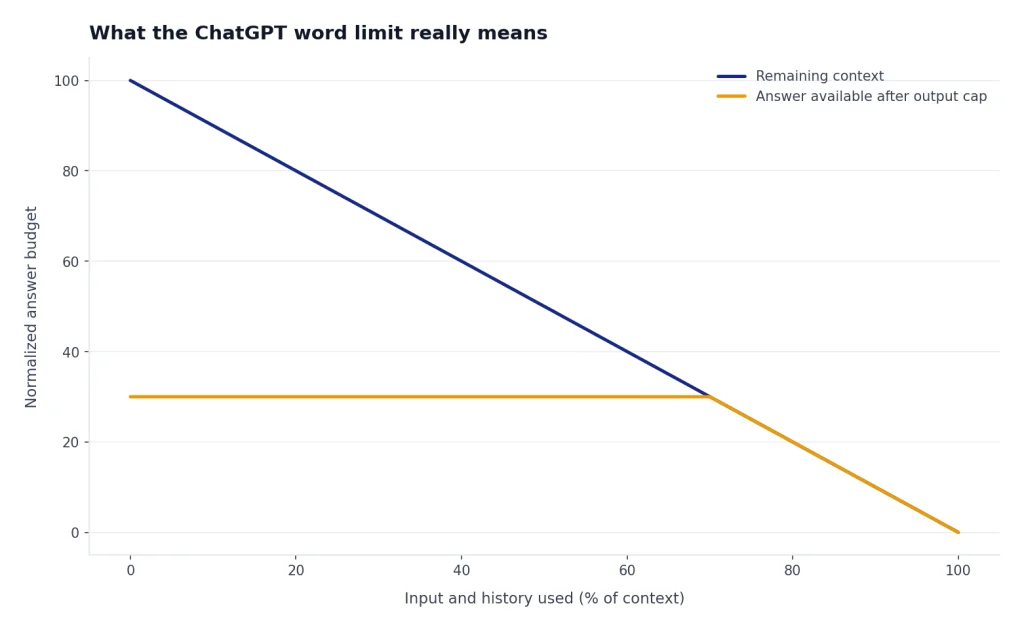
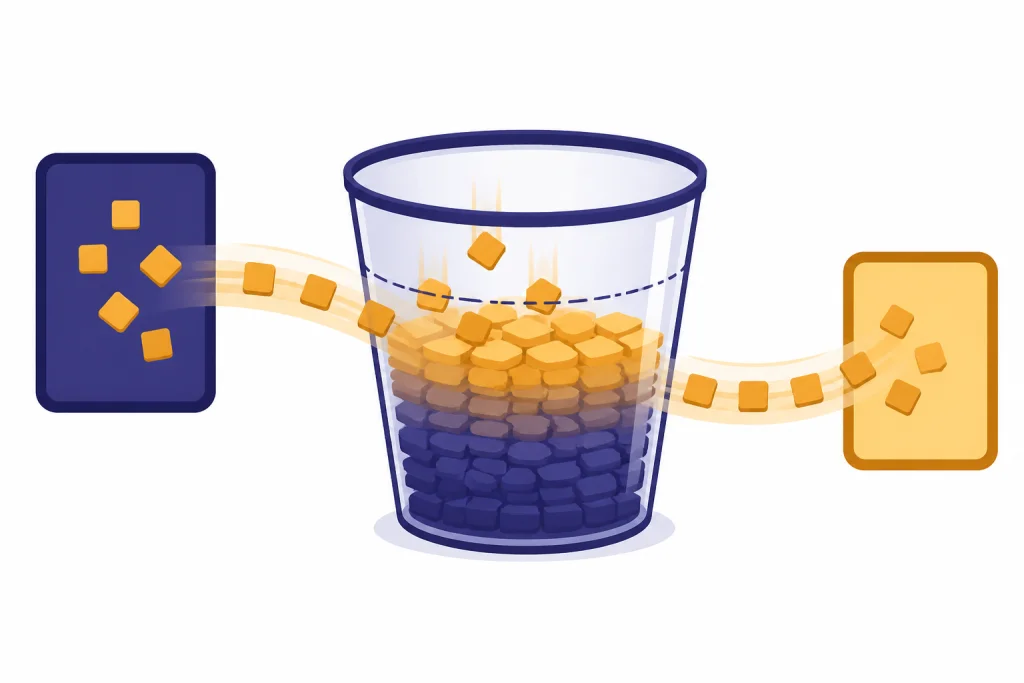
There is no universal ChatGPT word limit that applies to every user, every plan, and every model. The useful limit is the model’s working space. OpenAI calls this the context window: the combined space available for the prompt, prior conversation, uploaded or retrieved content, reasoning tokens where applicable, and the response.[6]
This matters because a “word limit” is only an approximation. ChatGPT does not read text as human-visible words. It reads tokens. A token can be a whole word, part of a word, punctuation, whitespace, or a short sequence of characters.[1] If you paste a legal contract, a Python file, or a multilingual document, the token count may differ from the word count by a lot.
The same idea explains why ChatGPT may stop writing before it reaches the length you requested. The output must fit inside the model’s output cap and the remaining context window. If the conversation is already long, if your prompt includes a large pasted document, or if the model uses internal reasoning tokens, there may be less room left for the final answer.
For a deeper technical explanation, read our ChatGPT token limit guide and our ChatGPT context window sizes by model breakdown. Those two limits are the real foundation under any practical chatgpt word limit.
Quick word estimates
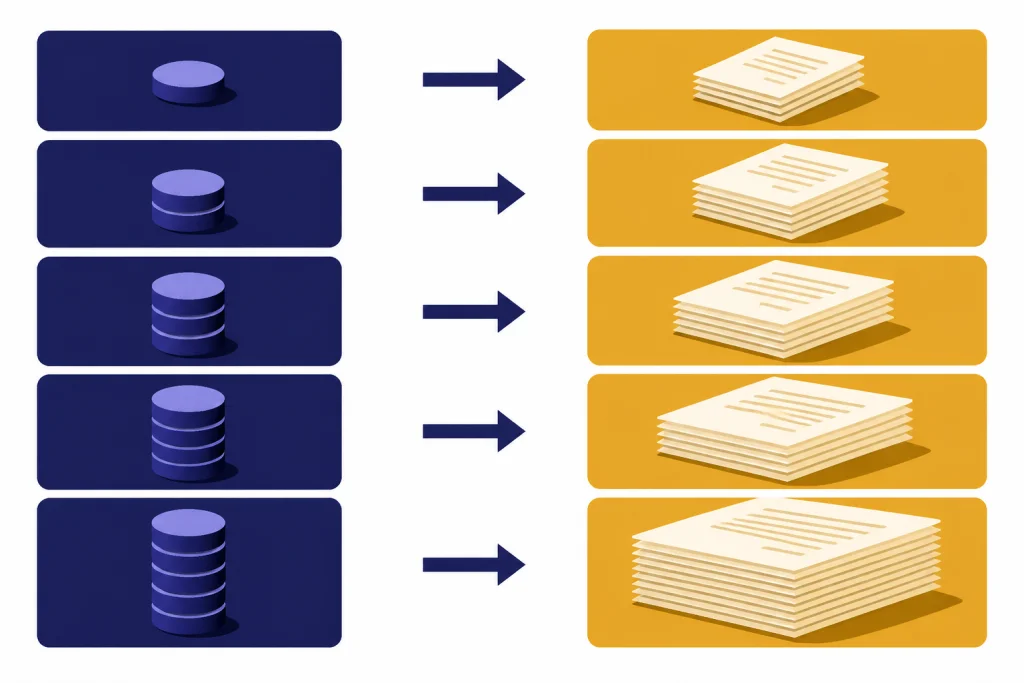
Use word counts as planning estimates, not guarantees. OpenAI’s English rule of thumb is simple: 1 token is about 4 characters, 1 token is about three-quarters of a word, and 100 tokens is about 75 words.[1] OpenAI also gives a practical benchmark: about 1,500 words is about 2,048 tokens.[1]
The table below converts common token budgets into rough English word counts. It is not a promise that ChatGPT will accept or return that exact number of words. It is a way to estimate whether your prompt or target answer is in the right range.
| Token budget | Approximate English words | Best use | What to watch |
|---|---|---|---|
| 100 tokens | About 75 words | Short answer, rewrite, title ideas | Too small for detailed reasoning |
| 1,000 tokens | About 750 words | Brief article, summary, email draft | May not include much source text |
| 2,048 tokens | About 1,500 words | Longer response or moderate prompt | Input and output still share space |
| 10,000 tokens | About 7,500 words | Chapter-length input or detailed analysis | Quality may drop if instructions are buried |
| 100,000 tokens | About 75,000 words | Very long document context | Retrieval and summarization strategy matter |
The conversion gets less reliable outside plain English prose. Code, tables, dense punctuation, spreadsheet exports, and non-English languages can use tokens differently. OpenAI notes that tokenization varies by language and gives an example where a short Spanish phrase has more tokens than a simple English estimate would suggest.[1]
ChatGPT input limit
The ChatGPT input limit is the amount of material ChatGPT can consider before it answers. It includes more than the visible text you type. It can include the current message, earlier turns in the conversation, custom instructions, memory-related context, file excerpts, search results, tool output, and hidden system instructions.
OpenAI does not publish one official word count that says, “ChatGPT can accept exactly this many words in one prompt.” It publishes token concepts, model context limits, output controls, and file handling rules. OpenAI states that each model has a maximum combined token limit for input plus output, and that practical limits may vary by model version and usage tier.[1]
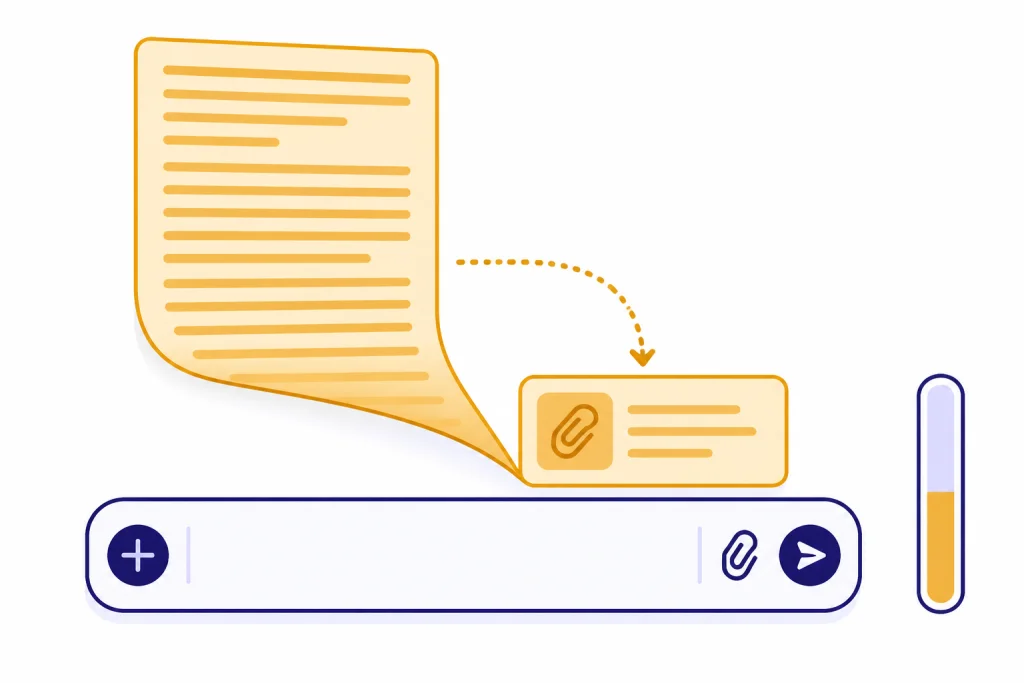
In the ChatGPT web app, the composer also handles very long pastes differently. OpenAI’s March 25, 2026 release notes say that for ChatGPT Plus, Pro, and Business users, pastes over 5,000 characters are automatically converted into an attachment instead of being inserted directly into the message field.[3] OpenAI says this keeps the composer cleaner and helps prevent large pastes from consuming the entire context window.[3]
That behavior is important. A paste in the message box and an attachment are not the same user experience. A direct paste is part of the prompt text. A file or attachment may be processed, excerpted, indexed, searched, or summarized depending on the product path and plan. If your goal is to analyze a long document, uploading the file usually works better than dumping the entire document into the chat box.
If ChatGPT says your message is too long, reduce the input first. Remove duplicated text. Put instructions at the top. Split the work into sections. Ask for a summary of one part, then continue. If you often work with long source material, see our ChatGPT file upload limit, ChatGPT Plus file upload limit explained, and ChatGPT character limit per message guides.
ChatGPT output limit
The ChatGPT output limit is the amount of text the model can generate in a single answer. In the API, OpenAI documents explicit ways to cap output length. The Responses API uses max_output_tokens for GPT-5 models and most o-series models, while Chat Completions uses max_completion_tokens for reasoning models such as o3 and o4-mini, and max_tokens for earlier or non-reasoning models.[2]
The ChatGPT app does not expose those exact developer parameters to ordinary users. You can still influence length with instructions such as “write about 800 words,” “use 6 sections,” or “stop after the checklist.” Those instructions are softer than an API token cap. The model may comply closely, undershoot, or stop early if the answer hits a model or product limit.
OpenAI also says there is no minimum-token setting. If you need a minimum length, you have to specify it in the prompt.[2] A good prompt should define the deliverable, not just the word count. “Write 1,200 words” is weaker than “Write a 1,200-word guide with five sections, one comparison table, and a final checklist.”
If ChatGPT stops mid-answer, do not resend the whole prompt. Say “continue from the last complete sentence” or “continue with section 4.” That preserves your remaining message quota and reduces the chance that the model restarts. If your issue is not length but the number of messages you can send, use our ChatGPT message limit, ChatGPT daily limit, and ChatGPT Plus message limit by model references.
Uploaded files vs. pasted text
Uploaded files have their own limits. OpenAI’s File Uploads FAQ says all files uploaded to a GPT or ChatGPT conversation have a hard limit of 512 MB per file.[4] It also says text and document files are capped at 2 million tokens per file, excluding spreadsheets.[4] Spreadsheet and CSV files are limited to about 50 MB depending on row size, and images have a 20 MB per-image limit.[4]
Those file limits are not the same as saying ChatGPT reads every word into the active answer context. A file can be accepted for upload while only part of it is used directly in a given response. For ChatGPT Enterprise, OpenAI says the product uses models with a maximum context window of 128,000 tokens, but not all of those tokens are used to incorporate uploaded text.[5] OpenAI further says ChatGPT Enterprise can process up to 110,000 tokens from uploaded documents in the context window, while remaining text can be sent to a private search index.[5]
OpenAI’s Enterprise file guidance gives a concrete example of allocation. If multiple documents exceed the included-document budget, ChatGPT first extracts up to 55,000 tokens divided evenly across uploaded documents, then allocates another 55,000 tokens proportionally based on remaining text.[5] For mixed PDFs with text and images, OpenAI says testing suggests that about 350 pages can fully use the 110,000-token context window.[5]
The practical lesson is simple. Upload long documents when you want ChatGPT to search, summarize, or compare them. Paste short excerpts when you want ChatGPT to transform exact text. For file-specific troubleshooting, use our ChatGPT file upload not working guide. For image-specific quota issues, see our ChatGPT image upload limit breakdown.

How to get longer answers
The best way to get a longer answer is to lower the model’s cognitive load. Do not ask ChatGPT to read a giant source, infer a structure, choose a style, and produce a polished long-form answer all in one turn. Break the task into planning, drafting, and revision.
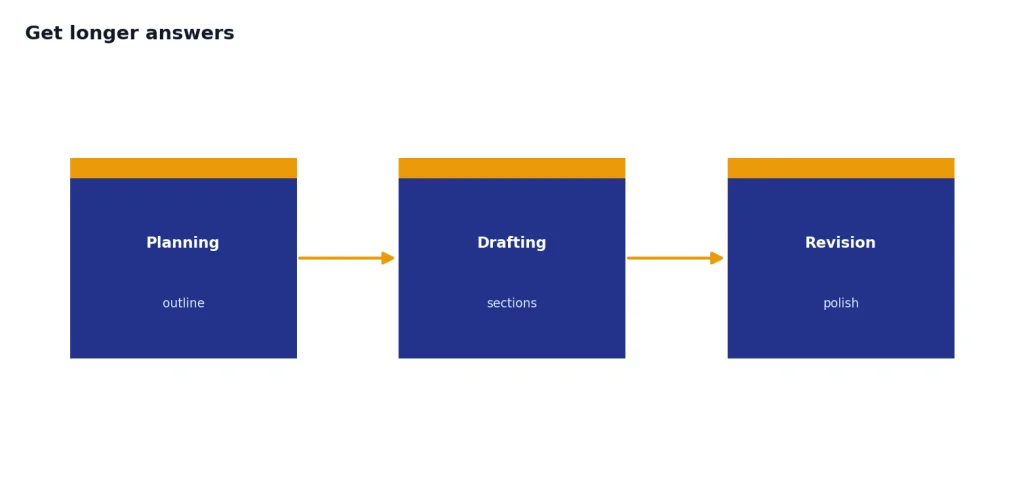
- Start with an outline. Ask ChatGPT to propose sections before drafting. Approve or edit the outline.
- Give a length range. Use “900 to 1,100 words” instead of “as long as possible.”
- Set section-level targets. Ask for “five sections of about 180 words each” rather than one large block.
- Ask for continuation cleanly. If the answer stops, ask it to continue from the last complete heading.
- Keep source text separate. Upload the source or summarize it first instead of pasting everything into every prompt.
- Restart long chats when needed. Old conversation history consumes working space. A fresh chat with a short summary can perform better.
For very long projects, ask ChatGPT to maintain a compact project brief. A useful brief includes the goal, audience, approved outline, style rules, known constraints, and a running list of decisions. Paste that brief into a new chat when the old one gets unwieldy. This is often more reliable than asking the same chat to remember hundreds of turns.
Memory is a different feature from the active context window. Memory may help ChatGPT recall stable preferences, but it is not a substitute for putting task-critical instructions in the current prompt. If you are deciding what belongs in memory versus the prompt, read our ChatGPT memory limit guide.
ChatGPT app vs. OpenAI API limits
The ChatGPT app and the OpenAI API use related model concepts, but they are not the same product surface. In the API, developers can see model documentation, configure output caps, and inspect token usage. OpenAI’s conversation-state documentation says output tokens are generated in response to a prompt, that each model has different output-token limits, and that a context window is the total token budget for input and output, plus reasoning tokens for some models.[6]
OpenAI’s API model documentation gives explicit model examples. The GPT-4.1 API model page lists a 1,047,576-token context window and 32,768 max output tokens.[7] OpenAI’s conversation-state documentation gives another API example: gpt-4o-2024-08-06 can generate a maximum of 16,384 output tokens and has a 128,000-token total context window.[6] These API figures should not be treated as identical ChatGPT app word limits unless OpenAI says the same limits apply in the ChatGPT product.
For API work, use model documentation and token counters. For ChatGPT app work, use practical signals: whether the composer accepts the message, whether a long paste becomes an attachment, whether the answer stops early, and whether the chat has become too long. If you need predictable programmatic output length, the API is usually better than the consumer chat interface.
Limits also interact. A user can be under the word or token limit but still hit a message cap, tool cap, upload cap, or rate limit. If that is your problem, read our ChatGPT rate limit, ChatGPT free plan limits in 2026, and How to Bypass ChatGPT Message Limits Legitimately articles.
Frequently asked questions
What is the ChatGPT word limit?
OpenAI has not published one universal word limit for ChatGPT. The real limit is token-based, and the available space depends on the model, plan, conversation length, uploaded content, and output length. For English, 100 tokens is roughly 75 words, but that is only an estimate.[1]
How many words can I paste into ChatGPT?
There is no official single word count for every ChatGPT paste. OpenAI says that since March 25, 2026, long pastes over 5,000 characters are converted into attachments for ChatGPT Plus, Pro, and Business users.[3] If your paste is rejected or converted, upload the document or split it into smaller sections.
Why does ChatGPT stop before finishing?
ChatGPT can stop early when it reaches an output limit, runs out of available context, or decides the answer is complete. In the API, OpenAI provides output controls such as max_output_tokens, max_completion_tokens, and max_tokens depending on the endpoint and model family.[2] In the ChatGPT app, ask it to continue from the last complete sentence.
Do uploaded files increase the ChatGPT word limit?
Uploaded files let ChatGPT work with larger source material, but they do not mean every word is placed into the active answer context. OpenAI says text and document uploads are capped at 2 million tokens per file, while Enterprise document handling can include up to 110,000 tokens from uploaded documents in the context window.[4][5] The rest may be searched or indexed rather than read all at once.
Are words, characters, and tokens the same thing?
No. Tokens are the units the model processes. OpenAI says tokens can be as short as a single character or as long as a full word, and spaces, punctuation, and partial words count too.[1] That is why a character limit, word count, and token count can all differ.
How do I make ChatGPT write more words?
Ask for a specific structure, not just more length. Give a target range, section headings, and a continuation instruction. If the answer stops, say “continue from the last complete sentence” instead of resubmitting the entire prompt.