

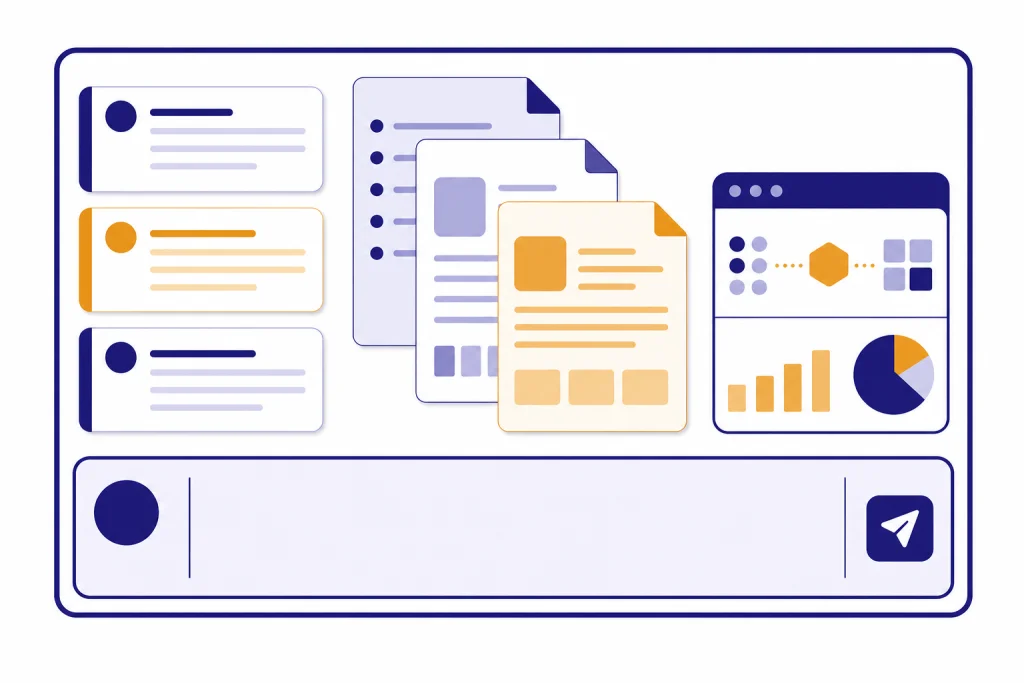
The ChatGPT context window is the amount of text, file content, instructions, tool output, and reply space a model can keep in view at one time. In ChatGPT, the window depends on both the selected mode and your plan: OpenAI lists GPT-5.3 Instant at 16K tokens for Free, 32K for Plus and Business, and 128K for Pro and Enterprise; manually selected Thinking is listed at 256K for paid tiers and 400K for Pro.[1] The API is different. Some API models expose larger or different limits, including GPT-4.1 at 1,047,576 tokens and GPT-5.2 at 400,000 tokens.[3][4]
Quick answer
If you are using the regular ChatGPT app, do not assume that every model uses its full API context window. OpenAI publishes separate ChatGPT context windows for the product experience. The same model family can have a larger API window than the window exposed in the ChatGPT interface.
For most users, the practical answer is simple. Free users get the smallest ChatGPT context window. Plus and Business users get a larger Instant window and a much larger Thinking window when Thinking is selected manually. Pro and Enterprise users get the largest published ChatGPT windows. If you need the largest OpenAI context window for a custom workflow, the API may be the better fit than the ChatGPT app.
A context window is not the same as memory. The context window is the active working space for the current conversation. Memory is a separate personalization feature that can store facts across chats. See our chatgpt memory limit guide if you are trying to understand what ChatGPT can remember between conversations.
ChatGPT context window table
OpenAI’s ChatGPT Help Center lists the following context windows for the ChatGPT product. These are the limits to use when you are working inside chatgpt.com or the ChatGPT apps, not when you are calling models through the API.
| ChatGPT mode | Plan | Published context window | Notes |
|---|---|---|---|
| GPT-5.3 Instant | Free | 16K tokens | Smallest published ChatGPT window. |
| GPT-5.3 Instant | Plus / Business | 32K tokens | Default everyday window for paid individual and business use. |
| GPT-5.3 Instant | Pro / Enterprise | 128K tokens | Largest published Instant window in ChatGPT. |
| Thinking | All paid tiers | 256K tokens | OpenAI lists this as 128K input plus 128K maximum output when Thinking is manually selected. |
| Thinking | Pro | 400K tokens | OpenAI lists this as 272K input plus 128K maximum output for Pro. |
OpenAI states that the manually selected Thinking window applies when Thinking is selected directly. In the same Help Center article, OpenAI says Instant can automatically route harder prompts to Thinking, but the published Thinking context-window note is tied to manual selection.[1]
This distinction matters because many users look up an API model’s context limit and expect the same number inside ChatGPT. That can lead to bad planning for long documents, codebases, or research threads. For plan-level message caps, use our chatgpt message limit and chatgpt plus message limit by model references alongside this context-window guide.

OpenAI API context window table
The OpenAI API publishes model-level context windows. These are useful if you are building an app, using a developer tool, or comparing raw model capacity. They should not be treated as the guaranteed ChatGPT app window.
| API model | Published context window | Published max output | Best fit |
|---|---|---|---|
| gpt-5.3-chat-latest | 128,000 tokens | 16,384 tokens | Testing the ChatGPT-style Instant model through the API.[2] |
| gpt-5.2 | 400,000 tokens | 128,000 tokens | General high-capability API work with large inputs.[3] |
| gpt-5.1 | 400,000 tokens | 128,000 tokens | Older GPT-5 family workflows that still use GPT-5.1.[10] |
| gpt-5 | 400,000 tokens | 128,000 tokens | Previous GPT-5 family integrations.[11] |
| gpt-5-mini | 400,000 tokens | 128,000 tokens | Lower-cost, well-defined API tasks.[8] |
| gpt-5-nano | 400,000 tokens | 128,000 tokens | High-throughput summarization and classification.[9] |
| gpt-4.1 | 1,047,576 tokens | 32,768 tokens | Maximum published OpenAI API context among the models in this table.[4] |
| gpt-4o | 128,000 tokens | 16,384 tokens | Older multimodal API applications.[5] |
| o3 | 200,000 tokens | 100,000 tokens | Legacy reasoning workflows.[6] |
| gpt-4 | 8,192 tokens | 8,192 tokens | Legacy GPT-4 compatibility.[7] |
The standout number is GPT-4.1. OpenAI lists GPT-4.1 with a 1,047,576-token context window, which is larger than the 400,000-token GPT-5 family windows shown above.[4] That does not automatically make it the best choice for every task. Context size is only one factor. Model quality, tool support, cost, latency, and output length also matter.
If you are comparing API cost against context size, pair this article with our openai api pricing breakdown. If you are working only in ChatGPT Plus, also read the chatgpt plus token limit breakdown, because ChatGPT plan limits and API model limits are not interchangeable.

Context window vs output limit
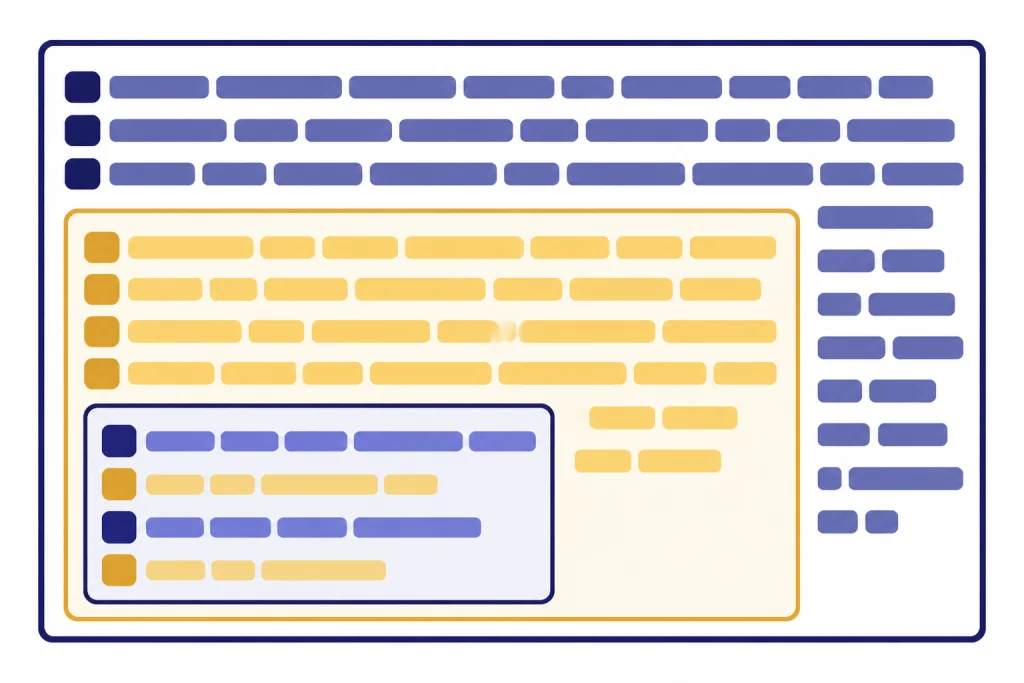
The context window is the whole working budget. It includes the user prompt, earlier messages that are still being considered, system and developer instructions, file excerpts, tool results, hidden formatting instructions, reasoning tokens when applicable, and the answer. The max output limit is only the largest answer the model is allowed to produce in one response.
That means a 400,000-token context window with a 128,000-token max output does not let you paste 400,000 tokens and also receive a 128,000-token answer. The request must fit inside the model’s total working budget. OpenAI’s pricing documentation also states that reasoning tokens are not visible through the API, but they still occupy the model’s context window and are billed as output tokens.[12]
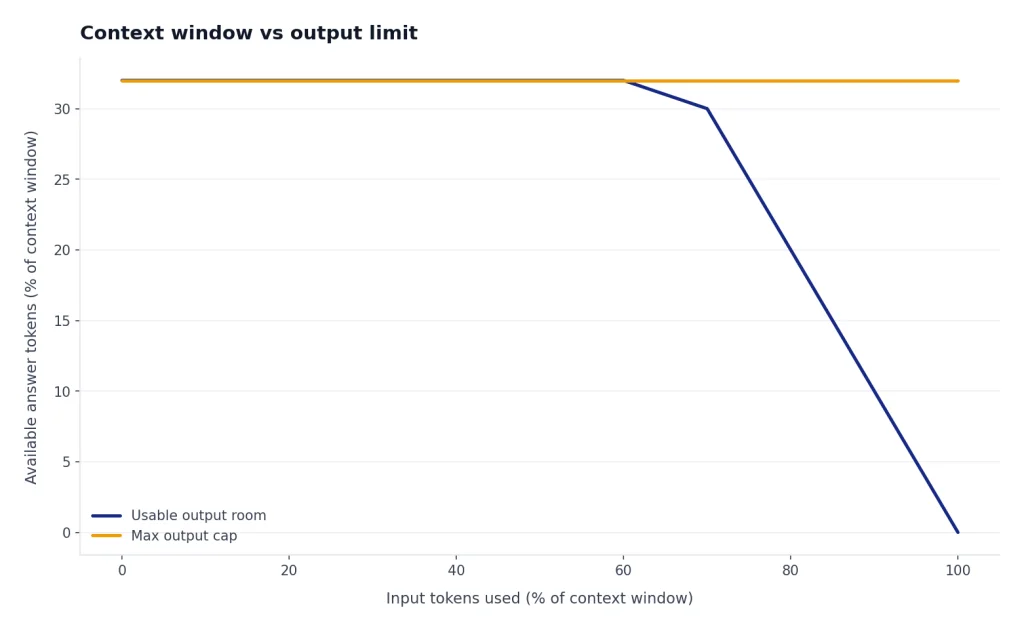
Think of the window as a desk. Your instructions, documents, earlier conversation, scratch work, and final answer all need space on the same desk. If you cover the desk with source material, the model has less room for a long answer. If you ask for deep reasoning, the model may need more internal working space before it writes the final response.
This is why output limits are often the first limit users notice. A model may accept a long prompt but still refuse to write an extremely long answer in one turn. For practical writing limits, see our chatgpt word limit and chatgpt character limit per message guides.
Why long chats still forget things
A larger ChatGPT context window does not mean perfect recall. It means the model can consider more tokens at once. Very long chats can still degrade because the conversation contains clutter, conflicting instructions, stale assumptions, repeated corrections, and irrelevant tool output.
Long chats also compete with new material. If you upload a file, paste code, request analysis, or ask ChatGPT to inspect images, the content needed for that task can occupy part of the active window. ChatGPT may summarize, compress, or omit older turns to keep the conversation workable. That behavior can feel like forgetting even when the model is managing limited space.
Memory is a different system. Memory can preserve selected user preferences or facts across chats, but it is not a substitute for placing task-specific evidence in the current context. If a spreadsheet column definition, legal clause, or code convention matters to the task, include it in the active chat even if ChatGPT knows your general preferences.
File limits add another layer. A file may upload successfully but still be too large, too dense, or too poorly structured for the model to use every part equally well. Use our chatgpt file upload limit and chatgpt plus file upload limit explained articles when the bottleneck is the file itself rather than the model window.

How to use more context effectively
The best way to use a large context window is not to fill it blindly. A precise 20-page brief often works better than a messy 200-page dump. The goal is to put the right material in the window, in an order the model can use.
Put instructions before evidence
Start with the task, the role, the output format, and the decision criteria. Then provide the source material. This helps the model interpret the material through the right lens. For example, say whether you want a risk review, a rewrite, a summary, a test plan, or a list of contradictions before you paste the document.
Use section labels and boundaries
Large prompts need structure. Use plain section names such as “Background,” “Source A,” “Source B,” “Constraints,” and “Deliverable.” Do not rely on the model to infer where one document ends and another begins. Clear boundaries reduce accidental mixing.
Ask for a working summary before the final task
For long research, ask ChatGPT to produce a compact working brief first. Then correct that brief. After that, ask for the final output. This converts a sprawling context into a shorter, verified reference point that can guide the rest of the chat.
Start a new chat when the thread gets polluted
Long-running chats collect old assumptions. If the project changes direction, start a clean chat and bring forward only the current brief, decisions, and source excerpts. This often works better than trying to repair a chat that contains outdated requirements.
If your issue is that you are blocked by message caps while iterating on long-context tasks, see how to bypass ChatGPT message limits legitimately. If you are hitting temporary throttles rather than context limits, use our chatgpt rate limit guide.
Choosing the right model window
Choose the smallest window that can do the job reliably. A larger context window can be valuable, but it can also increase cost, latency, and the chance that irrelevant material distracts the model. The right choice depends on the shape of the task.

| Task | Recommended approach | Why |
|---|---|---|
| Short Q&A or drafting | Use the default ChatGPT mode for your plan. | The task rarely needs a very large window. |
| Long document analysis in ChatGPT | Use Thinking if available, and provide a clean brief plus the document. | Manual Thinking has the larger published ChatGPT window for paid users.[1] |
| Large API document processing | Compare GPT-5.2, GPT-5 mini, and GPT-4.1. | GPT-5.2 and GPT-5 mini list 400,000-token windows, while GPT-4.1 lists 1,047,576 tokens.[3][4][8] |
| Legacy app compatibility | Check the exact model page before assuming capacity. | Older models vary widely; GPT-4 is listed at 8,192 tokens.[7] |
| Heavy reasoning over fewer sources | Prioritize reasoning quality, not only window size. | A giant window is less useful if the task needs careful step-by-step judgment. |
For everyday ChatGPT users, plan differences matter as much as model names. A Plus user and a Pro user may see different practical context behavior even when the interface looks similar. If you are deciding whether a paid plan solves your limit problem, read is ChatGPT Plus worth it? and chatgpt plus price in 2026 before upgrading for context alone.
Frequently asked questions
What is the ChatGPT context window?
The ChatGPT context window is the active token budget the model can use for the current response. It includes the current prompt, relevant earlier messages, inserted file or tool content, hidden instructions, and the answer. It is not the same as long-term memory.
Which ChatGPT plan has the biggest context window?
OpenAI lists the largest ChatGPT window for Pro when Thinking is manually selected: 400K tokens, split as 272K input and 128K maximum output.[1] For Instant mode, OpenAI lists Pro and Enterprise at 128K tokens.[1]
Does ChatGPT Plus get the full API context window?
No. ChatGPT Plus uses the limits OpenAI publishes for the ChatGPT product, not the raw API limit for every model. OpenAI lists Plus / Business at 32K tokens for GPT-5.3 Instant and paid tiers at 256K tokens when Thinking is manually selected.[1]
Which OpenAI API model has the largest context window?
Among the models covered in this guide, GPT-4.1 has the largest published API context window at 1,047,576 tokens.[4] GPT-5.2, GPT-5.1, GPT-5, GPT-5 mini, and GPT-5 nano are each listed at 400,000 tokens.[3][8][9][10][11]
Why does ChatGPT forget earlier parts of a long chat?
Older turns can be pushed out, compressed, or outweighed by newer material when the chat gets long. Files, tool results, repeated corrections, and long answers all compete for the same active space. Starting a clean chat with a concise project brief often works better than continuing a cluttered thread.
Can I increase the context window manually?
In ChatGPT, you cannot type a setting that expands the context window beyond what your plan and selected mode provide. You can improve results by using a mode with a larger published window, shortening your source material, or moving a custom workflow to the API. In the API, you must choose a model whose published context window fits the job.