

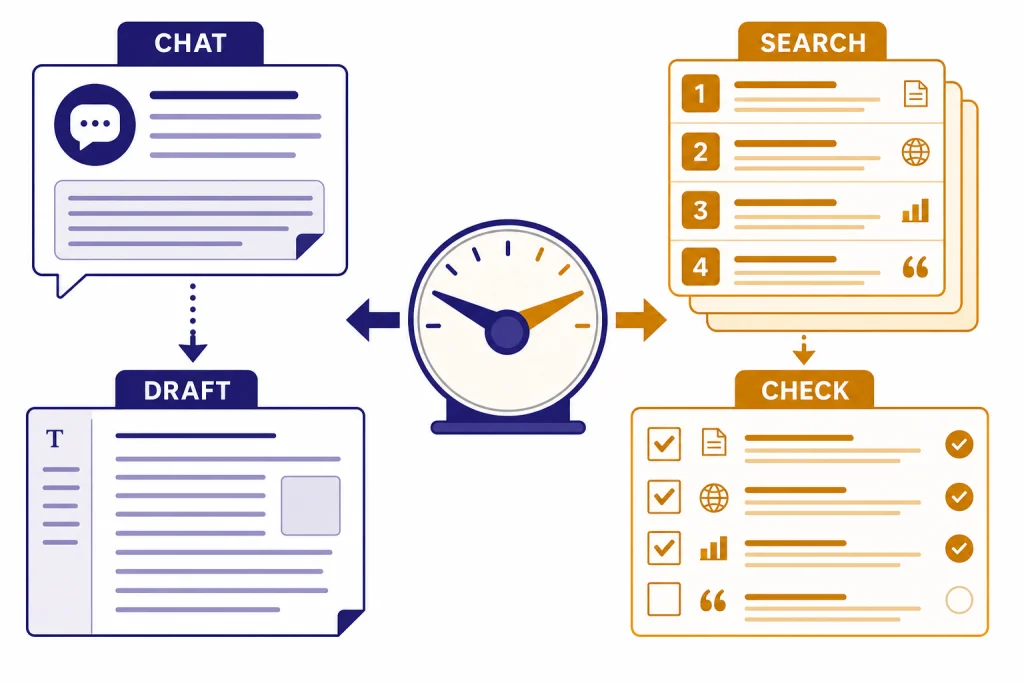
Use ChatGPT when you want an answer, explanation, draft, plan, or synthesis. Use Google Search when you need to inspect sources, compare primary pages, find local or shopping information, or verify a claim across the open web. ChatGPT now has web search with citations, so the choice is not simply AI vs links; the difference is control.[2] ChatGPT compresses and reasons over information. Google Search exposes web results and direct paths to source pages.[4] For important decisions, use both: ask ChatGPT to structure the question, use Google to find authoritative sources, then bring those sources back to ChatGPT for synthesis.
Quick verdict
The best default is simple. Start with ChatGPT when your next action is to understand, draft, plan, summarize, or transform. Start with Google Search when your next action is to inspect, compare, cite, buy, navigate, or verify.
| Task | Better first tool | Reason |
|---|---|---|
| Explain a confusing topic | ChatGPT | It can adapt the explanation to your background and ask follow-up questions. |
| Find the original source | Google Search | It is built to surface webpages, official pages, documents, and related results. |
| Turn notes into a draft | ChatGPT | It can structure, rewrite, compare, and format information. |
| Verify a claim | Google Search | You can inspect multiple sources and use source-evaluation tools. |
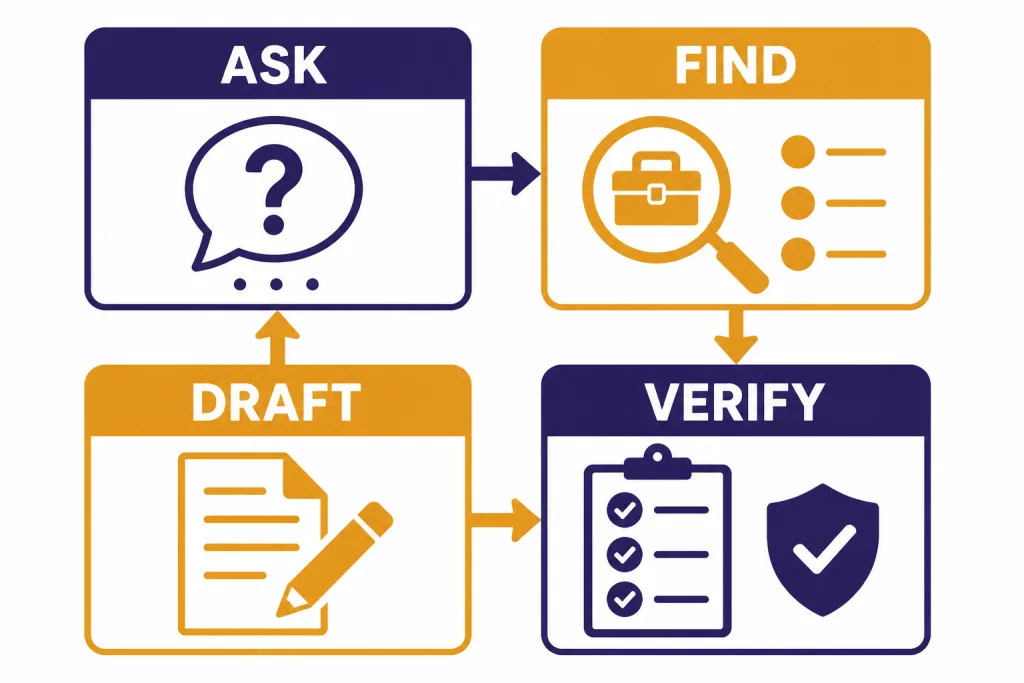
| Make an important decision | Both | Use Google to gather evidence and ChatGPT to organize it. |
Do not frame this as a winner-take-all choice. ChatGPT is an answer workspace. Google Search is a source-discovery system. The strongest workflow uses each for the job it handles best.
How ChatGPT and Google Search differ
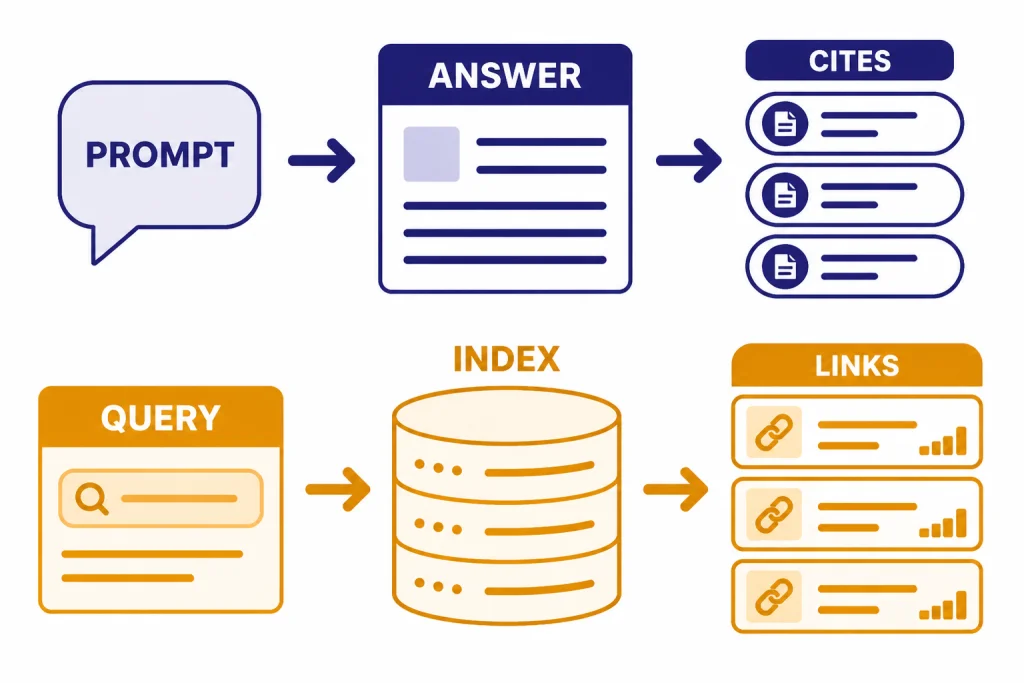
ChatGPT is conversational. When search is used, OpenAI says ChatGPT can return timely answers with links to relevant web sources, and responses may include inline citations or a Sources panel.[2] That makes it useful when you want a direct answer plus a trail you can open and inspect.
ChatGPT Search is not the same thing as Google Search with a different interface. OpenAI says ChatGPT Search uses third-party search providers and partner content.[1] OpenAI has not published an official figure for the size of ChatGPT Search’s web index; OpenAI has not published an official figure for this. Treat it as an answer layer with web access, not as a transparent replacement for a full search index.
Google Search starts from discovery. Google describes Search as matching a query against webpages and other information in its index, then organizing results so users can reach useful information quickly.[4] It also has AI surfaces. Google says AI Overviews provide snapshots with links, and AI Mode supports follow-up questions and deeper exploration across web sources.[5][6]
The practical difference is control. ChatGPT controls the synthesis. Google gives you more control over the search path. If you need an answer-shaped output, ChatGPT usually feels faster. If you need to see the evidence landscape, Google usually gives you more room to work.
Side-by-side comparison
| Criterion | ChatGPT | Google Search | Better default |
|---|---|---|---|
| Direct explanations | Strong. You can ask for level, tone, examples, and revisions. | Useful, especially when an AI Overview appears, but still oriented around search results. | ChatGPT |
| Source discovery | Helpful when search citations appear, but the system decides what to summarize.[2] | Strong. You can scan many sources, compare snippets, and open primary pages. | Google Search |
| Advanced filtering | Prompt-based. You can ask for constraints, but you do not get the same visible operator workflow. | Google documents exact phrase, exclusion, site/domain, file type, region, language, and last-update filters.[9] | Google Search |
| Writing and rewriting | Strong. It can transform raw notes into outlines, drafts, tables, emails, and checklists. | Not the core job. Search can find examples, but it will not write the final document for you. | ChatGPT |
| Local and navigational tasks | Can help interpret options, but you should confirm details before acting. | Strong for maps, business pages, directions, hours, and nearby results. | Google Search |
| Research verification | Good for organizing evidence, but generated text can be wrong. | Better for inspecting several independent sources and checking context. | Both |
| Complex follow-ups | Strong. Conversation is the native interface. | Improving. Google says AI Mode supports follow-up questions and query fan-out across subtopics.[6] | Depends on the task |
Read the table as a workflow guide, not as a permanent ranking. If you mainly care about ChatGPT plan access, read ChatGPT Free vs Plus vs Pro. If you care about the model behind the experience, use all GPT models compared side by side and context window sizes for every GPT model.
When ChatGPT is the better first stop
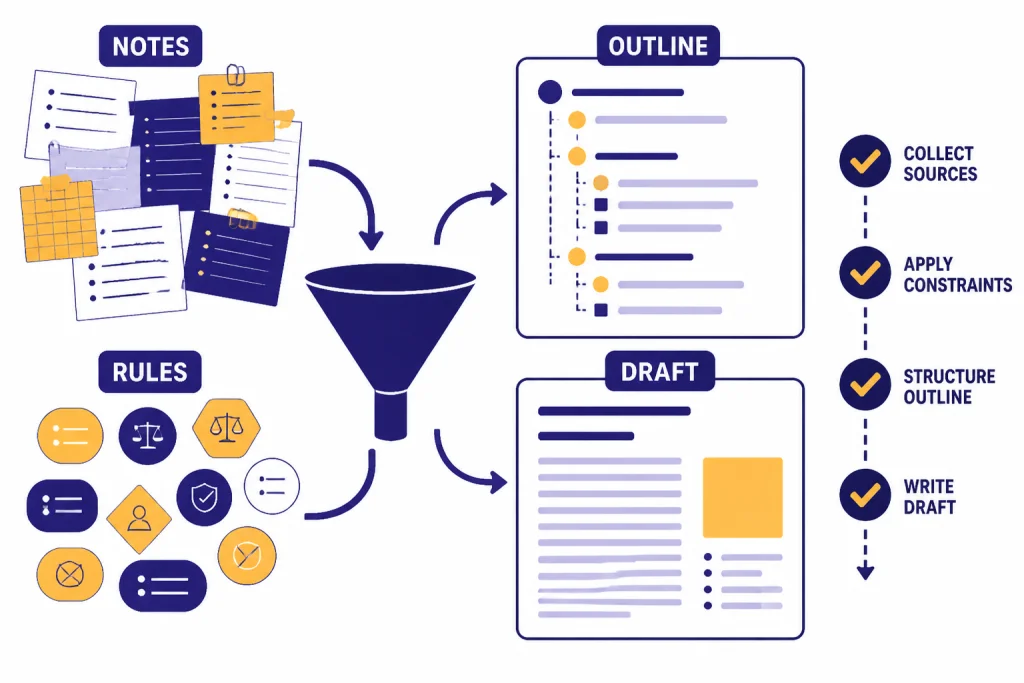
Use ChatGPT first when you already have enough information and need to do something with it. It is strongest when the task has context, constraints, and an output format.
- You need a plain-English explanation. Ask it to explain a topic for a beginner, manager, developer, student, or subject-matter expert.
- You need synthesis. Paste notes, meeting transcripts, source excerpts, or competing arguments and ask for a structured summary.
- You need a draft. Ask for an email, memo, outline, product brief, lesson plan, checklist, or comparison table.
- You need iteration. Ask for shorter, more formal, more skeptical, more visual, or more technical versions.
- You need a decision framework. Ask it to list assumptions, risks, missing facts, and verification steps.
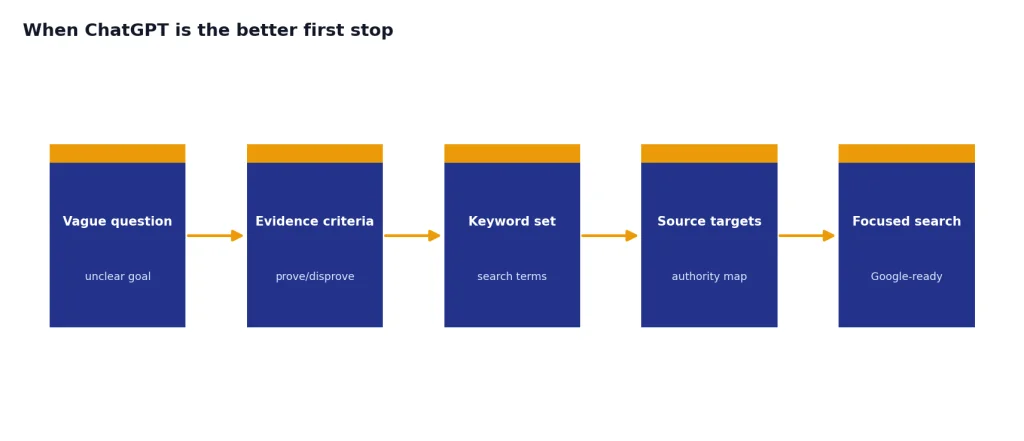
ChatGPT is also useful before you search. Ask it what evidence would prove or disprove a claim, what keywords to try, and what sources would be most authoritative. That turns a vague search into a focused research plan.
Do not use ChatGPT as the final authority simply because it sounds confident. OpenAI says ChatGPT can produce incorrect or misleading outputs and may sound confident even when it is wrong.[3] If the answer matters, ask for sources, open them, and verify the specific claim.
A good starting prompt is:
I am trying to [goal].
Ask clarifying questions if needed.
Use only the sources I provide unless I ask you to search.
Return a concise answer, key assumptions, and a verification checklist.
If you are new to the product, start with what ChatGPT is before comparing it with search engines.
When Google Search is the better first stop
Use Google Search first when you need to find, inspect, or verify sources. This includes official documentation, statutes, policies, product pages, PDFs, maps, reviews, local businesses, images, news, and primary announcements.
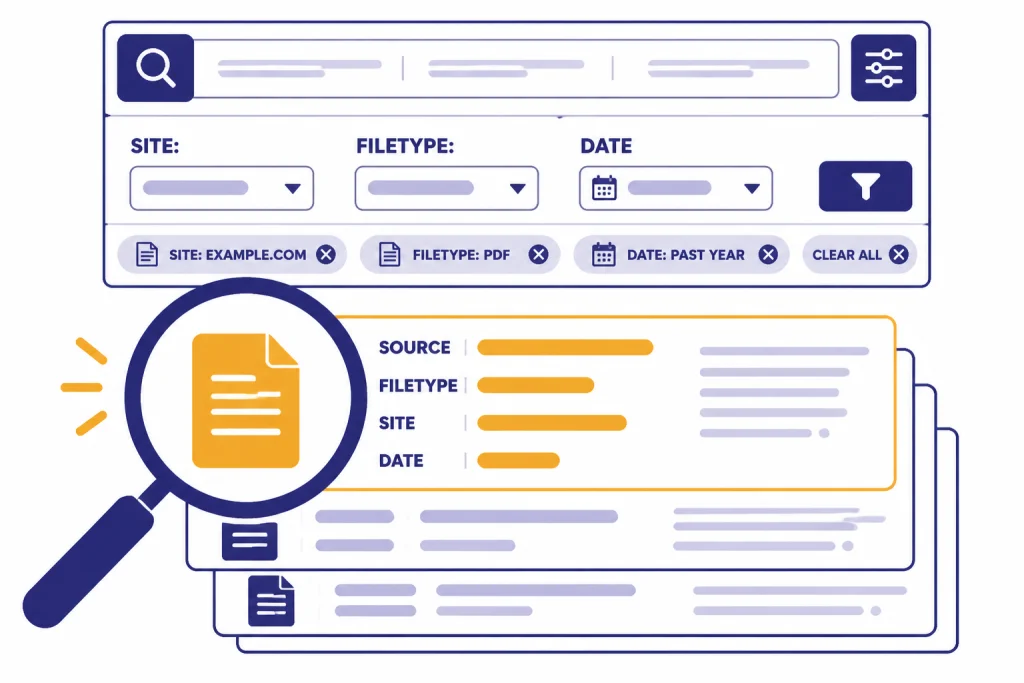
Google is especially useful when the exact source matters. Google Search Help documents filters for exact phrases, excluded words, site or domain limits, file types, language, region, and last update.[9] Those controls matter when you need a government page, a vendor document, a dated announcement, or a specific file format.
Google also gives you source-evaluation tools. Google says About this result can show information about unfamiliar sites, Fact Check Explorer can surface fact-check articles, and reverse image search can help evaluate where an image appeared before.[8] Those tools are hard to replace with a single generated answer.
AI Overviews can be a starting point, but they should not be the end of your research. Google tells users to check important information in more than one place, and its help page says the Web filter can show text-based links without features like AI Overviews.[7] If you want source pages only, use that path.
If you are comparing search-and-chat products more broadly, see GPT vs Bing AI and GPT vs Microsoft Copilot.
When to use both
Use both when a wrong answer would cost money, create legal risk, affect health, influence a public claim, or shape a business decision. Both AI answers and search results can mislead if you accept the first thing you see. Google says AI Mode can misinterpret web content or miss context, and OpenAI warns that ChatGPT can be wrong.[6][3]
- Start in ChatGPT. Ask what facts, sources, and definitions you need before you decide.
- Move to Google Search. Use specific terms, source filters, file-type filters, and date filters to find primary sources.
- Open the pages. Read the original source, not only the snippet, AI Overview, or ChatGPT summary.
- Bring evidence back to ChatGPT. Paste excerpts or notes and ask it to compare, summarize, and identify conflicts.
- Return to Google for gaps. Search for opposing views, newer updates, and official corrections.
This loop is slower than asking one question, but it is much safer. It lets Google do source discovery and lets ChatGPT do synthesis. It also reduces the chance that one persuasive answer becomes your whole understanding of the topic.
If your real question is whether another chatbot handles this workflow better, compare the broader field in best AI chatbot alternatives to ChatGPT and ChatGPT alternatives in 2026.
Accuracy, citations, and privacy
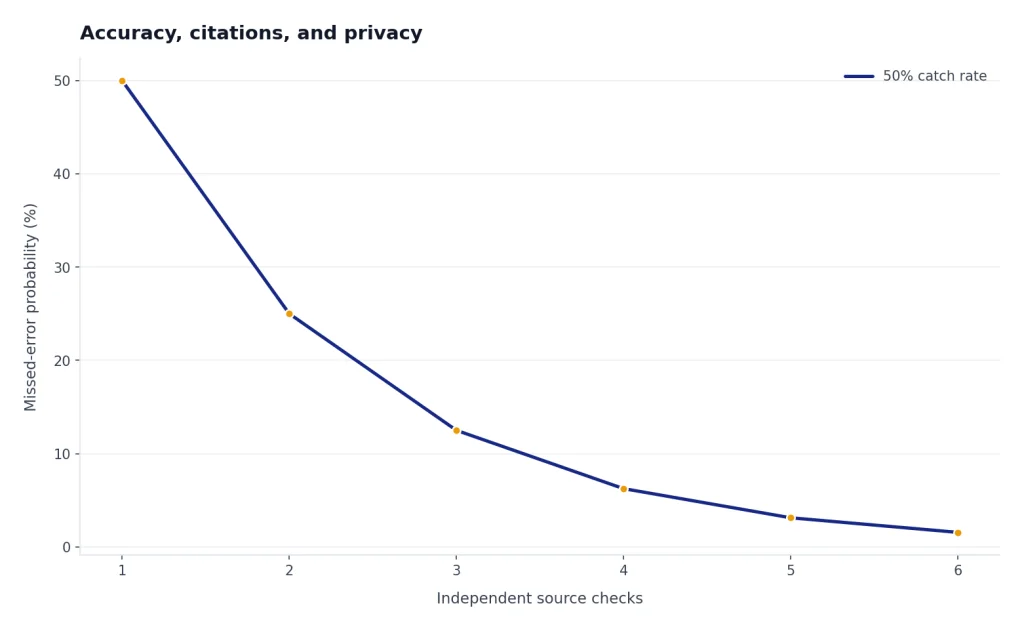
Citations are useful, but they are not a magic shield. A citation can support one sentence and not another. A linked page can be outdated. A generated answer can combine accurate facts into a flawed conclusion. When accuracy matters, open the cited source and check the exact passage.
For ChatGPT, the main risk is confident synthesis that contains a factual error. OpenAI says tools such as Search can improve access to current or verifiable information, but the same help page still warns that ChatGPT is not always right.[3] For Google, the main risk is assuming the top result, snippet, or AI answer is complete. Google tells users to check important information in more than one place.[7]
Privacy also differs by account and setting. Google says that when Web & App Activity is on, it saves activity such as Search history to your Google Account, and users can manage or pause that history.[10] OpenAI says Data Controls let users choose whether their ChatGPT conversations help improve models, including a setting to turn off model training for signed-in accounts.[11]
For business use, do not paste confidential material into either product unless your organization permits it. OpenAI says it does not use inputs or outputs from ChatGPT Enterprise, ChatGPT Business, ChatGPT Edu, ChatGPT for Healthcare, ChatGPT for Teachers, or the API platform for training by default.[12] That is a different situation from a personal account, so check your plan and policy before using sensitive data.
Practical workflows
The easiest way to choose is to name the next action. If the next action is to produce something, start with ChatGPT. If the next action is to prove something, start with Google Search.
| Situation | Start with | Best move | Finish with |
|---|---|---|---|
| You need to understand a technical concept | ChatGPT | Ask for an explanation, examples, and common misconceptions. | Google official docs for verification. |
| You need to cite a policy or rule | Google Search | Find the primary source and check its date. | ChatGPT summary using only that source. |
| You need a product shortlist | Google Search | Check current specs, retailers, reviews, and return policies. | ChatGPT comparison table from gathered evidence. |
| You need a blog outline or memo | ChatGPT | Generate structure, claims, and missing evidence questions. | Google searches for source support. |
| You need to debug an error | ChatGPT | Explain the likely causes and ask for missing context. | Google exact error search and official issue trackers. |
This division also helps teams. Writers can use ChatGPT to draft and Google to verify. Analysts can use Google to gather source material and ChatGPT to build a clean brief. Developers can use ChatGPT to reason through a problem and Google to confirm behavior in official documentation.
Bottom line
ChatGPT is not just a search engine, and Google Search is not just a list of links. They now overlap, but they still reward different habits. ChatGPT is best when the unit of work is an answer, argument, plan, or draft. Google Search is best when the unit of work is source discovery, verification, navigation, or market scanning.
For casual questions, use whichever is faster. For serious work, use both. Let Google find the evidence. Let ChatGPT turn that evidence into something you can understand, edit, and use.
Frequently asked questions
Is ChatGPT better than Google Search?
ChatGPT is better when you want synthesis, explanation, rewriting, planning, or a draft. Google Search is better when you need source discovery, exact pages, local information, and verification. The best choice depends on the next action, not on which product is more impressive.
Can ChatGPT replace Google for research?
Not for serious research. ChatGPT can search the web and show citations, but you still need to open the sources and verify what they say.[2] Use ChatGPT to organize research, not to replace source inspection.
Are Google AI Overviews the same as ChatGPT?
No. AI Overviews are an AI feature inside Google Search, while ChatGPT is a conversational workspace. Google says AI Overviews provide snapshots with links, and AI Mode supports follow-up questions.[5][6] ChatGPT is usually better for extended back-and-forth drafting.
Should I trust ChatGPT citations?
Use them as leads, not proof. Open the cited page and confirm that the source supports the exact sentence you care about. OpenAI warns that ChatGPT can be incorrect or misleading, even when it sounds confident.[3]
Which is better for shopping and local searches?
Google Search is usually the better first stop for shopping and local searches because you need current pages, business details, maps, retailers, reviews, and policies. ChatGPT can help compare options after you gather current evidence. Always confirm prices, availability, hours, and booking details at the source.
Which is more private?
It depends on account settings and plan type. Google says Web & App Activity can save Search history to your Google Account when enabled.[10] OpenAI offers ChatGPT data controls for model training, and its business products have different default training commitments than personal use.[11][12]