

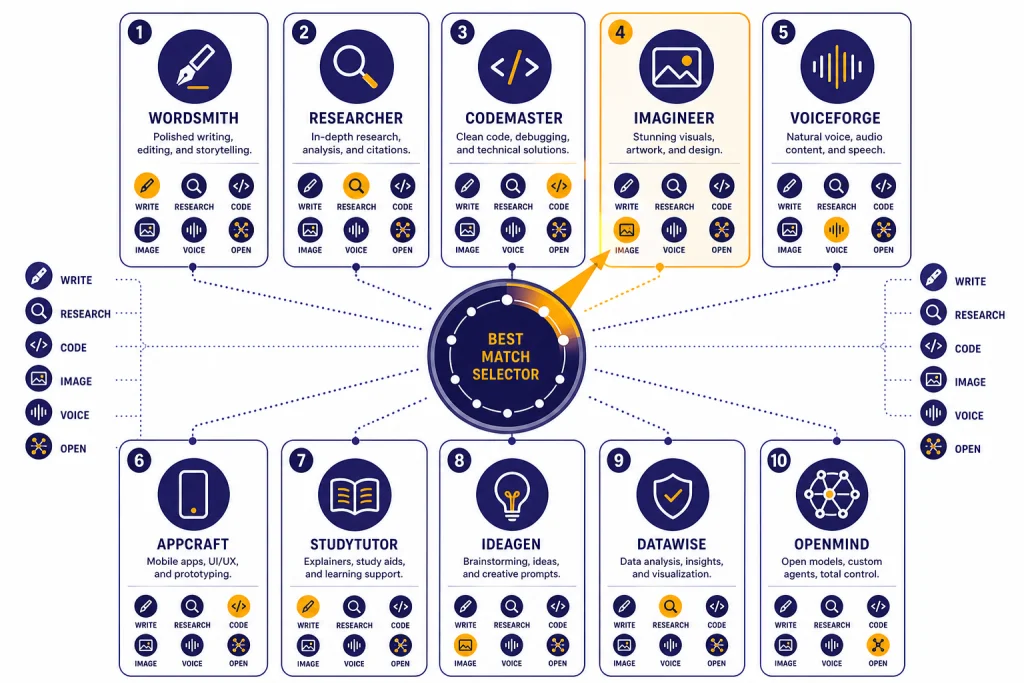
The best ChatGPT alternative in 2026 depends on the job. Claude is the strongest all-around pick for writing and code-heavy work. Gemini is the best fit for people who live in Google apps. Microsoft Copilot is the practical choice for Microsoft 365 users. Perplexity is the most focused option for cited research. Poe is best when you want many models in one place. Mistral Le Chat and DeepSeek are useful free or low-friction options. Meta AI is strong on mobile and social surfaces. Grok suits users who want X-connected answers. HuggingChat is the best open-source-style playground. This guide ranks the top 10 ChatGPT alternatives by real use case, not hype.
Quick ranking
Here is the short version of our top 10 ChatGPT alternatives in 2026:
- Claude — best all-around alternative for writing, coding, analysis, and long-form work.
- Google Gemini — best for Google users, multimodal work, search, and Workspace integration.
- Microsoft Copilot — best for Microsoft 365, Windows, Edge, and business productivity.
- Perplexity — best for cited research, source discovery, and fast evidence gathering.
- Poe — best multi-model hub for trying many assistants in one account.
- Mistral Le Chat — best lightweight European assistant with no-login access for basic use.
- Grok — best for users who want an assistant connected to X and real-time web context.
- DeepSeek — best free technical assistant for reasoning, web search, and file-based tasks.
- Meta AI — best for users who want voice, image tools, and AI inside Meta apps.
- HuggingChat — best for open-source model exploration and a less locked-down model playground.
If you only want free options, start with our separate guide to free ChatGPT alternatives that actually work. If you want the broader market map, see our chatgpt alternatives 2026 breakdown.
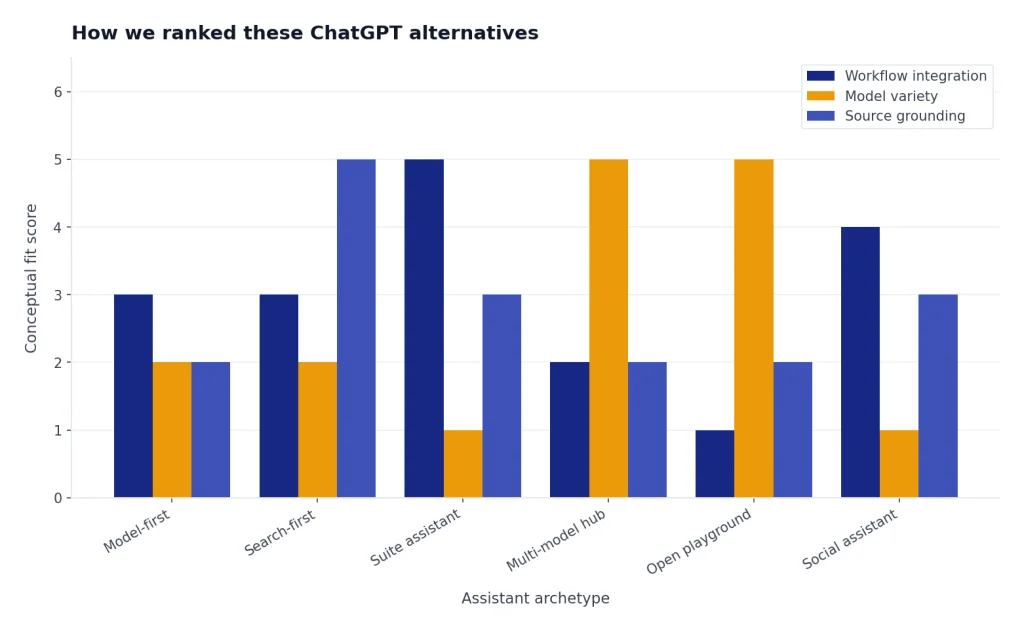
How we ranked these ChatGPT alternatives
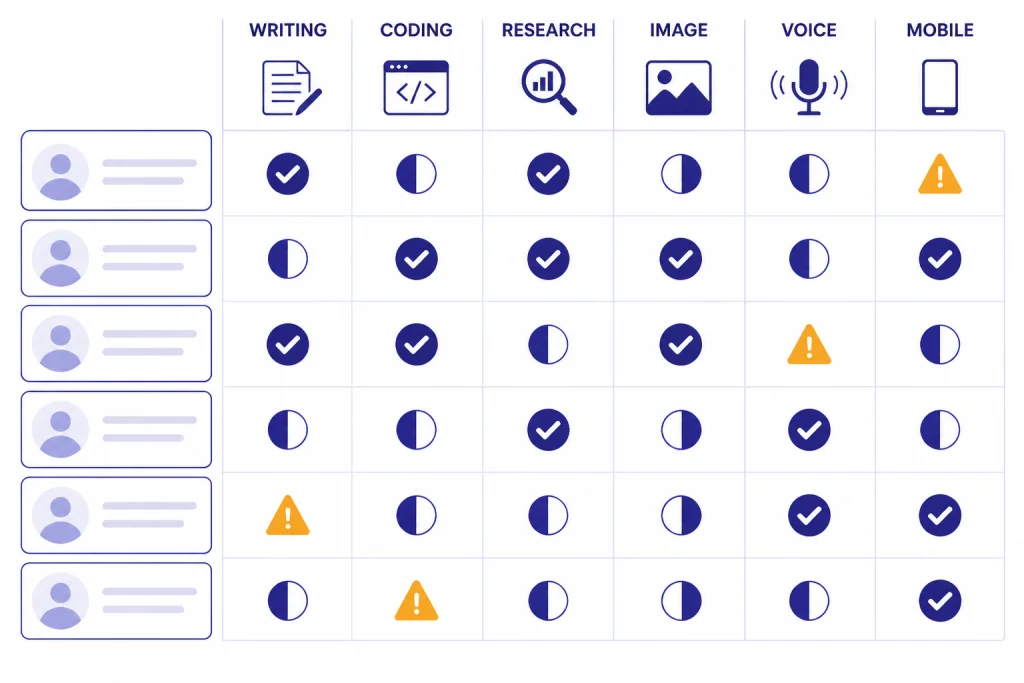
We ranked each alternative by the tasks most people actually use ChatGPT for: writing, coding, research, image generation, voice, mobile access, schoolwork, and daily productivity. We gave extra weight to tools that work well without a complicated setup. We also considered whether the product has a credible free tier, a reliable mobile experience, and a clear reason to choose it over ChatGPT.
This list is not a model benchmark. Benchmarks can help, but they do not answer the practical question most readers have: which assistant should you open for a specific job today. A tool can be weaker on a synthetic benchmark and still be the better choice for a student, writer, researcher, or office worker.
We also separated model capability from product experience. Claude, Gemini, Copilot, Perplexity, Poe, Le Chat, Grok, DeepSeek, Meta AI, and HuggingChat are not interchangeable. Some are model-first chatbots. Some are search engines with AI answers. Some are wrappers around several models. Some are built into productivity suites or social apps. That distinction matters more than a leaderboard score.
The top 10 ChatGPT alternatives in 2026
1. Claude
Claude is the best overall ChatGPT alternative for people who care about writing quality, structured analysis, long documents, and coding help. Anthropic’s official plan page lists Free, Pro, Max, Team, and Enterprise-style paths, while Claude’s Artifacts feature gives users a separate workspace for code, documents, websites, visualizations, and dashboards.[1][2]
Claude is especially good when you want a careful collaborator rather than a quick answer machine. It tends to be strong at editing drafts, explaining trade-offs, turning messy notes into polished output, and helping developers reason across a codebase. Claude Code also supports terminal, IDE, web, desktop, and Slack workflows, and Anthropic says it can read issues, write code, run tests, and submit pull requests through developer tooling.[3]
Choose Claude if your work involves writing, analysis, complex prompts, or software. Skip it if you mostly want image generation, casual mobile chat, or a built-in office-suite assistant. For a deeper coding-specific comparison, read our best ChatGPT alternatives for coding guide.
2. Google Gemini
Gemini is the best ChatGPT alternative for people already using Google Search, Gmail, Docs, Drive, NotebookLM, Chrome, Android, or Google’s creative AI tools. Google lists the free Gemini app with access to Gemini 3 Flash, varying access to Gemini 3.1 Pro, image generation and editing, Deep Research, Gemini Live, Canvas, and Gems.[4]
Gemini is strongest when the task sits inside Google’s ecosystem. It can help draft and organize work, research a topic, generate or edit images, and move between search-style questions and productivity tasks. Google also positions its paid AI Pro plan around higher access to Gemini 3.1 Pro, Deep Research, Nano Banana Pro image generation, and Veo 3.1 Lite video generation.[4]
Choose Gemini if you want one AI assistant close to your search, email, documents, and Android devices. Skip it if you prefer a more neutral assistant outside Google’s account system.
3. Microsoft Copilot
Microsoft Copilot is the most practical ChatGPT alternative for Microsoft 365 users. Microsoft describes Copilot as an AI assistant that answers prompts with large language models and is integrated into Microsoft apps and services, including Microsoft 365 subscriptions.[5]
The free Copilot experience supports writing, brainstorming, summarizing, real-time answers based on web search, and Edge webpage summarization. Signing in unlocks features such as chat history, image creation, longer conversations, and voice interactions.[5]
Choose Copilot if your daily work happens in Word, Excel, PowerPoint, Outlook, Teams, Edge, or Windows. It is less attractive if you want a model-neutral AI lab, a highly creative writing partner, or an open-source model environment. For mobile-first readers, our apps like ChatGPT guide compares the app experience more directly.
4. Perplexity
Perplexity is the best ChatGPT alternative for research that needs citations. Perplexity’s Deep Research mode is designed to run many searches, read many sources, reason through the material, and return a report-style answer.[6]
Use Perplexity when you need source discovery, market scans, product research, health reading that points you back to sources, or a quick briefing before deeper work. It is less useful when the task is creative writing, coding inside a repository, or editing a large private document. For research-heavy workflows, see our best ChatGPT alternatives for research guide.
5. Poe
Poe is not just one model. It is a multi-model chat hub. Poe’s subscription page says users can chat with models and bots including GPT-5, Claude-Sonnet-4.5, DeepSeek-R1, Veo-3.1, Sora-2, and thousands of others.[7]
Poe makes sense if you like comparing models, testing different personalities, or keeping several AI tools under one roof. It is especially useful for people who do not want separate accounts for every model provider. The trade-off is that a hub can add complexity. You may need to understand points, model limits, and bot differences instead of opening one assistant and getting to work.
6. Mistral Le Chat
Mistral Le Chat is a strong lightweight alternative for users who want a clean assistant with research, writing, coding, image generation, voice, and document tools. Mistral says Le Chat is available on the web, iOS, and Android, and that it brings writing, research, coding, and image generation into one conversation.[8]
The no-login path is one of its most useful differences. Mistral says users can open Le Chat to start a conversation without an account, while signing in is needed to save conversations and access all features.[8]
Choose Le Chat if you want a fast, low-friction assistant and do not want every task routed through OpenAI, Google, or Microsoft. If no-login access is your main priority, compare it with our ChatGPT alternatives without login required guide.
7. Grok
Grok is the best ChatGPT alternative for users who want an assistant closely connected to X and real-time web context. xAI’s Grok 4 announcement describes native tool use and real-time search integration, and says Grok 4 was made available through SuperGrok, Premium+ subscriptions, and the xAI API.[9]
Grok’s advantage is not that it replaces every other assistant. Its advantage is context. If your work depends on X discourse, breaking reactions, creator commentary, or fast-moving public conversation, Grok can be useful. It is less compelling if you avoid X or need enterprise document workflows.
8. DeepSeek
DeepSeek is a strong free alternative for technical users, students, and anyone who wants reasoning help without starting with a paid subscription. DeepSeek’s official app announcement says the app is powered by DeepSeek-V3, supports web search and Deep-Think mode, includes file upload and text extraction, and is free with no ads or in-app purchases.[10]
DeepSeek is most useful for math-like reasoning, coding questions, structured explanations, and document-assisted work. It is not the best choice if you need polished creative writing, voice-first interaction, or an assistant deeply connected to a U.S. productivity suite.
9. Meta AI
Meta AI is the best ChatGPT alternative for people who want AI inside social and mobile surfaces. Meta’s announcement says the Meta AI app was built with Llama 4, connects to meta.ai, includes a Discover feed, supports voice conversations, and integrates image generation and editing through voice or text.[11]
Meta AI is most useful if you already spend time in WhatsApp, Instagram, Facebook, Messenger, or Meta’s AI glasses ecosystem. It is less useful for professional research, serious coding, or long-form editing. Its main strength is convenience, not maximum control.
10. HuggingChat
HuggingChat is the best pick for readers who want to explore open-source and open-weight models through a web chat interface. Hugging Face’s HuggingChat page identifies the project as a chat UI for talking with AI models in a web interface.[12]
HuggingChat is less polished than Claude, Gemini, or Copilot, but that is part of the point. It is useful for comparing model behavior, testing community assistants, and understanding what open models can do. If you care about model transparency and local or open-source AI, pair this section with our open source ChatGPT alternatives guide.

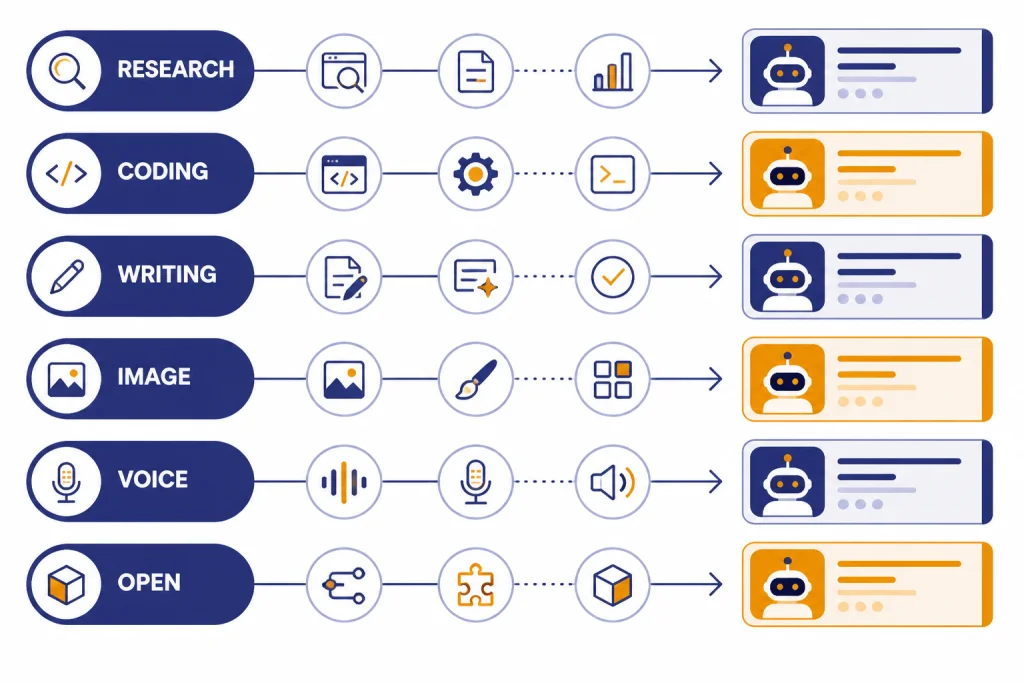
Best picks by use case
The best ChatGPT alternative changes when the task changes. Do not pick one tool because it is popular. Pick the one that matches the workflow.
| Use case | Best alternative | Why it fits | Backup pick |
|---|---|---|---|
| Writing and editing | Claude | Strong drafting, rewriting, tone control, and structured analysis. | Gemini |
| Coding help | Claude | Claude Code is built around codebase reading, edits, tests, and developer workflows.[3] | DeepSeek |
| Cited research | Perplexity | Research-first answers with source gathering and report-style output.[6] | Gemini |
| Google workflow | Gemini | Works close to Search, Gmail, Docs, NotebookLM, Chrome, and Android.[4] | Perplexity |
| Microsoft workflow | Copilot | Connects to Microsoft 365, Edge, Windows, and business plans.[5] | Claude |
| Trying many models | Poe | One hub for many assistants and model families.[7] | HuggingChat |
| No-login quick chat | Mistral Le Chat | Lets users start a conversation without an account.[8] | Copilot |
| Social and mobile use | Meta AI | Built for Meta apps, voice, images, and mobile surfaces.[11] | Gemini |
For narrower comparisons, use our dedicated guides to best ChatGPT alternatives for writing, best ChatGPT alternatives for image generation, and best ChatGPT alternatives for students.
ChatGPT alternatives compared
This table summarizes the practical differences. It avoids pretending that every assistant is good at the same things.
| Alternative | Best for | Strength | Main limitation | Who should try it first |
|---|---|---|---|---|
| Claude | Writing, coding, analysis | Careful reasoning and strong work-product drafting | Less centered on image and social use | Writers, developers, analysts |
| Gemini | Google ecosystem | Search, Workspace, multimodal tools, and Android reach | Best value depends on using Google services | Google account power users |
| Copilot | Microsoft productivity | Microsoft 365, Edge, Windows, web answers, and business controls | Less model-flexible than hubs like Poe | Office workers and teams |
| Perplexity | Research | Citations, source discovery, and report-style answers | Not built primarily for creative drafting | Researchers, students, buyers |
| Poe | Model variety | Many models and bots in one interface | Points and limits can be confusing | AI testers and power users |
| Le Chat | Low-friction chat | No-login start, voice, research, documents, and coding tools | Smaller ecosystem than Google or Microsoft | Privacy-minded or casual users |
| Grok | X-connected answers | Real-time search and X-adjacent context | Less compelling outside X | Creators and news-followers |
| DeepSeek | Free technical help | Reasoning, web search, and file upload support | Less polished as a general productivity suite | Students and technical users |
| Meta AI | Mobile and social | Voice, images, and Meta app access | Not a research-first tool | WhatsApp, Instagram, and Facebook users |
| HuggingChat | Open model exploration | Web chat access to community model experimentation | Less polished and less predictable | Open-source AI users |
How to choose the right alternative
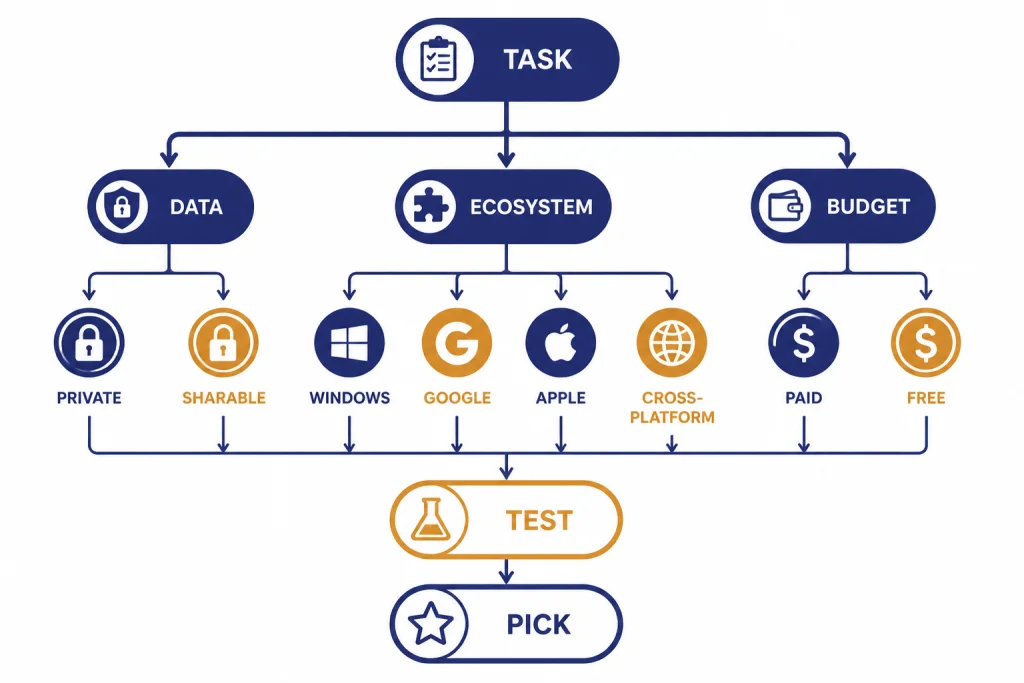
Start with the task, not the brand. If you are writing a grant proposal, use Claude first. If you are checking sources for a market brief, use Perplexity first. If you are summarizing a spreadsheet inside a Microsoft workflow, use Copilot first. If you are working across Gmail, Docs, Drive, and Android, try Gemini first.
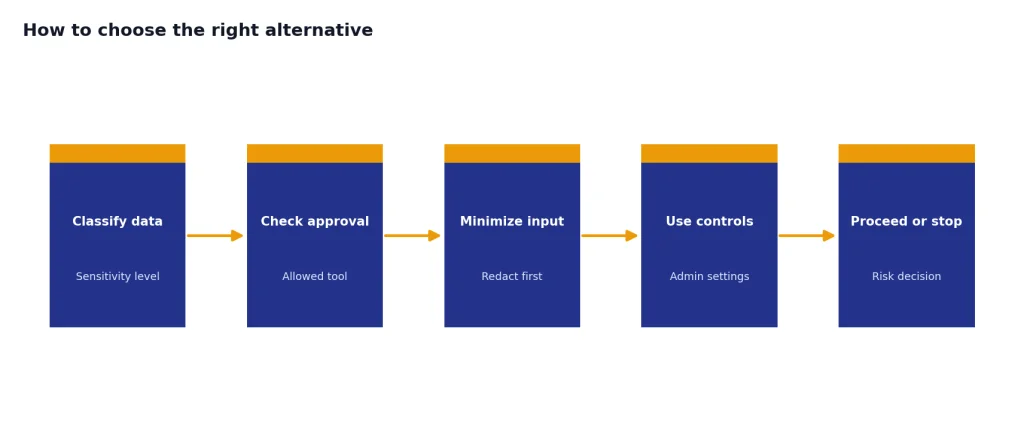
Then check your data sensitivity. Do not paste private business records, unreleased code, personal health details, or student data into any assistant unless your organization has approved that tool and plan. Enterprise versions may have different data controls than consumer versions. Read the product’s current privacy and admin documentation before using it for regulated work.
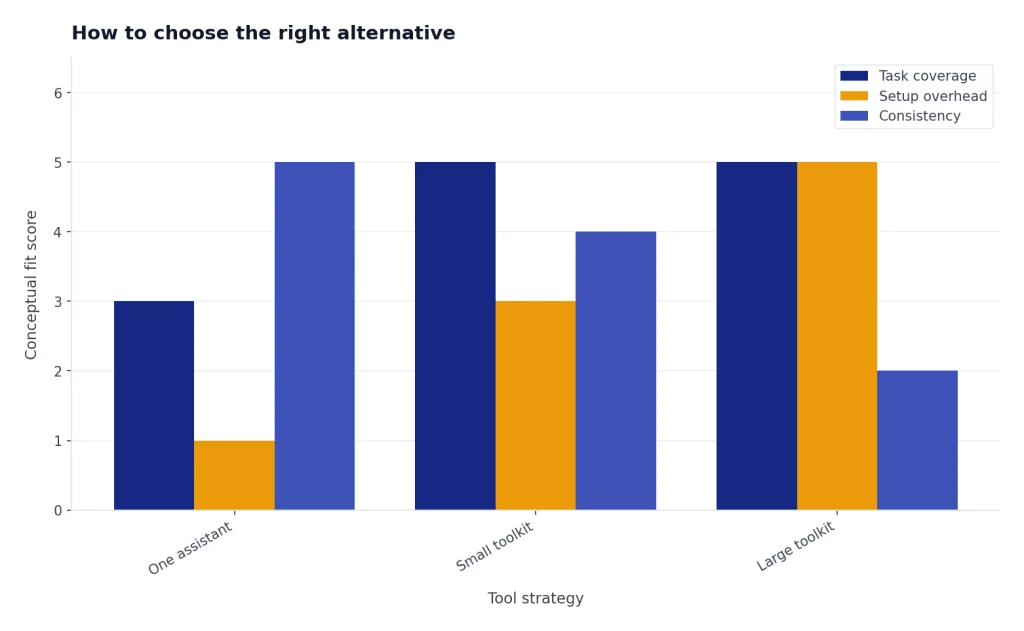
Next, decide whether you want one assistant or a stack. Many users get better results from a small toolkit: Claude for writing, Perplexity for research, Gemini or Copilot for office work, and HuggingChat or Poe for model exploration. That approach beats forcing one chatbot to do everything.
Finally, test the output with your own prompts. Ask each tool to perform the same task: summarize a source, rewrite a paragraph, debug a small code sample, or create a study plan. The best alternative is the one that gives you usable output with the least cleanup.
When ChatGPT is still the better choice
ChatGPT is still the default for many people because it combines a polished interface, broad general-purpose capability, custom GPTs, file handling, image tools, voice features, and strong model access in one place. If you already pay for ChatGPT Plus and use it daily, switching only makes sense if another product solves a clear pain point.
Stay with ChatGPT if you want the simplest all-in-one assistant and do not have a strong reason to move. Try Claude if you want stronger writing or coding collaboration. Try Gemini if your life is already organized around Google. Try Copilot if your company runs on Microsoft 365. Try Perplexity if citations matter more than conversation quality.
Cost can also decide the question. If you are comparing paid plans, start with our ChatGPT Plus price in 2026 guide, then compare it with the subscriptions you would actually use. Many readers do not need a paid plan everywhere. A free ChatGPT account plus one specialized paid alternative is often enough.
Frequently asked questions
What is the best overall ChatGPT alternative in 2026?
Claude is the best overall alternative for most writing, coding, and analysis tasks. It is especially strong when you need careful reasoning or polished long-form output. Gemini or Copilot may be better if your work lives inside Google or Microsoft tools.
What is the best free ChatGPT alternative?
Gemini, Copilot, DeepSeek, Le Chat, Meta AI, and HuggingChat all have useful free access paths. The best free choice depends on the task. Use Perplexity for research, DeepSeek for technical reasoning, Gemini for Google workflows, and Le Chat for quick no-login experimentation.
Which ChatGPT alternative is best for students?
Perplexity is strong for source-backed research, Gemini is useful for students using Google apps, and Claude is strong for explaining concepts and improving drafts. Students should avoid submitting AI-generated work as their own. Use these tools for study help, outlines, feedback, and source discovery.
Which alternative is best for coding?
Claude is the strongest pick for coding assistance, especially when paired with Claude Code. DeepSeek is a strong free technical assistant for reasoning through programming questions. Gemini and Copilot can also be better choices when your coding workflow already sits inside Google or Microsoft tooling.
Which alternative is best for image generation?
Gemini, Copilot, Meta AI, Poe, and Le Chat are the most relevant picks if image generation matters. Gemini is strong if you want image generation tied to a broader Google AI plan. Poe is useful when you want access to multiple image and video models from one interface.
Should I replace ChatGPT or use several AI tools?
Most serious users should use several tools. A practical stack might use Claude for writing and code, Perplexity for research, and Gemini or Copilot for productivity apps. Replacing ChatGPT only makes sense if one alternative covers your actual daily work better.