

The best ChatGPT alternatives for image generation are not one-size-fits-all. Midjourney is the strongest pick for stylized art and polished concept work. Adobe Firefly is the safest choice for teams already working in Photoshop, Illustrator, or Creative Cloud. Ideogram is the easiest recommendation when images need readable text. Google Gemini is the most convenient free option for casual image prompts. Stable Diffusion and FLUX are the best routes for open-weight control. Canva and Leonardo are better when you need images inside a broader design workflow. This guide ranks the best alternatives for images by real use case, not by hype.
Quick picks
If you want the shortest answer, start with the job you need the image to do. Pick Midjourney for mood boards, fantasy art, product concepts, posters, and visual exploration. Pick Adobe Firefly if you need generated images to move into Photoshop, Illustrator, Express, or a commercial design review. Pick Ideogram when the image needs legible words, such as a mock poster, label, sign, or social graphic. Pick Canva if the image is only one part of a finished presentation, flyer, ad, or classroom handout.
For free experimentation, Google Gemini is the most approachable place to try image prompts without learning a dedicated art tool. Google announced Imagen 3 image generation for Gemini in August 2024 and said the feature would roll out across Gemini, Gemini Advanced, Business, and Enterprise.[7] For serious control, local workflows, LoRAs, and repeatable pipelines, Stable Diffusion 3.5 and FLUX.1 are better than most hosted chat tools.
For broader AI app comparisons beyond images, see our best ChatGPT alternatives in 2026, top 10 ChatGPT alternatives in 2026, and free ChatGPT alternatives that actually work.
Comparison table
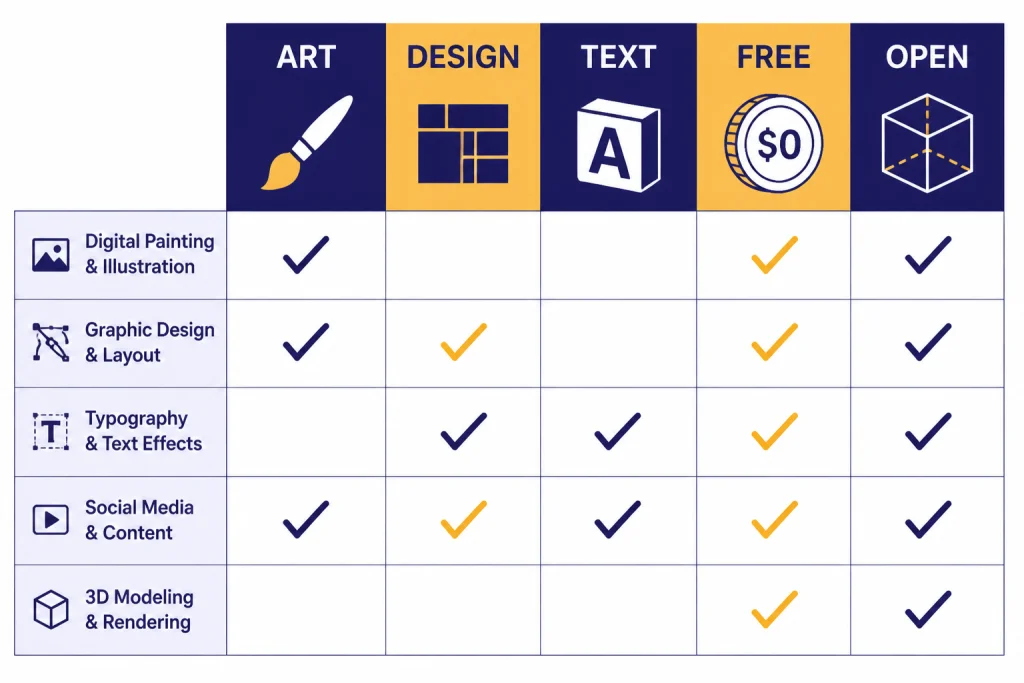
The table below compares the tools by the reason you would choose them over ChatGPT for images. Pricing and limits change often, so treat this as a starting point and verify before buying.
| Tool | Best for | Main advantage over ChatGPT | Starting price or access | Watch-out |
|---|---|---|---|---|
| Midjourney | Art direction and concept visuals | High-style output with strong visual taste | Paid plans listed from $10 to $120 per month[2] | Less natural for document-style editing |
| Adobe Firefly | Commercial design workflows | Works closely with Adobe creative tools | Firefly plans listed at $9.99, $19.99, and $199.99 per month on Adobe’s plan page[4] | Credit rules can be confusing |
| Ideogram | Images with words | Strong typography and poster-style output | Free, Plus, Pro, and Team plans; Plus is listed at $20 per month[6] | Not the broadest all-purpose editor |
| Canva | Social posts, slides, flyers, and school materials | Generated images sit inside a full design editor | Canva says AI features are available on Free, with higher usage and advanced features on paid plans[10] | Less control than specialist image tools |
| Google Gemini | Fast casual image prompts | Easy access through a general AI assistant | Imagen 3 image generation rolled out across Gemini products[7] | Fewer pro art controls |
| Leonardo.Ai | Production image pipelines | Tokens, private generations, model training, and relaxed generation on higher plans | Free plan plus paid plans listed at $12, $30, and $60 per month, excluding tax[5] | Token math takes time to understand |
| Stable Diffusion 3.5 | Local control and customization | Open release with multiple model variants | Stability AI released Large, Large Turbo, and Medium variants under its Community License[8] | Setup and hardware matter |
| FLUX.1 schnell | Fast open-weight experiments | Apache-2.0 licensed model weights on Hugging Face | FLUX.1 schnell is listed on Hugging Face with an Apache-2.0 license[9] | Quality and licensing differ by FLUX variant |
How ChatGPT compares
ChatGPT is still a strong image generator because it combines conversation, instruction following, editing, and image management in one interface. OpenAI says ChatGPT Images lets users create new images, edit existing ones, add details, add text, and make backgrounds transparent. OpenAI also says generation may take up to two minutes depending on prompt complexity.[1]
That makes ChatGPT convenient for general users. You can describe an idea, revise it in plain English, and stay in the same chat. The weakness is specialization. A dedicated visual tool can be better when you need a distinct art style, brand workflow, typography, local model control, private production queues, or bulk asset generation.
Think of ChatGPT as the generalist. The alternatives below are specialists. If you want a broader non-image comparison, read our AI chatbot alternatives and apps like ChatGPT guides.
Best for art quality
Midjourney
Midjourney is the most obvious ChatGPT alternative when visual taste matters more than utility. It is strong at cinematic compositions, imaginative scenes, editorial illustration, fashion concepts, interiors, product moods, fantasy characters, and high-impact social images. It often gives you a more finished-looking first draft than general AI assistants.
Midjourney’s official documentation lists four subscription tiers: Basic, Standard, Pro, and Mega. The monthly prices shown are $10, $30, $60, and $120, with annual pricing available at lower effective monthly rates.[2] Standard, Pro, and Mega include Relax Mode for unlimited image generations, while Stealth Mode is available only on Pro and Mega.[2]
Use Midjourney when the final look is the product. Do not use it as your first choice for precise UI mockups, technical diagrams, exact packaging text, or repeatable enterprise workflows. For a deeper model-style cost comparison, see our DALL-E vs Stable Diffusion breakdown.
Best for design workflows
Adobe Firefly
Adobe Firefly is the best ChatGPT alternative for image generation when your work already lives inside Adobe apps. Firefly is not only about making a standalone image. It is about generating, filling, extending, changing, and finishing creative assets inside a professional design stack.
Adobe’s Firefly plans page says Firefly is free to use with limited access, and lists Firefly Standard at US$9.99 per month, Firefly Pro at US$19.99 per month, and Firefly Premium at US$199.99 per month.[4] Adobe also describes generative credits as the way users access Firefly-powered generative AI features.[4]
Firefly is a sensible pick for teams that care about review cycles, licensing conversations, client approvals, and handoff into production files. It is less exciting than Midjourney for pure art direction, but it is easier to justify in a commercial design department.
Canva
Canva is not the most powerful image generator in this list. It is one of the most practical. Canva AI includes prompt-based design, photo generation, AI-powered templates, image editing, Magic Layers, brand-aware design generation, and privacy controls inside the Canva editor.[10] Canva also says its AI features are available to everyone, with a range of tools on the Free plan and higher usage or advanced features on paid plans.[10]
Choose Canva when the image is a component, not the whole deliverable. It is excellent for small businesses, teachers, creators, and teams that need a finished social post or slide deck more than a museum-quality image. If your main decision is mobile workflow, compare this with our best mobile alternatives to ChatGPT.
Best for text and marketing assets
Ideogram
Ideogram is the easiest recommendation when the image must contain readable text. Many image generators can make beautiful posters that fail the moment you ask for a short headline, label, button, sign, or product mockup. Ideogram’s core advantage is its focus on text-aware image generation.
Ideogram’s documentation lists Free, legacy Basic, Plus, Pro, and Team plans. It lists the Plus plan at $20 per month, the Pro plan at $60 per month, and Team at $30 per month per member with a two-member minimum.[6] The same page notes that Basic is now a legacy plan and is no longer available for new purchases.[6]
Use Ideogram for event posters, merch concepts, title cards, product labels, quote graphics, and ad concepts that need a few visible words. Do not expect it to replace a real layout tool for final brand typography. Treat it as a fast concept generator, then finish the asset in Canva, Adobe Express, Figma, Photoshop, or another editor.
Leonardo.Ai
Leonardo.Ai is better for ongoing production than one-off prompting. Its pricing page lists a Free plan with 150 fast tokens per day, an Essential plan at $12 per month with 8,500 fast tokens per month, a Premium plan at $30 per month with 25,000 fast tokens per month, and an Ultimate plan at $60 per month with 60,000 fast tokens per month, excluding tax.[5] Leonardo also explains that token costs vary by task because one token does not equal one fixed image size or one fixed action.[5]
That makes Leonardo a good fit for creators who want private generations, collections, reference guidance, model training, upscale tools, and a repeatable creative workflow. It is more complex than ChatGPT, but that complexity becomes useful when you generate assets every week.
Best free and easy options
Google Gemini
Google Gemini is the best simple alternative for people who want to type a prompt and get an image without learning a specialist tool. Google said in August 2024 that Imagen 3 would roll out across Gemini, Gemini Advanced, Business, and Enterprise.[7] The main advantage is convenience. If you already use Gemini for search-like answers, writing, or planning, image generation is nearby.
Gemini is not the best choice if you want deep control over seeds, sampler settings, LoRAs, model variants, or a professional art community. It is a good default for casual image prompts, visual brainstorming, classroom examples, and quick creative references. Students should also compare it with our best free ChatGPT alternatives for students.
Freepik
Freepik is useful when you want AI generation and stock-style creative assets in one place. Freepik’s pricing page lists AI video, image, and audio access plus stock content, with Essential, Premium, Premium+, and Pro tiers shown on the page.[11] It also lists model-specific image credit costs, which matters if you use several image models instead of one fixed generator.[11]
Freepik is best for creators who already use stock assets and want AI tools beside them. It is less ideal if you hate credit systems. Before you subscribe, check the exact model you plan to use, whether it is unlimited or credit-metered, and what commercial license applies.
Best open-weight options
Stable Diffusion 3.5
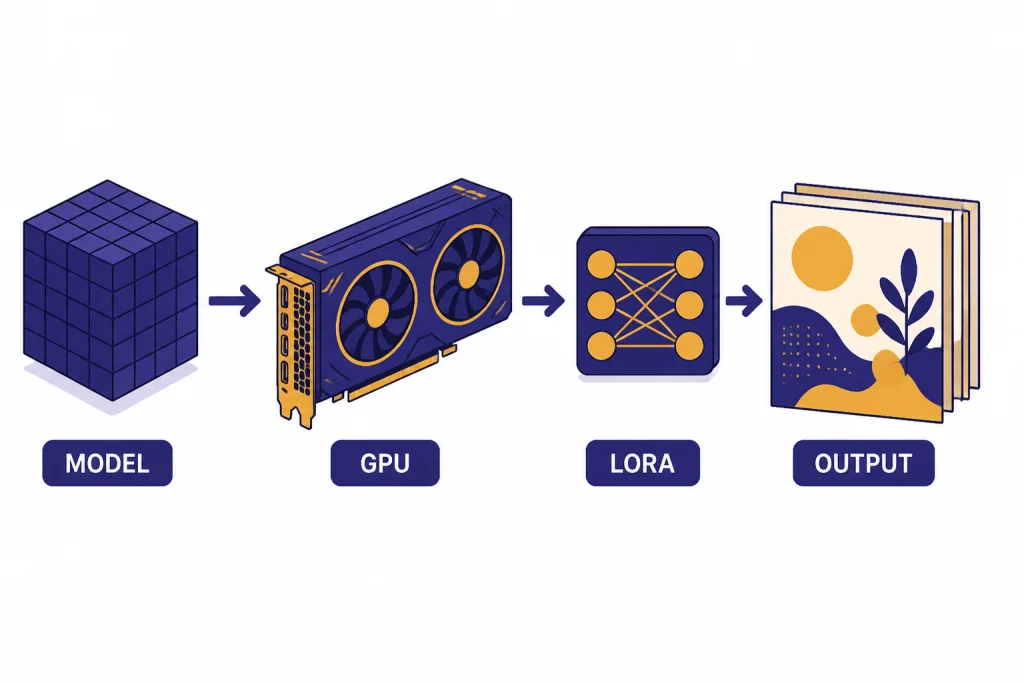
Stable Diffusion is the best path if you want control over the image pipeline instead of a hosted prompt box. Stability AI introduced Stable Diffusion 3.5 on October 22 and later updated the announcement on October 29 with the release of Stable Diffusion 3.5 Medium.[8] Stability AI says the release includes Stable Diffusion 3.5 Large, Large Turbo, and Medium, and that the variants are customizable, can run on consumer hardware, and are available under the Stability AI Community License.[8]
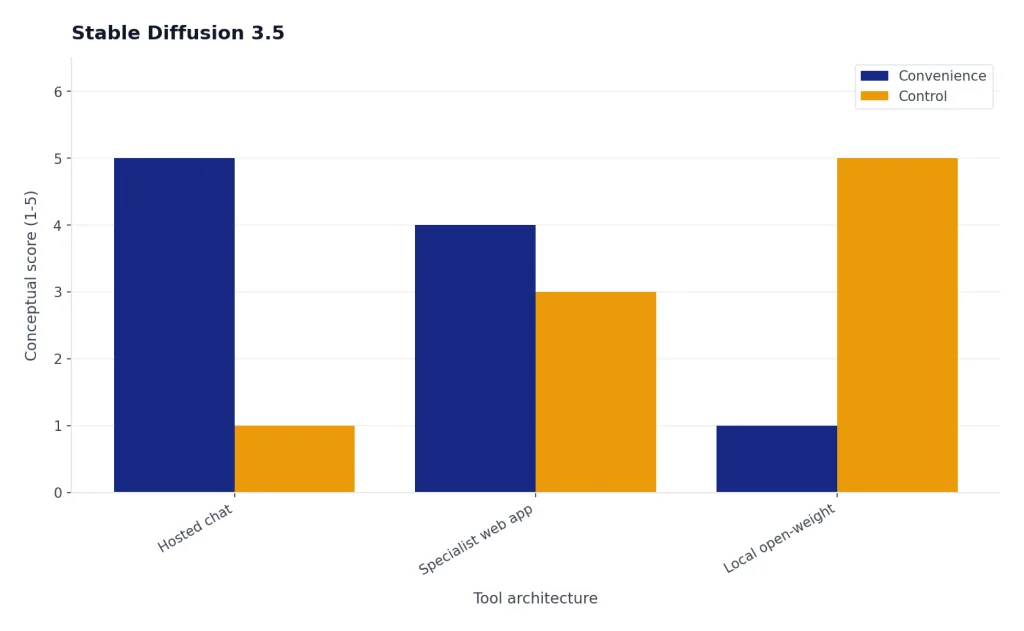
This route is best for technical users, indie builders, artists who use ComfyUI or similar node-based workflows, and teams that need repeatable pipelines. It is not the easiest option. You must understand hardware, model files, inference settings, licensing, storage, and maintenance.
FLUX.1 schnell
FLUX.1 schnell is another strong open-weight option. The Hugging Face model page lists black-forest-labs/FLUX.1-schnell as a text-to-image model and shows its license as Apache-2.0.[9] That makes it especially interesting for builders who want a fast, permissively licensed model for experiments and prototypes.
Be careful with naming. FLUX variants do not all have the same license or intended use. Schnell, dev, pro, and editing-oriented variants can have different access rules. If your goal is commercial deployment, read the exact license for the exact model file you use. For more self-hosted options, see our open source ChatGPT alternatives guide.
How to choose
Start with the output, not the tool. If you need art, choose Midjourney. If you need commercial editing, choose Firefly. If you need readable text, choose Ideogram. If you need a finished social asset, choose Canva. If you need casual prompting, choose Gemini. If you need production tokens and private queues, choose Leonardo. If you need maximum control, choose Stable Diffusion or FLUX.
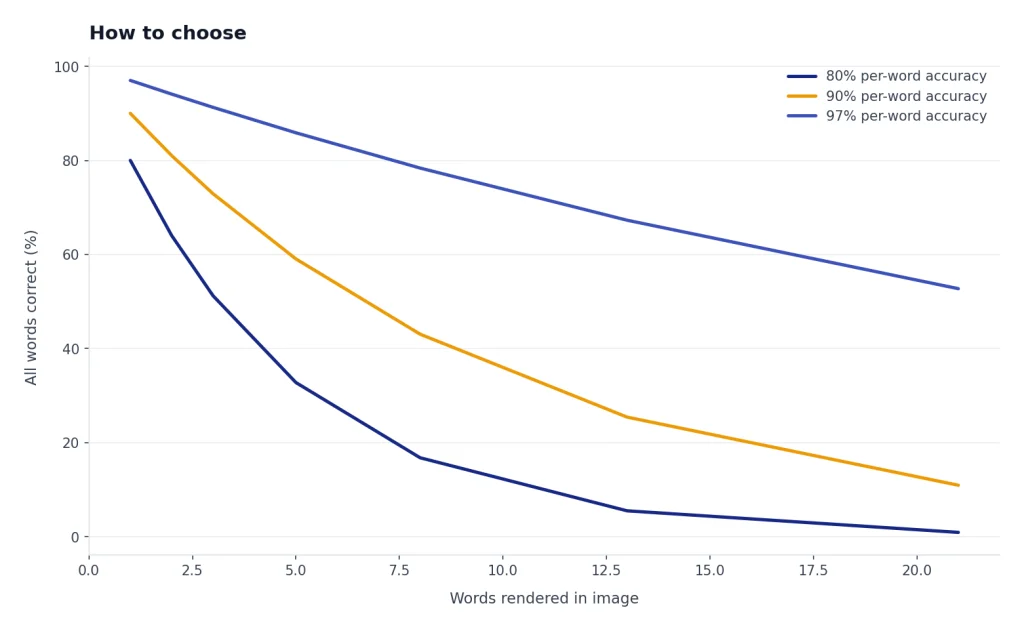
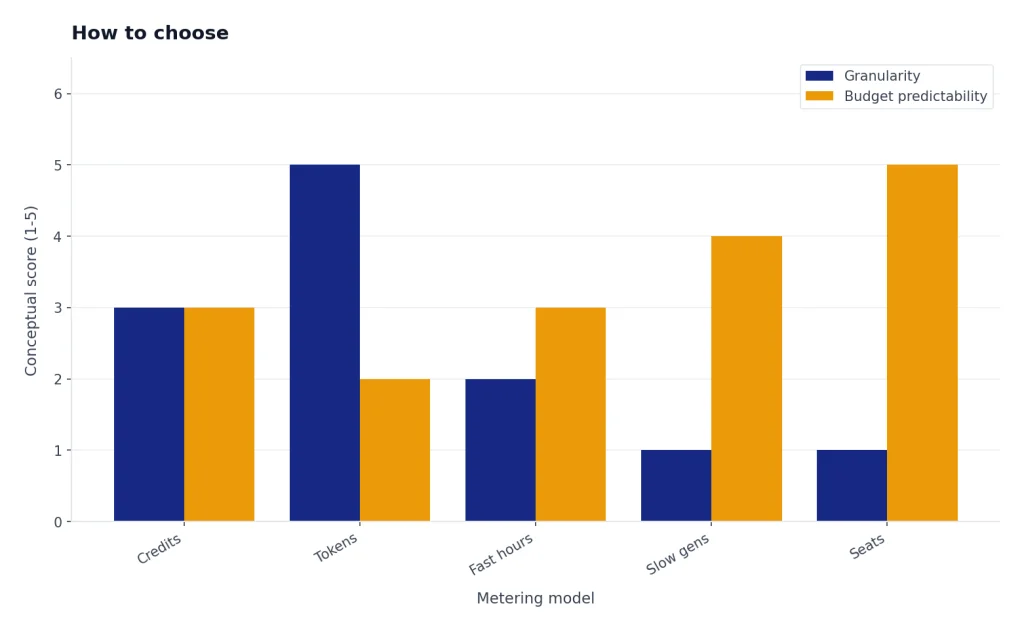
Then check four practical details before paying. First, look at whether generations are private by default. Second, read the commercial-use language for your plan. Third, test whether the tool handles your real prompts, not demo prompts. Fourth, calculate the limit that actually matters: credits, tokens, fast hours, slow generations, or monthly seats.
For writing-heavy visual workflows, pair this article with our best ChatGPT alternatives for writing. For research-heavy workflows, use our best ChatGPT alternatives for research. For no-account testing, see ChatGPT alternatives without login required.
The best alternatives for images are the ones that reduce rework. A beautiful image that cannot be edited, licensed, resized, or repeated may cost more time than a slightly less impressive image that fits your workflow.
Frequently asked questions
What is the best ChatGPT alternative for image generation overall?
Midjourney is the best overall alternative for visual quality and art direction. Adobe Firefly is better for commercial design teams. Ideogram is better when the image needs readable text.
What is the best free alternative to ChatGPT for images?
Google Gemini is the easiest free starting point for casual image generation. Canva is also useful if you want generated images inside a design editor. For technical users, open-weight models can be free to download, but hardware and hosting are not free.
Which image generator is best for text in images?
Ideogram is the strongest pick for text-heavy image concepts. It is useful for signs, posters, product labels, and social graphics. You should still proofread and finish final typography in a real editor.
Which alternative is best for commercial design work?
Adobe Firefly is the safest recommendation for many commercial design teams because it fits into Adobe’s creative workflow. Canva is better for non-designers who need fast brand assets. Leonardo can work well for teams that need production-oriented generation and private assets.
Are Stable Diffusion and FLUX better than hosted tools?
They are better when you need control, customization, local workflows, or model experimentation. They are worse when you want the simplest possible prompt box. Hosted tools handle setup, updates, and infrastructure for you.
Should I replace ChatGPT with one image tool?
Most people should not replace ChatGPT with only one alternative. Use ChatGPT for conversational planning and quick edits, then use a specialist tool when the image has a specific production requirement. The best setup is often ChatGPT plus one dedicated image generator.