

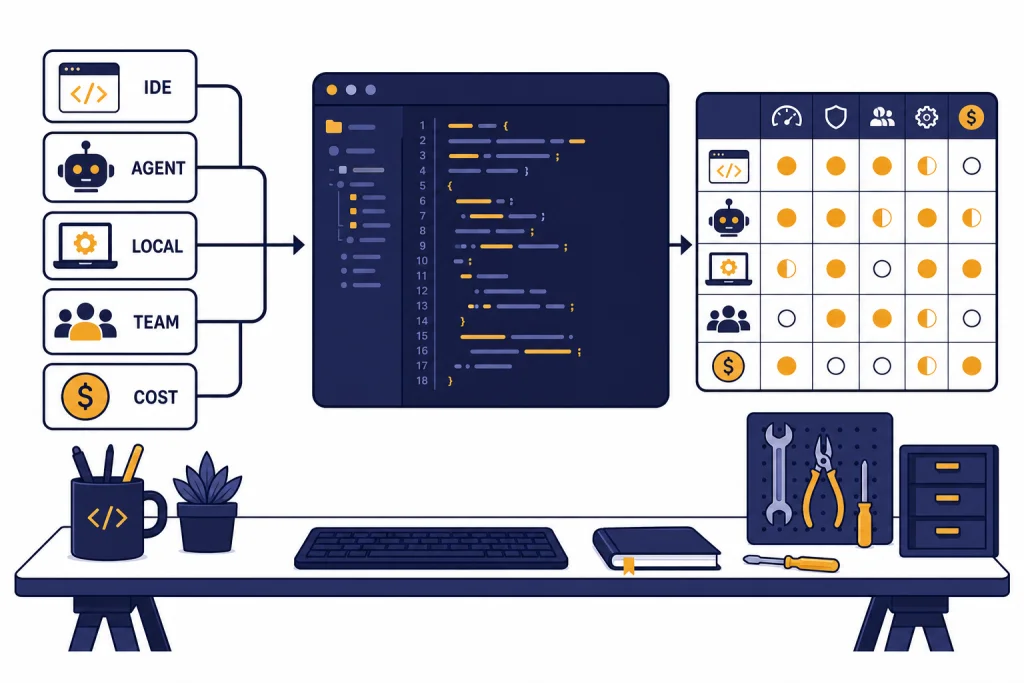
The best ChatGPT alternatives for coding are not all trying to solve the same problem. GitHub Copilot is the safest default for developers who want help inside an existing IDE. Cursor is stronger if you want an AI-first editor. Claude Code and OpenAI Codex are better for agentic work that spans files, tests, and pull requests. Continue is the best open-source route if you want to bring your own model. Tabnine, JetBrains AI, Amazon Q Developer, Gemini Code Assist, Sourcegraph Cody, Windsurf, and Replit Agent each make sense for narrower workflows. This guide compares the strongest options by coding style, price, editor fit, privacy, and team control.[1][4][6]
Quick picks
If you only want one recommendation, start with GitHub Copilot. It has the broadest fit because it works across common developer environments, includes inline suggestions, chat, agent mode, and GitHub-centered workflow features, and has clear individual and business tiers.[1] It is not always the most adventurous tool, but it is the least disruptive choice for many professional developers.
Choose Cursor if you are willing to move into a VS Code-style editor built around AI. Cursor is the better fit when you want agent workflows, rules, repo context, and AI-first editing to sit at the center of the workday rather than as a plug-in layered onto an existing editor.[2]
Choose Claude Code if you prefer terminal-first development and want an assistant that can reason through larger refactors. Anthropic lists Claude Code as included with Claude Pro and Max, with Pro at $20 monthly and Max starting at $100 monthly.[4]
Choose Continue if your priority is open-source control. Continue is an open-source AI workflow layer with IDE extensions and local or bring-your-own-model options, which makes it a better fit for developers who dislike subscription lock-in.[11] For a broader non-coding list, see our best ChatGPT alternatives in 2026 and chatgpt alternatives 2026 guides.
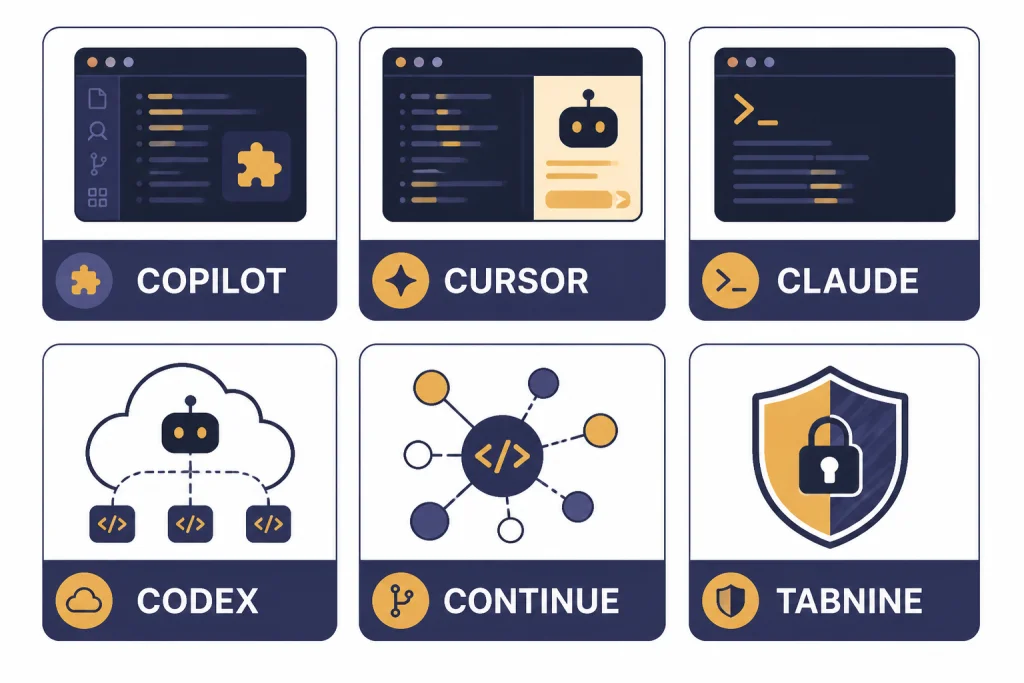
How we judged coding alternatives
A good coding assistant must do more than autocomplete a line. The best tools understand project structure, read surrounding files, edit multiple files safely, explain changes, run or suggest tests, and stay out of the way when normal IDE features are faster.
We weighted each tool across five practical criteria:
- Editor fit: whether the tool works inside your current IDE or forces a new editor.
- Codebase context: how well it understands files, symbols, dependencies, and repo conventions.
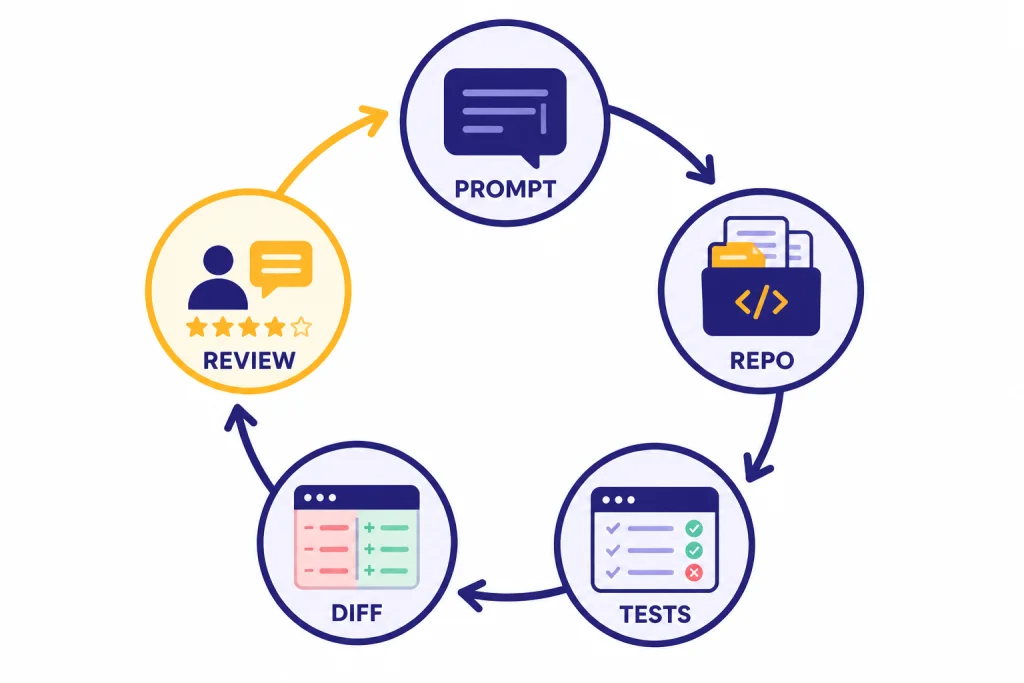
- Agent workflow: whether it can plan, change files, run commands, and produce reviewable diffs.
- Cost clarity: whether the plan is predictable or usage can spike during long agent sessions.
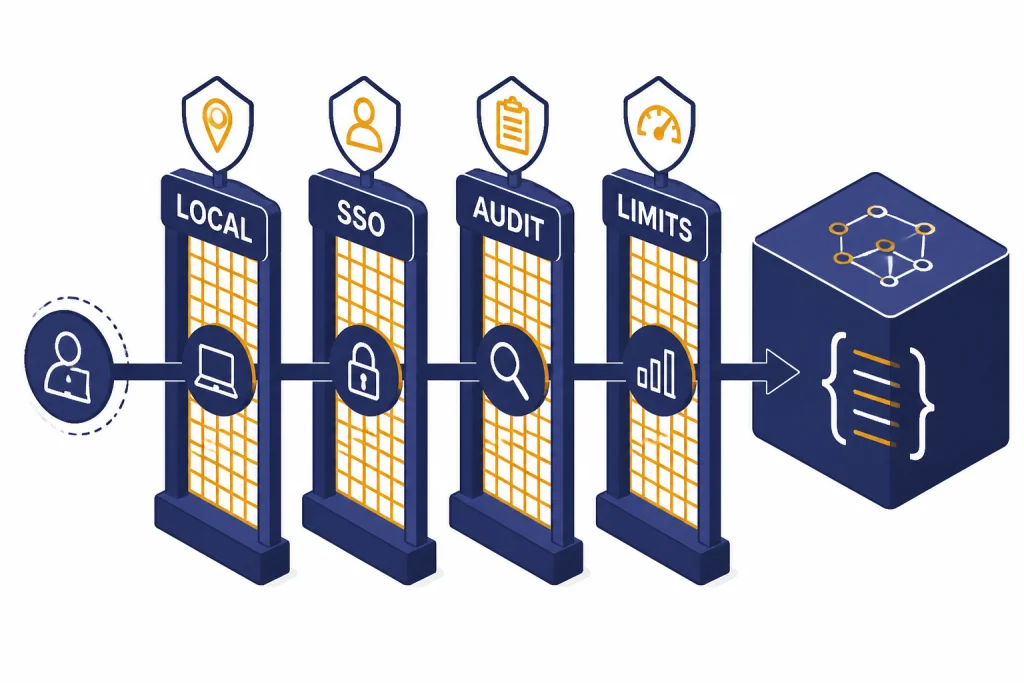
- Governance: whether teams can manage data retention, model access, permissions, auditability, and deployment options.
We did not treat benchmark claims as the final answer. Real coding work depends on language, framework, repository size, test coverage, dependency freshness, and how clearly the developer scopes the task. A tool that performs well on a clean benchmark can still make poor edits in a messy monorepo.
We also separated coding tools from general chatbots. If you want a wider comparison of assistants for writing, schoolwork, search, and mobile use, start with AI chatbot alternatives, free ChatGPT alternatives that actually work, or apps like ChatGPT.
Best ChatGPT coding alternatives compared
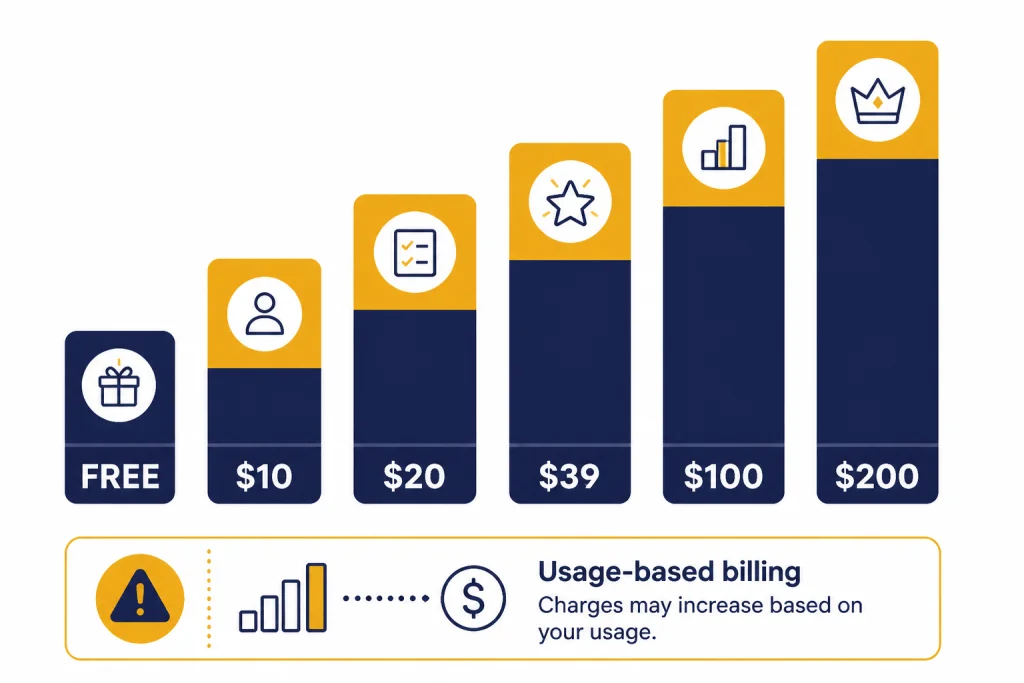
The table below uses publicly listed entry pricing where a clear plan is available. Some products use credits, usage caps, or enterprise contracts, so treat the price column as a starting point rather than a full cost forecast.
| Tool | Best for | Starting point | Main trade-off |
|---|---|---|---|
| GitHub Copilot | Most developers who want an IDE assistant | Free tier; Pro is $10 per month; Business is $19 per granted seat per month.[1] | Best when your work already touches GitHub and common IDE flows. |
| Cursor | AI-first editing and repo-aware coding | Cursor’s public pricing has included Pro at $20 per month and Ultra at $200 per month.[2][3] | Requires switching to the Cursor editor. |
| Claude Code | Terminal-first agentic coding | Claude Pro is $20 monthly; Max starts at $100 monthly.[4] | Usage limits matter for long sessions. |
| OpenAI Codex | Asynchronous coding tasks and API-based agent work | OpenAI lists codex-mini-latest at $1.50 per 1M input tokens and $6 per 1M output tokens.[6] | Cost depends on token use and task scope. |
| Windsurf | AI editor users who want agentic coding with a simpler interface | Third-party pricing trackers list Free, Pro at $20 per month, Max at $200 per month, and Teams at $40 per user per month.[8] | Official pricing pages can change quickly; verify before purchase. |
| JetBrains AI | IntelliJ IDEA, PyCharm, WebStorm, and other JetBrains IDE users | JetBrains lists AI Free, AI Pro, AI Ultimate, and AI Enterprise tiers, with AI Pro at $10 or $20 depending on license context and AI Ultimate at $30 or $60.[9] | Best if you already live in JetBrains products. |
| Continue | Open-source, local-model, or bring-your-own-model setups | Open-source IDE extensions and CLI; model cost depends on what you connect.[11] | Requires more setup than a hosted assistant. |
| Tabnine | Privacy-sensitive teams and controlled deployment | Tabnine lists Code Assistant at $39 per user per month and Agentic Platform at $59 per user per month on annual subscription terms.[10] | More enterprise-oriented than hobbyist-friendly. |
| Amazon Q Developer | AWS-heavy development | AWS lists a Free Tier and a Pro Tier at $19 per user per month.[14] | Most compelling inside AWS workflows. |
| Gemini Code Assist | Google Cloud and enterprise cloud development | Google lists Standard and Enterprise editions with hourly license pricing.[13] | Pricing is less intuitive than a flat monthly plan. |
| Sourcegraph Cody | Large codebases and code search context | Sourcegraph documents Cody for Sourcegraph Enterprise; third-party pricing trackers list Free, Pro at $9 per month, and Enterprise at $19 per user per month.[15][16] | Strongest when code search and repo context are central. |
| Replit Agent | Browser-based app building and prototypes | Replit uses effort-based AI billing that scales with request complexity.[12] | Less predictable than a simple monthly coding assistant. |
Tool-by-tool recommendations
GitHub Copilot: best default coding assistant
GitHub Copilot is the best first stop if you want a ChatGPT alternative for coding without changing your editor habits. GitHub’s plan documentation lists Copilot Free, Student, Pro, Pro+, Business, and Enterprise, with inline suggestions, chat, agent features, and organization controls varying by tier.[1]
Copilot works best for everyday development: completing functions, explaining unfamiliar code, drafting tests, generating small utilities, and making contained edits. It is also easier to justify inside organizations because GitHub publishes business and enterprise plan details, including policy controls and seat-based pricing.[1]
The trade-off is that Copilot feels like an assistant inside your workflow, not a full replacement for your workflow. If you want the editor itself to be designed around AI planning and multi-file actions, Cursor or Windsurf may feel more natural.
Cursor: best AI-first editor
Cursor is the strongest pick for developers who want the coding environment to revolve around AI. It keeps the familiar shape of a VS Code-style editor while adding repo-aware chat, rules, agent workflows, and model-driven edits.[2]
Cursor is especially useful for front-end apps, full-stack prototypes, refactors that touch several files, and codebase exploration. Its biggest advantage is continuity. You can ask about a design decision, inspect related files, request a change, and review the diff without constantly moving between a browser chatbot and your editor.
The cost story is more important than it used to be. Cursor’s public pricing has included a $20 Pro plan and a $200 Ultra plan for power users.[2][3] If your work uses long agent sessions every day, watch usage closely and compare the real monthly spend against Copilot, Claude Code, and Codex.
Claude Code: best terminal-first coding agent
Claude Code is the best fit if you like working from the terminal and want the assistant to behave more like a coding agent than a chat sidebar. Anthropic lists Claude Code as included in Claude Pro and Max, and the Max plan page describes Claude Code as part of a subscription that combines Claude apps and terminal coding workflows.[4][5]
Use Claude Code for larger reasoning tasks: tracing bugs across files, planning refactors, adding tests, and working through unfamiliar code. It can be overkill for small edits. For a single function, an inline assistant is faster.
The key limitation is quota pressure. Agentic coding can consume a lot of model capacity because the tool reads files, reasons about them, proposes changes, and often iterates. Claude Pro is much cheaper than Max, but Max starts at $100 monthly for heavier usage.[4]
OpenAI Codex: best for asynchronous coding tasks
OpenAI Codex is the closest coding-specific relative to ChatGPT, but it is built around delegated software tasks rather than plain chat. OpenAI describes Codex as an asynchronous, multi-agent coding workflow in ChatGPT and also lists codex-mini-latest for developers through the Responses API.[6]
Codex makes sense when you already use OpenAI tools and want a coding agent that can work on tasks while you review outputs. It is strong for isolated issues, test additions, migration chores, and tasks where a clean diff is more useful than a conversation.
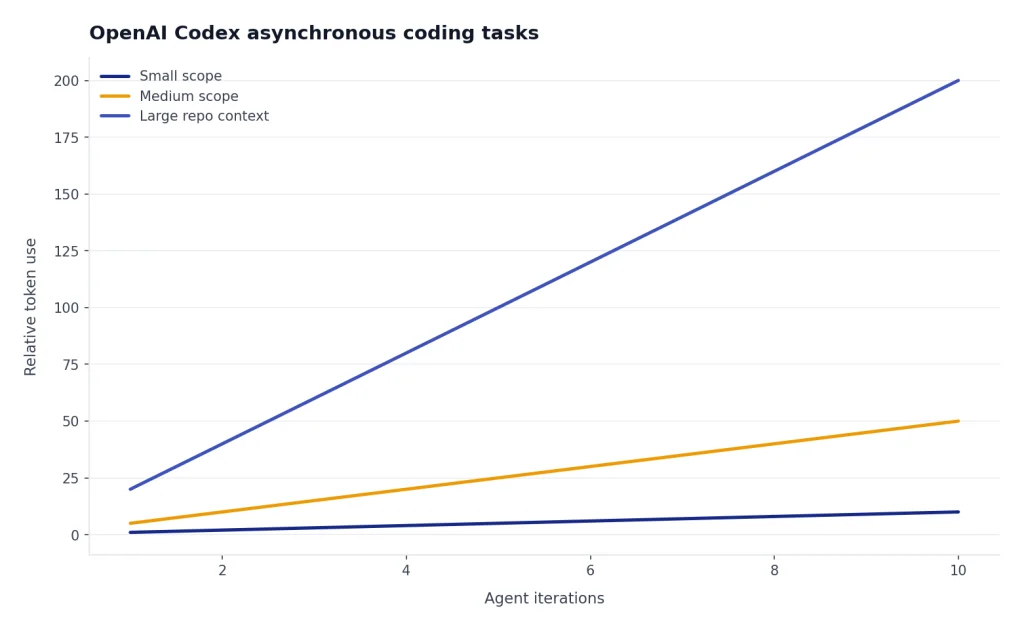
The API pricing model can be a benefit or a risk. OpenAI lists codex-mini-latest at $1.50 per 1M input tokens and $6 per 1M output tokens, with a 75% prompt caching discount.[6] That can be efficient for well-scoped tasks, but vague prompts and large repos can raise token use quickly. If you are comparing API costs across OpenAI models, keep our OpenAI API pricing guide nearby.
Continue: best open-source alternative
Continue is the best option if you want an open-source coding layer rather than another closed subscription. Continue’s documentation describes an open-source CLI, IDE extensions, and a hub for custom agents.[11] It works best for developers who want to choose their own model provider, run local models, or standardize team prompts and checks.
The trade-off is setup time. You may need to configure models, keys, local inference, context rules, and team conventions. That work is worthwhile for privacy-sensitive developers and open-source enthusiasts, but it is not as frictionless as signing into Copilot or Cursor.
If open-source control is your main criterion, also read our Open Source ChatGPT Alternatives guide. Pair it with our context window sizes for every GPT model article if you plan to compare local and hosted models by repo context size.
Tabnine: best for controlled enterprise coding
Tabnine is a stronger fit for organizations than for solo experimenters. Its pricing page emphasizes private, secure AI development, enterprise-grade deployments, auditability, model access controls, and usage metrics.[10]
Tabnine lists the Code Assistant Platform at $39 per user per month and the Agentic Platform at $59 per user per month with annual subscription terms.[10] That is higher than many individual coding tools, but the value proposition is governance: deployment flexibility, policy control, code provenance, and reduced data-risk concerns.
Choose Tabnine when security review, compliance, and centralized administration matter more than having the trendiest agent interface. It is less compelling if you are a student, hobbyist, or solo developer looking for the lowest-cost coding assistant.
JetBrains AI: best for JetBrains IDE users
JetBrains AI is the natural choice if your daily tools are IntelliJ IDEA, PyCharm, WebStorm, PhpStorm, GoLand, Rider, or other JetBrains IDEs. JetBrains describes AI Free, AI Pro, AI Ultimate, and AI Enterprise tiers, with quotas measured in AI Credits.[9]
The main reason to choose JetBrains AI is deep IDE fit. You keep JetBrains inspections, refactoring tools, navigation, test runners, and language-specific features. That matters for Java, Kotlin, Python, PHP, .NET, and enterprise codebases where the IDE already understands more than a plain text editor.
The pricing is less simple than Copilot. JetBrains lists different AI Pro and AI Ultimate prices and quotas depending on license context, with AI Credits tied to the subscription price.[9] Before buying, check whether your existing JetBrains subscription already includes a tier or discount.
How to choose by coding workflow
Your workflow matters more than the leaderboard. The same assistant can feel brilliant in one environment and clumsy in another.
If you mostly write production code in an existing IDE
Start with GitHub Copilot, JetBrains AI, or Amazon Q Developer. Copilot is the broadest option. JetBrains AI is better if JetBrains IDE features are central to your work. Amazon Q Developer is most attractive when your code, infrastructure, and operational questions live inside AWS; AWS lists a Free Tier and a Pro Tier at $19 per user per month.[14]
If you want an AI-native editor
Use Cursor or Windsurf. Cursor is the stronger default for developers who want repo-wide context and a mature AI-first editor. Windsurf is worth testing if you prefer its interface or model routing. Third-party pricing trackers list Windsurf Pro at $20 monthly, Max at $200 monthly, and Teams at $40 per user monthly, but verify the official page before purchase because AI editor pricing changes often.[8]
If you delegate bigger tasks to agents
Compare Claude Code and OpenAI Codex first. Claude Code fits terminal workflows and iterative reasoning. Codex fits delegated tasks and OpenAI-based stacks. In both cases, scope the task tightly, ask for a plan before edits, and require tests or a review checklist before accepting changes.
If you work in large or unfamiliar codebases
Look at Sourcegraph Cody, Cursor, Copilot Enterprise, and Tabnine. Sourcegraph documents Cody as an assistant that uses Sourcegraph context from local and remote codebases and supports VS Code, JetBrains, Visual Studio, and the web app.[15] This matters when the hard part is not writing code, but finding the right code to change.
If you build prototypes in the browser
Replit Agent is a better fit than most IDE assistants. It can help turn natural-language app ideas into running projects inside Replit. The caution is billing. Replit says Agent uses effort-based pricing that scales with request complexity and that Agent interactions are billable even when the response is guidance rather than a code change.[12]
If you are choosing across general-purpose tools as well as coding tools, our top 10 ChatGPT alternatives in 2026 and similar to ChatGPT comparisons may help narrow the field.
Security, privacy, and team governance
Coding assistants touch sensitive material. They may read proprietary source code, internal API names, environment conventions, test data, database schemas, tickets, and security-sensitive snippets. Treat them as developer infrastructure, not browser toys.
For individual developers, the key questions are simple: can you exclude files, disable training where relevant, control which model sees which repo, and avoid pasting secrets into prompts? For teams, the checklist gets longer: single sign-on, seat management, audit logs, data retention, policy controls, approved model lists, usage reporting, and legal review.
Tabnine is explicit about enterprise deployment flexibility, including SaaS, VPC, on-premises, and air-gapped options, along with controls for LLM access, auditability, and usage metrics.[10] GitHub Copilot Business and Enterprise include organization-focused management and policy controls, according to GitHub’s plan documentation.[1] JetBrains AI Enterprise is aimed at organizations that need centralized administration and additional enterprise controls.[9]
Open-source and local-model setups can reduce some data exposure, but they do not remove engineering responsibility. A local model can still write insecure code. A self-hosted assistant can still leak secrets into logs. Good process still matters: branch protection, code review, static analysis, dependency scanning, and tests.
For model-level comparisons, see our all GPT models compared side by side and most powerful GPT model breakdowns. They are useful when you need to decide whether model quality, context length, or price matters most for a coding workflow.
When ChatGPT is still the better coding tool
ChatGPT is still useful for coding even if a dedicated coding tool handles day-to-day implementation. It is often better for architecture discussions, learning unfamiliar concepts, generating examples, comparing libraries, writing migration plans, and explaining errors without needing repo access.
Use ChatGPT when the task is conversational and exploratory. Use a coding assistant when the task should modify files. Use an agent when the task spans multiple files and can be tested. This division keeps tools in their strongest lane.
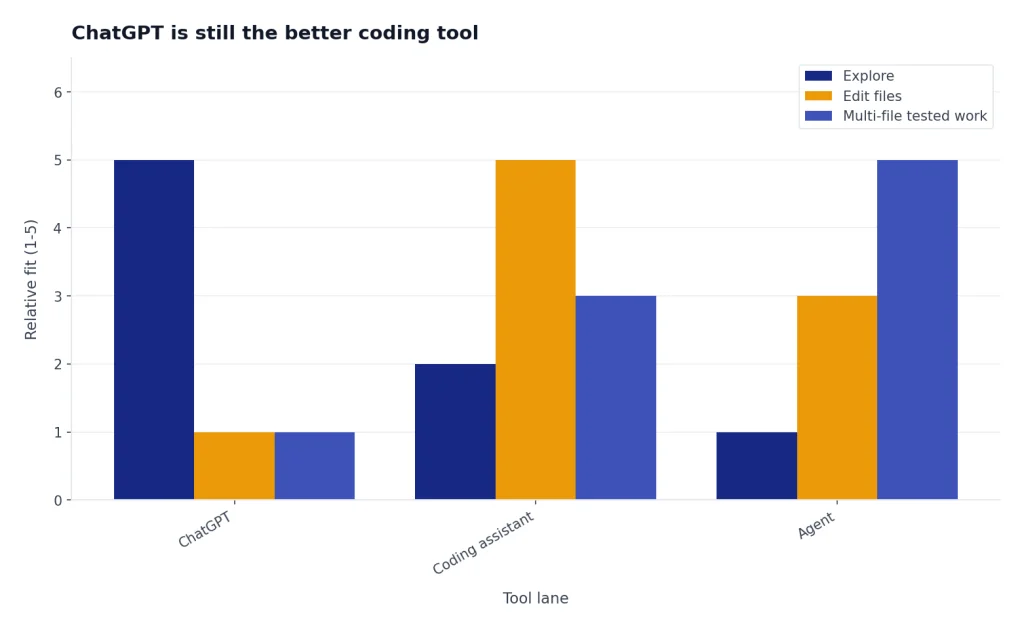
For example, ask ChatGPT to compare authentication patterns for a new app. Then ask Cursor, Copilot, Claude Code, or Codex to implement the selected pattern in your repository. Ask ChatGPT again to review the trade-offs or help write documentation. That loop is often better than expecting one tool to do every step.
If price is the constraint, compare your coding workload against general assistant plans as well. A developer who only asks occasional code questions may not need a dedicated agent subscription. Our ChatGPT alternative free and ChatGPT Plus price in 2026 articles cover the lower-cost end of that decision.
Frequently asked questions
What is the best ChatGPT alternative for coding overall?
GitHub Copilot is the best overall choice for most developers because it fits existing IDE workflows and has clear individual, business, and enterprise tiers.[1] Cursor is the better choice if you want an AI-first editor rather than a plug-in.
What is the best free ChatGPT alternative for coding?
Continue is the best free and open-source route if you are comfortable connecting your own model or running local models.[11] GitHub Copilot, Amazon Q Developer, JetBrains AI, and Gemini Code Assist also publish free or no-cost entry options, but limits vary by account type and product.[1][9][13][14]
Is Cursor better than GitHub Copilot?
Cursor is better if you want the whole editor shaped around AI workflows. GitHub Copilot is better if you want AI help inside the tools you already use. The choice is less about raw model quality and more about whether you want to switch editors.
Is Claude Code worth it for programming?
Claude Code is worth testing if you want a terminal-based agent for multi-file work, debugging, refactoring, and test generation. Anthropic lists Claude Code as included with Claude Pro and Max, with Pro at $20 monthly and Max starting at $100 monthly.[4] Light users may not need the higher tier.
Which coding assistant is best for enterprise teams?
Tabnine, GitHub Copilot Business or Enterprise, JetBrains AI Enterprise, Sourcegraph Cody, Gemini Code Assist, and Amazon Q Developer are the strongest enterprise candidates. The best choice depends on where your code lives, which IDEs your team uses, and how strict your data controls are.
Can AI coding tools replace developers?
No. They can write boilerplate, suggest fixes, explain code, and draft changes, but they still need human direction and review. Developers remain responsible for architecture, security, maintainability, testing, and product judgment.