

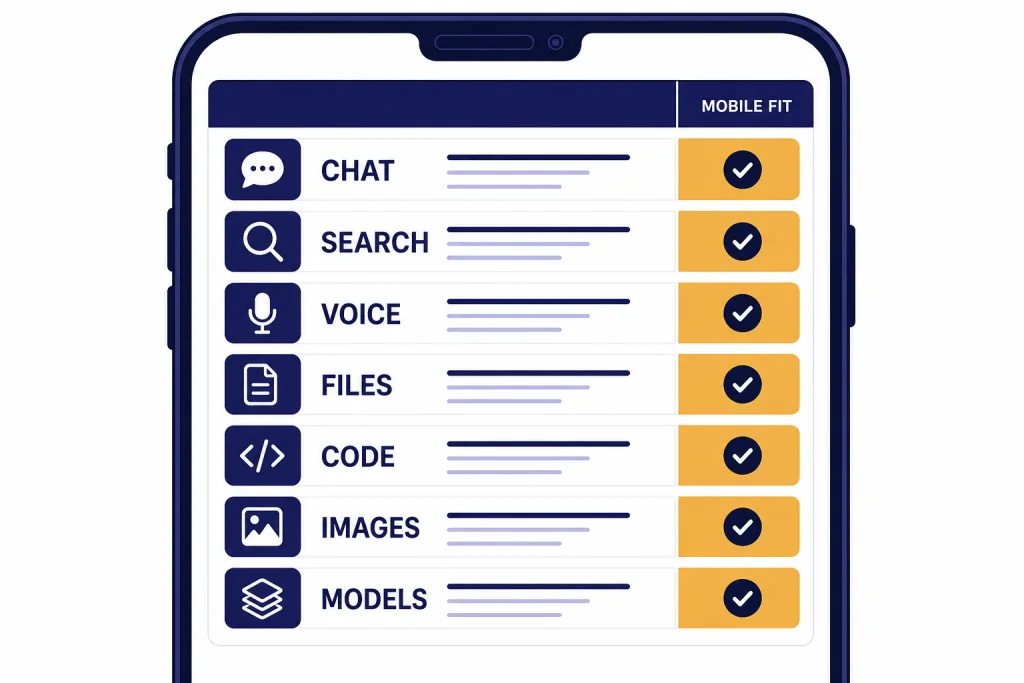
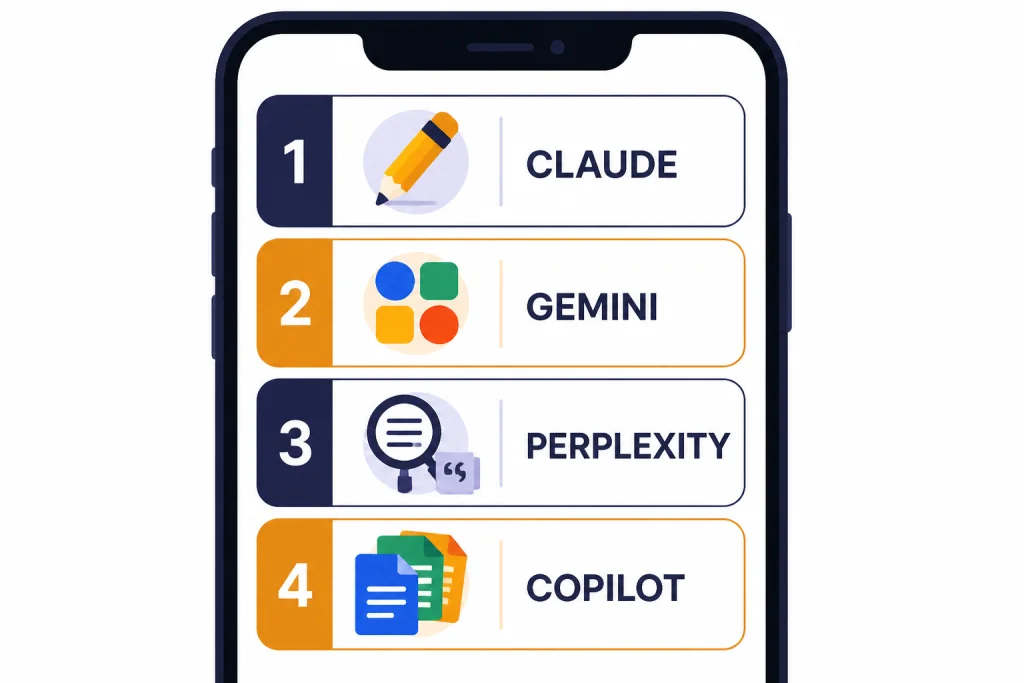
The best mobile alternatives to ChatGPT are not all trying to replace it in the same way. Claude is the strongest all-around choice for long writing, careful explanations, and file-heavy work on a phone. Gemini is the best fit for Android users and people already inside Google services. Perplexity is the best mobile research companion. Microsoft Copilot is strongest when your phone workflow touches Microsoft 365. Meta AI is useful if you want a free assistant inside Meta’s app ecosystem or a standalone voice-first app. Le Chat and Poe are worth considering when you want a different model mix or a lighter mobile experience.[1][2][4][5][6][7][9]
For context, ChatGPT itself is still the benchmark mobile assistant in 2026 because the official app ties together OpenAI’s current chat, voice, image, file, and history-sync workflows. As of May 2026, OpenAI’s current top chat tier includes GPT-5.5 and GPT-5.5 Pro, with newer image and video model families such as GPT-image-2 and Sora-2 Pro available in the broader OpenAI lineup. The point of this guide is not that ChatGPT is outdated; it is that some mobile apps are better for specific phone workflows.
Quick picks for mobile users
If you only want one recommendation, start with Claude. Anthropic lists Claude chat access on web, iOS, Android, and desktop, and its free plan includes writing, code generation, text and image analysis, web search, memory, file creation, and code execution.[1] On a phone, Claude is especially useful when you paste a long email thread, upload a PDF, ask for a cleaner rewrite, or want a calm explanation without opening a dozen apps.
Choose Gemini if your phone is your Google hub. Google documents upgrades inside the Gemini mobile app and says users can switch between models in Gemini Apps when signed in.[3] Google’s AI subscription page ties Gemini app access to Google AI plans, including Google AI Pro at $19.99 per month and higher tiers for heavier users.[2] On Android, Gemini’s advantage is not only the model; it is the assistant-style handoff between search, photos, Google apps, voice, and the phone interface.
Choose Perplexity if your main need is search-backed answers. Its Pro help page describes the plan as a premium subscription for improving research and question answering, with benefits such as more citations, file and photo uploads, research access, and image generation for visual research tasks.[5] The mobile app is strongest when you want a quick answer with visible sources rather than a long open-ended chat. For a deeper research-focused list, compare it with best ChatGPT alternatives for research.
Choose Microsoft Copilot if your work already lives in Word, Excel, PowerPoint, Outlook, OneDrive, or Teams. Microsoft says the Microsoft 365 Copilot mobile app gives access to an AI assistant and favorite apps through an advanced chat experience on a mobile device, and that the app is available for both iOS and Android.[4] Treat Copilot as two different buying paths: consumer Copilot for personal chat and Microsoft 365 Copilot for work or school accounts governed by an organization. Do not assume a personal subscription unlocks the same document access as an employer-managed Microsoft 365 Copilot license.
Choose Meta AI if you want a free, casual assistant that follows you across Meta’s consumer apps. Meta announced a standalone Meta AI app and described it as connected to meta.ai, with continuity across devices and a voice-focused mobile experience.[6] It is not the best pick for sensitive work files, but it is convenient for social prompts, quick image ideas, and everyday questions.
Choose Le Chat if you want Mistral’s assistant on a phone. Mistral’s documentation says Le Chat is its conversational AI assistant and is available on iOS and Android.[7] Mistral also says Le Chat Pro can be upgraded directly inside the iOS or Android app through in-app purchases.[8]
Choose Poe if you want one app that gives you access to many bots and model families rather than one company’s assistant. Poe’s help center describes subscription management on web, iOS, and Android, and notes that Poe subscriptions include compute points.[9] If you want a broader list beyond mobile, see our best AI chatbot alternatives to ChatGPT and ChatGPT alternatives 2026 guides.
Mobile AI apps compared
The best mobile alternative depends on what you do on a phone. A student checking sources needs a different app from a manager dictating meeting notes or a developer reviewing code from a train. Use this repaired comparison table as a short list, then read the task sections below for phone-specific trade-offs.
| Mobile app | Best mobile use | Phone-specific strengths | Free tier | Paid path | Main caution |
|---|---|---|---|---|---|
| Claude | Writing, reading, file analysis, careful answers | Low-friction for pasted text, long drafts, PDFs, image questions, and thoughtful rewrites on both iOS and Android. | Yes | Claude Pro is $20 if billed monthly, with an annual discount shown as $17 per month when $200 is billed up front.[1] | Usage limits still apply, and very large files can still be awkward on a small screen. |
| Gemini | Android assistant use, Google ecosystem, multimodal work | Best when voice, photos, Search, Google apps, and account context matter more than a standalone chat window. | Yes | Google AI Pro is listed at $19.99 per month.[2] | Some features depend on account type, country, app version, and whether you are using a personal or Workspace account. |
| Perplexity | Search-backed research and source discovery | Strong for mobile follow-up questions, cited answers, source trails, and quick fact checks without juggling browser tabs. | Yes | Perplexity Pro adds more research and productivity features.[5] | It is better at finding and summarizing sources than replacing a full writing assistant. |
| Microsoft Copilot | Microsoft 365 mobile productivity | Best when signed in with the same Microsoft account that controls your files, email, Teams, and organization policy. | Yes | Compare three paths separately: free consumer Copilot, any personal Copilot upgrade offered in your market, and Microsoft 365 Copilot for work or school accounts.[4] | Document access depends on the account, license, app permissions, and whether your organization has enabled the feature. |
| Meta AI | Casual chat, voice, social-app convenience | Good for quick voice-style prompts and continuity across Meta’s consumer ecosystem. | Yes | Meta positioned the standalone app as a consumer assistant experience.[6] | Not the first choice for private documents, regulated work, or professional research. |
| Le Chat | Mistral assistant access, lightweight mobile chat | Simple iOS and Android access for Mistral’s assistant, with in-app upgrade flow. | Yes | Le Chat Pro can be purchased inside the mobile apps.[8] | Feature parity can vary between web and mobile. |
| Poe | Trying many bots in one mobile app | Useful when you want to compare model styles from one phone interface instead of installing many apps. | Yes | Subscriptions include compute points.[9] | Point systems can be harder to understand than a simple monthly plan. |
If you are comparing phone-first apps rather than full AI platforms, also read our apps like ChatGPT roundup. It focuses more narrowly on iOS and Android app experiences.
When you test these apps yourself, do not judge only the answer quality. On mobile, small interface details decide whether an assistant becomes a daily tool: whether it appears in the iOS share sheet or Android share menu, whether file upload works from Files, Photos, Drive, iCloud, OneDrive, or a browser download, whether voice starts quickly enough to use while walking, whether notifications are useful or noisy, and whether the app respects your phone’s focus modes and lock-screen settings.
| Mobile detail to test | Why it matters | Apps most likely to benefit |
|---|---|---|
| Share-sheet or share-menu support | Lets you send a web page, PDF, photo, or selected text into the assistant without copy-paste gymnastics. | Perplexity for research links; Claude for long text; Gemini on Android. |
| Widgets and quick launch | Reduces friction for quick prompts, voice, or camera questions from the home screen. | Gemini, ChatGPT, Meta AI, and any app you use many times a day. |
| Siri, Shortcuts, or Assistant handoff | Matters if you want hands-free prompts, dictation, or automation instead of opening the app manually. | Gemini on Android; iPhone users should check each app’s current Shortcut and voice options. |
| File upload sources | Some apps handle local files smoothly but are clumsy with cloud drives, photos, or email attachments. | Claude for documents; Copilot for Microsoft files; Gemini for Google-connected work. |
| Voice latency and interruption handling | A voice assistant must start quickly, understand noisy environments, and recover when you interrupt. | Meta AI, Gemini, ChatGPT, and Claude depending on your device and region. |
| Notification behavior | Research and long-running tasks are useful only if the app tells you when work is ready without spamming you. | Perplexity for research; any app used for file analysis or longer answers. |
Best choices for iPhone and Android
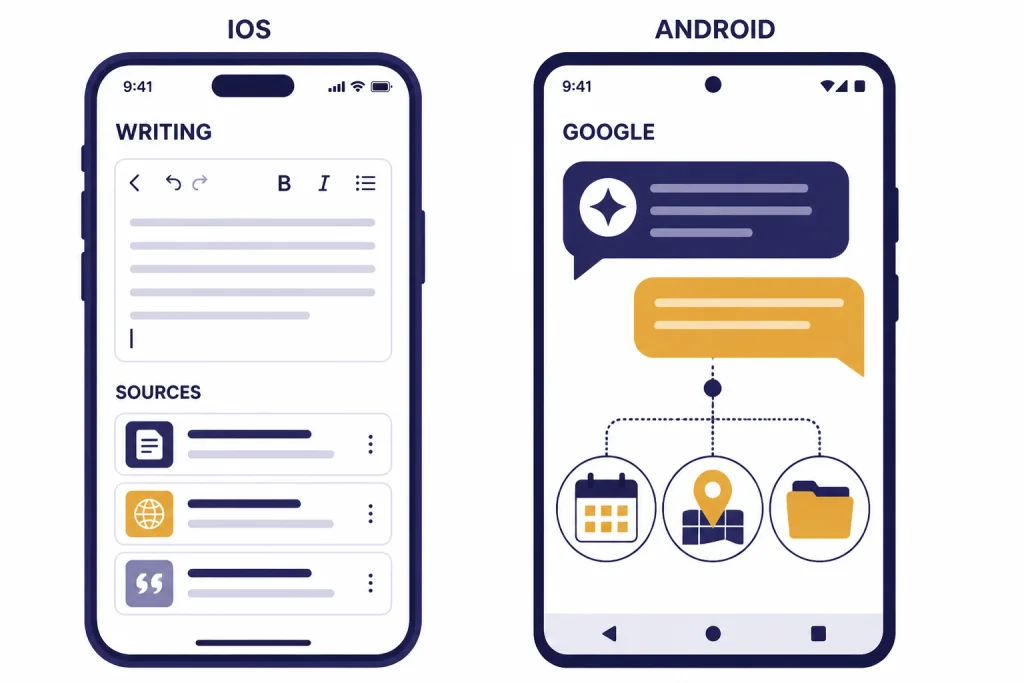
Best for iPhone: Claude or Perplexity
On iPhone, Claude is the safest first download for most people. It feels closest to a complete ChatGPT replacement because it handles writing, file review, coding help, and visual analysis inside one assistant. Anthropic’s pricing page also lists voice mode, projects, research, memory, connectors, and web search among Claude plan features.[1]
The iPhone-specific reason to try Claude is friction: it is a good place to paste copied text from Mail, Safari, Notes, Slack, or a PDF and ask for a rewrite, summary, or response draft. Before paying, test the exact flows you care about: sharing a web page into the app, uploading a PDF from Files or iCloud Drive, adding a photo, dictating a prompt, and continuing the same chat later on desktop.
Perplexity is the better iPhone choice when you do not want a blank chat box. Its mobile flow is built around asking a question, scanning cited results, and following source trails. That matters when you are reading on a small screen and need fast confidence about where an answer came from. Students should compare it with our best free ChatGPT alternatives for students before paying for any plan.
Best for Android: Gemini
On Android, Gemini has the strongest platform advantage. Google’s help page describes opening the Gemini mobile app, upgrading Google AI plans inside the app, and switching models from the bottom of the text box when signed in.[3] That kind of system-level fit matters more on a phone than it does on a laptop.
Gemini is especially useful if you ask questions that involve photos, email, calendar context, Drive files, Maps, or Google Search. It is not always the best pure writing assistant, but it is the most natural option for an Android user who wants AI to feel like part of the phone rather than a separate destination. If you mostly speak prompts instead of typing, compare Gemini’s voice startup, interruption handling, and lock-screen access against ChatGPT and Meta AI on your own phone.
Best cross-platform setup: one assistant plus one search app
The best mobile setup is often not one app. Use Claude or Gemini as your everyday assistant. Add Perplexity when you need source-backed research. Keep Copilot installed if your employer or school uses Microsoft 365. This avoids the common mistake of expecting one mobile app to be the best writer, search engine, document assistant, coding partner, and voice companion at the same time.
Best mobile alternative by task
Writing and editing
Claude is the best mobile writing alternative. It gives thoughtful rewrites, explains editing choices clearly, and handles long source material well. Use it for emails, essays, reports, proposals, social captions, and tone changes. If writing is your main use case, compare it with our dedicated guide to best ChatGPT alternatives for writing.
Phone test to run: paste a messy email thread and ask, “Turn this into a polite 120-word reply with three bullet points and one clear next step.” Claude is the app in this list most likely to preserve nuance and produce a response you can send after light editing. Gemini is a good second choice if the message depends on Google context, while Copilot is preferable if the source document is inside your Microsoft work account.
Research and fact-checking
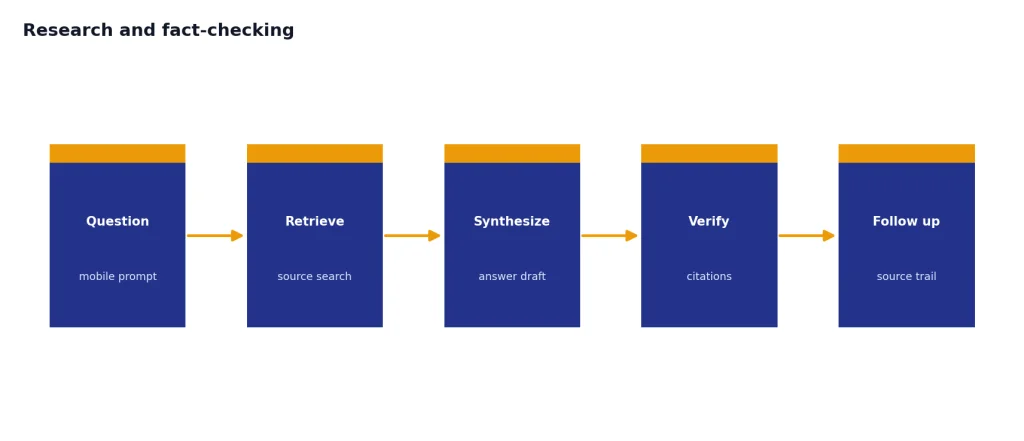
Perplexity is the best mobile research alternative because it starts from retrieval instead of pure conversation. Its Pro help page emphasizes more citations, file and photo uploads, research access, and support for visual research tasks.[5] Use it when you need to check claims, gather sources, compare products, or understand a news topic without opening a dozen tabs on your phone.
Phone test to run: share a news article or product page into Perplexity, ask “What are the strongest claims here, and which sources support them?”, then tap through at least two citations. The value is not just the answer; it is the ability to inspect sources quickly on a small screen.
Voice and quick questions
Meta AI and Gemini are strong for casual voice-style use. Meta’s standalone app announcement emphasized a personal assistant built around voice conversations and continuity with meta.ai.[6] Gemini is the better Android choice when the question may connect to Google services. If voice is your deciding factor, read our best ChatGPT alternatives for voice next.
Voice quality on mobile is not only about speech recognition. Test how many taps it takes to start talking, whether the app can handle a noisy street or car cabin, whether you can interrupt a long answer, and whether the transcript is easy to copy afterward. For quick questions, the fastest app you actually open will beat the theoretically smartest app buried in a folder.
Work documents and office files
Microsoft Copilot is the practical pick for Microsoft-heavy work. Microsoft says the Microsoft 365 Copilot mobile app gives mobile access to an AI assistant and favorite apps, while related support pages make clear that some Office file workflows still depend on separate Word, Excel, PowerPoint, or OneDrive apps.[4] Use Copilot when your files already live in Microsoft’s ecosystem.
Be precise about the paid path. A personal Copilot experience is not the same thing as Microsoft 365 Copilot for a work tenant. On a work phone, your employer’s license, identity provider, retention rules, and app-management policy can determine what Copilot can see and do. On a personal phone, you should expect a more limited relationship to business files unless those files are in the account you are using.
Coding from a phone
Mobile is not the ideal coding environment, but Claude and Gemini are the two best options for reading code, explaining errors, writing small snippets, and reviewing pull-request text from a phone. Claude’s plan page lists code generation, data visualization, file creation, and code execution in its feature set.[1] For serious development work, use a desktop workflow and compare the options in our best ChatGPT alternatives for coding.
Phone test to run: paste a short stack trace or a 40-line function and ask for a plain-English explanation before asking for a fix. On a phone, the first win is comprehension; editing and testing code still belongs in your IDE.
Images and creative prompts
Gemini, Meta AI, Perplexity, and Le Chat all have creative angles, but the right choice depends on whether you need image generation, image editing, visual search, or creative brainstorming. Perplexity’s Pro page mentions image generation for visual research tasks.[5] Mistral’s pricing page describes Le Chat as a place to chat, search, learn, create, and generate pictures.[10] If images are central to your workflow, start with our best ChatGPT alternatives for image generation.
On mobile, image workflows are about camera-roll friction. Test whether the app can accept a photo from the camera, Photos, Files, Drive, or the Android share menu; whether it keeps the original image quality; and whether the generated result is easy to save or share. If your goal is professional image generation rather than quick visual brainstorming, also compare ChatGPT’s current GPT-image-2 workflow before switching.
Privacy, billing, and app-store cautions
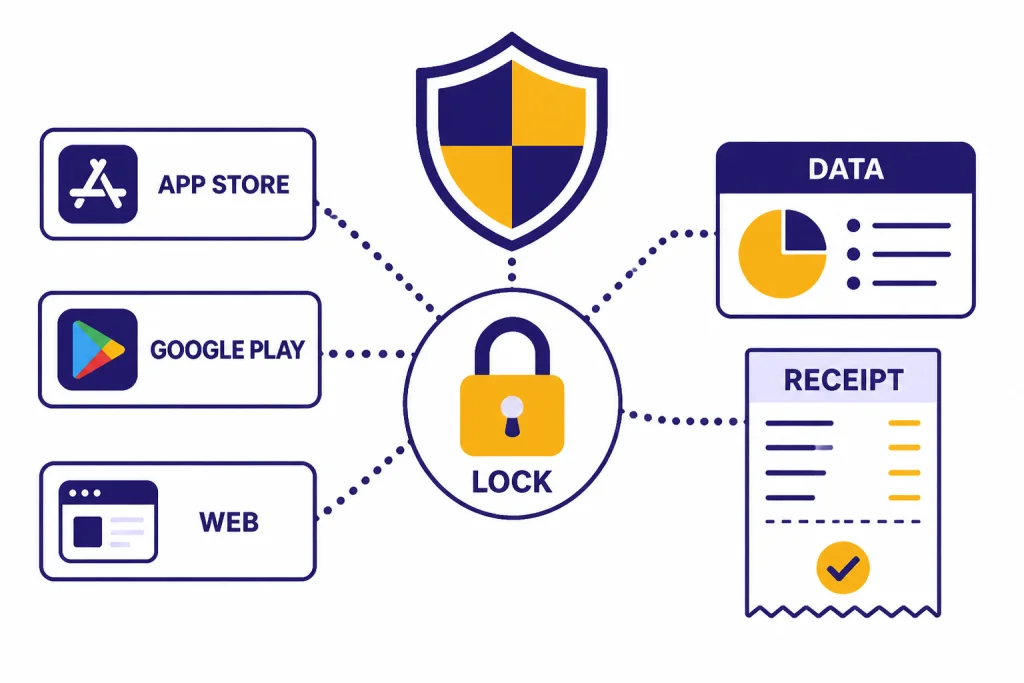
Mobile AI apps create two risks that are easier to miss than on desktop: you may install the wrong app, and you may subscribe through the wrong platform. Search results in app stores can include lookalike apps, wrappers, and ads. Always confirm the developer name, check the official website, and avoid typing sensitive information into an app until you know who operates it.
Billing also matters. Poe says subscriptions can be managed on web, iOS, and Android, but upgrades are tied to the platform where the active subscription was bought.[9] Mistral says Le Chat Pro upgrades on mobile are handled through in-app purchases in the iOS or Android app.[8] Google’s Gemini help page says users who upgraded but do not see their Google AI plan in the Gemini mobile app should restart the app, and it also lists minimum app-version guidance for Android and iPhone or iPad.[3]
For Copilot, read the plan name carefully before paying. The mobile app can be a front door to consumer Copilot features, but Microsoft 365 Copilot for work or school depends on the Microsoft account you sign in with, the license assigned to that account, and your organization’s policies.[4] If you need AI inside work email, Teams, Word, Excel, PowerPoint, or OneDrive, ask whether your organization has enabled Microsoft 365 Copilot rather than assuming a personal mobile purchase will connect to work documents.
Privacy is also different for consumer and enterprise accounts. Consumer accounts usually put more responsibility on you to review chat history, personalization, memory, data-sharing, and training settings inside the app. Enterprise, education, or workspace accounts may add admin controls, retention policies, data-loss-prevention rules, connector restrictions, audit logs, or disabled features. The same brand can behave differently depending on whether you are signed into a personal account, a school account, or an employer-managed workspace.
Use this practical rule: keep casual prompts, personal learning, and public research in consumer apps; keep confidential work documents inside the tool your organization governs. Meta AI is convenient, but it is built into a social ecosystem. Perplexity is strong for research, but you should still avoid uploading confidential files unless the plan and workplace policy allow it. Copilot may be the best choice for work documents if your organization manages Microsoft 365 access and compliance. Claude or Gemini may be better for personal writing and learning, but you should still review each app’s history and training controls before uploading private material.
One more rule: do not buy a mobile AI subscription just because the app prompts you. Compare web pricing, app-store pricing, cancellation rules, renewal date, family-sharing limitations, refund rules, and the features you actually use. If you want free options first, start with free ChatGPT alternatives that actually work and ChatGPT alternatives without login required.
When ChatGPT is still the better mobile app
ChatGPT is still the better mobile app if you rely on OpenAI-specific features, shared chat history, custom GPTs, or ChatGPT’s voice and image workflows. OpenAI’s App Store listing describes the official ChatGPT iOS app as free, history-syncing across devices, and including image generation, Advanced Voice Mode, photo upload, creative inspiration, advice, and personalized learning.[11] OpenAI’s help center lists ChatGPT Plus at $20 per month and says users can restore purchases in the iOS or Android app settings.[12]
As of May 2026, ChatGPT also has the advantage of OpenAI’s current model lineup, including GPT-5.5 and GPT-5.5 Pro for top-tier chat use, plus current OpenAI image and video model families in the broader product ecosystem. If you care about the newest OpenAI-specific capabilities, switching away from ChatGPT may create more friction than it saves.
In other words, do not switch only because an alternative is new. Switch because it solves a phone-specific problem better. Gemini can be better on Android. Perplexity can be better for research. Claude can be better for long-form writing. Copilot can be better for Microsoft files. ChatGPT can still be the most balanced option if you want one polished general assistant across desktop and mobile.
If you are deciding whether to keep paying for OpenAI’s plan, compare the trade-offs in our ChatGPT Plus price in 2026 article. If you want the broadest market overview, use our best ChatGPT alternatives in 2026 ranking.
How to choose the right mobile alternative
Start with your phone habits. If you mostly dictate quick questions, prioritize voice startup, interruption handling, and app speed. If you paste long text, prioritize context handling, share-sheet support, and document tools. If you research current topics, prioritize source visibility and citation navigation. If you use AI for work, prioritize the app your organization already governs.
- Pick Claude if you want the best phone-based writing and reading partner.
- Pick Gemini if you use Android or rely heavily on Google services.
- Pick Perplexity if you ask research questions and care about citations.
- Pick Copilot if your mobile work lives in Microsoft 365 and you know which account or license controls your files.
- Pick Meta AI if you want a casual free assistant inside a social app ecosystem.
- Pick Le Chat if you want Mistral’s assistant on iOS or Android.
- Pick Poe if you want to sample many bots from one mobile interface.
Most users should install two apps, not seven. Use one general assistant and one specialist. A strong setup is Claude plus Perplexity, Gemini plus Perplexity, or ChatGPT plus Copilot if your work is Microsoft-heavy. If you want more options before narrowing your list, compare top 10 ChatGPT alternatives in 2026 and similar to ChatGPT.
Before subscribing, run a 20-minute phone test: ask one voice question, share one web page into the app, upload one file from your normal storage location, paste one long message, check notification settings, and cancel the checkout flow before paying. The winner is the app that handles your real mobile workflow with the fewest taps, not the app with the longest feature list.
Frequently asked questions
What is the best mobile alternative to ChatGPT overall?
Claude is the best overall mobile alternative for most people because it is strong at writing, summarizing, explaining, coding help, and file-based work. Anthropic lists Claude chat access across web, iOS, Android, and desktop.[1] Gemini is a close second if you are an Android user or rely on Google services.
What is the best free mobile alternative to ChatGPT?
Start with Gemini, Claude, Perplexity, Microsoft Copilot, or Meta AI. Each has a free path, but free usage limits and feature access vary by account, country, and app version. If cost is the main factor, compare several free apps before subscribing and check whether the feature you want is available on mobile, not just on web.
Which mobile AI app is best for research?
Perplexity is the best mobile research app because its experience is built around search, sources, and follow-up exploration. Its Pro help page describes research-focused benefits such as more citations, file and photo uploads, and expanded research access.[5] Claude and Gemini are better when you need to turn that research into polished writing.
Which mobile AI app is best for Android?
Gemini is the best first choice for Android. Google documents Gemini mobile app plan upgrades and model switching inside Gemini Apps.[3] Claude is still worth installing if you prefer its writing style or need strong long-form explanations.
Is Poe a good ChatGPT alternative on mobile?
Poe is useful if you want to try many bots from one app instead of committing to one assistant. Its subscription system uses compute points, and subscription management differs across web, iOS, and Android.[9] That flexibility is helpful, but it can be less simple than paying directly for one model provider.
Should I delete ChatGPT after installing an alternative?
No. Most people are better off keeping ChatGPT and adding one specialist app. Use ChatGPT or Claude for general work, Perplexity for research, Gemini for Android and Google tasks, and Copilot for Microsoft files. Delete apps only after you know which one you actually use each week.