

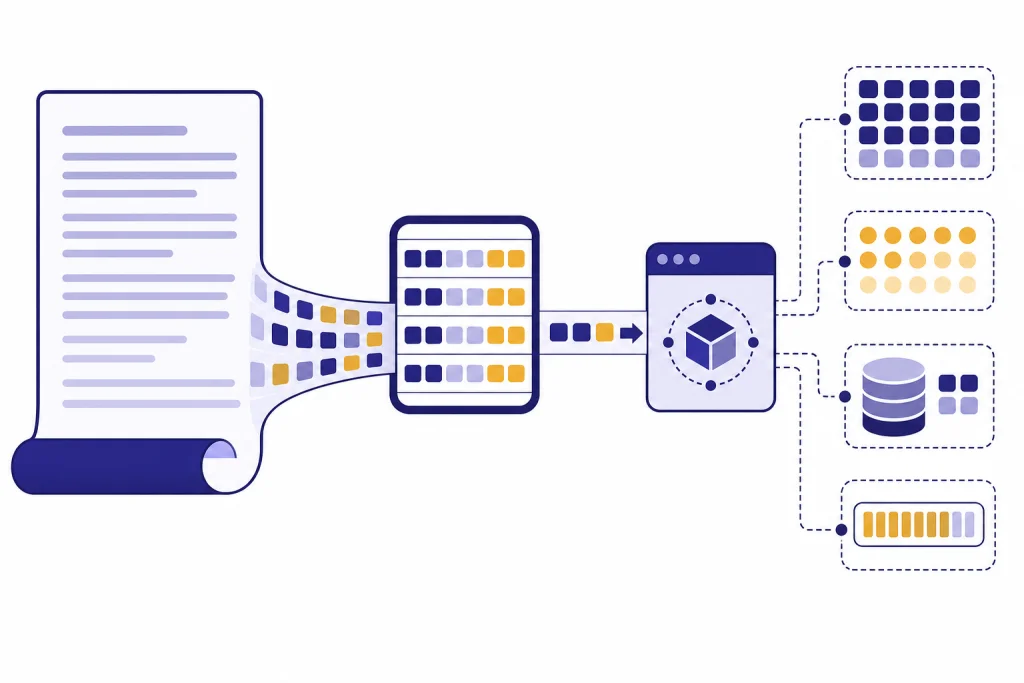
A token counter estimates how much text an OpenAI model will process before you send an API request. Use the tool below to paste a prompt, message, article, JSON payload, or code sample and get a practical token estimate. That estimate helps you stay within a model’s context window, forecast input cost, set safer output limits, and decide when to shorten or split content. It is most useful before a request is made. After a request is made, the authoritative number is the usage metadata returned by the OpenAI API or shown in the usage dashboard.
Token Counter
Paste any text and see roughly how many tokens it will use across GPT models. The estimate uses the cl100k_base scheme — close to GPT-4, GPT-5 and GPT-5.5 in production.
How the estimate works
One token averages ~4 characters or ~0.75 words for English. We weight long words and punctuation a little heavier to approximate the cl100k_base BPE tokenizer used by recent OpenAI chat models. For exact counts, run the official tiktoken library locally.
What this token counter does
This token counter gives you a fast estimate of how many tokens your text may use with an OpenAI model. Paste the text you plan to send, review the count, then compare that number with the model’s context limit and pricing. It is a planning tool, not a billing record.
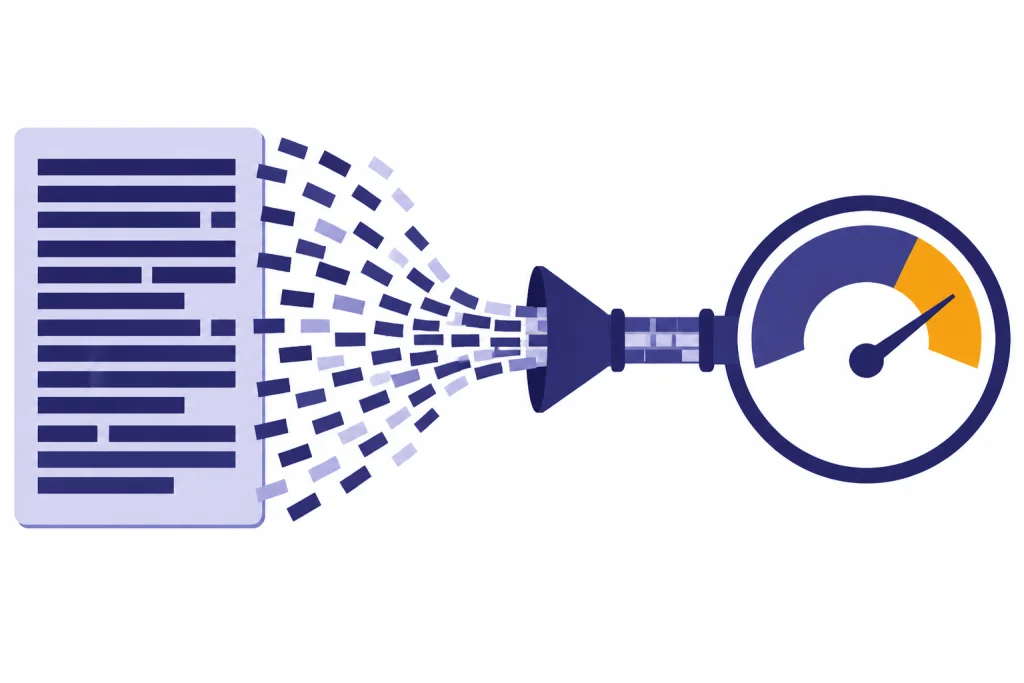
OpenAI defines tokens as the text units its models process.[1] A token can be a character, a piece of a word, a full word, punctuation, or a space attached to a word, depending on the text and language.[1] OpenAI’s own help material gives a practical English rule of thumb: 1 token is about 4 characters, 100 tokens is about 75 words, and one paragraph is about 100 tokens.[1]
The tool is useful when you are writing prompts for the OpenAI Responses API, sizing retrieval chunks for the OpenAI embeddings API, preparing structured JSON for structured outputs with the OpenAI API, or checking whether a long document may exceed a model’s context window. If you are comparing models, pair the count with our context window sizes for every GPT model.
The counter can help with four common decisions. First, it shows whether a prompt is small enough to send. Second, it gives a rough input-cost estimate. Third, it helps you reserve enough room for the model’s output. Fourth, it shows whether a prompt has grown too large after adding examples, tool schemas, conversation history, or documents.
How to use the token counter
Start with the exact text you expect to send to the API. Token estimates are only as useful as the input you provide. If your real request includes a system instruction, a developer instruction, a user message, tool definitions, previous conversation turns, or retrieved document excerpts, include those parts in your test.
Step 1: Paste your prompt or payload
Paste the text into the token counter. For simple prompts, paste the prompt alone. For a chat-style request, paste each message in the order it will be sent. For a JSON request, paste the serialized JSON or the closest text representation you can produce before the API call.
Step 2: Select or approximate the target model
If the tool lets you choose a model or encoding, select the model you plan to use. Different model families can tokenize the same text differently.[6] If the exact model is not available, use the closest modern OpenAI model family as a planning estimate and confirm with API usage metadata during testing.
Step 3: Add a response budget
Your input is not the whole request. You also need room for the model’s output. If your prompt is 8,000 tokens and you want a 1,000-token answer, plan for about 9,000 total tokens before any hidden or internal accounting that may apply to advanced reasoning models.
Step 4: Compare with model limits and price
OpenAI says each model has a maximum combined token limit for input plus output.[1] The pricing page lists current input, cached-input, and output rates by model.[3] Use the count here for planning, then use our OpenAI API cost calculator or OpenAI API pricing breakdown when you need a dollar estimate.
Step 5: Test with a real request
Before you ship production code, send representative requests to the API and log the returned usage metadata.[4] OpenAI’s help center describes usage categories that include input tokens, output tokens, cached tokens, and reasoning tokens for some advanced models.[1] Your production logs should record those fields so you can compare estimates with real usage.
What tokens mean in the OpenAI API
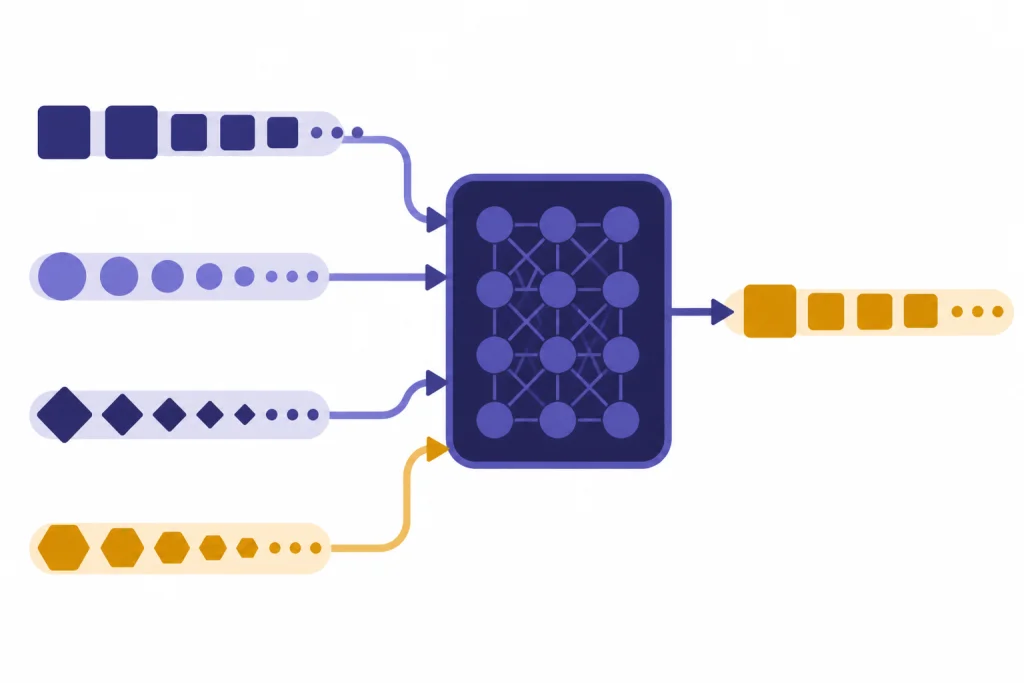
A token is not the same as a word.[1] The word count in your editor can be misleading because tokenization depends on the model’s encoding, the language, punctuation, whitespace, and context.[6] OpenAI’s tokenizer examples show that text is split before the model processes it, and the model’s response is generated as tokens before it is converted back into text.[7]
OpenAI distinguishes between prompt tokens and completion tokens in its help center.[2] Prompt tokens are the tokens you send to the model.[2] Completion tokens are the tokens the model generates in response.[2] Current OpenAI docs also use the terms input tokens and output tokens, especially around the Responses API and pricing.
Several token categories matter in practice:
- Input tokens: the text, messages, documents, tool definitions, and other request content the model receives.
- Output tokens: the visible response generated by the model.
- Cached input tokens: repeated prompt content that OpenAI can reuse through prompt caching and often bill at a reduced input rate.
- Reasoning tokens: internal tokens used by some advanced models before producing the final answer.
The important operational point is simple. A browser token counter mainly estimates input text. Your final invoice may also reflect output tokens, cached tokens, tool-related tokens, audio or image tokens, and other model-specific pricing rules.[3]
How token counts affect cost, limits, and latency
Token count affects three things at once: cost, whether the request fits, and how long the request may take. OpenAI’s Cookbook explains that counting tokens helps you know whether text is too long for a model and helps estimate API cost because usage is priced by token.[6]
Cost depends on the model and token type. OpenAI’s pricing page lists prices per 1 million tokens for many text, image, audio, and realtime models.[3] It also separates input, cached input, and output pricing for current models.[3] For example, the pricing page accessed for this article lists gpt-5.5 standard short-context pricing at $2.50 per 1 million input tokens, $0.25 per 1 million cached input tokens, and $15.00 per 1 million output tokens.[3] Always check current pricing before making budget commitments.
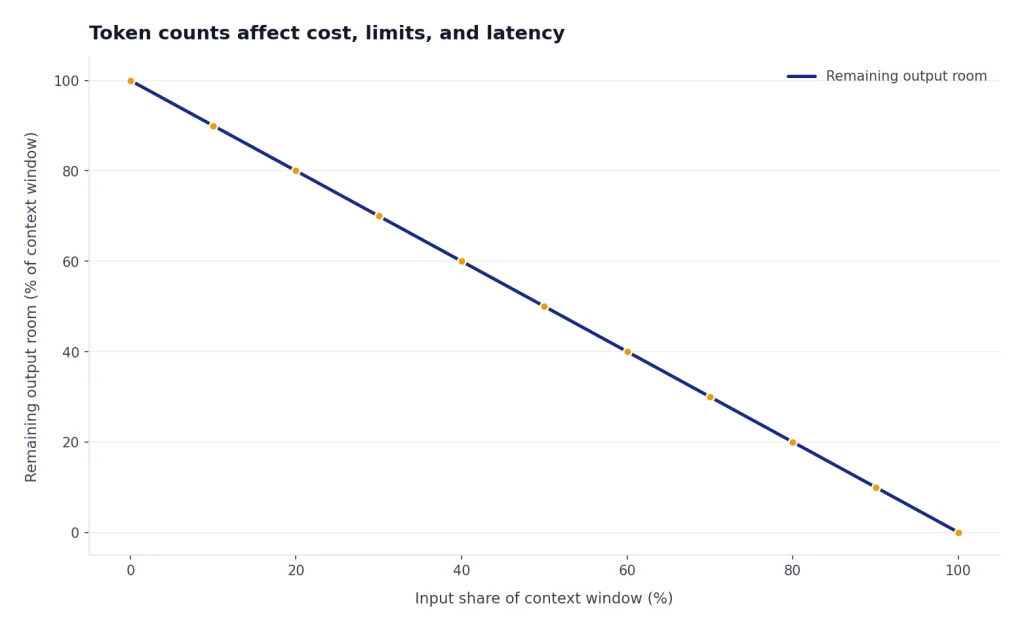
Limits depend on the model’s context window. The context window is the combined space available for input and output.[1] If your request fills nearly all of that window with input, the model has little room to answer. For long workflows, count both the initial instructions and the content that accumulates over time.
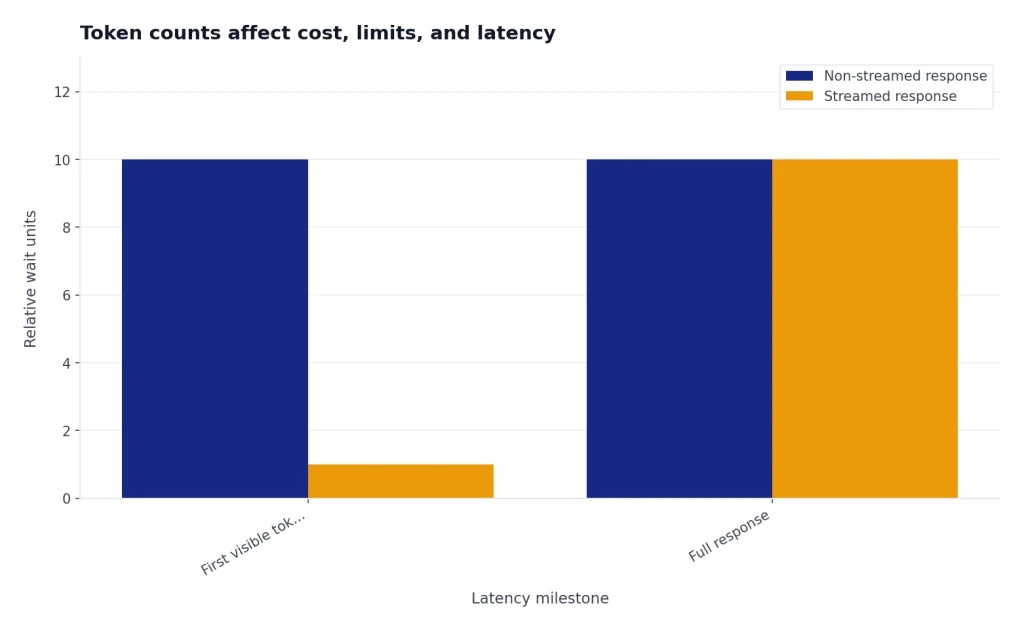
Latency also rises with token volume. More input gives the model more content to process. More output takes longer to generate. If your app streams responses, the user may see the first tokens earlier, but the full response still depends on how much text the model produces. See our guide to streaming responses with the OpenAI API if you are optimizing perceived latency.
| Planning question | Token count to inspect | Best next step |
|---|---|---|
| Will my request fit? | Input tokens plus planned output tokens | Compare with the target model’s context window. |
| What will this request cost? | Input, cached input, and expected output tokens | Multiply by current model pricing, then verify with API usage. |
| Why did the request fail? | Total request size and output limit | Shorten the prompt or route to a larger-context model. |
| Why is the app slow? | Large repeated input and long generated output | Trim context, use caching-friendly prompt structure, or stream output. |
| Why did a tool call cost more? | Tool schemas, retrieved content, and generated output | Log usage metadata and inspect tool-specific pricing. |
How to count tokens in code
For development work, a browser token counter is convenient but not enough. Production systems should count tokens before sending large requests and log the official usage values after each response. OpenAI recommends tiktoken for programmatic tokenization, and the openai/tiktoken repository describes it as a fast BPE tokenizer for OpenAI models.[5]
A minimal Python token counter looks like this:
import tiktoken

encoding = tiktoken.encoding_for_model("gpt-4o")
text = "Count these tokens before sending the request."
count = len(encoding.encode(text))

print(count)
The OpenAI Cookbook shows the same core idea: encode the string and count the length of the returned token list.[6] This works well for raw text. Chat messages, tool schemas, images, and full Responses API requests can involve additional structure, so you should test against real API calls for exact accounting.
The Responses API also has an input-token counting endpoint.[4] OpenAI’s API reference shows POST /v1/responses/input_tokens, which returns an object containing input_tokens.[4] That endpoint is useful when your real request has more structure than a plain string.
curl -X POST https://api.openai.com/v1/responses/input_tokens
  -H "Content-Type: application/json"
  -H "Authorization: Bearer $OPENAI_API_KEY"
  -d '{
    "model": "gpt-5",
    "input": "Tell me a joke."
  }'
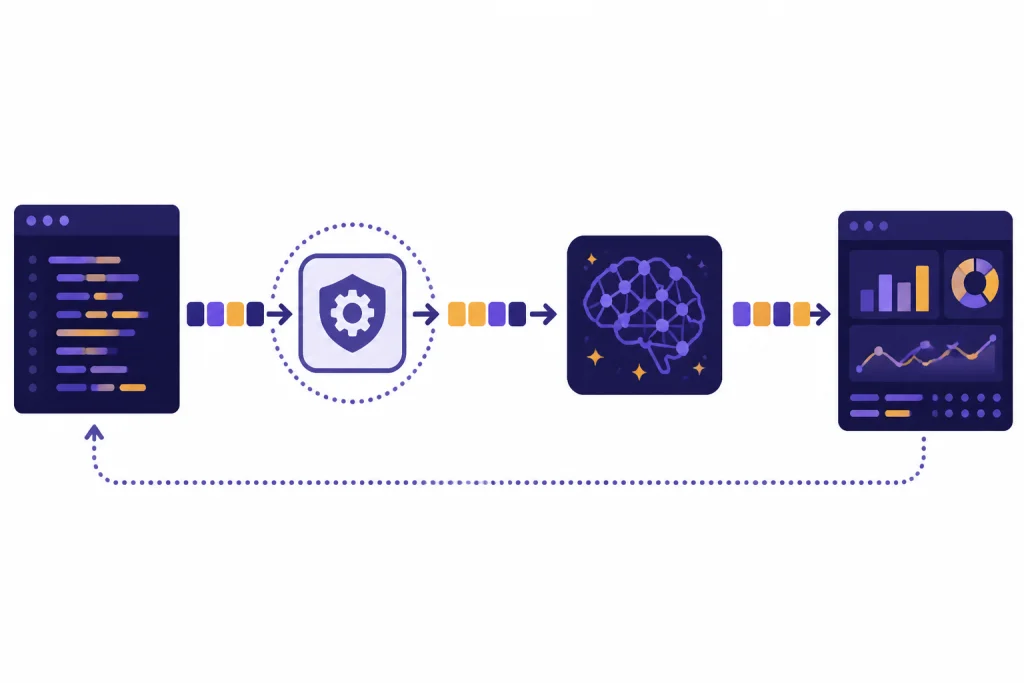
In production, make token counting part of your request pipeline. Reject or summarize oversized inputs before the API call. Log returned usage after the API call. Alert on sudden token spikes. If a request fails because of context or rate limits, our OpenAI API errors guide explains how to diagnose common API failures.
When not to rely on a browser token counter
Do not use a browser token counter as the final source for billing, compliance, or production enforcement. It is an estimate. The exact count can change when your application adds hidden instructions, serializes JSON, includes tool schemas, attaches files, adds retrieved content, or uses a model-specific encoding.
You should use API usage metadata instead when money, limits, or customer-facing behavior depend on exact numbers. Usage metadata is also the right source when you are tracking cached tokens, reasoning tokens, or output tokens.[1] A preflight counter cannot know how many tokens the model will generate unless you set and enforce output limits.
Do not rely on a text-only counter for multimodal requests. Vision, image generation, audio, realtime, and video workloads can use pricing and counting rules that differ from plain text.[3] If you are working with images, read our OpenAI Vision API guide. If you are working with realtime voice, see the OpenAI Realtime API guide.
Do not ask an AI model to count its own tokens and treat the answer as exact. Tokenization is a deterministic preprocessing step, but a generated answer about token count is still model output. Use a tokenizer library, the OpenAI tokenizer, the Responses input-token endpoint, or returned API usage fields.
Token counter alternatives compared
Use the simplest method that matches the decision you are making. A browser token counter is fastest for prompt drafting. tiktoken is better for automated systems. The Responses input-token endpoint is better for full API request structures.[4] Returned usage metadata is the source of truth after the request runs.[4]
| Method | Best use | API key needed | Counts output tokens | How much to trust it |
|---|---|---|---|---|
| This token counter | Fast prompt drafting and rough planning | No | No | Good estimate for pasted text |
| OpenAI Tokenizer tool | Exploring how text is split into tokens | Usually requires platform access | No | Strong for interactive inspection |
tiktoken | Local scripts, CI checks, and backend validation | No for local counting | No | Strong for supported text encodings |
| Responses input-token endpoint | Preflight counts for real Responses API payloads | Yes | No | Stronger for structured requests |
| API response usage metadata | Billing analysis, monitoring, and production logs | Yes | Yes | Authoritative for completed requests |
| Usage dashboard or invoices | Organization-level cost review | Yes | Yes | Authoritative for account-level reporting |
The right workflow usually combines several methods. Draft with a simple token counter. Add tiktoken or the input-token endpoint to your application. Record returned usage after every request. Review costs by model and endpoint on a schedule. If your workload is asynchronous and cost-sensitive, compare this approach with the OpenAI Batch API.

How to reduce token counts safely
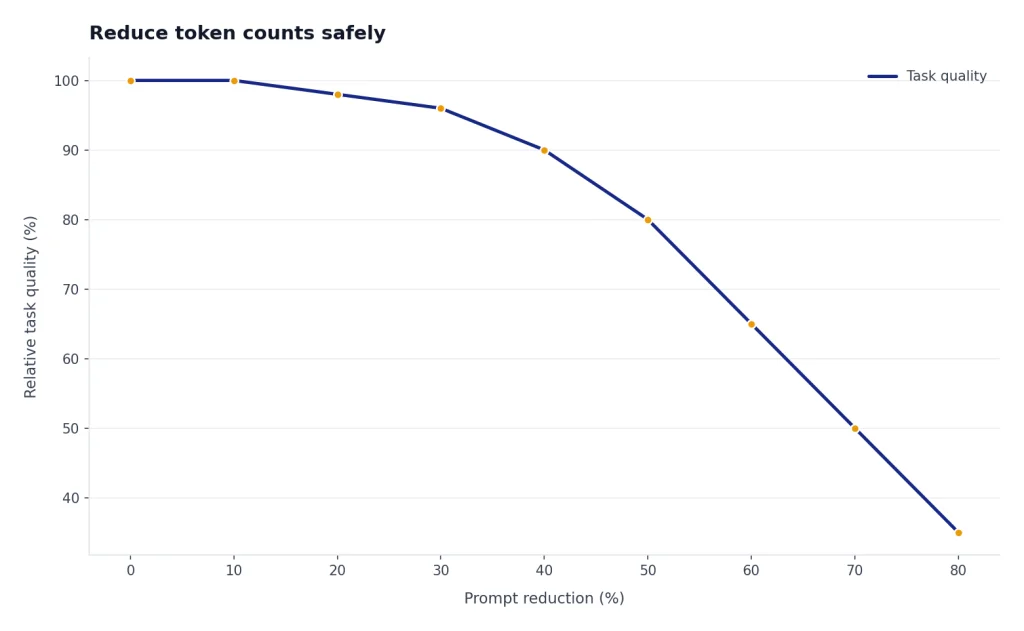
Token reduction should preserve the information the model needs. Cutting blindly can make outputs worse and increase retries. Start by removing duplicated instructions, stale conversation history, irrelevant examples, and verbose formatting rules.
- Put stable instructions first. OpenAI’s prompt-caching guide recommends placing static or repeated content at the beginning and dynamic user-specific content at the end.
- Use shorter examples. One clear example often works better than several long examples.
- Summarize old conversation turns. Keep the current user goal, constraints, and decisions. Drop greetings and resolved details.
- Chunk long documents. Send only the sections needed for the task instead of an entire file.
- Constrain output. Ask for a table, JSON object, bullet list, or short answer when that format fits the task.
- Move fixed logic into code. Do not ask the model to restate labels, enums, or boilerplate your application can add after the response.
Structured outputs can help reduce waste when you need machine-readable data. Function calling can also keep responses compact by returning arguments instead of long prose. For implementation details, read our guide to function calling in the OpenAI API and our OpenAI API best practices for production.
Measure before and after. Count the original prompt, count the revised prompt, then compare real usage and task quality. A smaller prompt is only better if it still gives the model enough context to answer correctly.
Frequently asked questions
Is a token counter the same as a word counter?
No. A word counter counts words as humans usually see them. A token counter estimates the pieces of text a model processes, which can include partial words, punctuation, and spaces attached to words.[1]
Why does the same text have different token counts in different tools?
Different tools may use different encodings, model mappings, or approximations.[6] Full API requests can also include message wrappers, tool definitions, and other structure that plain-text counters do not include. Use returned API usage metadata when exact accounting matters.[4]
Do input and output tokens both count toward cost?
Yes, for normal text generation workflows, both the tokens you send and the tokens the model generates can affect cost.[3] OpenAI’s pricing page separates input, cached input, and output rates for many models.[3] The exact price depends on the model and endpoint.
Can I know output tokens before making the request?
You can estimate them, but you cannot know the exact output length until the model responds. Set an output limit when you need a hard ceiling. Log actual output tokens from the API response after the request completes.
Should I use tiktoken or the Responses input-token endpoint?
Use tiktoken when you need local, fast, programmatic counts for strings and supported encodings.[5] Use the Responses input-token endpoint when you want OpenAI to count a real Responses API request before generation.[4] Many production systems use both.
Can a token counter prevent context length errors?
It can reduce them, but it cannot eliminate them unless it matches your final request structure and model exactly. Reserve room for output, include all hidden or generated request content, and test with the same model your app will use. Add server-side checks before sending large requests.