


ChatGPT Plus and the OpenAI API solve different problems. ChatGPT Plus is the better choice if you want a ready-made assistant in the ChatGPT web or mobile app for writing, research, coding help, file analysis, voice, images, and custom GPTs. The OpenAI API is the better choice if you want to put OpenAI models inside your own product, workflow, chatbot, agent, or backend system. Plus costs a flat $20 per month, while API usage is billed separately and depends on the models and tokens you use.[1][9] Most people should start with Plus for personal work and move to the API only when they need programmatic control, scale, or integration.
Quick answer
Use ChatGPT Plus if you want to talk to ChatGPT directly. Use the OpenAI API if software needs to talk to OpenAI models on your behalf. That is the core difference in the chatgpt api vs plus decision.
ChatGPT Plus is a subscription to the ChatGPT app. It gives an individual user expanded access to ChatGPT features such as higher limits, voice, image generation, file uploads and analysis, deep research where available, and custom GPT creation.[1] It is not an API plan. OpenAI states that API usage is separate and billed independently from ChatGPT Plus.[1]
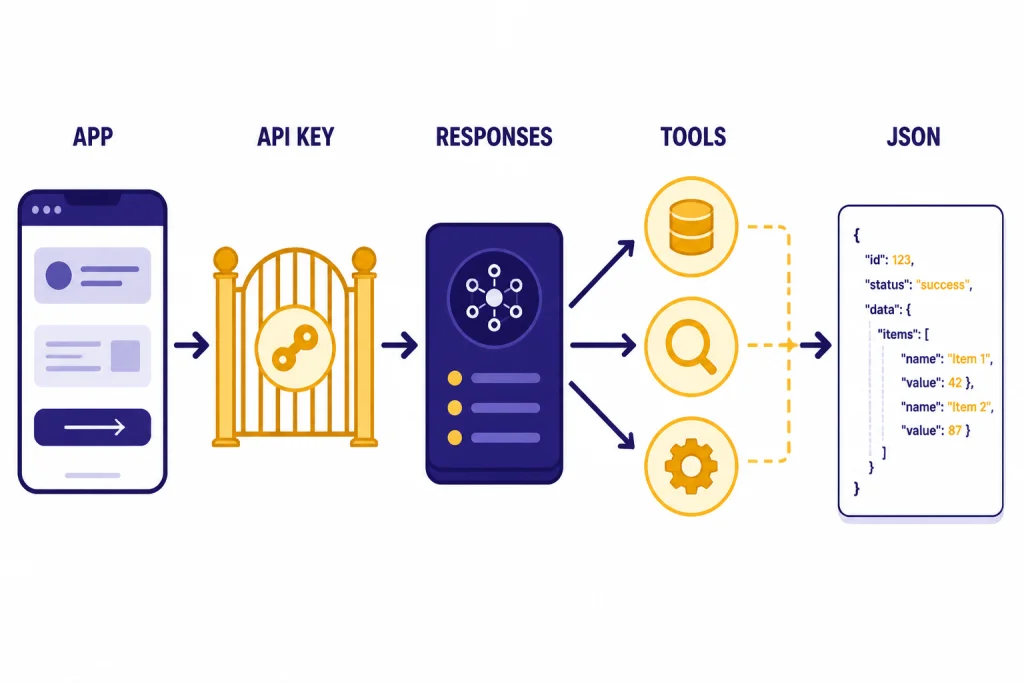
The OpenAI API is a developer platform. It lets you call models from code, manage prompts and outputs, connect external tools, stream responses, use structured outputs, process files or images, and build production systems. The Responses API is OpenAI’s main interface for generating model responses and supports text and image inputs, text outputs, built-in tools, file search, web search, computer use, and function calling.[5]
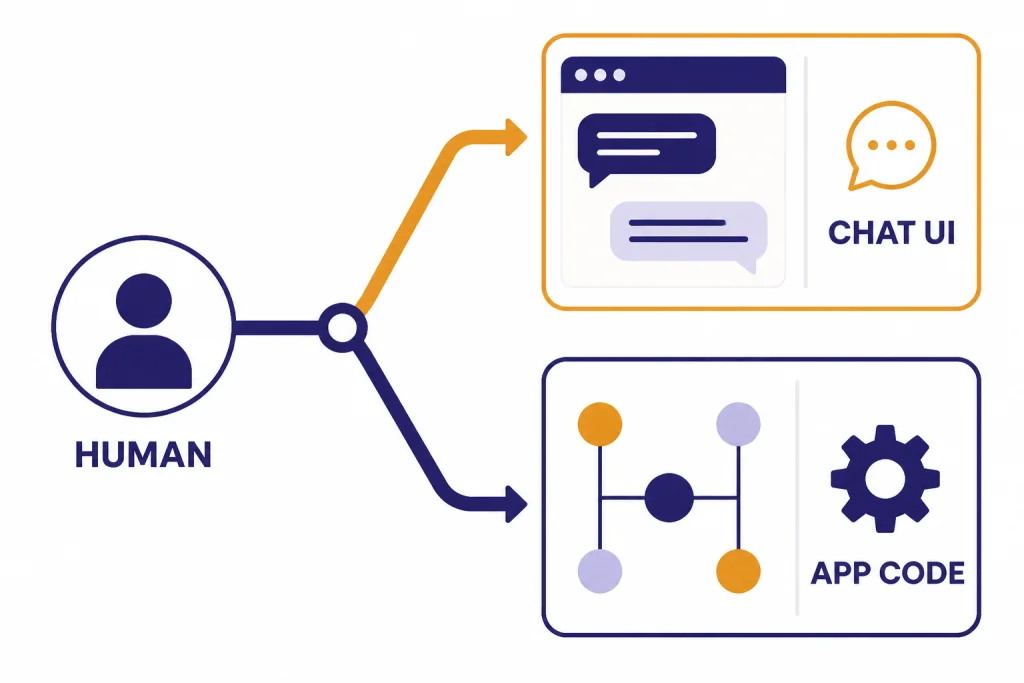
The shortest rule is this: if a human is typing into a chat box, Plus is usually enough. If an application, server, spreadsheet, support bot, workflow runner, or agent needs to call a model automatically, use the API.
What ChatGPT Plus includes
ChatGPT Plus is designed for individual productivity. OpenAI describes it as enhanced access to the ChatGPT web app at $20 per month, billed monthly.[1] The plan is useful when you want a finished interface instead of a developer platform.
Plus is strongest for daily tasks that do not need custom software. That includes drafting documents, rewriting emails, debugging a snippet, brainstorming, analyzing uploaded files, using voice conversations, generating images, and working with custom GPTs. You do not need to handle authentication headers, usage metering, retries, rate limits, or deployment.
Plus also gives you a predictable personal budget. You pay the subscription price and then work within the limits that apply to the app. OpenAI says Plus subscriptions may include message caps and that limits can vary based on system conditions.[1] That means Plus is not a guaranteed unlimited compute plan, but it is simpler than tracking tokens for every request.
Choose Plus when you want the product experience OpenAI ships directly. You get a user interface, chat history, projects, custom GPTs, file tools, and feature rollouts without building them yourself. For a deeper answer on the billing boundary, see Does ChatGPT Plus Include API Access?.
What the OpenAI API includes
The OpenAI API is for developers and technical teams. It exposes model capabilities through endpoints that your software can call. The Responses API can create model responses, keep conversation state, accept text and image inputs, produce text or JSON outputs, call built-in tools, and call your own functions.[5] If you are building anything users will access inside your own app, start with the API rather than ChatGPT Plus.
The API gives you control that the ChatGPT app does not. You can set system instructions, route requests by use case, stream partial responses, enforce JSON schemas, call internal services, log request IDs, store your own conversation state, and meter cost per customer or feature. Our OpenAI Responses API guide is the right next step if you need the current endpoint model.
The API also supports engineering patterns that matter in production. You can use structured outputs when your app needs valid JSON, function calling when the model must use your tools, and streaming responses when users need faster perceived latency. These features matter more than the chat interface once you are building a product.
The tradeoff is operational responsibility. With the API, you manage keys, billing limits, monitoring, rate-limit handling, data retention choices, prompt changes, testing, abuse prevention, and user-facing failures. If that sounds like work you do not want, Plus is probably the better choice.
Pricing and billing
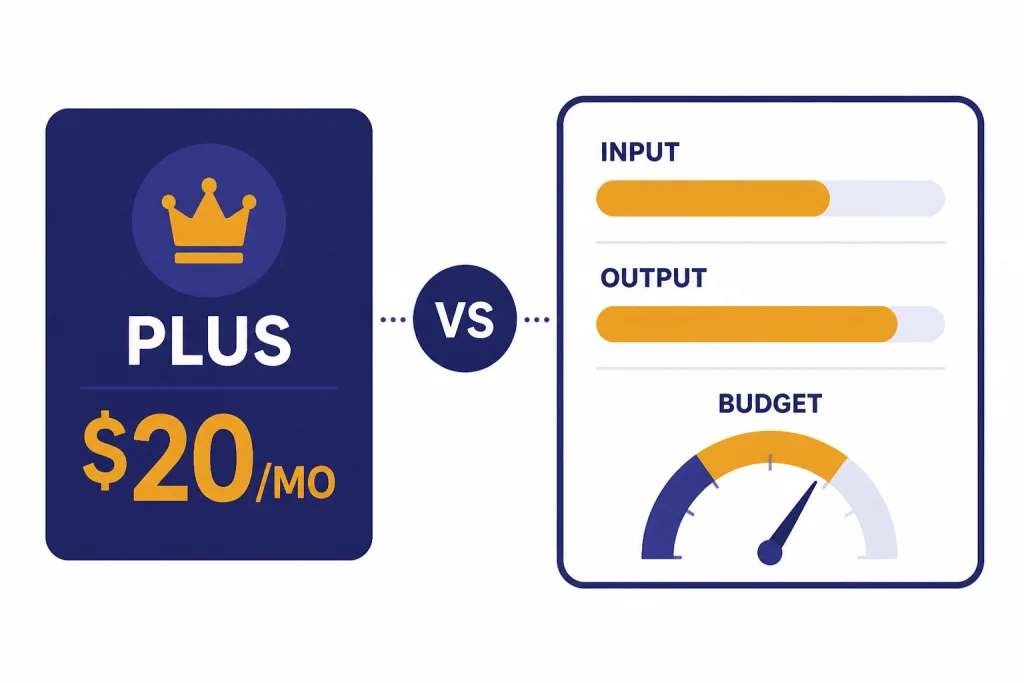
Pricing is where many people misunderstand ChatGPT API vs ChatGPT Plus. ChatGPT Plus is a flat consumer subscription. API usage is usage-based and billed through the platform billing system. OpenAI says ChatGPT and API billing are managed in separate systems, and the API platform includes Pay-As-You-Go, custom, and limited free-trial plan types.[2]
OpenAI’s GPT-5.2 announcement lists GPT-5.2 at $1.75 per 1 million input tokens and $14 per 1 million output tokens, with cached input priced at $0.175 per 1 million tokens.[4] The same announcement lists GPT-5.1 at $1.25 per 1 million input tokens and $10 per 1 million output tokens.[4] OpenAI’s API pricing page also lists GPT-5.2 at $1.75 input, $0.175 cached input, and $14 output per 1 million tokens.[3]
That does not mean the API is always more expensive. A light internal script may cost far less than a Plus subscription. A busy customer-support bot can cost much more. The right way to compare is to estimate your monthly requests, average input tokens, average output tokens, model choice, tool calls, and retry rate. Our OpenAI API cost calculator can help you model that before you ship.
| Question | ChatGPT Plus | OpenAI API |
|---|---|---|
| How you pay | Flat subscription for the ChatGPT app at $20 per month.[1] | Usage-based billing through the API platform.[2] |
| Does Plus include API usage? | No. OpenAI says API usage is separate and billed independently.[1] | Yes. API usage is the product being billed. |
| Best cost pattern | Frequent personal use where a fixed monthly price is easier. | Automated or metered workloads where you can control tokens and model choice. |
| Cost risk | Usage limits can vary under demand.[1] | Bills can grow with traffic, long prompts, long outputs, tool calls, and retries. |
| Cost controls | Mostly plan selection and user behavior. | Budgets, model routing, max output tokens, caching, batching, and monitoring. |
For batch jobs that do not need immediate answers, OpenAI’s Batch API can reduce costs by 50% and returns work within a 24-hour window.[10] That option has no equivalent in ChatGPT Plus. If your workload is classification, evaluation, extraction, or embeddings at scale, read our OpenAI Batch API breakdown before assuming a chat subscription is the cheaper path.
For model-by-model numbers, use OpenAI API pricing rather than old examples from blog posts. API prices and available models change over time.
Control, integration, and automation
Control is the biggest practical reason to use the API. ChatGPT Plus lets you guide a conversation. The API lets you define how a system behaves.
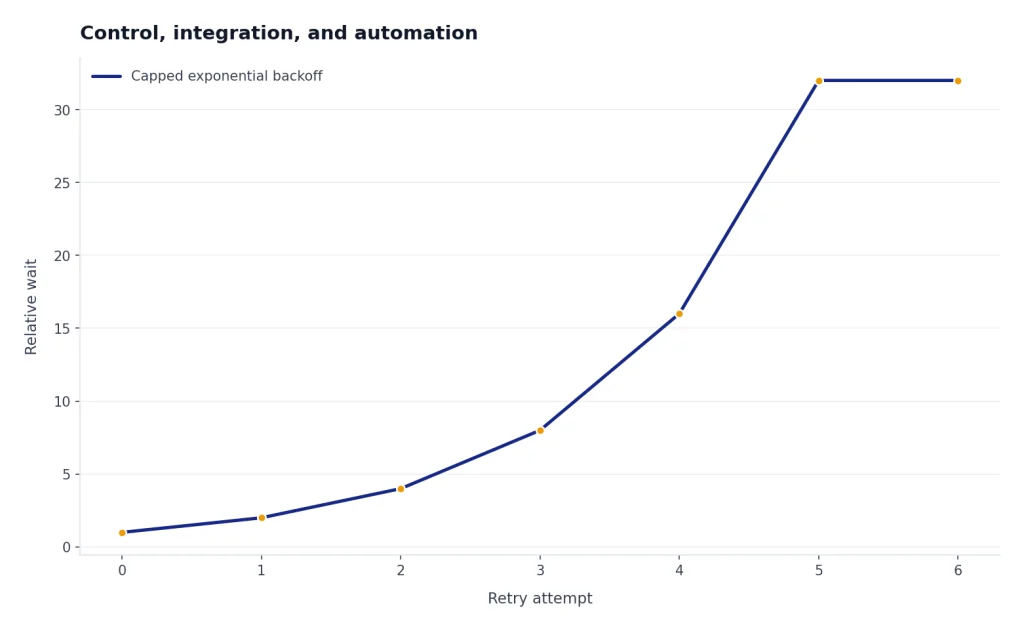
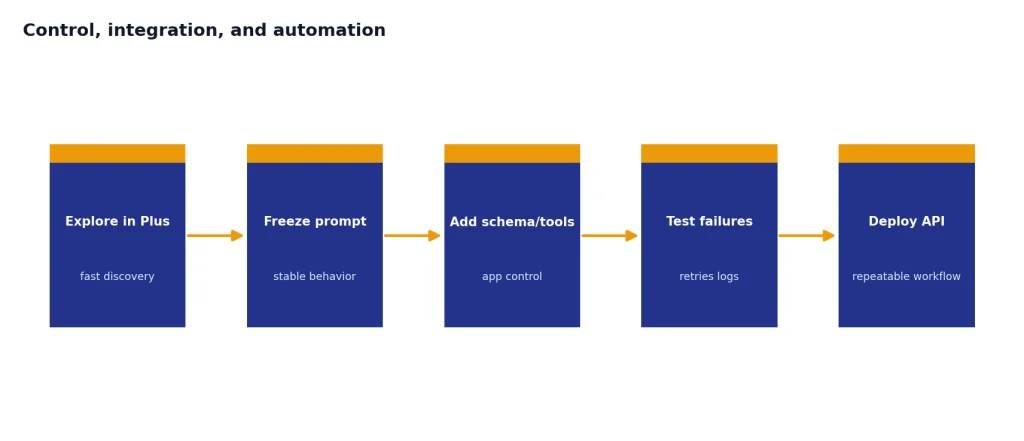
With Plus, you can paste instructions and ask for a result. With the API, you can enforce those instructions across every request in your app. You can decide which model handles which task, limit output length, require a schema, stream tokens to your interface, save only the fields you need, and retry failed requests with backoff.
That difference matters in common product cases. A legal intake form needs structured fields. A sales assistant needs CRM lookups. A support bot needs escalation rules. A data pipeline needs repeatable extraction. A coding agent needs tool access and logs. ChatGPT Plus can help you design those workflows, but the API runs them.
The API also creates new failure modes. You must handle HTTP errors, authentication problems, quota limits, timeouts, invalid JSON, and user abuse. If you are deploying to real users, read OpenAI API best practices for production and keep OpenAI API Errors nearby for troubleshooting.
A useful pattern is to prototype the prompt in ChatGPT Plus, then move the stable workflow into the API. Plus is fast for discovery. The API is better for repeatability.
Privacy, data, and team use
Data handling is another major distinction. OpenAI says personal ChatGPT plans such as Free, Plus, and Pro have data sharing enabled by default, but users can opt out through Data Controls.[7] OpenAI also says that, by default, it does not use inputs or outputs from the API platform to train or improve its models.[8]
That makes the API a better default for many business workflows, especially when the data belongs to customers, employees, or internal systems. It does not remove your own compliance duties. You still need to decide what data you send, how you store logs, who can access API keys, and whether your use case requires a stricter retention configuration.
ChatGPT Plus can still be appropriate for personal work, learning, brainstorming, and low-risk analysis. If you use Plus for sensitive work, review the Data Controls settings and avoid pasting data that your organization has not approved for consumer AI tools.
For teams, do not treat one person’s Plus subscription as a shared backend. It is not designed for multi-user application traffic. The API is easier to govern because usage can be attached to projects, keys, logs, budgets, and deployment environments.

Which one should you choose?
Choose ChatGPT Plus if your main job is personal productivity. It is the right fit for writers, students, analysts, solo consultants, managers, and developers who want help in a chat interface. It is also the easiest way to learn what models can do before you design an application.
Choose the OpenAI API if the output needs to appear inside another system. That includes a website, mobile app, Slack bot, internal dashboard, workflow automation, data-processing job, voice assistant, coding tool, or agent. Once another user depends on the output, the API gives you the control and observability you need.
Use both if you build with OpenAI often. Many teams keep Plus for exploration and use the API for production. A product manager may test prompts in ChatGPT. An engineer may convert the winning prompt into a Responses API call. A support lead may use Plus to draft policies while the application uses the API to classify tickets.
| Use case | Better choice | Why |
|---|---|---|
| Daily writing, research, and file analysis | ChatGPT Plus | The finished app is faster than building your own interface. |
| Customer-facing chatbot | OpenAI API | You need authentication, logs, prompts, safety checks, and cost controls. |
| Internal spreadsheet cleanup once a week | ChatGPT Plus | Manual upload and review may be enough. |
| Nightly extraction from thousands of records | OpenAI API | Automation, batching, monitoring, and repeatability matter. |
| Learning prompt design | ChatGPT Plus | The chat interface is the fastest learning loop. |
| Building a voice or real-time assistant | OpenAI API | You need programmatic audio, latency, and session control. |
If you are unsure, start with Plus for one month and document the workflows you repeat. If you find yourself copying the same prompt, uploading the same kind of file, or producing the same structured result, that workflow is a candidate for the API.
Mistakes to avoid
Assuming Plus includes API credits
This is the most common mistake. ChatGPT Plus does not include API usage. OpenAI says API usage is separate and billed independently from Plus.[1] If you create an API key and send requests, expect separate API billing.
Comparing a monthly subscription to one API request
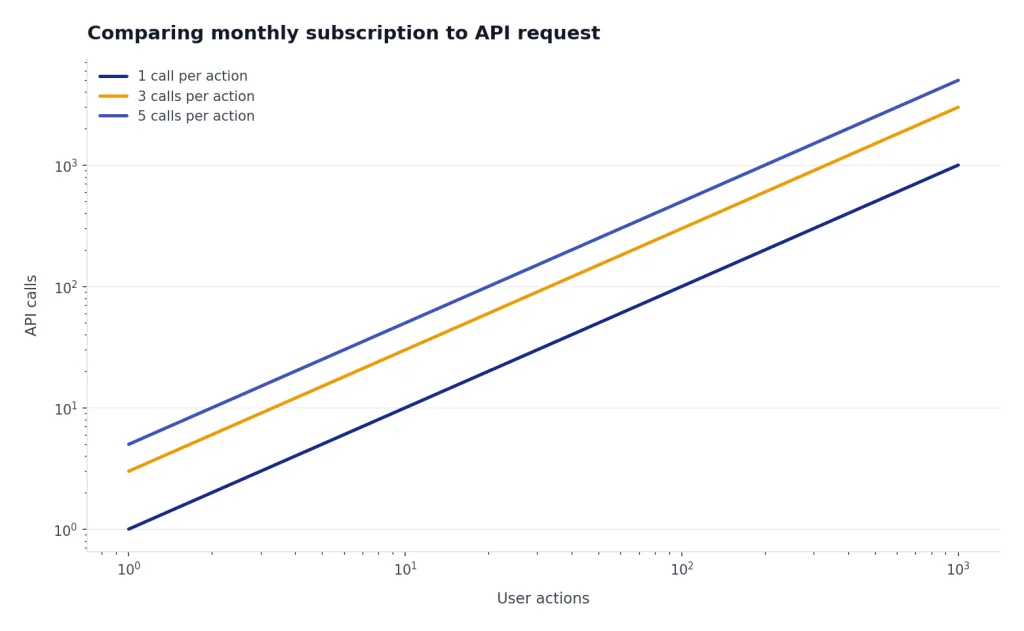
A single API call can look cheap. A production system can make many calls per user action. Include retries, tool calls, long context, image inputs, and generated output when you estimate total cost.
Using ChatGPT as a hidden production backend
Do not build a business process that depends on a person manually pasting user data into ChatGPT Plus every day. That pattern is hard to audit and easy to break. Move repeatable production workflows to the API.
Ignoring rate limits
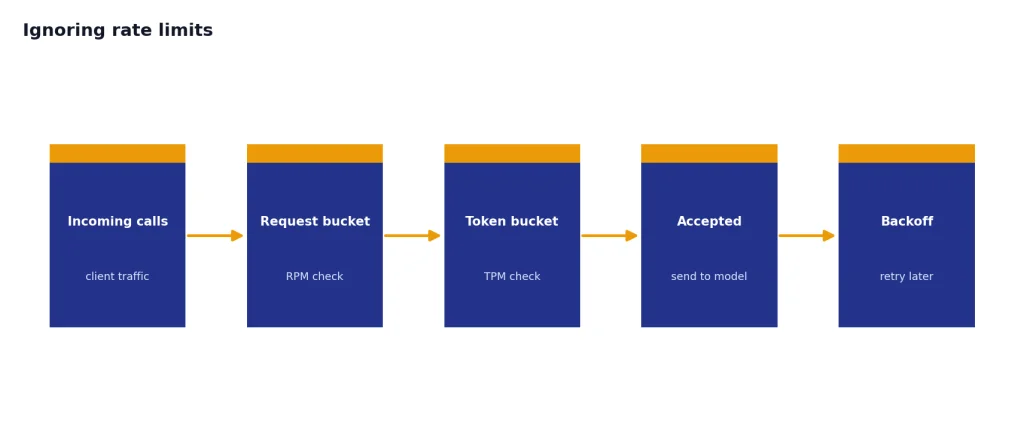
OpenAI says API rate limits restrict how often users or clients can access services, and synchronous API workloads can have separate requests-per-minute and tokens-per-minute limits.[6] Build for limits from the start rather than treating them as an edge case.
Skipping model routing
Not every task needs the most capable model. Use smaller or cheaper models for classification, rewriting, extraction, and routing when they meet your quality bar. Save frontier models for tasks where reasoning quality changes the result. Our GPT models comparison can help you choose a starting point.
Forgetting context size
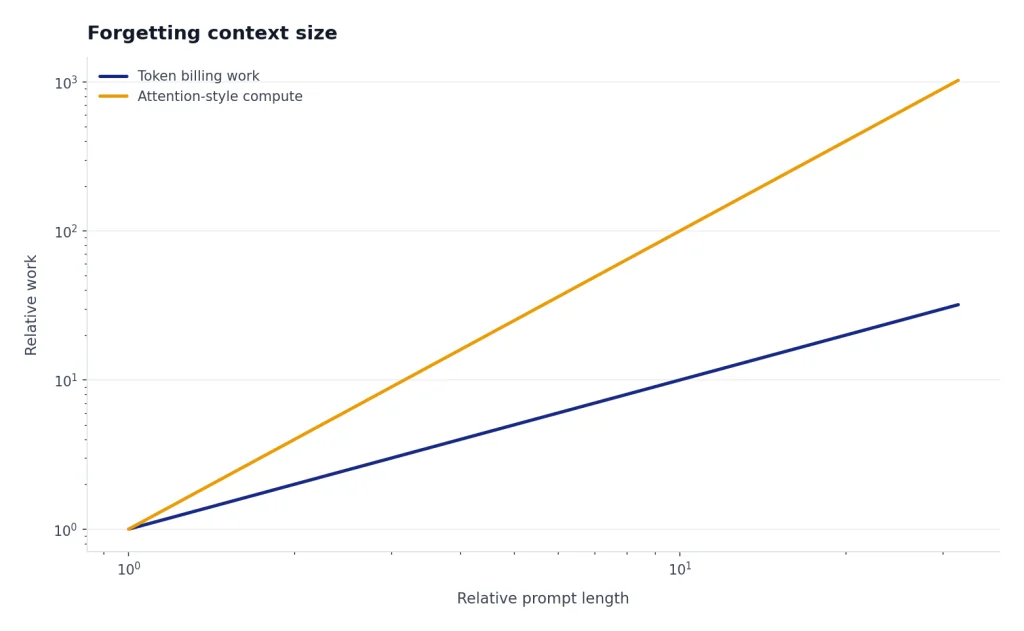
Long prompts cost more in the API and can make outputs slower. They can also hit model context limits. If your workflow depends on large documents, compare model context windows before choosing an architecture with context window sizes for every GPT model.
Frequently asked questions
Is ChatGPT Plus the same as the ChatGPT API?
No. ChatGPT Plus is a subscription to the ChatGPT app. The OpenAI API is a separate developer platform with separate billing.[2] If you want to build software that calls OpenAI models, use the API.
Does ChatGPT Plus include API access?
No. OpenAI states that API usage is not included with ChatGPT Plus and is billed independently.[1] You can use the same OpenAI account identity, but the billing systems are separate.
Which is cheaper, ChatGPT Plus or the API?
It depends on usage. Plus is simpler because it is a flat $20 monthly subscription.[1] The API can be cheaper for light automation and more expensive for heavy traffic, long prompts, or high-output workloads.
Can I use ChatGPT Plus for my app’s users?
Not in the way most developers mean. Plus gives one user access to the ChatGPT app. If your app needs to generate responses for its own users, use the OpenAI API so you can manage authentication, billing, logging, limits, and product behavior.
Should developers pay for both Plus and the API?
Many developers do, but it is not required. Plus is useful for prompt exploration, research, and manual testing. The API is required when the model needs to run inside your own software.
Is API data used to train OpenAI models?
OpenAI says it does not use API platform inputs or outputs to train or improve models by default.[8] Personal ChatGPT plans are different: OpenAI says data sharing is enabled by default for Free, Plus, and Pro personal workspaces, but users can opt out.[7]