

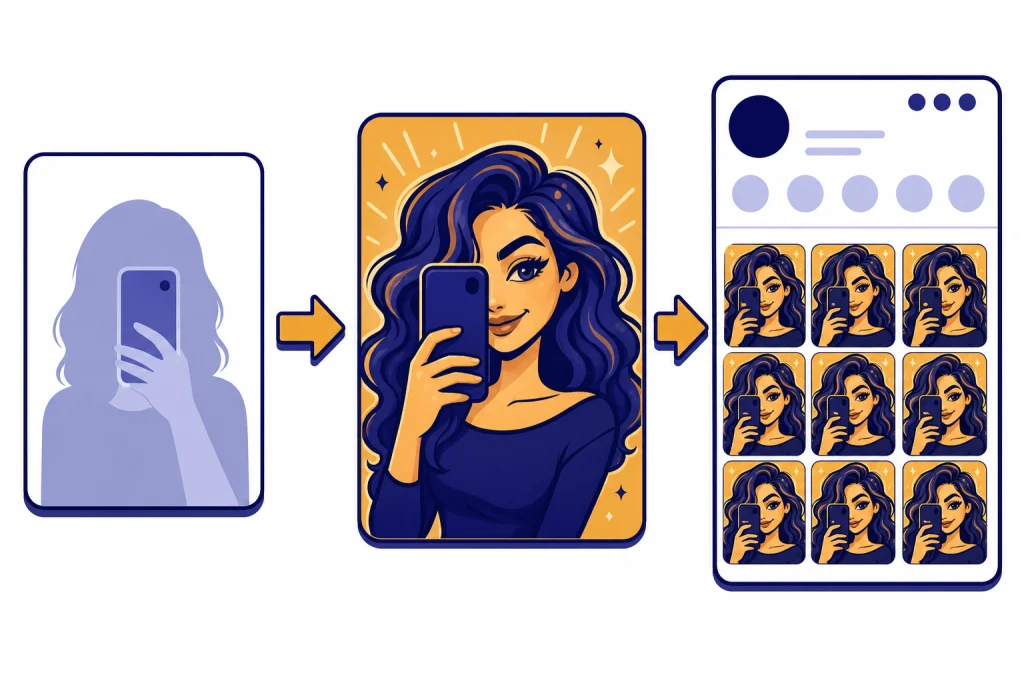
The ChatGPT caricature trend is a viral photo format where people upload a selfie and ask ChatGPT to turn them into an exaggerated cartoon portrait, often based on their job, personality, or past chats. The most shared version uses a prompt asking ChatGPT to make a caricature “based on everything you know about me,” which makes the result feel more personal than a normal filter.[1] The appeal is simple: users get a funny profile-ready image and a glimpse of what ChatGPT appears to infer about them. The risk is just as clear: the trend encourages people to upload face photos and reveal work or personal context without thinking through privacy, consent, and data controls.
What the ChatGPT caricature trend is
The chatgpt caricature trend is a social media photo trend built around AI image generation in ChatGPT. A user uploads a clear photo, adds a prompt, and asks ChatGPT to create a cartoon-like version of the person. Many examples add job props, hobbies, facial exaggeration, dramatic posture, and a background that hints at the person’s work life.[1]
The trend is not just another avatar filter. Its hook is the phrase “based on everything you know about me.” That wording asks ChatGPT to combine the uploaded photo with context from the conversation, saved preferences, or other available personalization signals. TechRadar described the format as a job-and-life caricature that can feel surprisingly accurate or wildly wrong, depending on what the chatbot has to work with.[2]
OpenAI’s image tools made this kind of prompt easier to use because ChatGPT can create and edit images through natural language. OpenAI said its newer ChatGPT Images experience supports photo editing and image generation inside ChatGPT, and made the model available in the API as GPT Image 1.5.[4] For a beginner-friendly explanation of the product behind these image trends, see our guide to what ChatGPT is.
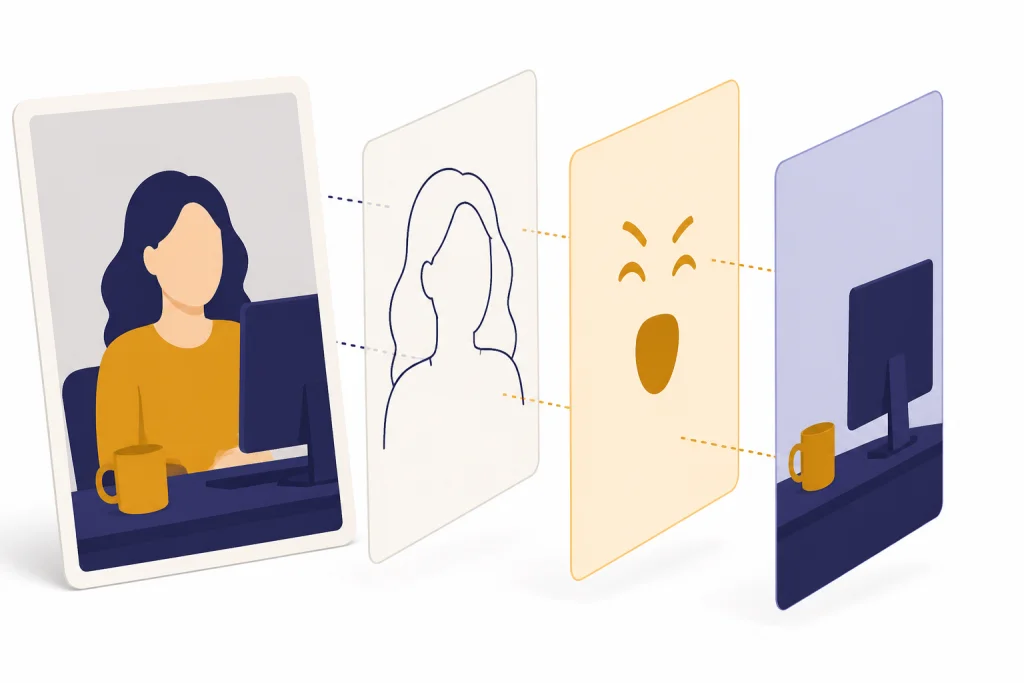
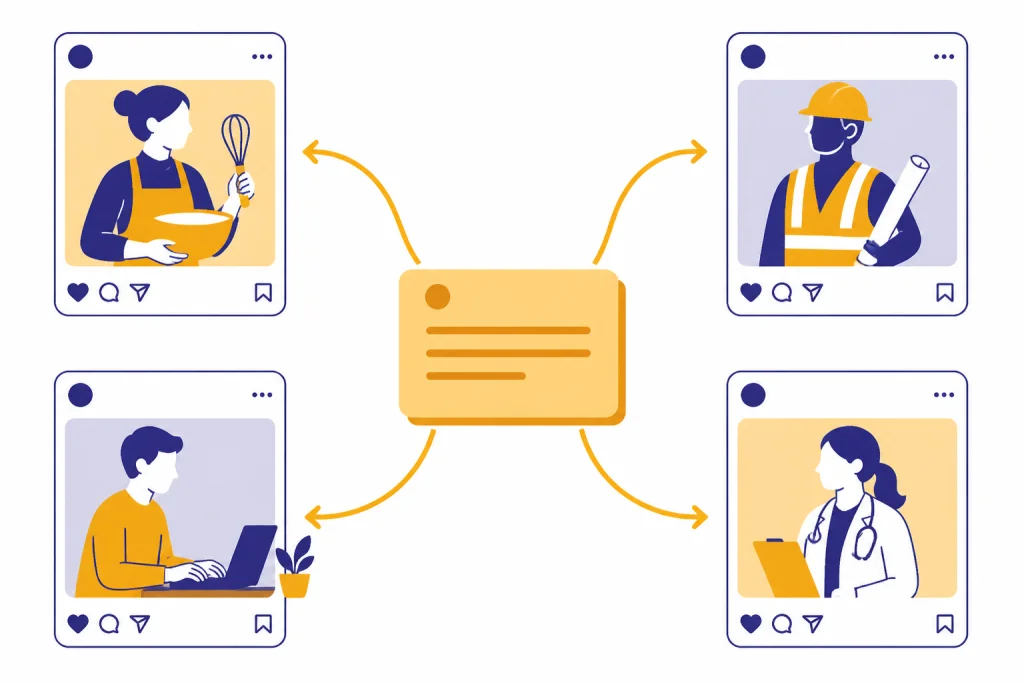
The output usually has three visible ingredients: a likeness based on the uploaded face, exaggerated caricature features, and a symbolic environment. A teacher might get books, a chalkboard, and a coffee cup. A software developer might get monitors, code-like blocks, and keyboard clutter. A fitness coach might get gym props and oversized arms. The funniest results often come from the mismatch between the user’s real life and ChatGPT’s visual assumptions.
Why the photos spread so quickly
The trend spread because it combines identity, humor, and easy participation. A person can make a personalized image in one prompt, then post it as a profile picture, story, or side-by-side comparison with the original selfie. Creative Bloq reported that the format was appearing across feeds as playful cartoon versions of people with exaggerated features and professional props.[3]
The format also works as a social test. People are not only asking whether the caricature looks like them. They are asking whether ChatGPT “gets” them. That makes the post more shareable than a normal AI portrait because the caption can include surprise, embarrassment, disagreement, or a joke about what the tool inferred.[2]
It also arrived after a run of visual ChatGPT crazes. Readers who followed the ChatGPT action figure trend or the ChatGPT Christmas photo trend will recognize the pattern. The strongest viral image prompts are easy to copy, visually distinct, and personal enough that people want to compare results.
There is a second reason it caught attention: backlash. Some creators object to AI art trends because they raise questions about training data, style imitation, and the economic effect on illustrators. Creative Bloq’s follow-up criticism framed the caricature wave as another example of users enjoying quick AI outputs while overlooking the labor and data questions behind them.[9]
That split is why the trend has lasted longer than a one-day meme. One group sees a harmless, funny portrait. Another sees a privacy and creative-labor warning wrapped in a shareable image. Both reactions help the photos travel.
How to try the trend more safely
If you want to try the trend, start with the least sensitive version. Use a photo you would already be comfortable posting online. Avoid images that show children, other people, badges, street signs, addresses, license plates, medical details, workplace screens, or private documents.
The viral prompt is usually a version of this:
Create a caricature of me and my job based on everything you know about me.That prompt is short, but it invites ChatGPT to use personal context. A safer version gives the model only the details you want included:
Use this photo only as a visual reference. Create a playful caricature of me as a writer in a cozy office. Exaggerate the pose and expression, but do not infer personal details from memory or past chats.You can also use a fictional version. Ask for “a cartoon office worker,” “a chef character,” or “a gamer avatar” without uploading your face. That loses the personal likeness, but it avoids giving the tool biometric-style face context.
| Prompt style | What it uses | Best for | Main tradeoff |
|---|---|---|---|
| Viral prompt | Uploaded photo plus available personalization context | Funny, surprising, highly personal results | More privacy exposure |
| Controlled prompt | Uploaded photo plus details you write in the prompt | Cleaner results with fewer unwanted inferences | Less surprise |
| Fictional avatar prompt | No real face photo | Low-risk social posts and brand graphics | No true likeness |
| Manual art brief | A written description only | Users who want a style without uploading a selfie | May look less personal |
If you use ChatGPT for image work often, it is worth comparing the model and plan options before relying on it for a project. Our GPT models comparison explains how model families differ, and our ChatGPT Plus price guide covers the paid plan angle.

What ChatGPT actually knows about you
The phrase “everything you know about me” can sound more mysterious than it is. ChatGPT is not necessarily pulling from a secret dossier. It can use information available in the current conversation, saved memories, and, when enabled, reference past chat history. OpenAI’s help materials describe saved memories as details ChatGPT can use in future conversations and reference chat history as a way to recall useful information from past chats.[6]
That distinction matters. If you rarely use ChatGPT, the caricature may rely mostly on the photo and whatever job details you provide. If you use ChatGPT every day for work planning, relationship advice, fitness goals, writing projects, or business strategy, the prompt may produce a more specific result because you have supplied more context over time.
The result can still be wrong. ChatGPT may exaggerate one detail, invent a visual metaphor, or confuse a one-time topic with a lasting identity. A person who once asked about restaurants may get a food-focused background. Someone who debugged code once may be drawn as a full-time developer. Treat the image as a creative interpretation, not a profile audit.
Before using the trend, you can ask ChatGPT a plain-language check: “What personal details are you using to make this image?” You can also ask it not to use memory or past chats and to rely only on details in the current prompt. For a broader view of how ChatGPT fits into OpenAI’s product lineup, see what OpenAI is and our ChatGPT updates 2026 changelog.
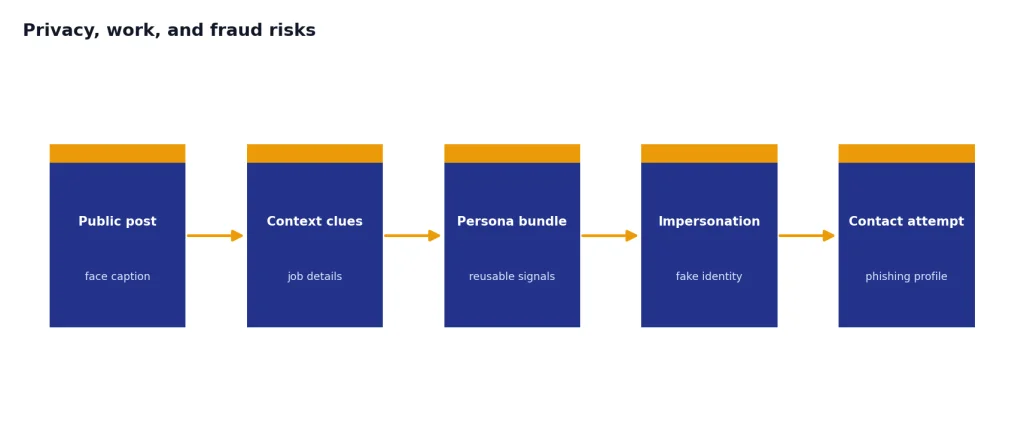
Privacy, work, and fraud risks
The obvious privacy issue is the selfie. A clear face photo is personal data, and the prompt may add job details, location hints, workplace information, or personal preferences. OpenAI says consumer content may be used to improve model performance depending on user settings, while business offerings such as the API, ChatGPT Business, and ChatGPT Enterprise are not used by default for model improvement unless the customer opts in.[5]
The work risk is less obvious. TechRepublic reported that security experts viewed the trend as a shadow-AI warning because employees may reveal work context, internal responsibilities, or sensitive prompts while trying to make a funny image.[7] If your employer has an AI policy, follow it. Do not upload workplace screenshots, client files, unreleased product designs, confidential presentations, internal dashboards, or photos that show secure areas.
Fraud risk is another concern. Euronews reported warnings that the trend could give scammers useful material by combining a face image with personal and professional context.[8] A caricature is not the same as a passport photo, but public posts can still help attackers build a more convincing impersonation, phishing message, or fake profile.
There is also a consent issue. Do not upload a group photo and ask ChatGPT to caricature everyone unless the people in the image agreed. Do not upload children’s faces for a public trend. Do not upload someone else’s selfie to mock them. The fact that a tool can generate a funny result does not make the input fair game.
For news around the broader OpenAI ecosystem, follow OpenAI News Today and OpenAI News This Week. Viral trends can move faster than official product documentation, so it helps to separate user-made memes from OpenAI feature changes.
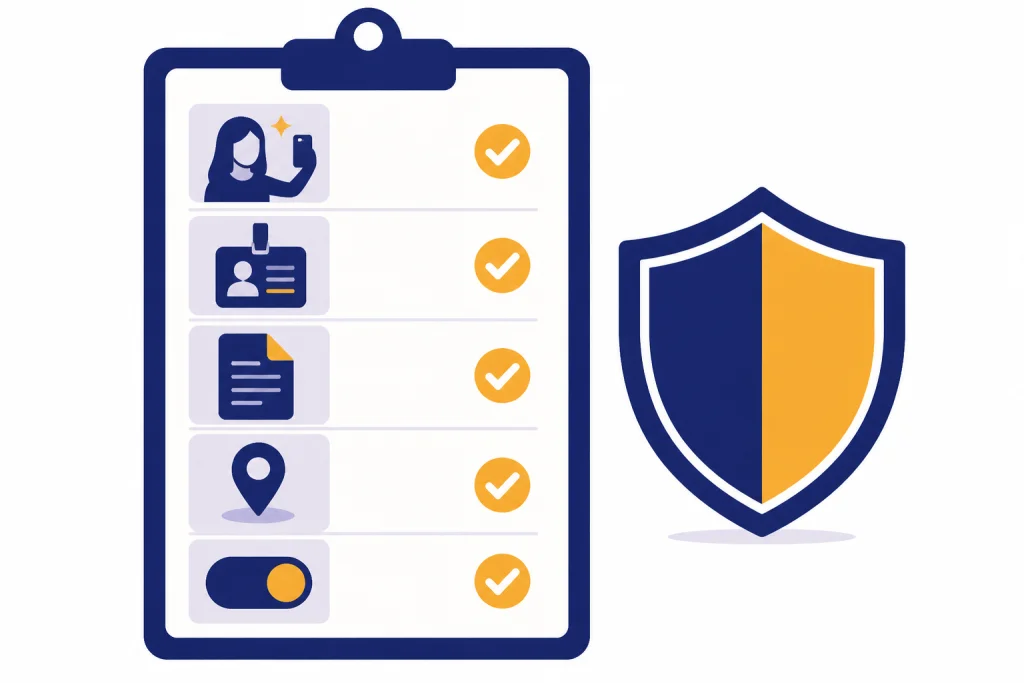
Better prompt ideas for cleaner results
The best prompt depends on what you want from the image. If you want a laugh, use exaggeration. If you want a profile picture, ask for a cleaner face and a simpler background. If you want to avoid privacy surprises, write the details yourself instead of asking ChatGPT to infer them.
Safer personal caricature prompt
Create a friendly caricature from this photo. Use only the details in this prompt: I work in marketing, I like coffee, and I want a simple desk background. Do not use memory, past chats, or inferred personal information.Work-safe avatar prompt
Create a fictional caricature of a project manager in a busy office. Use generic props such as sticky notes, a laptop, and a calendar. Do not make the person look like a real individual.Cleaner profile image prompt
Turn this selfie into a polished cartoon avatar. Keep the background plain, avoid workplace clues, and make the expression warm but not exaggerated.After generating the first image, refine it in small steps. Ask for less facial exaggeration, fewer props, a simpler background, or a more neutral pose. Avoid posting the first output if it includes details you did not expect. That surprise is part of the trend, but it is also the moment to pause.
Do not ask the model to copy a living artist’s exact style. Ask for broad visual traits instead, such as “soft cartoon lighting,” “editorial caricature,” or “clean vector portrait.” That gives you direction without making the prompt depend on a specific creator’s recognizable style.
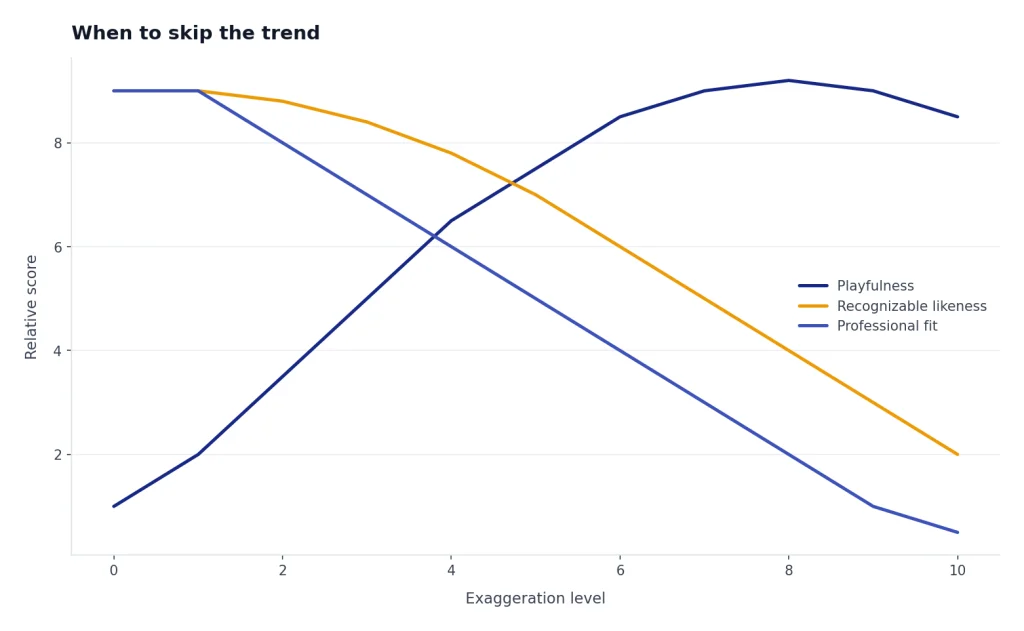
When to skip the trend
Skip the trend if the photo includes other people who did not consent. Skip it if the image reveals a school, office, hospital, secure facility, client site, or private home details. Skip it if your job involves confidential work and the prompt would encourage ChatGPT to summarize what you do.
Also skip it if you are trying to make a professional headshot. Caricatures exaggerate. That is the point. A playful avatar may work on a private story or casual profile, but it may not fit a resume, legal bio, medical profile, financial services page, or client-facing workplace directory.
Parents should be especially cautious. Children’s photos travel easily, and a funny cartoon version can still disclose face shape, school uniforms, sports teams, locations, or family routines. If the goal is a cute image for a private family chat, use a local editing app or a fictional character prompt instead of uploading a child’s face to a public-facing AI service.
The practical rule is simple: if you would not post the original photo and the job context together, do not upload them together for the caricature. The output may be cartoonish, but the inputs are still real.
Frequently asked questions
What is the ChatGPT caricature trend?
It is a viral image prompt where users upload a photo and ask ChatGPT to create an exaggerated cartoon portrait. The most common version adds job or personality details and asks ChatGPT to base the result on what it knows about the user.[1]
What prompt are people using?
A common prompt is: “Create a caricature of me and my job based on everything you know about me.” You can make it safer by telling ChatGPT to use only the current photo and the details you provide in the prompt.
Is the ChatGPT caricature trend safe?
It can be low-risk if you use a non-sensitive photo and avoid personal or workplace details. The risk rises when you upload clear face images, reveal job context, or ask ChatGPT to use memory and past chats. OpenAI provides data controls, but users still need to decide what they are comfortable uploading.[5]
Does ChatGPT really know my job?
Only if you told it, enabled relevant personalization, or gave clues in the current prompt. ChatGPT can use saved memories and past chat references when those settings are available and enabled, but it can also guess incorrectly.[6]
Can I make a caricature without uploading my face?
Yes. Ask for a fictional avatar or describe a character instead. This is a better option if you want the visual style without sharing a selfie.
Should I use it for a LinkedIn profile picture?
Use caution. A subtle cartoon avatar may fit some creative fields, but a caricature is designed to exaggerate. For most professional profiles, a normal headshot or restrained illustration is safer.