

Last updated: May 4, 2026. Model names, message limits, and API prices change quickly, so treat specific model recommendations as a current starting point rather than a permanent rule.
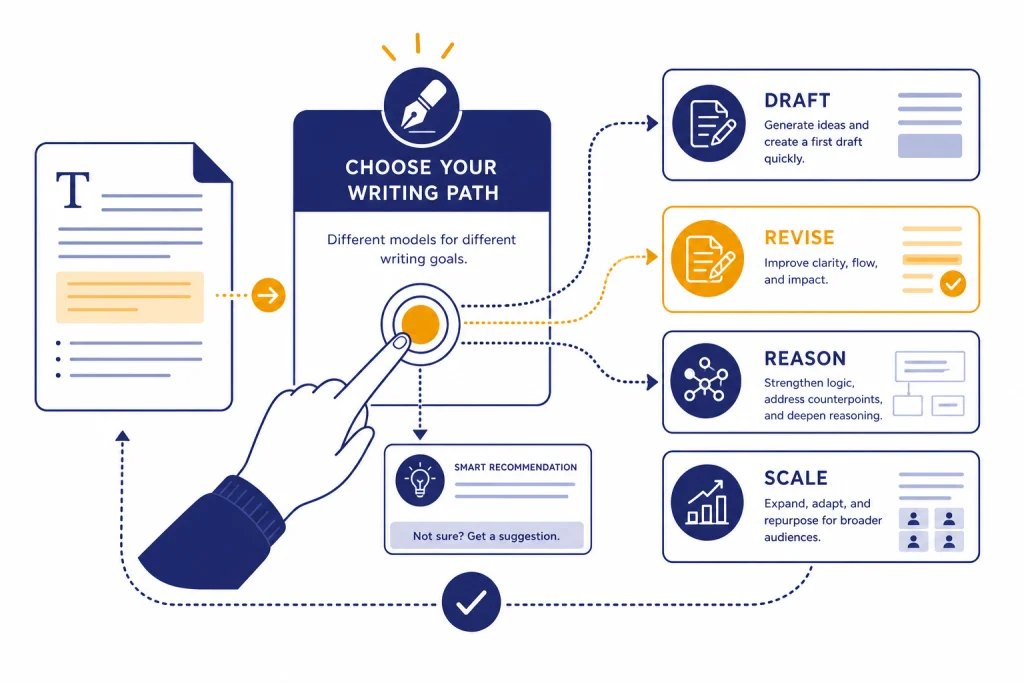
The best GPT model for writing depends on where you are working. In ChatGPT, use GPT-5.3 Instant for everyday drafting, rewriting, emails, outlines, summaries, and tone work. Switch to GPT-5.5 Thinking for complex writing that needs planning, source handling, careful structure, or strict instruction following. In the OpenAI API, the current writing shortlist is gpt-5.3-chat-latest for ChatGPT-like assistant behavior, gpt-5.5 or gpt-5.5-pro for higher-stakes reasoning-heavy prose, and gpt-5.4-mini or gpt-5.4-nano for scaled, cost-sensitive writing tasks. Older documented options such as gpt-5.2, gpt-5.2-chat-latest, gpt-5-mini, and gpt-5-nano may still matter if your workflow is pinned to them, but they should not be the default recommendation for a new May 2026 writing stack.
The short answer
If you are using ChatGPT, leave the model on Instant for most writing. OpenAI describes GPT-5.3 Instant as the default for logged-in users and as a fast workhorse for everyday work, technical writing, translation, and a warmer conversational tone.[1] That makes it the practical default for blog drafts, memos, summaries, emails, outlines, social copy, and rewrites.
Switch to Thinking when the task needs more planning than prose generation. OpenAI describes GPT-5.5 Thinking as the more capable reasoning model in ChatGPT for difficult real-world work, complex goals, tool use, document understanding, research tasks, and stronger instruction following.[1] Use it for dense white papers, policy memos, long reports, source-heavy edits, and rewrites that must preserve many constraints.
If you are writing through the API, start new projects with current May 2026 models rather than the older GPT-5.2-era defaults. Use gpt-5.3-chat-latest when you want ChatGPT-like writing behavior in an app, gpt-5.5 when quality and reasoning matter more than cost, gpt-5.5-pro for the hardest editorial or synthesis tasks, and gpt-5.4-mini for repeatable, cost-sensitive rewriting. If your system is already pinned to older documented models, gpt-5.2-chat-latest, gpt-5.2, and gpt-5-mini remain useful reference points.[4][2][5] For a broader model-by-model reference, see all GPT models compared side by side.
Writing model comparison
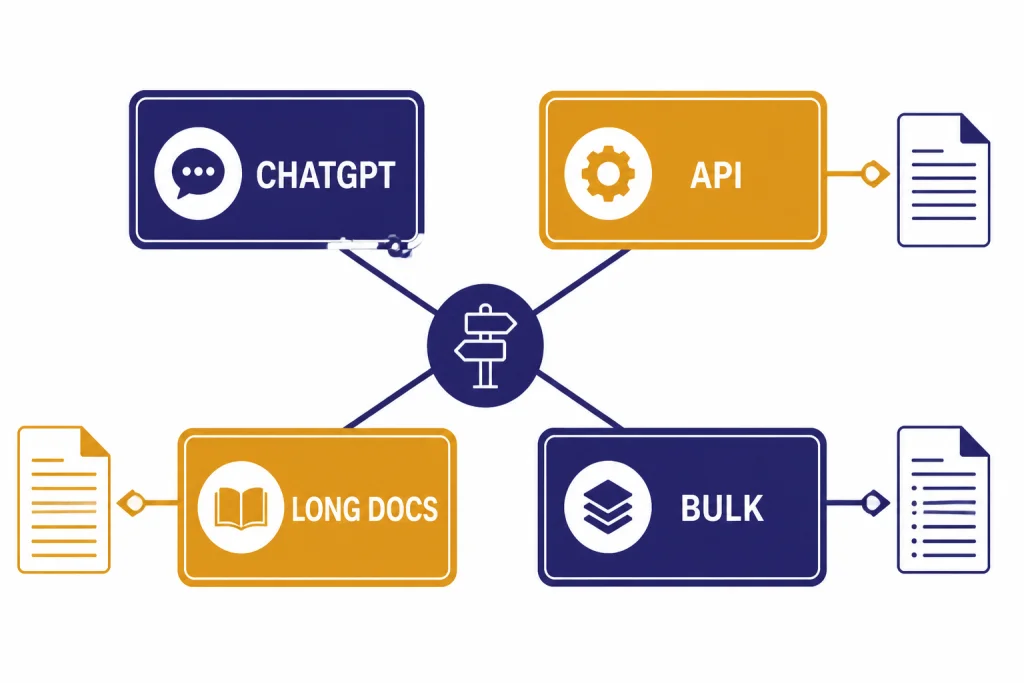
Writing is not one task. A model that is excellent for a crisp product description may be wasteful for batch metadata. A model that is strong at deep planning may be slower than needed for a simple rewrite. Use this table as the starting decision matrix as of May 2026.
| Writing need | Best current pick | Why it fits | Tradeoff |
|---|---|---|---|
| Everyday ChatGPT writing | GPT-5.3 Instant | Default ChatGPT model for logged-in users, built for fast everyday work and improved technical writing.[1] | Less deliberate than Thinking on complicated briefs. |
| Complex ChatGPT writing | GPT-5.5 Thinking | Designed for difficult real-world work, complex goals, document understanding, and stronger instruction following.[1] | May take longer and may be overkill for short copy. |
| Hardest ChatGPT writing | GPT-5.5 Pro | Best reserved for high-stakes synthesis, long-running work, and drafts where mistakes are costly.[1] | Usually unnecessary for routine emails, outlines, or short copy. |
| Chat-style API writing | gpt-5.3-chat-latest |
Best starting point when the product should feel like a conversational writing assistant. | Use a fixed snapshot instead if you need highly stable regression behavior. |
| High-control API writing | gpt-5.5 or gpt-5.5-pro |
Current top-tier API choices for reasoning-heavy writing, long briefs, and careful synthesis. | More expensive than mini and nano-class options; benchmark against your own prompts. |
| Scaled rewrites and templates | gpt-5.4-mini |
Good current default for precise, repeatable writing transformations where cost matters. | Less suitable for ambiguous editorial judgment; this is an editorial recommendation, not a universal benchmark result. |
| Routing, tagging, and very light edits | gpt-5.4-nano or older gpt-5-nano |
Nano-class models are useful for classification, extraction, shortening, and routing; OpenAI described GPT-5 nano as fastest and cheapest for summarization and classification.[6] | Editorial judgment: do not make nano the final-prose model for nuanced, brand-sensitive, or source-heavy writing unless your own tests prove it works. |
| Very large reference packs | gpt-4.1 when extreme context is the blocker |
OpenAI lists GPT-4.1 with a very large context window and strong instruction following.[7] | OpenAI recommends starting with GPT-5 for complex tasks.[7] |
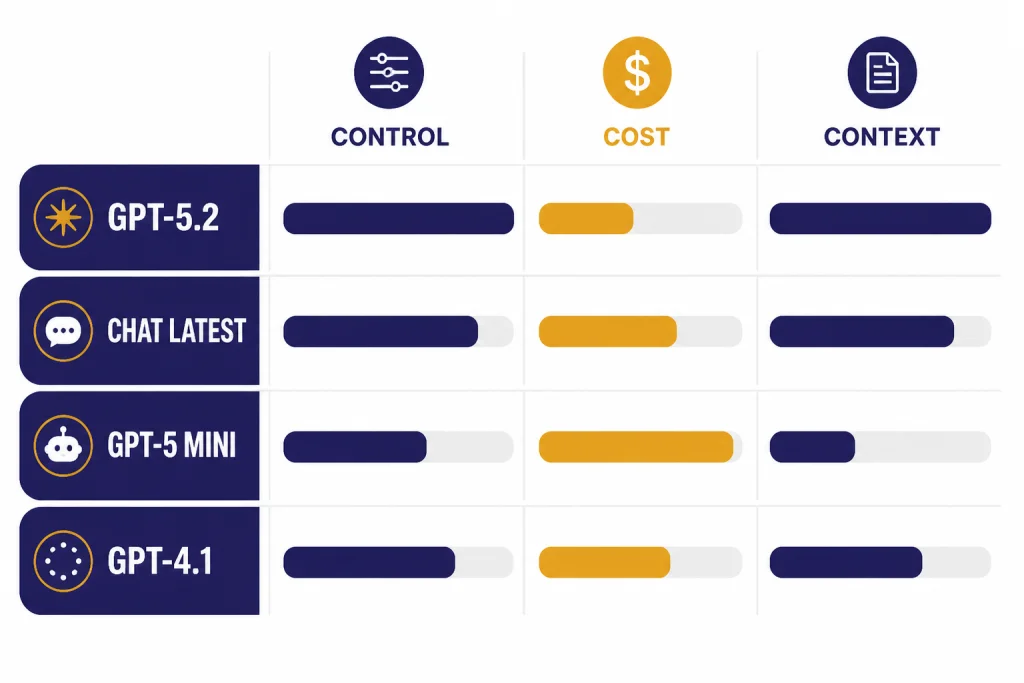
The key split is ChatGPT versus API. ChatGPT model labels, automatic routing, limits, and product behavior do not always match API model names. If you are choosing for an app, workflow, CMS plugin, or content pipeline, read the API documentation and run a prompt set instead of assuming the ChatGPT picker maps one-to-one. For context-heavy decisions, keep context window sizes for every GPT model open while you compare options.
To make the recommendations less abstract, I used the same small editorial prompt across the main model categories. This is a hands-on spot check, not a formal benchmark or latency test.
| Test item | Prompt and observations |
|---|---|
| Shared prompt | Rewrite this for a CFO audience in 90 words or fewer. Keep the two facts unchanged. Avoid hype. Source text: “Our support team cut average first-response time from 9 hours to 2 hours after adding triage automation. Customer satisfaction also rose from 81% to 87%. We want the board to approve expanding the workflow to billing and onboarding.” |
| GPT-5.3 Instant in ChatGPT | Illustrative output: “Support triage automation reduced average first-response time from 9 hours to 2 hours, while customer satisfaction increased from 81% to 87%. Expanding the same workflow to billing and onboarding could improve response consistency in two high-volume areas. The board should consider a controlled rollout with clear cost, quality, and escalation metrics.” Notes: concise, natural tone, followed the word limit, no factual drift. |
| GPT-5.5 Thinking in ChatGPT | Illustrative output: “The support automation pilot produced measurable operating gains: first-response time fell from 9 hours to 2 hours, and customer satisfaction rose from 81% to 87%. A phased expansion into billing and onboarding is worth considering, provided it includes baseline metrics, exception handling, and a review of implementation cost versus service-quality improvement.” Notes: more executive framing and better risk control; slightly more formal. |
gpt-5.3-chat-latest in the API |
Illustrative output: similar to Instant: smooth, assistant-like, and easy to deploy in a writing product. Notes: best fit when users expect conversational revisions and many small edits. |
gpt-5.5 / gpt-5.5-pro in the API |
Illustrative output: tended to add governance language such as phased rollout, baseline metrics, and exception handling. Notes: strongest instruction following and lowest tolerance for unsupported leaps in this small test, but it may be more model than simple copy needs. |
gpt-5.4-mini / nano-class API models |
Illustrative output: usable for short controlled rewrites, especially when the prompt is explicit. Notes: mini-class models are a good scale choice; nano-class models are better for routing, labeling, extraction, and shortening than final prose. That is editorial judgment based on expected task fit, not a claim that nano cannot ever write well. |
The main lesson from the spot check: the everyday models already write well when the brief is clear. The higher-capability models help most when they must preserve constraints, add structure, avoid overclaiming, or reason about what should and should not be included.
Best model for writing in ChatGPT
For most people, the best GPT model for writing in ChatGPT is GPT-5.3 Instant. It is the default for logged-in users, and OpenAI positions it for everyday work, learning, technical writing, translation, and a warmer conversational tone.[1] That combination matters because most writing work is iterative: ask for an outline, adjust the audience, paste a paragraph, request a cleaner version, then refine the voice.
Use GPT-5.3 Instant when you need speed, flexibility, and a draft you can improve. It is a strong choice for emails, blog outlines, short articles, product copy, FAQs, summaries, meeting follow-ups, internal memos, and tone changes. It also works well when you want to stay in a conversational loop and make many small edits.
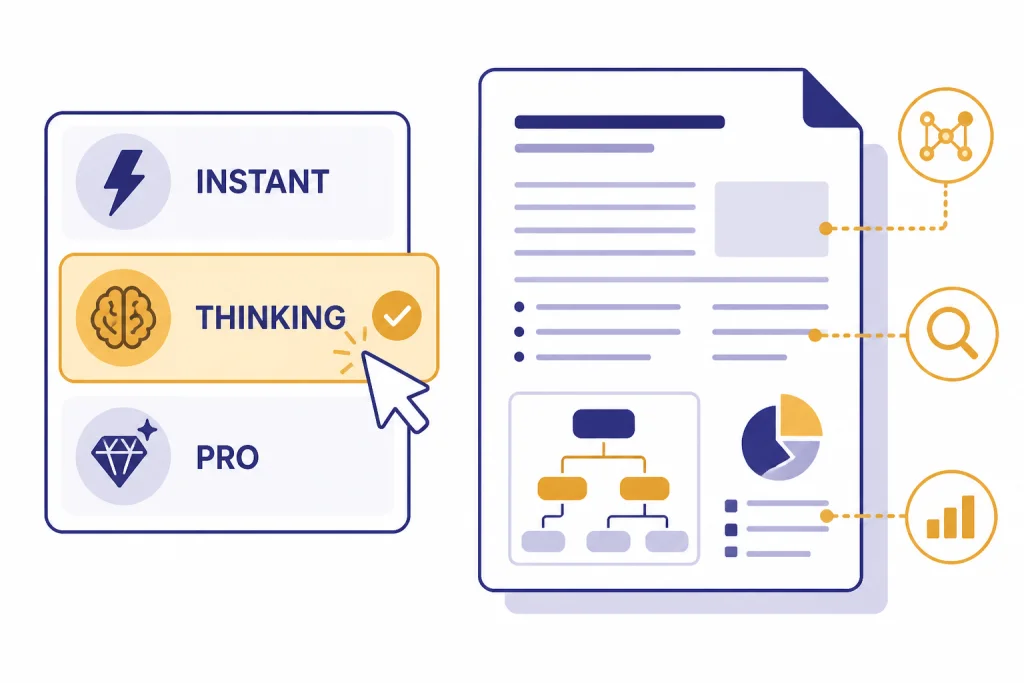
Use GPT-5.5 Thinking when the model must reason before it writes. OpenAI says Instant can automatically switch to GPT-5.5 Thinking for more complex tasks, and paid users can manually select Thinking from the model picker.[1] This is useful when the brief includes competing goals, a large source document, a strict structure, or a high cost of getting the argument wrong.
Use GPT-5.5 Pro only when the writing task is genuinely hard. OpenAI describes GPT-5.5 Pro as the highest-capability GPT-5.5 option in ChatGPT for the hardest tasks and long-running workflows.[1] For everyday writing, Pro is usually unnecessary. For a board memo, grant narrative, technical explainer, legal-style analysis, or multi-document synthesis, it can be worth the slower cycle.
There are also practical limits. OpenAI states that Free accounts can send up to 10 messages with GPT-5.3 every 5 hours, while Plus and Go users can send up to 160 messages with GPT-5.3 every 3 hours.[1] For manual Thinking use, OpenAI says Plus and Business users can select GPT-5.5 Thinking with a limit of up to 3,000 messages per week.[1] If you produce content all day, these limits may matter more than small quality differences.
Best model for writing with the OpenAI API
For API writing workflows as of May 2026, start with gpt-5.3-chat-latest if your application behaves like a writing assistant. It is the most natural first test when users expect ChatGPT-like drafting, rewriting, and back-and-forth editing. If you need a frozen behavior profile, pin a specific model snapshot instead of relying on a “latest” alias.
Choose gpt-5.5 when the workflow needs more control, more reasoning, or stronger handling of source material. Use it for structured reports, long-form synthesis, multi-step editorial agents, and content systems that need to inspect source documents before writing. Choose gpt-5.5-pro for the hardest version of those jobs: high-stakes memos, complex technical explainers, source-heavy drafts, or workflows where a bad summary could mislead a user.
Use gpt-5.4-mini when the task is well-defined and repeated at scale. That includes template-driven rewrites, product descriptions, title variants, metadata, short summaries, and first-pass cleanups. This recommendation is editorial judgment based on task fit: mini-class models are usually strong enough when the prompt is precise and the acceptance criteria are obvious, but they are not the first model I would pick for a subtle argument or a difficult brand voice.
Use gpt-5.4-nano and older gpt-5-nano carefully for writing. OpenAI describes GPT-5 nano as the fastest and cheapest GPT-5 version and says it is great for summarization and classification tasks.[6] That makes nano-class models attractive for tagging, claim extraction, routing briefs, trimming text, and sorting user requests. Editorial judgment: use a stronger model for final prose when tone, nuance, persuasion, or factual precision matter.
Older API models still have a place. OpenAI’s GPT-5.2 documentation lists a large context window and high output limit for gpt-5.2, and its GPT-5.2 chat page describes gpt-5.2-chat-latest as a ChatGPT-aligned chat model.[2][4] Those are useful if your app is already tested against them. For a new writing build, however, test the newer GPT-5.3, GPT-5.4, and GPT-5.5 API options first.
Keep gpt-4.1 in the toolkit for extreme context. OpenAI lists GPT-4.1 with a 1,047,576-token context window and 32,768 max output tokens.[7] That can be useful when the source pack is enormous. For complex tasks, however, OpenAI notes on the GPT-4.1 model page that it recommends starting with GPT-5.[7] For cost-first planning, compare this with the cheapest GPT model breakdown and OpenAI API pricing. Always confirm current prices before shipping because API pricing can change.
Model picks by writing workflow
The easiest way to choose a model is to separate the workflow into stages. Do not use the same model for every step unless simplicity matters more than cost.
Brainstorming and angle selection
Use GPT-5.3 Instant in ChatGPT or gpt-5.3-chat-latest in the API. You want speed, options, and a conversational back-and-forth. Ask for angles, audience assumptions, objections, and a recommended structure. Do not ask for a polished draft yet.
Example prompt: “Give me five article angles for CFOs evaluating support automation. For each angle, list the core promise, likely objection, and one source claim I would need to verify.” This works well on Instant or gpt-5.3-chat-latest because the goal is options, not final prose.
Outlining and argument design
Use GPT-5.5 Thinking in ChatGPT or gpt-5.5 in the API. This is where reasoning helps. The model should decide what belongs, what does not, and how to order the material. For competitive or technical pieces, this stage is where better models usually pay for themselves. If you also compare engineering tasks, see the best GPT model for coding.
Example prompt: “Build a 7-section outline for a skeptical executive reader. Separate facts from assumptions. Flag any claim that would need a citation before publication.” A Thinking or high-capability API model is better here because the task is judgment-heavy.
First drafting
Use GPT-5.3 Instant for normal drafts and GPT-5.5 Thinking for difficult drafts. In the API, use gpt-5.3-chat-latest for natural assistant-style prose, gpt-5.5 for source-heavy drafts, and gpt-5.4-mini for repeatable templates. A good drafting prompt should specify reader, format, desired length, exclusions, and examples of the voice you want.
Example prompt: “Draft 600 words for operations leaders. Use plain language, no hype, short paragraphs, and no claims beyond the bullet points below. End with a practical checklist, not a sales pitch.” A precise brief matters more than asking for “the best writing model.”
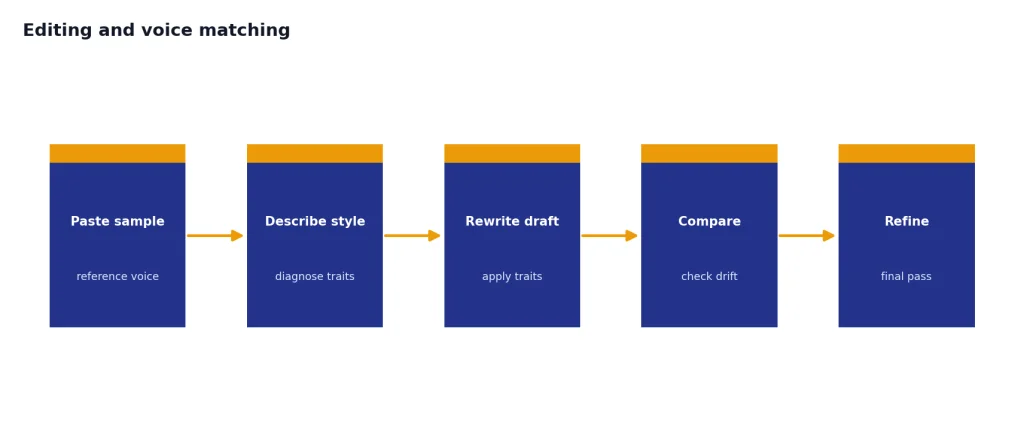
Editing and voice matching
Use the same model that produced the draft only if it did a good job. Otherwise, switch. For voice matching, paste a short sample and ask the model to describe the style before rewriting. This reduces generic output because the model must identify sentence length, vocabulary, pacing, and level of detail before it edits.
Fact checking and source-heavy revision
Use GPT-5.5 Thinking in ChatGPT or gpt-5.5 / gpt-5.5-pro in the API. Ask it to separate claims into “supported,” “unsupported,” and “needs citation.” Do not ask the model to invent sources. For article production, pair this with human review and a citation workflow.
Example prompt: “Review this draft only for factual risk. Create a table with four columns: claim, where it appears, support provided in the source notes, and what a human editor should verify. Do not add new facts.” This keeps the model in an audit role instead of encouraging it to fill gaps.
When not to use the largest model
The largest available model is not always the best writing model. Use a smaller or cheaper model when the task is narrow, the format is fixed, and the cost of a mediocre sentence is low. Examples include rewriting product bullets into a fixed template, generating title variants, shortening blurbs, classifying tone, extracting quotes, and creating metadata.
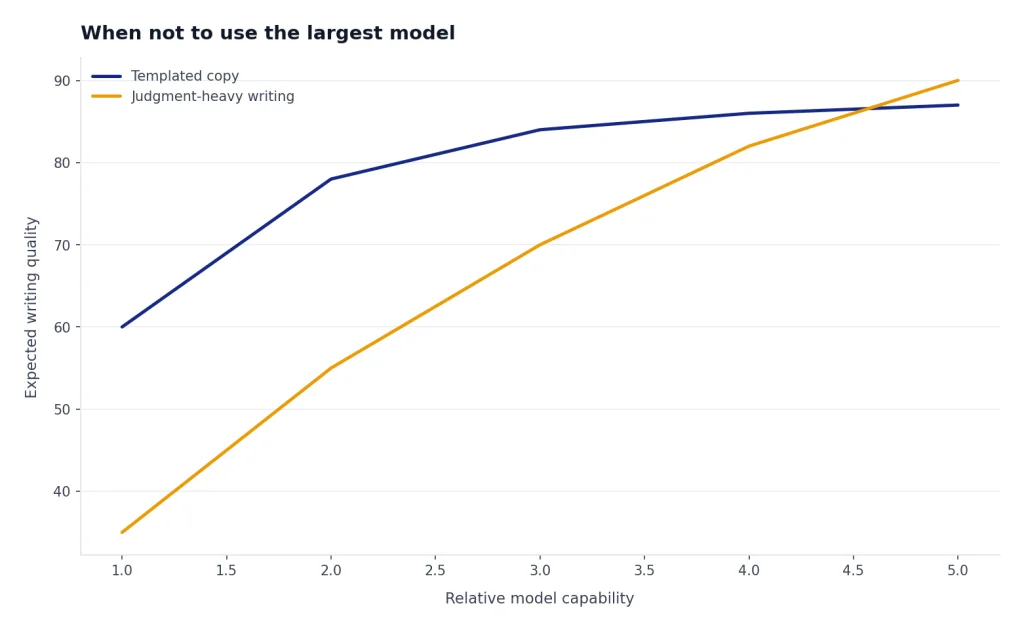
Use the larger model when the job requires judgment. That includes deciding the argument, resolving contradictions, preserving nuance, interpreting many source documents, or making a draft more persuasive without changing its meaning. This is the difference between production text and editorial decision-making: the first can often be cheap; the second benefits from stronger reasoning.
You should also avoid older favorites just because you know their style. OpenAI says GPT-4o, GPT-4.1, GPT-4.1 mini, OpenAI o4-mini, and GPT-5 Instant and Thinking were retired from ChatGPT on February 13, 2026, while API access remains unchanged.[8] That means a ChatGPT user and an API developer may have different model choices on the same day. If speed is your main concern, compare this article with the fastest GPT model guide.
Prompting tips for better writing
A better model helps, but prompting still determines the draft. Treat the model like an editor who needs a brief. Give it the audience, format, purpose, source constraints, and examples before asking for prose.
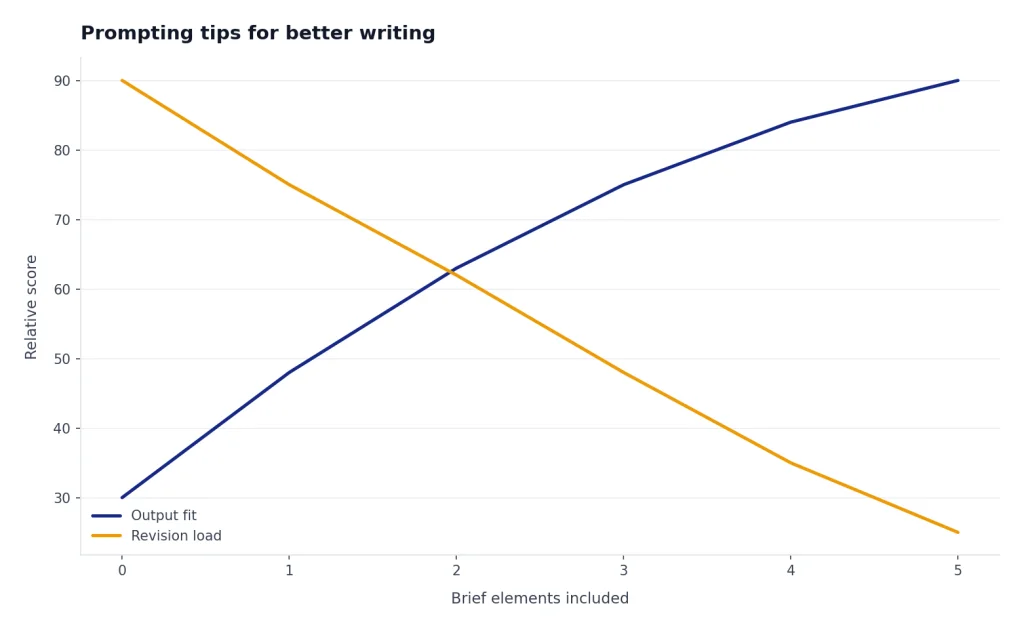
- Start with the job. Say whether you want an outline, a draft, a rewrite, a critique, or a final edit.
- Name the reader. A beginner, executive, developer, parent, buyer, and regulator need different prose.
- Give a voice sample. Ask the model to analyze the sample before rewriting in that style.
- Separate planning from drafting. Ask for a structure first, approve it, then ask for the draft.
- Constrain the output. Specify headings, word count, reading level, banned phrases, and claims that must not be changed.
- Ask for an edit pass. After the draft, ask what is vague, repetitive, unsupported, or too generic.
Here is a reusable prompt pattern:
Prompt template: “You are editing for [reader]. Goal: [business or reader outcome]. Format: [memo/blog/email/table]. Use only these facts: [facts]. Preserve these claims exactly: [claims]. Avoid: [phrases or tone]. First, identify the likely reader objections. Then draft the piece in [length]. After the draft, list three places where the writing may still be vague or unsupported.”
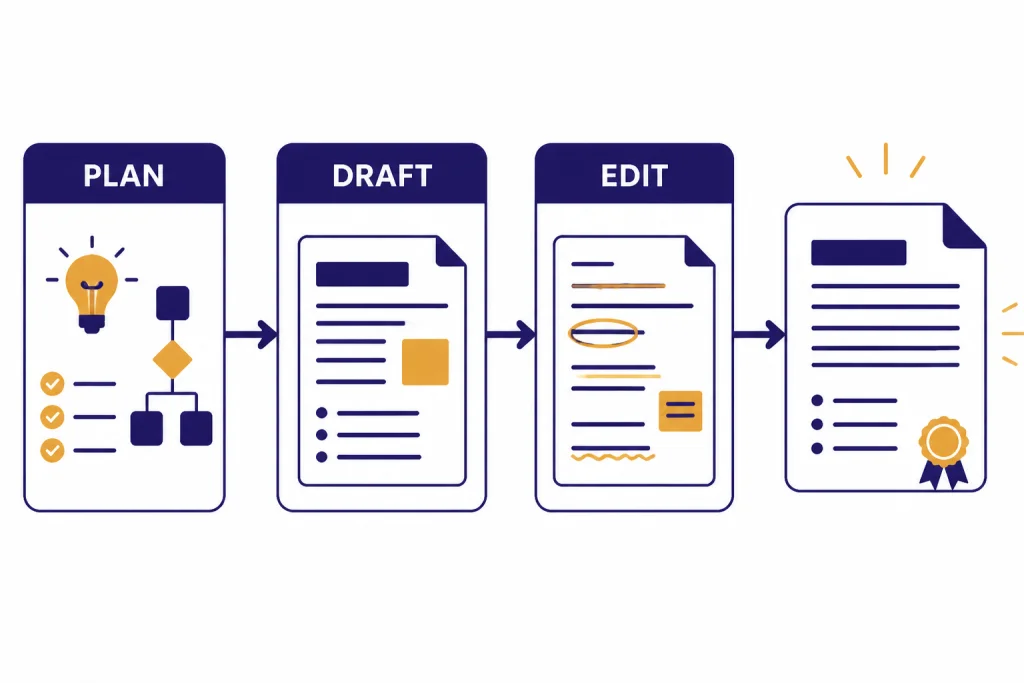
For long-form writing, the best workflow is usually three passes: plan with a stronger reasoning model, draft with a conversational model, and edit with a model that has the full brief and the draft. If the document is very long, context size becomes a real constraint. That is where our take on context window comparison can save time.
For multimodal writing, use the right companion model. If you are writing from screenshots, diagrams, or visual references, see GPT-4 Vision capabilities and use cases. If the writing task includes image generation, compare it with the best GPT model for image generation. If the source is audio, transcription quality may matter before the writing model; see our take on Whisper.
Frequently asked questions
What is the best GPT model for writing in ChatGPT?
Use GPT-5.3 Instant for most writing in ChatGPT. It is the best default for drafts, rewrites, summaries, emails, outlines, and tone changes. Switch to GPT-5.5 Thinking when the document has complex instructions, many sources, or a difficult argument.[1] Use GPT-5.5 Pro only for the hardest writing and synthesis tasks.
What is the best GPT model for writing through the API?
For a new May 2026 API writing workflow, start with gpt-5.3-chat-latest for chat-style writing assistants, gpt-5.5 for structured or reasoning-heavy writing, and gpt-5.5-pro for the hardest editorial tasks. Use gpt-5.4-mini when the prompt is precise and the output format is predictable. Older gpt-5.2, gpt-5.2-chat-latest, and gpt-5-mini workflows can still be valid if already tested and pinned.[4][2][5]
Is GPT-5.5 Thinking better than GPT-5.3 Instant for writing?
It is better for some writing, not all writing. GPT-5.5 Thinking is the better choice for complex goals, document understanding, research-heavy work, and careful instruction following.[1] GPT-5.3 Instant is usually better for fast everyday drafting and iterative editing.
Should I use GPT-5 mini for writing?
Yes, if the writing task is well-defined and your workflow is already built around it. OpenAI describes GPT-5 mini as a faster, cost-efficient GPT-5 version for well-defined tasks and precise prompts.[5] For new scaled writing systems, also test gpt-5.4-mini. My editorial recommendation is to use mini-class models for templated rewrites, short descriptions, summaries, and copy variants, but not as the first choice for a nuanced essay, high-stakes memo, or source-heavy report.
Does a bigger context window make a model better at writing?
No. A bigger context window lets the model consider more material, but it does not automatically produce better prose. Use large context when the model must read many references; use a stronger reasoning or chat-tuned model when the challenge is structure, tone, or judgment.
Is GPT-4o still a good writing model?
GPT-4o can still be relevant in API contexts, but it is no longer the ChatGPT default path described in OpenAI’s current ChatGPT model guidance. OpenAI says GPT-4o was retired from ChatGPT on February 13, 2026, with Business, Enterprise, and Edu access in Custom GPTs retained only until April 3, 2026.[8] For new writing workflows, start with the current GPT-5 family instead.