

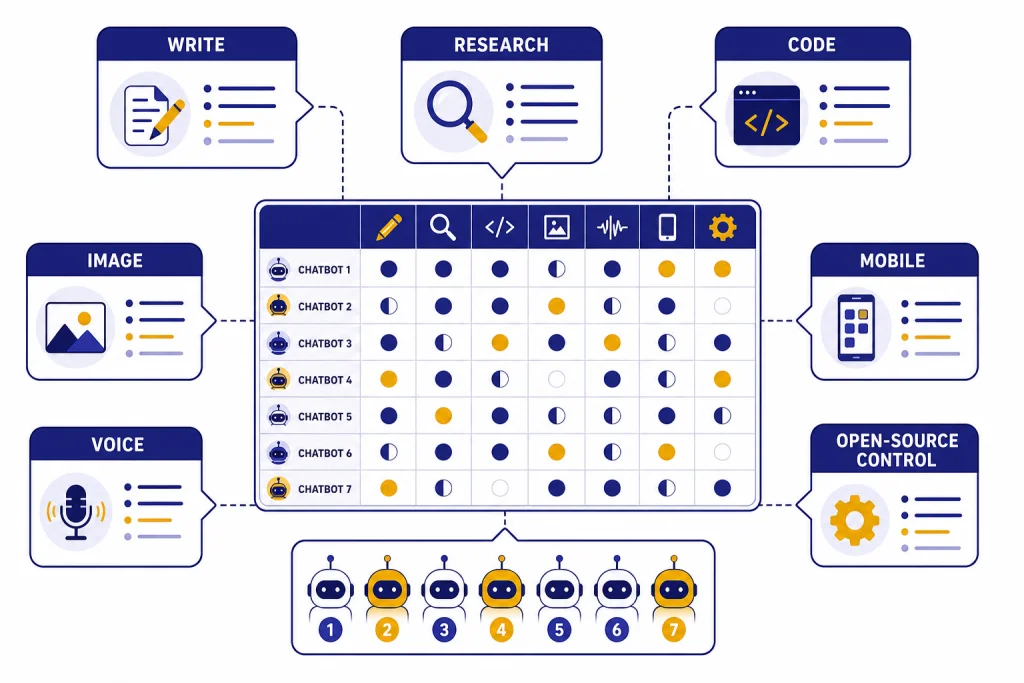
The best AI chatbot alternatives to ChatGPT in 2026 are not all trying to do the same job. Claude is strongest for long-form writing and careful analysis. Gemini is the best fit for people who live in Google apps. Microsoft Copilot makes the most sense for Office users. Perplexity is built for cited web research. Le Chat and DeepSeek are useful lower-friction options for fast chat, documents, and coding experiments. Meta AI is convenient if you already use WhatsApp, Instagram, Facebook, or Messenger. The right choice depends less on which chatbot is “smartest” and more on your workflow, budget, privacy needs, citation standards, file-upload needs, and tolerance for usage limits.
Quick comparison of the best AI chatbot alternatives
ChatGPT is still the default comparison point because it combines general chat, file uploads, voice, image tools, web search, custom GPTs, projects, and paid tiers in one product. As of May 2026, the current OpenAI lineup also includes top-tier GPT-5.5 and GPT-5.5 Pro chat models, gpt-image-2 for image generation, and Sora-2 Pro for video workflows, depending on product surface and plan access. OpenAI lists ChatGPT Free at $0 per month and ChatGPT Plus at $20 per month, with Plus adding extended limits, voice mode with video and screensharing, deep research access, reasoning models, tasks, and custom GPTs.[1] That breadth is why many people do not need a full replacement. They need a second chatbot that is better at one specific task.
Use this table as a starting point, then run the practical tests later in this guide before paying. It compares consumer-facing alternatives that are useful for everyday work, school, and creative tasks. If you want a narrower list focused only on free tools, start with our chatgpt alternative free guide. If you want a broader ranked roundup, see our chatgpt alternatives 2026 list.
| Alternative | Best fit | What to test yourself | Published paid plan or access note |
|---|---|---|---|
| Claude | Writing, analysis, code review | Long-document handling, tone control, file summaries, export options | Claude Pro is listed at $20 per month in the U.S.[2] |
| Google Gemini | Google users, research, multimodal tasks | Gmail/Docs/Drive usefulness, source quality, mobile vs web feature differences | Google announced Gemini Advanced through the Google One AI Premium Plan at $19.99 per month.[3] |
| Microsoft Copilot | Word, Excel, PowerPoint, Outlook users | How well it edits your real Office files, spreadsheet help, app-specific limits | Microsoft’s Copilot Pro plan page has listed a $20 monthly consumer plan.[4] |
| Perplexity | Cited research and answer search | Whether sources directly support claims, freshness, follow-up depth | Perplexity promotes Pro benefits at $20 per month.[5] |
| Mistral Le Chat | Fast general chat, documents, agents | Document parsing, web search behavior, Canvas editing, code interpreter fit | Mistral documents Le Chat as a no-code collaborative AI workspace.[6] |
| Meta AI | Social and mobile convenience | Voice flow, image edits, privacy comfort, usefulness inside Meta apps | Meta says the Meta AI app is available on iOS and Android.[7] |
| DeepSeek | Free chat, reasoning experiments, developer testing | Free-tier reliability, coding explanations, account/data comfort | DeepSeek’s homepage says it offers free access through DeepSeek Chat.[8] |
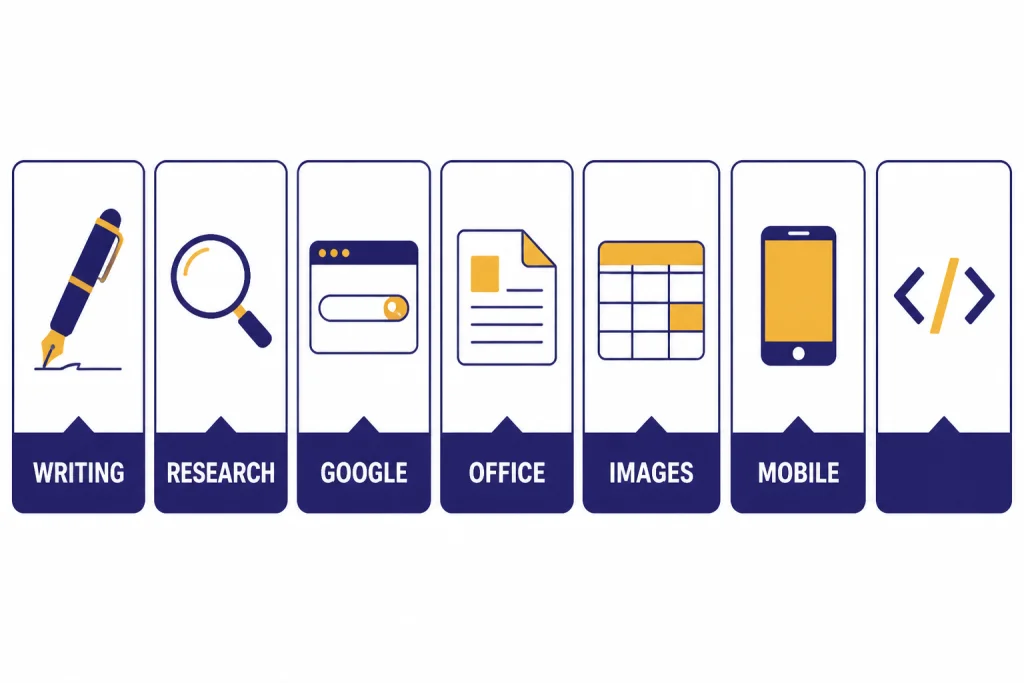
No table can capture every limit. AI companies change model access, message caps, memory behavior, file-upload rules, and feature bundles often. Treat price and access as a snapshot, not a guarantee. Before you move paid work from ChatGPT to another assistant, check whether the exact tool you need is included in your plan, whether your chats can be exported, and whether uploaded files are retained or used according to a policy you can accept.
Best alternatives by job
The easiest way to choose among AI chatbot alternatives is to start with the job. Most people do not need every model. They need a chatbot that is unusually good at writing, coding, research, mobile voice, images, school work, or file-heavy analysis.
Best for writing and careful analysis: Claude
Claude is the first ChatGPT alternative I would test for long-form writing, editing, policy work, meeting summaries, and careful document analysis. Anthropic’s model documentation positions Claude Opus, Sonnet, and Haiku models around different tradeoffs for reasoning, speed, and cost, with Sonnet described as a strong balance of speed and intelligence in the Claude family.[9] In practical writing tests, look less at whether the first draft is impressive and more at whether the assistant preserves constraints after revisions.
A good Claude test is: “Rewrite this 900-word draft for a board audience. Keep every factual claim, remove hype, add a five-bullet executive summary, and flag any claim that needs evidence.” A useful answer should separate edits from concerns instead of silently improving shaky claims. Claude is also a good second opinion for drafts created in ChatGPT: ask it to find weak claims, rewrite for clarity, or identify unsupported assumptions. If your main need is prose, compare it with our best chatgpt alternatives for writing guide before paying for multiple subscriptions.
Best for research with citations: Perplexity
Perplexity is the clearest alternative when the answer needs sources. It behaves more like an answer engine than a blank-page assistant. That makes it useful for market scans, product comparisons, travel checks, academic background reading, and “what changed recently” questions. Perplexity’s own help center separates Free support from Pro, Education Pro, and Max priority support, which is one sign that it treats research workflows as a paid power-user product.[10]
Do not just count citations. Open three sources and check whether each source actually supports the sentence beside it. A common failure case in research chatbots is a citation to a relevant-looking page that does not contain the specific claim. A stronger answer names the source, summarizes what it says, and makes uncertainty visible. Perplexity is not always the best creative writer, but it is strong when you want a sourced summary, then want to click through and verify the underlying material. For a deeper research-only ranking, see our best chatgpt alternatives for research page.
Best for Google users: Gemini
Gemini is the most natural ChatGPT alternative if your work already sits in Google Search, Gmail, Docs, Drive, or Android. Google’s subscription page says Google AI Pro adds more access to capable Gemini models, Deep Research, a 1M token context window, and video-generation access through Veo 3.1 Lite trials.[11] The key advantage is not only model quality. It is the convenience of staying inside the Google account and app layer you already use.
The practical test is to give Gemini a real workflow instead of a generic question: summarize a Drive document, turn notes into a Doc outline, compare several search results, or draft an email from your own context. Then check whether the result saved time without overreaching. Gemini is especially worth testing for students, teachers, Android users, and anyone who stores research material in Google’s ecosystem. If you are comparing mobile-first options, our apps like chatgpt guide covers iOS and Android choices in more detail.
Best for Microsoft Office users: Copilot
Microsoft Copilot is the obvious choice if your daily work happens in Word, Excel, PowerPoint, Outlook, OneNote, or Teams. Microsoft says subscribers can use AI credits across apps such as Word, Excel, PowerPoint, Outlook, Forms, OneNote, Designer, Notepad, Photos, and Paint.[12] That makes Copilot less of a general ChatGPT clone and more of an assistant built around documents, slides, spreadsheets, email, and Microsoft account workflows.
Test Copilot inside the file types you actually use. For Word, ask for an executive summary and a risks section. For Excel, ask it to explain a formula or suggest a pivot-table view, then verify the math yourself. For PowerPoint, judge whether it creates a usable structure or just decorative slides. Copilot is not the best fit if you rarely use Microsoft apps. It becomes much more compelling when the chatbot can work where the file already lives.
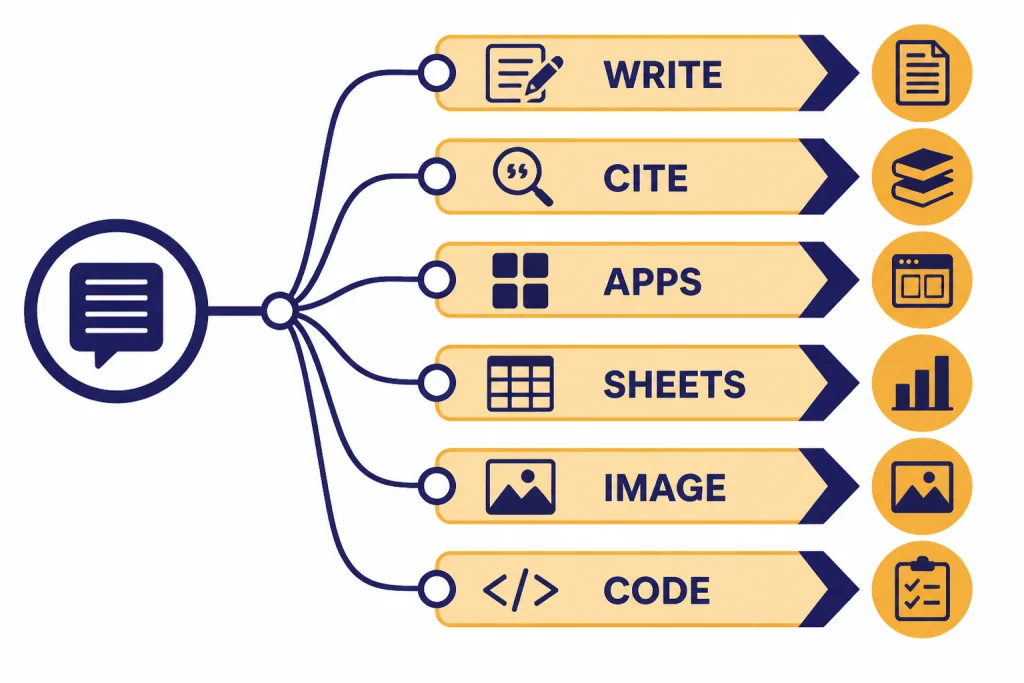
Best for images and social sharing: Meta AI
Meta AI is worth trying if you want image creation, quick chat, and voice interaction inside a mobile-first environment. Meta says its app integrates image generation and editing into voice or text conversations, and that people can use it on iOS and Android.[7] It is convenient because many users already have Meta accounts and messaging habits.
The tradeoff is privacy and context. A social-platform assistant may not be where you want to paste confidential work files, client notes, or sensitive research. For images, run a practical prompt such as: “Create three square social graphics for a spring bakery sale: one playful, one premium, one minimalist. Keep text under six words.” Judge whether the tool follows layout and text constraints, not just whether the picture is attractive. For image-specific alternatives, compare dedicated tools in our best chatgpt alternatives for image generation guide.
Best for fast experiments: Le Chat and DeepSeek
Mistral’s Le Chat and DeepSeek are useful when you want a lower-friction alternative without committing your whole workflow. Mistral describes Le Chat as a collaborative AI workspace with web search, document analysis, Canvas editing, custom agents, and code interpreter workflows.[6] DeepSeek’s official site emphasizes free access to DeepSeek Chat, app access, and an API path.[8]
These tools are good for experimentation, coding prompts, quick summaries, and comparing how different models reason. For coding, try a small bug-fix prompt with a known answer rather than a vague “build me an app” request. A useful assistant should explain the bug, propose a patch, and mention tradeoffs. They are less ideal as the only place for business-critical work unless you have reviewed account controls, data handling, uptime expectations, and export options.
Free, paid, and open-source options
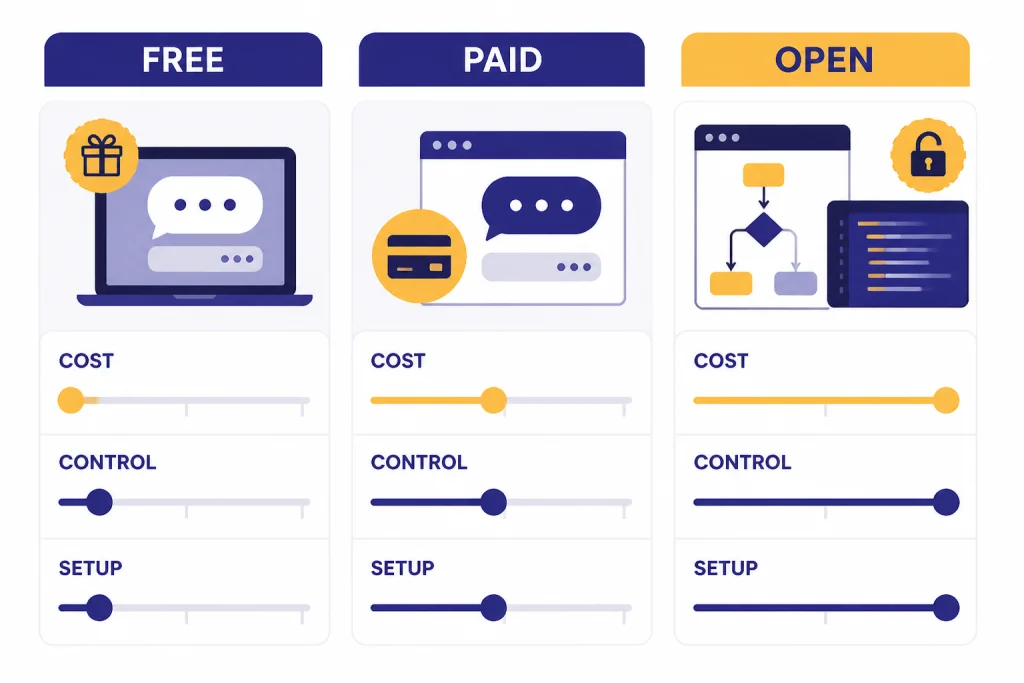
Free AI chatbots are good enough for casual use, but free is not the same as unlimited. Free tiers often throttle advanced models, file uploads, deep research, image creation, voice, memory, or priority access. Paid tiers usually buy more capacity and earlier access to premium features. Open-source or open-weight options give you more control, but they require more setup and usually lag the best hosted products for polish.
If price is the deciding factor, start with free chatgpt alternatives that actually work. If you need no-login tools, compare the tradeoffs in our chatgpt alternatives without login required article. No-login chatbots can be convenient, but they usually provide weaker personalization, fewer saved-history features, less file support, and less support if something breaks.
| Category | What you gain | What you give up | Good examples |
|---|---|---|---|
| Free hosted chatbot | Fast access, no monthly cost, simple setup | Lower limits, fewer premium tools, less predictable model access, more interruptions at busy times | ChatGPT Free, Gemini free tier, DeepSeek Chat, Meta AI |
| Paid hosted chatbot | Higher limits, premium features, better support path | Monthly cost and changing plan rules | Claude Pro, Google AI Pro, Perplexity Pro, Copilot paid plans |
| Open-source or open-weight workflow | More control, local testing, model portability | Setup time, hardware needs, weaker consumer interface | Local model runners, open model playgrounds, developer-hosted deployments |
| Aggregator app | Multiple models in one interface | Credit systems, hidden routing, possible model-specific limits | Poe-style model hubs and multi-model workspaces |
When you test a free tier, record more than “worked” or “didn’t work.” Note whether it accepts PDFs, spreadsheets, images, and long pasted text; whether it stops mid-answer; whether it allows follow-up questions on the same file; whether it remembers preferences; whether it can export a chat; and whether it cites sources. These product-layer details often matter more than a small difference in answer style.
Open-source is not automatically more private. A model you run locally can be private. A hosted site that uses an open model can still log prompts, require an account, or route traffic through third-party infrastructure. If privacy matters, read the data policy and test export controls before uploading confidential documents.
Students should be especially careful with free tools. A chatbot that gives quick answers can still violate school rules if it writes the assignment for you. Use AI for outlines, explanations, flashcards, practice questions, and feedback. For school-specific options, see Best Free ChatGPT Alternatives for Students.
How to choose the right ChatGPT alternative
Do not choose an AI chatbot from benchmark screenshots alone. Benchmarks help, but they rarely match your actual workflow. A model that wins a coding test may be awkward for editing a grant proposal. A chatbot that produces beautiful prose may invent citations. A mobile assistant may be perfect for errands and poor for spreadsheet analysis.
Run the same test set in every chatbot
Create a small test set before subscribing. Use one writing prompt, one research prompt, one coding or spreadsheet prompt, one file/PDF prompt, one image or creative prompt, and one personal productivity prompt. Paste the same instructions into each chatbot. Save the results. Then score them on accuracy, usefulness, tone, source quality, file handling, speed category, and how many follow-up prompts were needed. Use simple labels such as fast, acceptable, slow, incomplete, and failed rather than pretending you ran a lab benchmark.
| Test | Prompt to reuse | What to inspect | Common failure case |
|---|---|---|---|
| Writing/editing | “Rewrite this client update for a calm executive audience. Keep all facts, cut fluff, and list any unsupported claims.” | Constraint following, tone, whether it flags weak evidence | Polished prose that quietly changes meaning |
| Research with citations | “Find the latest official information on this product/plan and summarize only claims supported by sources.” | Source relevance, freshness, whether citations support the exact claim | Citing a general page that does not prove the sentence |
| Coding or spreadsheet | “This function returns the wrong result for empty input. Explain the bug, patch it, and add two tests.” | Correctness, test quality, explanation, willingness to ask for missing context | Overwriting code structure or inventing APIs |
| File/PDF workflow | “Summarize this PDF into decisions, risks, dates, owners, and open questions. Quote page references when possible.” | Upload success, long-file handling, page/section references, exportability | Summarizing only the first section or losing tables |
| Personal productivity | “Turn these messy notes into a prioritized plan for this week with deadlines and dependencies.” | Actionability, calendar realism, memory/privacy behavior | A generic checklist that ignores constraints |
Illustrative example: if the research prompt asks, “Which plan includes deep research and what are the current limits?”, a weak answer says, “The Pro plan includes deep research with generous limits,” without sources. A stronger answer says, “The plan page says the feature is included, but limits can vary by account and region; verify in the billing screen before subscribing,” and links to the official plan page. The second answer is less flashy, but safer.
Check the tool layer, not just the model
The model matters, but the surrounding product often matters more. Ask whether the chatbot can browse the web, cite sources, upload files, analyze spreadsheets, generate images, speak by voice, remember preferences, work on mobile, export chats, and connect to your apps. This is where tools such as Gemini, Copilot, Perplexity, and Meta AI differ more than their answer style suggests.
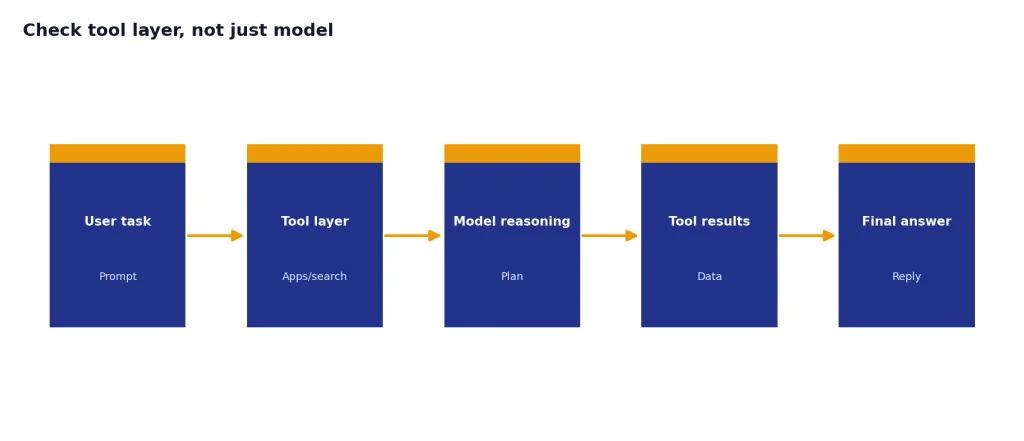
For file uploads, test the exact file type you care about. A chatbot may handle a clean PDF but struggle with scanned pages, spreadsheet formulas, merged cells, charts, or long tables. For memory, check whether you can view, edit, or disable saved preferences. For exports, confirm whether you can download the conversation or copy structured output without losing formatting. These small checks prevent lock-in later.
Match the assistant to your risk level
Use a more controlled environment for sensitive work. Do not paste client data, health details, legal facts, unreleased code, or internal company documents into a chatbot unless the plan and policy allow that use. Enterprise plans, developer platforms, and local models may be better fits for regulated or confidential workflows.
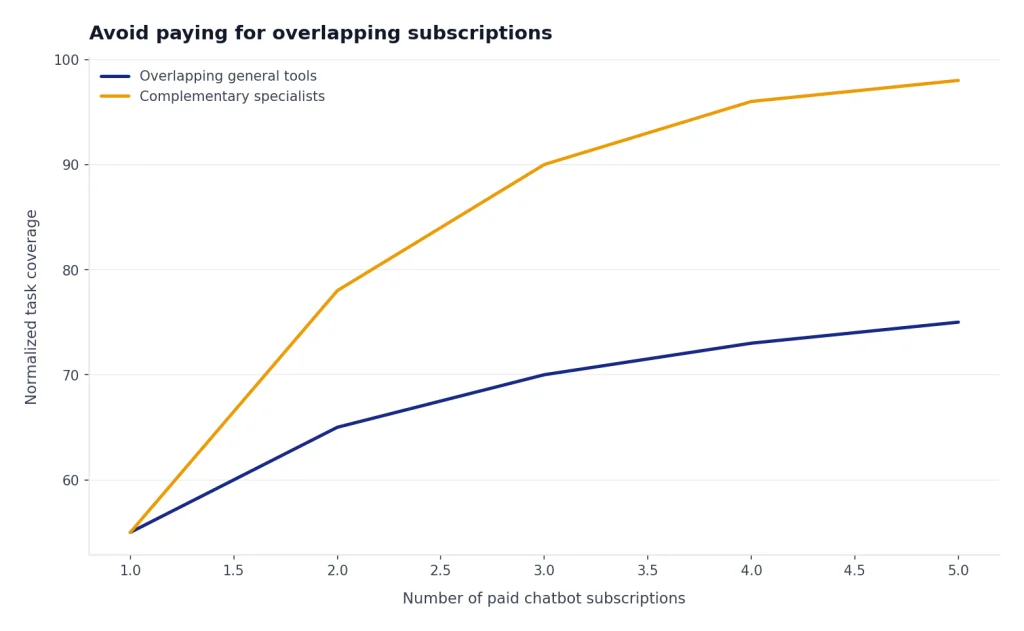
Avoid paying for overlapping subscriptions
Many paid AI subscriptions cluster around the same monthly price. Paying for several general chatbots can become wasteful quickly. A practical stack is one general assistant, one research assistant, and one specialized tool for your highest-value task. For example, you might keep ChatGPT for broad work, Perplexity for sourced research, and Claude for writing. A developer might choose ChatGPT or Claude plus a code-focused workflow from our best chatgpt alternatives for coding guide.
What to watch before switching
Switching from ChatGPT to another chatbot is easy for casual use. It is harder if your workflow depends on saved chats, custom instructions, files, projects, custom GPTs, voice memories, or team collaboration. Export what you can. Keep a record of prompts that matter. Rebuild your best workflows gradually instead of canceling one tool and hoping the next one behaves the same way.
Watch for four common surprises. First, model names can change while the plan name stays the same. Second, “unlimited” often still means fair-use limits. Third, mobile apps can have different features from web apps. Google explicitly notes that Gemini mobile and web experiences may differ.[11] Fourth, image, video, deep research, and voice features may use separate credits or lower limits than normal chat.
Also watch source quality. A chatbot that browses the web is not automatically reliable. Perplexity-style citations are useful because you can inspect them, but you still need to check whether the cited source supports the claim. ChatGPT, Gemini, Claude, Copilot, and Le Chat can all produce strong answers and still make mistakes. The safest workflow is to use AI to narrow the field, then verify important claims at the source.
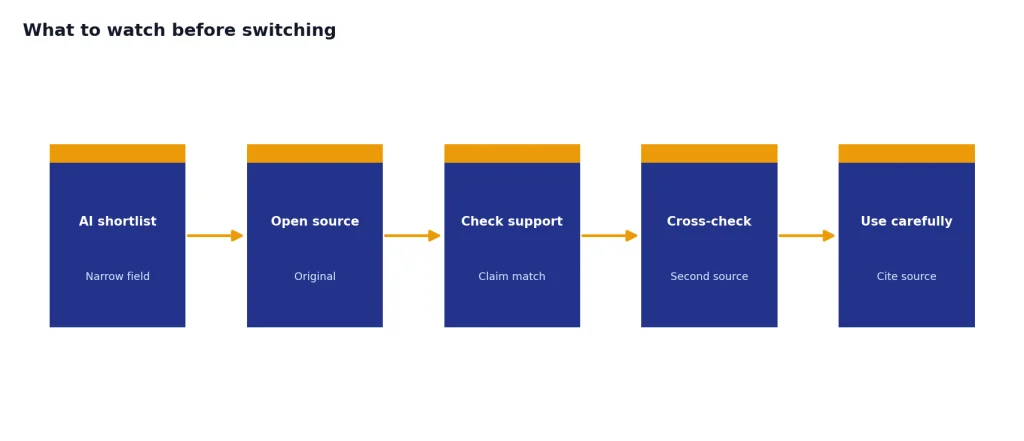
Use a one-week trial checklist before switching: run your prompt set, upload one representative file, export one useful conversation, check memory settings, test the mobile app, and ask one research question where you already know the correct answer. If the assistant fails your real work, a cheaper plan or prettier interface will not make it the right choice.
If you want the shortest recommendation, start with Claude for writing, Perplexity for research, Gemini for Google, Copilot for Microsoft, Meta AI for social/mobile image tasks, Le Chat for a fast European AI workspace, and DeepSeek for free experimentation. If none of those fits, browse our top 10 chatgpt alternatives in 2026 and open source ChatGPT alternatives guides for more specialized paths.
Frequently asked questions
What is the best overall ChatGPT alternative?
Claude is the best overall alternative for writing, analysis, and careful reasoning. Gemini is the better overall choice if you are deeply invested in Google apps. Perplexity is the better choice if every answer needs sources. For many people, the best setup is still ChatGPT plus one specialist rather than a full replacement.
What is the best free AI chatbot alternative?
The best free option depends on the task. DeepSeek is useful for free chat and reasoning experiments. Gemini and Meta AI are strong if you want mobile access and ecosystem features. ChatGPT Free remains a strong baseline because it includes broad tools with limits.[1] Test free tools with your own file, citation, and export needs because free-tier restrictions change often.
Which ChatGPT alternative is best for research?
Perplexity is the easiest recommendation for research because its product is built around cited answers and web-first follow-up. Gemini and ChatGPT can also do research well, especially with deep research features. For academic or professional work, verify citations manually before relying on the answer, and reject answers where the source does not support the claim.
Which alternative is best for coding?
Claude is a strong coding companion for reviewing code, explaining architecture, and refining implementation plans. ChatGPT remains strong for coding when you also need broad tools, projects, and file workflows. DeepSeek and Le Chat are worth testing for quick coding experiments, but use your own small bug-fix and test-writing prompts before moving production work.
Are open-source ChatGPT alternatives safer?
They can be safer if you run them locally and control the environment. They are not automatically safer if you use a hosted website that logs prompts or requires an account. Privacy depends on where the model runs, what data is stored, and what the provider’s policy allows.
Should I replace ChatGPT or use more than one chatbot?
Most people should use more than one chatbot before replacing ChatGPT. Keep one general assistant and add a specialist for your most important task. After a week of real use, cancel the tool that gives you the least value, especially if it overlaps with another subscription.