

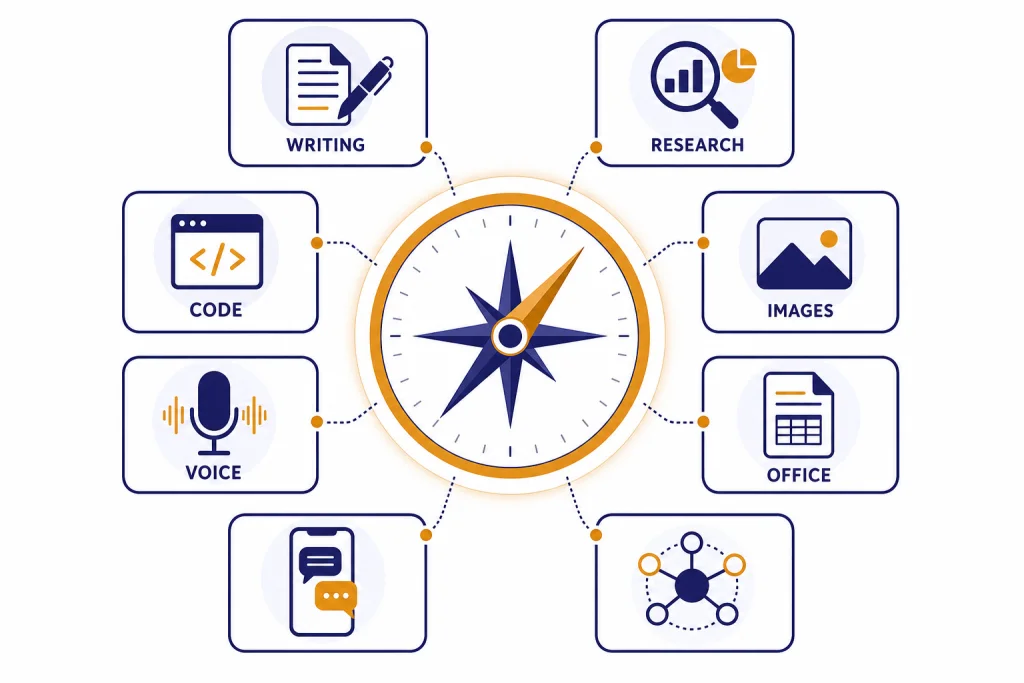
The best ChatGPT alternatives in 2026 are Claude for long-form reasoning and writing, Gemini for Google users and multimodal work, Perplexity for cited research, Microsoft Copilot for Office workflows, GitHub Copilot for coding inside an IDE, Mistral Le Chat for a lower-cost European assistant, Meta AI for casual mobile voice use, and Adobe Firefly for image and creative production. ChatGPT is still the most balanced general assistant, especially if you already use OpenAI tools, but it is no longer the only serious choice. The right replacement depends less on model benchmarks and more on where you work, what you create, how much you pay, and whether you need citations, code, files, images, voice, or open models.
Best ChatGPT alternatives in 2026
The best all-around ChatGPT alternative is Claude if you want careful writing, long reasoning, and strong coding help. The best research alternative is Perplexity because it is built around search, citations, files, and research modes. The best ecosystem alternative is Gemini if you already live in Google Search, Gmail, Docs, Drive, Chrome, Android, and NotebookLM. The best work-suite alternative is Microsoft Copilot if your daily work happens in Word, Excel, PowerPoint, Outlook, Teams, and Edge.
Use ChatGPT as the baseline, not the default answer. OpenAI’s Plus plan is listed at $20/month, and its Pro tier has been listed at $200/month; those prices make sense for some users but not for every workflow.[1][2][18] If you only need a free assistant, start with our separate chatgpt alternative free guide. If you want a tighter ranked list, use our top 10 chatgpt alternatives in 2026.
Quick comparison
This table gives the practical answer first. It is not a benchmark leaderboard. It compares where each tool is strongest for a normal user choosing an everyday ChatGPT replacement.
| Alternative | Best fit | Pricing signal | Why pick it over ChatGPT |
|---|---|---|---|
| Claude | Writing, reasoning, coding review | Claude Team standard seats are listed at $20 per seat/month annually or $25 monthly; Anthropic also describes Max 5x at $100/month and Max 20x at $200/month.[4][5][18] | More natural long-form drafting and strong project reasoning. |
| Gemini | Google users, multimodal work, search-adjacent tasks | Google AI Ultra launched at $249.99/month in the U.S.; Google AI Pro remained $19.99/month according to contemporaneous coverage of Google’s plan rename.[7][8] | Deep integration with Google products and strong mobile reach. |
| Perplexity | Research with citations | Perplexity lists Free, Pro, Max, Education Pro, Enterprise Pro, and Enterprise Max plans; Education Pro is listed at $10/month with verification.[9][10] | Answers are organized around web sources, citations, and research modes. |
| Microsoft Copilot | Office, Windows, Edge, enterprise productivity | Microsoft describes free Copilot access and subscription-based Copilot experiences across consumer and Microsoft 365 contexts.[11] | Best when the document, spreadsheet, inbox, or meeting is already in Microsoft’s ecosystem. |
| GitHub Copilot | Programming inside developer tools | GitHub lists Free, Student, Pro, Pro+, Business, and Enterprise Copilot plans; its docs also note that new sign-ups for Pro, Pro+, and Student plans were temporarily paused starting April 20, 2026, after this article’s publication date.[12] | It lives where developers write code rather than in a general chat window. |
| Mistral Le Chat | Lower-cost assistant, European provider, open-model ecosystem | Mistral’s pricing page lists Free and Pro plans, with the Pro plan presented at $14.99/month; a public Le Chat reference also records the $14.99/month Pro launch price.[13][19] | Good value if you want a non-U.S. provider and care about Mistral’s open-model work. |
| Meta AI | Casual mobile chat, voice, image editing, social apps | Meta announced the standalone Meta AI app on April 29, 2025.[17] | Useful if you already use WhatsApp, Instagram, Facebook, Messenger, or Meta AI glasses. |
| Adobe Firefly | Image, design, video, brand-safe creative work | Adobe lists Firefly Standard at US$9.99/month, Firefly Pro at US$19.99/month, and Firefly Premium at US$199.99/month.[15][20] | Better than a chatbot when the output is a designed asset rather than text. |
How to choose the right alternative
Start with the job, not the brand. If your work is mostly drafting, editing, explaining, and thinking through messy material, Claude should be high on your list. If your work starts with live web evidence, Perplexity is the cleaner fit. If your work lives in a productivity suite, Gemini or Microsoft Copilot can be more useful than a standalone chatbot because the assistant sits closer to your files, calendar, email, and browser.
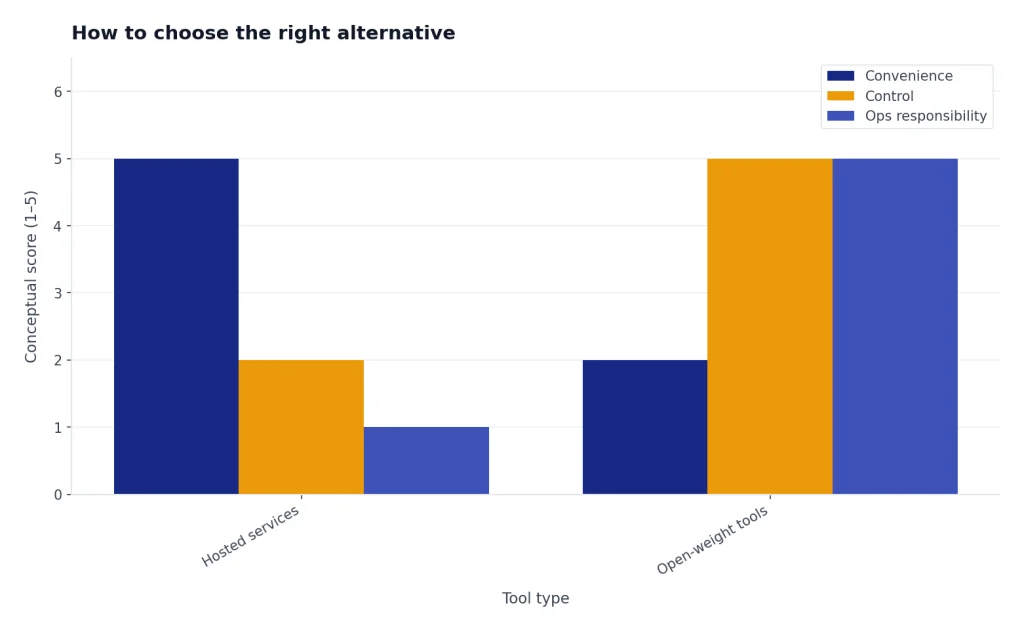
Then decide how much lock-in you can accept. ChatGPT, Claude, Gemini, Copilot, and Perplexity are hosted services. You trade control for convenience. Open-source and open-weight models shift the balance. Mistral says most of its open-source models are released under Apache 2.0, which makes that ecosystem more attractive for teams that want customization and portability.[14] Our Open Source ChatGPT Alternatives guide goes deeper on local and self-hosted choices.
Finally, test your top two tools with the same tasks. Use one writing task, one research task, one file task, one coding or spreadsheet task, and one mobile voice task. Keep the result that saves the most editing time. If you only compare polished demo prompts, almost every product looks good.
Best alternatives by use case
Best for writing: Claude
Claude is the strongest ChatGPT alternative for writers who care about tone, structure, and revision. It tends to handle long drafts, editorial feedback, and cautious rewrites well. It is also useful for summarizing interviews, turning messy notes into outlines, and comparing different versions of the same argument. If writing is your main use case, see our dedicated best chatgpt alternatives for writing list.
Best for research: Perplexity
Perplexity is the best first stop when you need sourced answers instead of a fluent essay. Its Pro page says the plan includes more citations per answer, extended access to research, file and photo uploads, and access to models such as GPT-5.2, Claude Sonnet 4.6, and Gemini 3.1 Pro inside Perplexity.[10] That makes it useful for market scans, literature discovery, competitor checks, and fast briefings. For deeper evaluation, use our best chatgpt alternatives for research comparison.
Best for coding: GitHub Copilot, Claude, and Mistral
GitHub Copilot remains the most practical coding alternative if you want AI help inside the development environment. GitHub’s Copilot docs list IDE chat support, inline suggestions, code review, agent features, and plan choices that differ by individual, organization, and enterprise use.[12] Claude is often better for explaining a codebase or reviewing a design. Mistral is worth watching for teams that care about open models and developer-facing tooling. Our best chatgpt alternatives for coding article covers this category in more detail.
Best for images and creative production: Adobe Firefly and Gemini
Choose Adobe Firefly when you need generated images, edits, video, audio, or design assets inside a creative workflow. Adobe’s Firefly plan page ties paid plans to generative credits, image generation, video generation, audio translation, sound effects, and Adobe app benefits.[15] Choose Gemini when the creative task starts in a Google workflow or involves mixed text, images, research, and planning. For visual tools only, see our best chatgpt alternatives for image generation guide.
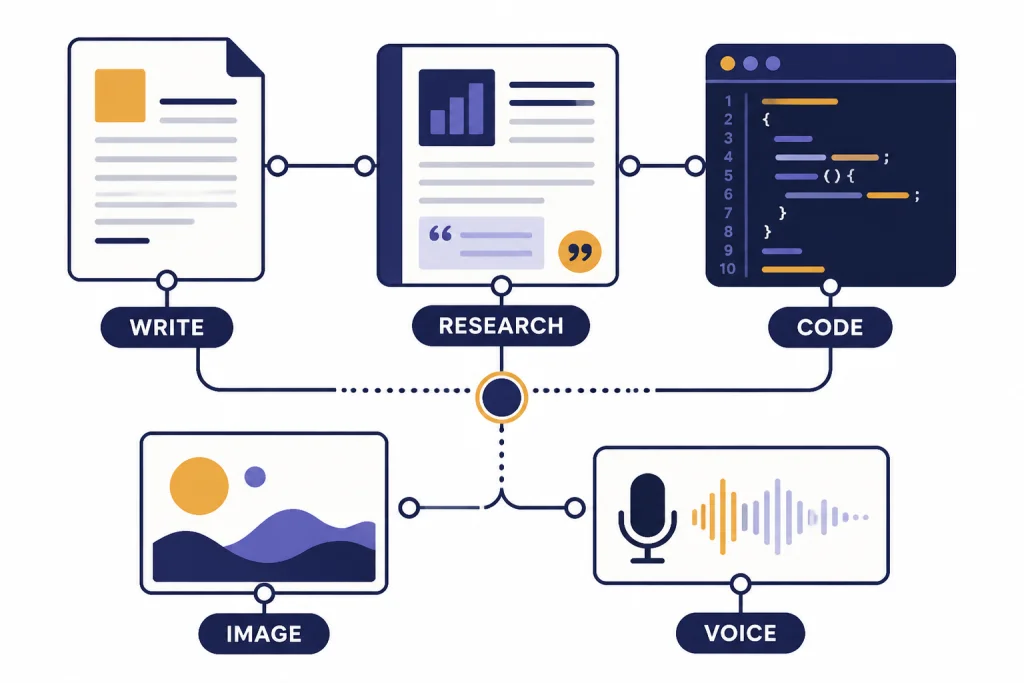
Best for voice and mobile: Gemini, Meta AI, and ChatGPT rivals inside apps
Voice is not just transcription. A good voice assistant needs low friction, mobile reliability, memory, fast turn-taking, and access to the apps you already use. Meta’s standalone AI app was announced as a more personal assistant built around voice conversations and connected to image generation and editing.[17] Gemini is also strong on Android and Google accounts. If voice is your main reason to switch, compare options in our best chatgpt alternatives for voice and apps like chatgpt guides.
Free, paid, and open-source options
Free plans are useful for occasional work, testing model style, and keeping a backup assistant. They are not always reliable for heavy daily use because limits, model routing, file uploads, and peak-hour behavior can change. Paid plans usually buy higher limits, better models, priority access, file handling, workspace features, and support. They do not always buy ownership or predictability.
Open-source and open-weight tools solve a different problem. They give developers and organizations more control over deployment, privacy, tuning, and cost structure. They also shift more responsibility onto the user. You may need hardware, hosting, updates, evaluation, security review, and model operations. If you want the easiest possible consumer assistant, hosted tools are simpler. If you want control, portability, and the option to run models in your own environment, open alternatives matter.
The simplest rule is this: use free tools for exploration, paid hosted tools for daily productivity, and open models for control. Students should also check education programs. Perplexity lists Education Pro at $10/month with verification, and Google announced free access to Google AI Pro for a school year for university students in several countries.[9][7] For student-specific picks, use Best Free ChatGPT Alternatives for Students.
Pricing and limit signals to watch
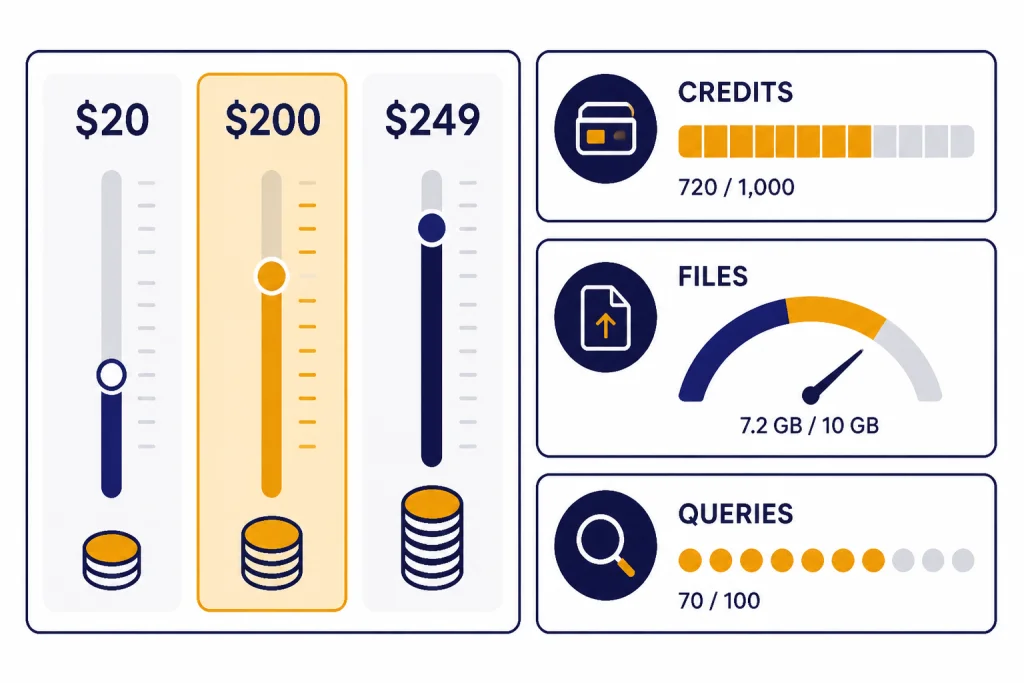
AI subscriptions are not like old software subscriptions. A flat price can hide model routing, message caps, slower queues, file limits, tool-specific credits, and fair-use policies. The second table focuses on the signals that usually matter more than the headline model name.
| Signal | What to check | Why it matters |
|---|---|---|
| Monthly price | ChatGPT Plus is $20/month, ChatGPT Pro has been $200/month, Claude has Max tiers described at $100/month and $200/month, and Google AI Ultra launched at $249.99/month.[1][2][5][7][18] | The jump from entry paid to power-user paid can be large. |
| Included tools | Check files, code, deep research, image generation, video, voice, projects, memory, and connectors. | A cheaper plan can be worse value if it blocks the tool you use most. |
| Research limits | Perplexity lists Research Queries, Pro Searches, Browser Agent queries, file limits, and Enterprise Max quantities in its plan comparison.[9] | Research products often ration the most expensive multi-step work. |
| Creative credits | Adobe uses generative credits across Firefly features, and its plan page shows different monthly credit amounts by tier.[15][16] | Creative tools can feel unlimited until video or premium-model credits run out. |
| Workspace integration | Microsoft distinguishes free Copilot, Copilot inside Microsoft 365, and commercial Copilot experiences.[11] | The best assistant may be the one that can read the document you are editing. |
| Model access | Perplexity’s Pro page lists access to outside models inside its interface, including GPT-5.2, Claude Sonnet 4.6, and Gemini 3.1 Pro.[10] | Some products are model aggregators, not single-model chatbots. |
Original analysis: the workspace fit framework
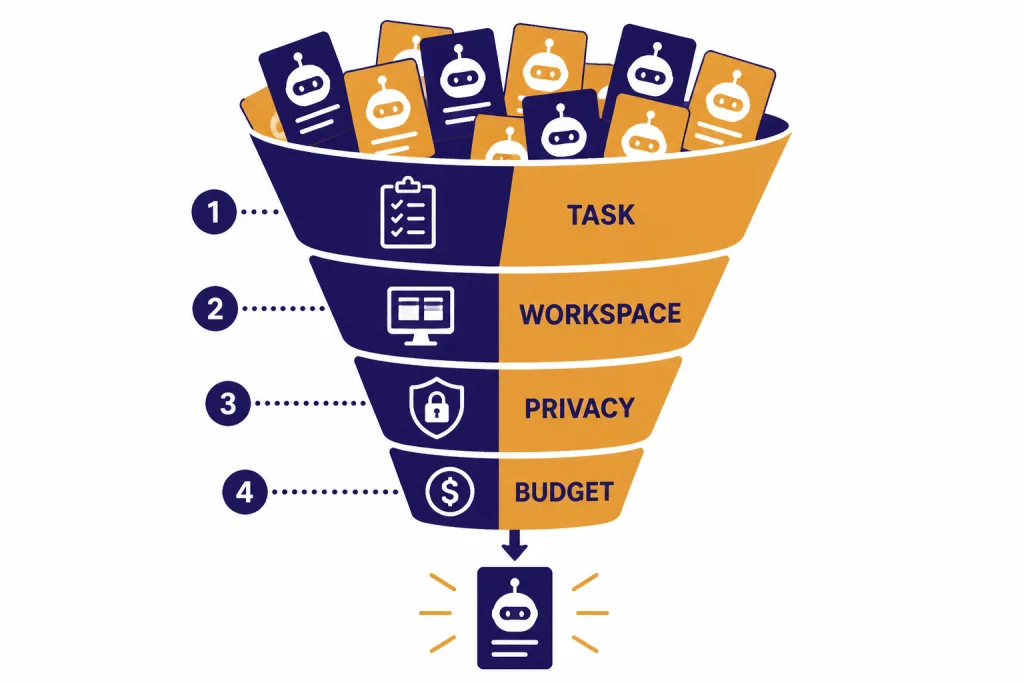
The biggest pattern in the 2026 market is not that one model beats every other model. The pattern is workspace fit. The best assistant is increasingly the one closest to the work surface. That means Copilot for Microsoft documents, Gemini for Google accounts, GitHub Copilot for code, Firefly for creative assets, Perplexity for sourced research, and Claude for long reasoning and prose.
Use this decision framework. First, choose the workspace where the work starts. Second, choose the capability the work needs: writing, research, code, image, voice, data, or automation. Third, choose the privacy posture: hosted consumer account, business workspace, enterprise controls, or open model. Fourth, choose the payment shape: free, $20-class subscription, high-limit power plan, per-seat team plan, or pay-as-you-go API. If two products tie, pick the one with fewer copy-paste steps.
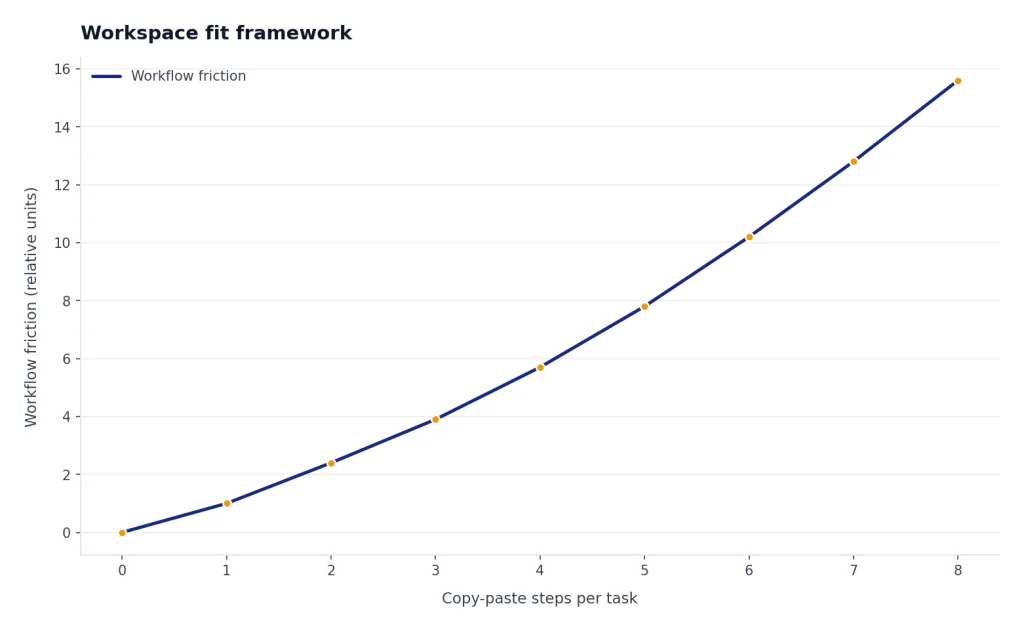
This framework also explains why many people should keep more than one assistant. A writer might use Claude for drafting, Perplexity for cited source gathering, and Firefly for article images. A developer might use GitHub Copilot in the IDE, Claude for architecture review, and Mistral open models for private experiments. A student might use Gemini or Perplexity for research, then a free assistant for flashcards and outlines. For a broader comparison set, see best ai chatbot alternatives to chatgpt and similar to chatgpt.
Frequently asked questions
What is the best overall ChatGPT alternative in 2026?
Claude is the best overall alternative for many writing, reasoning, and coding-review tasks. Gemini is the stronger choice if you want Google account integration, while Perplexity is better for cited research. ChatGPT Plus remains a strong baseline at $20/month, so the best switch depends on whether you want a different style, a different ecosystem, or a different price-to-limit tradeoff.[1][18]
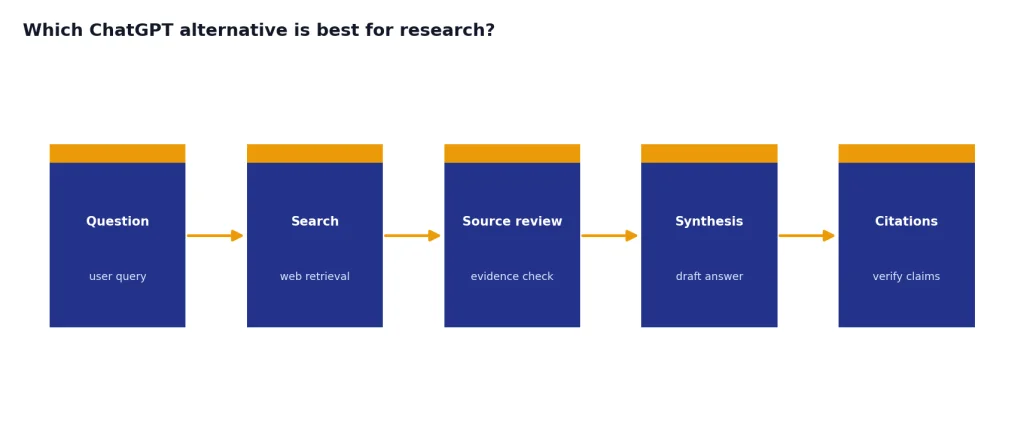
Which ChatGPT alternative is best for research?
Perplexity is the best research-first alternative because it is organized around search, citations, file uploads, and research modes. Its plan comparison lists Pro Searches, Research Queries, Browser Agent queries, file uploads, and enterprise research limits.[9] Its Pro article also says Pro answers can include more citations and access to models such as GPT-5.2, Claude Sonnet 4.6, and Gemini 3.1 Pro.[10]
Which ChatGPT alternative is best for students?
Students should compare Perplexity Education Pro, Google AI Pro student offers, free versions of Claude and Gemini, and campus-approved tools. Perplexity lists Education Pro at $10/month with verification.[9] Google also announced free Google AI Pro access for a school year for university students in several countries.[7] Always check your school’s AI policy before submitting AI-assisted work.
Which alternative is best for coding?
GitHub Copilot is the best everyday coding alternative if you want help directly in an IDE and GitHub workflow. GitHub’s docs list multiple Copilot plans and features such as IDE chat, inline suggestions, code review, and agent-related capabilities.[12] Claude is often better for explaining unfamiliar code or reasoning through architecture. Mistral is useful for teams that want open-model options, since Mistral says many open-source models use Apache 2.0.[14]
Are there free ChatGPT alternatives that actually work?
Yes, but free plans are best treated as limited tools rather than guaranteed daily workhorses. Perplexity lists a Free plan with practically unlimited basic searches but very limited Pro Searches.[9] Mistral, Gemini, Claude, Microsoft Copilot, Meta AI, and ChatGPT also offer free access paths, but limits and model access vary. For a focused list, use free chatgpt alternatives that actually work.
What is the best open-source ChatGPT alternative?
Mistral is one of the strongest open-model ecosystems to watch because it publishes open models and states that most of its open-source models are under Apache 2.0.[14] Open-source alternatives are best for developers, researchers, and organizations that need control over deployment or customization. They are less convenient than a hosted chat app. Start with hosted tools if you do not want to manage inference, updates, and security.
Should I replace ChatGPT or use more than one AI assistant?
Most serious users should use more than one assistant. A $20/month ChatGPT Plus subscription can be enough for general work, but a researcher may still prefer Perplexity and a developer may still prefer GitHub Copilot.[1][9][12] The best setup is usually one general assistant plus one specialist tool. Replace ChatGPT only if the specialist covers most of your daily tasks.
Bottom line
ChatGPT is still the safest default for a broad audience, but the best ChatGPT alternative in 2026 depends on the job. Choose Claude for writing and reasoning, Perplexity for research, Gemini for Google workflows, Microsoft Copilot for Office, GitHub Copilot for code, Mistral for lower-cost and open-model interest, Meta AI for casual mobile voice, and Firefly for creative assets.
Watch pricing, limits, and workspace integration more than model hype. The market is moving toward specialized assistants that sit inside the tools people already use. That makes the best alternative less about replacing ChatGPT everywhere and more about picking the assistant that removes the most friction in your real workflow.