

The best apps like ChatGPT on iOS and Android are not simple clones. They differ by workflow: Gemini is the Android-first choice, Claude is a strong writing and document assistant, Perplexity is the most useful for cited search, Microsoft Copilot fits Microsoft 365 users, Poe is handy when you want several models in one app, and PocketPal AI is the privacy-focused local option. As of May 2026, OpenAI’s own ChatGPT app remains the reference point for the current GPT-5.5 family, gpt-image-2 image generation, and Sora-2-pro video features where available; this guide focuses on which mobile alternatives feel useful enough to install, not on naming a universal winner.
Quick picks
If you want the closest mobile substitute for ChatGPT, start with Gemini, Claude, Perplexity, and Copilot. They each have official mobile paths, broad feature sets, and serious development behind them. OpenAI’s own download page lists ChatGPT for iOS and Android, which is still the baseline app to compare against when judging alternatives.[1] Apple’s App Store listing identifies the ChatGPT app as the official app by OpenAI.[2]
Methodology in brief: recommendations below are based on five criteria: official mobile availability, task quality in a short same-prompt spot check, operating-system integration, privacy/account friction, and pricing clarity. “Best” means best fit for that use case, not the best app for every person.
Choose Gemini if you use Android heavily and want an assistant that can live closer to the phone. Google says the Gemini mobile app supports typed chat, voice chat, Gemini Live, image creation, and help while you are on the go.[3] Google’s Android page also says users on other Android devices can download Gemini from Google Play or switch to Gemini as their primary mobile assistant.[5]
Choose Claude if you want a careful writing partner, code reviewer, or document analyst. Anthropic describes Claude’s Android app as working like Claude on iOS and the web, with vision, multilingual, and reasoning capabilities.[6] The App Store listing for Claude by Anthropic describes writing, research, coding, visual analysis, and voice dictation as core mobile uses.[7]
Choose Perplexity if your main job is finding answers with sources. Perplexity’s App Store listing describes the app as “AI Search & Chat” and includes an assistant for drafting emails, scheduling appointments, booking reservations, and other tasks.[10] Perplexity’s help center says its assistants are available for Android and Apple devices.[9]
Choose Microsoft Copilot if your work already lives in Word, Excel, Outlook, Teams, OneDrive, or Microsoft 365. Microsoft’s support page says the Microsoft 365 Copilot mobile app is available for both iOS and Android and gives mobile access to an AI assistant plus Microsoft apps.[11] Just note that consumer Copilot, Microsoft 365 Copilot, and workplace Copilot licensing are not the same product experience. For a broader list beyond mobile, see our best AI chatbot alternatives to ChatGPT.
Apps like ChatGPT compared
This table focuses on official or well-established mobile apps. It avoids thin “AI keyboard” wrappers and unverified clone apps. The goal is to help you pick an app that fits a real mobile workflow, not just another chat box.
| App | Best fit | iOS and Android status | Free tier and rough paid cost | Main limitation |
|---|---|---|---|---|
| Google Gemini | Android assistant, voice, image creation, Google ecosystem tasks | Google documents Gemini mobile app use on iPhone and iPad, and Android positions Gemini as a phone assistant option.[3][5] | Free app access is available in many regions, with higher-end Gemini features typically tied to Google AI subscription tiers. Expect the main individual paid tier to be in the same rough monthly range as other premium AI subscriptions; confirm the current price in the app store. | iOS has tighter platform limits. Google’s App Store listing says Gemini on iOS does not yet support device actions such as setting an alarm or sending a text.[4] |
| Claude | Writing, analysis, coding, visual reasoning, document-heavy work | Anthropic says Claude is available across web, iOS, and Android, and its Android app includes vision, multilingual, and reasoning capabilities.[6] | Free to start with usage caps. Claude Pro and higher-capacity plans are paid, with the individual Pro tier roughly in the common premium-chatbot monthly range. Heavy users should expect message limits even on paid plans. | Long sessions, files, and high-demand models can hit usage caps, so check Anthropic’s current plan page before relying on it as your only assistant. |
| Perplexity | Search, citations, quick research, answer verification | Perplexity says its assistant is available for Android and Apple devices.[9] | Free search and chat are enough for light use. Perplexity Pro is the main paid consumer upgrade and is usually priced around the standard premium AI-app monthly range. | It is strongest when a question benefits from web sources. It is less ideal for private journaling or sensitive drafts. |
| Microsoft Copilot | Microsoft users, work documents, Office-style tasks | Microsoft says the Microsoft 365 Copilot mobile app is available for iOS and Android.[11] | Consumer Copilot has a free tier and optional paid consumer upgrades. Microsoft 365 Copilot for work or school is separate and usually depends on an eligible Microsoft 365 plan plus an admin-managed Copilot license. | The best experience depends on your Microsoft account, app permissions, tenant policy, and license. Installing the mobile app does not automatically grant workplace Copilot access. |
| Poe | Trying several AI systems from one app | Poe says users can open Poe on web, desktop apps, iOS, or Android.[15] | Free use is points- or quota-limited. Poe’s paid subscription is commonly priced around the premium AI-app monthly range and buys more access to supported bots. | It is an aggregator, so limits, model availability, and behavior depend on Poe’s routing and the providers it supports. |
| Le Chat by Mistral AI | General chat, Mistral models, lightweight alternative to big-platform assistants | Mistral’s docs say Le Chat is available on the web, iOS, and Android.[12] | Free access is available, with Le Chat Pro as the paid mobile upgrade path. Check the in-app checkout screen because plan names and regional pricing can change. | It has fewer phone-level integrations than Gemini or Copilot. |
| DeepSeek | Free general AI assistant and coding help | DeepSeek’s Google Play listing identifies it as the official DeepSeek AI assistant and describes the model behind the app.[14] | Often attractive because it has a low-friction free entry point. Capacity, availability, and any paid options can change, so verify inside the app before making it your default. | Review the data safety section and your organization’s policy before using it with sensitive information.[14] |
| Grok | Real-time search, voice, image and video features, X-adjacent users | xAI’s Google Play listing describes Grok as an AI assistant with answers, image and video generation, voice mode, and picture uploads.[18] | Free access and paid access can vary by account, region, and X-related subscription status. Check the app store and account page before assuming a feature is included. | Feature parity, search behavior, and content controls can vary by platform and plan. |
| PocketPal AI | Local, private, open-source model use on your phone | PocketPal says it runs across iOS and Android and lets users download and run open-source models.[17] | The app is useful without a cloud chatbot subscription, but you pay in setup time, storage, battery, and device performance rather than a typical hosted-AI monthly fee. | Local models are usually slower and less capable than leading cloud models on complex tasks. |
Pricing note, May 2026: most mainstream AI assistants are free to download, but the practical limit is not the download price. Watch for rolling message caps, premium-model caps, file-upload limits, image-generation limits, and whether voice or live assistant features are gated. Individual paid plans commonly cluster around the same monthly price band, while workplace Copilot and enterprise plans are licensed differently and may require admin approval.
If you want a wider desktop-and-mobile comparison, use our ChatGPT alternatives 2026 guide. If you only care about no-cost options, start with our free ChatGPT alternatives that actually work.
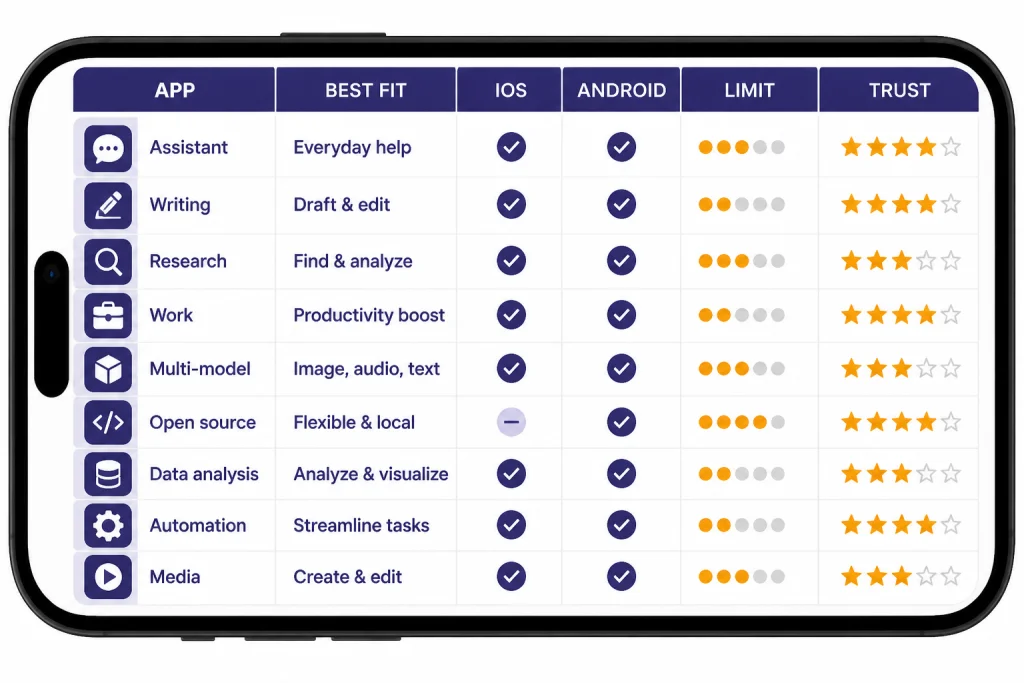
Hands-on spot-check matrix: this was a qualitative mobile workflow check, not a lab benchmark. I used the same prompt categories across the leading options and judged whether the answer was usable on a phone without heavy cleanup.
| Test prompt | What I looked for | Observed result | Best fit from the test |
|---|---|---|---|
| “Rewrite this rushed email so it is firm but polite, under 120 words.” | Tone control, brevity, and whether the app avoided overexplaining. | Claude produced the cleanest ready-to-send draft. Gemini was fast and practical. Copilot was useful when the task belonged in a Microsoft work context. | Claude for writing; Copilot for Microsoft work. |
| “Summarize this pasted article into 5 bullets and 3 risks.” | Structure, handling of pasted text, and useful extraction. | Claude handled messy pasted text best. Gemini gave a concise summary. Perplexity was better when the task required checking live sources rather than only summarizing the paste. | Claude for documents; Perplexity for source checking. |
| “What changed recently about this topic? Include sources.” | Source links, currency, and whether claims were easy to verify. | Perplexity was the easiest to trust because links were central to the answer. Gemini was good for quick orientation. General chat apps needed more prompting to show sources. | Perplexity. |
| “Explain this JavaScript error and give a safer version of the code.” | Debugging clarity, corrected code, and caveats. | Claude and Poe’s coding-capable bots were the most useful for step-by-step debugging. Perplexity helped when the answer needed documentation links. | Claude or Poe. |
| “Answer this private note while offline or without sending it to a hosted chatbot.” | Local processing, speed, and quality trade-off. | PocketPal AI was the relevant option because it runs local open-source models, but answers were less polished and more device-dependent than cloud assistants. | PocketPal AI for privacy-first use. |
Best app by use case
Best for Android users: Gemini
Gemini has the clearest mobile advantage on Android because it can act more like a phone assistant. Google’s Android page says users can download Gemini from Google Play or switch to Gemini as the primary mobile assistant.[5] That matters if you want voice access, quick screen-adjacent help, and tighter Google services integration instead of a standalone chat app.
On iPhone, Gemini is still useful, but it is not the same product experience. Google’s App Store listing says Gemini can help with tasks such as checking weather, directions, and summarizing information, but does not yet support iOS device actions like setting an alarm or sending a text.[4] If you are comparing mobile-first tools, our best mobile alternatives to ChatGPT article goes deeper on that platform split.
Best for writing and document thinking: Claude
Claude is the first app I would test if your prompts are long, messy, or document-based. The App Store listing frames Claude as a writing assistant, research assistant, coding assistant, and visual analysis tool.[7] Anthropic also says the Android app includes vision and multilingual capabilities, which makes it useful for photos, screenshots, and travel translation tasks.[6]
In the spot check, Claude’s advantage was not just “smarter writing.” It followed constraints well: shorter email rewrites stayed short, document summaries kept headings clean, and code explanations were easier to scan on a phone. Claude’s mobile app is also practical when you need to move between phone and desktop because Anthropic describes Claude as available across web, iOS, and Android platforms.[6] For deeper writing-specific picks, see our best ChatGPT alternatives for writing.
Best for research with sources: Perplexity
Perplexity is the most direct ChatGPT alternative for people who ask factual questions and want links. Its App Store listing emphasizes AI search and chat, and its mobile assistant can handle tasks such as drafting emails and scheduling appointments.[10] Perplexity’s own help center says the assistant is available for Android and Apple devices.[9]
Use Perplexity when the answer should be checked against current pages, public documents, or news. In the same-prompt test, it was the easiest app to audit because sources were part of the normal answer flow. Do not use it as a private notebook for confidential drafts unless you have reviewed its privacy settings and your organization’s rules. For source-heavy work, compare it with the tools in our best ChatGPT alternatives for research.
Best for Microsoft work: Copilot
Copilot is the practical choice when the phone is part of a Microsoft workflow. Microsoft says its mobile app gives access to an AI assistant and favorite apps from a mobile device, and that the Microsoft 365 Copilot mobile app is available in app stores for iOS and Android.[11] If you already use Microsoft 365 at work, Copilot may be easier to justify than another standalone subscription.
The key distinction is licensing. Consumer Copilot is the general Microsoft chatbot experience for personal accounts, with free and paid consumer paths. Microsoft 365 Copilot is the Office-connected experience that can work across Microsoft 365 apps and files when your account is eligible. Workplace Copilot access is controlled by your employer or school and may require a specific Microsoft 365 plan, a Copilot add-on license, admin enablement, and data permissions. The mobile app is the doorway; it is not proof that your account has every Copilot feature.
Best for comparing models: Poe
Poe is for people who do not want to pick one model provider. Poe’s help center says it includes general-purpose bots from OpenAI, Anthropic, Google, Meta, and others, and that Poe works on web, desktop apps, iOS, and Android.[15] The App Store listing also says Poe can combine and compare models in a single chat.[16]
The trade-off is abstraction. Poe is convenient, but you are using Poe’s interface, account system, points, and supported bot list. If you need the official app experience for a specific provider, install that provider’s app instead. If you want to compare a GPT-5.5-class OpenAI experience against Claude, Gemini, or other models from one phone screen, Poe can be useful, but availability and quotas can change.
Best for voice-first use
Gemini, Claude, Perplexity, Copilot, and Grok all have mobile voice features or voice-oriented workflows in their official app descriptions or help pages.[3][7][9][11][18] The right choice depends on what you want voice to do. Gemini is best for Android assistant behavior. Claude is better for dictating drafts and thinking through ideas. Perplexity is better for asking research questions aloud. For a dedicated comparison, see our best ChatGPT alternatives for voice.
What changes on iOS vs Android
The same AI brand can feel different on iPhone and Android. Android usually gives assistant apps more room to interact with phone-level actions. iOS is more restrictive, so many AI apps work more like standalone chat, search, or voice apps.
Gemini shows the split clearly. Google says Android users can switch to Gemini as their primary mobile assistant.[5] Google’s App Store listing for Gemini says the iOS app does not yet support device actions such as setting an alarm or sending a text.[4] That does not make Gemini bad on iPhone. It means you should judge it as a chatbot and Google AI app, not as a full Siri replacement.
Claude is closer across platforms. Anthropic said the Android app works like Claude on iOS and the web, with access to vision, multilingual, and reasoning capabilities.[6] Anthropic’s Android help page also says Claude can connect with Android system apps for actions such as drafting messages, composing emails, checking calendars, finding locations, and setting alarms or timers.[8]
Perplexity also spans both platforms, but its assistant behavior depends on mobile operating system permissions. Perplexity’s help center describes assistants for Android and Apple devices.[9] Microsoft’s Copilot mobile story is simpler if you treat it as a Microsoft 365 companion rather than a system assistant; Microsoft says the mobile app is available for both iOS and Android.[11]
The practical rule is simple. If you want an app to control or interact with the phone, Android gives you more room. If you want a polished chat, writing, search, or file-analysis app, iPhone and Android are often close enough that the service quality matters more than the operating system.
Privacy and safety checks before you install
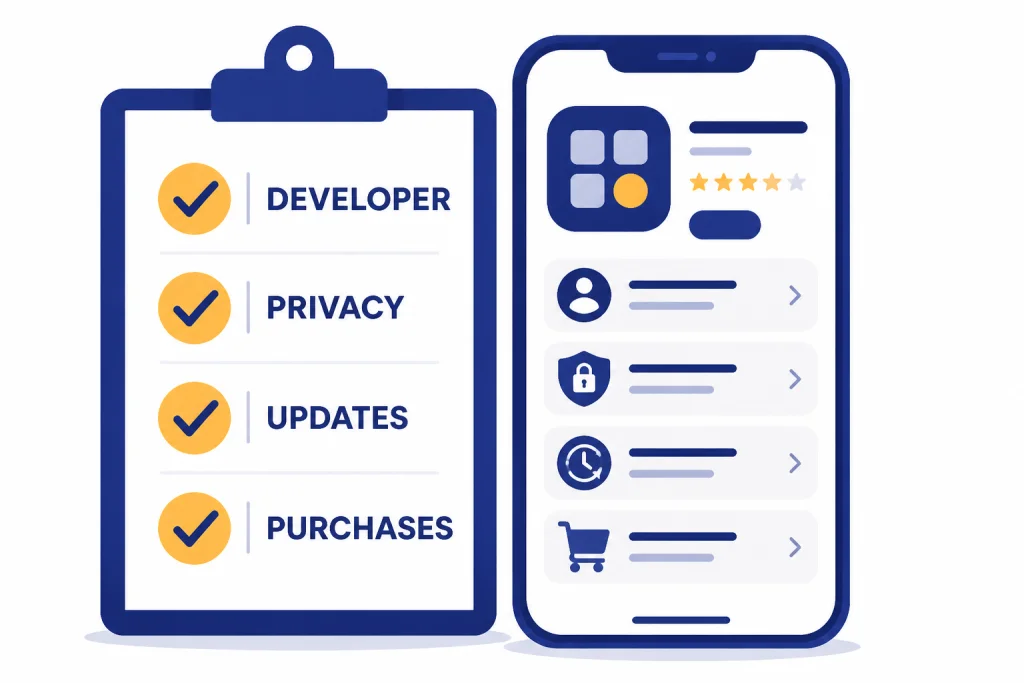
Search results in both app stores are crowded with AI clones. Before you install any app like ChatGPT, check the developer name, official website, privacy label, update history, and in-app purchase details. The official ChatGPT App Store listing identifies OpenAI as the maker.[2] The Claude App Store listing identifies Anthropic PBC as the seller.[7] DeepSeek’s Google Play listing identifies DeepSeek as the developer of the official AI assistant.[14]
Do not assume a familiar model name in an app title means the app is official. Many mobile apps use words such as “GPT,” “Claude,” “Gemini,” or “AI assistant” in ways that imply more affiliation than they actually have. If the app is not published by the company behind the service, treat it as a third-party client.
Review the data safety or privacy section before you paste personal information, client files, health details, legal documents, or company secrets into any mobile AI app. DeepSeek’s Google Play listing, for example, says the app may collect location, personal information, and other data types.[14] That does not automatically mean you should never use it, but it does mean you should match the app to the sensitivity of the task.
For school or work, also check policy. A free app can still be the wrong choice if it stores prompts in a way your employer, university, or client agreement does not allow. Students should compare the options in our best free ChatGPT alternatives for students before using any assistant for coursework.
Local and open-source options
Most apps like ChatGPT send prompts to cloud servers. Local AI apps take a different approach. PocketPal AI says it lets users download and run open-source models on iOS and Android.[17] That makes it a better fit for privacy-sensitive notes, offline tinkering, and learning how smaller open models behave on real hardware.
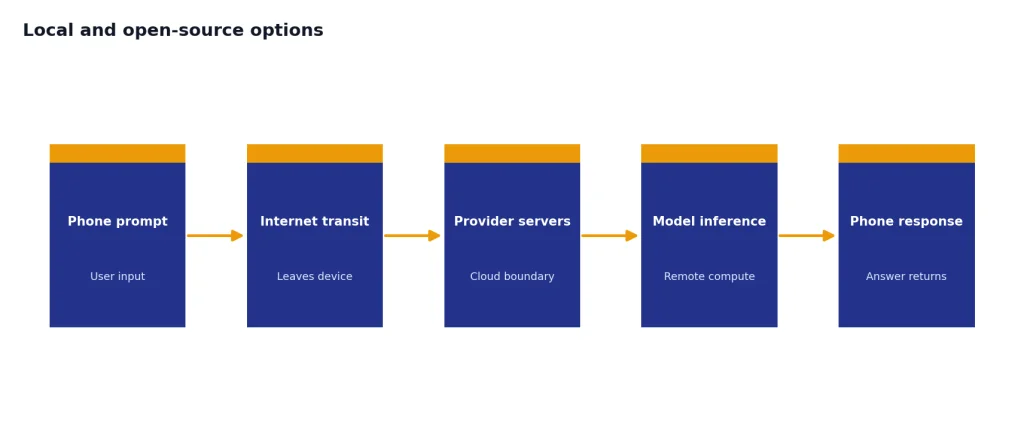
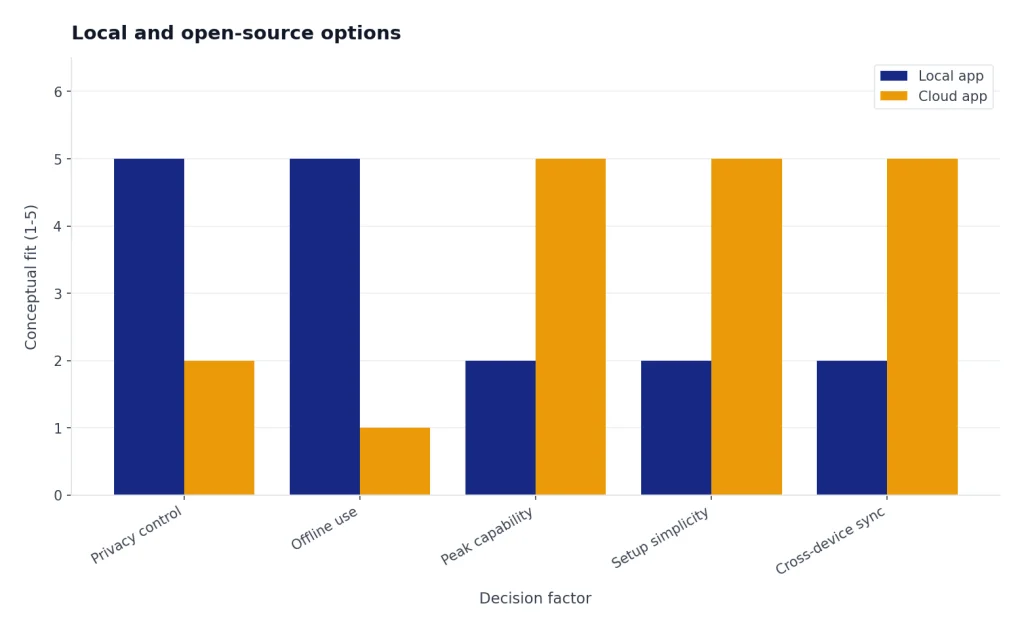
The trade-off is capability. A phone can run smaller models, but it usually cannot match the best cloud models for deep reasoning, long documents, difficult coding, or polished writing. Local apps also make you responsible for choosing, downloading, and managing models. That is empowering for technical users and frustrating for casual users.
Use a local app when privacy, offline use, or open-source experimentation matters more than peak quality. Use a cloud app when you need the strongest answers, multimodal features, large file handling, or reliable syncing across devices. If open-source is your main requirement, continue with our open source ChatGPT alternatives guide.
How to choose without wasting time
Install no more than a small set at first: one general assistant, one research assistant, and one specialty app. For most people, that means Gemini or Claude for everyday chat, Perplexity for sourced answers, and either Copilot, Poe, or PocketPal depending on work, model comparison, or privacy needs.
- If you use Android as your main computer: try Gemini first, then compare Claude and Perplexity.
- If you write long drafts on your phone: try Claude first, then compare ChatGPT and Gemini.
- If you fact-check constantly: try Perplexity first.
- If you use Microsoft 365 at work: try Copilot, but confirm whether you have consumer Copilot, Microsoft 365 Copilot, or a workplace license.
- If you want to test many models: try Poe.
- If you care about offline use: try PocketPal AI.
- If you want another free general chatbot: try Le Chat or DeepSeek, but review data policies first.
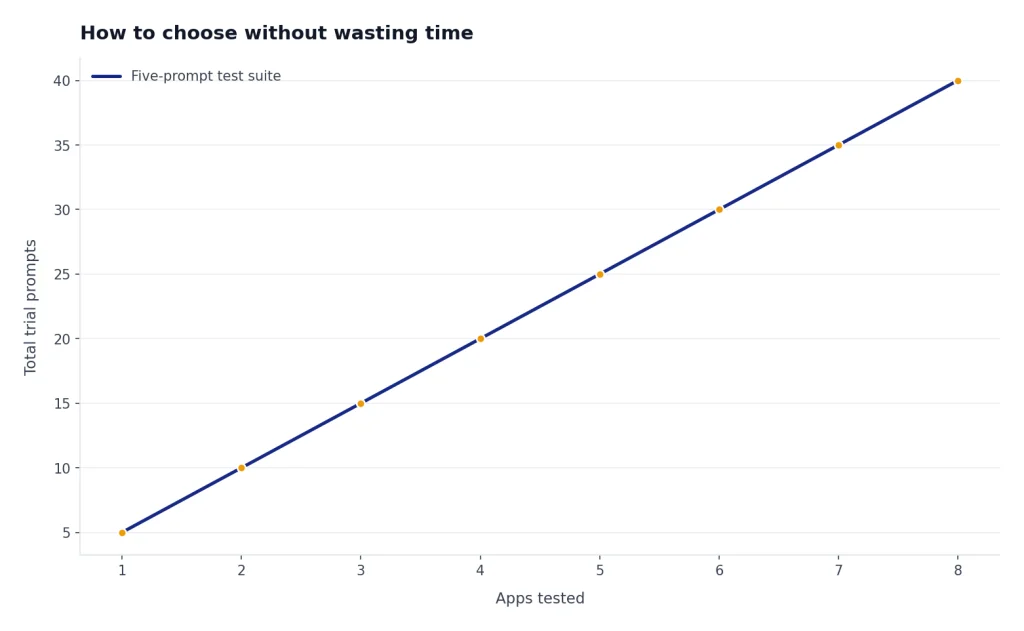
Test each app with the same prompts before subscribing. Use one writing prompt, one research prompt, one coding or reasoning prompt, one voice prompt, and one privacy-sensitive prompt that you can safely redact. Keep the app that gives you the best answer with the least correction, and delete the apps you do not trust or use.
If image generation is the main reason you want an alternative, start with our best ChatGPT alternatives for image generation. If code is the main reason, use our best ChatGPT alternatives for coding. If you want a broader ranked list, see our top ChatGPT alternatives in 2026.
Frequently asked questions
What is the best app like ChatGPT for iPhone?
Claude and Perplexity are the strongest first downloads for many iPhone users, based on writing quality, source handling, and low mobile friction. Claude is better for writing, coding, and document analysis. Perplexity is better for research questions that need sources. Gemini is also useful on iPhone, but Google notes that the iOS app does not yet support some device actions such as setting alarms or sending texts.[4]
What is the best app like ChatGPT for Android?
Gemini is the best starting point for Android if you want assistant-style phone integration because it can act as a primary mobile assistant on supported devices.[5] Claude is the better second choice if you care more about writing, files, and careful analysis. Perplexity is the best add-on if you want search answers with sources.
Are apps like ChatGPT free?
Many are free to download, but advanced features often sit behind paid plans, in-app purchases, or usage limits. The Claude App Store listing, for example, shows the app as free with in-app purchases.[7] Poe’s App Store listing also shows a free app with in-app purchases.[16] In practical terms, expect free tiers to limit premium models, long conversations, file uploads, image generation, or daily usage. Before subscribing, check the current app-store listing and the in-app plan screen because prices, quotas, and plan names change often.
Is Poe better than using separate AI apps?
Poe is better if you want one app for multiple AI systems. Poe says it offers bots from OpenAI, Anthropic, Google, Meta, and others across web, desktop, iOS, and Android.[15] Separate official apps are better if you want the most direct feature access, account controls, privacy settings, and support from a single provider.
Can I run a ChatGPT-like app offline on my phone?
Yes, but not with the same quality as the strongest cloud assistants. PocketPal AI says it runs open-source models on iOS and Android.[17] Offline local models are useful for privacy and experimentation, but they are usually slower, smaller, and weaker than top cloud systems.
Which app like ChatGPT is best for students?
Students should start with Gemini, Claude, Perplexity, and a school-approved tool if one exists. Perplexity helps with cited research, while Claude is strong for explaining readings and improving drafts. Do not submit AI-written work as your own, and check your school’s AI policy before using any chatbot.