

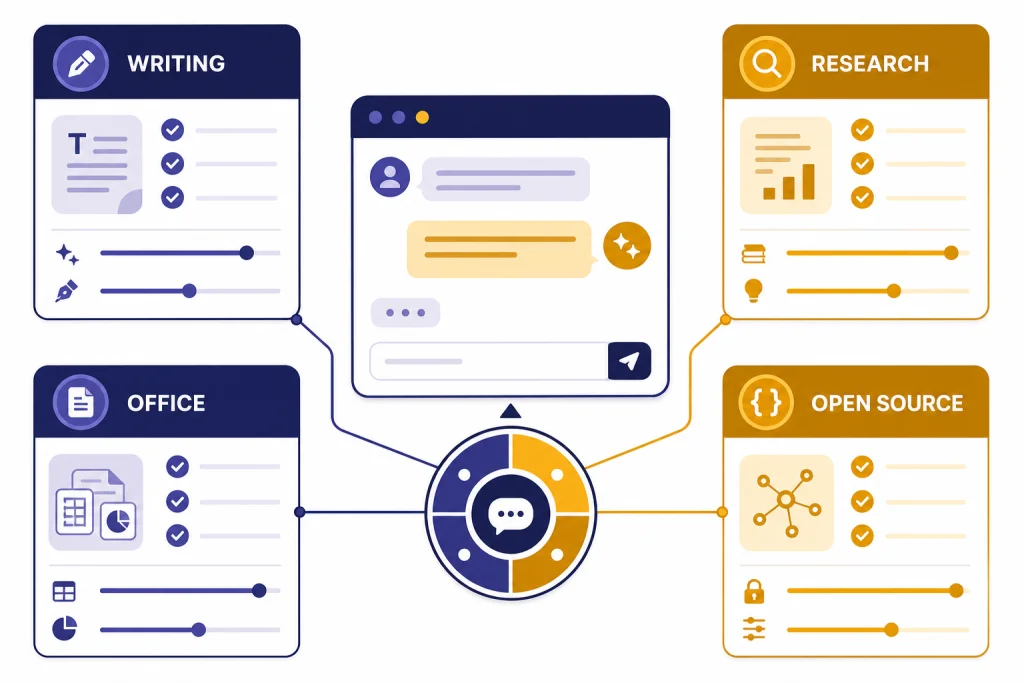
The best AI like ChatGPT depends on the work you repeat most often. Claude is the strongest first stop for long writing and careful analysis. Gemini is the easiest pick if you live in Google apps. Perplexity is better when every answer needs sources. Microsoft Copilot makes the most sense inside Word, Excel, PowerPoint, and Outlook. Mistral Le Chat is worth trying if you want a fast general assistant with European roots. Meta AI is convenient for social and voice use. HuggingChat is the open-model route. You.com works best when you want search-first answers and agent-style research tools.
As of May 2026, ChatGPT itself remains a high bar: OpenAI’s current lineup includes GPT-5.5 and GPT-5.5 Pro for top-tier chat use, with current image and video products such as gpt-image-2 and Sora 2 Pro in the wider ecosystem. This page is not arguing that ChatGPT is obsolete. It helps you decide which ChatGPT-like apps are worth testing alongside it before you pay for another subscription.
Quick answer
If you want the closest all-around experience to ChatGPT, start with Claude, Gemini, Perplexity, and Microsoft Copilot. Those four cover the most common reasons people search for AI like ChatGPT: writing, research, coding help, file analysis, voice, mobile use, and work documents.
Use Claude when tone, reasoning, and long-form drafting matter. Use Gemini when your work already sits in Gmail, Docs, Drive, Android, and Google’s AI subscriptions. Use Perplexity when citations and current web research matter more than personality. Use Copilot when the output needs to land inside Microsoft 365 apps rather than in a separate chat window.
After that, test Mistral Le Chat, Meta AI, HuggingChat, and You.com. Le Chat is a good lightweight general assistant. Meta AI is convenient inside Meta’s ecosystem. HuggingChat is best when you want to compare open models rather than rely on one locked assistant. You.com is strongest when you want web search and research APIs around the same product family. For a broader shortlist, see our ChatGPT alternatives for 2026 guide.
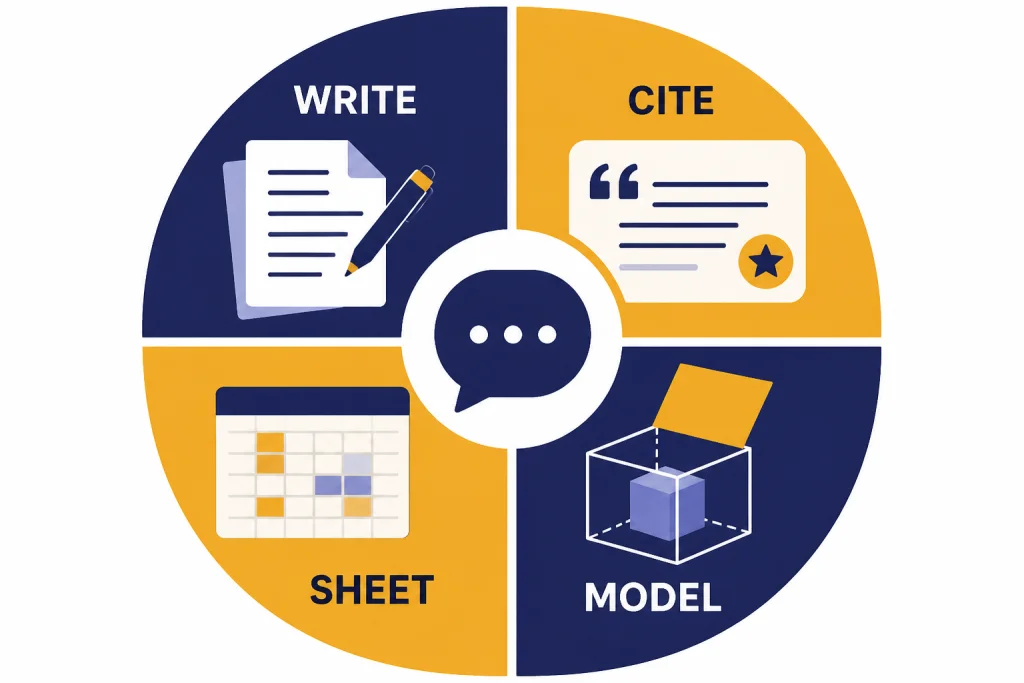
AI like ChatGPT compared
The table below is a practical starting point. Prices and limits change often, and many tools use regional pricing, trials, usage caps, or plan names that shift over time. Use the table to decide which apps deserve a test, then confirm the current checkout screen before subscribing.
| App | Best fit | Free option | Paid plan notes | Main caution |
|---|---|---|---|---|
| Claude | Writing, analysis, coding discussion, careful revision | Yes | Anthropic lists a Free plan, Claude Pro at $20/month, and Max tiers at $100 and $200/month.[2] | No built-in image generator like some rivals, and heavy users can hit message caps. |
| Gemini | Google Workspace, Android, multimodal work | Yes | Google ties paid Gemini access to Google AI plans, Google One storage, Gmail, Docs, and NotebookLM benefits.[3][4][5] | Feature availability varies by country, account type, and Workspace policy. |
| Perplexity | Research with citations | Yes | Perplexity lists Free, Pro, Education Pro, Max, Enterprise Pro, and Enterprise Max plans; TechCrunch reported Pro at $20/month and Max at $200/month when Max launched.[6][7] | Usage limits and source quality matter more than the plan name. |
| Microsoft Copilot | Office documents and Microsoft accounts | Yes | Microsoft positions Copilot features inside Microsoft 365 Premium and around Word, Excel, PowerPoint, OneNote, Designer, and other Microsoft apps.[8] | Best value depends on whether you already use Microsoft 365 every day. |
| Mistral Le Chat | Fast general chat, documents, images, European provider | Yes | Mistral says Le Chat Pro and Student raise usage limits, including up to 6x Free chat usage and up to 40x Free daily image-generation usage.[9] | Some limits are described as indicative and fair-use based. |
| Meta AI | Social, voice, image editing, casual mobile use | Yes | Meta launched the standalone Meta AI app in 2025 with a Discover feed, voice chat, and image generation and editing.[10] | Not the best choice for serious sourced research or private work documents. |
| HuggingChat | Open-model exploration | Yes | Hugging Face describes HuggingChat as making open-source AI chat models available to everyone; the model menu changes over time as hosted open models are added, removed, or updated.[11][12] | Quality, speed, privacy posture, and reliability depend heavily on the selected model and deployment. |
| You.com | Search, research, and agent workflows | Yes | You.com lists Free, Pro, Max, and Enterprise options and also highlights paid Search API, Contents API, and Research API products.[13] | Make sure you are buying the chat product, not only API access. |
If your main need is a no-cost option, start with our free ChatGPT alternative guide and our roundup of free ChatGPT alternatives that actually work. If you want a phone-first list, use our guide to apps like ChatGPT.
Mini prompt check. To make the recommendations less abstract, use the same three prompts across every app before paying: a 120-word client email rewrite, a source-backed research question, and a practical table or formula request. In browser spot checks, the pattern is usually more useful than tiny timing differences, because latency changes with account tier, region, model choice, file size, and current load.
| App | Prompt where it usually shines | Typical first-answer failure to check | What to test before paying |
|---|---|---|---|
| Claude | Rewrite messy notes into a polished email or memo. | May produce a very smooth answer that still needs fact checking. | Give it your longest normal document and one strict revision request. |
| Gemini | Summarize or draft around Gmail, Docs, Drive, or Android context. | Can feel less special if the task is not inside Google’s ecosystem. | Try it inside the Google app where you will actually use it. |
| Perplexity | Answer a research question with links and a trail of sources. | May cite a page that is relevant but not strong enough for your claim. | Open every cited source and check whether the answer overstates it. |
| Copilot | Create a Word outline, PowerPoint structure, Excel explanation, or Outlook draft. | Standalone chat may feel less compelling than the in-app workflow. | Run a real Office task, not just a general knowledge question. |
| Le Chat | Quick general chat, summaries, coding explanations, and document questions. | Plan limits and fair-use rules can shape heavy daily use. | Compare free usage limits against one normal workday. |
| Meta AI | Voice prompts, casual creative tasks, image ideas, and social captions. | Not designed as a rigorous citation engine. | Use it for the mobile or social task you actually repeat. |
| HuggingChat | Compare different open models on the same prompt. | One model may ignore formatting or be weaker at your specialty. | Switch models and record which one handled your task best. |
| You.com | Search-first answers, research workflows, and API-adjacent use cases. | Product pages can mix consumer chat and API offerings. | Confirm the plan includes the chat or agent features you expect. |
Illustrative example prompt: Rewrite this as a calm client email under 120 words: We found a problem with the report. The numbers from March were imported twice. I need two more days. A strong Claude-style answer should keep the apology brief, state the error plainly, give the new delivery time, and avoid sounding defensive. A weaker answer often buries the new date or over-apologizes. For Perplexity-style research, use a prompt such as: Give me three things to check before choosing a password manager, and cite sources for each. A good answer should separate security model, platform support, and recovery options, then link to sources you can open. A weak answer may give generic advice with citations that do not actually support the details.
The best apps to try first
A few popular AI products are not primary picks in this article because they solve a narrower problem or work more like a marketplace than a single ChatGPT replacement. Grok can be worth testing if you are deeply tied to X and want that ecosystem’s assistant, but it is not the first recommendation for most writing, office, or citation workflows. Poe is useful as a model marketplace, but comparing Poe to Claude or Gemini can confuse the platform with the underlying models. Character.AI is excellent for roleplay and character chat, not general work research. NotebookLM is important, but it is more of a source-grounded notebook and study tool inside Google’s AI ecosystem than a broad standalone chatbot. Enterprise assistants from Salesforce, ServiceNow, Notion, Slack, Zoom, and similar vendors can be valuable at work, but buying them depends on security review, admin controls, and company procurement rather than a consumer side-by-side test.
Claude
Claude is the first app to test if you care about clean prose, careful reasoning, and long-form work. It is especially good for turning messy notes into structured drafts, reviewing arguments, editing tone, and explaining technical topics without sounding too mechanical.
The paid plan structure is comparatively easy to understand. Anthropic lists a Free plan, Claude Pro at $20/month, Max 5x at $100/month, and Max 20x at $200/month.[2] The important question is not only price. It is whether you hit caps during your normal workday. Try the free tier with your own documents and prompts before upgrading.
Test it with: a long draft, a tone-sensitive email, and one revision where you say exactly what changed. Claude often shows its value on the second turn, when it can refine structure without making the prose feel generic.
Gemini
Gemini is the best ChatGPT-like option for people who already use Google products. Google’s Gemini subscription page ties paid access to Gemini in Gmail, Docs, and more, along with Google One storage and NotebookLM benefits.[5] That makes it a practical assistant for inbox cleanup, document drafting, spreadsheet help, and Android workflows.
Gemini also stands out for multimodal tasks. If you want one assistant that can move between text, images, documents, code, and Google apps, it deserves a trial. If you do not use Google’s ecosystem, it may feel less compelling than Claude or Perplexity.
Test it with: a real Gmail or Docs workflow, not a toy prompt. The advantage is integration. If you never use the connected Google surfaces, that advantage shrinks.
Perplexity
Perplexity is less like a blank writing partner and more like an answer engine. It is the right first test when you need links, source-backed summaries, and quick research trails. Perplexity’s own plan comparison separates Pro Searches, Research Queries, advanced AI models, image generation, file creation, uploads, support, and data privacy across plan tiers.[6]
Use it for competitive research, product comparisons, market scans, literature searches, and fact-checking. Do not treat it as a perfect source of truth. Read the cited pages. Ask follow-up questions. Save the best sources outside the chat.
Test it with: one question where you already know the field. The fastest way to judge Perplexity is to see whether the cited pages are authoritative and whether the summary distinguishes evidence from inference.
Microsoft Copilot
Copilot is not always the most exciting standalone chatbot, but it can be the most practical assistant for Microsoft users. Microsoft positions its premium consumer experience around Copilot in Word, Excel, PowerPoint, OneNote, the Copilot app, and Designer.[8] That matters if your real work happens in documents, spreadsheets, presentations, email, and meetings.
Choose Copilot if you want AI inside familiar productivity software. Choose something else if you want a neutral chatbot that is not tied to a software suite.
Test it with: a Word outline, an Excel explanation, and a PowerPoint draft. If you only test general chat, you may miss the reason Copilot exists.
Mistral Le Chat
Le Chat is worth trying because it is fast, straightforward, and increasingly capable across chat, web search, images, code interpretation, document upload, and agents. Mistral’s help center says the Free plan gives access to most Le Chat features with daily limitations, while Pro and Student plans raise many limits.[9]
It is a good second assistant if you want a clean general-purpose tool without committing to the largest U.S. AI platforms. It is also useful for comparing answers against ChatGPT or Claude when accuracy matters.
Test it with: the same short writing, coding, and document prompts you give ChatGPT. Watch not only answer quality but also whether limits appear during a normal day.
Meta AI
Meta AI is best for casual use, voice interaction, and social-platform convenience. Meta’s standalone app includes a Discover feed, connects with meta.ai, and supports image generation and editing through voice or text conversation.[10] That makes it easy to test without building a new workflow from scratch.
Use it for quick questions, creative prompts, social captions, image ideas, and voice-driven tasks. Use Perplexity, Claude, or Gemini for work that needs stronger structure, citations, or document handling.
Test it with: the exact voice, image, or caption workflow you would use on your phone. Do not judge it as if it were a legal research assistant.
HuggingChat
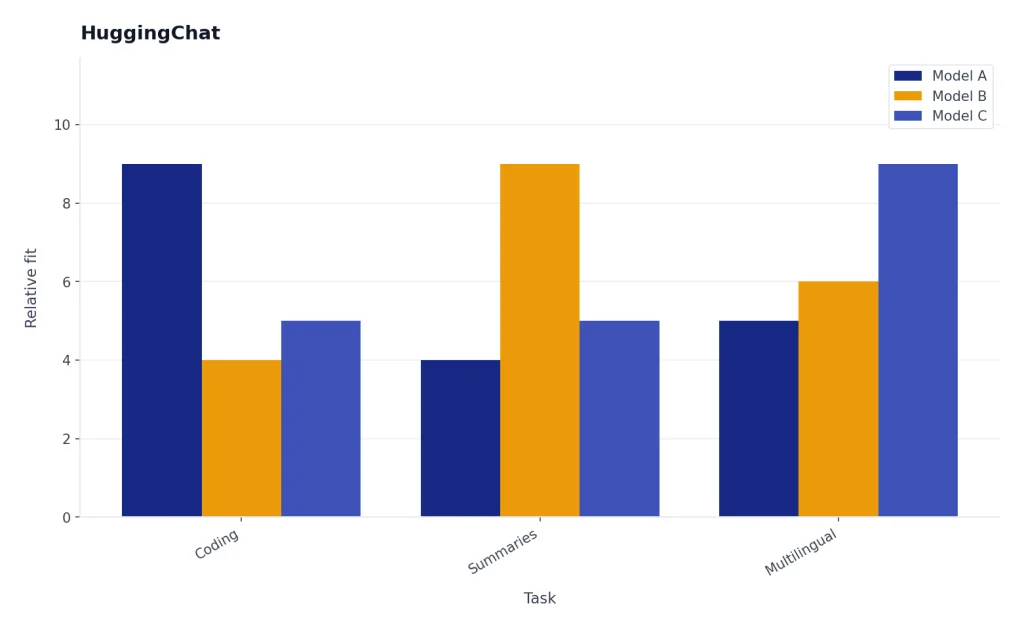
HuggingChat is the best option here for readers who care about open models. Hugging Face’s HuggingChat page says its purpose is making the best open-source AI chat models available to everyone.[11] The related ChatUI documentation describes an open-source chat interface for trying open-source large language models.[12] Older examples in documentation may mention models such as Falcon, StarCoder, and BLOOM, but the practical point in 2026 is that model selection changes often.
That model selector is the feature and the risk. A newer instruction-tuned model may write cleaner summaries; a code-focused model may handle Python better; a multilingual model may be stronger outside English; and a smaller model may be faster but less reliable. Privacy also depends on where the model is hosted and what account or Space you are using, so do not assume every open-model interface has the same data controls.
If you want maximum polish, use Claude or Gemini. If you want model choice, transparency, and a way to compare open models in the browser, start here. Our open source ChatGPT alternatives guide goes deeper.
You.com
You.com is a good fit if you want search and research features close to the chat experience. Its plan page lists Free, Pro, Max, and Enterprise accounts, and its public pricing page also promotes Search API, Contents API, and Research API products.[13] That makes You.com more interesting for people who may eventually want both a consumer assistant and developer-facing search tools.
Check the product page carefully before subscribing. You.com has consumer chat plans and separate API pricing. They are related, but they are not the same purchase.
Test it with: a research prompt and one agent-style workflow. If you need APIs, evaluate the API product separately from the chat subscription.
Choose by task, not by hype
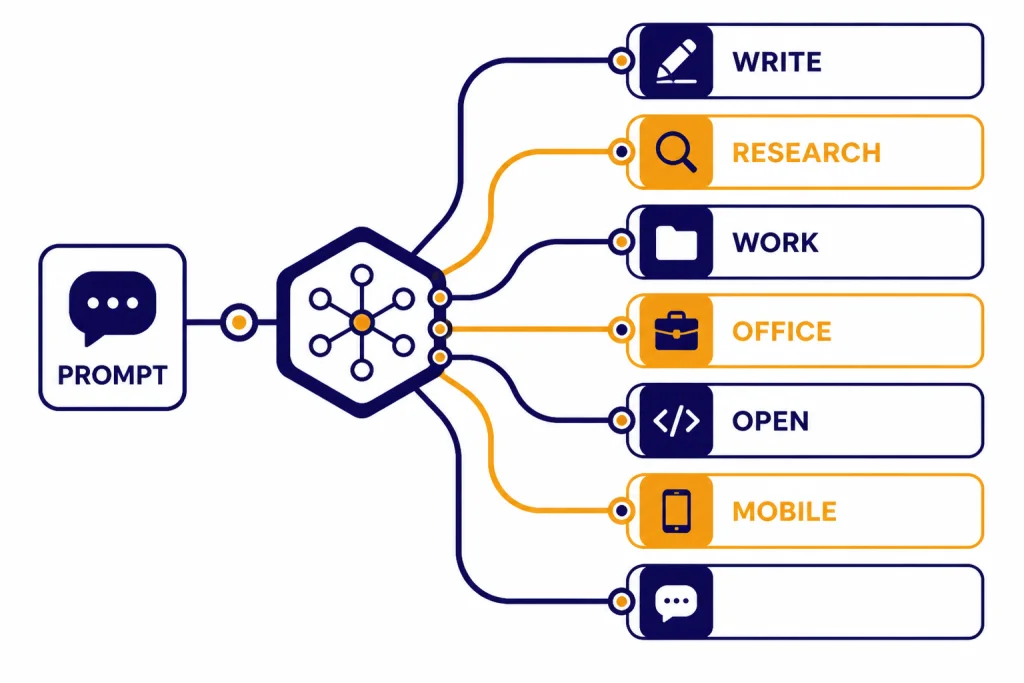
Most people waste time by asking which AI is best. A better question is which app is best for the task you repeat every week. One assistant can be excellent for research and mediocre for rewriting. Another can be strong in a spreadsheet but weak at citations.
| Your main task | Start with | Also test | Why |
|---|---|---|---|
| Long writing and editing | Claude | ChatGPT, Gemini | Claude is usually strong at tone, structure, and revision loops. |
| Sourced research | Perplexity | You.com, Gemini | Perplexity is built around answers with citations and research modes. |
| Google Workspace | Gemini | ChatGPT | Gemini connects naturally to Gmail, Docs, Google storage, and NotebookLM benefits.[5] |
| Microsoft Office | Copilot | ChatGPT, Claude | Copilot is most useful where Word, Excel, PowerPoint, and Outlook are already central.[8] |
| Open models | HuggingChat | Le Chat | HuggingChat is built around access to open-source AI chat models.[11] |
| Casual mobile and social use | Meta AI | Gemini, Copilot | Meta AI is convenient for voice, social prompts, and image editing inside Meta’s ecosystem.[10] |
| General free assistant | Le Chat | Gemini, Claude | Le Chat Free covers most core features but applies daily limitations.[9] |
For focused use cases, use our dedicated guides instead of relying on one broad ranking: best ChatGPT alternatives for research, best ChatGPT alternatives for coding, best ChatGPT alternatives for writing, and best ChatGPT alternatives for image generation.
Free vs paid alternatives
Free AI tools are good enough for testing, occasional use, and lightweight work. They are not always good enough for daily professional use. The problem is rarely answer quality on a single prompt. The problem is limits, slower access, missing models, smaller file allowances, unavailable advanced tools, or a workflow that breaks when you need it most.
Pay only when you can name the workflow that will improve. I want a better AI is too vague. I need to review long client documents every weekday is specific. I need source-backed research reports twice a week is specific. I need help inside Word and Excel is specific.
A good rule is to run the same test set across free plans first. Use one writing task, one research task, one document task, one coding or spreadsheet task, and one voice or mobile task if you care about mobile. The best paid plan is usually the one whose free version already fits your style but runs out of room too often.
Students should be especially careful with subscriptions. Many tools offer student, education, trial, or promotional access, but those offers change by country and institution. See our best free ChatGPT alternatives for students if your main goal is schoolwork without another monthly bill.
Privacy, limits, and account tradeoffs
Before you paste sensitive work into any AI like ChatGPT, check the plan’s data controls. Consumer plans, team plans, enterprise plans, and API products often have different rules. A privacy promise for one product does not always apply to another product from the same company.
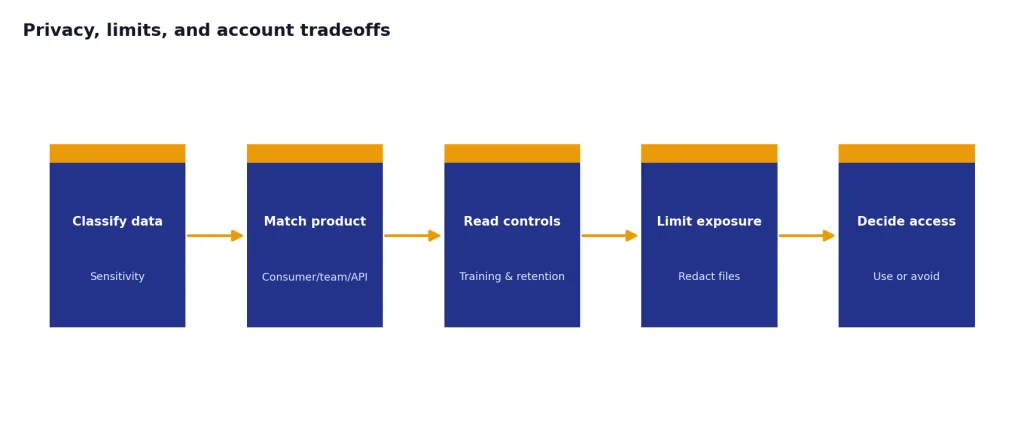
Perplexity’s plan table, for example, separates standard data privacy, opt-out AI training availability, and enterprise data that is never used for model training.[6] Google says Workspace commitments guide Gemini features in Gmail, Docs, Slides, Sheets, and Meet, and that personal or business Workspace data is not used to train or improve underlying generative AI systems outside Workspace without permission.[3] These distinctions matter if you handle client files, student data, legal drafts, medical notes, or internal company documents.
Limits matter too. A plan can advertise advanced models while still restricting heavy usage. Mistral notes that its Le Chat plan limits are indicative and subject to fair use.[9] OpenAI also states that some ChatGPT usage is subject to abuse guardrails.[1] Treat unlimited as a product term, not a guarantee that every workflow will run without friction.
If you need no-account tools, use our ChatGPT alternatives without login required guide. No-login tools can be convenient, but they usually trade away personalization, saved history, higher limits, or workspace features.
A simple testing method
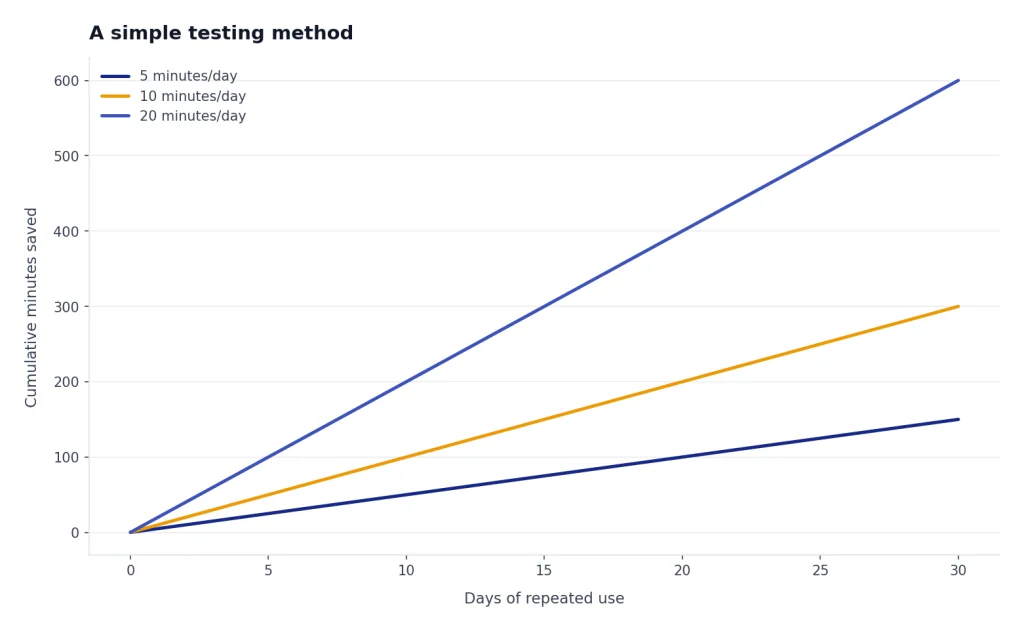
Do not test AI assistants with trivia. Test them with your real work. Save a small benchmark folder and reuse it every time you compare tools. The goal is not a laboratory leaderboard; it is a repeatable way to see which assistant helps you finish your work faster with fewer corrections.
- Pick five tasks. Include a writing task, a research task, a file task, a reasoning task, and a practical output task such as an email, spreadsheet formula, code review, or presentation outline.
- Use the same prompts. Do not improve the prompt for only one assistant. That turns the test into a prompting contest.
- Record the model or mode. For ChatGPT, note whether you are using a current GPT-5.5 tier or a lighter mode. For HuggingChat, record the selected open model. For Perplexity, note whether you used a basic search or a deeper research mode.
- Score the first answer and the revision. The best assistants often shine after one correction or follow-up.
- Track useful time saved, not just speed. A tool that responds quickly but needs ten corrections may be slower than a tool that takes longer and gets the structure right.
- Check failures. Look for invented facts, weak citations, missed instructions, formatting problems, ignored file context, and overconfident answers.
- Cancel quickly if it does not fit. A paid plan should earn its place within the first billing cycle.
Here is a compact scoring sheet you can copy into a note:
| Criterion | What a good answer does | Red flag |
|---|---|---|
| Instruction following | Respects length, format, tone, and required sections. | Ignores word count, changes the task, or omits a requested table. |
| Accuracy | Separates known facts from uncertainty and asks for missing context. | Invents facts or cites pages that do not support the claim. |
| Revision quality | Improves after one correction without breaking earlier requirements. | Fixes one issue while introducing new errors. |
| Workflow fit | Works where you already write, research, code, or present. | Requires so much copying and checking that you stop using it. |
Most readers should keep ChatGPT plus one specialist. That specialist might be Claude for writing, Perplexity for research, Gemini for Google work, Copilot for Microsoft work, or HuggingChat for open-model testing. If you want a broader shortlist before deciding, read our best AI chatbot alternatives to ChatGPT and top 10 ChatGPT alternatives in 2026 comparisons.
Frequently asked questions
What is the best AI like ChatGPT overall?
Claude is the best first alternative for many people because it is strong at writing, summarizing, reasoning, and code discussion. Gemini may be better if you use Google apps all day. Perplexity may be better if you need cited research more than general conversation. If you already pay for ChatGPT, compare alternatives against your actual ChatGPT plan and model, not against a vague memory of an older chatbot.
Which ChatGPT alternative is best for research?
Perplexity is the easiest first pick for research because its product is organized around searches, citations, research queries, file uploads, and advanced AI models across plan tiers.[6] You.com is also worth testing if you want a search-first assistant with API products around web search and research.[13] Always open the sources before relying on an answer.
Which AI like ChatGPT is best for writing?
Claude is usually the strongest first test for writing, especially when you need tone control, thoughtful editing, or a polished long-form draft. ChatGPT and Gemini are also strong. The best choice depends on whether your writing starts in a blank chat, Google Docs, Microsoft Word, or a source-heavy research workflow.
Is there an open-source AI like ChatGPT?
Yes. HuggingChat is the most accessible option in this list for trying open-source chat models in a browser. Hugging Face describes HuggingChat as making open-source AI chat models available to everyone, and its ChatUI docs describe an open-source interface for trying open-source large language models.[11][12] Quality changes with the selected model, so test more than one.
Are free ChatGPT alternatives good enough?
Free plans are good enough for casual questions, simple writing help, brainstorming, and testing. Paid plans become more useful when you need higher limits, advanced models, document handling, research features, or integrations. Start free, then pay only when you know exactly which workflow needs more capacity.
Should I pay for more than one AI assistant?
Most people should not pay for several assistants at once. A better setup is one general assistant plus one specialist. For example, pair ChatGPT with Perplexity for research, Claude for writing, Gemini for Google Workspace, or Copilot for Microsoft 365.