

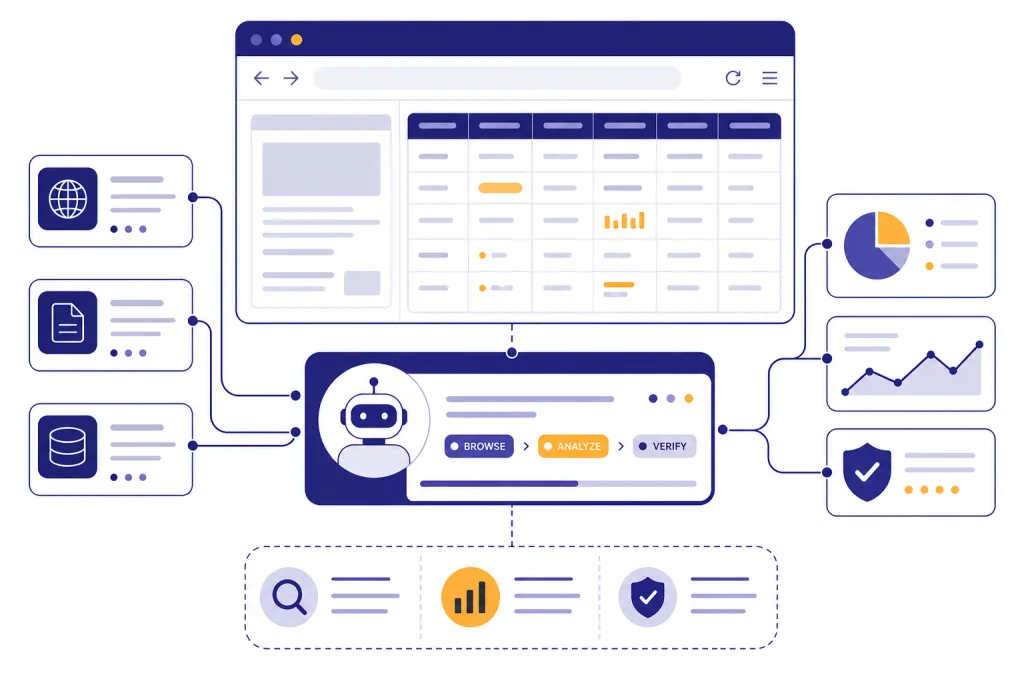
ChatGPT Agent is useful when a task combines research, browsing, files, and a concrete output, but it is not a dependable replacement for a human assistant. In our testing, it performed best on structured knowledge work: competitor scans, spreadsheet cleanup, travel research drafts, meeting prep, and source-backed summaries. It struggled when websites blocked automation, when logins or payments were involved, and when the task required judgment across messy private accounts. The short verdict for this ChatGPT Agent review is simple: use Agent for supervised work you can verify, not for unattended errands, sensitive accounts, or high-stakes decisions.
Verdict
ChatGPT Agent is one of the most ambitious ChatGPT features because it turns a prompt into a multi-step workflow. OpenAI introduced ChatGPT agent on July 17, 2025, as a system that can use its own virtual computer, browse websites, run code, analyze files, and produce editable outputs such as spreadsheets or slide decks.[1] That description is accurate, but it needs a practical qualifier: the feature is strongest when you give it a bounded task and stay available to approve, redirect, or stop it.
Our overall verdict is positive but cautious. Agent is good enough to save time on repetitive research and document work. It is not reliable enough to run sensitive personal or business operations without review. If you expect an autonomous employee, you will be disappointed. If you treat it as a supervised analyst with a browser, a terminal, and a willingness to grind through tedious steps, it can be genuinely useful.
The main reason to use Agent instead of regular ChatGPT is continuity. A normal chat can advise you. Agent can inspect a page, move through a workflow, collect information, and return with a finished artifact. That difference matters. It also creates new failure modes. A bad summary is one thing. A bad action in a logged-in account is another.
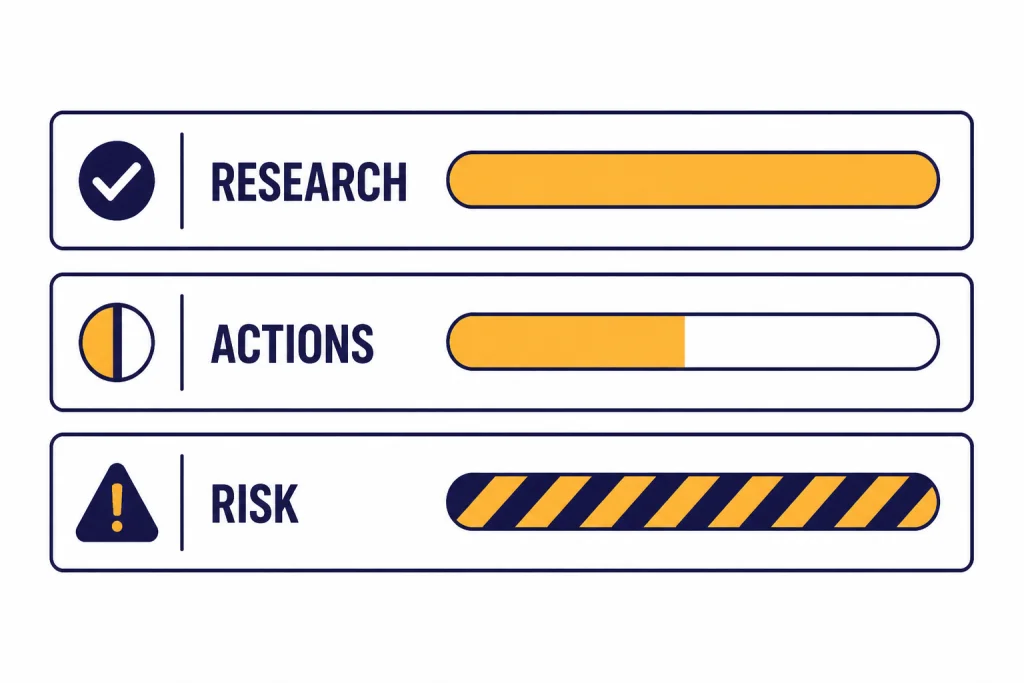
What ChatGPT Agent is
ChatGPT Agent is an agent mode inside ChatGPT, not a separate chatbot. OpenAI describes it as a unified agentic system that combines Operator-style website interaction, deep research-style synthesis, and ChatGPT’s conversational interface.[1] OpenAI’s system card adds more detail: Agent brings together multi-step research, a remote visual browser, a terminal tool with limited network access, and first-party connectors such as Google Drive.[3]
That tool mix explains why Agent feels different from normal ChatGPT. It can decide to browse, inspect a spreadsheet, run a small analysis, or ask you to take over a login step. It can also pause when it needs clarification. This makes it more flexible than a single-purpose automation, but less predictable than a traditional script.
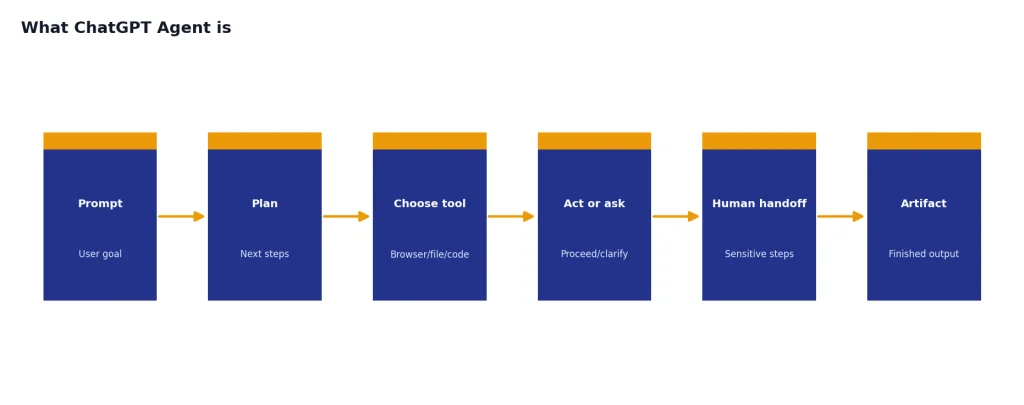
The best mental model is “supervised computer user.” Agent can work across a virtual browser window and tools, but it does not become you. It may need you to authenticate. It may ask for confirmation before a consequential action. It may get stuck when a site blocks automation or when the interface changes. This is why Agent belongs in the same practical category as Deep Research, Canvas, and Custom GPTs: powerful, but only when matched to the right job.
Agent is also not the same thing as the OpenAI API. Developers who need deterministic workflows, structured outputs, or usage-based automation should compare it with the OpenAI Playground and API pricing rather than assuming ChatGPT Agent is the right production layer.
How we reviewed it
We reviewed Agent as a consumer and small-team productivity tool. We focused on tasks that people actually delegate: research briefs, spreadsheet edits, competitor comparisons, shopping research, calendar-style preparation, lightweight data analysis, and document drafting. We did not treat benchmark claims as a substitute for real workflow judgment.
OpenAI’s public benchmarks still provide useful context. On SpreadsheetBench, a benchmark based on real-world spreadsheet manipulation tasks, OpenAI said ChatGPT agent reached 45.5% when allowed to edit spreadsheets directly, compared with 20.0% for Copilot in Excel.[1] The SpreadsheetBench paper describes the benchmark as built from 912 real Excel forum questions, which makes it more relevant than toy spreadsheet tasks.[8]
For web research, OpenAI said ChatGPT agent reached 68.9% on BrowseComp, which was 17.4 percentage points above deep research at the time of the Agent launch.[1] BrowseComp itself contains 1,266 difficult browsing problems and is designed to test whether an agent can find hard-to-locate facts on the web.[7] That is a useful signal for research work, but it does not prove that Agent can complete every normal website task.
| Workflow type | Real-world result | Best use | Human review needed |
|---|---|---|---|
| Research brief | Strong | Market scans, vendor comparisons, meeting prep | Yes, especially for source quality |
| Spreadsheet work | Strong to mixed | Cleaning, formulas, summaries, charts | Yes, especially formulas |
| Website navigation | Mixed | Collecting public data, filling low-risk forms | Yes |
| Shopping or booking | Weak to mixed | Researching options before a purchase | Always |
| Private account tasks | Risky | Only narrow tasks with takeover mode | Always |
| Creative drafting | Good | Turning research into slides, memos, outlines | Yes, for tone and facts |
Our weighting favors repeatability, recoverability, and risk. A feature that succeeds once but fails silently is less useful than a slower feature that asks for confirmation and produces work you can audit.
Where it performs best
Agent performs best when the task has a clear goal, public sources, and a tangible deliverable. A prompt such as “research these vendors and build a comparison table with citations” is a better fit than “handle my vendor strategy.” The first request gives Agent a target. The second asks it to infer priorities, risk tolerance, and business context that may not exist in the prompt.
Research briefs are the standout use case. Agent can search, compare pages, keep track of findings, and return a structured brief. This overlaps with our ChatGPT Deep Research review, but Agent adds more action-taking. Deep Research is usually better when the output is a report. Agent is better when the research needs to feed a spreadsheet, slide deck, form, or follow-on browser action.
Spreadsheet work is the next strongest category. Agent can inspect a file, reason about the task, and make edits. It is not perfect, but it is useful for cleaning messy tables, creating formulas, checking inconsistencies, and producing a first-pass analysis. You should still audit formulas and spot-check totals. The public benchmark result supports the direction of travel, but not blind trust.[1]
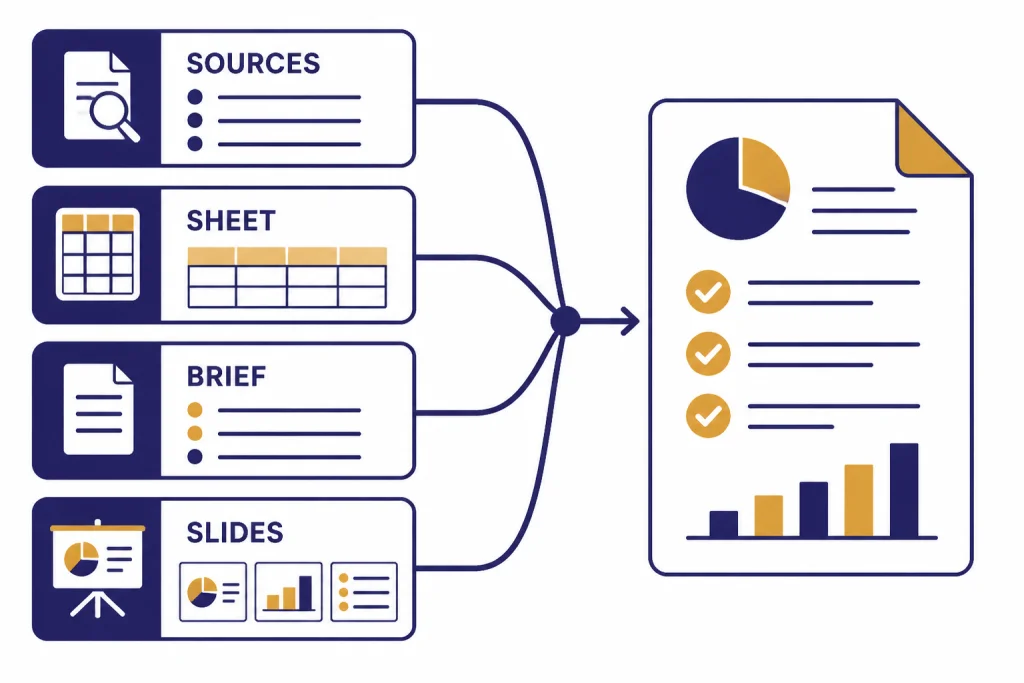
Agent also does well with “assemble this for me” tasks. Examples include creating a draft itinerary from constraints, turning meeting notes into follow-up materials, or building a competitor matrix. These are not fully autonomous errands. They are structured knowledge-work handoffs. If you already like ChatGPT Canvas for drafting and editing, Agent feels like a more active companion for gathering the raw material.
Where it breaks down
Agent breaks down when websites resist automation. Cookie banners, bot checks, login walls, dynamic interfaces, and payment flows can derail the session. This is not always Agent’s fault. The public web was not built for AI agents. Many sites actively block automated traffic or use interface patterns that confuse visual browsing systems.
The second failure mode is overconfidence. Agent can return a polished artifact that looks finished even when one source was weak, a page was misunderstood, or a hidden assumption changed the result. This is the same risk that affects normal ChatGPT, but Agent’s outputs often look more operational. A clean spreadsheet can hide a bad formula. A polished slide can hide a weak source.
The third failure mode is ambiguity. “Plan the best trip,” “find the right vendor,” and “handle my inbox” are vague. Agent may ask clarifying questions, but it can also pick defaults that do not match your preferences. Better prompts state constraints, ranking criteria, allowed sites, budget, geography, output format, and what actions require approval.
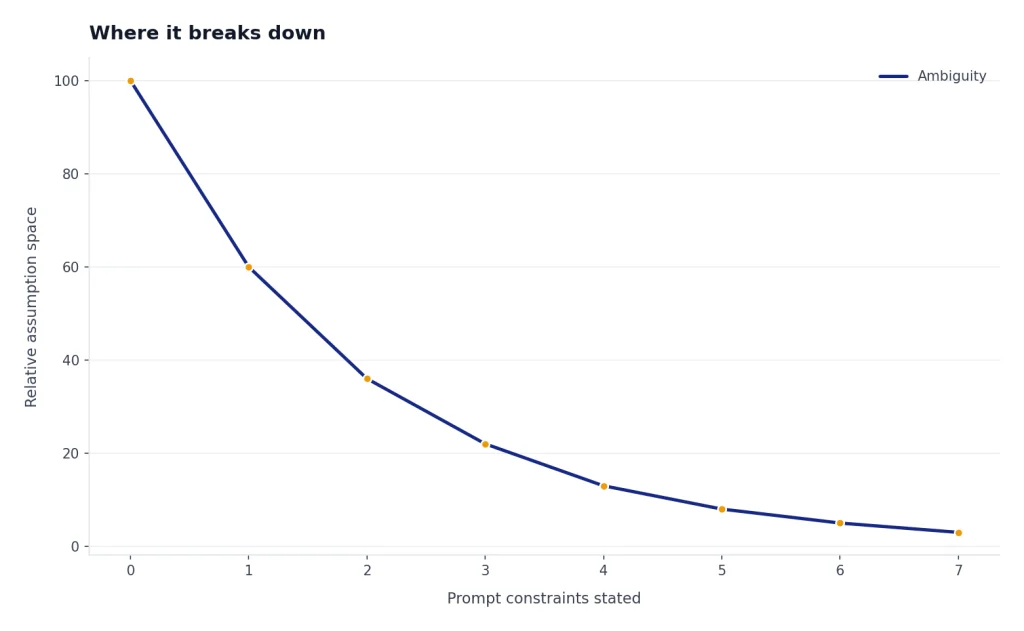
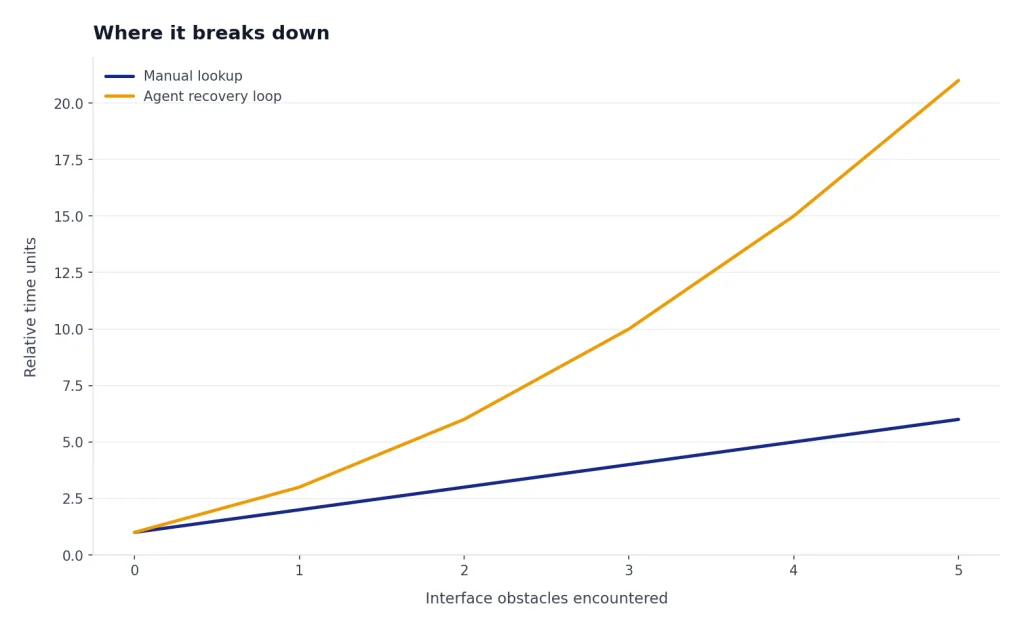
The fourth failure mode is time. Agent can spend several minutes exploring, correcting itself, and recovering from interface problems. That is acceptable for a deep research task. It is frustrating for a simple lookup. For quick answers, normal ChatGPT search or a manual browser search can be faster.
For voice-first workflows, Agent is also not the same experience as ChatGPT Voice Mode. Voice is best for rapid conversation. Agent is best for tasks that need tools, files, and browser actions. Mixing the two can be useful, but they solve different problems.
Plans, limits, and value
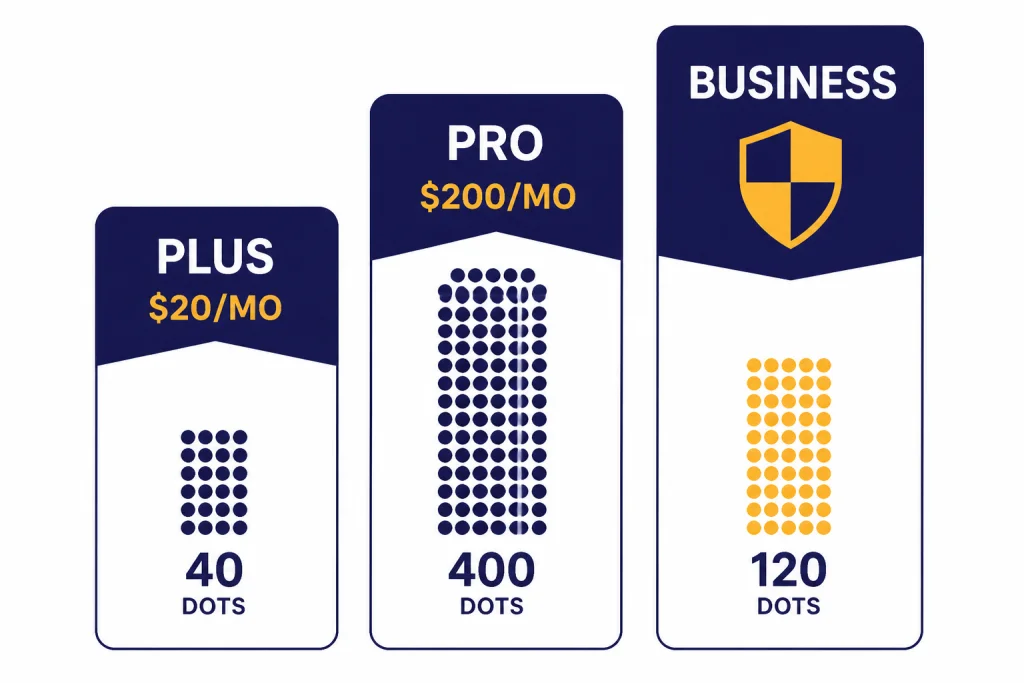
Agent’s value depends heavily on your plan and monthly usage. OpenAI’s Help Center says Agent mode is available on Pro, Plus, Business, Enterprise, and Edu plans, and that Plus gets 40 agent messages per month while Pro gets 400 agent messages per month.[2] MacRumors reported the same 400-message Pro and 40-message paid-user limits during the original rollout, which corroborates those figures from a second source.[4]
For Plus users, the limit makes Agent feel like a premium tool rather than an everyday assistant. ChatGPT Plus costs $20 per month, according to OpenAI’s Help Center.[5] If you only run a few serious agent workflows per week, Plus is the most sensible entry point. If you expect Agent to handle daily research, spreadsheet, or operations work, Plus can feel tight.
For Pro users, the case is stronger only if Agent is part of a broader heavy-use workflow. OpenAI introduced ChatGPT Pro as a $200 monthly plan on December 5, 2024.[6] Agent alone does not justify that price for most people. Pro makes more sense if you also rely on higher limits, advanced reasoning, deep research, coding, and large recurring workflows.
| Plan | Agent access and limit | Best fit | Value verdict |
|---|---|---|---|
| Plus | $20 per month; 40 Agent messages per month.[5][2] | Occasional research, spreadsheet help, and one-off workflows. | Best starting point. |
| Pro | $200 per month; 400 Agent messages per month.[6][2] | Heavy users who also need advanced ChatGPT features beyond Agent. | Worth it only for frequent professional use. |
| Business and Enterprise | 40 Agent messages per month; flexible-pricing Business and Enterprise usage is listed at 30 credits per message.[2] | Teams with admin, privacy, and compliance needs. | Evaluate against governance needs, not just message count. |
OpenAI renamed ChatGPT Team to ChatGPT Business on August 29, 2025, while saying features, pricing, and limits stayed the same.[9] If your workspace still uses older “Team” language internally, treat Business as the current plan name in OpenAI’s documentation.
Privacy and security
Agent deserves more privacy caution than normal ChatGPT because it can interact with sites and connected apps. OpenAI says Agent can use connectors as read-only data sources for research, while using other tools such as the virtual browser to take action on the web.[2] That split matters. A connector may be read-only, but a logged-in browser session can still expose sensitive pages and account settings.
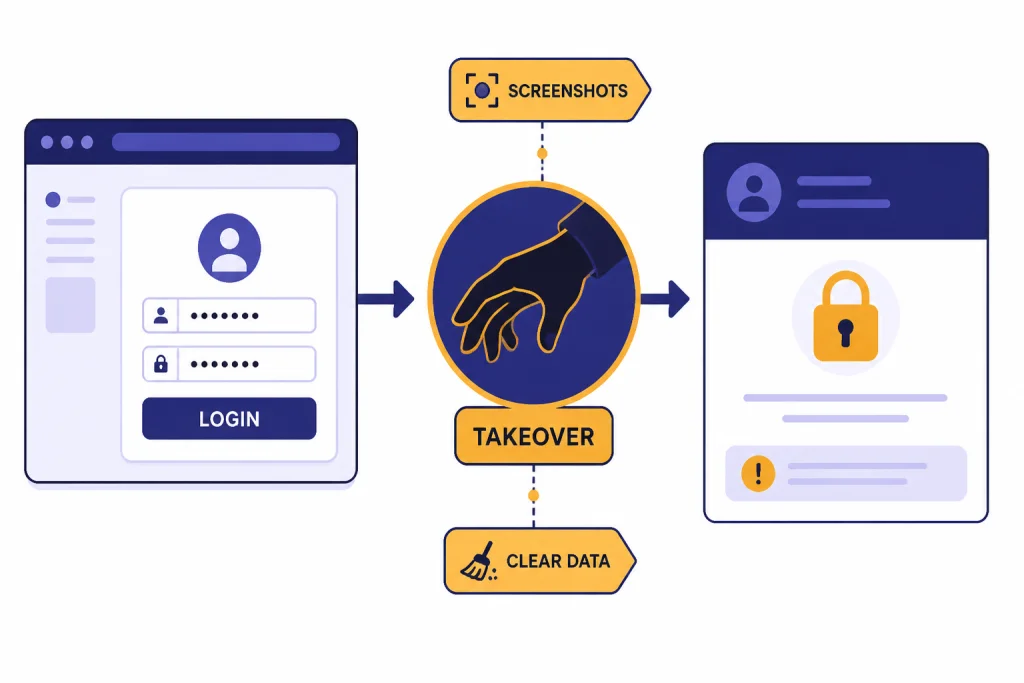
OpenAI’s Help Center warns that signing Agent into websites or enabling apps can expose sensitive data such as emails, files, or account settings, and can allow actions on your behalf.[2] It also says Agent uses screenshots of the virtual browser window to see and interact with pages, and that chats, browsing history, and screenshots remain in conversation history until deleted.[2]
The most important practical rule is to use takeover mode for sensitive inputs. OpenAI says Agent pauses for login steps and lets the user take control of the virtual browser; while the user controls the browser, screenshots are not captured.[2] That is helpful, but it does not remove the broader risk of giving an agent access to a logged-in session.
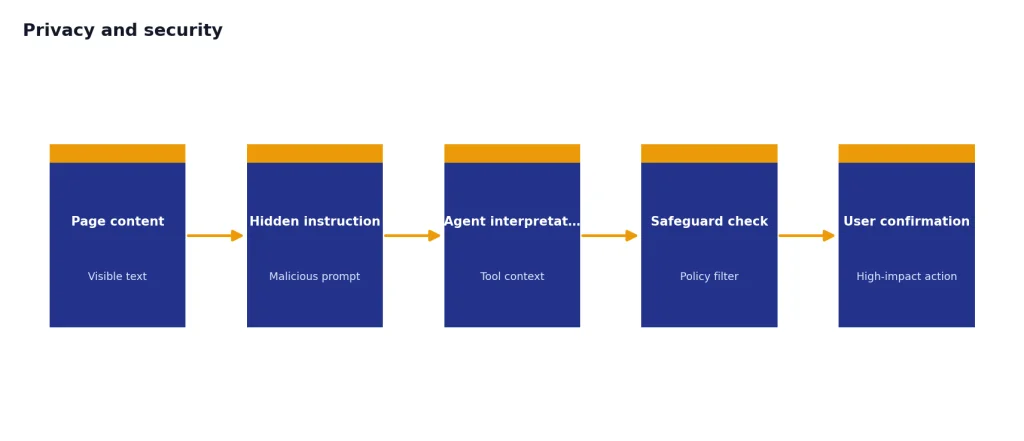
Prompt injection is the risk to understand. A malicious page or message can contain instructions designed to manipulate the agent. OpenAI says Agent includes safeguards such as confirmations for high-impact actions, refusal patterns, prompt injection monitoring, and watch mode on certain sites, but also says these measures do not eliminate all risks.[2] In plain English: do not connect everything, do not ask Agent to “handle everything,” and do not leave it alone in accounts where mistakes would matter.
Business users should also compare Agent with the controls in ChatGPT Enterprise and ChatGPT Team or Business. The consumer version may be convenient, but regulated teams need retention, permissions, audit, and data-use policies before they turn agents loose on internal systems.
Who should use it
Use ChatGPT Agent if you have recurring research or document workflows that are annoying but verifiable. Examples include building a vendor shortlist, comparing pricing pages, preparing a meeting brief, cleaning a spreadsheet, drafting a slide outline, or collecting source-backed notes. These tasks benefit from persistence more than genius.
Do not use Agent as your first choice for high-stakes financial, legal, medical, hiring, or account-management decisions. It may help gather background material, but a qualified human should own the decision. You should also avoid giving Agent broad access to email, files, or business systems unless the task is narrow and the risk is acceptable.
For most individual users, Plus is enough to evaluate whether Agent fits your work. If you hit the Agent limit because it is saving you real hours every week, then Pro becomes a business decision rather than a curiosity. For broader model choice, compare this review with our GPT-5 review, GPT-4o review, and all GPT models compared side by side.
The bottom line: ChatGPT Agent is worth using, but not worth blindly trusting. Its best role is supervised execution. Give it a clear goal, limit its permissions, watch the first run, and verify the output before you act.
Frequently asked questions
Is ChatGPT Agent worth it?
Yes, if you use it for bounded workflows that produce work you can verify. It is most useful for research, spreadsheet cleanup, comparison tables, and first-draft deliverables. It is not worth using as an unattended assistant for sensitive accounts or decisions.
Is ChatGPT Agent included with ChatGPT Plus?
OpenAI’s Help Center lists Agent mode as available on Plus, Pro, Business, Enterprise, and Edu plans.[2] It lists the Plus Agent limit as 40 messages per month.[2] That makes Plus the best low-cost way to test Agent before considering a more expensive plan.
Can ChatGPT Agent make purchases or bookings?
It can help research purchases or bookings, and it may navigate parts of a checkout or reservation flow. You should not treat it as a fully trusted buyer. Require confirmation before anything that spends money, changes an account, or sends information to another party.
How is ChatGPT Agent different from Deep Research?
Deep Research is best when the end product is a source-backed report. Agent is broader because it can combine research with browser actions, file work, code execution, and editable outputs. If you only need a report, Deep Research may be cleaner; if you need research plus action, Agent is the better fit.
Is ChatGPT Agent safe for work accounts?
It can be safe for narrow, supervised tasks, but it should not receive broad access by default. OpenAI warns that Agent can access sensitive data and act on your behalf when signed into websites or connected apps.[2] Use the minimum permissions needed, monitor the session, and clear remote browser data after sensitive work.
What is the biggest weakness of ChatGPT Agent?
The biggest weakness is reliability across messy real-world websites. Agent may get blocked, misread an interface, or produce a polished output with hidden mistakes. Its second major weakness is risk: the more accounts and tools you connect, the more careful you need to be.