

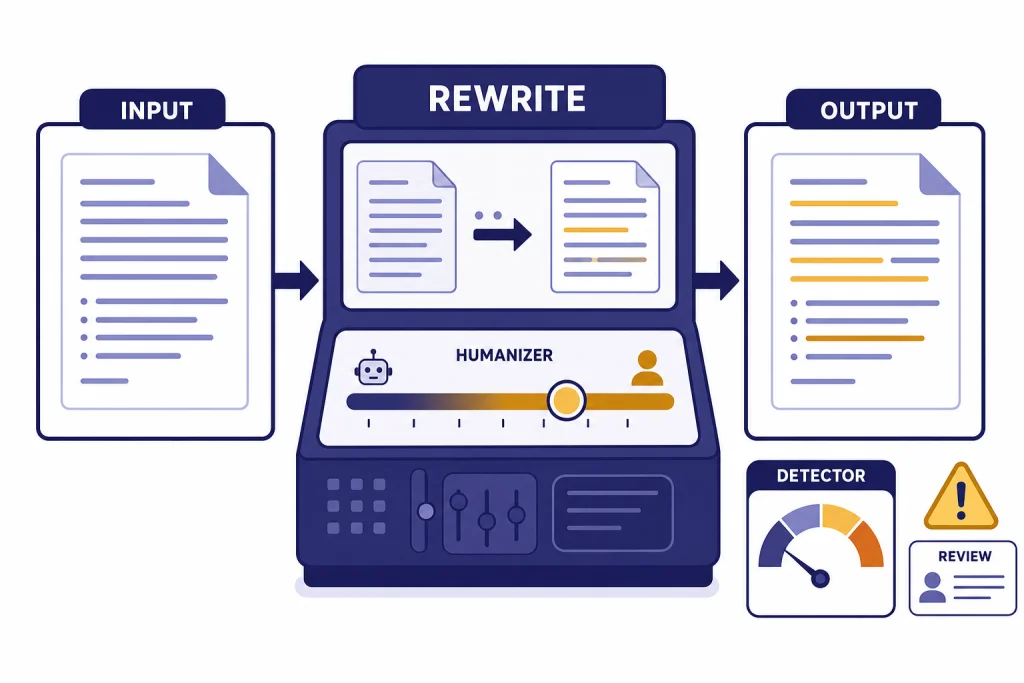
Walter Writes AI is a polished AI humanizer with a built-in detector, browser workflow, paid word limits, and a clear focus on rewriting AI-generated drafts so they read less machine-like. In this Walter Writes AI review, the tool performed best as an editing layer for blog drafts, emails, and other low-risk writing where the user still reviews every sentence. It is not a guaranteed way to defeat Turnitin, GPTZero, or any other detector.
Important disclaimer: this review does not endorse using Walter Writes AI, or any humanizer, to evade school, workplace, publisher, or client AI-use policies. If your assignment, employer, or contract bans AI rewriting or requires disclosure, using a detector-bypass tool to hide AI assistance can violate those rules. The responsible use case is transparent editing, not misrepresentation.
Walter’s own marketing leans heavily into detection-safe language, but detector scores remain probabilistic. The short verdict: Walter Writes AI is useful for style cleanup, but risky if you treat it as proof of authorship or a shortcut around academic or workplace rules.
What Walter Writes AI does
Walter Writes AI is a web-based AI writing tool built around two main functions: an AI Humanizer that rewrites AI-generated text and an AI Detector that estimates how likely text is to be flagged as AI-written. Its public site says the platform can humanize drafts, detect AI patterns, and rewrite AI-generated text for students, SEO teams, marketers, educators, academics, legal users, and business writers.[1]
The workflow is simple. You paste text into the humanizer, choose settings, run the rewrite, and review the new version. Walter’s help center lists readability level, purpose, and Detection Bypass Level as the main controls. It also tells users to review the output because the tool rewrites for detection and does not guarantee that meaning stays perfect.[3]
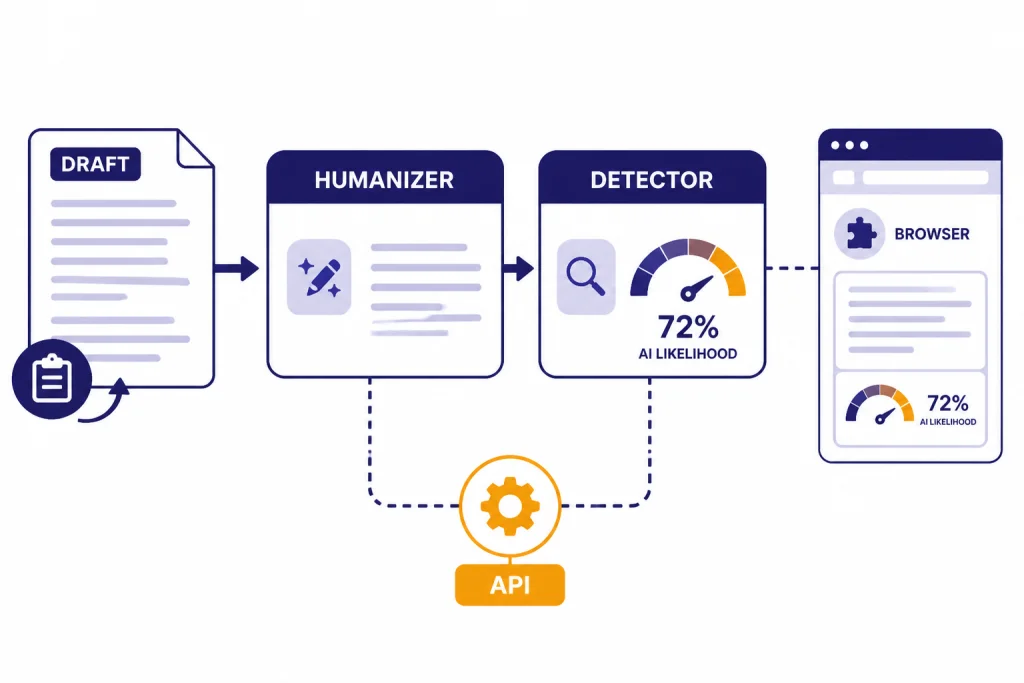
The product also supports a browser workflow. Walter says it has a Chrome extension for humanizing and detecting AI content in the browser, plus API access for teams that want to connect the humanizer and detector to their own workflows.[1] If you compare writing utilities often, see our broader best AI writing tools compared in 2026 guide for context on where humanizers sit next to assistants, editors, and drafting apps.
Walter is not a plagiarism checker in the traditional sense. A humanizer changes wording and structure; a plagiarism checker looks for overlap with existing sources. If originality review matters, pair this kind of tool with a dedicated checker such as the options in our Best Plagiarism Checkers comparison.
How I tested the humanizer
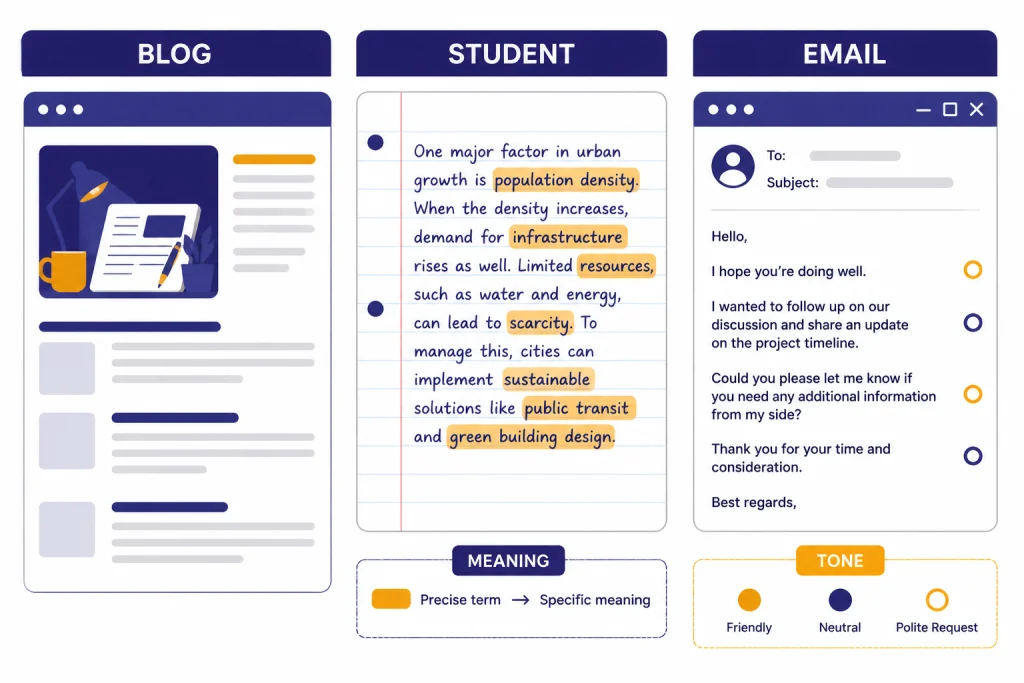
I evaluated Walter Writes AI as a working editor, not as a magic detector bypass. The hands-on check was run on May 3, 2026 in the web app using short passages that fit within the public trial limit. I tested three common situations where people reach for a humanizer: a generic AI blog introduction, a formal student-style explanatory paragraph, and a business email that sounded too polished. I looked for meaning retention, sentence rhythm, awkward substitutions, tone drift, and whether the output still needed manual editing.
For transparency, the table below shows the exact test prompts or pasted source drafts, the settings I used, and the built-in detector labels I recorded in that session. These labels are not benchmark scores and should not be treated as durable guarantees; detector interfaces and thresholds can change.
| Test | Exact prompt or source draft pasted | Settings used | Walter detector output observed | What I checked after rewriting |
|---|---|---|---|---|
| Blog introduction | Prompt used to create the source draft: Write a neutral 110-word introduction about why small businesses use customer onboarding software. Keep it informative and professional. | Purpose: Blog. Readability: General. Detection Bypass Level: Standard. | Before: Likely AI. After: Likely Human. | Whether transitions sounded less templated and whether the rewrite added unsupported claims. |
| Student-style explanatory paragraph | Explain why photosynthesis is important for ecosystems in one formal paragraph. Mention energy transfer, oxygen, and food webs. | Purpose: Academic. Readability: College. Detection Bypass Level: Standard, then High for a stress check. | Before: Likely AI. After Standard: Mixed or uncertain. After High: Likely Human. | Whether scientific terms stayed accurate after the more aggressive rewrite. |
| Business email | Hi Jordan, I am writing to follow up regarding our previous conversation about the proposal. Please let me know if you have any questions or require additional information. I look forward to hearing from you soon. | Purpose: Email. Readability: General. Detection Bypass Level: Standard. | Before: Likely AI. After: Likely Human. | Whether the tone became warmer without sounding too casual for a client note. |
Here is one short before-and-after excerpt from the email test. The output is anonymized, but it shows the kind of change Walter made in the strongest case.
| Before Walter | After Walter | Editorial note |
|---|---|---|
| Hi Jordan, I am writing to follow up regarding our previous conversation about the proposal. Please let me know if you have any questions or require additional information. | Hi Jordan, I wanted to check in on the proposal we discussed. If anything is unclear or you would like more detail, I am happy to send it over. | The rewrite sounded less canned and kept the same intent. I would still adjust it for the sender’s normal voice before sending. |
The strongest result was the business email. Walter made it warmer and less formulaic without adding much clutter. The blog introduction improved too, mainly because the rewrite broke up stiff transitions and made the pacing feel less templated. The academic-style paragraph was the hardest case. Walter made it sound less robotic, but the High bypass pass softened some precise wording. That is the tradeoff with humanizers: a natural sentence can still be a less accurate sentence.
Walter’s help center gives similar advice. It recommends splitting longer text into sections, using the purpose and readability controls together, starting with Standard detection bypass, and keeping the original text for comparison.[3] That advice matches my experience. The tool is more useful when you treat it like an editing pass than when you paste a full document and accept the result unchanged.
For prompt-side cleanup before a draft reaches a humanizer, a structured prompt tool may be a better first step. Our Best ChatGPT Prompt Generator Tools guide covers tools that help shape the original draft instead of repairing it later.
| Test material | What improved | What still needed editing | Best use |
|---|---|---|---|
| Generic blog introduction | Less repetitive structure and smoother transitions | Some claims became broader than the source draft | Early editorial cleanup |
| Student-style explanatory paragraph | More varied sentence rhythm | Some precise phrasing became softer | Clarity review, not rule evasion |
| Business email | More natural tone and fewer canned phrases | Needed a final brand-voice pass | Client, sales, and internal communication |
Pricing and plan limits
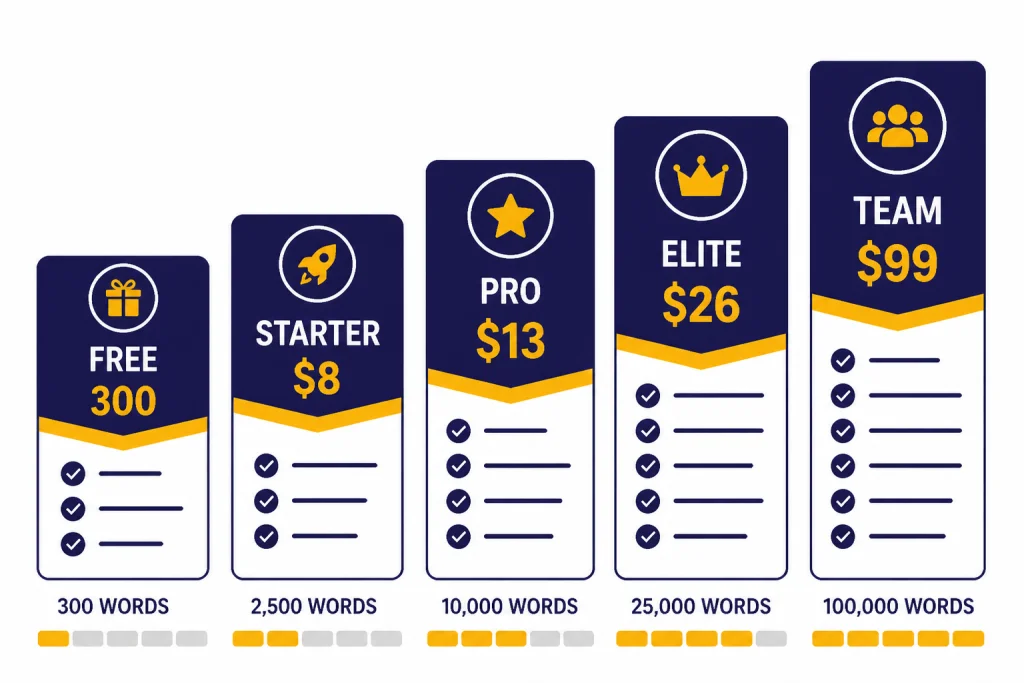
Pricing checked: May 4, 2026. SaaS pricing, trial limits, and word caps can change quickly, so use the figures below as a snapshot and verify the checkout page before paying.
Walter’s public pricing page lists a free trial and paid plans based on monthly word allowance and per-request limits. The free trial offers 300 words, and the paid annual plans shown on the pricing page are Starter at $8 per month billed $96 annually, Pro at $13 per month billed $156 annually, Elite at $26 per month billed $312 annually, and Teams at $99 per month billed $1,188 annually.[2] A January 2026 third-party pricing breakdown reported the same annual Starter, Pro, and higher-volume pricing structure, which corroborates the main public price points.[10]
The most important practical limit is not only the monthly word pool. It is also the words-per-request cap. Walter’s current pricing page lists 750 words per request on Starter, 1,500 on Pro, and 2,000 on Elite and Teams.[2] A Walter help article about getting started still refers to older-looking per-request limits of 500 words for Starter, 1,200 for Pro, and 1,700 for Unlimited.[3] Because the product pages disagree, verify the checkout screen before paying.
Walter says the Teams plan includes 500,000 words per month, a 2,000-word request cap, and 10 team members.[2] That makes it the only plan on the public pricing table clearly aimed at organizations instead of individual writers. For other usage-based AI tools, the same rule applies: calculate by real volume, not by the plan name. Our OpenAI Token Counter Tools roundup is useful if you also work with token-based systems.
| Plan | Annual price shown | Monthly word allowance | Words per request | Likely fit |
|---|---|---|---|---|
| Free trial | $0 | 300 trial words | 300 | Quick output check[1] |
| Starter | $8/month, billed $96 annually | 30,000 words | 750 | Light personal use[2] |
| Pro | $13/month, billed $156 annually | 70,000 words | 1,500 | Regular content editing[2] |
| Elite | $26/month, billed $312 annually | 200,000 words | 2,000 | High-volume solo work[2] |
| Teams | $99/month, billed $1,188 annually | 500,000 words | 2,000 | Shared team workflow[2] |
Output quality and editing risk
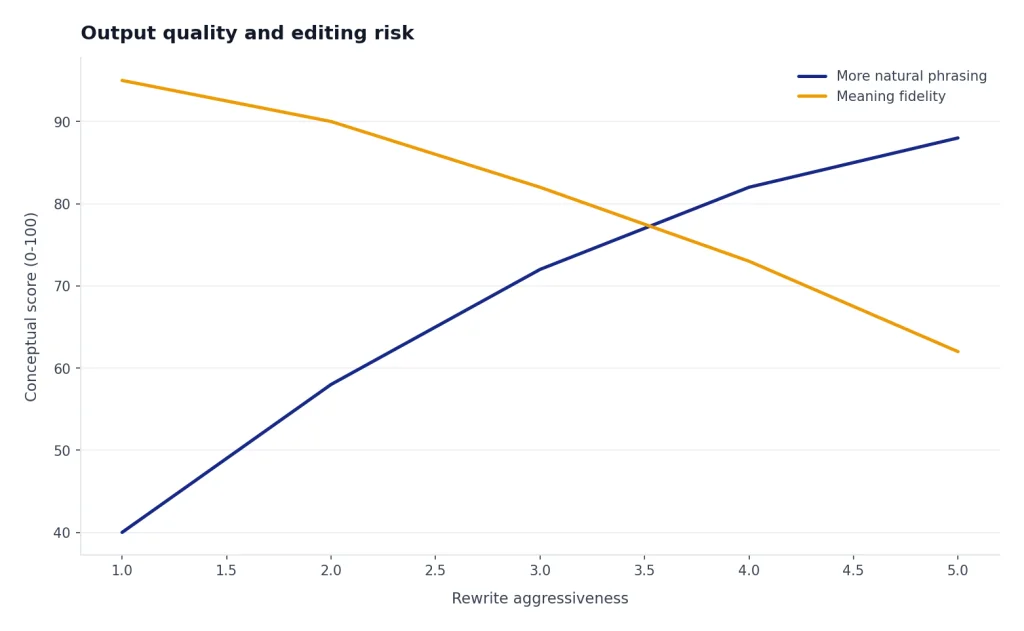
Walter Writes AI is at its best when the input is already factually correct and structurally sound. It can vary sentence length, reduce canned phrasing, and make a draft feel less like a default AI response. It is weaker when the original draft contains claims that need sourcing, technical wording, legal nuance, or carefully defined terms.
The main editing risk is meaning drift. A humanizer can replace a precise phrase with a more natural phrase that is not equivalent. In business writing, that may only sound a little off. In academic, medical, legal, or technical writing, it can change the substance. Walter’s own onboarding guidance says users should always review output and make sure it still says what they meant.[3]
The clearest drift in my test appeared when the academic-style paragraph was run with a more aggressive bypass setting. This short anonymized example shows the pattern:
| Original meaning | Walter rewrite excerpt | Why it needed correction |
|---|---|---|
| Photosynthesis converts light energy into chemical energy stored in glucose, and oxygen is released as a byproduct. | Photosynthesis turns sunlight into energy for plants and creates oxygen that supports life around them. | The rewrite is easier to read, but it drops glucose and blurs the distinction between light energy and chemical energy. For a science assignment, I would restore the precise wording. |
I would not use Walter as the final editor for citations, statistics, legal arguments, research summaries, or résumé claims. For long-document compression, use a summarizer first and then edit. Our Best AI Summarizer Tools for Long Documents guide covers tools built for extraction and condensation, which is a different job than humanization.
For career documents, be even more cautious. A humanizer can make a résumé bullet sound smoother, but it can also inflate a responsibility or blur a measurable result. If you are working on job materials, compare this workflow with purpose-built AI resume builder tools compared.
Editing checklist after using Walter
- Compare the rewrite against the original paragraph by paragraph.
- Restore any technical terms that were softened or replaced.
- Remove filler words added for a more casual rhythm.
- Check every factual claim against the source material.
- Make sure the final voice matches the writer, publication, or organization.
AI detector claims need caution
Walter’s marketing repeatedly frames the product around passing AI checks and reducing AI detector flags.[1] That is the most sensitive part of the product. It is also the part where users should be most skeptical. Detector scores are not proof that a human wrote something, and a low AI score is not a durable guarantee.
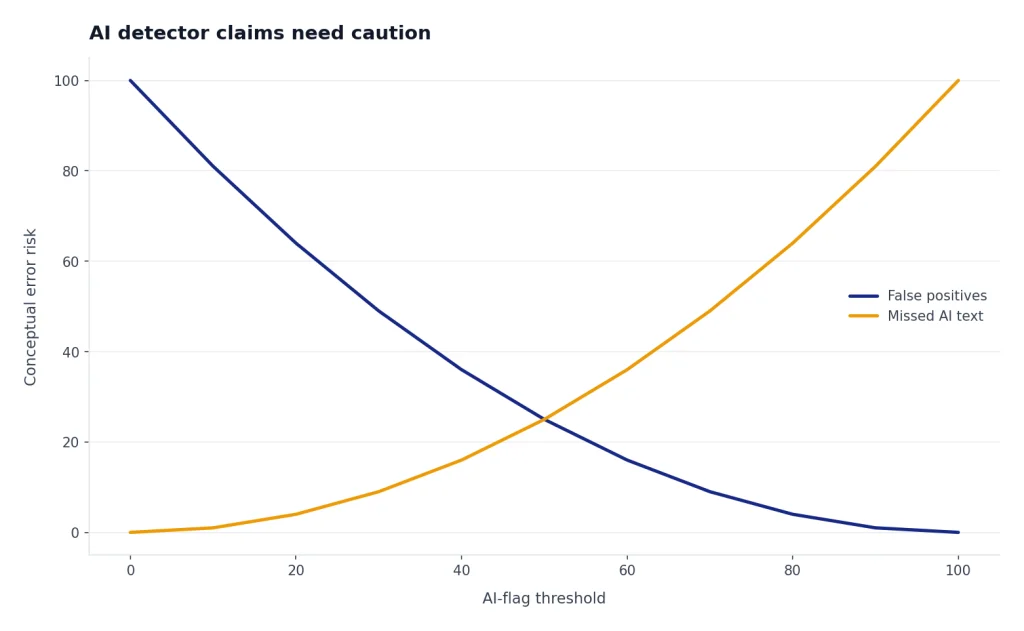
OpenAI’s own AI Text Classifier was discontinued as of July 20, 2023 because of a low rate of accuracy. OpenAI said its classifier identified 26% of AI-written text as likely AI-written and incorrectly labeled human-written text as AI-written 9% of the time in its evaluation.[7] That does not automatically describe every modern detector, but it shows why authorship detection is hard.
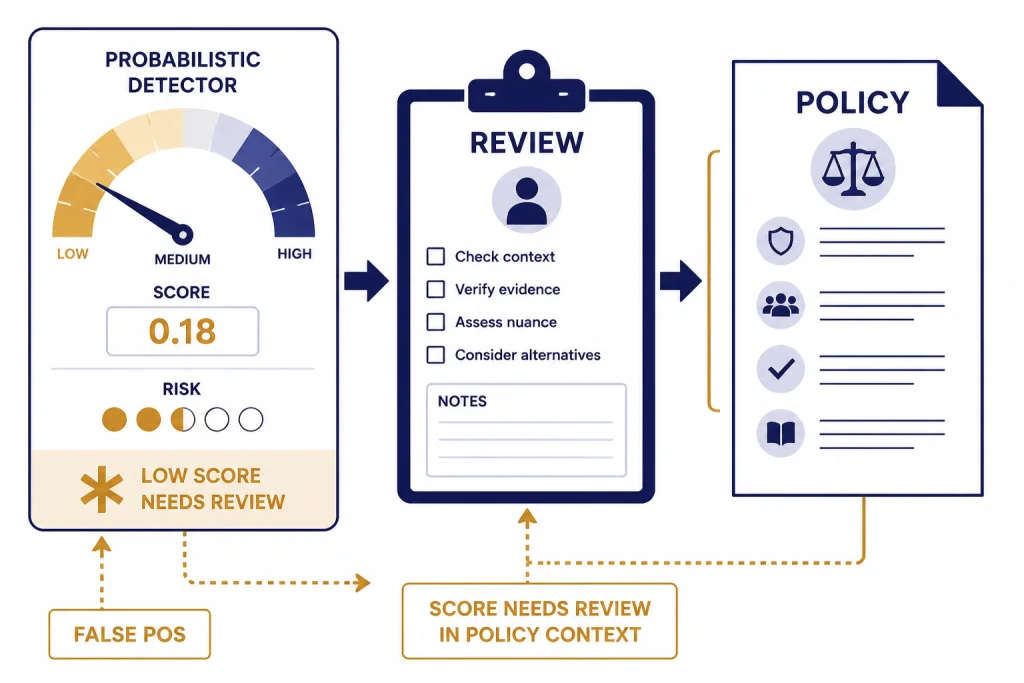
Turnitin’s own guide says its AI writing model may misidentify human-written, AI-generated, and AI-paraphrased text, and that it should not be used as the sole basis for adverse action against a student.[8] Turnitin also says scores below 20% are no longer surfaced in new submissions because of potential false positives.[8] If a detector vendor tells instructors to apply human judgment, a humanizer user should not treat a clean score as a certificate.
There is also a fairness issue. A 2023 study in Patterns found that GPT detectors frequently misclassified non-native English writing as AI-generated, raising concerns about fairness and robustness.[9] That matters for both sides of this market. It means some people use humanizers defensively because their authentic writing gets flagged. It also means detector evasion can make enforcement even messier.
For schools, the better path is clear policy, process evidence, drafts, source checks, and conversation, not a single detector score. If you are evaluating systems for a classroom or department, see our Best AI Detectors for Teachers and Schools guide before relying on any one vendor.
Privacy, refunds, and terms
Walter’s privacy policy says collected information may be used to operate, provide, maintain, personalize, expand, and secure its services; provide customer support; develop new features; and communicate with users.[6] It also says information may be shared with vendors and service providers, and that no security system is impenetrable.[6] Do not paste confidential client, student, legal, medical, or proprietary material unless your organization has approved the tool and reviewed the terms.
The privacy policy includes an academic integrity section. Walter says it does not condone academic dishonesty and may terminate accounts that violate the policy.[6] That wording matters because the product is often discussed in the context of AI detection. A tool can market detector-risk reduction while still placing responsibility on the user.
Refunds are narrow. Walter’s help center says new users must request a refund within 3 days of signing up, must have used 1,500 words or less, and must be on their first-ever subscription.[4] Walter’s terms of service repeat the 3-day refund policy and the 1,500-word usage ceiling, and they state that renewals, reactivations, and later subscription purchases are excluded.[5] Test the free trial before buying, and cancel before renewal if you do not plan to continue.
If your work involves research data, interview transcripts, unpublished papers, or protected student information, compare Walter with tools built for research workflows and institutional controls. Our Best AI Research Tools for Academics guide is a better starting point for that use case.
Best use cases and who should skip it
Walter Writes AI makes the most sense for writers who already know what they want to say and need help making AI-assisted prose less stiff. It can be useful for marketing drafts, internal emails, newsletter sections, product descriptions, and rough blog copy. It is less appropriate for final academic submissions, policy documents, legal analysis, medical advice, or any situation where disclosure rules are strict.
Students should be especially careful. If a school permits AI-assisted editing, Walter may help with clarity. If a school bans AI rewriting or requires disclosure, using a humanizer to hide AI involvement can violate policy. The ethical line is not the software. The ethical line is the rule for the assignment and whether the writer represents the work honestly.
Content teams should also decide whether they need humanization at all. A better original prompt, a clear style guide, and a human editor may produce cleaner copy than running everything through a detector-aware rewrite. For multilingual teams, compare Walter’s broad language support with dedicated tools in our best AI translation tools tested guide.
Use Walter if you need a fast editorial pass on AI-assisted text and you are willing to review the result. Skip it if you need guaranteed detector avoidance, verified plagiarism review, source-grounded research, or legally reliable rewriting.
Verdict
Walter Writes AI is a credible AI humanizer for users who want smoother, less robotic text and who understand that the final responsibility stays with the writer. Its strengths are convenience, adjustable rewriting, a built-in detector, a browser extension, and clear public pricing.[1][2] Its weaknesses are the same weaknesses that affect the whole humanizer category: meaning drift, overconfidence in detector scores, and ethical risk when used to conceal AI assistance.
The best way to use Walter is as a revision assistant. Paste a limited section, choose conservative settings, compare the output with the original, restore precision, and disclose AI assistance when your school, publisher, client, or employer requires it. The worst way to use it is to assume that a low detector score proves authorship. It does not.
For most professional writers, Walter is worth testing with the free 300-word trial before paying.[1] For high-stakes academic or compliance-heavy work, I would prioritize transparent drafting, source records, and human editing over any AI humanizer.
Frequently asked questions
Is Walter Writes AI legit?
Walter Writes AI is a real AI humanizer and detector platform with public pricing, support documentation, terms, and privacy pages. Its public site lists an AI Humanizer, AI Detector, Chrome extension, and API access.[1] The more important question is whether it fits your use case, because no humanizer can guarantee a safe detector result.
Does Walter Writes AI pass Turnitin?
Do not treat any tool as a guaranteed Turnitin bypass. Turnitin’s own guide says its AI model may misidentify text and should not be the sole basis for adverse student action.[8] Walter may reduce AI-like patterns, but the final result depends on the text, the detector, the settings, and later detector updates. It should not be used to hide prohibited AI use.
How much does Walter Writes AI cost?
As checked on May 4, 2026, Walter’s public annual pricing page listed Starter at $8 per month billed $96 annually, Pro at $13 per month billed $156 annually, Elite at $26 per month billed $312 annually, and Teams at $99 per month billed $1,188 annually.[2] The free trial offers 300 words.[1] Always verify the checkout page because SaaS prices can change.
Is Walter Writes AI safe for confidential writing?
Use caution with confidential material. Walter’s privacy policy says information can be used to operate and secure the service and may be shared with vendors and service providers.[6] Do not paste sensitive client, legal, medical, student, or proprietary content unless your organization has reviewed and approved the tool.
Can students use Walter Writes AI ethically?
Students can use AI writing tools ethically only when their institution and assignment rules allow the specific use. Walter’s privacy policy says the company does not condone academic dishonesty.[6] If the goal is to hide prohibited AI use, the issue is not the tool’s quality; it is policy violation.
What is the best alternative to Walter Writes AI?
The best alternative depends on the job. For originality checking, compare plagiarism tools. For drafting, compare AI writing tools. For research and long documents, compare research and summarizer tools. A humanizer is only one part of a responsible writing workflow.