

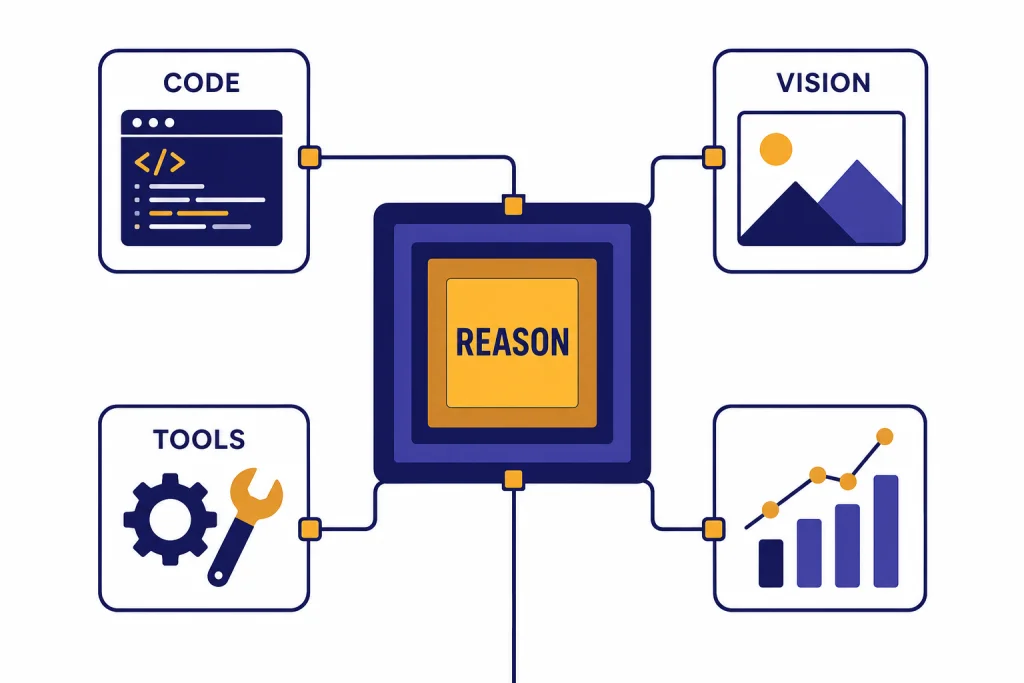
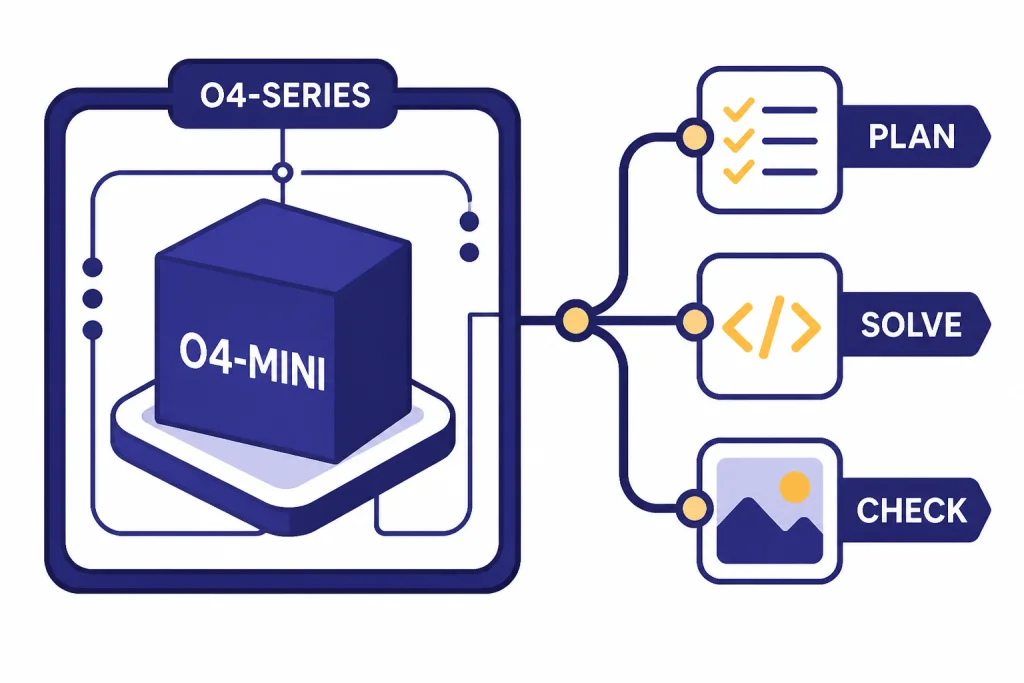
OpenAI o4-mini is the small reasoning model in OpenAI’s o-series, built for lower-cost reasoning across coding, math, visual analysis, and tool-heavy workflows. OpenAI released o3 and o4-mini on April 16, 2025, and its current model documentation lists o4-mini with a 200,000-token context window, a 100,000-token maximum output, text and image input, and text output.[1][2] It is not a general-purpose replacement for every GPT model. It is best when the task benefits from deliberate reasoning, structured tool use, and careful multi-step problem solving. If speed, style, or simple drafting matters more, a GPT model may still be the better default.
What o4-mini is
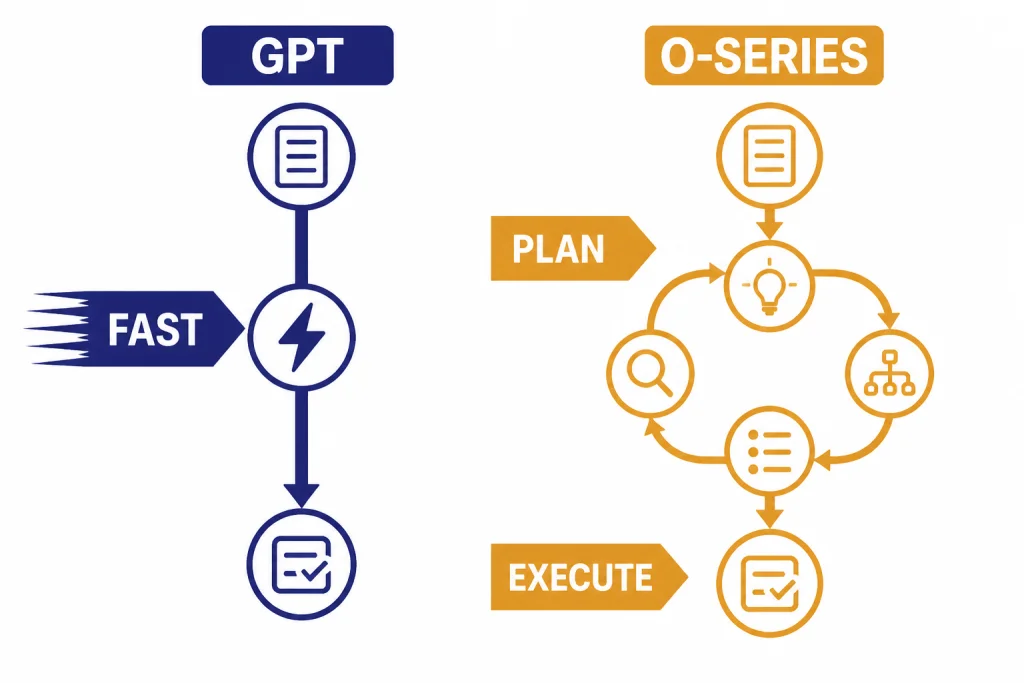
OpenAI o4-mini is a compact reasoning model. It belongs to the o-series, not the standard GPT-series. That distinction matters. The o-series is designed to spend more computation on planning, checking, and solving tasks that require several steps. OpenAI’s reasoning guide describes o-series models as better suited to complex problem solving, reliability, planning, and decision-making, while GPT models are often better for fast, straightforward execution.[5]
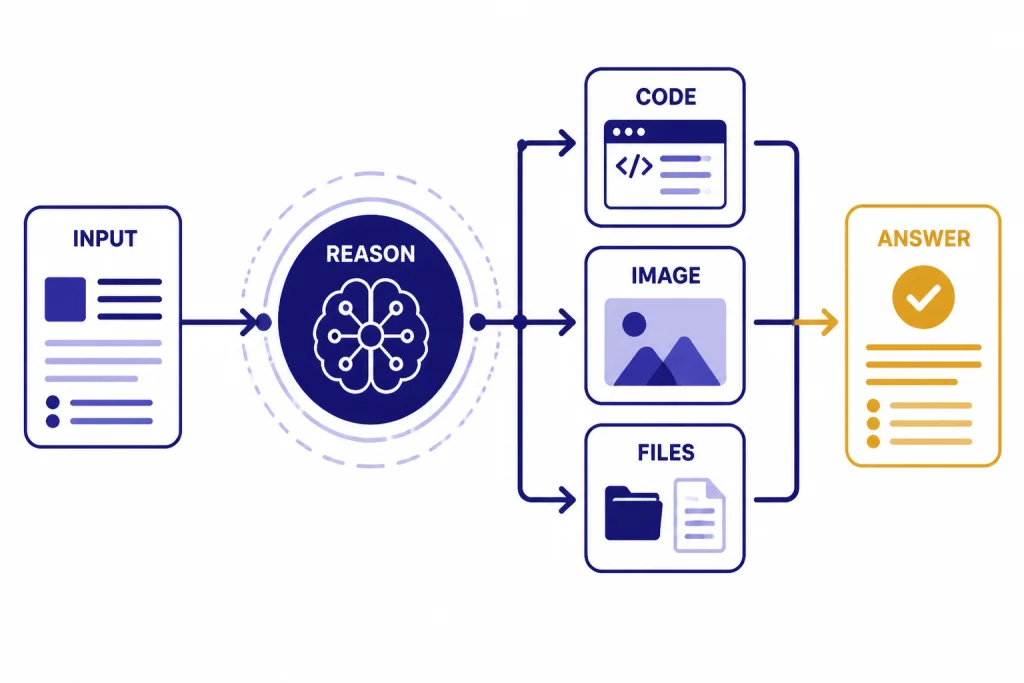
The model page describes o4-mini as a fast, cost-efficient reasoning model optimized for coding and visual tasks. It accepts text and image input and produces text output.[1] That makes it a practical model for prompts that combine written instructions, screenshots, diagrams, charts, or code snippets. For readers comparing it against the broader model lineup, start with all GPT models compared side by side and then use this article for the reasoning-model details.
The “mini” label should not be read as “simple.” It means OpenAI positioned the model for efficiency inside the reasoning family. o4-mini is meant to deliver much of the benefit of reasoning models at lower cost and with higher availability than heavier reasoning tiers. In practice, that makes it useful when a task is too complex for a fast drafting model but does not justify the most expensive reasoning model.
OpenAI has not published an official parameter count for o4-mini. Treat any parameter figure you see elsewhere as speculative unless OpenAI later publishes one.
Specs and pricing
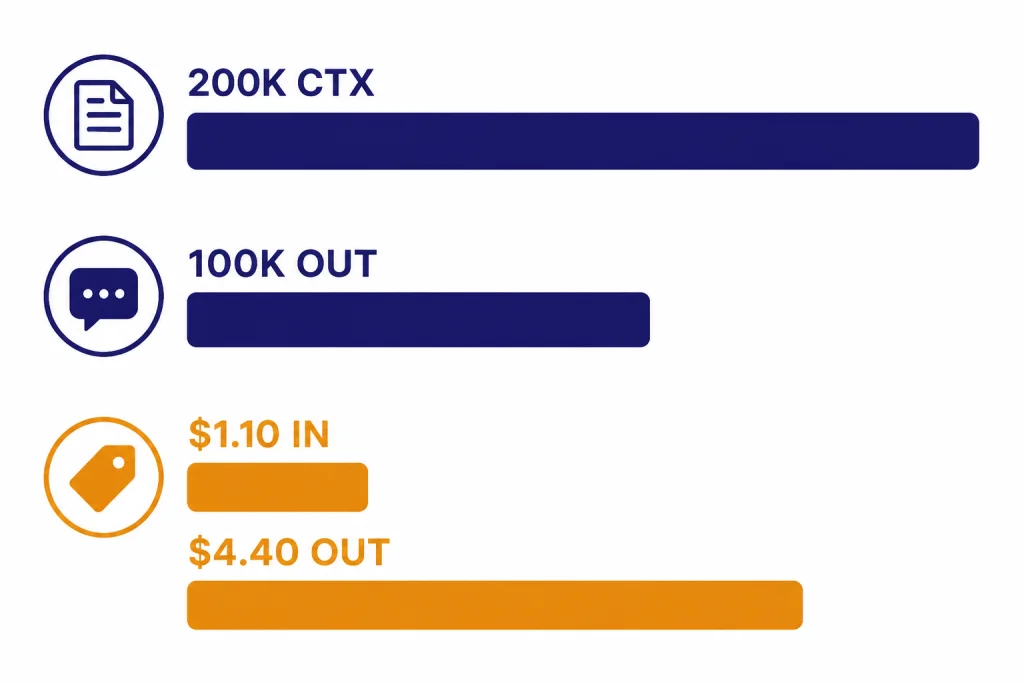
The most important o4-mini facts are its context window, output ceiling, modalities, supported API surfaces, and token pricing. OpenAI’s model page lists a 200,000-token context window, a 100,000-token maximum output, and a June 1, 2024 knowledge cutoff.[1] For broader context-window comparisons across the OpenAI lineup, see our context window sizes for every GPT model.
| Category | o4-mini detail | Practical meaning |
|---|---|---|
| Model family | o-series reasoning model[5] | Use it for multi-step work that benefits from planning. |
| Context window | 200,000 tokens[1] | It can take long documents, large code excerpts, and multi-file prompts. |
| Maximum output | 100,000 tokens[1] | It can return long analyses, but you should still ask for concise output when possible. |
| Input | Text and image[1] | It can reason over screenshots, diagrams, documents, and code. |
| Output | Text[1] | It does not natively output images, audio, or video. |
| API input price | $1.10 per 1M input tokens[1] | Good fit for reasoning workloads where full o-series cost is hard to justify. |
| Cached input price | $0.275 per 1M cached input tokens[1] | Repeated prompts with stable context can be cheaper. |
| API output price | $4.40 per 1M output tokens[1] | Long answers can still dominate total cost. |
Those prices make o4-mini a middle path. It is not the cheapest possible model, and it is not the maximum-reasoning option. It is built for users who need reasoning quality but still care about cost. Third-party pricing trackers also list o4-mini at $1.10 per 1M input tokens and $4.40 per 1M output tokens, matching OpenAI’s model documentation at the time checked.[6] If your main constraint is budget, compare it with our cheapest GPT model guide before deploying it at scale.
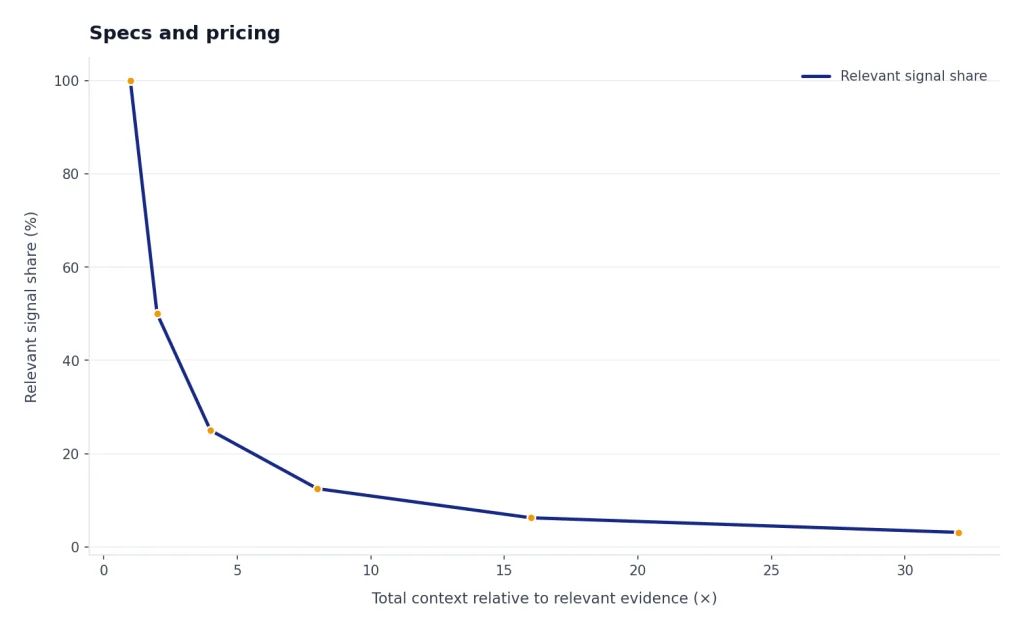
The context window is generous, but context is not free. A 200,000-token prompt can be useful for repository review, dense legal or policy analysis, or technical document synthesis.[1] It can also be wasteful if most of the input is irrelevant. A better pattern is to retrieve the smallest relevant set of passages, logs, screenshots, or files, then ask o4-mini to reason over that focused context.
How o4-mini differs from GPT models
OpenAI’s own guidance separates reasoning models from GPT models. The guide says o-series models are trained to think longer about complex tasks, while GPT models are designed for straightforward execution where speed and cost often matter more.[5] That is the core difference behind o4-mini. It is not simply a smaller chat model. It is a smaller reasoning model.
A GPT model is often the right first choice for summarizing a short email, rewriting a paragraph, producing a quick outline, classifying routine text, or answering a simple question. o4-mini is a better candidate when the prompt contains ambiguity, multiple constraints, conflicting evidence, code paths, or a visual artifact that must be interpreted carefully.
The distinction also affects prompting. With o4-mini, do not ask for hidden reasoning. Ask for the result, the checks it performed, and the assumptions it used. Good prompts give the model a clear target, all relevant constraints, and a preferred output format. Weak prompts dump a large context window into the model and hope the reasoning engine finds the important part.
| Task type | Better first pick | Why |
|---|---|---|
| Quick copy edit | GPT model | Low ambiguity and low need for multi-step planning. |
| Bug investigation across logs and code | o4-mini | Needs hypothesis testing and careful constraint handling. |
| Screenshot plus written requirements | o4-mini | Uses image input and reasoning over visual details.[1] |
| High-volume text classification | GPT model | Usually cost and latency sensitive. |
| Math-heavy analysis | o4-mini | Reasoning models are built for complex problem solving.[5] |
| Creative long-form prose | Depends | Use o4-mini for planning; use a writing-focused model for final voice. See our best GPT model for writing. |
For many production systems, the best architecture is not “one model for everything.” A cheaper or faster model can classify the request, retrieve context, and draft routine responses. o4-mini can then handle the smaller set of tasks where the cost of a reasoning mistake is higher. This pattern follows OpenAI’s guidance that many workflows combine o-series planning with GPT-series execution.[5]
Best use cases
o4-mini is strongest when the user wants a careful answer, not just a fast one. The best use cases share a pattern: the model must read inputs, compare constraints, form a plan, and produce a defensible result. That includes coding help, math and technical analysis, visual problem solving, structured decision support, and agent-style tool use.
Coding and debugging
OpenAI says o4-mini is optimized for coding and visual tasks.[1] In coding workflows, use it for root-cause analysis, test failure triage, migration planning, code review, and explaining why a proposed fix works. It is less ideal for high-volume code autocomplete or very small transformations where a faster model is enough. If coding is your main concern, pair this article with our best GPT model for coding comparison.
Math, science, and technical reasoning
OpenAI’s launch post positioned o3 and o4-mini as major reasoning upgrades over earlier o-series models and said the o4-mini cost-performance frontier improved over o3-mini on the 2025 AIME math competition.[2] That does not mean it will solve every math problem correctly. It means this is the kind of workload the model was designed to handle. Ask for assumptions, edge cases, and final verification steps.
Visual analysis
o4-mini supports image input, not image output.[1] That makes it useful for chart interpretation, UI review, screenshot debugging, handwritten diagram analysis, and extracting structured observations from visual material. It is not a substitute for image generation models. For generation workflows, see our best GPT model for image generation and DALL-E 3 guides.
Tool-using workflows
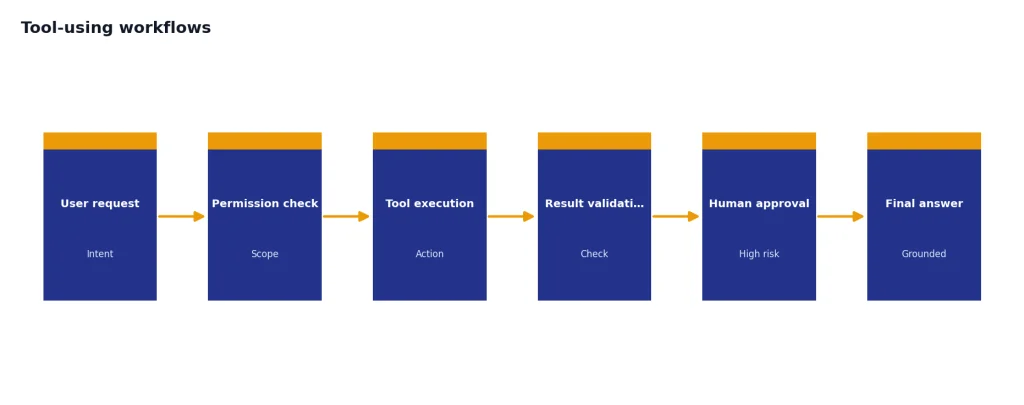
The o3 and o4-mini system card says these models combine reasoning with tool capabilities such as web browsing, Python, image and file analysis, image generation through tools, canvas, automations, file search, and memory.[4] In an API product, that points to a clear role: let o4-mini decide which tools to call, check intermediate results, and produce a final answer grounded in the tool output.
The model should still be supervised. Reasoning models can be more deliberate, but they are not automatically reliable. Build guardrails around permissions, sensitive actions, tool scopes, and user confirmation. For expensive or irreversible actions, require a human review step.
ChatGPT and API access
OpenAI’s help article says ChatGPT Plus, Pro, Team, and Enterprise users can select o4-mini in the model selector.[3] It also lists daily message budgets for Plus, Team, and Enterprise accounts: 300 messages per day with o4-mini and 100 messages per day with o4-mini-high.[3] Pro access is described as unlimited for o3, o4-mini-high, and o4-mini, subject to OpenAI’s usage policies and misuse guardrails.[3]
Those limits can change, so check the model picker or OpenAI’s help center before planning a heavy ChatGPT workflow. The same help article says there is no way to check exactly how many messages you have used in the usage budget.[3] That makes o4-mini fine for personal reasoning tasks but harder to manage as a strict quota-based team process inside ChatGPT.
For API users, OpenAI’s model page lists o4-mini support for the Responses API, Chat Completions, Assistants, Batch, fine-tuning, and related endpoints.[1] It also lists supported features including streaming, function calling, structured outputs, and fine-tuning.[1] If you are cost-modeling production usage, use our OpenAI API pricing guide alongside the current OpenAI pricing page.
OpenAI’s model page lists API rate limits by usage tier for o4-mini. Tier 1 starts at 1,000 requests per minute and 100,000 tokens per minute, while Tier 5 lists 30,000 requests per minute and 150,000,000 tokens per minute.[1] These limits are account- and tier-dependent, so they should be treated as planning inputs, not guarantees for every organization.
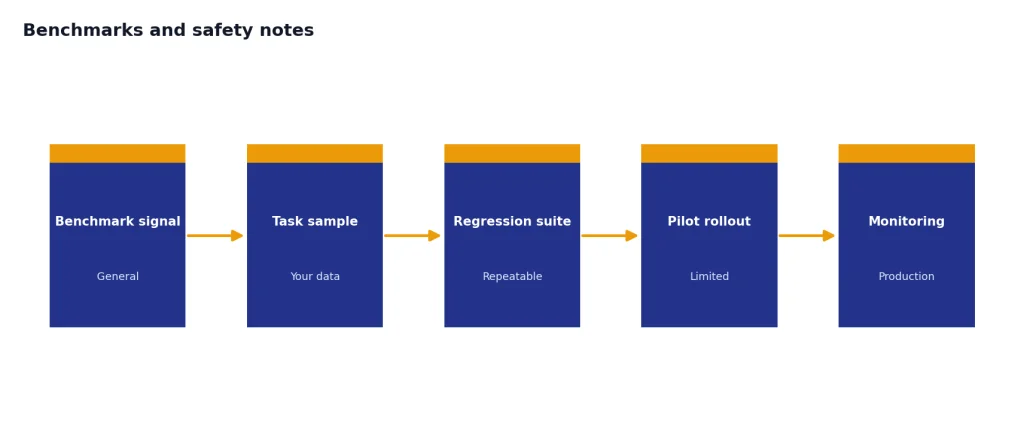
If you are testing o4-mini in the API, start with three evaluations. First, measure answer quality against your real tasks. Second, measure latency and token use, especially output tokens. Third, measure failure modes: hallucinated citations, missed constraints, overlong answers, and unnecessary tool calls. A model that looks cheap per token can become expensive if prompts are bloated or outputs are uncontrolled.
Benchmarks and safety notes
Benchmarks helped define the o4-mini launch, but they should not be read as a universal ranking. OpenAI’s launch post said o4-mini set new state-of-the-art results on benchmarks including Codeforces, SWE-bench, and MMMU.[2] It also said o4-mini’s cost-performance frontier improved over o3-mini on the 2025 AIME math competition.[2] These are useful signals for coding, math, and multimodal reasoning, but they are not a substitute for testing your own prompts.
The system card adds a more cautious view. It reports that o3 and o4-mini show substantial advances in reasoning and tool use, but it also documents hallucination evaluations, jailbreak tests, multimodal refusal tests, and preparedness evaluations.[4] One important finding is that the Safety Advisory Group determined o3 and o4-mini did not reach the High threshold in OpenAI’s tracked preparedness categories.[4] That is not a statement that the models have no risk. It means OpenAI’s evaluation did not place them in its High category for those tracked areas.
For everyday users, the practical takeaway is simple. Use o4-mini when reasoning quality matters, but verify important output. For developers, log tool calls, capture model inputs and outputs, and create regression tests for tasks the model must handle reliably. For teams using it in regulated or high-stakes domains, involve domain experts and use approval workflows.
It is also worth comparing o4-mini against heavier reasoning models rather than assuming the newest or largest model is always best. If your work needs deeper reliability, compare it with OpenAI o3, OpenAI o3-pro, and our most powerful GPT model benchmark roundup. If latency is the bigger issue, see our fastest GPT model guide.
Who should use o4-mini
Use o4-mini if you need a reasoning model that is cheaper and lighter than the heaviest o-series choices but more deliberate than a standard GPT model. It is a good default for technical users who want help with debugging, long-context analysis, visual reasoning, and structured planning. It is also a good candidate for agent workflows where the model must choose tools, check intermediate results, and return a final answer.
Do not use o4-mini just because it is available. If the job is routine, short, and latency-sensitive, a GPT model may be better. If the job is creative writing, voice, video, or image generation, use a model designed for that modality. Our guides to Whisper, Sora, and DALL-E 3 cover those separate model families.
The best way to adopt o4-mini is to give it a specific lane. Let it handle hard cases. Let faster models handle easy cases. Keep prompts focused. Cap output length when possible. Review important answers. That approach gets the most value from the o-series without turning every request into an expensive reasoning task.
Frequently asked questions
Is o4-mini the same as a GPT model?
No. OpenAI classifies o4-mini as an o-series reasoning model, while GPT models are a separate family.[5] Use o4-mini for harder multi-step problems and GPT models for many faster execution tasks.
Does o4-mini support images?
Yes, but only as input. OpenAI’s model page lists text and image input with text output for o4-mini.[1] For image generation, use an image model rather than o4-mini directly.
How much does o4-mini cost in the API?
OpenAI lists o4-mini at $1.10 per 1M input tokens, $0.275 per 1M cached input tokens, and $4.40 per 1M output tokens.[1] Actual cost depends on prompt size, output size, caching, tools, and whether your workload creates repeated context.
What is the o4-mini context window?
OpenAI lists a 200,000-token context window and a 100,000-token maximum output for o4-mini.[1] That is large enough for many long-document and codebase tasks, but relevance still matters more than raw context size.
Is there a full o4 model?
In the official sources checked for this article, OpenAI documents o4-mini but does not provide a separate public model page for a full-size “o4” model. Do not assume a full o4 model exists in the API unless OpenAI publishes it.
Should I use o4-mini instead of o3?
Use o4-mini when cost and higher usage capacity matter. Use o3 or o3-pro when you need the strongest reasoning result you can justify. The right answer depends on your tolerance for latency, cost, and errors.